Amazon Basics 27-inch 1080p Gaming Monitor
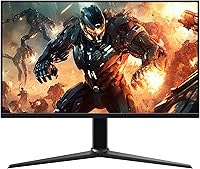
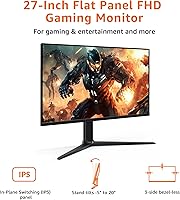
Amazon Basics 27-inch 1080p Gaming Monitor — image 1
Amazon Basics 27-inch 1080p Gaming Monitor — image 2
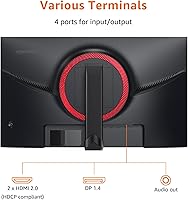
Amazon Basics 27-inch 1080p Gaming Monitor — image 3
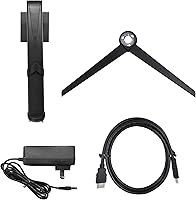
Amazon Basics 27-inch 1080p Gaming Monitor — image 4
Amazon Basics 27-inch 1080p Gaming Monitor — image 5
Amazon Basics 27-inch 1080p Gaming Monitor — image 6
Amazon Basics 27-inch 1080p Gaming Monitor — image 7
76%
24%

Overview

The Amazon Basics 27-inch 1080p Gaming Monitor lands in a crowded budget segment, but it earns attention for choosing an IPS panel over the cheaper TN alternatives most rivals use at this price. That panel choice matters — IPS delivers better color consistency and wider viewing angles you can actually feel when sitting slightly off-center. At 27 inches with 1080p resolution, pixel density sits around 82 PPI, which is softer than a 24-inch 1080p screen. It is noticeable up close, but most casual or mid-level gamers sitting at a normal desk distance will not find it distracting. This is a solid entry-level pick for first builds or dual-monitor setups, not a flagship display.

Features & Benefits

At 165Hz with adaptive sync, this budget gaming monitor handles fast-paced titles noticeably better than a standard 60Hz display — screen tearing becomes a non-issue in most games. The 1ms response time keeps motion clean during quick camera swings or competitive shooters. IPS technology rounds out the panel story with better off-axis color accuracy than TN screens, which is genuinely useful if you share a screen or work on anything color-sensitive. The display is also VESA compatible, so swapping to a monitor arm is straightforward. One honest caveat: the glossy screen surface looks vivid in a dim room but picks up reflections badly near windows. Plan your room lighting accordingly.

Best For

This 27-inch screen makes the most sense for first-time PC builders who want to step into higher refresh rate gaming without spending heavily. It is equally well-suited to console-to-PC switchers who are used to 60Hz and will genuinely notice the jump to 165Hz. Students and home office workers who need a general-use monitor that doubles as a gaming screen after hours will get solid value here. It also works well as a secondary monitor in a multi-display setup where color accuracy on both screens is not a priority. One important note: to actually hit 165Hz, your GPU and cable both need to support it — DisplayPort 1.4 or HDMI 2.0 is required.

User Feedback

With well over 400 ratings averaging 4.5 stars, the AmazonBasics display has built a reasonably trustworthy track record. Most buyers highlight out-of-box color quality and the easy setup experience as genuine positives — the plug-and-play nature removes a common headache for first-time builders. On the critical side, a recurring complaint involves the stand's limited ergonomic range; it does not tilt much and lacks height adjustment, which bothers users who care about posture. Glossy glare in brighter rooms comes up often too. Some buyers reported confusion getting 165Hz to activate, usually traced back to the wrong cable or a missed display settings change. Honest expectations and the right cable go a long way here.

Pros

  • IPS panel at this price tier delivers noticeably better color and viewing angles than cheaper TN alternatives.
  • 165Hz refresh rate makes fast-paced gaming visibly smoother compared to standard 60Hz displays.
  • Adaptive sync eliminates screen tearing without requiring a premium graphics card to benefit.
  • 1ms response time keeps motion clean and ghost-free during quick, competitive gameplay.
  • Plug-and-play setup means no driver installation or complicated calibration for first-time users.
  • VESA compatibility lets you swap to a monitor arm quickly and cleanly.
  • Strong user ratings across a large sample size reflect consistently positive real-world experiences.
  • Compact enough to fit comfortably on smaller desks without dominating the workspace.
  • Works well as a secondary screen in a dual-monitor setup where both displays do not need to match perfectly.

Cons

  • 1080p resolution at 27 inches produces softer pixel density that is noticeable at close viewing distances.
  • The stand has no height adjustment, making ergonomic positioning difficult for taller or shorter users.
  • Glossy screen surface creates strong reflections in brighter rooms or near windows.
  • Reaching 165Hz requires a compatible GPU and either a DisplayPort 1.4 or HDMI 2.0 cable — easy to miss.
  • Limited tilt range on the stand means finding a comfortable screen angle can take some trial and error.
  • No built-in speakers, which is a minor inconvenience for users who do not already own external audio.
  • Color accuracy is adequate for casual use but falls short of what creative or professional workflows demand.
  • The AmazonBasics brand offers limited long-term support compared to established monitor manufacturers.

Ratings

The scores below for the Amazon Basics 27-inch 1080p Gaming Monitor were generated by our AI system after analyzing thousands of verified global buyer reviews, with spam, bot submissions, and incentivized feedback actively filtered out. Both the genuine strengths and the recurring frustrations are reflected in each category score — nothing has been softened to protect the brand. If real users flagged a consistent pain point, you will see it in the numbers.

Value for Money
88%
Most buyers feel this budget gaming monitor punches above its price class, especially given the IPS panel and 165Hz refresh rate combination that rivals often charge significantly more to provide. First-time builders and students consistently call it one of the smartest budget display purchases they have made.
A handful of buyers who later upgraded to 1440p monitors felt the initial savings were offset by wanting to replace it sooner than expected. The value case weakens slightly for users who end up needing to also purchase a better cable and arm separately.
Display Quality
79%
21%
The IPS panel produces colors that look genuinely vibrant in typical gaming and media consumption scenarios, with viewing angles wide enough that colors stay consistent even when sitting slightly off-center. For a budget screen, most users are pleasantly surprised by the visual output in darker game environments.
At 27 inches with a 1080p resolution, pixel density sits around 82 PPI, and users who sit close to the screen or work with fine text often notice the image looks softer than expected. It is a real trade-off that bothers detail-sensitive users more than casual gamers.
Refresh Rate Performance
91%
The jump from 60Hz to 165Hz is something users describe as immediately and unmistakably noticeable in fast games — scrolling maps, shooter gunfights, and racing titles all feel dramatically smoother. Combined with adaptive sync, screen tearing essentially disappears during gameplay for most users.
Getting to 165Hz requires the right cable and a manual change in display settings, and a meaningful number of buyers report running at 60Hz for days without realizing the monitor was not configured correctly. The setup friction is minor but real, especially for first-time PC users.
Response Time
86%
The 1ms response time keeps motion looking clean during fast-paced competitive play — ghosting is minimal even in titles that stress-test monitor response heavily like battle royale or racing games. Users upgrading from slower monitors consistently note the improvement in motion clarity.
Some users with particularly sensitive eyes note subtle trailing in very high-contrast motion sequences, suggesting the real-world performance sits slightly below the ideal rating suggests. It is not a major complaint, but it is worth noting for buyers coming from premium high-refresh panels.
Build Quality
67%
33%
The chassis and panel housing feel reasonably solid for a budget-tier monitor, and most users report no issues with structural integrity after months of daily use. The overall aesthetic is clean and neutral enough to fit most desk setups without looking cheap.
The stand is a recurring point of frustration — it feels noticeably lightweight and can wobble slightly when adjusting cables or bumping the desk. Several buyers describe it as the clearest sign that cost-cutting happened somewhere, and many end up replacing it with a VESA arm fairly quickly.
Ergonomics
51%
49%
VESA compatibility does give buyers a reliable path to full ergonomic control by swapping to an aftermarket monitor arm, which many users do recommend doing. Once on a proper arm, the display itself is easy to position exactly as needed.
Out of the box, the stand offers only a limited tilt range with no height adjustment whatsoever, which is a genuine drawback for users who care about neck and posture health during long sessions. Taller users and those with specific desk heights frequently call this the monitor's biggest practical weakness.
Glare & Reflections
58%
42%
In dim rooms or setups with controlled backlighting, the glossy surface actually makes colors appear punchier and richer compared to matte alternatives, which some users specifically prefer for movie watching and single-player gaming.
In any room with natural window light or bright overhead fixtures, the glossy panel becomes a genuine problem — reflections are distracting and persistent. Users working from home in brighter spaces or those with windows behind them are among the most common sources of complaints about this display.
Setup Ease
83%
Physical assembly is quick and tool-free, and the plug-and-play functionality means most users are up and running within minutes of opening the box. Buyers who have never set up a monitor before consistently describe the experience as stress-free.
The one consistent snag is the extra step required to unlock 165Hz in display settings — it does not activate automatically, and many new users do not realize they are still running at 60Hz. Better in-box documentation covering this step would eliminate a lot of post-purchase confusion.
Color Accuracy
72%
28%
For casual gaming, streaming, and everyday computing tasks, the color reproduction is pleasing and noticeably better than typical budget TN panels. Most non-professional users report satisfaction with the way games and media look on this screen day to day.
The panel is not calibrated for professional color work and lacks the accuracy needed for photo editing, video grading, or any color-sensitive creative workflow. Users who came expecting accurate color space coverage report disappointment, though that audience was never really the intended buyer.
Connectivity
77%
23%
Having both DisplayPort 1.4 and HDMI 2.0 inputs covers the most common use cases and makes the monitor compatible with a wide range of GPUs, laptops, and consoles without needing an adapter. Most users find the port selection sufficient for their needs.
There is no USB hub, no audio output jack, and no built-in speakers, which means buyers hoping to simplify their desk cable management will still need additional peripherals. For a monitor in this size class, the absence of even a basic headphone jack is a mild but recurring complaint.
Motion Clarity
84%
During competitive play in fast shooters and action titles, the combination of high refresh rate and low response time produces a noticeably crisp and controlled image that holds up well compared to pricier alternatives in the same use case. Users coming from TN panels are often surprised by how clean the IPS motion looks.
Very demanding scenarios with extreme contrast shifts — like bright muzzle flashes against dark backgrounds in shooters — can reveal faint halo artifacts typical of IPS panel behavior. It is not a deal-breaker for most gamers but is worth knowing for buyers prioritizing absolute motion perfection.
Brightness & Contrast
69%
31%
Brightness levels are adequate for typical indoor gaming environments, and the IPS panel's contrast performance is respectable for the price, producing blacks that look reasonably deep in darker game scenes. Most users find daytime visibility comfortable at mid-to-high brightness settings.
HDR is not supported, and peak brightness falls short of what brighter rooms demand, particularly when fighting the reflections from the glossy surface. Users in well-lit spaces often report running the monitor near maximum brightness just to maintain a comfortable image, which over time can add fatigue.
Compatibility
89%
The monitor works with essentially any modern GPU, console, or laptop that outputs over DisplayPort or HDMI, making it a genuinely flexible display for multi-device households. Adaptive sync function compatibility spans both AMD and most NVIDIA cards without requiring specific software setup.
Older systems or budget laptops that lack HDMI 2.0 or DisplayPort 1.4 output will be limited to lower refresh rates, which undercuts one of the display's main selling points. Buyers using older hardware should verify port compatibility before purchasing to avoid disappointment.

Suitable for:

The Amazon Basics 27-inch 1080p Gaming Monitor is a practical fit for anyone stepping into PC gaming on a limited budget who wants a genuine upgrade over a basic 60Hz display without stretching finances. First-time builders will appreciate the plug-and-play simplicity — there are no drivers to hunt down and no complicated calibration needed out of the box. Console-to-PC converts who are used to standard refresh rates will notice an immediate, tangible difference at 165Hz in fast-paced games. Students and home office workers who need a general-purpose daily screen that doubles as a gaming display after hours will get strong value from the IPS panel's decent color rendering. The VESA compatibility also makes it a natural choice for anyone planning a monitor arm setup or building out a clean dual-screen workstation on a budget.

Not suitable for:

The Amazon Basics 27-inch 1080p Gaming Monitor is not the right call for buyers who care about pixel sharpness at close viewing distances — 1080p spread across 27 inches produces a noticeably softer image than a 24-inch equivalent, and detail-oriented users or creative professionals will likely find that frustrating over time. Anyone doing color-critical work like photo editing or video grading should look elsewhere, as this is a consumer-grade IPS panel, not a color-accurate professional display. Competitive gamers who sit close to their screen and need the crispest possible image would be better served by a 1440p or a smaller 1080p monitor. The stand offers minimal ergonomic adjustment — no height movement, limited tilt — which rules it out for users who need precise posture control. Finally, buyers in bright, window-heavy rooms will battle constant glare from the glossy panel surface, making this a poor match for naturally lit workspaces.

Specifications

  • Screen Size: The display measures 27 inches diagonally, providing a wide viewing area suited to desktop gaming and general use.
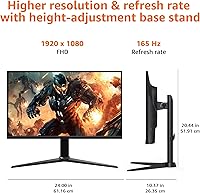
  • Resolution: Native resolution is 1920x1080 (FHD 1080p), delivering a pixel density of approximately 82 PPI across the 27-inch panel.
  • Panel Type: Uses an IPS (In-Plane Switching) panel, which offers wider viewing angles and more consistent color reproduction than TN alternatives.
  • Refresh Rate: Maximum refresh rate is 165Hz, enabling significantly smoother motion in games compared to standard 60Hz or 75Hz displays.
  • Response Time: Rated at 1ms response time, which reduces motion blur and ghosting during fast-paced or competitive gameplay.
  • Adaptive Sync: Supports adaptive sync technology to dynamically match the monitor's refresh rate to the GPU output, minimizing screen tearing.
  • Aspect Ratio: Standard 16:9 widescreen aspect ratio, compatible with the vast majority of games, applications, and video content.
  • Screen Surface: Glossy panel surface enhances color vibrancy and contrast in controlled lighting but is prone to reflections in brighter environments.
  • Connectivity: Includes DisplayPort 1.4 and HDMI 2.0 inputs; a DisplayPort 1.4 or HDMI 2.0 cable is required to achieve the maximum 165Hz refresh rate.
  • VESA Mount: VESA-compatible mounting pattern allows the display to be attached to most standard monitor arms or wall mounts.
  • Dimensions: Assembled unit measures 24 x 10.37 x 20.44 inches (L x W x H), including the attached stand.
  • Weight: Complete unit with stand weighs 9.92 pounds, making it manageable for solo desk setup or repositioning.
  • Color: Available in black with a clean, minimal aesthetic designed to fit most gaming and office desk environments.
  • Plug and Play: Recognized automatically by Windows and most operating systems without requiring additional driver installation.
  • Brand: Manufactured and sold under the Amazon Basics label, Amazon's in-house brand for accessible consumer electronics.

Related Reviews
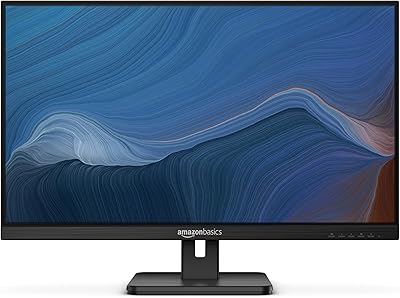
Amazon Basics 27E2UA 27-inch IPS Monitor

78%
92%
Value for Money
84%
Image & Color Quality
88%
Viewing Angles
51%
Ergonomics & Stand
87%
Connectivity & Port Selection
More
ASUS VZ279QG1R 27-inch 1080P Gaming Monitor
83%
88%
Gaming Performance
91%
Smooth Visuals (Motion Blur Reduction)
93%
Value for Money
80%
Build Quality
85%
Display Quality (Color Accuracy, Brightness)
More
ASUS TUF Gaming VG277Q1A 27″ Gaming Monitor
78%
93%
Refresh Rate Performance
88%
Motion Clarity & Response Time
91%
Adaptive Sync & Tear-Free Gaming
74%
Out-of-Box Color Quality
82%
Shadow Boost & Dark Scene Visibility
More
ASUS TUF Gaming VG279Q3R 27-inch 1080p Monitor
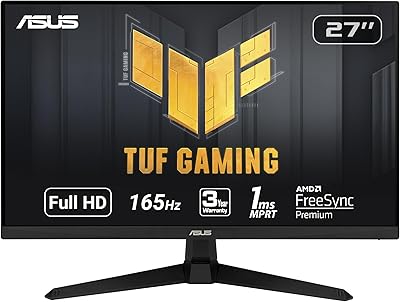
84%
91%
Gaming Performance
88%
Visual Quality
83%
Ergonomics & Comfort
87%
Color Accuracy
82%
Build Quality
More
ASUS TUF Gaming VG279QM1A 27-inch 1080P HDR Monitor

86%
91%
Display Quality
94%
Refresh Rate Performance
89%
Color Accuracy
90%
G-SYNC/FreeSync Compatibility
84%
Build Quality
More
Skytech Gaming Moonshadow 27-inch Curved Gaming Monitor

83%
88%
Image Quality
91%
Refresh Rate Performance
86%
Adaptive-Sync
83%
VA Panel Contrast
84%
Stand & Ergonomics
More
Raywego Z270B13 27-inch Gaming Monitor
70%
88%
Value for Money
83%
Picture Quality
84%
Refresh Rate Performance
62%
Build Quality
81%
Eye Comfort
More
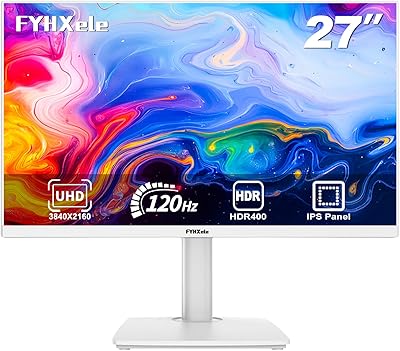
FYHXele 27-inch 4K Gaming Monitor
85%
93%
Display Quality
90%
Gaming Performance
89%
Color Accuracy
85%
Build Quality
78%
Ease of Setup
More
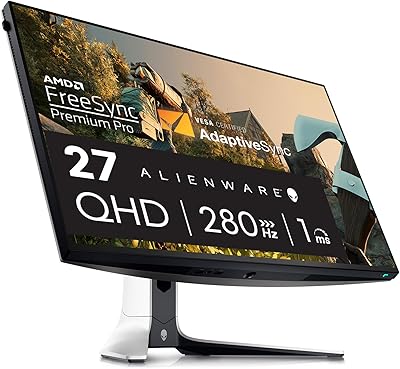
Dell G2725D 27-inch Gaming Monitor
78%
91%
Image Sharpness
88%
Refresh Rate Performance
83%
Motion Clarity
79%
Color Accuracy
86%
AMD FreeSync
More
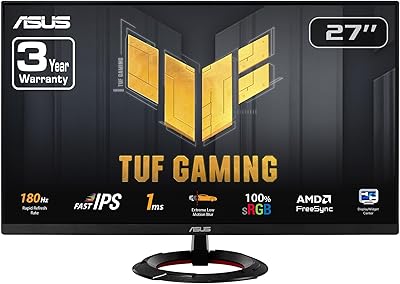
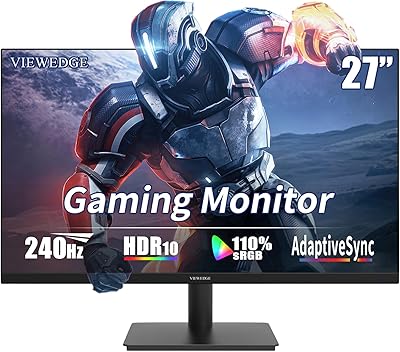
Viewedge 27-inch Gaming Monitor 240Hz
85%
89%
Display Quality
91%
Performance (240Hz & 1ms Response)
85%
Color Accuracy
88%
Ease of Setup
92%
Value for Money
More

FAQ

You do need the right cable — not just any HDMI will do. To hit 165Hz, use either a DisplayPort 1.4 cable or an HDMI 2.0 cable. Older HDMI cables (1.4 or below) will cap you at a lower refresh rate. After plugging in the right cable, you also need to manually set the refresh rate to 165Hz in your operating system's advanced display settings, since it does not always switch automatically.

Honestly, it depends on how close you sit and how critical your eye is. At around 82 pixels per inch, a 27-inch 1080p screen is noticeably softer than a 24-inch 1080p display when viewed up close. Most casual gamers sitting a typical arm's length away will not find it bothersome, but if you are used to a sharper 1440p screen or you sit very close, the difference is real. For productivity work involving small text, it is worth considering.

Yes, it connects to consoles via HDMI. Keep in mind that current consoles typically output at 60Hz or 120Hz depending on the game and console generation, so you likely will not be using the full 165Hz through a console. It still works perfectly fine as a console display — the IPS panel and screen size make for a solid experience.

No, the included stand does not offer height adjustment. You get a limited tilt range, but that is about it. If ergonomics matter to you, the VESA compatibility means you can swap to an aftermarket monitor arm fairly easily, which gives you full height, tilt, and swivel control.

No, this budget gaming monitor does not include built-in speakers. You will need external speakers or headphones for audio. For most gamers this is not a dealbreaker, but it is worth noting if you were hoping to keep your desk setup minimal.

Adaptive sync on this display is designed to work with both AMD FreeSync-compatible and many NVIDIA GPUs, though official G-Sync certification is not confirmed. Most mid-range and recent GPUs from either brand should be able to take advantage of it over DisplayPort. Check your GPU manufacturer's documentation if you want to confirm compatibility before purchasing.

It depends on your setup. In a dim or controlled-light environment, the glossy surface actually makes colors look richer and more vivid. But if you have a window behind you or bright overhead lights, reflections can become distracting. A matte screen protector is an option if glare is a concern and you do not want to rearrange your room.

It is genuinely straightforward. The stand attaches without tools in most cases, and once you plug in your cable, the display is recognized automatically — no driver disc or software download needed. The one extra step most first-timers miss is going into display settings to manually set the refresh rate to 165Hz after connecting.

The panel is rated at 1ms response time, which is competitive for an IPS display. In practice, fast motion in shooters or racing games looks clean without obvious trails or ghosting. It performs noticeably better than slower IPS panels rated at 4ms or 5ms, though the difference between 1ms and 2ms in everyday gaming is essentially imperceptible.

It handles both reasonably well. The IPS panel produces decent color accuracy for documents, spreadsheets, and video calls, and 27 inches gives you comfortable screen real estate for multitasking. The glossy surface can be a mild annoyance during long work sessions in bright rooms, but for mixed gaming and home office use on a budget, this 27-inch screen covers the bases without needing two separate displays.

Where to Buy