Skytech Gaming Moonshadow 27-inch Curved Gaming Monitor
Skytech Gaming Moonshadow 27-inch Curved Gaming Monitor — image 1
Skytech Gaming Moonshadow 27-inch Curved Gaming Monitor — image 2
Skytech Gaming Moonshadow 27-inch Curved Gaming Monitor — image 3
Skytech Gaming Moonshadow 27-inch Curved Gaming Monitor — image 4
Skytech Gaming Moonshadow 27-inch Curved Gaming Monitor — image 5
Skytech Gaming Moonshadow 27-inch Curved Gaming Monitor — image 6
Skytech Gaming Moonshadow 27-inch Curved Gaming Monitor — image 7
Skytech Gaming Moonshadow 27-inch Curved Gaming Monitor — image 8
Skytech Gaming Moonshadow 27-inch Curved Gaming Monitor — image 9
Skytech Gaming Moonshadow 27-inch Curved Gaming Monitor — image 10
83%

Overview

The Skytech Gaming Moonshadow 27-inch Curved Gaming Monitor is a mid-range display from a brand that built its reputation on pre-built gaming PCs, so a monitor entry is worth a closer look. What it offers is a 27-inch QHD panel with a 1500R curve — a combination that genuinely suits single-screen immersive setups better than a flat alternative at the same size. The VA panel choice means deeper blacks and stronger contrast compared to IPS, which matters in darker game environments. Add a clean silver-black finish and a fully adjustable stand, and this curved gaming monitor punches above its weight for a mid-range buy aimed at gamers stepping up from 1080p or 60Hz displays.

Features & Benefits

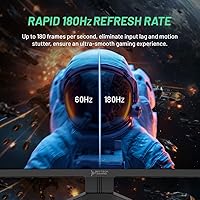
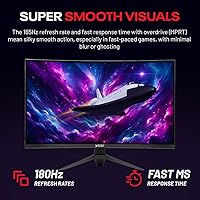
At 180Hz with a 3.7ms response time, this curved gaming monitor holds up well in fast-paced titles where dropped frames or lag cost you real opportunities. The jump to QHD 2560x1440 from 1080p is immediately visible — text is sharper, textures carry more detail, and the 27-inch size justifies the higher pixel density without needing to sit unusually close. The VA panel contrast advantage shows most in moody, darker game scenes where IPS panels tend to wash out. Adaptive-Sync covering both FreeSync and G-Sync removes the need to match GPU brand to monitor. The ergonomic stand with swivel, tilt, height, and pivot adjustments is a genuine bonus, as is the joystick-based OSD control.

Best For

This 27-inch QHD display makes the most sense for PC gamers who are done with 1080p but not ready to invest in a 4K setup. The high refresh rate makes it particularly well-suited for FPS and racing titles where smoothness directly affects performance. It also works as a dual-purpose monitor — the QHD resolution handles productivity tasks just fine alongside gaming sessions. Because the stand supports multiple adjustment axes, it adapts to different desk setups without needing an aftermarket arm. Both AMD and Nvidia users benefit from Adaptive-Sync support, so GPU compatibility is not a concern when buying, which keeps the decision straightforward for most builders.

User Feedback

The Moonshadow carries a strong average rating, though the review pool sits at roughly 55 ratings at time of writing — treat the consensus as early but encouraging rather than fully established. Buyers consistently praise the color depth and vibrancy, and many highlight how pronounced the curve feels in daily use. The main recurring concern, as expected with VA panels, is some ghosting in very dark fast-motion sequences — not a dealbreaker for most, but worth knowing if you play dark-environment games regularly. Build quality feedback has been generally positive, with the stand drawing specific mentions for feeling sturdy and stable. A few buyers also noted easy setup and appreciated the joystick OSD navigation.

Pros

  • QHD 2560x1440 resolution delivers a sharp, noticeable improvement over 1080p on a 27-inch screen.
  • The 180Hz refresh rate keeps fast-paced gameplay smooth without requiring a high-end GPU to push frames.
  • VA panel contrast produces genuinely deep blacks that flat IPS monitors at this price rarely match.
  • Adaptive-Sync works with both AMD and Nvidia GPUs, removing any compatibility guesswork.
  • The fully adjustable stand — with swivel, tilt, height, and pivot — is a practical feature often absent at this price tier.
  • A narrow 3-sided bezel keeps the display feeling clean and modern on any desk setup.
  • Joystick OSD control makes navigating monitor settings far less tedious than button-based alternatives.
  • Early buyers report solid build quality and a stable stand with no significant wobble complaints.
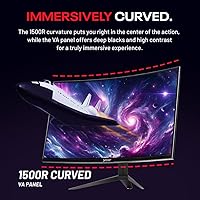
  • The 1500R curve adds genuine immersion for single-monitor setups without feeling overly aggressive.
  • Dual connectivity via HDMI and DisplayPort covers most current GPU and console configurations.

Cons

  • VA panel ghosting in dark, fast-motion scenes is a real limitation worth knowing before you buy.
  • With around 55 ratings at launch, the review base is too small to draw firm long-term reliability conclusions.
  • Skytech has no established track record in standalone monitors, which may concern buyers who value brand pedigree.
  • The glossy screen surface can produce noticeable reflections in brighter rooms or near windows.
  • No USB hub functionality is included, which is increasingly common on monitors at competing price points.
  • Color accuracy is not calibrated for professional creative work, limiting its usefulness outside of gaming and general media.
  • At 10 pounds, the monitor is on the heavier side, which may matter if you frequently reposition your setup.
  • There is no built-in speaker system, so users without external audio will need separate speakers or a headset.

Ratings

The Skytech Gaming Moonshadow 27-inch Curved Gaming Monitor earns a strong overall impression across verified buyer feedback worldwide, with our AI-powered scoring system analyzing real user reviews while actively filtering out incentivized, bot-generated, and spam submissions. Scores reflect the genuine consensus — both where this curved gaming monitor excels and where real buyers have run into frustration. Nothing has been smoothed over to flatter the product.

Image Quality
88%
Buyers consistently single out the visual experience as the standout strength of this display. The VA panel's contrast depth makes dark game environments look noticeably richer than budget IPS alternatives, and the 120% sRGB color coverage translates into vivid, punchy colors that hold up well in both games and everyday media.
A handful of users note that out-of-box color calibration is not perfectly tuned, with some reporting a slight warm cast that benefits from manual adjustment. The glossy screen surface can also introduce glare in brightly lit rooms, which slightly undermines the otherwise strong image performance.
Refresh Rate Performance
91%
The 180Hz ceiling is the headline feature that most buyers specifically call out as delivering on its promise. In fast-paced FPS titles and racing games, the difference over a 144Hz or 60Hz display is perceptible — motion feels fluid and confident, and competitive players report feeling a genuine edge during rapid target tracking.
Reaching the full 180Hz requires a DisplayPort connection and a capable GPU; users running older or mid-range graphics cards may find themselves operating well below the advertised ceiling. A few buyers also noted that the packaging or included cables did not always make this requirement obvious upfront.
Adaptive-Sync
86%
Both AMD and Nvidia users report that Adaptive-Sync activates reliably without manual configuration headaches. FreeSync performance is smooth and consistent, and Nvidia G-Sync compatible mode functions as expected across a range of titles, eliminating tearing without requiring a premium G-Sync certified panel premium.
Some Nvidia users note that G-Sync compatible mode requires enabling it manually in the Nvidia Control Panel, which can confuse first-time setup. A small number of reports mention occasional sync range limitations at the very low end of the frame rate spectrum, though this is a category-wide VA characteristic rather than a unique flaw.
VA Panel Contrast
83%
The deep blacks and strong contrast ratio are exactly what VA technology is built for, and buyers playing in darker environments — horror games, space sims, atmospheric RPGs — genuinely appreciate the shadow detail that this panel delivers compared to IPS panels at equivalent prices.
VA ghosting in very dark, fast-motion sequences is a real and recurring complaint from a subset of buyers. It does not affect all game types equally, but users who play dark stealth or horror titles with rapid camera movement are the most likely to notice a faint trailing artifact behind moving elements.
Stand & Ergonomics
84%
The full ergonomic stand — covering height, tilt, swivel, and pivot — is frequently praised as a feature buyers did not expect at this price point. Multiple users mention repositioning the monitor multiple times per week without the stand ever feeling unstable or imprecise in its adjustments.
The stand is functional but not exceptionally refined in its build — a few users describe the height adjustment mechanism as slightly stiff out of the box and note that the plastic components feel adequate rather than premium. Those who prefer a VESA arm setup should also verify compatibility before purchasing.
Build Quality
79%
21%
The silver-black aesthetic stands out from the generic all-black designs common at this price tier, and buyers generally describe the physical build as solid and well-assembled. The narrow bezel adds to the sense of quality, and the monitor arrives without common assembly defects like dead pixels or backlight bleed in most reported cases.
The chassis is predominantly plastic and shows some flex when pressure is applied to the panel edges, which is expected at this price but noted by detail-oriented buyers. A small number of users have raised questions about long-term durability given that Skytech is a newer entrant in the standalone monitor market.
Setup Experience
87%
The assembly process is consistently described as fast and straightforward — most buyers report having the monitor fully operational within 15 minutes. The joystick OSD control is a particular highlight, making initial brightness and input configuration far less frustrating than the button arrays found on competing monitors.
The included documentation is minimal, and some users wish the quick-start guide covered GPU-specific Adaptive-Sync activation steps more explicitly. Buyers using Nvidia cards in particular occasionally need to search online to confirm the G-Sync compatible enablement process.
Motion Clarity
74%
26%
At 180Hz with 3.7ms response time, general motion clarity is well above average for mid-range gaming displays. In moderately fast scenes and brightly lit game environments, movement looks sharp and controlled, which is exactly what this type of panel is designed to deliver for competitive play.
The motion clarity picture is inconsistent depending on content type. Dark scene ghosting pulls this score down from where the refresh rate numbers alone might suggest it should sit, and buyers who game primarily in dimly lit virtual environments will notice this limitation more than those who stick to well-lit competitive maps.
Color Accuracy
71%
29%
For gaming and general media consumption, the 120% sRGB gamut produces saturated, engaging color that most buyers find visually pleasing. Casual content creators using the monitor for reference viewing alongside primary productivity work generally find the colors acceptable for non-critical tasks.
This is not a factory-calibrated display, and color accuracy for professional creative work — photo editing, video grading, digital illustration — is not up to the standard required. The wider-than-sRGB gamut can also cause slight oversaturation in content mastered for standard sRGB viewing without a color-managed workflow.
Value for Money
89%
Buyers repeatedly frame this curved gaming monitor as overdelivering for its price tier, citing the combination of QHD resolution, 180Hz refresh rate, full ergonomic stand, and Adaptive-Sync dual compatibility as a package that typically costs more from established monitor brands. The perceived value-to-specification ratio is one of the most commonly praised aspects in the review pool.
The limited review sample — around 55 ratings at launch — means long-term value is still unproven. Buyers are essentially betting on Skytech's product support and warranty responsiveness being on par with more established display manufacturers, which introduces a small but real risk for budget-conscious buyers.
Curvature & Immersion
82%
18%
The 1500R curvature earns praise for adding genuine immersion to single-screen gaming setups without crossing into the disorienting territory that some tighter curves create. Users switching from flat displays consistently note that the curve feels purposeful in racing and open-world titles, pulling peripheral content naturally into the line of sight.
Not every buyer adapts equally to the 1500R curve — a small number of first-time curved monitor users report mild adjustment fatigue during the first few days. The curve is also less universally useful for productivity tasks like spreadsheets and document editing, where some users prefer a flat surface.
Connectivity
76%
24%
Having both HDMI and DisplayPort inputs covers the majority of use cases cleanly, and buyers appreciate the flexibility to connect a PC via DisplayPort for full refresh rate support while keeping HDMI available for a console or secondary device simultaneously.
The input selection is practical but minimal — there is no USB hub, no USB-C input, and no audio passthrough, which are features increasingly expected even at mid-range price points. Buyers with multi-device desktop setups may find the two-input configuration limiting over time.
OSD Controls
85%
The rear joystick OSD is one of the more user-friendly control implementations in this price bracket. Buyers accustomed to fumbling with multi-button controls on other monitors consistently highlight this as a small but appreciated quality-of-life improvement during initial setup and ongoing brightness adjustments.
The OSD menu structure itself is functional but not the most intuitively organized — a few users report needing multiple attempts to locate specific settings like response time overdrive or refresh rate targeting. This is a minor friction point, but worth noting for buyers who like fine-tuning display settings frequently.
Bezel Design
81%
19%
The 3-sided narrow bezel gives the Moonshadow a clean, modern desk presence that buyers in multi-monitor consideration sets specifically call out as a visual advantage. Combined with the silver accent finish, it reads more premium than the price tag suggests during a first look.
The bottom bezel is noticeably thicker than the other three sides, which is a standard industry compromise but can feel inconsistent when scrutinized up close. The glossy finish on the bezel frame also attracts fingerprints and dust more readily than matte alternatives.

Suitable for:

The Skytech Gaming Moonshadow 27-inch Curved Gaming Monitor is built for PC gamers who are ready to leave 1080p or 60Hz displays behind but have no interest in paying flagship prices to do so. If your current setup feels soft or sluggish and you want a meaningful visual upgrade without rebuilding your entire budget, this curved gaming monitor hits a practical sweet spot. It suits players who spend serious time in fast-paced genres like FPS shooters or racing games, where the 180Hz refresh rate and Adaptive-Sync support translate directly into smoother, tear-free gameplay. The QHD resolution also makes this 27-inch QHD display a solid choice for anyone who uses their gaming monitor for work during the day — the extra pixel density over 1080p is genuinely useful for reading text and handling spreadsheets or creative applications. Whether you are running an AMD or Nvidia GPU, the dual Adaptive-Sync compatibility means you are covered without any compatibility research.

Not suitable for:

The Skytech Gaming Moonshadow 27-inch Curved Gaming Monitor is not the right choice for every type of buyer, and it is worth being honest about where it falls short. If you primarily play atmospheric or horror games with prolonged dark scenes and fast camera movement, the VA panel ghosting that occasionally surfaces in these conditions could frustrate you more than the stronger contrast benefits you. Competitive esports players who prioritize absolute response time and maximum brightness above all else may find that a faster IPS panel at a similar price point better serves their needs, even if contrast takes a step back. Creative professionals who need accurate, consistent color for photo or video editing work should look elsewhere, as VA panels and gaming-tuned displays are not calibrated to the standards that color-critical workflows demand. Finally, buyers who prefer the resale reputation and ecosystem support of established monitor brands like LG, ASUS, or Samsung may feel uncertain about a first-generation monitor from a brand whose core business is pre-built gaming PCs.

Specifications

  • Screen Size: The display measures 27 inches diagonally, offering enough screen real estate for immersive gaming without requiring an unusually large desk footprint.
  • Resolution: Native resolution is QHD 2560x1440, delivering noticeably sharper detail than a standard 1080p panel at the same screen size.
  • Panel Type: Uses an HVA (High-performance Vertical Alignment) panel, a VA-family technology known for strong contrast ratios and deep blacks.
  • Curvature: The screen features a 1500R curvature radius, designed to wrap the display around the viewer's natural field of vision for a more immersive experience.
  • Refresh Rate: Maximum refresh rate reaches 180Hz, allowing significantly smoother motion in fast-paced games compared to standard 60Hz or 144Hz panels.
  • Response Time: Rated at 3.7ms response time, which helps reduce motion blur during rapid on-screen movement in competitive gaming scenarios.
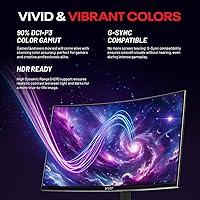
  • Color Gamut: Covers 120% of the sRGB color space, producing vivid, saturated colors with more depth than displays limited to 100% sRGB.
  • Viewing Angle: Rated at 178° both horizontally and vertically, meaning color and contrast remain relatively consistent when viewed from off-center positions.
  • Adaptive-Sync: Compatible with both AMD FreeSync and Nvidia G-Sync, eliminating screen tearing and stuttering regardless of which GPU brand is installed.
  • Connectivity: Includes HDMI and DisplayPort inputs, covering connections for most modern graphics cards, consoles, and multimedia devices.
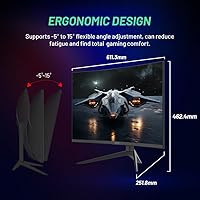
  • Stand Adjustments: The included stand supports swivel, tilt, height, and pivot adjustments, allowing the monitor to be positioned comfortably for extended use.
  • Bezel Design: Features a narrow 3-sided bezel that minimizes the frame around the active display area, creating a cleaner and more focused look on the desk.
  • OSD Control: On-screen display settings are navigated via a rear-mounted joystick, which is more intuitive and faster to use than traditional multi-button controls.
  • Aspect Ratio: Standard 16:9 widescreen aspect ratio, compatible with all modern games, video content, and operating system display configurations.
  • Finish: The monitor and stand feature a platinum silver and black finish, giving it a more premium aesthetic than the all-matte-black style common at this price tier.
  • Weight: The complete unit weighs approximately 10 pounds, which is typical for a 27-inch monitor with a full ergonomic stand attached.
  • Dimensions: Overall product dimensions are approximately 24.07 inches wide, 18.2 inches tall, and 10 inches deep with the stand mounted.
  • Power Input: Operates at 12 volts DC input, consistent with standard external power adapter configurations used across most consumer monitors.
  • Model Series: Sold under the MT-MOONSHADOW series designation, with the specific model number MT-MOONSHADOW-0001-B-SK identifying this configuration.
  • Availability: First listed for sale in April 2024, making it a relatively recent product with a still-growing user review base.

Related Reviews

Sealan 27-inch Curved Gaming Monitor
82%
85%
Display Quality
90%
Ease of Setup
91%
Value for Money
87%
Performance in Gaming
83%
Color Accuracy
More
Samsung S39C 27-Inch Curved Gaming Monitor
75%
83%
Picture Quality & Color Accuracy
88%
Curvature & Immersion
61%
Refresh Rate & Gaming Performance
86%
Eye Comfort & Long-Session Usability
79%
Build Quality & Aesthetics
More
Gawfolk GF270C 27-Inch Curved Gaming Monitor
86%
91%
Performance
88%
Display Quality
92%
Value for Money
90%
Response Time
89%
Color Accuracy
More
FYHXele 27-inch Curved Gaming Monitor 165Hz
85%
91%
Gaming Performance
94%
Display Quality
88%
Value for Money
76%
Build Quality
89%
Ease of Setup
More
ArcticPro 27-inch 240Hz Curved Gaming Monitor
87%
94%
Performance in Gaming
90%
Display Quality
85%
Setup and Installation
88%
Visual Comfort (Low Blue Light)
91%
Design and Aesthetics
More
DJiEX Q27P28 27-inch Curved Gaming Monitor
84%
91%
Display Quality
88%
Gaming Performance
89%
Color Accuracy
72%
Setup & Calibration
85%
Eye Care Features
More
Great Voell 27-Inch Curved Gaming Monitor
86%
91%
Value for Money
89%
Display Quality
87%
Gaming Performance
84%
Eye Comfort
80%
Build Quality
More
GAMEPOWER F20 27-inch Curved Gaming Monitor
61%
83%
Value for Money
74%
Image Quality
69%
Gaming Performance
78%
Curve & Immersion
58%
Build Quality
More
CRUA CR270C 27″ Curved Gaming Monitor
71%
83%
Value for Money
78%
Image Quality
81%
Refresh Rate Performance
86%
Panel Contrast & Blacks
67%
Build Quality
More
GAMEPOWER T50 27-Inch Curved Gaming Monitor
66%
83%
Value for Money
79%
Gaming Performance
74%
Display Quality
61%
Pixel Density & Sharpness
62%
Build Quality
More

FAQ

It works with both. The Moonshadow supports Adaptive-Sync, which covers FreeSync natively and is also G-Sync compatible, meaning Nvidia cards will recognize and activate variable refresh rate through the G-Sync compatible certification. You do not need an AMD GPU to benefit from tear-free gameplay on this display.

1500R is a moderately aggressive curve — noticeably more pronounced than 1800R panels, but most users adjust quickly within a few hours of use. At 27 inches and typical sitting distances, it tends to feel immersive rather than distorting. If you have never used a curved monitor before, 1500R might take a short adjustment period, but the majority of buyers find it comfortable for both gaming and general desktop work.

VA ghosting is a legitimate concern worth weighing honestly here. In very dark scenes with rapid camera movement — exactly the kind found in horror or stealth games — you may notice a faint trailing effect behind moving objects. It is not severe enough to bother most casual players, but if dark-environment games are your primary use case and you are sensitive to motion artifacts, a fast IPS panel might suit you better despite its weaker contrast.

Yes, via HDMI. Both current-generation consoles output over HDMI, so connecting them is straightforward. Keep in mind that console output is typically capped at 120Hz at 1080p or 60Hz at 1440p depending on the title, so the full 180Hz capability is primarily a PC benefit.

Early buyer feedback is generally positive about stand stability. Most users report that the stand feels solid with minimal wobble during normal desk use. The adjustment mechanisms — swivel, tilt, height, and pivot — all operate without feeling flimsy, which is a common weak point on monitors in this price range.

Skytech typically bundles a power adapter and at least one display cable, but it is worth checking the box contents when your unit arrives. If you plan to use DisplayPort for the full 180Hz at QHD, confirm that a DisplayPort cable is included or purchase one separately, since some manufacturers only include HDMI cables which may limit the maximum refresh rate depending on the HDMI version supported.

QHD does require more GPU headpower than 1080p, so your mid-range card may not push 180 frames per second in every demanding title. That said, many popular games are achievable at high frame rates with a modern mid-range GPU at 1440p, especially esports titles. The monitor is fully functional at any refresh rate up to 180Hz, so even if your card only hits 100 or 120fps, Adaptive-Sync will keep the experience smooth.

Most monitors in this class support 100x100mm VESA mounting, but Skytech has not prominently advertised VESA compatibility for this model in the product listing. It is worth confirming with Skytech support or checking the manual before purchasing an arm, as not all curved gaming monitors expose a standard VESA mount behind the stand attachment point.

The VA panel actually performs well for media consumption thanks to its stronger contrast and deeper blacks compared to IPS. Colors look rich and dark scenes have better shadow detail than what you get from a budget IPS display. The 1500R curve also adds a mild cinema-like feel for widescreen content. It is not a professional reference display, but for casual streaming and movie watching it delivers an enjoyable image.

Yes — the rear-mounted joystick is one of the more user-friendly OSD implementations at this price point. You can navigate menus, adjust brightness, change input sources, and tweak settings with single-handed operation without fumbling for the right button in the dark. Once you learn the basic navigation directions it takes only a few seconds to change common settings.