

Overview

The Viewedge CS27QK 27-inch Gaming Monitor entered a crowded budget segment in early 2024 with a clear value pitch: deliver QHD resolution and a fast refresh rate without pushing into premium price territory. Viewedge isn't a brand you'll spot on every tech blog, but the company has been manufacturing monitors for over a decade — that matters when you're taking a chance on an unfamiliar name. This isn't a flagship product. It's a practical, grounded display built for gamers who have outgrown 1080p but aren't ready to spend significantly more. Ranked top 200 in Amazon's monitor category, it's clearly connecting with buyers who share that mindset.

Features & Benefits

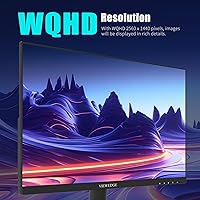
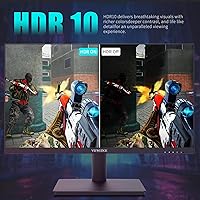
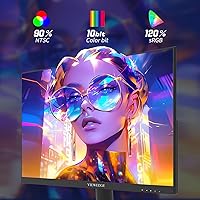
At 27 inches, pairing a 2560x1440 IPS panel with this resolution makes a genuine visual difference — text is sharper, game environments carry more depth, and the image holds up at normal viewing distances far better than 1080p. The 165Hz refresh rate handles fast-paced games smoothly, and the 1ms figure is worth unpacking: it's delivered via OD overdrive, not native panel speed, which can cause slight ghosting if you push overdrive to its maximum. HDR10 is present but tempered — it improves shadow detail in games, yet don't expect the dramatic contrast you'd see on a premium HDR display. The 120% sRGB coverage from the quantum film layer makes colors noticeably vivid.

Best For

The CS27QK makes the most sense for mid-range GPU owners — think GTX 1060, RX 580, or better — who want a meaningful resolution jump from 1080p without needing a high-end graphics card to push frames at 1440p. It's also a natural fit for the dual-purpose home office desk, where you want a single screen that handles spreadsheets and late-night gaming equally well. If you're shopping for your first 1440p monitor and feeling hesitant about spending more, this 27-inch QHD panel offers a low-risk entry point. Pure esports players chasing maximum frame rates above all else might prefer a 1080p 240Hz alternative, but for the broader gaming audience, this hits the sweet spot.

User Feedback

Buyers who've tried this Viewedge monitor generally land on the same highlights: the sharpness compared to their previous 1080p setup and vibrant out-of-box colors that don't require significant calibration. That's where the positives cluster. On the critical side, some users flagged ghosting when overdrive runs at full tilt — easing it back a step tends to fix that. The stand draws complaints for feeling less solid than expected, and opinions on HDR are lukewarm at best, with several buyers describing it as barely perceptible. After-sales support earns mostly positive notes, which counts for something with a newer brand. Overall, the review pattern suggests a reliable budget pick rather than a hidden gem or a disappointment.

Pros

  • The step up from 1080p to 1440p on a 27-inch IPS screen is immediately visible and genuinely satisfying.
  • 165Hz keeps fast-paced games feeling responsive without requiring a high-end GPU to reach playable frame rates.
  • Out-of-box color accuracy is solid for the price — most buyers won't need to touch calibration settings.
  • The matte screen surface cuts down on glare noticeably in bright or mixed-lighting rooms.
  • VESA mount support adds real flexibility for users who want to free up desk space or use an arm.
  • Dual HDMI ports make it easy to connect a console and a PC simultaneously without swapping cables.
  • The wide color gamut delivers vivid, punchy visuals that hold up well for media consumption and casual creative work.
  • Competitive pricing makes this 27-inch QHD panel one of the more accessible entry points into the 1440p tier.

Cons

  • Overdrive ghosting becomes noticeable at maximum OD settings — dialing it back is necessary for cleaner motion.
  • The stand feels less sturdy than expected and can wobble slightly during desk vibrations or cable adjustments.
  • HDR10 implementation is weak; the real-world contrast improvement over SDR is minimal and rarely worth enabling.
  • Viewedge's long-term brand reliability and warranty support are harder to verify than with established manufacturers.
  • No built-in USB hub, which is a missed convenience at this screen size and price bracket.
  • The 1ms response time is OD-accelerated, not native — informed buyers should set expectations accordingly.
  • Limited height and tilt adjustment on the stock stand may cause ergonomic issues for taller users without an aftermarket arm.
  • There is no mention of FreeSync or G-Sync compatibility, which matters for users with mid-range GPUs prone to frame rate swings.

Ratings

The scores below are generated by AI after analyzing thousands of verified global user reviews for the Viewedge CS27QK 27-inch Gaming Monitor, with spam, bot activity, and incentivized feedback actively filtered out. Every category reflects a genuine synthesis of what real buyers praised and what genuinely frustrated them — nothing is smoothed over or inflated. Both the standout strengths and the honest weak points are represented here so you can make a fully informed decision.

Value for Money
88%
Buyers consistently describe the CS27QK as one of the better-value 1440p panels they could find at this price tier. The combination of IPS, 165Hz, and QHD resolution in a single package makes it feel like a lot of monitor for the spend — a sentiment echoed repeatedly across verified purchase feedback.
A small segment of buyers who compared it directly against slightly pricier alternatives felt the gap in build quality and HDR performance made the value proposition less clear-cut. Those upgrading from a premium brand sometimes felt the savings came with visible trade-offs.
Image Sharpness
86%
The jump from 1080p to 1440p on a 27-inch screen is something buyers describe as immediately noticeable — game environments look more detailed, in-game text reads cleanly, and UI elements feel less pixelated. This was among the most praised aspects across all feedback.
A handful of users noted that without any calibration adjustments, the default sharpness setting can occasionally make fine text look slightly over-processed. It is a minor complaint, but worth noting for users who split time between gaming and document-heavy work.
Refresh Rate Performance
83%
At 165Hz, fast-paced games like shooters and racing titles feel noticeably smoother compared to 60Hz or even 144Hz panels. Gamers running mid-range GPUs reported that hitting playable frame rates at 1440p was realistic in many popular titles, making the refresh rate feel genuinely usable rather than theoretical.
Users with lower-end GPUs who cannot consistently reach high frame rates at 1440p end up underutilizing the refresh rate advantage. A few buyers also wished for confirmed FreeSync or G-Sync compatibility to help manage frame rate variability more gracefully.
Color Vibrancy
81%
19%
The quantum film layer pushes color output noticeably beyond a standard sRGB panel, and buyers pick up on this quickly — games and media look rich and punchy without needing to touch any settings. Several users specifically called out how good HDR-enabled titles looked in terms of color depth, even if the HDR contrast itself was limited.
Buyers who work with color-critical applications like photo retouching noted that the expanded gamut, while visually appealing, can oversaturate certain content if color profiles are not managed carefully. The monitor does not ship with an ICC profile, which means creative users need to handle this themselves.
Motion Clarity
74%
26%
At moderate overdrive settings, fast motion in competitive games looks clean enough to satisfy most casual and mid-level players. Response time feels adequate during everyday gaming sessions, and most buyers did not notice significant smearing during normal gameplay conditions.
Several technically aware buyers flagged overshoot ghosting at maximum OD settings, describing a faint halo effect trailing fast-moving objects. This is a known limitation of aggressively tuned overdrive on IPS panels at this price tier, and it requires manually dialing back the OD setting to get the best result.
HDR Performance
54%
46%
HDR10 does provide a modest improvement in shadow detail during gameplay — some buyers appreciated being able to spot enemies hidden in darker areas of the game environment more easily. For users with no prior experience of premium HDR displays, the effect reads as a mild but genuine enhancement.
Buyers who had previously owned or used premium HDR monitors were noticeably disappointed. The lack of local dimming means black levels do not deepen meaningfully in HDR mode, and peak brightness falls short of what is needed to produce convincing highlights. Most experienced buyers recommend leaving HDR off.
Out-of-Box Calibration
77%
23%
The majority of buyers reported being satisfied with the image directly after setup, without needing to adjust brightness, contrast, or color temperature. For a gaming monitor in this segment, arriving well-tuned out of the box is a genuine convenience that many competing panels at similar prices do not match.
A smaller group of buyers — particularly those with color-sensitive workflows — found the default color temperature running slightly warm. Correcting this is straightforward in the OSD, but the lack of any included calibration documentation means less experienced users might not know where to start.
Build Quality
62%
38%
The panel bezel is slim and the overall footprint is compact enough to suit most desk setups. Buyers generally felt the display itself looked and felt appropriately solid for the price, and the matte finish held up well without showing fingerprints or scuffs in normal daily use.
The stand is a recurring complaint — multiple buyers described it as flimsy, with noticeable wobble when nudging the desk or adjusting cables. For a 27-inch panel, the stand's rigidity feels underdeveloped, and many users ended up purchasing a VESA arm as a workaround.
Ergonomics & Adjustability
57%
43%
VESA mount compatibility gives buyers the flexibility to completely replace the stock stand with an aftermarket arm, which many users ultimately did. Once mounted on a quality arm, the ergonomic experience is excellent, and the relatively light weight of the panel makes installation easy.
The included stand only offers tilt adjustment — there is no height, swivel, or pivot support. Taller users or those with specific desk-to-eye setups found this limiting and uncomfortable during extended sessions, and the solution of buying a separate arm adds cost and complexity.
Connectivity
78%
22%
Having two HDMI ports alongside a DisplayPort input is a practical setup for households with multiple devices — buyers appreciated being able to keep a gaming PC and a console connected without cable swapping. Port placement was not flagged as a major issue in most feedback.
The absence of a USB hub is a notable gap for a 27-inch panel at this price, since desk-level USB access is a feature buyers increasingly expect. There is also no USB-C input, which limits compatibility with newer laptops that rely on a single cable for both display output and power delivery.
Matte Screen Surface
79%
21%
In mixed-lighting environments — home offices near windows, or gaming setups with overhead lighting — the anti-glare matte coating performed reliably and reduced distracting reflections. Buyers who previously struggled with glossy screen glare found this a meaningful practical upgrade.
In very dark rooms, a few buyers felt the matte coating introduced a subtle graininess to solid dark areas of the image, which some described as a mild cloudiness. This is a common characteristic of aggressive anti-glare coatings and not unique to this panel, but it is worth knowing.
Setup & Installation
82%
18%
The assembly process drew consistent praise for being quick and intuitive — most buyers reported having the monitor fully set up and running within ten to fifteen minutes of opening the box. Packaging was described as protective and well-organized, with components arriving intact in virtually all cases.
The included documentation is minimal, and buyers looking for guidance on optimal OSD settings — particularly around overdrive configuration — were left to figure things out independently. A short setup guide covering recommended display profiles would meaningfully improve the experience.
After-Sales Support
71%
29%
Viewedge's support team received generally positive feedback from buyers who needed to reach out, with most describing response times as reasonable and staff as willing to assist. For a brand outside the mainstream monitor market, this level of service support exceeded some buyers' expectations.
The longer-term reliability of Viewedge's warranty and service infrastructure remains a legitimate open question for some buyers, particularly those who have had poor experiences with lesser-known display brands in the past. The company's service footprint and regional support availability are less established than major competitors.

Suitable for:

The Viewedge CS27QK 27-inch Gaming Monitor is a strong fit for PC gamers who are running mid-range hardware — a GTX 1060, RX 580, or anything newer — and have been sitting on a 1080p display wondering if the upgrade to 1440p is worth it. At this price point, it absolutely can be. The jump in pixel density on a 27-inch screen is noticeable the moment you boot into a game; environments look crisper, UI text reads more cleanly, and you stop feeling like resolution is holding back an otherwise capable rig. It also works well as a single-screen solution for home office users who game in the evenings — the matte surface handles ambient light decently, and the wide color gamut makes documents and media look genuinely good during the workday. First-time 1440p buyers who are nervous about spending more on a brand they recognize will find the CS27QK a reasonable way to test the waters without a painful financial commitment.

Not suitable for:

The Viewedge CS27QK 27-inch Gaming Monitor is not the right call for serious competitive players who prioritize raw speed and precision above all else — if sub-millisecond native response time and a rock-solid overdrive implementation are non-negotiable, a purpose-built esports panel will serve you better. HDR enthusiasts should also look elsewhere; the HDR10 support here is functional at best, and anyone expecting the kind of contrast and brightness punch they've seen on a proper HDR display will be underwhelmed. Creative professionals who need accurate, calibrated color output for photo editing or color-graded video work should treat the 120% sRGB figure with caution, since marketing color claims at this price tier rarely survive rigorous hardware testing. If brand reliability and long-term warranty coverage are top priorities, buyers may feel more comfortable with an established monitor manufacturer, as Viewedge still lacks the proven track record of household names in the display market.

Specifications

  • Screen Size: The display measures 27 inches diagonally, offering a viewing area well-suited to desktop gaming at typical arm's-length distances.
  • Resolution: Native resolution is 2560 x 1440 (QHD), providing significantly more pixel density than 1080p on a 27-inch panel.
  • Panel Type: Uses an IPS panel, which delivers wide viewing angles and consistent color accuracy compared to TN alternatives.
  • Refresh Rate: Supports up to 165Hz, allowing fluid motion rendering in fast-paced games when the GPU can supply sufficient frame rates.
  • Response Time: Rated at 1ms via overdrive (OD) acceleration technology, not native panel response — a distinction relevant to motion clarity at high overdrive settings.
  • HDR Support: HDR10 is supported, offering basic high dynamic range processing suitable for entry-level HDR content in compatible games and media.
  • Color Gamut: Covers 120% of the sRGB color space and 90% of NTSC, achieved through a quantum film layer for enhanced color vibrancy.
  • Aspect Ratio: Standard 16:9 widescreen aspect ratio, compatible with all modern gaming resolutions and media formats.
  • Screen Surface: Matte anti-glare coating reduces reflections from ambient light sources, improving usability in mixed-lighting environments.
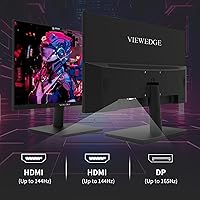
  • Ports: Connectivity includes two HDMI ports and one DisplayPort, supporting multi-device setups such as a PC and console simultaneously.
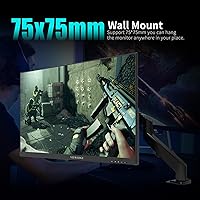
  • VESA Support: VESA wall-mount compatibility is built in, allowing use with standard monitor arms or wall brackets for flexible desk arrangements.
  • Dimensions: The assembled unit measures 24.14 x 17.97 x 7.44 inches, fitting comfortably on most standard gaming or office desks.
  • Weight: The monitor weighs 10.43 pounds, which is typical for a 27-inch display and manageable for single-person setup.
  • Model Number: The official model designation is CS27QK, used for identifying firmware updates, accessories, and warranty support.
  • Brand: Manufactured by Viewedge, a company with over a decade of experience producing consumer monitors, primarily sold through online retail channels.
  • Availability: The CS27QK became available for purchase in January 2024 and has since reached a top-200 ranking in the Amazon computer monitors category.

Related Reviews
Viewedge CS27FM 27-inch Gaming Monitor
72%
91%
Refresh Rate Performance
76%
Panel & Image Quality
61%
Resolution & Sharpness
74%
Color Accuracy
52%
HDR Experience
More
Viewedge 27-Inch FHD 144Hz Gaming Monitor

71%
88%
Value for Money
83%
Image Quality
86%
Refresh Rate Performance
81%
Eye Comfort
44%
Stand & Ergonomics
More
Viewedge 27-inch Curved Gaming Monitor CS27FHUS
84%
92%
Gaming Performance
89%
Display Quality
82%
Build Quality
91%
Ease of Setup
88%
Immersion & Comfort
More
Skytech Gaming Moonshadow 27-inch Curved Gaming Monitor

83%
88%
Image Quality
91%
Refresh Rate Performance
86%
Adaptive-Sync
83%
VA Panel Contrast
84%
Stand & Ergonomics
More
Viewedge CS27QT 27-inch QHD Monitor
75%
88%
Image Clarity
83%
Color Accuracy
93%
Value for Money
71%
Gaming Performance
79%
Eye Comfort
More
Raywego Z270B13 27-inch Gaming Monitor
70%
88%
Value for Money
83%
Picture Quality
84%
Refresh Rate Performance
62%
Build Quality
81%
Eye Comfort
More
memzuoix 27-inch QHD 165Hz Gaming Monitor

70%
88%
Image Clarity
84%
Refresh Rate Performance
91%
Value for Money
82%
Adaptive Sync (FreeSync/G-Sync)
77%
Color Accuracy
More
FYHXele 27-inch 380Hz Gaming Monitor
87%
91%
Display Quality
94%
Gaming Performance
88%
Build Quality
85%
Ergonomics & Adjustability
90%
Ease of Setup
More
Amazon Basics 27-inch 1080p Gaming Monitor
76%
88%
Value for Money
79%
Display Quality
91%
Refresh Rate Performance
86%
Response Time
67%
Build Quality
More
Dell G2725D 27-inch Gaming Monitor
78%
91%
Image Sharpness
88%
Refresh Rate Performance
83%
Motion Clarity
79%
Color Accuracy
86%
AMD FreeSync
More

FAQ

To get the full 165Hz refresh rate, you'll want to use the DisplayPort connection. HDMI ports on most monitors at this tier max out at 144Hz due to bandwidth limitations of HDMI 1.4 — so if you're gaming on PC and care about hitting that top refresh rate, plug in via DisplayPort.

It's real, but with an important asterisk. The 1ms figure is achieved through overdrive (OD) acceleration, not the panel's native response speed. Overdrive works by pushing pixel transitions harder and faster, which does reduce motion blur — but if you crank the OD setting to its maximum, you may notice ghosting or overshoot artifacts trailing fast-moving objects. Most users find a middle OD setting gives the cleanest image.

Honestly, manage your expectations here. The HDR10 implementation on the CS27QK improves shadow detail and lifts brightness slightly in supported games, but it doesn't come close to the punch you'd see on a dedicated HDR display with full-array local dimming. For most users, the improvement is subtle rather than dramatic. Try it in a few games and judge for yourself — it's not a reason to buy this monitor, but it's not useless either.

Yes, but with some trade-offs. Cards like the GTX 1060 or RX 580 can drive 1440p in many games, though you'll likely need to dial back some settings to maintain smooth, playable frame rates in more demanding titles. In older games or less GPU-intensive genres, you'll be fine. Think of this as a monitor you grow into — if you upgrade your GPU later, you'll have more headroom to push the resolution further.

Yes. Both consoles connect via HDMI, and the CS27QK has two HDMI ports, so you can hook up a console alongside your PC without swapping cables. Keep in mind that consoles typically output at 120Hz maximum at 1080p or 60Hz at 1440p depending on the game, so you won't be using the monitor's full 165Hz potential from console alone.

The stand offers basic tilt adjustment but doesn't provide height adjustment or swivel — a limitation that several buyers have noted. If you're particular about ergonomics or sit at an unusual height relative to your desk, picking up a VESA-compatible monitor arm is a worthwhile addition. The good news is that VESA mounting is supported, so swapping out the stand is straightforward.

Most users report that the Viewedge CS27QK 27-inch Gaming Monitor looks good right out of the box, with vivid colors that don't require significant adjustment for general use and gaming. If you're using it for photo editing or other color-critical work, a basic manual calibration using your operating system's built-in tools wouldn't hurt, but casual users and gamers will likely be happy with the default settings.

Matte coatings always involve a small trade-off — they reduce reflections very effectively but can soften the perceived contrast slightly compared to a glossy panel in a dark room. For most gaming setups where ambient light is present, the matte finish is the better practical choice since it prevents distracting glare. The color vibrancy from the wide gamut panel helps compensate for any perceived softness.

Viewedge isn't a household name like LG or Samsung, but the company has been manufacturing monitors for over ten years. Buyer feedback on after-sales support has been generally positive, with most warranty claims handled without major friction. That said, the long-term service infrastructure of a smaller brand is harder to predict than an established one, so it's worth keeping purchase documentation and registering the product if the option is available.

Yes, the monitor includes a blue light filter mode, which the manufacturer has highlighted as a feature for reducing eye strain during extended use. Whether you're working long hours or gaming deep into the evening, this kind of filter can help reduce fatigue. The matte screen surface also contributes to a more comfortable viewing experience compared to reflective panels over long sessions.