Viewedge CS27FHUS 27-inch Curved Gaming Monitor
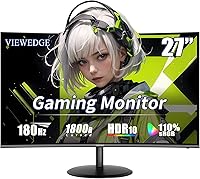
Viewedge CS27FHUS 27-inch Curved Gaming Monitor — image 1
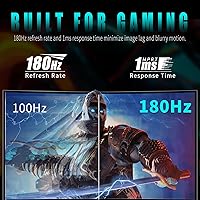
Viewedge CS27FHUS 27-inch Curved Gaming Monitor — image 2
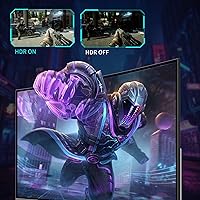
Viewedge CS27FHUS 27-inch Curved Gaming Monitor — image 3
Viewedge CS27FHUS 27-inch Curved Gaming Monitor — image 4
Viewedge CS27FHUS 27-inch Curved Gaming Monitor — image 5
Viewedge CS27FHUS 27-inch Curved Gaming Monitor — image 6
Viewedge CS27FHUS 27-inch Curved Gaming Monitor — image 7
Viewedge CS27FHUS 27-inch Curved Gaming Monitor — image 8
Viewedge CS27FHUS 27-inch Curved Gaming Monitor — image 9
72%
28%

Overview

The Viewedge CS27FHUS 27-inch Curved Gaming Monitor enters a crowded budget segment with more going for it than its price tag suggests. Viewedge isn't a household name, but the brand has been manufacturing displays for over a decade, and that experience shows in some thoughtful choices here. The 1800R VA panel delivers contrast depth you don't typically find at this price point, where IPS panels often sacrifice blacks. It ships with a DisplayPort cable included — a small courtesy most competitors skip. Having already collected over 600 ratings and climbed to #105 in Computer Monitors since launching in late 2024, it's clearly resonating with buyers.

Features & Benefits

At 180Hz with a rated 1ms response time, this curved gaming monitor holds its own against pricier options during fast-paced play — shooters, racing games, anything where split-second reactions matter. Keeping the resolution at FHD 1080p is a deliberate trade-off: it's not cutting-edge sharpness, but it means mid-range and older GPUs can actually push those frame rates comfortably. The 120% sRGB color coverage adds punch beyond what entry-level panels typically manage, which translates to more vibrant game environments and decent everyday media use. AMD FreeSync support eliminates screen tearing without needing a high-end graphics card, and the flicker-free backlight with a blue light filter makes extended sessions noticeably easier on the eyes.

Best For

This Viewedge display makes the most sense for budget-conscious gamers who'd rather have a high refresh rate than a sharper 1440p image, and that's a perfectly valid priority. It's especially well-suited for anyone running an AMD mid-range GPU — the FreeSync pairing works well and you won't need to push beyond 1080p to benefit from the 180Hz ceiling. Students and home office users who also game in their downtime will find the matte screen and eye-care features practical for all-day use. One honest caveat: the stand offers tilt adjustment only. If you need height or pivot flexibility, factor in a VESA mount from the start.

User Feedback

Among the 600-plus buyers who've left ratings, the consensus leans positive, with many calling the curve and screen size combination more immersive than they expected at this price. The setup experience gets consistent praise — the included DisplayPort cable and a no-fuss OSD menu mean most people are up and running within minutes. On the flip side, the built-in speakers draw polite shrugs at best; they work in a pinch but thin audio output is noticeable. A smaller number of reviewers flag backlight uniformity issues, which isn't surprising for a VA panel in this segment. Worth knowing before you buy.

Pros

  • 180Hz refresh rate delivers genuinely smooth gameplay, especially noticeable in fast-paced shooters and racing titles.
  • The 1800R curve adds real immersion on a 27-inch screen without requiring a larger or pricier display.
  • VA panel contrast beats typical IPS alternatives at this price, making dark scenes richer and more defined.
  • AMD FreeSync eliminates screen tearing without needing a high-end or expensive graphics card.
  • A DisplayPort cable is included in the box — a small but practical touch most budget monitors skip.
  • 120% sRGB color coverage produces vibrant visuals that punch above the entry-level norm for gaming.
  • Flicker-free backlight and a blue light filter make extended gaming or work sessions easier on the eyes.
  • FHD 1080p resolution keeps GPU load light, so older and mid-range cards can maintain high frame rates comfortably.
  • Setup is straightforward with a clean OSD menu and plug-and-play connectivity via HDMI or DisplayPort.
  • VESA mount compatibility gives buyers a path to better ergonomics without replacing the whole display.

Cons

  • The stand offers tilt adjustment only — no height, swivel, or pivot, which limits ergonomic flexibility significantly.
  • Backlight uniformity inconsistencies have been flagged by a portion of buyers, a known risk with budget VA panels.
  • The built-in speakers produce thin, weak audio that is barely adequate as a temporary fallback option.
  • Color accuracy out of the box is not reliable enough for any work involving color-critical judgment.
  • VA panels can exhibit slower pixel response in dark transition areas, which the 1ms spec does not fully eliminate in practice.
  • FreeSync benefits are limited to AMD GPU users, leaving Nvidia owners without confirmed adaptive sync support.
  • No USB hub or extra ports beyond HDMI and DisplayPort, which reduces desk cable management options.
  • At 1080p on a 27-inch panel, pixel density is lower than on smaller screens, which may bother detail-oriented users.

Ratings

Our AI rating system analyzed hundreds of verified global user reviews for the Viewedge CS27FHUS 27-inch Curved Gaming Monitor, actively filtering out incentivized, duplicate, and bot-generated feedback to surface what real buyers actually experienced. The scores below reflect a balanced picture — genuine strengths and honest shortcomings — so you can make a confident, informed decision before purchasing.

Value for Money
88%
At its price point, this curved gaming monitor delivers specs that most competing displays simply can't match — 180Hz, FreeSync, and a VA panel with meaningful contrast depth. Buyers upgrading from older budget monitors consistently report feeling like they got significantly more than they paid for.
A small number of reviewers who compared it side-by-side with slightly pricier alternatives noted that the gap in build quality and panel consistency becomes visible over time. For first-time buyers without a reference point, the value feels excellent; for experienced monitor shoppers, a few trade-offs become apparent.
Gaming Performance
84%
The 180Hz refresh rate makes a real, tangible difference in fast-paced games — shooters, racing titles, and action games all feel noticeably more responsive compared to 60Hz or 75Hz panels. FreeSync integration with AMD GPUs keeps frame delivery clean without requiring any complex configuration.
VA panel dark-scene ghosting is a known limitation that the 1ms rating doesn't fully eliminate in practice; in atmospheric or horror games with lots of shadow detail, some trailing is visible. Nvidia GPU users also miss out on the adaptive sync advantage entirely, which narrows the gaming appeal somewhat.
Display Immersion
86%
The 1800R curve at 27 inches creates a genuinely wrap-around feel that flat panels at this size simply don't replicate — multiple reviewers described it as making games feel more involving without going full ultrawide. Open-world and driving game players in particular praised how the curve pulls the peripheral view inward.
At only 27 inches, the curvature effect is less dramatic than on 32-inch or wider displays, and some users sitting farther back from their desk found the immersive benefit modest. The curve also means the screen is less versatile for productivity tasks involving rulers or straight-edge references.
Image Quality
71%
29%
Colors are punchy and vibrant thanks to the 120% sRGB coverage — game environments look lively, and everyday media consumption benefits from the extra saturation. The VA panel's contrast advantage over IPS alternatives at this price gives dark scenes more depth and richness.
Out-of-the-box color accuracy is not calibrated to a professional standard, and some reviewers noted backlight uniformity inconsistencies — bright patches near screen edges that become visible on dark or uniform backgrounds. This isn't a panel for anyone who needs reliable color reproduction for design, photography, or video work.
Ergonomics & Adjustability
43%
57%
The stand's footprint is reasonably compact, which helps on tighter desks, and the VESA mounting compatibility gives buyers a genuine path to better positioning through a third-party arm or wall bracket. Assembly is simple and doesn't require tools.
The stand itself offers only tilt adjustment — no height, swivel, or pivot — which is a significant limitation for anyone spending long hours at a desk and needing to fine-tune their viewing angle. Several reviewers specifically mentioned neck strain after extended use because they couldn't raise the screen to eye level without adding a riser or switching to a monitor arm.
Build Quality
67%
33%
The overall construction feels solid enough for everyday use, and the matte screen surface resists fingerprints and minor handling reasonably well. At this price tier, buyers generally reported no flexing or creaking in the panel housing during normal desk use.
The plastics used in the stand and bezel feel noticeably budget-grade up close, and a few reviewers flagged that the stand connection to the panel feels less rigid than they expected. It's not a durability concern for standard desktop use, but it doesn't inspire confidence if the monitor needs to be moved or repositioned frequently.
Setup Experience
89%
The included DisplayPort cable means buyers can connect and start using the monitor immediately out of the box without hunting for accessories. The OSD menu navigation is clean and intuitive, and the monitor is detected quickly by Windows without driver installation.
The assembly instructions could be more detailed for complete beginners, and a small number of buyers noted the stand attachment mechanism felt slightly unclear on first attempt. Nothing that significantly delays setup, but a slightly more polished quick-start guide would help.
Eye Comfort
78%
22%
The flicker-free backlight and blue light filter combination is genuinely useful for extended sessions — students and home office users who game in the evenings reported less eye fatigue compared to their previous monitors. The matte coating also reduces ambient light glare in typical room lighting conditions.
The blue light filter, when enabled at higher settings, shifts the color temperature noticeably warm, which some users found uncomfortable for media consumption. It's a software-level filter rather than a hardware solution, so the trade-off between eye comfort and color accuracy is real and noticeable.
Audio Quality
38%
62%
Having built-in speakers and a 3.5mm output means the monitor can technically function as a standalone audio solution for quick system sound or casual video calls without extra hardware. The 3.5mm jack works reliably for headphone passthrough.
The built-in speakers produce noticeably thin, low-volume audio with almost no bass response — several reviewers described them as barely adequate for system alerts, let alone music or game audio. Anyone who cares about sound quality at all should plan for external speakers or headphones from day one.
Connectivity
73%
27%
Having both HDMI and DisplayPort inputs covers the most common connection scenarios for PC gamers and console players alike. The inclusion of a DisplayPort cable in the box adds immediate practical value.
There are no USB hub ports, which is a limitation many buyers noticed once they started managing cables on their desk. With only one input of each type, switching between two source devices requires either manual cable swapping or an external switch.
Motion Clarity
69%
31%
At 180Hz, general on-screen motion — scrolling, cursor movement, and fast game environments — is clean and smooth in well-lit and high-contrast scenes. FreeSync further stabilizes motion delivery when frame rates fluctuate during demanding gameplay.
Dark area ghosting on the VA panel is noticeable in shadowy scenes during fast panning movements, which is a fundamental characteristic of VA technology rather than a defect unique to this unit. Buyers who game primarily in dark environments, or who are particularly sensitive to trailing artifacts, may find this distracting over time.
Packaging & Unboxing
74%
26%
The monitor arrives well-protected with adequate foam padding, and most reviewers reported no transit damage. The included DP cable is a practical addition that makes the unboxing feel more complete than typical budget monitor packages.
The packaging is functional but not premium — there's no felt lining or structured compartmentalization for accessories. A small number of buyers reported minor scuffs on the bezel, suggesting the protective wrapping could be improved for long-distance shipping scenarios.
OSD & Controls
76%
24%
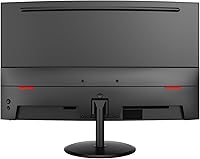
The on-screen display menu is logically organized and easy to navigate with the physical buttons on the rear of the monitor. Accessing refresh rate settings and low blue light modes takes only a few steps, which reviewers appreciated during initial configuration.
The physical control buttons are located on the rear bottom edge, making blind navigation slightly awkward until you memorize the layout. There is no joystick-style navigator, which is increasingly common on competing displays and makes OSD interaction faster and more intuitive.

Suitable for:

The Viewedge CS27FHUS 27-inch Curved Gaming Monitor is a strong fit for budget-conscious gamers who want a meaningful upgrade without spending serious money — particularly those moving up from a 60Hz or 75Hz flat panel for the first time. The jump to 180Hz on a curved VA screen is genuinely noticeable, and if you're running an AMD GPU, the FreeSync integration keeps things smooth without any extra cost or complexity. Students who split their screen time between coursework and casual gaming will appreciate the matte surface and eye-care features that hold up during long hours. It also works well as a first dedicated gaming monitor for younger users or anyone building a starter PC around a mid-range graphics card. The included DisplayPort cable and uncomplicated setup process make it approachable even for people who haven't bought a monitor before.

Not suitable for:

The Viewedge CS27FHUS 27-inch Curved Gaming Monitor will frustrate buyers who have ergonomic priorities, since the stand is tilt-only with no height, swivel, or pivot adjustment — a real limitation if you spend eight-plus hours a day at a desk. Anyone working in photo editing, video color grading, or any field that demands accurate, calibrated color output should look elsewhere; the 120% sRGB coverage is punchy for gaming but this is not a panel built for color-critical precision. Competitive PC gamers who need a 1440p or 4K image for detailed environments will find the 1080p resolution a step behind their expectations. NVIDIA GPU users won't get the tearing-reduction benefits that AMD FreeSync users enjoy, since G-Sync compatibility is not confirmed for this display. Finally, anyone who expects usable built-in audio will be disappointed — the speakers are thin enough that you'll want external options from day one.

Specifications

  • Screen Size: The display measures 27 inches diagonally, providing a wide viewing area well-suited for gaming and general desktop use.
  • Panel Type: Uses a VA (Vertical Alignment) panel, which delivers deeper blacks and higher contrast ratios compared to IPS panels at a similar price.
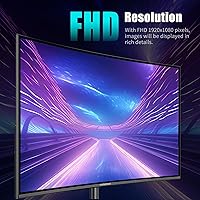
  • Resolution: Native resolution is 1920x1080 (Full HD), offering a sharp image at this screen size while keeping GPU demands manageable.
  • Refresh Rate: Supports a maximum refresh rate of 180Hz, enabling very smooth motion rendering during fast-paced gameplay.
  • Response Time: Rated at 1ms response time, reducing motion blur in rapidly moving scenes, though real-world dark-scene transitions may vary on VA panels.
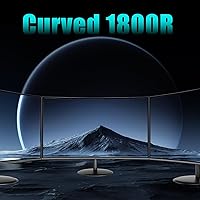
  • Curve Radius: Features an 1800R curvature, meaning the screen is designed to match the natural arc of human peripheral vision at typical viewing distances.
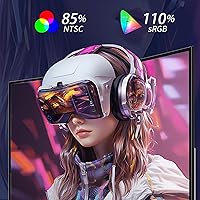
  • Color Coverage: Covers 120% of the sRGB color space, producing more vibrant and saturated colors than standard entry-level monitors.
  • Sync Technology: Supports AMD FreeSync, which dynamically synchronizes the monitor's refresh rate with a compatible AMD GPU to reduce screen tearing.
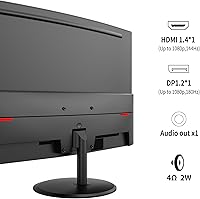
  • Connectivity: Includes one HDMI port and one DisplayPort input, with a DisplayPort cable provided in the box for immediate use.
  • Audio Output: Equipped with a 3.5mm headphone jack and basic built-in speakers, allowing audio output without a dedicated external device.
  • Screen Surface: Matte anti-glare coating reduces reflections from ambient light sources, making it more practical in brightly lit environments.
  • Eye Care: Incorporates flicker-free backlight technology and a blue light filter to reduce eye strain during prolonged use.
  • VESA Mounting: The monitor is VESA mount compatible, allowing wall or arm mounting, though the necessary mounting hardware is not included in the box.
  • Stand Adjustment: The included stand supports tilt adjustment only; height, swivel, and pivot adjustments are not available without a third-party mount.
  • Dimensions: With the stand attached, the monitor measures approximately 21.4 x 18.2 x 7.6 inches (width x height x depth).
  • Weight: The complete unit with stand weighs 10.68 pounds, making it manageable for single-person setup and repositioning.
  • Aspect Ratio: Standard 16:9 widescreen aspect ratio, compatible with all modern content formats, games, and operating systems.
  • Brand & Model: Manufactured by Viewedge under model number CS27FHUS, a brand with over a decade of display manufacturing experience.

Related Reviews
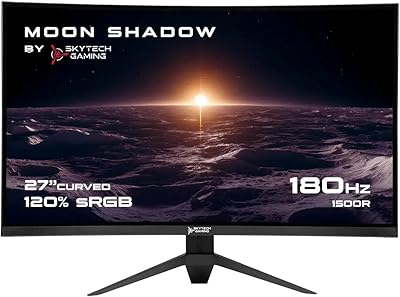
Skytech Gaming Moonshadow 27-inch Curved Gaming Monitor
83%
88%
Image Quality
91%
Refresh Rate Performance
86%
Adaptive-Sync
83%
VA Panel Contrast
84%
Stand & Ergonomics
More
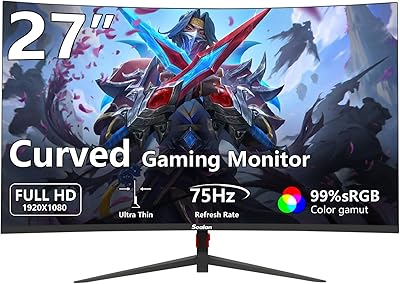
Sealan 27-inch Curved Gaming Monitor
82%
85%
Display Quality
90%
Ease of Setup
91%
Value for Money
87%
Performance in Gaming
83%
Color Accuracy
More
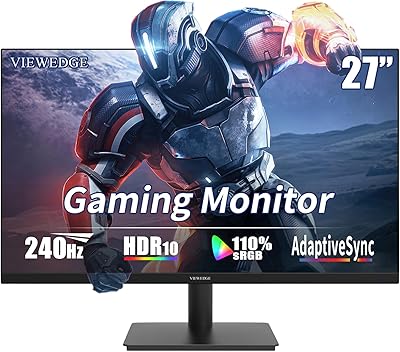
Viewedge CS27FM 27-inch Gaming Monitor
72%
91%
Refresh Rate Performance
76%
Panel & Image Quality
61%
Resolution & Sharpness
74%
Color Accuracy
52%
HDR Experience
More
Samsung S39C 27-Inch Curved Gaming Monitor
75%
83%
Picture Quality & Color Accuracy
88%
Curvature & Immersion
61%
Refresh Rate & Gaming Performance
86%
Eye Comfort & Long-Session Usability
79%
Build Quality & Aesthetics
More
GAMEPOWER F20 27-inch Curved Gaming Monitor
61%
83%
Value for Money
74%
Image Quality
69%
Gaming Performance
78%
Curve & Immersion
58%
Build Quality
More
Gawfolk GF270C 27-Inch Curved Gaming Monitor
72%
83%
Value for Money
78%
Image Quality
81%
Refresh Rate Performance
74%
Response Time & Motion Clarity
62%
Build Quality
More
GAMEPOWER T50 27-Inch Curved Gaming Monitor
66%
83%
Value for Money
79%
Gaming Performance
74%
Display Quality
61%
Pixel Density & Sharpness
62%
Build Quality
More
CRUA CR270C 27″ Curved Gaming Monitor
71%
83%
Value for Money
78%
Image Quality
81%
Refresh Rate Performance
86%
Panel Contrast & Blacks
67%
Build Quality
More
Viewedge 27-Inch FHD 144Hz Gaming Monitor
71%
88%
Value for Money
83%
Image Quality
86%
Refresh Rate Performance
81%
Eye Comfort
44%
Stand & Ergonomics
More
GreBear BM27QA 27-inch Curved Gaming Monitor
65%
83%
Image Quality
78%
Gaming Performance
74%
Refresh Rate Value
61%
Build Quality
44%
Ergonomics & Adjustability
More

FAQ

FreeSync is AMD's adaptive sync technology, so you'll get the full tearing-free benefit with a compatible AMD graphics card. If you're using an Nvidia GPU, the monitor will still work fine at its full 180Hz — you just won't have confirmed adaptive sync support, since Nvidia's G-Sync compatibility with this specific panel hasn't been verified.

A DisplayPort cable is included, which is a nice touch at this price point. You'll need to supply your own HDMI cable if you prefer that connection, though HDMI 1.4 or 2.0 cables are inexpensive and widely available.

Yes, this Viewedge display is VESA mount compatible, so you can use a standard monitor arm or wall bracket. Just keep in mind that the mounting hardware itself isn't included — you'll need to purchase it separately. Using an arm is also a practical workaround for the stand's limited ergonomic adjustability.

It's a fair concern. At 27 inches, 1080p works out to around 81 pixels per inch, which is noticeably lower than the same resolution on a 24-inch screen. For gaming and general use at a normal viewing distance of 2 to 3 feet, most people find it perfectly acceptable. If you sit very close to your screen or are sensitive to pixel visibility, you may notice it.

The 1800R curve is noticeable and genuinely adds to the sense of immersion, particularly in open-world games and driving titles where peripheral depth matters. At 27 inches it's not as dramatic as ultrawide curved displays, but it's a clear step up from a flat panel of the same size. Most users report that it feels natural within a few minutes of use.

VA panels can exhibit what's called dark-level ghosting, where pixel transitions in shadowy scenes leave a brief trail. The 1ms rating covers the best-case scenario, but in practice, dark transitions on VA panels tend to be slower than on IPS screens. It's worth being aware of if you play a lot of dark atmospheric games, though many users at this price tier find it a reasonable trade-off for the better contrast.

Honestly, not as a primary audio source. They're functional enough for system sounds or a quick video call, but the output is thin and lacks bass. If audio quality matters to you at all, plan to use headphones or external speakers from the start.

It works reasonably well as a dual-purpose display. The matte screen handles office lighting well, the eye-care features help during long work hours, and 27 inches gives you enough screen real estate for multitasking. Just don't expect it to serve as a color-accurate monitor for design or photo work — it's calibrated for vibrant gaming visuals, not precise professional output.

Most buyers report a smooth setup experience. The stand assembly is straightforward, the OSD menu is easy to navigate, and since a DisplayPort cable is already in the box, you can be up and running quickly. The monitor is generally plug-and-play with Windows and most modern systems.

Viewedge markets itself as a brand committed to after-sales support, though the specific warranty terms should be confirmed directly with the seller or on the product listing at time of purchase, as these can vary by region or retailer. Given the brand has been operating for over a decade, support channels are generally accessible, but it's worth checking the documentation that ships with the unit.