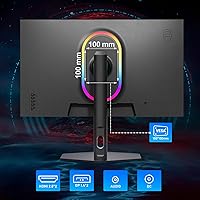
Overview

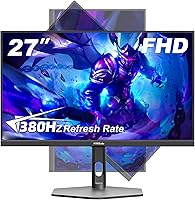
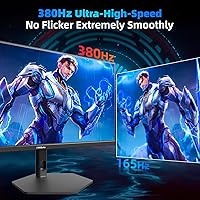
The FYHXele 27-inch 380Hz FHD Gaming Monitor is a genuinely interesting entry in the budget esports space — a 27-inch Fast IPS panel pushing 380Hz at 1080p, which is an unusual combination at this price point. FYHXele isn't a name most buyers will recognize; the brand launched this display in early 2025 and is still building its reputation. That said, the specs-to-price ratio is hard to ignore. A three-sided frameless chassis with a scrolling RGB strip keeps the aesthetic sharp without feeling cheap, and the monitor has quietly climbed into the top 2,500 on Amazon's electronics rankings — a sign that word is getting around.

Features & Benefits

Where this 380Hz display stands out is in how many checkboxes it manages to tick without cutting corners in the wrong places. The Fast IPS panel delivers noticeably better colors and wider viewing angles than the TN panels that typically dominate at this refresh rate, and 100% sRGB coverage means colors aren't wildly inaccurate out of the box. The stand is a legitimate highlight — 150mm of height travel, full pivot for portrait mode, swivel and tilt all included. Connectivity is equally thorough: two HDMI and two DisplayPort inputs cover most multi-device setups, and AMD FreeSync support keeps tearing in check regardless of whether you're running an AMD or NVIDIA card.

Best For

This budget esports screen makes the most sense for competitive FPS and battle royale players who genuinely prioritize frame rate over resolution. If you're coming from a 144Hz or 240Hz panel and want to push further without rebuilding your rig, this is a practical upgrade path. The ergonomic stand also makes it a solid pick for students or dual-purpose workstation setups where pivot and height adjustability actually matter day to day. One caveat worth stating clearly: to take real advantage of 380Hz, your GPU needs to consistently push that many frames at 1080p — that's demanding. Mid-range cards will still benefit, but hitting the ceiling refresh rate consistently isn't guaranteed.

User Feedback

Early buyers of the FYHXele monitor have generally responded well to the motion clarity and stand flexibility, with the ergonomic adjustments drawing specific praise from users working in tight spaces or running portrait setups. The more measured feedback raises a few genuine concerns: pixel density at 27 inches is noticeably softer than a 1440p alternative, which some users find distracting during productivity work. Backlight uniformity and out-of-box color calibration have also come up sporadically. It's worth noting that FYHXele carries a limited support track record as a new brand — if long-term build quality and warranty reliability matter to you, that's a real factor to consider before committing.

Pros

  • 380Hz refresh rate delivers genuinely smoother motion in fast-paced competitive games compared to 240Hz panels.
  • Fast IPS panel offers better color accuracy and viewing angles than TN-based alternatives at similar refresh rates.
  • The ergonomic stand includes height, tilt, swivel, and 90-degree pivot — unusually comprehensive at this price.
  • Dual HDMI and dual DisplayPort inputs make it easy to connect multiple devices without a switch.
  • AMD FreeSync support keeps screen tearing under control across a wide range of GPU brands.
  • Matte screen surface reduces glare effectively in bright or mixed-lighting environments.
  • VESA 100x100mm compatibility gives buyers the option to use a monitor arm or wall mount immediately.
  • The three-sided frameless design looks clean in a multi-monitor or minimal desk setup.
  • At this price tier, the combination of refresh rate, panel type, and stand flexibility is genuinely hard to match.

Cons

  • 1080p on a 27-inch panel produces softer pixel density than 1440p alternatives — noticeable during everyday productivity use.
  • FYHXele has a limited support history, making long-term reliability and warranty claims difficult to assess.
  • Realizing the full 380Hz advantage requires a GPU powerful enough to consistently hit very high frame rates at 1080p.
  • Out-of-box color accuracy may require manual calibration, which less experienced users may find inconvenient.
  • Early user base is still small, so there is limited long-term feedback on panel degradation or backlight consistency.
  • 300 cd/m² peak brightness is modest and may feel underwhelming in very bright rooms or HDR content.
  • HDR support appears to be basic-level and unlikely to satisfy users expecting a meaningful HDR visual experience.
  • The RGB strip, while stylish, cannot be disabled by users who prefer a cleaner, distraction-free aesthetic.

Ratings

The scores below reflect an AI-driven analysis of verified global user reviews for the FYHXele 27-inch 380Hz FHD Gaming Monitor, with spam, bot activity, and incentivized submissions actively filtered out before any scoring was calculated. Each category captures both what buyers genuinely appreciated and where they ran into friction — nothing has been softened to make the product look better than it is. The result is an honest, balanced picture of how this budget esports display performs across the scenarios real buyers actually care about.

Refresh Rate Performance
88%
Competitive players upgrading from 144Hz or 240Hz panels consistently report that 380Hz produces a tangibly smoother visual experience in fast-paced titles like Valorant and CS2. The reduction in perceived motion blur during quick flick shots and fast pans is the most frequently praised aspect of this display among early buyers.
The real-world benefit is heavily GPU-dependent, and a significant portion of users with mid-range graphics cards report rarely sustaining frame rates anywhere near 380fps in demanding games. For those buyers, the headroom goes largely unused, making the headline spec feel more aspirational than practical.
Panel & Image Quality
74%
26%
The Fast IPS panel earns consistent praise for delivering more natural colors and wider viewing angles than the TN panels that typically dominate this refresh rate category. Buyers using the display for a mix of gaming and casual content consumption find the color rendering adequate and noticeably better than they expected at this price.
Out-of-box color accuracy is inconsistent according to multiple reviewers, with some units arriving with a visible color temperature bias that requires manual calibration to correct. A handful of buyers also reported minor backlight bleed in darker corners, which is more noticeable during dark cinematic sequences than during active gameplay.
Motion Clarity
86%
The 0.5ms response time translates to noticeably crisp motion in fast-scrolling environments, and users playing battle royale titles specifically call out how clean target tracking feels compared to slower panels. FreeSync support further tightens the experience by keeping frame delivery smooth even when frame rates fluctuate below the peak refresh ceiling.
At frame rates well below 380Hz — which is the realistic operating range for most mid-range GPUs — the advantage over a well-tuned 240Hz display narrows considerably. A few users also noted slight overshoot artifacts at lower refresh rates, which can appear as faint inverse ghosting behind moving objects.
Ergonomics & Stand
83%
The stand is one of the most talked-about positives for this display, particularly among users who work at desks shared between gaming and studying. Height adjustment, swivel, tilt, and full 90-degree pivot for portrait mode is a combination rarely found at this price tier, and buyers consistently call it out as a standout feature.
A small number of reviewers noted minor wobble in the stand base when bumping the desk, which can be distracting during tense gaming sessions. The pivot mechanism, while functional, requires a bit more force to rotate than expected and a couple of users noted stiffness that did not loosen with use over time.
Build Quality
67%
33%
The three-sided frameless chassis feels reasonably solid for a budget-tier monitor, and the slim profile gives the display a cleaner, more premium appearance than its price would suggest. Most buyers assembling the stand report that the physical construction feels sturdy enough for everyday handling.
FYHXele is a new brand with no meaningful long-term reliability data, which makes it difficult to assess how the panel and housing hold up beyond the first year of use. A few early buyers mentioned that plastic creaking and surface scuff susceptibility raise questions about durability under regular desk use.
Connectivity
89%
Dual HDMI and dual DisplayPort inputs give users genuine flexibility that most competitors in this segment do not offer — particularly useful for people running a gaming PC and a console side by side without an external switch. Buyers switching frequently between devices call out the port selection as one of the most practical day-to-day advantages of this monitor.
There is no USB hub built into the display, which limits desk cable management for users who rely on monitor-side ports for peripherals. Additionally, the HDMI ports do not support the full 380Hz refresh rate — hitting the peak specification requires a DisplayPort connection, which some buyers discovered only after purchase.
Resolution & Sharpness
61%
39%
For pure gaming use at a typical desk distance, 1080p on a 27-inch panel is workable and most buyers focused on frame rate rather than image fidelity report being satisfied with the visual clarity in-game. Text and UI elements in fast-paced game menus look acceptable when you are actively playing rather than scrutinizing the display.
Buyers who switch between this monitor and a 1440p display immediately notice the difference in pixel density, particularly when reading text, browsing, or working in spreadsheets. At 27 inches, 1080p produces a pixel density of roughly 82 PPI, which is low enough that sharpness complaints are one of the most recurring criticisms in user feedback.
Value for Money
81%
19%
Within the narrow context of 380Hz gaming monitors, this display offers a compelling combination of panel type, ergonomic stand, and port selection at a price that undercuts most comparable alternatives. Buyers specifically upgrading from older budget monitors consistently describe feeling like they received more than they paid for, particularly given the stand quality.
Buyers comparing this against established 1440p monitors in a similar or slightly higher price bracket often find the resolution trade-off difficult to justify, especially for dual-purpose gaming and productivity use. The value proposition weakens if you already own a GPU that cannot fully leverage the high refresh rate ceiling.
Brightness & HDR
58%
42%
The matte panel surface does a reasonable job of controlling glare in moderately lit rooms, and most indoor gaming environments will find 300 cd/m² sufficient for typical play sessions. Users gaming in the evening or in darker setups report that the brightness ceiling feels comfortable rather than limiting.
In well-lit rooms or near windows, 300 cd/m² is noticeably dim and the HDR implementation does not provide enough headroom to compensate. The HDR mode on this display is entry-level at best — buyers expecting meaningful highlight pop or shadow detail from it are consistently disappointed, and several reviewers recommend leaving HDR off entirely.
Color Accuracy
66%
34%
The 100% sRGB coverage provides a solid baseline for gaming and video content where clinical accuracy is not required, and most buyers find the default color mode acceptable for entertainment use without any adjustments. Fast IPS ensures that colors remain consistent whether you are sitting directly in front of the display or at a slight angle.
Professional or semi-professional creative users should not rely on this display without third-party calibration, as factory color calibration is inconsistent between units. Reviewers testing the panel with a colorimeter have reported delta-E values that fall outside what most designers or photographers would consider acceptable.
FreeSync & Tear Reduction
84%
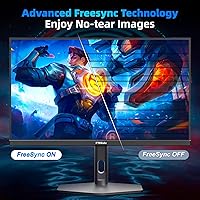
FreeSync works reliably across both AMD and NVIDIA setups, with the latter supported through the G-Sync Compatible program on most modern NVIDIA cards. Buyers running variable frame rate games report a meaningfully smoother experience compared to running the same games without adaptive sync enabled on a comparable fixed-rate panel.
The FreeSync range is not officially specified in the product documentation, which makes it harder for buyers to evaluate whether their typical in-game frame rate falls within the optimal sync window. At very low frame rates, some users noted that stutter returned, suggesting the low-end of the sync range may be limited.
RGB Lighting
71%
29%
The scrolling RGB strip adds a decorative ambiance that appeals to buyers building a gaming-themed desk setup, and several reviewers mention it creates a pleasant bias lighting effect that reduces eye strain during longer evening sessions. The visual effect is consistent and smooth enough to avoid feeling cheap.
Control over the RGB behavior appears limited to the on-screen display menu, and some users found the customization options fewer than expected compared to monitors with dedicated RGB software. Whether the strip can be fully disabled is not clearly documented, which is a concern for buyers who want a clean, no-glow desk aesthetic.
Setup & Assembly
79%
21%
Most buyers complete stand assembly in under ten minutes without tools, and the port layout is intuitive enough that initial setup rarely requires consulting the manual. Reviewers who purchased this as their first ergonomic monitor specifically appreciated how straightforward the height and pivot adjustments are to configure.
The on-screen display menu navigation has drawn occasional criticism for being slow to respond and less intuitive than those found on established brands. A few buyers also noted that the monitor does not automatically detect the optimal refresh rate on first connection and requires a manual adjustment in system display settings.
Brand Reliability
53%
47%
Early sales traction and a generally positive initial reception on Amazon suggest that FYHXele has delivered a functional product for most buyers in its first market outing. The purchase experience through Amazon provides some consumer protection that partially offsets the uncertainty around brand support.
FYHXele has no meaningful track record beyond its early 2025 launch, making it genuinely difficult to assess warranty responsiveness or long-term panel durability. Buyers who prioritize after-sales peace of mind and manufacturer support will find the uncertainty around this brand a legitimate and unresolved concern.

Suitable for:

The FYHXele 27-inch 380Hz FHD Gaming Monitor is built with a specific type of buyer in mind: someone who plays competitive, fast-twitch games — think Counter-Strike, Valorant, Apex Legends, or Warzone — and wants the smoothest possible motion without spending on a flagship display. If you're currently running a 144Hz or 240Hz panel and your GPU can push high frame counts at 1080p, the jump to 380Hz is a real and noticeable one. Students and secondary workstation users will also find a lot of value here, specifically because the stand covers height adjustment, swivel, tilt, and full portrait pivot — a feature set that typically costs considerably more elsewhere. Buyers who want flexible connectivity, running a PC and a console off the same screen for example, will appreciate having two HDMI and two DisplayPort inputs without any compromises. For anyone who mounts monitors on arms or walls, VESA compatibility is already built in, so you're not locked into the included stand.

Not suitable for:

If image quality and pixel sharpness are your primary concerns, this budget esports screen is probably not the right fit. At 27 inches, a 1080p resolution produces a noticeably lower pixel density than a 1440p panel of the same size, and that difference is genuinely visible during productivity work, photo editing, or any content where fine detail matters. Creative professionals who need accurate, calibrated color output should also look elsewhere — while 100% sRGB coverage is a reasonable baseline, this class of display is not factory-calibrated and is unlikely to satisfy designers or video editors. Buyers who are brand-conscious or who place significant weight on after-sales support and warranty reliability should think carefully; FYHXele is a newer, less-established manufacturer with a limited track record compared to brands like LG, ASUS, or BenQ. And if your GPU is a mid-range or older card that struggles to sustain very high frame rates at 1080p, the headline 380Hz figure will remain largely theoretical rather than something you'll actually experience in practice.

Specifications

  • Screen Size: The panel measures 27 inches diagonally, offering a wide viewing area suited to desktop gaming and productivity setups.
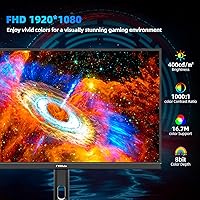
  • Resolution: Native resolution is 1920x1080 pixels (Full HD 1080p), displayed across a 16:9 aspect ratio.
  • Refresh Rate: The panel runs at a maximum refresh rate of 380Hz, designed to minimize motion blur in fast-paced gaming scenarios.
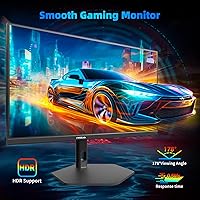
  • Response Time: Rated at 0.5ms grey-to-grey response time, which reduces ghosting and trailing during rapid on-screen movement.
  • Panel Type: Uses a Fast IPS panel technology, offering wider viewing angles and better color reproduction than TN panels at comparable refresh rates.
  • Brightness: Peak brightness is rated at 300 cd/m², which is adequate for typical indoor use but modest compared to HDR-optimized displays.
  • Color Gamut: Covers 100% of the sRGB color space, providing reasonably accurate colors for gaming, content consumption, and light creative work.
  • HDR Support: The monitor includes HDR support, though this is entry-level HDR and should not be compared to dedicated HDR400 or HDR600 certified panels.
  • Viewing Angles: Horizontal and vertical viewing angles reach 178 degrees, meaning colors and contrast remain consistent when viewed from off-center positions.
  • Screen Surface: The matte anti-glare coating reduces reflections from ambient light sources, making it more comfortable in mixed or bright room lighting.
  • Connectivity: Inputs include two HDMI ports and two DisplayPort connections, supporting flexible multi-device configurations without an external switch.
  • Sync Technology: AMD FreeSync adaptive sync is supported, which dynamically matches the monitor refresh rate to the GPU output to reduce screen tearing.
  • Ergonomic Stand: The included stand supports 150mm of height adjustment, 90-degree pivot for portrait mode, 30-degree horizontal swivel, and forward/backward tilt.
  • VESA Compatibility: The monitor is compatible with 100x100mm VESA mounting patterns, allowing use with third-party monitor arms or wall mounts.
  • RGB Lighting: A scrolling RGB light strip is built into the monitor chassis, adding ambient backlighting with a decorative aesthetic effect.
  • Dimensions: Physical dimensions with stand are approximately 22.31 inches wide, 13.85 inches tall, and 1.68 inches deep.
  • Weight: Total weight including the stand is 16.07 pounds, which is within the typical range for monitors in this size class.
  • Brand & Origin: Manufactured by FYHXele, a brand that entered the monitor market in early 2025 and is positioned toward the budget esports segment.

Related Reviews
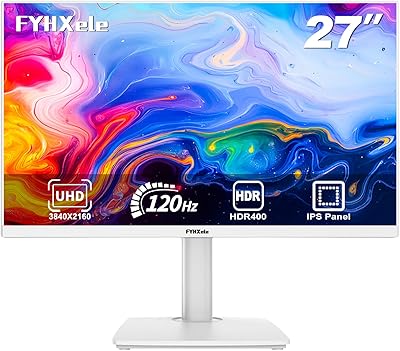
FYHXele 27-inch 4K 120Hz Gaming Monitor
72%
83%
Value for Money
88%
Image Sharpness
79%
Panel Response & Motion
76%
Color Accuracy
47%
HDR Performance
More
FYHXele 27-inch 300Hz QHD Gaming Monitor
79%
91%
Refresh Rate Performance
88%
Image Sharpness
74%
Color Accuracy
51%
HDR Quality
86%
Response Time & Motion Clarity
More
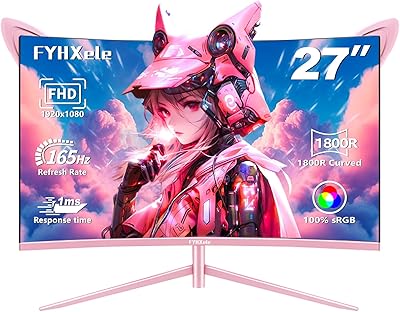
FYHXele 27-inch Curved Gaming Monitor
73%
84%
Gaming Performance
71%
Image Quality
88%
Value for Money
83%
Design & Aesthetics
62%
Build Quality
More
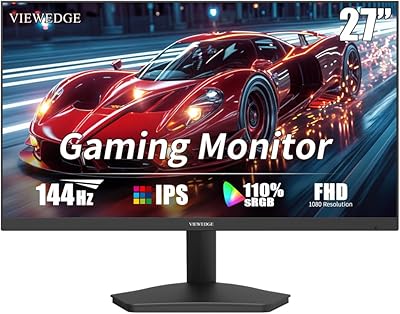
Viewedge 27-Inch FHD 144Hz Gaming Monitor
71%
88%
Value for Money
83%
Image Quality
86%
Refresh Rate Performance
81%
Eye Comfort
44%
Stand & Ergonomics
More
Samsung Odyssey G3 G30D 27″ Gaming Monitor
80%
91%
Gaming Performance
88%
Refresh Rate Value
93%
Ergonomics & Stand
67%
Image Clarity
84%
AMD FreeSync
More
FYHXele 24-inch Gaming Monitor FHD 1080p 180Hz
86%
88%
Performance (Smooth Gaming)
85%
Display Quality
82%
Build Quality & Durability
90%
Ease of Setup
91%
Value for Money
More
MSI PRO MP275W E2 27-inch Monitor
74%
83%
Value for Money
71%
Image Quality
88%
Refresh Rate & Smoothness
86%
Eye Comfort
79%
Build Quality & Design
More
Norcent MN27-F240GC 27-inch Curved Gaming Monitor
72%
84%
Gaming Performance
71%
Display Quality
83%
Value for Money
78%
Motion Handling
82%
Immersion & Curvature
More
Skytech Gaming Moonshadow 27-inch Curved Gaming Monitor
83%
88%
Image Quality
91%
Refresh Rate Performance
86%
Adaptive-Sync
83%
VA Panel Contrast
84%
Stand & Ergonomics
More
Raywego Z270B13 27-inch Gaming Monitor
70%
88%
Value for Money
83%
Picture Quality
84%
Refresh Rate Performance
62%
Build Quality
81%
Eye Comfort
More

FAQ

Honestly, for casual gaming it is overkill. The difference between 380Hz and 144Hz is most noticeable in very fast competitive games like CS2 or Valorant, where even small reductions in motion blur can matter. If you mostly play single-player or slower-paced titles, a standard 144Hz or 165Hz panel will serve you just as well and likely cost less.

That depends heavily on your graphics card and the game. At 1080p, high-end cards like an RTX 4070 or RX 7800 XT can hit 300-plus frames in less demanding titles, but expect to fall well short in more graphically intensive games. The monitor will still run at whatever frame rate your GPU produces — you just won't be using the full 380Hz headroom in most scenarios.

It works with both. FreeSync is AMD's technology, but NVIDIA cards support FreeSync monitors through their G-Sync Compatible program — most modern NVIDIA GPUs will enable adaptive sync on this display without issues. Just enable it in the NVIDIA Control Panel.

Fast IPS is a variant of IPS technology engineered for lower pixel response times, which makes it better suited for high refresh rate gaming. Standard IPS panels at 144Hz or higher can exhibit minor trailing at fast motion, while Fast IPS is tuned to keep up. The trade-off is usually minor, but it's a meaningful distinction at 380Hz.

It won't look blurry exactly, but pixel density at 1080p on a 27-inch panel is noticeably lower than on a 1440p screen of the same size. If you sit close to your monitor or you're used to a 1440p or 4K display, the difference in sharpness will be visible — especially in text and fine detail. For gaming at a normal desk distance, most people adjust to it quickly.

The stand requires basic assembly — attaching the base and neck to the panel — which typically takes about five minutes without tools. Port connections and initial setup are straightforward. The on-screen menu is used to adjust brightness, refresh rate settings, and RGB lighting.

Yes. The stand supports a full 90-degree pivot rotation, so you can flip the display into vertical orientation without any additional hardware. Portrait mode is genuinely useful for reading long documents, coding, or browsing, and the IPS panel's wide viewing angles hold up well when the screen is rotated.

The RGB strip runs along part of the monitor chassis and adds ambient lighting behind or around the display. Based on product specifications, it can be controlled through the on-screen display menu, though whether it can be fully disabled depends on the firmware. If you prefer a clean, no-glow setup, it is worth confirming this with the seller before purchasing.

That is a fair concern. FYHXele is a newer entrant to the monitor market, and they do not have the long track record of established brands like ASUS, LG, or AOC. The monitor has gathered positive early reviews on Amazon, but there is limited data on long-term durability or how responsive their customer support is when issues arise. Buying from Amazon does offer some purchase protection, which is worth factoring into your decision.

Yes, the monitor has two HDMI ports and will accept input from a console. Keep in mind that consoles typically output at 60Hz or 120Hz, so the 380Hz refresh rate will not be utilized when gaming via console. You will still benefit from the low input lag and IPS panel quality, but the high refresh rate is only achievable when connected to a compatible PC.