Overview

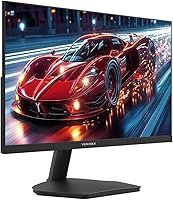
The Viewedge 27-Inch FHD 144Hz Gaming Monitor entered the market in early 2025 and has already carved out a respectable spot among budget-friendly displays. Viewedge has been building monitors for over a decade, and that experience shows in a panel that punches above its price tier. This is not a flagship display — nobody should expect pro-grade color calibration or premium build materials here. What it does offer is a genuinely capable IPS screen at a price that makes sense for casual gamers and home office users who want more real estate without a big spend. Solid, practical, and honest about what it is.
Features & Benefits

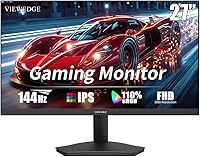
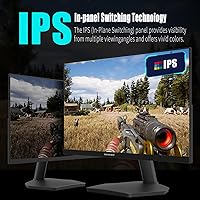
The IPS panel at the heart of this Viewedge monitor is what separates it from cheaper TN alternatives in the same price range. Wide viewing angles mean colors stay accurate whether you are sitting directly in front or off to the side — useful if you share a screen with someone. The 144Hz refresh rate genuinely makes motion feel smoother, especially noticeable in fast shooters or racing titles. A claimed 1ms response time keeps things tight. The 110% sRGB coverage gives images a richness that feels natural rather than blown out. FreeSync support is a real plus for AMD GPU users, and the flicker-free backlight combined with a blue light filter makes long evening sessions noticeably easier on the eyes.

Best For

This budget IPS panel makes the most sense for a pretty specific kind of buyer. If you are coming from a 60Hz or 75Hz display and want to feel what a higher refresh rate actually does to your gaming experience, this is a low-risk way to find out. Students pulling long hours at a desk will appreciate the eye-care features. The VESA wall-mount compatibility is genuinely handy for smaller setups where desk space matters. If you are an enthusiast chasing DisplayPort, high-res content, or ultra-wide formats, look elsewhere. But for a first proper gaming monitor or a secondary productivity screen, the 27-inch gaming display hits the right notes without demanding a significant budget commitment.

User Feedback

Buyers consistently mention the out-of-box color quality as a pleasant surprise — most do not expect an IPS panel at this price to look this good right away. The 144Hz smoothness also gets genuine praise from people who have only ever used budget 60Hz panels. That said, the stand draws regular complaints: it offers tilt only and wobbles more than it should. A few users have flagged the lack of DisplayPort as a real limitation when pairing with newer GPUs. Packaging issues appear occasionally, usually corner dents on arrival. Customer support gets mixed marks. On the plus side, the included HDMI cable is a small touch that buyers consistently notice and appreciate.

Pros

  • IPS panel delivers consistent, vivid color from wide angles — a clear step up from budget TN alternatives.
  • The 144Hz refresh rate makes motion noticeably smoother, especially for first-time upgraders from 60Hz displays.
  • 110% sRGB coverage produces rich, natural-looking color without the blown-out oversaturation common on cheaper panels.
  • Flicker-free backlight and blue light filter make extended work and gaming sessions noticeably easier on the eyes.
  • FreeSync support is a genuine bonus for AMD GPU users who want tear-free gameplay at no added cost.
  • VESA wall-mount compatibility adds real flexibility for compact or minimalist desk setups.
  • An HDMI cable is included in the box — a small but practical detail that saves an extra purchase.
  • Viewedge brings over a decade of monitor manufacturing experience, which shows in build consistency for this price tier.
  • At this price point, the combination of IPS quality and 144Hz is hard to match in the same category.

Cons

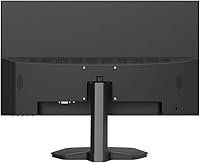
  • The stand offers tilt adjustment only — no height, swivel, or pivot options without a separate monitor arm.
  • Stand wobble is a recurring complaint; the base feels less sturdy than expected for a 27-inch display.
  • No DisplayPort connection limits compatibility with some newer GPU setups that lack spare HDMI outputs.
  • Only one HDMI port means you cannot easily switch between two devices without an adapter or switcher.
  • At 27 inches, a 1080p resolution can look noticeably soft when viewed up close at a typical desk distance.
  • The glossy screen surface picks up reflections in bright or window-facing environments.
  • Packaging quality has been flagged by some buyers, with occasional reports of minor shipping damage on arrival.
  • Customer support responsiveness gets mixed reviews, which is worth considering if you rely on post-purchase service.
  • No built-in speakers means you will need external audio regardless of your setup.

Ratings

The scores below reflect our AI-powered analysis of verified global buyer reviews for the Viewedge 27-Inch FHD 144Hz Gaming Monitor, with spam, bot-submitted, and incentivized feedback actively filtered out before scoring. Each category is rated independently based on what real users consistently reported — not manufacturer claims — so both the standout strengths and the genuine frustrations are represented without sugarcoating.

Value for Money
88%
For buyers coming from older 60Hz or TN panels, the price-to-performance ratio consistently earns praise. Getting an IPS panel with a high refresh rate at this price point is something users repeatedly highlight as the main reason they chose this display over competing options.
A handful of buyers feel the value proposition weakens slightly when compared to a few rival budget monitors that have added DisplayPort or better stand ergonomics at a similar price. For some, those missing features tip the scales.
Image Quality
83%
Out-of-box color accuracy impresses most buyers, especially those upgrading from TN panels. The wide color gamut makes gaming visuals and streaming content look noticeably richer, and users frequently mention being surprised by how good the image looks given the price tier.
The glossy surface creates reflections in bright rooms, which some users find distracting enough to affect their viewing experience. A few buyers also note that the contrast is not quite as deep as they expected, particularly in dark gaming environments.
Refresh Rate Performance
86%
The step up to a high refresh rate is genuinely felt by users who previously gamed at 60Hz. Fast-paced titles like shooters and racing games feel markedly smoother, and buyers consistently confirm the difference is real and immediately noticeable in daily play.
Getting the full refresh rate requires a manual settings change that some less experienced users miss initially, leading to early frustration. A few buyers also report that the performance advantage narrows when FreeSync is not active or when the GPU cannot maintain consistently high frame rates.
Eye Comfort
81%
19%
The combination of a flicker-free backlight and adjustable blue light filter earns consistent appreciation from students and remote workers who spend long hours in front of the screen. Several buyers specifically mention reduced end-of-day eye fatigue compared to their previous displays.
The blue light mode shifts the color temperature noticeably toward warm tones, which bothers users who care about accurate color during creative work or media consumption. It essentially functions as an either-or trade-off between comfort and color accuracy.
Stand & Ergonomics
44%
56%
The stand gets the monitor up and running without requiring any extra purchases, and the tilt function covers the basic adjustment most casual users actually use day to day. For buyers who plan to wall-mount or use a third-party arm, the stand's limitations are irrelevant.
This is one of the most consistently criticized aspects across user reviews. The stand offers tilt only, with no height, swivel, or pivot adjustment, and multiple buyers describe it as wobblier than expected for a 27-inch panel. Users who need ergonomic flexibility will almost certainly need a monitor arm.
Connectivity
61%
39%
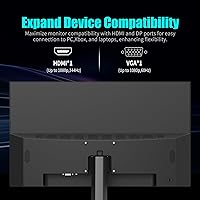
The dual-port setup covers both modern HDMI devices and older VGA-only hardware, making it genuinely versatile for mixed setups or hand-me-down PCs. The included HDMI cable is a small but repeatedly appreciated detail that saves buyers an extra purchase on setup day.
The absence of a DisplayPort input is a real limitation that comes up regularly in critical reviews, particularly from users pairing the monitor with newer GPU configurations. Having only one HDMI port also means switching between two sources requires an external switcher or manually swapping cables.
Build Quality
67%
33%
The panel housing feels solid and consistent for a budget-tier product, and users generally report no obvious flex or creaking in the screen itself. Viewedge's manufacturing experience shows in a display that does not feel as cheap as some competing options at the same price.
The stand and base assembly draw the most negative build-quality comments, with several buyers describing a wobble or instability that feels disproportionate to the screen size. Occasional packaging quality issues have also led to minor cosmetic damage on arrival for a visible minority of buyers.
Setup & Installation
79%
21%
Assembly is straightforward and takes most users under ten minutes, with no tools required. The included HDMI cable means buyers can be up and running almost immediately after unboxing, which gets positive mentions from users who appreciate the no-fuss out-of-box experience.
The 144Hz refresh rate does not activate automatically, and some users spend time troubleshooting before realizing a manual settings change is needed. The on-screen display menu also gets mixed feedback for being slightly unintuitive when adjusting brightness or color settings.
Gaming Performance
82%
18%
For casual to mid-level gaming, the combination of fast refresh rate and low response time delivers a competitive and responsive experience that buyers consistently describe as punchy and fluid. FreeSync users with AMD GPUs also report noticeably cleaner, tear-free visuals during gameplay.
Hardcore or competitive players looking for the absolute minimum input lag may find this monitor does not quite match the responsiveness of more specialized gaming panels. The 1080p resolution at 27 inches also means the image is not as crisp as higher-resolution alternatives during close-up gameplay.
Color Accuracy
72%
28%
The 110% sRGB coverage delivers noticeably vibrant colors that work well for gaming, video streaming, and general web use. Most casual users report the default color profile looks pleasing without any manual calibration needed straight out of the box.
For users who need verified color accuracy — such as photo editors or graphic designers — the lack of factory calibration data and the glossy surface are real drawbacks. The color performance is strong for entertainment but not reliable enough for precision creative work.
Brightness & Visibility
69%
31%
Brightness levels are adequate for typical indoor office and gaming environments, and most buyers report the display is comfortable to use in normal lighting conditions without pushing brightness to maximum. The IPS panel maintains color consistency at lower brightness settings.
In rooms with strong ambient light or near windows, the glossy surface combined with moderate peak brightness can make the screen harder to read clearly. Users in bright environments consistently wish the panel were either matte or capable of higher peak brightness.
FreeSync Implementation
77%
23%
AMD GPU owners report that FreeSync works reliably over HDMI on this display, effectively eliminating the screen tearing that would otherwise be noticeable at variable frame rates. For the target audience of budget gamers, this feature adds meaningful real-world value.
FreeSync only benefits AMD GPU users, leaving Nvidia owners without a meaningful adaptive sync option. The supported refresh rate range for FreeSync is not clearly documented by Viewedge, which creates uncertainty for users trying to optimize their driver settings.
Packaging & Unboxing
58%
42%
The monitor arrives with all the basics needed to get started, including the HDMI cable, and most buyers report the unboxing experience is clean and organized enough for a budget product. First impressions of the panel itself are generally positive.
A recurring thread in negative reviews involves cosmetic damage — usually corner dents or minor scratches — that appear to result from insufficient padding during shipping. While not universal, it happens frequently enough to be a notable pattern worth flagging for buyers who care about pristine delivery condition.
Customer Support
53%
47%
Some buyers report that Viewedge resolved warranty or replacement issues without significant friction, and the brand does appear to have an active after-sales process in place for a relatively new Amazon listing.
Response times and resolution quality are inconsistent according to buyer feedback, with some users describing slow follow-ups and unhelpful initial replies. For a brand still building its reputation in a competitive category, the support experience has room for meaningful improvement.

Suitable for:

The Viewedge 27-Inch FHD 144Hz Gaming Monitor is a strong fit for anyone taking their first real step into smoother, more responsive gaming without committing to a high-end budget. If you have been gaming on a 60Hz panel and keep hearing about how much difference a higher refresh rate makes, this is a practical and affordable way to experience that for yourself. Students and remote workers will also find it genuinely comfortable for long stretches, thanks to the flicker-free backlight and blue light filter that reduce the kind of eye fatigue that builds up over a full workday or study session. Home office setups with limited desk space benefit from the VESA wall-mount compatibility, which lets you reclaim your desk without sacrificing screen size. AMD GPU owners get an added bonus in FreeSync support, which keeps gameplay tear-free without any extra cost.

Not suitable for:

Buyers with more demanding expectations will likely find this Viewedge 27-Inch FHD 144Hz Gaming Monitor comes up short in a few meaningful ways. If you need DisplayPort connectivity — which many modern GPUs prioritize — you will have to make do with HDMI only, and that is a genuine inconvenience worth planning around. Content creators who need precise, professionally calibrated color accuracy should look at panels with verified factory calibration and wider color space coverage. Competitive players or enthusiasts who want a higher resolution like 1440p or QHD will also find 1080p on a 27-inch screen noticeably softer up close. The stand offers tilt adjustment only, so anyone who needs height or swivel flexibility will either need a third-party arm or will simply have to live with a fixed position.
Specifications

  • Panel Type: Uses an IPS (In-Plane Switching) panel, which provides more accurate and consistent color reproduction compared to TN panels at a similar price.
  • Screen Size: 27-inch diagonal display area with a 16:9 aspect ratio, suited for both gaming and general desktop productivity use.
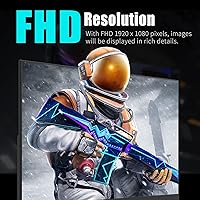
  • Resolution: Native resolution of 1920x1080 pixels (Full HD 1080p), delivering a sharp image for standard content and gaming at this screen size.
  • Refresh Rate: Supports a maximum refresh rate of 144Hz, allowing up to 144 frames per second to be displayed for noticeably smoother motion.
  • Response Time: Rated at 1ms response time, which helps reduce ghosting and motion blur during fast-paced gameplay.
  • Color Gamut: Covers 110% of the sRGB color space, producing vivid and well-saturated colors suitable for everyday content consumption and casual creative work.
  • Viewing Angle: IPS panel delivers up to 178-degree horizontal and vertical viewing angles, maintaining color accuracy even when viewed off-center.
  • Connectivity: Equipped with one HDMI port and one VGA port, with an HDMI cable included in the box; no DisplayPort is available.
  • Adaptive Sync: Supports AMD FreeSync, which synchronizes the monitor's refresh rate with a compatible AMD GPU to eliminate screen tearing.
  • Eye Care: Features a flicker-free backlight and a built-in blue light filter to reduce eye strain during extended viewing sessions.
  • Wall Mount: VESA wall-mount compatible, allowing flexible positioning; mounting hardware and brackets are not included and must be purchased separately.
  • Surface Finish: Glossy screen surface, which enhances color vibrancy but may produce reflections in brightly lit or window-facing environments.
  • Dimensions: Measures 26.46 x 17.52 x 4.33 inches with the stand attached, providing a reasonably compact footprint for a 27-inch display.
  • Weight: Weighs 8.8 pounds including the stand, making it manageable for single-person setup or wall-mount installation.
  • Stand Adjustment: The included stand supports tilt adjustment only; height, swivel, and pivot adjustments are not available without a third-party monitor arm.
  • Aspect Ratio: Standard 16:9 widescreen format, compatible with the vast majority of games, video content, and desktop operating systems.
  • Manufacturer: Made by Viewedge, a monitor manufacturer with over a decade of experience producing consumer and professional display products.
  • Model Number: Official model identifier is USC2712FDA-P, which can be used for warranty registration and support inquiries.
  • Market Entry: First listed for sale in April 2025, making it one of the newer entries in the budget 27-inch gaming monitor category.
  • Contrast Ratio: Listed contrast ratio is described by the manufacturer as millions to one, typical of IPS panel dynamic contrast enhancement rather than static contrast.

Related Reviews

Viewedge USC2412FDA-P 24-inch FHD 144Hz Gaming Monitor
71%
83%
Value for Money
79%
Gaming Performance
76%
Image Quality
81%
Eye Comfort
63%
Build Quality
More
Viewedge 27-inch Gaming Monitor 240Hz
85%
89%
Display Quality
91%
Performance (240Hz & 1ms Response)
85%
Color Accuracy
88%
Ease of Setup
92%
Value for Money
More
Viewedge 27-inch Curved Gaming Monitor CS27FHUS
84%
92%
Gaming Performance
89%
Display Quality
82%
Build Quality
91%
Ease of Setup
88%
Immersion & Comfort
More
Viewedge CS27QK 27-inch 1440p 165Hz Gaming Monitor
84%
89%
Gaming Performance
91%
Visual Quality (Color Accuracy)
78%
Build Quality
85%
Ease of Setup
80%
HDR Performance
More
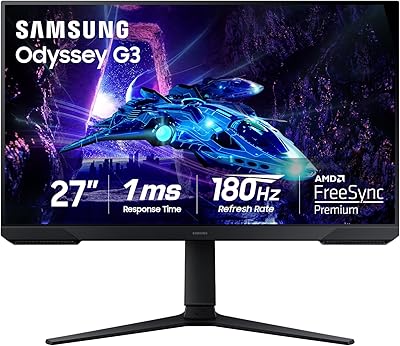
Samsung Odyssey G3 G30D 27″ Gaming Monitor
80%
91%
Gaming Performance
88%
Refresh Rate Value
93%
Ergonomics & Stand
67%
Image Clarity
84%
AMD FreeSync
More
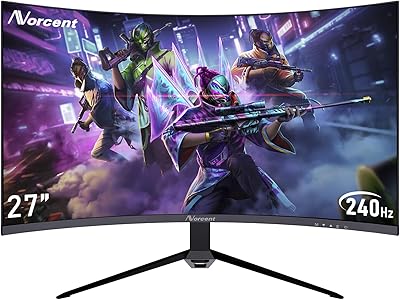
Norcent MN27-F240GC 27-inch FHD Curved Gaming Monitor
87%
93%
Gaming Performance
88%
Display Quality
85%
Build Quality
82%
Design & Aesthetics
87%
Color Accuracy
More
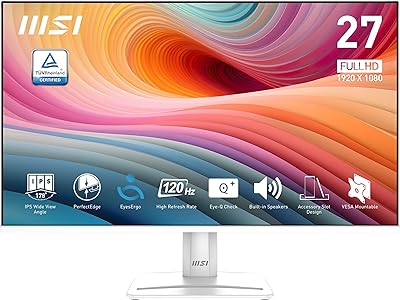
MSI PRO MP275W E2 27-inch Monitor
74%
83%
Value for Money
71%
Image Quality
88%
Refresh Rate & Smoothness
86%
Eye Comfort
79%
Build Quality & Design
More
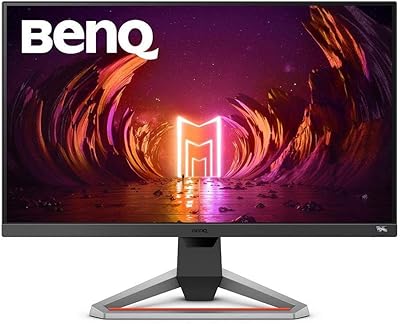
BenQ EX2710 27-inch Gaming Monitor
80%
91%
Motion Performance
88%
Color Accuracy
93%
Refresh Rate & Sync
89%
Console Compatibility
58%
HDR Quality
More
MSI Optix MAG274R 27-inch Full HD 144Hz Gaming Monitor
84%
93%
Display Quality
89%
Gaming Performance
91%
Color Accuracy
77%
Build Quality
94%
Response Time
More
Skytech Gaming Moonshadow 27-inch Curved Gaming Monitor
83%
88%
Image Quality
91%
Refresh Rate Performance
86%
Adaptive-Sync
83%
VA Panel Contrast
84%
Stand & Ergonomics
More

FAQ

You do need to enable it manually. By default, most computers output at 60Hz even when connected to a higher-refresh panel. Go into your display settings (on Windows, right-click the desktop, go to Display Settings, then Advanced Display) and switch the refresh rate to 144Hz once the monitor is connected. It will not happen automatically.

No, there is no DisplayPort. The Viewedge 27-Inch FHD 144Hz Gaming Monitor only has HDMI and VGA inputs. If your GPU only has DisplayPort outputs available, you will need an active DisplayPort-to-HDMI adapter to connect — passive cables will not carry 144Hz.
Yes, it works fine with current-generation consoles via HDMI. Keep in mind that consoles typically output at 60Hz for most games, so you will not be taking full advantage of the 144Hz capability, but the image quality and response time will still be noticeably better than a TV.

Unfortunately, no. The stand only tilts forward and backward. If you need height, swivel, or portrait-mode rotation, you will want to pick up a VESA-compatible monitor arm separately, since the display does support wall and arm mounting.

At typical desk distances of around two feet or more, most people find 1080p perfectly acceptable on a 27-inch panel. If you sit very close or are sensitive to pixel density, you might notice it is not as sharp as a 1440p display, but for gaming and general use it is rarely a problem in practice.

It can, depending on how strong you set it. Most monitors with a blue light mode let you adjust the intensity, so you can dial it in to a level that reduces eye strain without making the image look too warm. For color-sensitive work, you would probably turn it off anyway.

Yes, FreeSync is supported over HDMI on this monitor, which is convenient since HDMI is the only modern connection option available. You will need a compatible AMD GPU and FreeSync enabled in your AMD driver settings to get the benefit.

The display is VESA wall-mount compatible, but Viewedge does not specify the exact hole pattern (commonly 75x75mm or 100x100mm for monitors in this size range) in the publicly available product listing. It is worth confirming with Viewedge support before purchasing a mount arm.

Yes, an HDMI cable is included, which is a handy detail that saves you a trip to the store. The VGA port does not come with a cable, so if you plan to use a VGA connection, you will need to supply your own.

It is decent but not remarkable. The panel itself tends to get better feedback than the stand, which some users describe as slightly wobbly. If you plan to wall-mount it or use a monitor arm, that concern disappears entirely. For a budget-tier display, the overall construction is consistent with what you would expect at this price point.