VIDBOX Video Conversion for Mac Capture Device
Overview
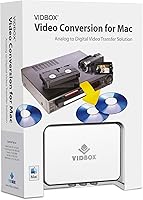
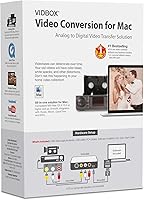
The VIDBOX Video Conversion for Mac Capture Device exists to solve a problem that sneaks up on people: those boxes of VHS, Beta, 8mm, and camcorder tapes sitting in storage are slowly becoming unplayable, and the hardware to view them is disappearing fast. This Mac capture device arrives as a complete hardware-and-software bundle, so you are not hunting for cables or downloading sketchy drivers. It sits in a niche that most digitization gear ignores — built specifically for Mac users in a category dominated by Windows-first solutions. Mid-range in price, it attracts families and casual archivists more than professionals.
Features & Benefits
The VIDBOX digitizer connects through USB and draws no external power, which keeps setup refreshingly minimal — plug the RCA cable into your tape player, connect the dongle to your Mac, and you are essentially ready to capture. Footage is saved as MP4 format, which means your digitized videos will open on virtually any device without format headaches. Where this tape-to-digital converter genuinely earns its keep is the native iMovie integration: rather than learning unfamiliar editing software, Mac users can import captured footage directly into an app they likely already know. The software arrives via a download card rather than a disc, which keeps the box light and ensures you get a current build.
Best For
This Mac capture device makes the most sense for Mac households sitting on a collection of old family tapes — birthday parties, holidays, graduations — that nobody has watched in years because the VCR is long gone. It suits people who want to get tapes digitized without becoming amateur video engineers. If you use iMovie for anything already, the workflow here clicks into place quickly. That said, it is worth being realistic: this is an occasional-use tool, not a production setup. If you are digitizing hundreds of tapes or need broadcast-quality output, a professional capture station would serve you better. For most families, though, this tape-to-digital converter hits a solid balance of simplicity and capability.
User Feedback
Buyers consistently praise how quickly they can get up and running — most mention getting their first tape captured within minutes of opening the box, and iMovie compatibility draws particular appreciation from longtime Mac users. The complaints, though, are worth noting. Some users report that the dongle feels lightweight in a way that raises durability questions, and a handful have hit macOS compatibility snags on newer operating system versions, likely because the product has been around since 2013. Video quality is another recurring topic: analog-to-digital conversion has a natural resolution ceiling, and footage will not look crisp by modern standards. Buyers who go in with realistic expectations tend to leave satisfied.
Pros
- Includes every cable and accessory needed to start capturing on day one, with nothing extra to buy.
- iMovie integration works naturally for Mac users who already know the software.
- Supports VHS, Beta, 8mm, and camcorder formats, covering most legacy home tape types.
- USB-powered design means no power adapter clutter on your desk.
- Outputs to MP4, so digitized files play on phones, tablets, and computers without conversion.
- Compact and lightweight enough to store in a drawer when not in use.
- Straightforward setup makes it accessible even for buyers with limited technical experience.
- Ranked among the top sellers in its category, reflecting steady real-world adoption.
Cons
- Software compatibility with newer macOS versions is not guaranteed and has caused issues for some buyers.
- Capture quality is bounded by the analog source — do not expect crisp, modern-looking video.
- The USB dongle feels lightweight and fragile, raising questions about long-term durability.
- Real-time capture means a 90-minute tape takes 90 minutes to digitize, with no way to speed it up.
- No Windows support at all, which limits flexibility if your household uses mixed platforms.
- The download-card software model means you depend on VIDBOX maintaining active download servers.
- No built-in noise reduction or video enhancement, so poor-condition tapes will look poor digitally too.
- Customer support resources for a product this age can be limited if troubleshooting is needed.
Ratings
The scores below reflect AI-driven analysis of verified global buyer feedback for the VIDBOX Video Conversion for Mac Capture Device, with spam, bot-generated, and incentivized reviews actively filtered out before any scoring was applied. Every category captures both what real users genuinely appreciated and where frustrations consistently surfaced, giving you an honest picture before you commit to a purchase. Nothing has been softened to protect the product’s image.
Ease of Setup
Mac Compatibility
Video Capture Quality
iMovie Integration
Value for Money
Build Quality
Software Quality
Format Versatility
Audio Capture
Portability
Documentation & Support
Packaging & Unboxing
Real-Time Capture Speed
Broad Device Sharing
Suitable for:
The VIDBOX Video Conversion for Mac Capture Device is built for Mac-owning families who have a box of aging tapes — VHS home movies, 8mm camcorder reels, old Beta recordings — and want to preserve that footage before it degrades beyond recovery. If you are not technically inclined and have no interest in learning complex video software, this tape-to-digital converter is genuinely approachable: everything you need arrives in the box, and the iMovie integration means you can be editing your first captured clip within the same afternoon. It suits people who need to digitize a modest collection over a few weekends rather than someone running a high-volume archiving operation. Longtime Mac users who already live inside the Apple ecosystem will find that this Mac capture device slots in without friction or a steep learning curve.
Not suitable for:
The VIDBOX Video Conversion for Mac Capture Device is not the right tool for Windows users — full stop, as it is designed exclusively for Mac. Anyone expecting broadcast-quality or even DVD-quality results will likely come away disappointed, because analog tape conversion carries inherent resolution limits that no consumer-grade dongle can overcome. If you have hundreds of tapes to archive, the real-time capture process will test your patience considerably, since a two-hour tape takes two hours to capture with no shortcuts. Users running the most current versions of macOS should verify software compatibility before purchasing, given that the product has been on the market since 2013 and software support for older hardware does not always keep pace with Apple’s annual OS updates. Professional videographers or anyone needing frame-accurate capture and advanced format control should look at dedicated capture cards instead.
Specifications
- Model Number: The device is officially designated as model VFM1M by VIDBOX Inc.
- Manufacturer: Designed and sold by VIDBOX Inc, a company focused on consumer video digitization solutions.
- Dimensions: The package measures 5.38 x 2.13 x 7.5 inches, keeping the overall footprint compact and storage-friendly.
- Weight: The unit weighs 5.64 ounces, light enough to handle with one hand and easy to tuck away when not in use.
- Connectivity: The capture device connects to a Mac via standard USB, requiring no external power adapter or dedicated power source.
- Output Format: Captured footage is saved as MP4, a widely compatible format that plays natively on Macs, iPhones, iPads, and most modern devices.
- Tape Compatibility: The device supports analog tape formats including VHS, Beta, 8mm, and standard camcorder cassettes.
- Platform Support: Compatible with Mac only; Windows is not supported by this hardware or its accompanying software.
- Software Delivery: Software is provided via a download card included in the box rather than a physical disc, allowing access to current builds.
- iMovie Support: The included software integrates directly with Apple iMovie, enabling captured video to be edited without installing third-party applications.
- In-Box Contents: The package includes the USB video capture device, a USB cable, an RCA AV cable, a Quick Start Guide, and a Software Download Card.
- AV Cable Type: The included RCA AV cable carries composite video and stereo audio signals from the source tape player to the capture device.
- First Available: The product was first listed for sale on July 22, 2013, making it one of the longer-tenured Mac-specific digitizers on the market.
- Recommended Age: VIDBOX recommends this product for users aged 12 and up, reflecting its straightforward but technology-oriented operation.
- Sales Rank: The device holds a Best Sellers Rank of approximately #347 in the Video Converters category on Amazon, indicating consistent ongoing demand.
- Discontinuation Status: As of the latest available information, the product has not been discontinued by the manufacturer and remains in active distribution.
Related Reviews
VIDBOX VCP1M
I-O DATA GV-USB2/E
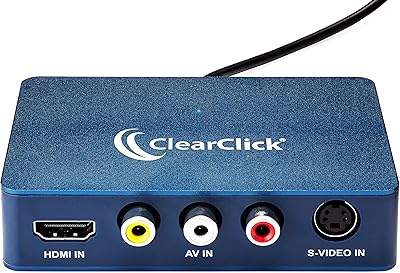
ClearClick Video2USB

XIIXMASK MS2131 Video Capture Card
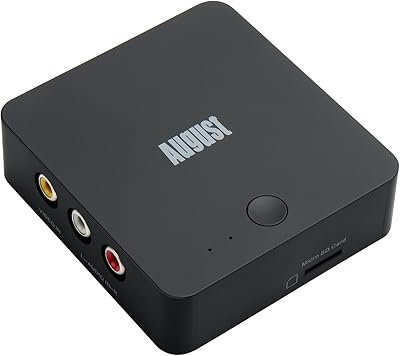
August VGB400 Video Capture Card
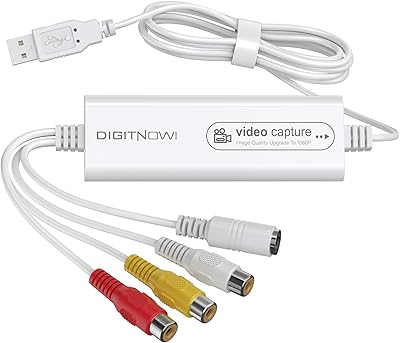
VIXLW Video Capture Card Pro+
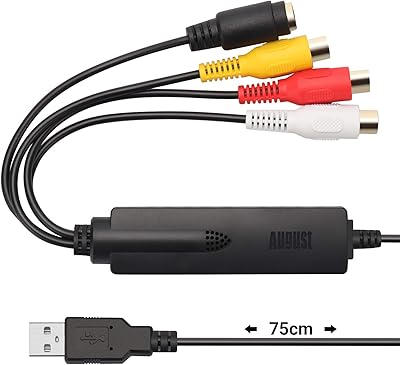
August VGB350 USB Video Capture Card
SoundBeast Video Capture Box 2.0
ClearClick HD Video Capture Box Ultimate
