
Overview
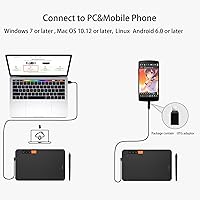
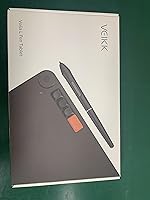
The VEIKK Voila L 10x6 Graphics Drawing Tablet sits in a crowded budget segment, but it carves out a reasonable position for itself. At this price point, a 10x6 inch active area is genuinely generous — most comparable tablets offer less drawing real estate for the same money. VEIKK is not a household name the way Wacom is, but the brand has been steadily building a following among cost-conscious beginners and hobbyists who want capable hardware without the premium markup. Connectivity is USB-only, which is fine for most setups. One critical note upfront: this drawing tablet does not support iPhone or iPad, and Mac users will need an adapter.
Features & Benefits
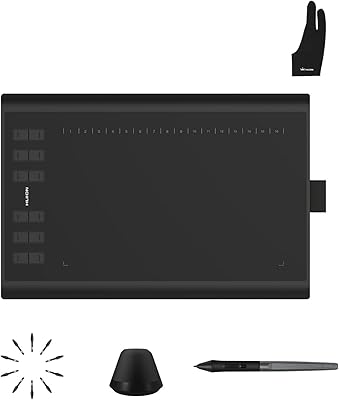
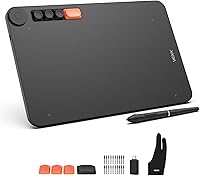
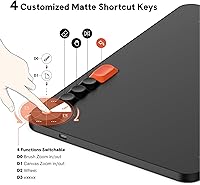
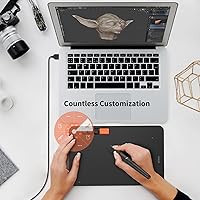
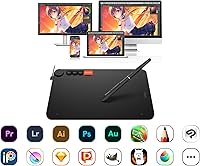
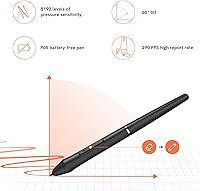
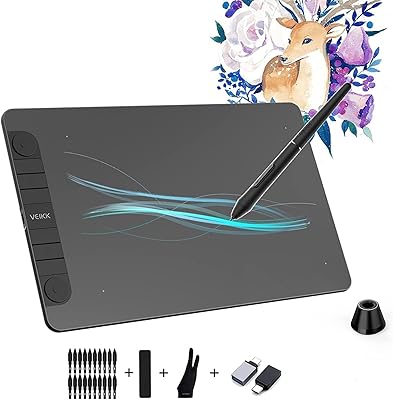
The battery-free P05 stylus is one of the stronger arguments for choosing the Voila L tablet over similarly priced alternatives. With 8192 levels of pressure sensitivity and up to 60 degrees of tilt recognition, it handles everything from clean line art to soft shaded gradients without feeling imprecise. The four mechanical hotkeys are a genuine differentiator at this price — they have a tactile click that feels nothing like the mushy rubber buttons found on cheaper pads. A rotating quick dial handles zoom and a few other shortcuts, keeping your hand on the tablet longer. Driver setup is handled through the VEIKK website and runs smoothly on Windows, Mac, Android, and Linux alike.
Best For
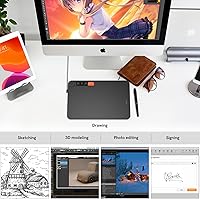
This drawing tablet makes most sense for people just starting out in digital art who want real drawing room without a steep investment. Design and illustration students will appreciate the large active surface, and the Linux compatibility is a rare bonus that many competing tablets in this range simply do not offer. Educators and remote workers who annotate documents or presentations on Windows or Mac will find it capable and low-maintenance. The mechanical shortcut keys are particularly appealing to anyone who already relies on keyboard shortcuts and wants a more hands-on workflow. Budget-conscious hobbyists who might otherwise overlook the VEIKK brand could be genuinely pleasantly surprised by what this VEIKK pad delivers.
User Feedback
With a 4.4-star average across several hundred ratings, the Voila L tablet earns its scores primarily through pen responsiveness and solid build quality relative to the price. Most buyers are satisfied with how the stylus performs out of the box and appreciate how the hotkeys feel compared to the flat rubber buttons common on rival budget pads. That said, some users report friction during driver installation, particularly on Mac, and a handful mention occasional software hiccups after OS updates. Comparisons to XP-Pen and Huion equivalents suggest this VEIKK pad holds its own without consistently beating them. The extended wrist area draws praise, though fatigue relief results appear to vary depending on individual drawing habits.
Pros
- The 10x6 inch active drawing area is unusually spacious for a tablet at this price bracket.
- Battery-free stylus means no charging interruptions during long creative sessions.
- Mechanical hotkeys have a satisfying tactile feel that most budget tablets simply do not offer.
- 8192 levels of pressure sensitivity handle smooth line weight variation and shading gradients reliably.
- Linux compatibility is rare in this segment and a genuine advantage for open-source users.
- The tablet is light and thin enough to carry daily between home, studio, or classroom.
- A one-year hardware warranty and lifetime driver updates add meaningful peace of mind.
- Pen tilt support up to 60 degrees allows for more natural shading and brush angle control.
- Out-of-box Windows setup is quick and straightforward with no complicated configuration needed.
Cons
- Mac users must purchase a USB adapter separately, which the product does not mention upfront.
- Driver updates occasionally introduce new bugs on macOS after operating system upgrades.
- The quick dial has limited programmable functions and can feel stiff during rapid use.
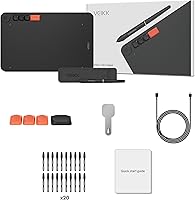
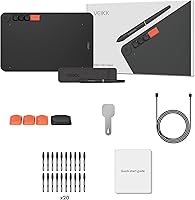
- No pen stand or stylus holder is included in the box, which is a noticeable omission.
- Edge zones of the active area feel slightly less consistent than the center under pressure.
- Long-term surface durability is uncertain, with scuffs and marks appearing relatively quickly.
- The physical footprint is large enough to cause real desk-space issues on compact workstations.
- Fast, gestural strokes at high canvas resolutions can occasionally produce minor input lag.
- Driver software customization options are more limited than competing brands at similar prices.
Ratings
The VEIKK Voila L 10x6 Graphics Drawing Tablet has been evaluated by our AI rating system after analyzing verified buyer reviews from across global markets, with spam, bot-generated, and incentivized feedback actively filtered out. The scores below reflect a balanced synthesis of real user experiences — covering both what this drawing tablet consistently gets right and where it falls short. Strengths and frustrations are represented with equal transparency so buyers can make genuinely informed decisions.
Pen Responsiveness
Pressure Sensitivity
Hotkeys & Quick Dial
Active Drawing Area
Build Quality
Ergonomic Wrist Area
Driver Software & Setup
Stylus Comfort & Design
Tilt Recognition
Compatibility Range
Value for Money
Out-of-Box Experience
Portability
Suitable for:
The VEIKK Voila L 10x6 Graphics Drawing Tablet is a strong match for anyone taking their first serious steps into digital art without wanting to spend heavily upfront. Design and illustration students will find the generous active drawing area genuinely useful for working across large canvases in Clip Studio Paint, Procreate for Windows, or Adobe Photoshop without constantly scrolling or repositioning. Hobbyist illustrators who already rely on keyboard shortcuts will appreciate that the mechanical hotkeys feel like actual keys rather than afterthoughts. Remote educators and office workers who need a reliable annotation tool across different machines will benefit from the broad OS support, and Linux users in particular will find the compatibility here unusually solid for a tablet at this price point. Anyone running Windows who wants a plug-and-draw experience with minimal setup friction is well served by this drawing tablet.
Not suitable for:
The VEIKK Voila L 10x6 Graphics Drawing Tablet is the wrong choice for anyone expecting to use it with an iPhone or iPad — it simply does not support iOS, and that limitation is non-negotiable regardless of how the tablet is configured. Mac users need to go in with eyes open: a USB-A adapter is required for most modern MacBooks, and driver installation on macOS tends to be more involved, with some users reporting compatibility friction after system updates. Professional illustrators or concept artists who depend on highly refined tilt response, extremely consistent edge sensitivity, or deep customization through driver software will likely find this VEIKK pad falls short of their expectations. Anyone hoping to graduate quickly from beginner to advanced workflows may outgrow the hardware faster than they expect, making a modest investment in a more capable mid-range option a smarter long-term decision. If brand reliability and proven long-term durability are priorities, established names like Wacom or XP-Pen carry more track record at a comparable or slightly higher price.
Specifications
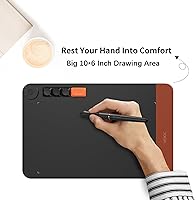
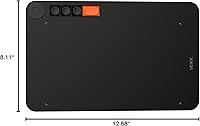
- Active Area: The drawing surface measures 10 x 6 inches, offering a generous working zone for sketching, illustration, and annotation tasks.
- Total Dimensions: The full tablet body measures 12.83 x 8.11 x 0.04 inches, including the extended ergonomic border surrounding the active zone.
- Weight: The tablet weighs 1.18 pounds, keeping it light enough to carry between workspaces without adding noticeable bulk to a bag.
- Stylus Model: The included P05 stylus is battery-free, meaning it draws power passively and requires no charging or battery replacement.
- Pressure Sensitivity: The P05 pen supports 8192 levels of pressure sensitivity, allowing smooth transitions in line weight and brush opacity during drawing.
- Tilt Support: The stylus recognizes tilt angles up to 60 degrees, enabling more natural shading and angular brush strokes.
- Shortcut Keys: Four mechanical hotkeys are built into the tablet body, each producing a tactile click similar to a standard keyboard key press.
- Quick Dial: A single rotary quick dial supports four switchable functions, including zoom in and zoom out, configurable through the VEIKK driver.
- Connectivity: The tablet connects via USB and does not support Bluetooth or wireless operation of any kind.
- Compatible OS: Supported operating systems include Windows 7 and later, Mac OS X 10.12 and later, Android 6.0 and later, and most major Linux distributions.
- iOS Compatibility: The tablet is not compatible with iPhone or iPad under any configuration, and this limitation cannot be resolved through third-party adapters or apps.
- Mac Connectivity: Mac users require a USB-A to USB-C adapter to connect the tablet, as the cable supplied uses a standard USB-A connector.
- Model Number: The official model designation for this tablet is VO1060, which is useful when searching for drivers or contacting VEIKK support.
- Warranty: VEIKK provides a one-year limited hardware warranty covering manufacturing defects, alongside a commitment to lifetime free driver updates.
- Brand: This tablet is manufactured by VEIKK, a China-based peripheral brand positioning itself as a budget-friendly alternative to Wacom and XP-Pen.
- User Rating: The tablet holds an average rating of 4.4 out of 5 stars based on 454 verified ratings at time of publication.
- Driver Source: Drivers must be downloaded directly from the official VEIKK website, as the tablet does not include installation media in the box.
- Surface Texture: The active drawing area features a matte finish that provides moderate friction against the stylus nib, mimicking the feel of drawing on paper.
Related Reviews
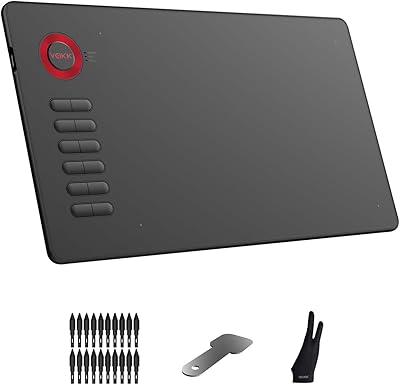
VEIKK A15 10x6 Drawing Tablet
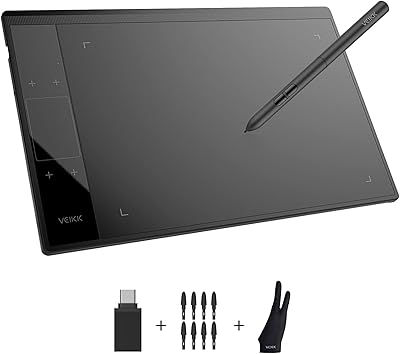
VEIKK A30 V2 Drawing Tablet
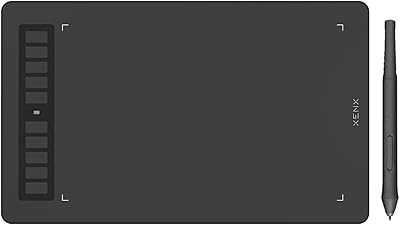
XENX P3-1060B 10x6 Drawing Tablet
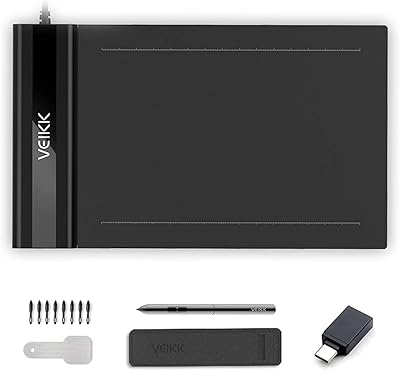
VEIKK S640 6x4 Drawing Tablet
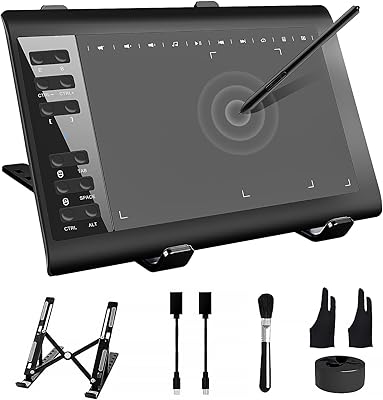
TeinenRon T1060 10x6 Inch Drawing Tablet
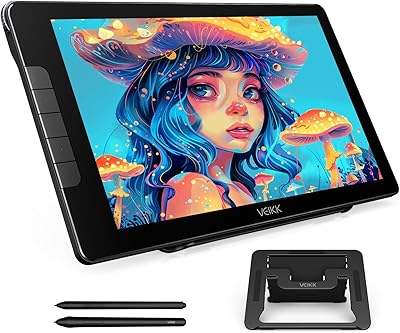
VEIKK Studio 16 15.6-inch Pen Display
VEIKK VK1060PRO V2 Drawing Tablet

VEIKK VK1200 V2 11.6-inch Pen Display
Parblo Intangbo M 10x6 Drawing Tablet