VEIKK VK1060PRO V2 Drawing Tablet
Overview
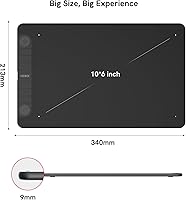
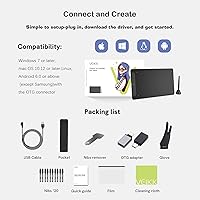
The VEIKK VK1060PRO V2 Drawing Tablet sits comfortably in the mid-range space, targeting hobbyists and intermediate artists who want capable hardware without paying a premium. Its 10x6 inch active area hits a practical sweet spot — wide enough for expressive work, compact enough for most desks. It connects via USB and runs on Windows, macOS, Linux, and Android 6.0 or later, giving it broader compatibility than many rivals at this price. Out of the box, you get a solid bundle of accessories that would cost extra elsewhere. Just be clear-eyed: this drawing tablet punches above its weight for the price, but it is not going to replace a Wacom Intuos Pro.
Features & Benefits
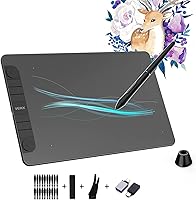
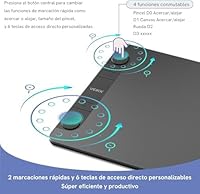
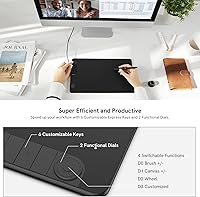
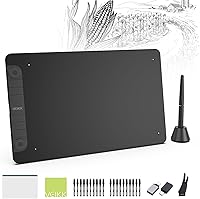
What stands out most when using this graphics tablet day-to-day is how well the pen performs. With 8192 pressure levels and support for up to 60 degrees of tilt, you can genuinely vary stroke weight and character the way you would with traditional media — it does not feel like an on/off switch. The two scroll wheels are particularly useful once you map them to canvas zoom and brush size; your left hand stays near the tablet instead of hunting for keyboard shortcuts. Six programmable keys add to that efficiency. The battery-free stylus is a small but real convenience, and the included kit — 28 nibs, a glove, OTG adapters, a carry bag — adds meaningful value.
Best For
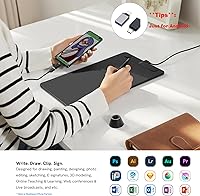
This drawing tablet suits a specific kind of buyer, and knowing whether you fit that profile matters. Hobbyist artists, illustration students, and people who sketch digitally on weekends will get solid mileage out of it. The Android compatibility is a genuine differentiator for anyone who wants to draw without being tethered to a laptop. Educators and remote workers doing annotations or presentations will find the shortcut keys and scroll wheels useful for navigation efficiency. And if you travel regularly, the included carry bag and the tablet's roughly two-pound weight make it easy to pack. Full-time professionals with demanding commercial deadlines may want to look at a higher tier.
User Feedback
Buyers tend to praise the pen feel most consistently — many say pressure response is accurate and that Windows drivers install without much trouble. A repeated comparison in positive reviews pits the VK1060PRO against entry-level Wacom models, with most buyers concluding it holds its own at this price point. On the flip side, some users find that configuring the scroll wheels and navigating the companion software takes more patience than expected. Android compatibility is the most inconsistent element — it works well on some devices and poorly on others, so test it before committing. A few people describe the casing as feeling lightweight, though most consider the build quality acceptable for this tier.
Pros
- Tilt support up to 60 degrees is rare at this price and makes shading feel noticeably more natural.
- The battery-free stylus never needs charging, so it is always ready when you sit down to draw.
- Twenty-eight replacement nibs included out of the box is an unusually generous supply for a budget tablet.
- Dual scroll wheels, once configured, genuinely reduce how often your hand leaves the tablet during a session.
- Linux compatibility is supported and works reliably — a real advantage in a category where Linux users are often ignored.
- The 10x6 inch active area hits a practical sweet spot between portability and usable drawing space.
- A cloth carry bag and artist glove are included, making this a genuinely complete starter kit.
- Driver installation on Windows 10 and 11 is straightforward, with most users up and drawing within minutes.
- The VK1060PRO holds up well in direct comparisons to entry-level Wacom models, often offering more features for less.
- Per-application shortcut profiles let power users tailor the tablet to different software without re-mapping manually.
Cons
- Scroll wheel configuration is unintuitive and the companion software interface feels years behind competing brands.
- Android compatibility is inconsistent — it works smoothly on some devices and fails entirely on others with little guidance.
- macOS users face periodic driver conflicts after system updates that can require a full reinstall to resolve.
- The plastic casing feels lightweight in a way that signals budget construction rather than intentional portability.
- The included carry bag offers almost no padding, making it a poor choice for protecting the tablet during daily commutes.
- Very light pen pressure strokes can feel unresponsive until drivers are carefully calibrated, which takes patience.
- The companion software manual is thin, and users without access to community forums are likely to miss useful features.
- Side buttons on the stylus are positioned awkwardly, making them easy to press accidentally while adjusting pen angle.
Ratings
The VEIKK VK1060PRO V2 Drawing Tablet earned its scores after our AI system processed verified buyer reviews from multiple global markets, actively filtering out incentivized, duplicate, and bot-generated submissions. What remains reflects the honest consensus of real artists, students, and remote workers who use this graphics tablet in their daily creative routines. Both its genuine strengths and its recurring friction points are reflected transparently in each category below.
Pen Pressure Accuracy
Tilt Functionality
Driver & Software Stability
Active Area Size
Build Quality & Materials
Shortcut Keys & Scroll Wheels
Android Compatibility
Value for Money
Out-of-Box Accessories
Pen Latency & Report Rate
Cross-Platform Compatibility
Stylus Ergonomics
Setup & Learning Curve
Portability
Suitable for:
The VEIKK VK1060PRO V2 Drawing Tablet is a strong fit for hobbyist illustrators, art students, and anyone making their first serious step into digital drawing without wanting to spend premium money. If you spend your evenings sketching characters, doing fan art, or working through online illustration courses, this graphics tablet gives you genuine tools — tilt support, real pressure sensitivity, programmable shortcuts — that will not hold you back at your current skill level. Students who switch between a laptop and an Android device will appreciate that the tablet travels well and connects to both with the included OTG adapters. Remote workers and educators who need to annotate documents, mark up presentations, or write on-screen during video calls will also find this a practical and affordable tool. If you are the kind of person who wants everything ready to go on day one, the bundled accessories — glove, nibs, carry bag — mean you are not piecing together a kit from multiple purchases.
Not suitable for:
The VEIKK VK1060PRO V2 Drawing Tablet is not the right choice for working professionals whose income depends on precise, high-throughput creative output. The build quality is functional but clearly budget-tier — if you are putting in eight-hour commercial illustration days, the plastic construction and imprecise scroll wheel feedback will start to wear on you before long. Artists who rely heavily on Android for their drawing workflow should be cautious: compatibility is inconsistent across devices, and troubleshooting support from VEIKK is thin. macOS users should also factor in that driver stability on Apple silicon and recent macOS versions has been a recurring friction point, occasionally requiring full reinstalls after system updates. And if you already own a Wacom Intuos Pro or a mid-to-high-end Huion, this drawing tablet is not an upgrade — it is a lateral move at best, aimed at a different buyer entirely.
Specifications
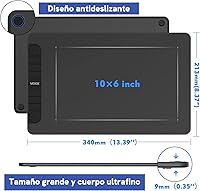
- Active Area: The working surface measures 10 x 6 inches, providing ample drawing space for most hobbyist and intermediate workflows without overwhelming a standard desk setup.
- Dimensions: The tablet body measures 13.39 x 8.39 x 0.04 inches, making it slim enough to slide into a bag alongside a laptop without adding noticeable bulk.
- Weight: At 2.09 pounds, the tablet is light enough for daily transport without feeling fragile or insubstantial in hand.
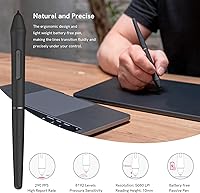
- Pressure Sensitivity: The included stylus supports 8192 levels of pressure sensitivity, allowing for fine control over line weight and brush opacity in compatible drawing software.
- Tilt Support: The pen supports up to 60 degrees of tilt recognition, enabling more natural shading and brushwork techniques that mirror traditional media.
- Resolution: The tablet surface resolves input at 5080 LPI (lines per inch), capturing fine positional detail accurately across the active area.
- Report Rate: The device communicates pen position to the host system at 290 PPS (points per second), keeping cursor tracking responsive during fast sketching strokes.
- Reading Height: The pen is detected up to 10 mm above the tablet surface, giving artists a natural hover range before the tip makes contact.
- Stylus Type: The included pen is battery-free and requires no charging, remaining ready for immediate use at all times without any power management.
- Shortcut Keys: Six fully programmable shortcut keys are built into the tablet body and can be customized per application within the VEIKK driver software.
- Scroll Wheels: Two physical scroll wheels are included, each supporting four assignable function groups such as brush zoom, canvas zoom, and custom inputs.
- Connectivity: The tablet connects to host devices via a standard USB cable, with no wireless or Bluetooth option available.
- Compatible OS: Supported operating systems include Windows 7, 8, 10, and 11; macOS 10.12 or later; Android 6.0 or later; and Linux distributions.
- Pen Nibs: Twenty-eight replacement pen nibs are included in the box, significantly reducing the need for separate nib purchases over the product lifespan.
- Accessories: The package includes a pen holder, artist glove, transparent surface film, two OTG connectors for Android use, and a cloth carry bag.
- Warranty: VEIKK provides a one-year limited hardware warranty alongside a lifetime technical support commitment for driver and software assistance.
- Manufacturer: The tablet is designed and manufactured by VEIKK, a China-based peripheral brand that focuses on affordable graphics input devices for digital creators.
- Model Number: The official model designation is VK1060 Pro, with this listing corresponding to the V2 revision of that product line.
Related Reviews
VEIKK VK1200 V2 11.6-inch Pen Display
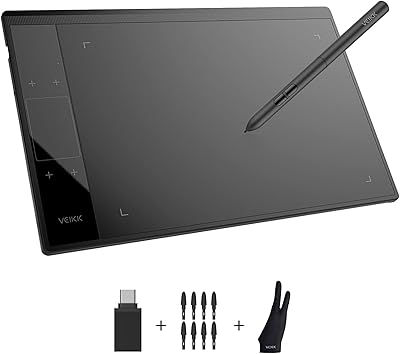
VEIKK A30 V2 Drawing Tablet
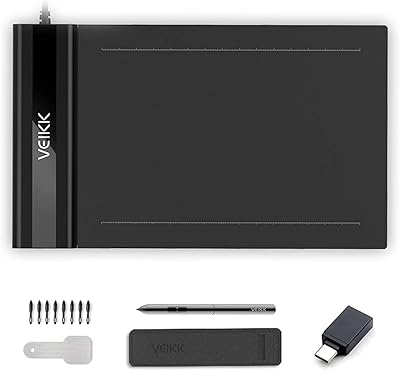
VEIKK S640 6x4 Drawing Tablet
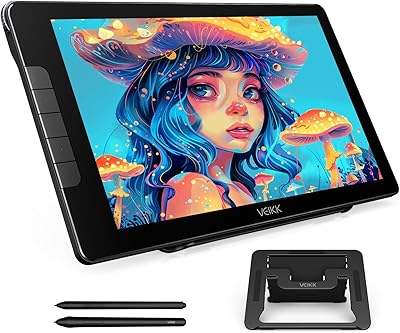
VEIKK Studio 16 15.6-inch Pen Display
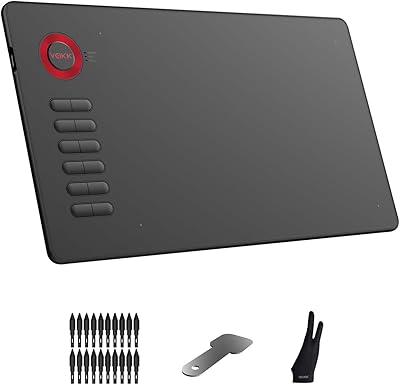
VEIKK A15 10x6 Drawing Tablet
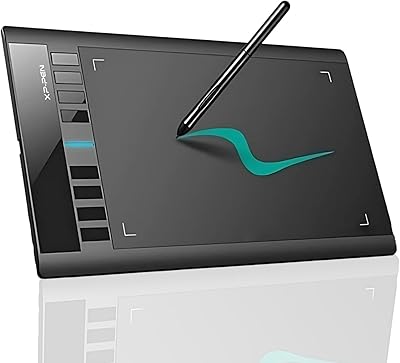
XP-Pen Star03 V2 Drawing Tablet
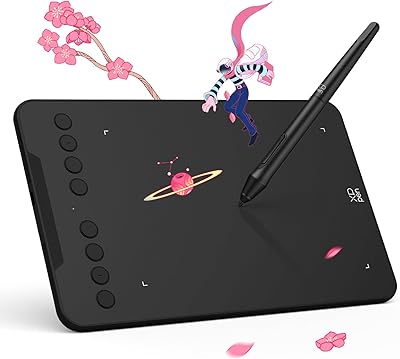
XP-Pen Deco Mini7 V2 Drawing Tablet
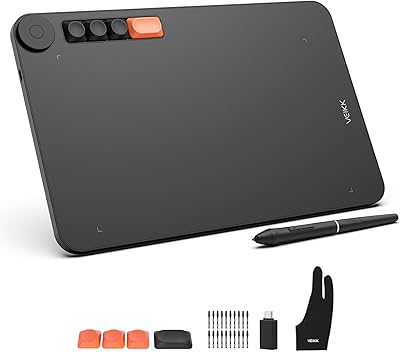
VEIKK Voila L 10x6 Graphics Drawing Tablet
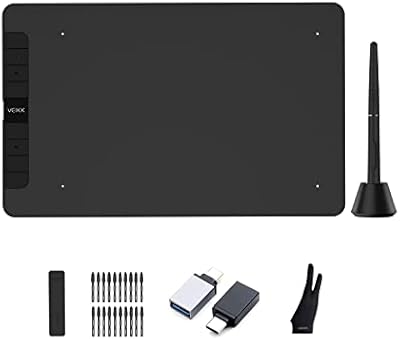
VEIKK VK1060 10x6 Inch Drawing Tablet