Overview
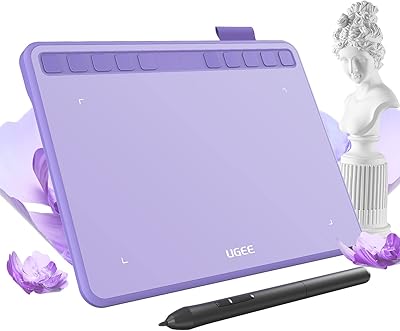
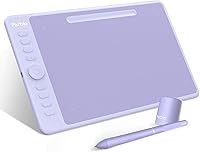
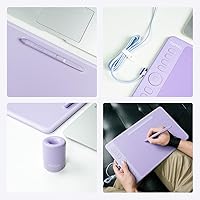
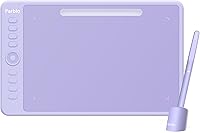
The Parblo Intangbo M 10x6 Drawing Tablet sits in a competitive mid-range space, aimed at hobbyists and intermediate artists who want more than entry-level basics without the cost of a flagship device. At its price point, it goes head-to-head with XP-Pen and budget Wacom options — solid company to be in. The tablet's slim 0.3-inch profile and cross-platform support across Windows, Mac, Android, and Linux make it practical for people working across different setups. There's also the purple colorway — a small but genuine differentiator in a category where nearly everything ships in matte black. It's a capable everyday tool, not a professional workhorse, and understanding that distinction matters before buying.
Features & Benefits
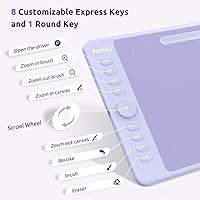
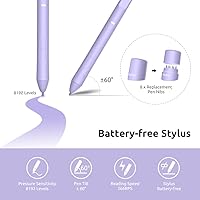
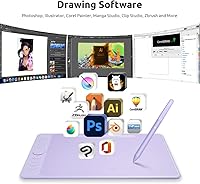
The Intangbo M packs 8192-level pressure sensitivity into a tablet that costs far less than Wacom charges for the same spec — and in practice, that translates to responsive line variation and smooth brush control in apps like Krita or Clip Studio Paint. The battery-free stylus is worth calling out specifically: no charging cycles, noticeably lighter in hand, and zero dead-pen interruptions mid-session. Eight programmable hotkeys line the left edge and handle shortcuts well once configured to your workflow. Tilt support up to 60 degrees adds useful shading control for angle-sensitive brushes, and the 10x6-inch active area gives enough room to work comfortably without overwhelming a desk.
Best For
This drawing tablet makes the most sense for students and hobbyists who've outgrown a small starter pad and want a real working surface without a major investment. The generous active area and tilt support particularly benefit digital illustrators and comic artists who depend on consistent pressure curves for clean inking. Android compatibility is a practical bonus for anyone who sketches on a mobile setup or needs a device that travels. If you're a professional handling daily client work, you'll likely want something more durable and driver-stable — but for everyone building their skills and looking for honest value, this Parblo tablet hits a realistic sweet spot in the market.
User Feedback
With a 3.7-star average across 70 ratings, the Intangbo M has a genuinely split reputation. Satisfied users consistently highlight the pressure sensitivity responsiveness and value for money — many report solid performance in Photoshop and Krita right after setup. The frustrations are real, though. Driver stability is the most common complaint, with Windows and Mac users alike reporting installation headaches or erratic behavior following OS updates. Build quality is another dividing line: some reviewers find it sturdy and well-made, while others describe a plasticky feel that undercuts the experience. Buyers who invest time in proper driver configuration tend to have far better results than those who skip that step.
Pros
- 8192 levels of pressure sensitivity produces smooth, nuanced line work that competes with tablets costing significantly more.
- The battery-free stylus never needs charging, staying light and ready for long drawing sessions.
- A 10x6-inch active area gives ample room for detailed illustration without crowding a standard desk.
- Eight programmable hotkeys make it easy to build a personalized shortcut layout for faster workflows.
- Tilt support up to 60 degrees adds real shading control for artists working with angle-sensitive brushes.
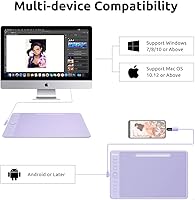
- Compatible with Windows, Mac, Android, and Linux — genuinely versatile across different devices and setups.
- The slim 0.3-inch profile makes this Parblo tablet easy to carry in a bag alongside a laptop.
- Purple color option stands out in a category where nearly every competitor ships only in black.
- Solid pressure curve performance in popular apps like Krita and Clip Studio Paint once drivers are properly installed.
- Offers near-professional input specs at a price point accessible to students and hobbyists on a real budget.
Cons
- Driver installation can be frustrating, with multiple users reporting instability after OS updates on both Windows and Mac.
- Build quality feels plasticky to some users, which undermines confidence during extended daily use.
- The 3.7-star average rating signals a divided user base — satisfaction depends heavily on setup effort.
- Software compatibility issues have been flagged specifically with certain versions of Photoshop and Clip Studio Paint.
- No dedicated customer support reputation strong enough to offset the troubleshooting burden some buyers encounter.
- The listed weight of 2.79 pounds seems inconsistent with the slim dimensions and may reflect packaging — actual specs need clarification.
- Hotkeys require driver configuration to be useful; out of the box they offer little immediate value.
- Not a strong choice for professionals who need reliable, update-proof driver support for daily client work.
Ratings
The scores below were generated by our AI review engine after analyzing verified global buyer feedback for the Parblo Intangbo M 10x6 Drawing Tablet, with spam, bot activity, and incentivized reviews actively filtered out. Each category reflects a honest synthesis of what real users praised and what genuinely frustrated them — nothing is smoothed over to make the product look better than it performs. Both the standout strengths and the recurring pain points are transparently baked into every score.
Pressure Sensitivity
Driver Stability
Stylus Performance
Active Area Size
Build Quality
Hotkey Usability
Cross-Platform Compatibility
Tilt Support
Value for Money
Software Compatibility
Portability
Setup Experience
Pen Comfort
Aesthetic Design
Suitable for:
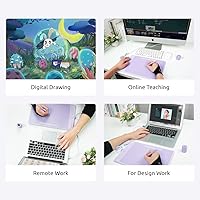
The Parblo Intangbo M 10x6 Drawing Tablet is a strong match for students, hobbyists, and self-taught digital artists who are ready to move past a small starter pad and want a proper working surface without breaking the bank. If you draw regularly in apps like Krita, Clip Studio Paint, or Photoshop and want pressure sensitivity that actually responds to how you work — not just on paper — this tablet delivers that at a price most beginner-level devices cannot match. Digital illustrators and comic artists who spend time on detailed inking will appreciate the tilt support and the consistent pressure curve, both of which matter when you are building technique. The cross-platform compatibility is a real practical advantage for anyone switching between a Windows PC, a Mac laptop, and an Android phone or tablet, since you are not locked into one ecosystem. Remote workers or students who carry their creative setup between locations will find the slim, lightweight form factor easy to pack without much thought.
Not suitable for:
Professional illustrators, concept artists, or anyone doing client work on tight deadlines should think carefully before relying on the Parblo Intangbo M 10x6 Drawing Tablet as a primary tool. The driver stability issues reported by multiple users across different operating systems are a genuine concern in production environments where reliability is non-negotiable — an unexpected disconnect or software conflict in the middle of a commissioned piece is a real risk that more established brands have largely addressed. Build quality also sits in a gray area: it feels adequate for casual use but does not inspire the kind of confidence you want from gear that gets used hard every day. Users running the latest OS versions should check compatibility before purchasing, as update-related driver breakdowns are among the most common complaints. If you are already invested in the Wacom ecosystem with accessories and muscle memory tied to a specific feel, the learning curve and potential software friction here may not be worth the trade-off.
Specifications
- Active Area: The working surface measures 10 x 6 inches, providing a comfortable canvas for detailed illustration and everyday digital drawing.
- Overall Dimensions: The tablet body measures 14 x 8.8 x 0.3 inches, keeping the footprint compact while maintaining a full-size feel.
- Pressure Sensitivity: The stylus registers 8192 levels of pressure, enabling fine control over line weight and brush opacity in compatible software.
- Tilt Support: The pen supports tilt recognition up to 60 degrees, allowing angle-based shading and natural brush behavior in illustration apps.
- Stylus Type: The included pen is a battery-free passive stylus, meaning it requires no charging and stays consistently light during long drawing sessions.
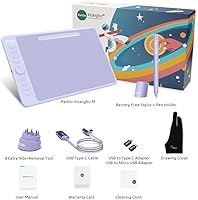
- Hotkeys: Eight programmable express keys are built into the tablet body and can be mapped to custom shortcuts within the Parblo driver software.
- Connectivity: The tablet connects wirelessly, reducing cable clutter on the desk and allowing more flexible positioning during use.
- Compatible OS: Officially supported operating systems include Windows, macOS, Android, and Linux, covering the majority of current creative workstations and mobile devices.
- Item Weight: The listed product weight is 2.79 pounds, which likely reflects the full retail packaging rather than the tablet unit alone.
- Color Option: The Intangbo M is available in a purple finish, standing out from the predominantly black and grey options offered by competing brands.
- Brand: Parblo is a China-based peripheral manufacturer focused on drawing tablets and pen displays, competing in the budget-to-mid-range segment.
- Model: The specific model identifier is Intangbo M, distinguishing it from other sizes and variants within the Parblo Intangbo lineup.
- Release Date: This tablet was first made available for purchase in June 2021, making it a relatively established product with a traceable user review history.
- BSR Ranking: The tablet holds a Best Sellers Rank of approximately 346 in the Computer Graphics Tablets category on Amazon, indicating moderate market presence.
- Driver Software: Parblo provides proprietary driver software required to unlock hotkey customization and full pressure curve functionality across all supported platforms.
Related Reviews
Parblo Intangbo X7 Drawing Tablet
VEIKK A15 10x6 Drawing Tablet
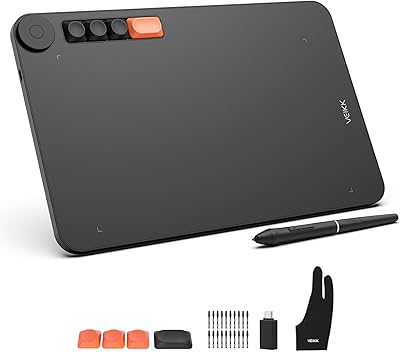
VEIKK Voila L 10x6 Graphics Drawing Tablet
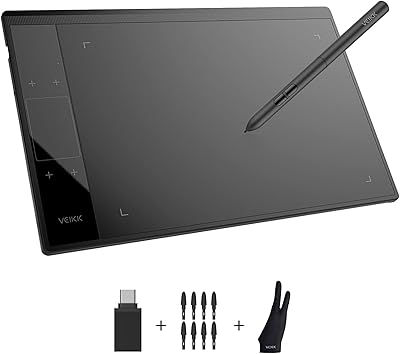
VEIKK A30 V2 Drawing Tablet
XP-Pen Deco LW Wireless Drawing Tablet
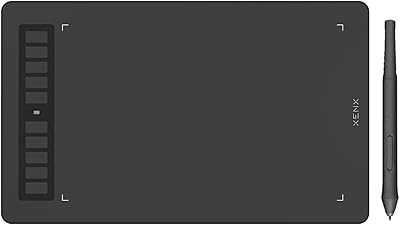
XENX P3-1060B 10x6 Drawing Tablet
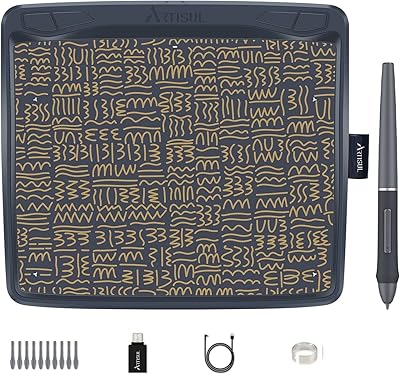
Artisul A801 Drawing Tablet
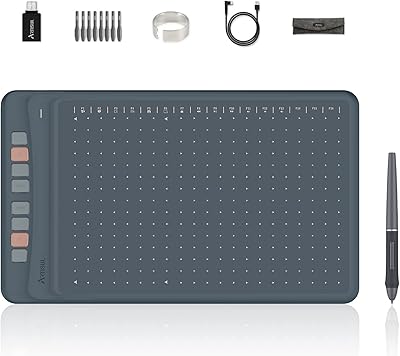
Artisul A1201 Drawing Tablet
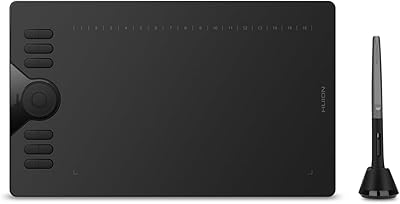
HUION HS610 Graphics Drawing Tablet