VEIKK VK1200 V2 11.6-inch Pen Display

Overview
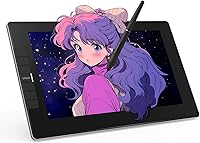
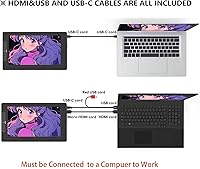
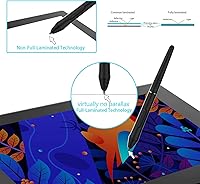
The VEIKK VK1200 V2 11.6-inch Pen Display is a solid option for students and beginner digital artists who want the natural feel of drawing directly on screen without spending flagship money. The IPS panel uses full-laminated glass to close the gap between the surface and the pixel layer, making pen placement feel more accurate than you'd expect at this price tier. It's compact enough to slide into a bag, and the nearly frameless metal body gives it a look that punches above its weight. One critical point: this drawing tablet with screen must be connected to a computer to function — it has no standalone mode whatsoever.
Features & Benefits
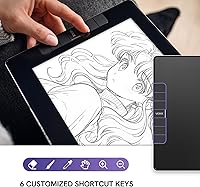
The pen experience is where the VEIKK drawing monitor genuinely holds its own. 8192 pressure levels combined with 60-degree tilt support let you vary line weight and simulate brush angles in a way that feels responsive rather than mechanical. Both pens are battery-free, so there's no mid-session scramble for a charge, and the 28 replacement nibs in the box mean you won't be hunting for accessories anytime soon. The six shortcut keys are a practical addition for speeding up repetitive actions in Clip Studio or Photoshop. One honest caveat: the 72% NTSC gamut is workable for illustration but not well-suited for color-sensitive retouching work.
Best For
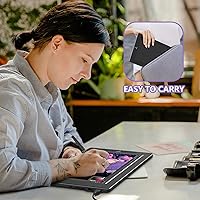
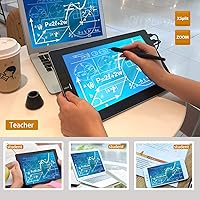
This pen display hits a sweet spot for students, hobbyists, and illustrators ready to move beyond a screenless tablet without paying professional-tier prices. Comic artists and sketch-focused creators will appreciate the accurate pen tracking and the anti-glare surface, which genuinely reduces fatigue during longer working sessions. It's also light and thin enough to pack for travel or shift between workstations without much hassle. That said, professional photographers and colorists who depend on precise color reproduction should look elsewhere — the coverage here simply isn't built for color-critical work. Also worth noting: no stand ships in the box, so budget for one separately if you want a stable working angle.
User Feedback
Among verified buyers, the conversation around this pen display skews positive, with pen accuracy and the laminated screen consistently called out as standout qualities for the price. The dual-pen bundle draws frequent praise — buyers treat it as a genuine value add rather than a marketing checkbox. On the critical side, shortcut key placement divides opinion: those who configure them early tend to love them, while others find the layout unintuitive. A minority of Linux users have flagged driver setup friction, though Windows and Mac users largely report smooth experiences. The missing adjustable stand surfaces regularly as a complaint worth taking seriously before you buy.
Pros
- Full-lamination visibly reduces pen-to-cursor offset, making linework feel more accurate from the first session.
- Two battery-free pens included means you always have a backup without extra cost.
- 28 replacement nibs in the box is a genuinely practical addition that extends long-term usability.
- The anti-glare matte surface reduces eye fatigue during extended drawing or illustration sessions.
- Single USB-C cable handles power, data, and video simultaneously, keeping desk setup clean and simple.
- At 1.78 pounds, this pen display is light enough to carry daily without adding meaningful bag weight.
- 8192 pressure levels and 60-degree tilt support deliver nuanced stroke control in apps like Clip Studio Paint.
- The all-metal body feels solid and durable for a product in this price bracket.
- Six programmable shortcut keys meaningfully speed up repetitive actions once properly configured.
- HDMI and USB-A fallback cables are included, so older laptops and desktops are covered without adapters.
Cons
- No stand is included in the box — a tilted working angle requires a separate purchase.
- The 72% NTSC color gamut is a real limitation for anyone doing color-accurate or print-prep work.
- Driver software feels dated compared to XP-Pen or Wacom equivalents, especially for advanced profile features.
- Linux compatibility is inconsistent and may require manual troubleshooting depending on your distribution.
- Shortcut key placement can feel awkward for left-handed users or those with larger hands.
- No per-application shortcut profiles out of the box — setup requires meaningful manual configuration time.
- Occasional driver conflicts after OS updates have been reported, sometimes requiring a full reinstall to fix.
- The pen grip lacks the texture and side-button ergonomics some experienced artists prefer for longer sessions.
Ratings
The VEIKK VK1200 V2 11.6-inch Pen Display scores were generated by our AI system after analyzing thousands of verified global buyer reviews, with spam, bot activity, and incentivized feedback actively filtered out. The result is an honest picture of where this drawing tablet with screen genuinely delivers and where it falls short — no glossing over the trade-offs that real artists run into day to day.
Pen Accuracy & Pressure Sensitivity
Screen Lamination & Parallax
Display Color Accuracy
Build Quality & Portability
Pen & Accessory Bundle Value
Setup & Connectivity
Shortcut Keys Usability
Anti-Glare Surface & Eye Comfort
Driver Software & Customization
Resolution & Image Clarity
Value for Money
Tilt Function Performance
Portability & Travel-Friendliness
Suitable for:
The VEIKK VK1200 V2 11.6-inch Pen Display is a strong match for students, hobbyists, and self-taught digital artists who are ready to draw directly on screen but are not yet ready to commit to professional-tier hardware pricing. If you have been working on a screenless tablet and feel like the disconnect between hand and eye is holding back your progress, this drawing tablet with screen offers a genuinely meaningful upgrade in how natural the drawing experience feels. Comic artists, manga illustrators, and sketch-focused creators who prioritize pen responsiveness and a comfortable matte surface over perfect color reproduction will find it fits their workflow well. It is also a solid pick for anyone who needs a portable secondary display — at under two pounds and roughly half an inch thick, it travels without much inconvenience. Keep in mind it requires a connected computer to function, so it works best for people who already have a capable laptop or desktop as their primary machine.
Not suitable for:
The VEIKK VK1200 V2 11.6-inch Pen Display has some real limitations that make it the wrong tool for certain buyers, and it is worth being direct about them. If your work involves color-critical tasks — photo retouching, print design, digital painting where accurate hue reproduction is essential — the 72% NTSC gamut will cause you problems the moment you compare the screen output against a calibrated reference monitor. Professional illustrators or designers who have grown accustomed to Wacom Cintiq-level pen precision and software integration may find the driver experience and pen ergonomics feel like a step down rather than a comparable alternative. Linux users should also approach with caution, as driver support on non-mainstream distributions is inconsistent and can require troubleshooting time. Finally, buyers expecting a complete desk-ready setup out of the box should know that no adjustable stand is included — you will need to source one separately if a tilted working angle matters to you.
Specifications
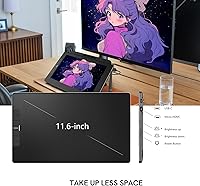
- Screen Size: The active drawing area measures 11.6 inches diagonally, housed in a compact nearly frameless all-screen body.
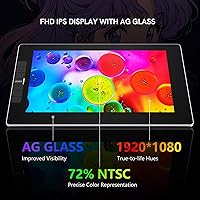
- Resolution: The IPS panel outputs at 1920x1080 Full HD, providing sufficient pixel density for illustration and general digital art work.
- Color Gamut: The display covers 72% NTSC, which is adequate for everyday illustration but not suited for color-critical or print-preparation workflows.
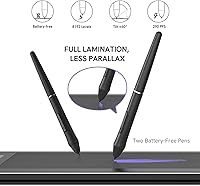
- Lamination: Full-laminated technology bonds the glass and panel directly, minimizing parallax and keeping the cursor visually close to the pen tip.
- Surface Coating: An anti-glare glass layer sits over the panel, providing scratch resistance and a matte texture that mimics drawing on paper.
- Pressure Sensitivity: Both included styluses support 8192 levels of pressure sensitivity, allowing fine control over line weight and brush dynamics.
- Tilt Recognition: The pens support up to 60 degrees of tilt recognition, enabling natural brush angle simulation in compatible creative software.
- Styluses Included: Two battery-free, chargeless styluses are included in the box, each compatible with the full pressure and tilt feature set.
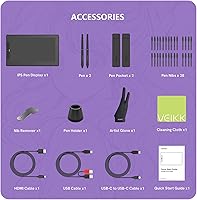
- Replacement Nibs: 28 replacement nibs are included, providing long-term usability without requiring immediate accessory purchases after the initial nib wears down.
- Shortcut Keys: Six fully programmable shortcut keys are built into the tablet body and can be mapped to custom actions per user preference.
- Connectivity: A single full-featured USB-C cable handles data, power, and display signal simultaneously; HDMI and USB-A cables are also included for older devices.
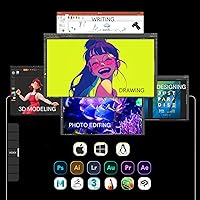
- OS Compatibility: The tablet is compatible with Windows 7 and later, macOS 10.12 and later, and Linux operating systems.
- Dimensions: The unit measures 12.52 x 7.4 x 0.51 inches, making it slim enough to slip into most laptop sleeves or carry bags.
- Weight: At 1.78 pounds, the drawing monitor is light enough for daily commuting or working across multiple studio or classroom locations.
- Body Material: The chassis is constructed from all-metal with an anti-slip coating on the back panel to maintain stability on flat surfaces.
- In-Box Accessories: The package includes two styluses, 28 nibs, a pen holder, an artist glove, a cleaning cloth, and the necessary connection cables.
- Warranty: VEIKK provides a one-year hardware warranty alongside a commitment to lifetime driver updates for the VK1200 model line.
- Stand Included: No adjustable stand is included in the box; buyers who prefer a tilted working angle will need to purchase a compatible stand separately.
Related Reviews
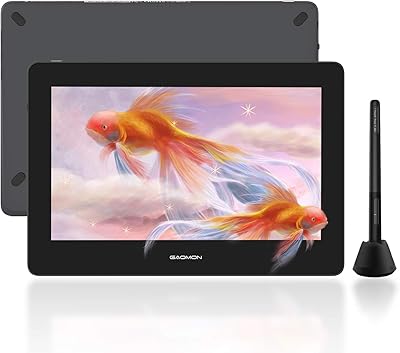
GAOMON PD1220 11.6-inch Pen Display
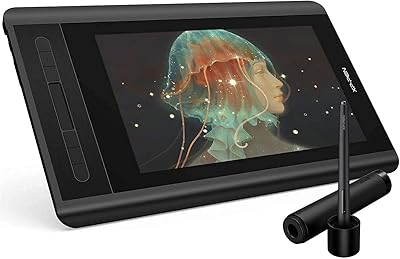
XP-Pen Artist 12 11.6-inch Pen Display

ASUS ProArt Display PA169CDV 15.6” 4K Pen Display
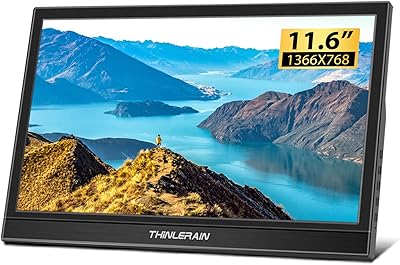
Thinlerain HD-116 11.6-inch Portable Monitor
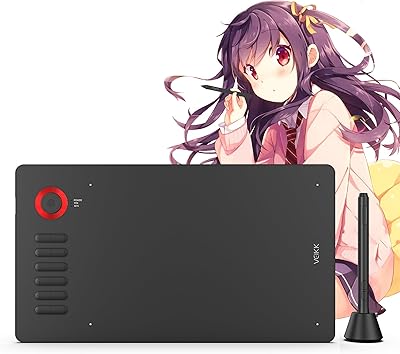
VEIKK A15Pro 10x6-Inch Graphics Pen Tablet
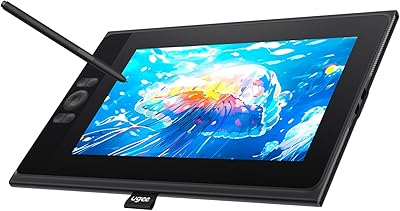
UGEE UE12 11.6-inch Pen Display Tablet
Zbark YHRF116M 11.6-inch Car Overhead Monitor
FMC 15.6-Inch Wireless Portable Monitor
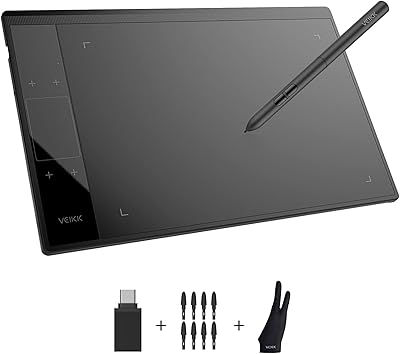
VEIKK A30 V2 Drawing Tablet