

Overview
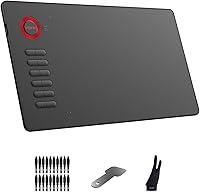
The VEIKK A15 10x6 Drawing Tablet makes a strong case for itself in a crowded budget category, offering a genuinely capable workspace without a premium price tag. The 10x6-inch active area is notably generous at this price tier — plenty of room to sketch, paint, or trace without feeling cramped. It weighs just over a pound and has a clean, understated design that won't clutter a desk. What really sets this drawing pad apart from similarly priced competitors is its broad OS support: Windows, Mac, Linux, and Android 6.0 or later are all covered, making it unusually versatile for users outside the mainstream Windows ecosystem.
Features & Benefits
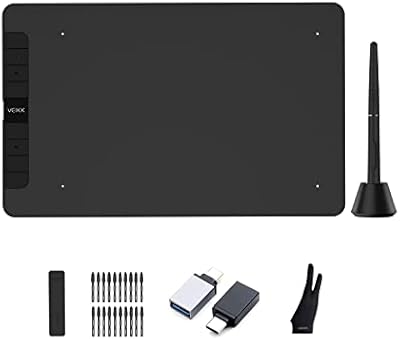
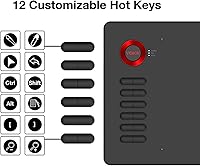
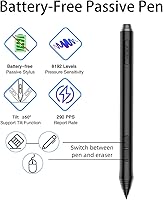
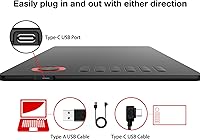
The pen is where this drawing pad genuinely earns its keep. It's battery-free, which sounds minor until you've dealt with a stylus dying mid-session — 8192 pressure levels come standard, and the feel under the tip is smooth and responsive enough for most casual to intermediate artists. The 12 shortcut keys are fully remappable, so you can configure them for Photoshop, Krita, or whatever app you live in. Tilt support up to 60 degrees is available too, though it requires a firmware update to activate — not a dealbreaker, but worth knowing upfront. The included 20 replacement nibs and reversible Type-C connection round out a thoughtfully equipped package.
Best For
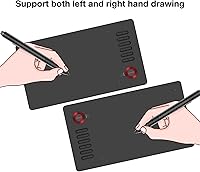
This pen tablet is a natural fit for beginner digital artists who want a capable surface without overspending — it's the kind of hardware you can genuinely learn on without outgrowing it too fast. Design and illustration students will appreciate the wide software support, since it works with everything from Clip Studio to SAI out of the box. OSU players will find the large active area ideal for precision movement. Linux and Android users will find this drawing pad to be one of the few affordable options that actually supports their setup, though Samsung Android owners should note they are explicitly excluded. Left-handed users also get proper orientation support through the driver.
User Feedback
With over 4,000 ratings and a 4.4-star average, the overall reception for the VEIKK A15 is solidly positive. Most buyers highlight the pen feel and pressure response as better than expected, and build quality earns frequent praise as well. That said, driver setup is a recurring friction point — several reviewers found the installation process confusing, especially when trying to enable tilt or Android OTG functionality, both of which depend on firmware updates. Samsung Android users are simply out of luck. Some long-term owners also flag the cable developing a loose connection with heavy use, and nib wear varies by drawing surface. A well-rated option overall, with a few real rough edges that buyers should go in knowing about.
Pros
- The 10x6-inch active area is genuinely spacious for a budget drawing pad, giving artists real room to work.
- 8192 levels of pressure sensitivity deliver smooth, natural line variation that holds up well against pricier alternatives.
- The battery-free stylus means no charging interruptions, even during long creative sessions.
- 20 replacement nibs are included out of the box, adding meaningful long-term value.
- Linux and Android support make this pen tablet one of the most versatile affordable options available.
- 12 fully remappable shortcut keys help speed up repetitive tasks in Photoshop, Krita, and similar apps.
- Type-C connectivity is plug-and-play with no fussing over cable direction.
- Left-handed users get proper orientation support through the driver interface, which many budget tablets skip entirely.
- A 4.4-star average across more than 4,000 ratings reflects broadly consistent real-world satisfaction.
- Compatible with a wide range of creative software, from Clip Studio Paint to Adobe Illustrator.
Cons
- Driver installation is frequently cited as confusing and time-consuming, especially for first-time tablet users.
- Tilt support requires a firmware update that some users struggle to complete successfully.
- Samsung Android devices are entirely incompatible, limiting mobile use for a significant group of buyers.
- Android OTG functionality also depends on a firmware update, adding another setup hurdle for mobile users.
- The included USB cable has been reported to develop connection issues with heavy or prolonged use.
- Nib wear rate can be higher than expected depending on drawing surface texture and pressure habits.
- No multi-touch gesture support, which some artists rely on for zooming and rotating the canvas quickly.
- The driver interface feels dated and less intuitive compared to software from more established tablet brands.
- There is no display, so beginners who struggle with hand-eye coordination on non-screen tablets may need an adjustment period.
Ratings
The scores below for the VEIKK A15 10x6 Drawing Tablet were generated by our AI review engine after analyzing thousands of verified buyer reviews from global markets, with spam, incentivized, and bot-flagged submissions actively filtered out. Both the standout strengths and the recurring frustrations are reflected honestly in each category score. This is not a promotional summary — it is a synthesis of what real users experienced across beginner art sessions, daily student use, OSU gameplay, and Linux workstation setups.
Pressure Sensitivity
Active Area Size
Driver & Software Setup
Pen Build & Ergonomics
OS Compatibility
Firmware & Tilt Function
Value for Money
Shortcut Keys
Build Quality
Nib Longevity
Connectivity
Software Compatibility
Left-Hand Support
Portability
Suitable for:
The VEIKK A15 10x6 Drawing Tablet is a strong match for anyone taking their first serious steps into digital art and unwilling to spend heavily before they know it will stick. Students in illustration, graphic design, or animation programs will find it holds up well under daily use, and the wide software compatibility means it will work with whatever app their course requires. Linux users in particular will appreciate that this drawing pad doesn't leave them scrambling for third-party drivers or workarounds — native support is genuinely rare at this price point. Android users (outside the Samsung ecosystem) gain an extra degree of flexibility, connecting via OTG for on-the-go sketching. OSU players who want a large, precise surface will also find this pen tablet punches well above its weight class for rhythm gameplay.
Not suitable for:
Professional illustrators or artists who depend on highly refined tilt sensitivity and advanced pressure customization day-to-day may find this drawing pad falls short of their expectations. The tilt function, while technically supported, requires a firmware update to activate — a step that trips up more users than it should, and the experience isn't as polished as what you'd get from higher-end alternatives. Samsung Android users should stop here, as the device is explicitly incompatible with that platform regardless of Android version. The VEIKK A15 10x6 Drawing Tablet also may not satisfy buyers who prioritize multi-touch gesture support or a display tablet experience, since it offers neither. Long-term power users have also flagged the USB cable as a weak point, so anyone who needs hardware they can depend on for years without any maintenance may want to invest in a more durable tier.
Specifications
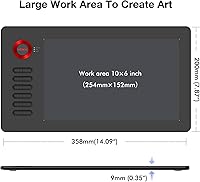
- Active Area: The working surface measures 10x6 inches, providing ample space for detailed illustration, photo editing, and freehand sketching.
- Overall Dimensions: The tablet body measures 14.09 x 7.87 x 0.35 inches, keeping the footprint compact enough for most desk setups.
- Weight: At 1.21 pounds, the tablet is light enough to carry between locations without adding noticeable burden to a bag.
- Pressure Sensitivity: The included stylus supports 8192 levels of pressure sensitivity, allowing fine gradations in line weight and brush opacity.
- Report Rate: The pen reports input at 250 to 290 PPS, ensuring responsive tracking with minimal lag during fast strokes.
- Tilt Support: The stylus supports up to 60 degrees of tilt recognition, though this feature requires a firmware update to activate.
- Shortcut Keys: Twelve express keys are built into the tablet body and can be fully remapped through the VEIKK driver software.
- Pen Type: The stylus is battery-free and requires no charging or battery replacement during its operational lifespan.
- Pen Buttons: Two side buttons on the stylus are independently customizable and can be assigned to functions like eraser toggle or mouse mode.
- Replacement Nibs: Twenty spare nibs are included in the box, extending usable pen life considerably before additional accessories need to be purchased.
- Connectivity: The tablet connects via a USB Type-C port, supporting plug-and-play use without needing to orient the cable before inserting.
- Cable Length: The included USB cable measures 1.5 meters, which is sufficient for most standard desktop and laptop configurations.
- OS Support: Compatible operating systems include Windows 10, 8, and 7; macOS 10.12 and above; Linux; and Android 6.0 or later (Samsung excluded).
- Software Compatibility: The tablet works with major creative applications including Adobe Photoshop, Illustrator, Krita, Clip Studio Paint, MediBang Paint, SAI, and others.
- Hand Orientation: Both right-handed and left-handed configurations are supported and can be switched through the driver settings interface.
- Android Limitation: Android connectivity requires an OTG adapter and a firmware update; Samsung Android devices are explicitly not supported by the current firmware.
- Warranty: VEIKK provides a one-year hardware warranty along with lifetime technical support for this tablet model.
- Model Number: The official model identifier for this tablet is A15, as listed by the manufacturer VEIKK.
Related Reviews
VEIKK Voila L 10x6 Graphics Drawing Tablet
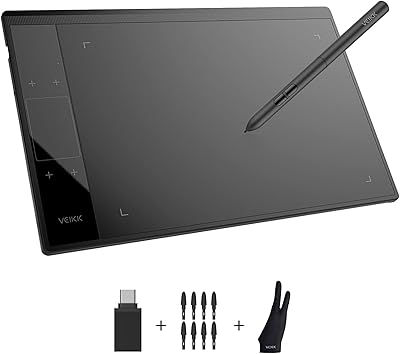
VEIKK A30 V2 Drawing Tablet
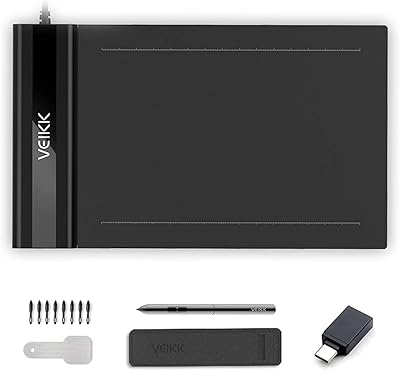
VEIKK S640 6x4 Drawing Tablet
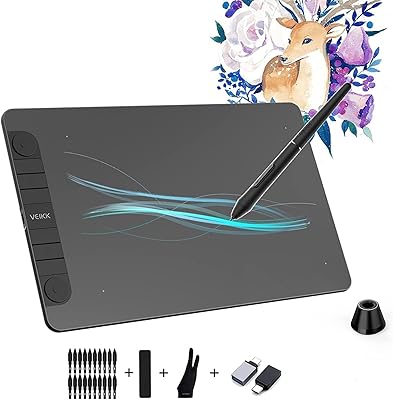
VEIKK VK1060PRO V2 Drawing Tablet
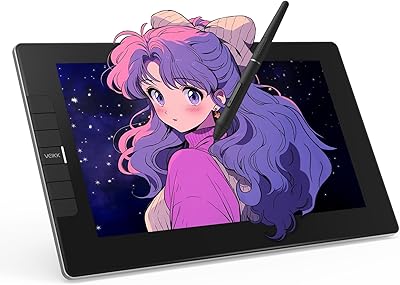
VEIKK VK1200 V2 11.6-inch Pen Display
VEIKK Studio 16 15.6-inch Pen Display
Parblo Intangbo M 10x6 Drawing Tablet
XP-Pen Deco LW Wireless Drawing Tablet
XENX P3-1060B 10x6 Drawing Tablet