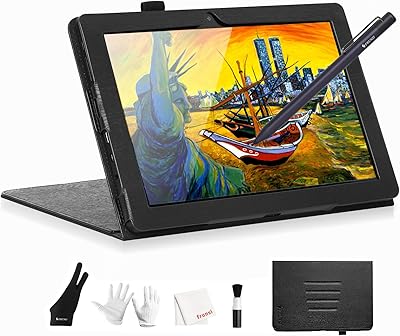
TeinenRon T1060 10x6 Inch Drawing Tablet


Overview
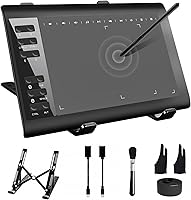
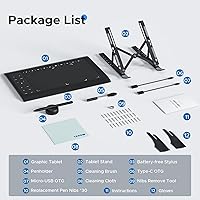
The TeinenRon T1060 10x6 Inch Drawing Tablet is a no-frills entry point for anyone stepping into digital art or pen-based computing without a large budget. It arrives with a built-in stand, a battery-free stylus, and 30 replacement nibs — a generous bundle at this price tier. Setup runs over USB and requires driver installation, so it is not plug-and-play. Windows users will have the smoothest experience, while Mac users must manually grant accessibility and input monitoring permissions before anything works. Android is supported via OTG, and Chromebook and iOS are unsupported. For creative work or classroom annotation on a budget, this digital drawing pad covers the essentials surprisingly well.
Features & Benefits
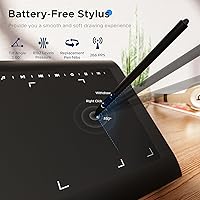
What makes this drawing tablet punch above its price class is the combination of pen performance and workflow conveniences you do not always find at this level. The stylus reads tilt up to 60 degrees in either direction, which lets you angle the pen naturally for shading — it behaves much more like a traditional brush than a basic stylus. Pressure sensitivity across thousands of levels means line weight responds to how lightly or firmly you press, with no noticeable lag during quick strokes. Twelve programmable shortcut keys keep your hands on the canvas rather than hunting the keyboard for Undo or brush size. One caveat: the 10 media keys are Windows-only, so Mac and Android users get a somewhat reduced shortcut experience.
Best For
This digital drawing pad makes the most sense for people earlier in their creative journey or with specific practical needs. Art students and hobbyists who want to practice in Photoshop, MediBang, or Clip Studio without spending heavily on hardware will find the active area and pen response more than adequate. Online teachers who annotate slides, write equations on screen, or mark up documents during video calls will also appreciate having a physical pen rather than a mouse. Remote workers signing PDFs or marking up Word and PowerPoint files can use it as a reliable input device too. Android users with an OTG adapter get portable drawing support, though the reduced active area on phones is a genuine trade-off to factor in before buying.
User Feedback
Buyers on Windows tend to be satisfied with the TeinenRon T1060, pointing to how quickly it installs and how natural the pen feels during use. The value for money gets mentioned often — getting tilt support, a stand, and a full set of replacement nibs at this price point is not something most competitors offer. That said, Mac users have a noticeably rougher time: the driver setup requires digging into system privacy settings, and a handful of buyers report it took multiple attempts. A few users also noted that the stand wobbles slightly at more aggressive angles and that the USB cable feels short for some desk setups. Nib wear seems reasonable given the 30 included, and stylus comfort during longer sessions draws mostly positive remarks.
Pros
- Tilt recognition lets you shade naturally by angling the pen, just like a real brush or pencil.
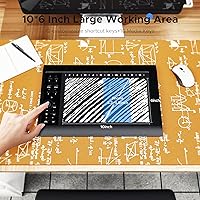
- The 10x6-inch active area gives plenty of room for full sketches and detailed linework on a PC.
- Comes bundled with a stand and 30 replacement nibs — genuinely useful extras at this price point.
- Battery-free stylus means no charging interruptions mid-session.
- Windows setup is fast and straightforward for most users.
- Pressure sensitivity delivers real line weight variation, not just on-or-off pen response.
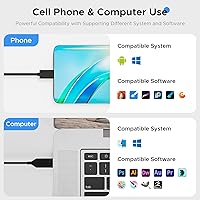
- Works with a wide range of popular software including Photoshop, SAI, MediBang, and Illustrator.
- Lightweight enough to carry in a laptop bag without adding noticeable bulk.
- Twelve programmable shortcut keys reduce constant keyboard switching during creative work.
- Solid choice for online teachers who need handwriting input during live video sessions.
Cons
- Mac driver setup is genuinely frustrating and requires manual privacy permission changes to function.
- The 10 media keys are Windows-exclusive — Mac and Android users lose a meaningful chunk of shortcut functionality.
- Android phone connection requires a separate OTG adapter that is not included in the box.
- Active drawing area shrinks dramatically when paired with a phone, limiting mobile creative use.
- The USB cable is short, restricting where on the desk the tablet can realistically sit.
- The stand feels slightly unstable at steeper angles and can shift on smooth desk surfaces.
- No side button on the stylus, which artists used to mid-range pens will notice immediately.
- Driver compatibility can break after major OS updates, requiring a manual reinstall to restore function.
- Plastic construction flexes slightly under firm pressure and does not inspire long-term confidence.
- No carrying case included, leaving the drawing surface exposed to scratches during transport.
Ratings
The TeinenRon T1060 10x6 Inch Drawing Tablet has been evaluated by our AI system after processing verified global buyer reviews, with spam, bot-generated, and incentivized feedback actively filtered out. Scores reflect the honest balance of what real users praised and where they ran into trouble — nothing is glossed over. Whether this digital drawing pad delivers for your workflow depends heavily on your platform and expectations, and the ratings below lay that out plainly.
Value for Money
Pen Performance
Ease of Setup
Drawing Surface & Active Area
Shortcut Keys & Workflow
Build Quality & Durability
Stylus Comfort
Nib & Replacement Supply
Integrated Stand
Android Compatibility
Mac Compatibility
Software Compatibility
Portability
Online Teaching Usability
Suitable for:
The TeinenRon T1060 10x6 Inch Drawing Tablet is a strong fit for anyone who needs reliable pen input without committing serious money to the hobby or profession. Art students practicing digital illustration, hobbyists exploring Photoshop or Clip Studio for the first time, and graphic design beginners who want a real drawing surface instead of a mouse will all find this a practical starting point. Online teachers and tutors are another natural audience — the pen input is responsive enough for annotating slides, writing equations, and marking up documents during live video sessions, and the included stand helps position the tablet comfortably on a desk. Remote workers who occasionally need to sign PDFs or handwrite notes in digital meetings will also get solid use out of this drawing pad without needing anything more capable. Windows users in particular will have the easiest experience, with a clean setup process and full access to all the shortcut and media keys the tablet offers.
Not suitable for:
The TeinenRon T1060 10x6 Inch Drawing Tablet is not the right call for professional illustrators or concept artists who depend on their hardware daily and need consistent, flawless pen tracking under demanding conditions — the budget-tier build and occasional jitter in fine strokes will frustrate at that level. Mac users should think carefully before buying: getting the driver fully functional requires manually navigating multiple macOS privacy permission screens, and the experience on Apple Silicon machines has proven particularly inconsistent. If your entire workflow lives on a Mac, there are better-supported options worth the extra spend. Buyers hoping to use this with an iPhone, iPad, or Chromebook will need to look elsewhere entirely, as none of those platforms are supported. Android phone users can connect via OTG, but should know the active drawing area shrinks to roughly a third of its PC size — fine for basic annotation but limiting for actual artwork. Anyone expecting a premium feel in the hand, a long cable, or media shortcut keys on non-Windows platforms will likely be left wanting.
Specifications
- Model Number: The tablet is manufactured under the model designation T1060 by TeinenRon.
- Active Area (PC): When connected to a Windows or Mac computer, the active drawing surface measures 10x6 inches (approximately 254x152mm), with a diagonal of 11.6 inches.
- Active Area (Phone): When connected to an Android phone via OTG, the usable drawing area reduces to 3.3x5.8 inches (84x148mm), equivalent to a 6.7-inch diagonal.
- Pressure Sensitivity: The stylus detects pressure across 8192 distinct levels, allowing smooth transitions from very light hairline strokes to heavy, bold marks.
- Tilt Recognition: The pen supports up to 60 degrees of tilt in either direction, enabling natural angle-based shading similar to tilting a traditional pencil or brush.
- Reporting Rate: The tablet reports pen position at up to 300 points per second, ensuring responsive tracking during fast strokes and quick directional changes.
- Resolution: The tablet reads pen position at 5080 lines per inch, providing fine positional accuracy across the entire active surface.
- Sensing Height: The stylus is detected by the tablet from up to 15mm above the surface, allowing cursor hovering before the pen physically touches down.
- Stylus Type: The included pen is battery-free and requires no charging, drawing power passively from the tablet through electromagnetic resonance.
- Shortcut Keys: The tablet includes 12 fully programmable physical buttons that can be mapped to custom functions within the driver software on all supported platforms.
- Media Keys: An additional 10 media control keys are present on the device but are functional only when connected to a Windows PC; they have no effect on Mac or Android.
- Connectivity: The tablet connects to computers via USB and supports Android devices through an OTG (On-The-Go) adapter, which is not included in the box.
- Compatible Systems: Supported operating systems include Windows XP through 11, macOS 10.7 and later, and Android 5.0 and above; iOS, iPadOS, and ChromeOS are not supported.
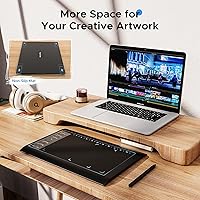
- Product Dimensions: The full device measures 14.17x9.45 inches with a thickness of approximately 0.04 inches, making it a slim and portable form factor.
- Item Weight: The tablet weighs 2.97 pounds, inclusive of the integrated stand mechanism.
- Included Accessories: Each unit ships with the battery-free stylus, an integrated fold-out stand, and 30 replacement pen nibs.
- Stand: A built-in fold-out stand is integrated into the tablet body, raising the device to a fixed working angle without requiring a separate accessory.
- Nib Quantity: Thirty replacement nibs are included in the box, providing a substantial long-term supply for regular drawing use.
- Date Available: This tablet was first made available for purchase in September 2023.
- Manufacturer: The device is designed and sold by TeinenRon, a consumer electronics brand focused on budget-tier drawing peripherals.
Related Reviews
VEIKK A15 10x6 Drawing Tablet
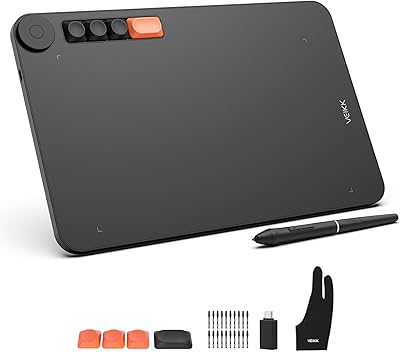
VEIKK Voila L 10x6 Graphics Drawing Tablet
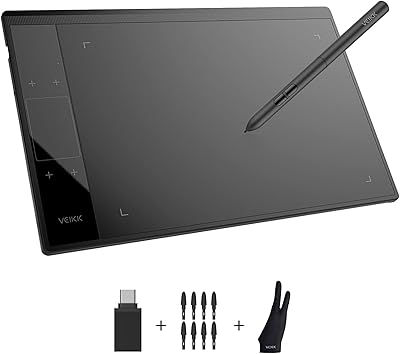
VEIKK A30 V2 Drawing Tablet
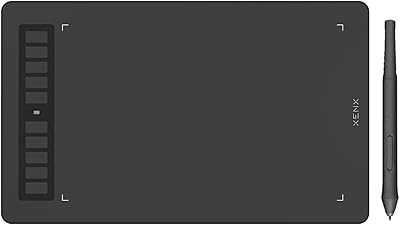
XENX P3-1060B 10x6 Drawing Tablet
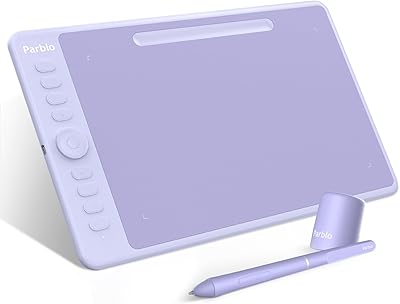
Parblo Intangbo M 10x6 Drawing Tablet
GAOMON PD2200 21.5-inch Pen Display Tablet
Simbans PicassoTab A12 12″ Standalone Drawing Tablet
UGEE M808 10x6 Inch Drawing Tablet
Acepen AP-901 9x6 Drawing Tablet