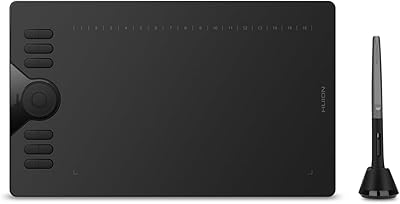
VEIKK A30 V2 Drawing Tablet

Overview
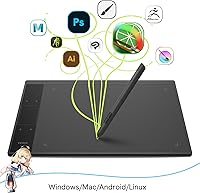
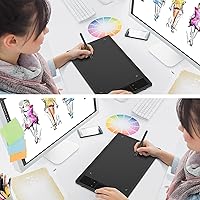
The VEIKK A30 V2 Drawing Tablet has been quietly earning its place in the budget drawing tablet space since 2018, and the V2 refresh shows VEIKK actually listened to early feedback. For the price, you get a 10x6-inch active area that feels genuinely spacious compared to many rivals at this tier. USB-C connectivity is a small but welcome touch — plenty of competing pads still ship with Micro-USB. It works across Windows, Mac, Android, and Linux, making it unusually versatile for a budget option. This is not a flagship product, but it punches well above its weight for cost-conscious creatives just starting out.
Features & Benefits
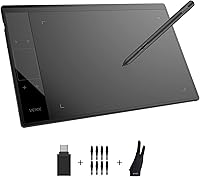
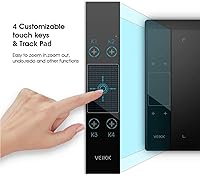
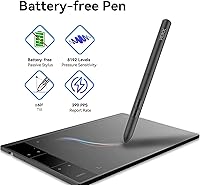
The battery-free P01 pen is one of this graphics pad's strongest practical arguments — no charging, no dead-pen mid-session frustration. It delivers 8192 levels of pressure sensitivity with ±60° tilt support, which translates to brushstrokes that respond to how you hold and angle the pen, not just how hard you press. The 290 PPS report rate keeps input lag low enough that drawing feels connected rather than delayed. Four touch keys and a gesture pad let you assign shortcuts for undo, zoom, and more. The included accessory kit — eight nibs, an OTG connector, an artist glove, and a pen pocket — is genuinely useful and saves you extra purchases. Left-handers are fully supported, which is rarer than it should be at this price.
Best For
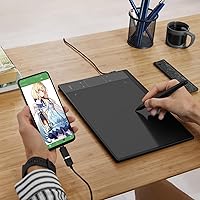
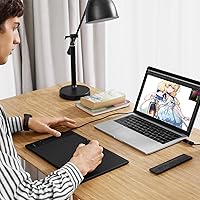
This drawing tablet is squarely aimed at beginners and students who want professional-level pressure sensitivity without overspending. It also works well for online educators who need a reliable way to annotate slides or sign documents during lessons — the large active area makes handwriting feel natural rather than cramped. Digital illustrators running Clip Studio, Krita, or Photoshop on a tight budget will find it capable for most workflows. Android users can connect it directly to a compatible phone via the included OTG connector, which is a real bonus — just know that iOS is not supported, so iPhone and iPad users need to look elsewhere. Left-handed artists, often underserved in this segment, will appreciate that the layout can be flipped in the driver settings.
User Feedback
With a 4.3-star average across more than 4,500 ratings, the A30 V2 lands solidly in positive territory, though the picture is nuanced. Buyers consistently praise the generous drawing surface, pen accuracy, and the overall value for money. VEIKK's responsive customer support and free driver updates are also cited repeatedly as genuine differentiators. That said, the driver installation process is a recurring frustration — several users report needing to troubleshoot before everything clicks, particularly on Mac. The gesture touch pad draws divided opinions too; some find it a handy shortcut hub, while others rarely touch it once the novelty fades. Software compatibility hiccups appear occasionally in reviews, though they typically resolve with updated drivers.
Pros
- The 10x6-inch active area is genuinely large for the price, giving illustrators real room to work.
- The battery-free pen means no charging interruptions during long drawing or teaching sessions.
- 8192 levels of pressure sensitivity and tilt support produce strokes that respond naturally to how you draw.
- USB-C connectivity is a practical modern touch that cheaper rivals in this segment often skip.
- Android users can draw directly on a compatible phone using the included OTG-C adapter.
- The accessory bundle — eight nibs, an artist glove, a pen pocket, and the OTG connector — saves meaningful extra spending.
- Left-handed users can fully rotate the layout in driver settings without losing functionality.
- VEIKK's customer support team is consistently rated well, with free driver updates that have actually shipped over time.
- Broad OS compatibility covers Windows, Mac, Linux, and Android in a single device.
Cons
- Driver installation on Mac is a recurring pain point that can take hours to resolve without technical confidence.
- The gesture touch pad divides opinion sharply — many users stop engaging with it after the first few weeks.
- Only four shortcut keys is limiting for illustrators who rely on an extensive set of custom hotkeys.
- The touch-based keys offer no tactile feedback, making accidental or mistaken presses more likely during focused work.
- iPhone and iPad are completely unsupported, which is not always clear before purchase.
- The USB-C port has been reported as feeling slightly loose on some units after repeated plug cycles.
- Pen activation occasionally requires more initial pressure than expected, which disrupts fine detail work.
- Slight cursor drift at the edges of the active area has been noted by users doing precise linework near canvas borders.
- The plastic body shows scuffs and surface wear more visibly than alternatives with textured or matte finishes.
Ratings
The VEIKK A30 V2 Drawing Tablet has been scored by our AI system after analyzing thousands of verified global user reviews, with spam, bot-generated, and incentivized submissions actively filtered out. The scores below reflect an honest synthesis of what real buyers experienced — the genuine strengths and the frustrations that kept showing up across independent feedback. Both sides of the story are represented, so you can make a genuinely informed call.
Value for Money
Pen Performance
Drawing Area Size
Driver Installation & Software Setup
Build Quality & Durability
Gesture Touch Pad Usability
Express Keys & Shortcut Customization
Compatibility & Cross-Platform Support
Pen Accuracy & Cursor Tracking
Included Accessories
Latency & Report Rate
Customer Support & After-Sales
Portability & Form Factor
Left-Handed Usability
Suitable for:
The VEIKK A30 V2 Drawing Tablet is a strong match for beginners and students who want to start drawing digitally without committing serious money to a first purchase. If you spend your time in Krita, Clip Studio, or Photoshop and your budget is genuinely tight, this graphics pad gives you pressure sensitivity and tilt support that would cost considerably more from better-known brands. Online teachers and remote educators will also find it practical — the 10x6-inch active area makes annotating slides and signing documents feel natural rather than cramped, and it connects reliably over USB-C without fuss. Android users get an added bonus through the included OTG-C connector, which lets you plug directly into a compatible phone or Android tablet for mobile drawing sessions. Left-handed artists, who are often quietly underserved by budget hardware, will appreciate that the ambidextrous design and driver rotation support are genuine rather than an afterthought.
Not suitable for:
The VEIKK A30 V2 Drawing Tablet is not the right call for anyone who wants to open the box and be drawing within five minutes, particularly on Mac — driver installation can be a real time sink, and some users have spent hours troubleshooting before everything worked correctly. Experienced artists who have already used a mid-range or professional tablet may find the plastic build and limited four-key shortcut setup underwhelming compared to what they are used to. iOS users should look elsewhere entirely, as iPhone and iPad are not supported through any connection method, and that is not something a firmware update will change. If your workflow depends on a rich set of hardware shortcut keys, four touch keys will likely feel restrictive once the novelty of the gesture pad fades. And if you are buying this for high-volume professional work where reliability and minimal setup friction are non-negotiable, the driver inconsistencies reported across a meaningful share of reviews make this a risky foundation.
Specifications
- Active Area: The drawing surface measures 10x6 inches, providing ample workspace for illustration, annotation, and design tasks.
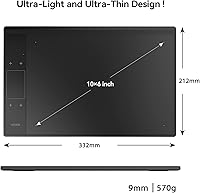
- Dimensions: The tablet body measures 332mm x 212mm x 9mm, keeping the overall footprint slim and desk-friendly.
- Weight: The unit weighs 570g (1.2 lbs), light enough to carry in a laptop bag without adding meaningful bulk.
- Pressure Sensitivity: The P01 pen supports 8192 levels of pressure sensitivity, allowing nuanced variation in stroke weight and opacity.
- Tilt Support: The pen recognizes tilt angles up to ±60°, enabling natural shading and brush angle control without switching tools.
- Report Rate: The tablet operates at 290 PPS (points per second), delivering low-latency input suitable for fluid, uninterrupted drawing.
- Pen Resolution: Pen resolution is 5080 LPI (lines per inch), ensuring precise cursor placement across the full active area.
- Pen Type: The included P01 pen is battery-free and requires no charging, eliminating interruptions during extended creative sessions.
- Reading Height: The pen is detected up to 10mm above the tablet surface, allowing hover navigation before the nib makes contact.
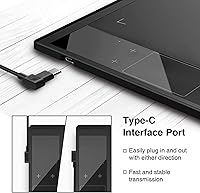
- Interface: Connectivity is handled via a USB-C port, which supports reversible plug-in and is compatible with modern laptops and USB-C hubs.
- Express Keys: The tablet features 4 customizable touch keys and one gesture touch pad for assigning workflow shortcuts such as undo, zoom, and brush size.
- OS Support: Compatible operating systems include Windows 7 and later, Mac OS 10.12 and later, Android 6.0 through 13.0, and Linux.
- Handedness: The ambidextrous physical design, combined with driver-level rotation settings, fully supports both right-handed and left-handed users.
- Included Accessories: The package includes 8 replacement pen nibs, an OTG-C connector, an artist glove, and a pen pocket for storage and protection.
- Warranty: VEIKK provides a one-year hardware warranty and commits to free driver updates for the lifetime of the product.
- Pen Model: The stylus is the P01 model, a battery-free electromagnetic pen designed specifically for the A30 V2 active area.
- Android Support: Android compatibility covers versions 6.0 through 13.0 via the included OTG-C connector; iOS devices including iPhone and iPad are not supported.
- Software Compatibility: The tablet works with major creative applications including Adobe Photoshop, Illustrator, Clip Studio, Krita, SAI, MediBang, Corel Painter, and GIMP.
Related Reviews
VEIKK VK1060PRO V2 Drawing Tablet
VEIKK VK1200 V2 11.6-inch Pen Display
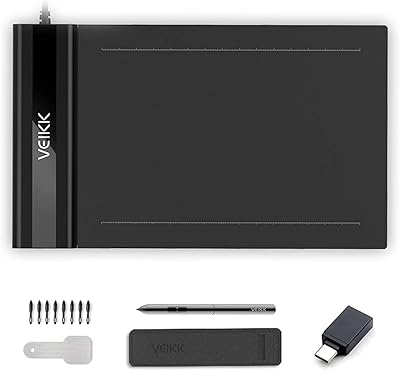
VEIKK S640 6x4 Drawing Tablet
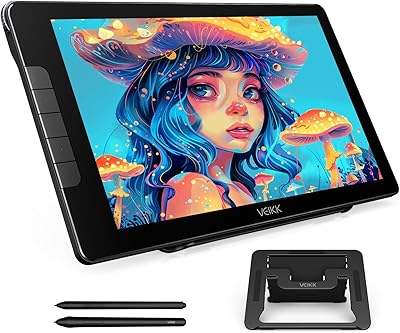
VEIKK Studio 16 15.6-inch Pen Display
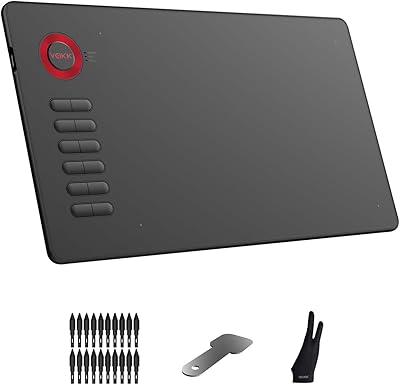
VEIKK A15 10x6 Drawing Tablet
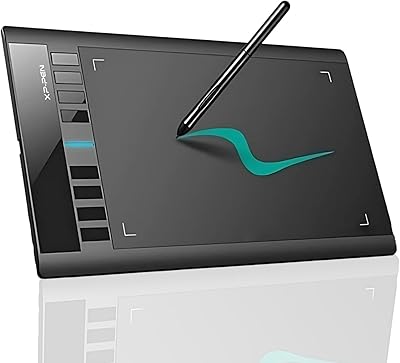
XP-Pen Star03 V2 Drawing Tablet
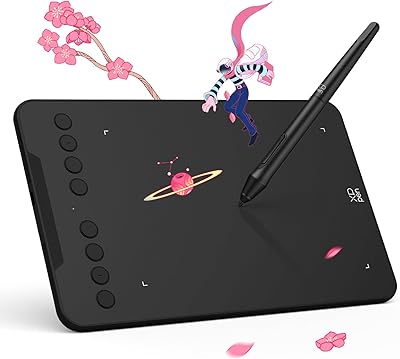
XP-Pen Deco Mini7 V2 Drawing Tablet
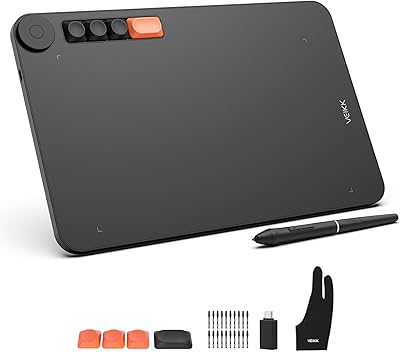
VEIKK Voila L 10x6 Graphics Drawing Tablet
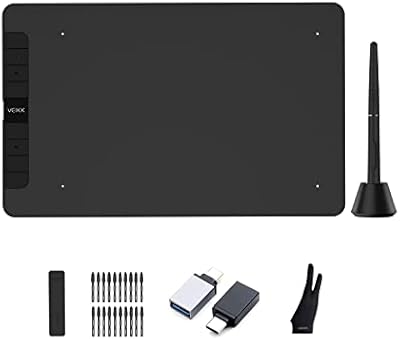
VEIKK VK1060 10x6 Inch Drawing Tablet