VEIKK A15Pro 10x6-Inch Graphics Pen Tablet

Overview
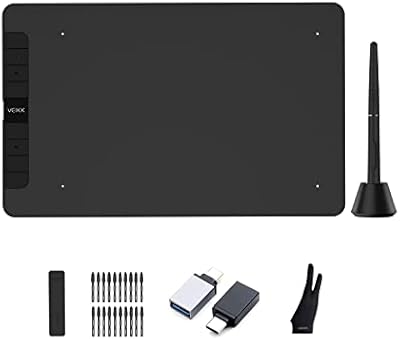
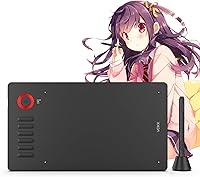
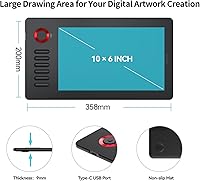
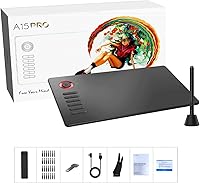
The VEIKK A15Pro 10x6-Inch Graphics Pen Tablet sits in a competitive corner of the market where budget and mid-range digital artists do most of their shopping, and it holds its ground well. VEIKK has built a solid reputation in this space, and this drawing tablet reflects that. What stands out most at this price tier is the 10 x 6-inch workspace — a genuinely spacious canvas that most competing tablets charge significantly more to offer. At 9mm thin and just 1.32 pounds, it travels easily without feeling like a compromise. It ships with 28 spare nibs, a pen holder, and an artist glove right out of the box — a more complete bundle than most rivals at this price include.
Features & Benefits
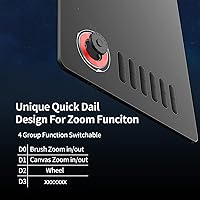
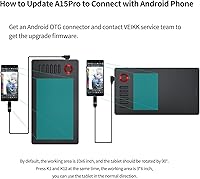
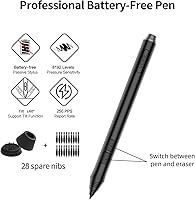
The pen that comes with the A15Pro is battery-free, which matters more than it sounds — no charging, no battery swaps, just picking it up and drawing. With 8192 levels of pressure sensitivity and a 250 PPS report rate, strokes register quickly and accurately whether you're doing fine linework or heavy brushwork. The quick dial is a practical addition; it defaults to canvas zoom, brush size adjustment, and page scroll, and you can remap it alongside all 12 express keys to match how you actually work. One thing to know upfront: tilt support and Android compatibility both require a firmware update after purchase. It isn't difficult, but you should run it before assuming those features are ready out of the box.
Best For
This pen tablet punches well above its weight class for anyone just getting into digital illustration or working their way up from basics. The active area gives beginners genuine room to practice without feeling cramped, and the express key layout accelerates repetitive tasks in apps like Clip Studio Paint and MediBang Paint. Photo editors in Photoshop who rely on pressure variation for masking or retouching will find the sensitivity range genuinely useful. Students who need a portable setup for online classes or collaborative work will appreciate how light and thin this drawing tablet is. And if you're a Linux or Android user who has struggled to find compatible hardware at this price, the A15Pro specifically addresses that gap — though the firmware update step is not optional.
User Feedback
With over 4,100 ratings averaging 4.4 stars, the A15Pro clearly resonates with its target audience. Buyers routinely call out the active area size and express key count as the two things that justify the purchase. That said, driver installation comes up repeatedly as a friction point — Linux users in particular report needing patience and extra steps before everything clicks into place. The firmware update requirement for tilt and Android support is another common source of frustration; the hardware is capable, but it doesn't advertise this dependency clearly enough. Some heavy users also mention nib wear happening faster than expected, though the 28 spares in the box soften that complaint considerably. Overall, the satisfaction level here is genuinely solid for the price range, with setup as the main recurring caveat.
Pros
- The 10 x 6-inch active area is unusually generous for this price bracket, giving artists real room to work.
- The battery-free pen delivers 8192 levels of pressure sensitivity with minimal perceptible lag during drawing.
- 12 fully remappable express keys and a quick dial meaningfully reduce keyboard dependency mid-session.
- Ships with 28 spare nibs, a pen holder, and an artist glove — a more complete bundle than most competitors include.
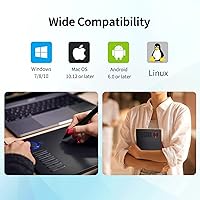
- Compatible with Mac, Windows, Linux, and Android, covering more platforms than most rivals at this price point.
- At just 9mm thick and 1.32 pounds, this drawing tablet is genuinely portable without sacrificing workspace size.
- Works out of the box with a wide range of software including Photoshop, Krita, Clip Studio Paint, and Illustrator.
- USB Type-C connectivity is more reliable and future-friendly than the micro-USB ports common on competing budget tablets.
- Over 4,100 real-world ratings averaging 4.4 stars signal consistent satisfaction across a broad and diverse user base.
Cons
- Tilt support and Android compatibility require a firmware update that is not clearly disclosed before purchase.
- Linux driver setup is noticeably more involved than on Windows, with some users needing multiple troubleshooting attempts.
- Pen nibs wear down faster than expected under heavy daily use, making nib replacement an ongoing consideration.
- No wireless option exists; the tethered design can feel limiting for users who prefer a cable-free workspace.
- The driver software interface feels dated and less refined compared to what slightly pricier competitors offer.
- Android connectivity also requires a compatible OTG cable that is not included in the box.
- Some users report occasional inconsistency in express key response after prolonged periods of regular use.
- The overall build is functional but leans heavily on plastic, which can feel at odds with the otherwise capable spec sheet.
Ratings
Our AI-generated scores for the VEIKK A15Pro 10x6-Inch Graphics Pen Tablet were built by analyzing thousands of verified buyer reviews from global markets, with bot activity, incentivized posts, and spam systematically filtered out before scoring. Each category score reflects both what real users genuinely value and the friction points that recur across a wide cross-section of ownership experiences. Nothing is softened — the ratings below represent an honest synthesis of what this drawing tablet consistently gets right and where it still has room to improve.
Value for Money
Active Area Size
Pen Performance
Express Keys and Quick Dial
Driver and Setup Experience
Build Quality
Portability
Software Compatibility
Tilt Functionality
Platform Compatibility
Accessory Bundle
Out-of-Box Readiness
Pen Nib Durability
Suitable for:
The VEIKK A15Pro 10x6-Inch Graphics Pen Tablet is genuinely well-matched for beginners and intermediate digital artists who want a spacious workspace without a steep price tag. The 10 x 6-inch active area is one of the largest available at this price tier, making it a natural fit for illustrators and comic artists who need room to work fluidly in apps like Clip Studio Paint or MediBang Paint. Students attending online classes or educators running remote sessions will find the lightweight build and remappable express key layout practical for everyday use. Photo editors who rely on pressure-sensitive brushwork in Photoshop will get genuine value from the pen sensitivity range. Multi-platform users — particularly those on Linux or Android who struggle to find compatible hardware at this price — have a rare option here, provided they are willing to run the required firmware update before expecting full functionality. Anyone who travels regularly or works across multiple locations will appreciate how little space and weight this pen tablet demands in a bag.
Not suitable for:
Professional illustrators and designers who depend on advanced wireless functionality, near-zero input latency, or the ecosystem reliability that comes with industry-leading hardware will likely find the A15Pro falls short of their standards. The VEIKK A15Pro 10x6-Inch Graphics Pen Tablet is not a plug-and-play experience for everyone — driver installation, particularly on Linux, can require meaningful troubleshooting before things work as expected, and that friction is real enough to frustrate less patient users. Anyone planning to use tilt-based shading or connect to an Android device should know upfront that both features are off by default and require a firmware update that is not prominently disclosed at purchase. Heavy daily users who produce high volumes of artwork should factor in faster-than-expected pen nib wear as an ongoing maintenance consideration, even with the included spare supply. If you are migrating from a premium tablet and expecting comparable build quality or driver polish, the gap will be noticeable.
Specifications
- Active Area: The drawing surface measures 10 x 6 inches, providing a generous workspace for digital illustration and photo editing.
- Overall Dimensions: The tablet body measures 14.09 x 7.87 x 0.35 inches, keeping the physical footprint compact relative to its active area.
- Weight: The unit weighs 1.32 pounds, making it light enough to carry in a bag without adding meaningful bulk.
- Body Thickness: At 9mm thin, the tablet sits low on a desk and maintains a slim profile for easy portability.
- Pen Type: The included stylus is a battery-free passive pen, requiring no charging or battery replacement during its lifespan.
- Pressure Sensitivity: The pen registers 8192 levels of pressure sensitivity, allowing fine control over line weight and brush opacity across supported applications.
- Report Rate: The pen reports at 250 points per second, delivering low-latency stroke response for fluid, uninterrupted drawing sessions.
- Tilt Support: The pen supports ±60-degree tilt recognition for natural shading effects, but this feature requires a firmware update before it becomes active.
- Express Keys: The tablet includes 12 fully customizable express keys that can be individually remapped to any function within the driver software.
- Quick Dial: A single physical dial defaults to canvas zoom, brush size, and page scroll functions, and can be reassigned to other shortcuts.
- Connectivity: The tablet connects via USB Type-C, offering more stable data transmission and broader device compatibility than older micro-USB designs.
- OS Compatibility: Supported operating systems include macOS 10.12 and later, Windows 11, 10, 8, and 7, Linux, and Android 6.0 and above with firmware updated.
- Software Support: The tablet is confirmed compatible with Photoshop, Illustrator, Clip Studio Paint, Krita, MediBang Paint, Paintstorm Studio, ZBrush, and CorelPainter, among others.
- In-Box Accessories: Each unit ships with 28 replacement pen nibs, a pen holder, and an artist glove, providing a self-contained creative starter kit.
- Warranty: VEIKK covers the tablet with a one-year manufacturer warranty and offers lifetime technical support through their customer service team.
Related Reviews
VEIKK A15 10x6 Drawing Tablet
VEIKK Voila L 10x6 Graphics Drawing Tablet
HUION Inspiroy H610X Drawing Tablet
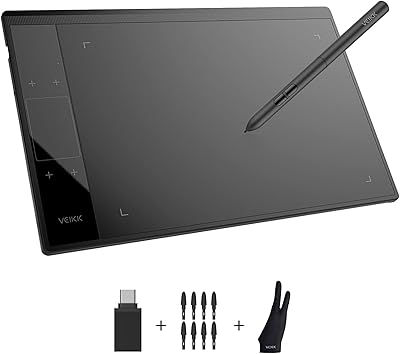
VEIKK A30 V2 Drawing Tablet
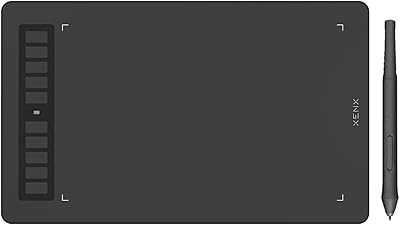
XENX P3-1060B 10x6 Drawing Tablet
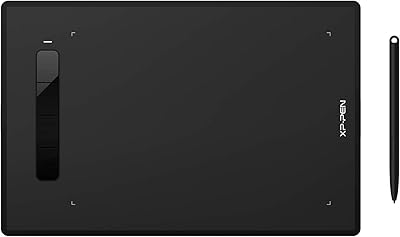
XP-Pen Star G960S Graphics Drawing Tablet
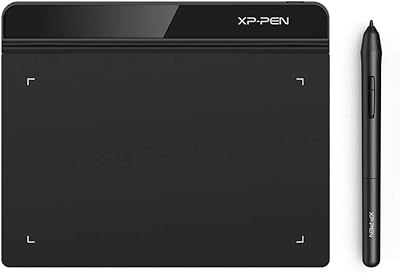
XP-Pen Star G640 6x4 Graphics Tablet
XP-Pen Deco LW Wireless Drawing Tablet
Wacom Intuos3 PTZ431W Wide Format Pen Tablet