Overview
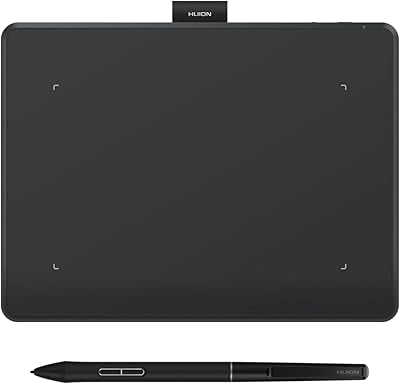
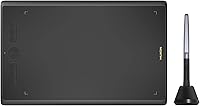
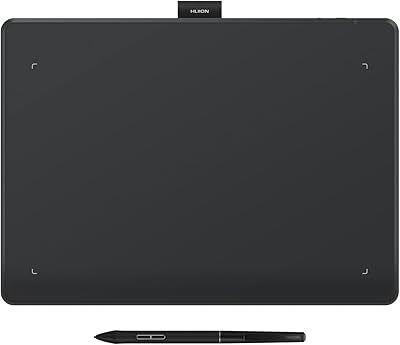
The HUION Inspiroy H610X Drawing Tablet sits in an interesting spot in the graphics tablet market — large enough to feel serious, affordable enough that picking one up doesn't require a long internal debate. It works across Mac, Windows, Linux, and Android, which is broader compatibility than most rivals at this price point manage. The battery-free stylus is a genuine convenience; no charging, no hunting for batteries mid-session. This drawing tablet suits both digital artists and online educators well, though it's worth being upfront — this is a capable value-tier device, not a substitute for a professional studio setup.
Features & Benefits
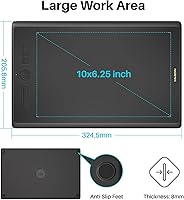
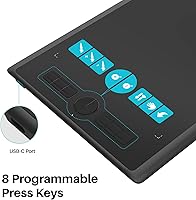
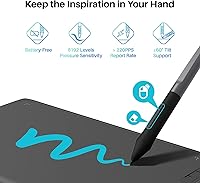
The 10x6.25-inch active area is one of the first things you notice. At this size, you're not cramping your strokes or constantly bumping the edges — it's a noticeably more comfortable working space than most similarly priced tablets offer. The matte drawing surface feels genuinely paper-like under the stylus tip, which makes a real difference for artists who find glossy surfaces slippery and imprecise. Pressure sensitivity at 8192 levels means your lines respond accurately to how hard you press, and the ±60° tilt support lets you shade at natural brush angles. The 8 express keys are configurable and within easy reach, keeping workflow interruptions to a minimum.
Best For
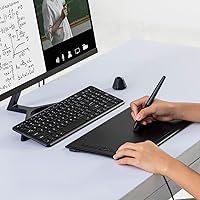
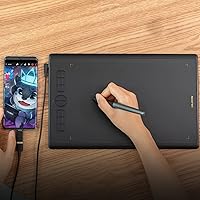
If you're a beginner or intermediate illustrator who wants room to work without overspending, this drawing tablet is a strong pick. Students and remote learners will find it equally practical — annotating PDFs, writing in OneNote, or sketching during a Zoom call all work well with the pressure-sensitive stylus. Online art teachers especially benefit from the tilt and pressure response when demonstrating brushwork or writing complex diagrams live. Android support is available, though connecting to a phone takes more setup patience than plugging into a laptop. Left-handed users can rotate the tablet 180° through the driver settings, which helps, though the express key layout still skews toward right-handed workflows.
User Feedback
With nearly 5,000 ratings averaging 4.5 out of 5, the H610X has clearly earned broad trust among buyers. People consistently highlight the build quality and surface feel, and many report that the driver software runs reliably once it's properly configured. Where opinions diverge is around initial setup — some users find the first-time driver installation confusing, and left-handers occasionally flag the express key positions as awkward. Android connectivity draws mixed reactions; it functions, but not always straight out of the box. On the positive side, HUION's support team gets mentioned favorably across many reviews, which is genuinely reassuring for a device you may occasionally need to troubleshoot.
Pros
- The 10x6.25-inch active area is significantly larger than most rivals at this price point, giving artists real room to work.
- The matte surface closely mimics drawing on paper, which makes the learning curve feel much shorter for traditional artists going digital.
- Battery-free stylus means no charging interruptions and no disposable batteries — it just works whenever you pick it up.
- 8192 levels of pressure sensitivity produce genuinely smooth, natural line variation across illustration and painting apps.
- Works out of the box on Mac, Windows, and Linux without needing separate driver packages for each system.
- The 8 programmable express keys are easy to reach and noticeably speed up repetitive tasks like zooming, undoing, or switching brushes.
- HUION's customer support is consistently praised by buyers, which provides real peace of mind if setup issues arise.
- Lightweight at just over a pound, making it easy to move between desk setups or carry to a class or studio.
- Compatible with a wide range of popular software including Photoshop, Illustrator, SAI, and Sketchbook without extra configuration.
- Driver stability is well-regarded by most users once initial setup is complete.
Cons
- First-time driver installation can be confusing, particularly for users who are new to graphics tablets entirely.
- Left-handed users will find the express key layout physically awkward, even after rotating the tablet in software.
- No wireless option — the USB cable is the only connection method, which limits desk flexibility for some setups.
- Android connectivity, while supported, often requires extra troubleshooting steps and does not always work immediately on all devices.
- No on-screen display means beginners may struggle with hand-eye coordination until they build muscle memory.
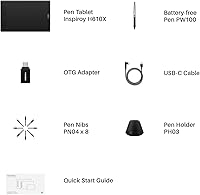
- The included USB cable has been flagged by some buyers as shorter than ideal for comfortable desk positioning.
- Express keys lack tactile differentiation, making it easy to press the wrong one without looking during focused drawing sessions.
- No built-in pen stand or storage solution is included, so the stylus has nowhere convenient to rest between uses.
Ratings
The scores below are generated by AI after analyzing thousands of verified global user reviews for the HUION Inspiroy H610X Drawing Tablet, with spam, bot activity, and incentivized feedback actively filtered out to ensure accuracy. The results reflect a genuine cross-section of buyer sentiment — from enthusiastic beginners and classroom educators to more critical intermediate artists who came in with higher expectations. Both the standout strengths and the recurring frustrations are transparently represented so you can make an informed decision.
Value for Money
Active Area & Workspace
Pen Performance
Surface Texture
Driver Software
Express Keys
Build Quality
Compatibility
Tilt Sensitivity
Portability
Stylus Nib Longevity
Setup Experience
Cable & Connectivity
Left-Handed Usability
Suitable for:
The HUION Inspiroy H610X Drawing Tablet is a natural fit for beginners and intermediate digital artists who want a generously sized work area without committing to a high-end price. If you're just moving from traditional sketching to digital illustration, the large active area and paper-like surface make the transition feel much less jarring than smaller, glossier alternatives. Online educators — particularly those teaching science, art, or math — will find the pressure-sensitive stylus and tilt support genuinely useful for annotating, drawing diagrams, or demonstrating brushwork live in front of students. Students themselves benefit too, especially those juggling Zoom sessions, PDF markup, and note-taking across different apps. Creators who regularly switch between Mac, Windows, and Linux will appreciate not needing separate devices or drivers for each system, and Android support adds flexibility for those who prefer working from a tablet or phone occasionally.
Not suitable for:
The HUION Inspiroy H610X Drawing Tablet is not the right tool for professional illustrators or concept artists who need display tablets, wireless freedom, or the kind of precision that high-end pro devices offer. If your workflow depends on seeing your strokes directly on a screen surface, this is a pass — it's a screenless tablet, and no amount of practice fully replicates that experience for some artists. Left-handed users can rotate the device in software, but the physical express key placement was designed with right-handed users in mind, which can feel awkward over longer sessions. Android connectivity exists, but anyone expecting a frictionless plug-and-play experience on mobile will likely be disappointed — it works, but setup can be fiddly depending on your device and OS version. Anyone deep into wireless workflows will also find the USB-only connection limiting if cable management is a concern at their desk.
Specifications
- Active Area: The drawing surface measures 10 x 6.25 inches, providing a generous workspace that comfortably matches the proportions of most laptop screens.
- Overall Dimensions: The tablet's full physical footprint is 12.7 x 8.1 x 0.3 inches, keeping it slim and easy to position on a standard desk.
- Weight: At 1.13 pounds, the H610X is light enough to carry between workspaces without adding meaningful bulk to a bag.
- Pen Model: The included PW100 stylus is battery-free, meaning it draws power from the tablet itself and requires no charging or replaceable batteries.
- Pressure Sensitivity: The stylus supports 8192 levels of pressure sensitivity, enabling fine control over line weight and brush opacity across supported applications.
- Pen Resolution: Pen input is captured at 5080 lines per inch, ensuring that even subtle stylus movements are registered accurately on screen.
- Tilt Support: The stylus detects tilt at up to ±60 degrees, allowing artists to simulate natural brush and pencil angles during shading or broad strokes.
- Express Keys: Eight fully programmable physical buttons are built into the left edge of the tablet and can be customized through the HUION driver software.
- Surface Finish: The tablet surface uses a matte texture that closely replicates the feel of drawing on paper, reducing stylus slippage during use.
- Connectivity: The tablet connects to host devices via USB, with no wireless or Bluetooth option available in this model.
- OS Compatibility: The H610X supports Windows 7 and above, macOS 10.12 and above, Linux (Ubuntu), and Android 6.0 and above.
- Tablet Rotation: The driver software allows the tablet orientation to be set at 0°, 90°, 180°, or 270°, accommodating both right- and left-handed users.
- Software Support: The tablet is compatible with major creative applications including Adobe Photoshop, Illustrator, Corel Draw, Corel Painter, SAI, and Autodesk Sketchbook.
- Annotation Apps: For educational and productivity use, the tablet works with Microsoft Word, PDF readers, OneNote, and video conferencing tools such as Zoom.
- Manufacturer: The H610X is designed and manufactured by Shenzhen Huion Animation Technology LTD., a company specializing in professional and consumer graphics input devices.
- Model Number: The official model identifier for this tablet is H610X, which is used to locate compatible drivers and accessories on the HUION website.
Related Reviews
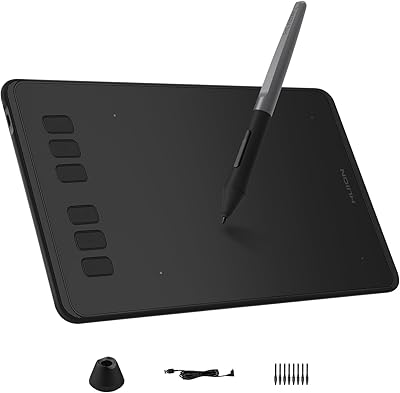
HUION Inspiroy H640P Drawing Tablet
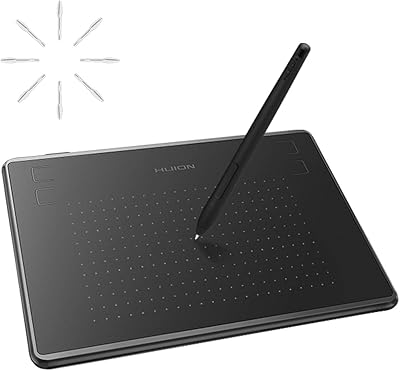
HUION Inspiroy H430P Graphics Drawing Tablet
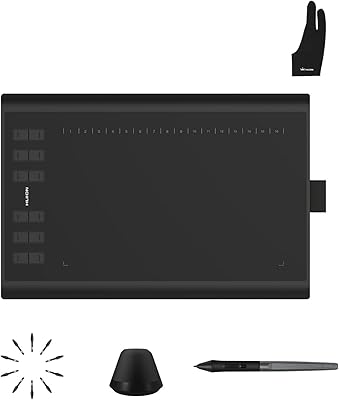
Huion Inspiroy H1060P Graphics Drawing Tablet
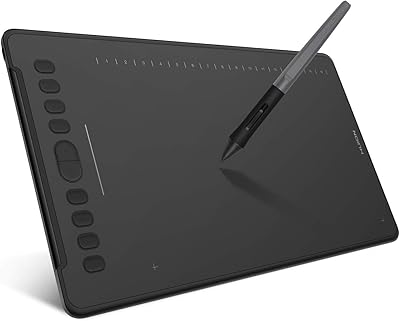
HUION Inspiroy H1161 Graphics Drawing Tablet
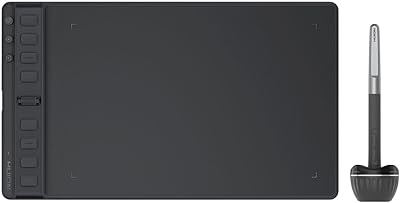
HUION Inspiroy 2 Medium Drawing Tablet
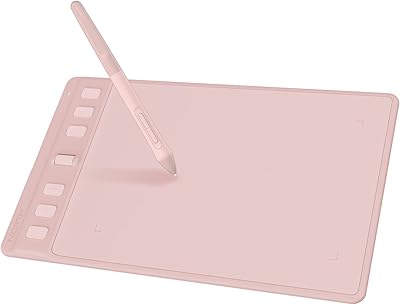
HUION Inspiroy 2 S Drawing Tablet
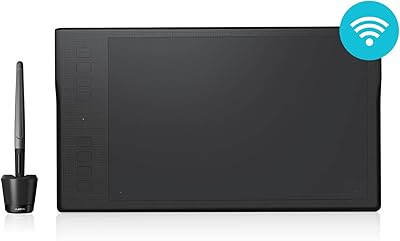
HUION Inspiroy Q11K Wireless Drawing Tablet
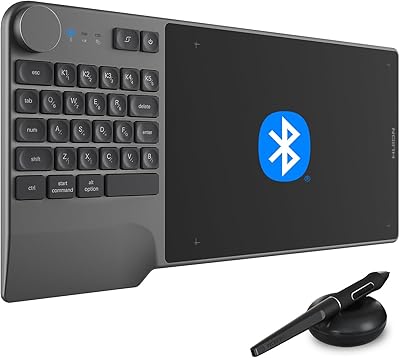
HUION Inspiroy Keydial KD200 Drawing Tablet
HUION Inspiroy Frego Medium Drawing Tablet