Vantec NexStar3 3.5″ External Hard Drive Enclosure
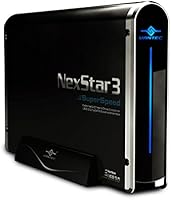
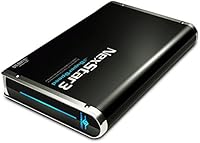
Vantec NexStar3 3.5″ External Hard Drive Enclosure — image 1
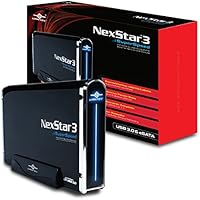
Vantec NexStar3 3.5″ External Hard Drive Enclosure — image 2
Vantec NexStar3 3.5″ External Hard Drive Enclosure — image 3
77%
23%

Overview

The Vantec NexStar3 3.5″ External Hard Drive Enclosure has been around since 2011, and the fact that people still actively buy it says something real about its staying power. It takes any standard desktop SATA hard drive and turns it into an external unit you can connect via USB 3.0 or eSATA — no complicated setup required. The all-aluminum shell handles heat passively, which matters if you plan on running a drive for hours at a stretch. It also falls back gracefully to USB 2.0 or 1.1 when needed. At its price point, this drive enclosure clearly targets buyers who want something that feels solid, not something disposable.

Features & Benefits

The USB 3.0 connection is where this aluminum HDD dock earns its keep for everyday use. Moving a large video project or a full system backup is noticeably quicker than what you get from older USB 2.0 enclosures. The eSATA port is a genuine bonus for anyone with a desktop that has that connector — it can push throughput further and removes USB from the equation entirely. Vantec includes a shielded cable in the box, a small but appreciated detail that cheaper enclosures routinely skip. Installation is straightforward for most drives, and both Windows and Mac systems recognize it without any driver installation.

Best For

This drive enclosure makes the most sense for a specific kind of buyer. If you have an old desktop hard drive pulled from a retired PC or a recent upgrade, this is one of the cleaner ways to give it a second life. Creative professionals who regularly move large photo libraries or video files will appreciate the USB 3.0 throughput over constantly juggling smaller portable drives. The aluminum construction also supports long-term drive health, making it worth considering if you plan on leaving a drive spinning inside for extended stretches. For a simple, no-cloud backup setup, the NexStar3 enclosure is a natural fit.

User Feedback

Among long-term owners, the most consistent praise focuses on build quality and reliability — people note the enclosure still functions dependably after years of regular use, which is genuinely reassuring. Setup earns positive marks too; most report instant recognition on both Windows and Mac without driver headaches. Where things get more mixed is around compatibility. A portion of users have encountered issues with specific drive brands or motherboard chipsets, though this appears situational rather than a widespread pattern. The included power adapter occasionally draws criticism for its bulk or cord length. Gripes, on the whole, tend to be edge-case frustrations rather than deal-breaking flaws.

Pros

  • Solid aluminum build feels premium and holds up reliably over years of regular use.
  • USB 3.0 support makes large file transfers significantly faster than older USB 2.0 enclosures.
  • The eSATA port gives desktop users a high-speed alternative connection most competing enclosures skip.
  • Passive aluminum cooling helps keep drive temperatures in check during extended operation.
  • Plug-and-play setup works out of the box on both Windows and Mac with no drivers needed.
  • Backward compatibility with USB 2.0 and 1.1 means it works even on older systems.
  • Bundled shielded USB 3.0 cable is a thoughtful inclusion that cheaper rivals routinely omit.
  • A straightforward single-drive design keeps things simple for users who just want reliable external storage.

Cons

  • No support for modern USB4 or Thunderbolt standards, which limits maximum throughput compared to current enclosures.
  • Some users have experienced compatibility hiccups with specific hard drive brands or motherboard chipsets.
  • The power adapter is bulky and the cord length has drawn complaints from users in tighter workspaces.
  • At its price point, buyers are paying a premium that may be hard to justify given its 2011-era feature set.
  • Only accommodates 3.5-inch SATA drives, so laptop drives and SSDs are entirely off the table.
  • Single-bay design rules it out for anyone needing to run or switch between multiple drives regularly.
  • No tool-free drive installation mechanism, which can make swapping drives slightly more involved than expected.

Ratings

Our AI scoring system analyzed verified buyer reviews for the Vantec NexStar3 3.5″ External Hard Drive Enclosure from across multiple global markets, actively filtering out incentivized submissions, bot patterns, and outlier reviews to surface what genuine long-term owners actually experience. The scores below reflect a balanced picture — where this aluminum HDD dock earns real praise and where it falls short against modern expectations. Strengths and frustrations are weighted equally so you can make a fully informed decision.

Build Quality
88%
The all-aluminum chassis is one of the most consistently praised aspects across buyer reviews. Users who have owned the NexStar3 enclosure for several years report that it shows virtually no signs of wear — no cracked seams, no warping, and no loose drive bay. For a device that often lives on a desk indefinitely, that kind of physical resilience matters.
A small number of buyers found the enclosure heavier than expected at 2.2 pounds, which can feel excessive if you are placing it in a confined shelf space. A few users also noted that the screws holding the casing together stripped over time with repeated drive swaps.
Transfer Performance
82%
18%
When connected via USB 3.0, real-world transfer speeds comfortably outpace USB 2.0 enclosures in day-to-day tasks like copying large video archives or running drive-to-drive backups. Users moving 50GB or more at a time report a noticeable reduction in waiting compared to older enclosures.
Speeds fall well short of what modern USB4 or Thunderbolt enclosures can achieve, which is simply a consequence of the hardware generation. A handful of users also reported inconsistent speeds tied to specific cable configurations or host controller quality rather than the enclosure itself.
Thermal Management
84%
The aluminum body acts as a natural heat spreader, and buyers running drives for extended sessions — think overnight backups or long video renders — consistently note that the enclosure stays warm but never alarmingly hot. This passive approach also means zero fan noise, which desk workers appreciate.
Passive cooling has its ceiling, and under sustained maximum throughput the enclosure can get uncomfortably warm to the touch. Users in warmer climates or poorly ventilated spaces reported this more frequently, suggesting placement and ambient temperature play a real role in thermal performance.
Ease of Setup
86%
Plug-and-play recognition on both Windows and macOS is one of the NexStar3 enclosure's most reliable traits, cited repeatedly by first-time enclosure buyers who expected a complicated installation process. No driver downloads, no configuration menus — just connect and the drive appears.
Installing the hard drive itself requires a screwdriver and a bit of patience, since there is no tool-free mechanism. New users occasionally find the internal SATA alignment fiddly, and the instruction documentation included in the box is minimal at best.
Compatibility
71%
29%
For the majority of buyers using mainstream desktop hard drives and standard Windows or Mac setups, compatibility is a non-issue. The backward compatibility with USB 2.0 and 1.1 also means it works reliably across a wide range of older host machines without any workarounds.
A meaningful subset of users encountered problems with specific drive brands or particular motherboard chipsets, resulting in drives not being recognized or intermittently disconnecting. These issues appear more common with older drives or niche hardware configurations, making it harder to predict in advance.
eSATA Connectivity
79%
21%
Buyers who actually have an eSATA port on their desktop praised the inclusion highly — it is increasingly rare on consumer enclosures and gives power users a genuine alternative to USB for sustained transfers. Several users specifically chose this enclosure over competitors because of the dual-connection option.
eSATA is a largely legacy interface at this point, and many modern systems — particularly laptops and compact desktops — no longer include it. For a significant portion of buyers, the eSATA port goes unused entirely, making it a feature that adds perceived value without delivering practical benefit.
Value for Money
67%
33%
For buyers who prioritize aluminum construction and long-term reliability over raw modern specs, the pricing makes sense as a one-time investment in a durable piece of hardware. Users who have run the same enclosure for three or more years often feel the cost per year of use is reasonable.
At its current price point, buyers are paying a premium for a product designed in 2011 that lacks USB4 or Thunderbolt support. Several reviewers pointed out that newer enclosures with more up-to-date interfaces can be found at similar or lower prices, which makes the value proposition harder to defend.
Cable & Accessories
63%
37%
The included shielded USB 3.0 cable is a step above the unshielded throwaway cables bundled with budget enclosures. Buyers testing it in environments with other electronics noted stable transfer speeds without obvious interference, which is the basic job the cable needs to do.
The bundled power adapter is the most frequently criticized accessory — users describe it as bulky, and the cord is often too short for setups where the power strip is not immediately adjacent to the enclosure. Some buyers replaced it within weeks of purchase.
Noise Level
91%
Because cooling is entirely passive with no internal fan, the enclosure itself produces no audible noise whatsoever. Any sound users hear comes from the drive inside, not the case — reviewers working in quiet home offices specifically called this out as a reason they preferred it over fan-cooled alternatives.
There is little to criticize here from the enclosure side, though drives with louder actuators or vibration tendencies can resonate slightly against the rigid aluminum shell, which a softer plastic casing would dampen more effectively.
Long-Term Durability
83%
Multi-year ownership reports are genuinely encouraging for this drive enclosure. Buyers who purchased it in 2013 or 2014 still report using the same unit today, with no electrical failures or connectivity degradation — an uncommon achievement in a product category known for short lifespans.
A small but consistent group of users reported USB port loosening after years of repeated connection cycles, which eventually caused intermittent disconnections. This appears to be a wearing issue rather than a manufacturing defect, and it tends to surface after heavy daily use over several years.
Drive Capacity Support
77%
23%
This aluminum HDD dock handles large-capacity desktop drives without issue in most configurations. Buyers using drives in the 4TB to 8TB range reported straightforward recognition and normal operation on both Windows and macOS, making it practical for modern archival storage needs.
Drive capacity support can vary depending on the host operating system and file system used, and the product documentation does not clearly communicate maximum supported sizes. A few users with very high-capacity drives encountered recognition issues that required reformatting or partition table adjustments to resolve.
Portability
44%
56%
For desk-bound use, the size and weight are entirely manageable and the footprint is compact enough to sit neatly beside a monitor or on a shelf. Users who treat it as a permanent desktop fixture find the form factor completely appropriate for that context.
At 2.2 pounds without a drive installed, this enclosure is not designed for travel, and it shows. Carrying it between locations requires the power adapter as well, making it a two-piece burden that frequent movers find impractical compared to bus-powered 2.5-inch alternatives.
OS Compatibility
87%
Across hundreds of reviews, Windows and Mac compatibility holds up consistently well without any special configuration. Users on Windows 10 and 11 as well as recent macOS versions all report immediate drive recognition, which is exactly what you want from a plug-and-play device.
A handful of Linux users noted that while the enclosure itself is recognized, specific power management settings on some distributions caused occasional sleep or disconnect issues. This affects a small portion of the audience but is worth noting for anyone running a Linux-based NAS or backup server.

Suitable for:

The Vantec NexStar3 3.5″ External Hard Drive Enclosure is a strong pick for anyone who has a spare desktop SATA hard drive sitting in a drawer after a PC upgrade or system retirement. Home users and small offices looking to build a simple, self-managed backup system will find it practical and refreshingly low-maintenance — no subscriptions, no cloud dependency, just storage on demand. Creative professionals who regularly move large batches of raw photos, video footage, or audio sessions will appreciate the USB 3.0 throughput, which keeps file transfers from becoming a time sink. Those with an eSATA port on their desktop have an extra edge here, since that connection can push performance beyond what USB 3.0 alone offers. If drive longevity matters to you — and it should — the aluminum body provides meaningful passive cooling that cheaper plastic enclosures simply cannot match.

Not suitable for:

Buyers expecting USB4 or Thunderbolt speeds should look elsewhere; the Vantec NexStar3 3.5″ External Hard Drive Enclosure is a USB 3.0 and eSATA device, and it was designed in an era before those newer standards existed. If you are working with 2.5-inch laptop drives or M.2 SSDs, this enclosure is not built for them — it handles 3.5-inch SATA desktop drives only. Users who need a compact, travel-friendly solution will find the 2.2-pound aluminum chassis impractical for life on the road. Anyone who values a wide ecosystem of guaranteed drive compatibility may run into friction, since a subset of users have reported inconsistencies with certain drive brands or specific motherboard chipsets. And if you are hoping to run multiple drives from a single unit, this dock simply is not designed for that — it holds one drive, full stop.

Specifications

  • Form Factor: Designed to house a single 3.5-inch SATA internal hard drive commonly found in desktop computers.
  • Interface: Connects to a host system via USB 3.0 or eSATA, offering two distinct high-speed connection options.
  • Transfer Rate: USB 3.0 supports theoretical throughput of up to 5 Gbps, while eSATA delivers comparable speeds for compatible systems.
  • Backward Compatibility: Fully backward-compatible with USB 2.0 and USB 1.1 ports, so it functions on older systems without any additional hardware.
  • Casing Material: The outer shell is constructed entirely from aluminum, providing structural rigidity and passive thermal dissipation during drive operation.
  • Dimensions: The enclosure measures 11 x 2.75 x 10 inches, sized to accommodate a full 3.5-inch desktop drive with room for airflow management.
  • Weight: The unit weighs 2.2 pounds without a drive installed, reflecting the density of its all-aluminum construction.
  • OS Compatibility: Works out of the box with all major Windows versions as well as macOS, requiring no third-party drivers for basic operation.
  • Drive Capacity: Supports a maximum of one internal SATA hard drive at a time; drive capacity is limited only by what the host operating system can address.
  • Included Cable: Ships with a shielded USB 3.0 cable intended to reduce electromagnetic interference and maintain signal integrity during transfers.
  • Power Source: Requires an external power adapter to supply adequate current for spinning up a 3.5-inch desktop hard drive.
  • Color: Available in black, with the aluminum finish providing a clean, understated appearance suitable for desktop or shelf use.
  • Model Number: The official model identifier is NST-380SU3-BK, used for warranty registration and support inquiries.
  • Drive Interface: Internally connects to the drive via a standard SATA data and power connector, compatible with virtually all modern desktop HDDs.
  • First Available: This enclosure was first made available in October 2011, giving it a long track record in the market.

Related Reviews
ORICO 3588C3 3.5″ Hard Drive Enclosure

74%
93%
Ease of Installation
74%
Transfer Performance
67%
Build Quality
61%
Connection Reliability
83%
Value for Money
More
ikuai 3.5″ USB 3.0 Hard Drive Enclosure
80%
93%
Ease of Setup
71%
Build Quality
62%
Cable Quality & Reliability
88%
Drive Compatibility
74%
Data Transfer Speed
More
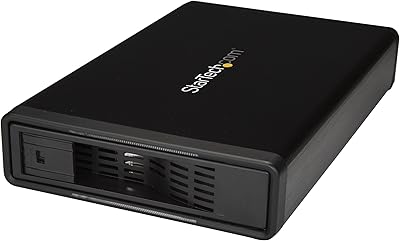
StarTech S351BMU33ET 3.5″ Hard Drive Enclosure
80%
86%
Build Quality
91%
Ease of Drive Swapping
83%
USB 3.0 Transfer Performance
74%
eSATA Connectivity
88%
Drive Compatibility
More
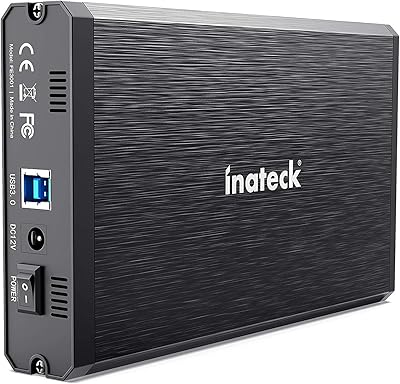
Inateck FE3001 3.5-inch Hard Drive Enclosure
79%
88%
Build Quality
83%
Drive Compatibility
79%
Transfer Speed
74%
Heat Management
91%
Setup & Ease of Use
More
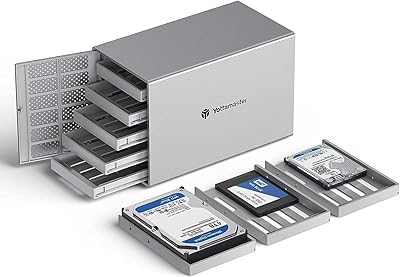
Yottamaster PS500U3 5-Bay External HDD Enclosure
74%
84%
Build Quality
79%
Cooling Performance
61%
Transfer Speed
88%
Drive Compatibility
91%
Ease of Installation
More
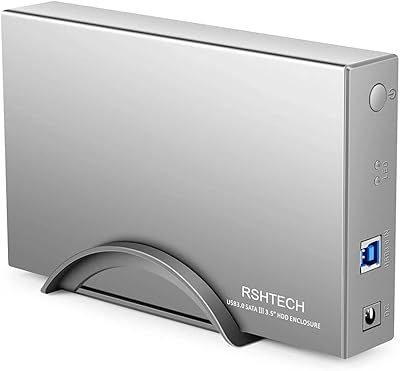
RSHTECH RSH-339 3.5-Inch Hard Drive Enclosure
81%
86%
Build Quality
92%
Ease of Setup
71%
Data Transfer Speed
78%
Drive Compatibility
89%
Power Delivery
More
Inateck FE3003 3.5-Inch Hard Drive Enclosure

77%
93%
Ease of Setup
78%
Transfer Speed
74%
Build Quality
61%
Thermal Management
71%
USB Hub Utility
More
Vantec NexStar JX 3.5″ HDD Enclosure

76%
93%
Ease of Setup
78%
Transfer Speed — USB
86%
Transfer Speed — eSATA
74%
Thermal Management
67%
Build Quality
More
TerraMaster D4-320
TerraMaster D4-320
80%
93%
Ease of Setup
86%
Transfer Speed
71%
Build Quality
88%
Noise Level
82%
Thermal Management
More
Syba SY-ENC50122 5-Bay RAID Enclosure
71%
83%
Build Quality
78%
RAID Functionality
86%
Drive Compatibility
71%
USB 3.0 Performance
54%
eSATA Usability
More

FAQ

It works with the vast majority of standard 3.5-inch SATA desktop hard drives. That said, a small number of users have reported compatibility hiccups with certain drive brands or specific system chipsets, so if you have an unusual setup it is worth checking community forums before committing.

No, in most cases you do not. Both Windows and macOS recognize the drive enclosure as a standard USB storage device without any additional software. Just plug it in, and your operating system should detect the drive within a few seconds.

No — this enclosure is specifically built for 3.5-inch SATA desktop drives. Laptop drives use a 2.5-inch form factor, and M.2 or SATA SSDs in other form factors will not fit or connect properly here.

In practice, you will notice a meaningful difference when moving large files. While you will not hit the theoretical 5 Gbps ceiling in everyday use, USB 3.0 transfers are typically three to five times faster than USB 2.0 in real-world conditions, which adds up quickly with big video files or full drive backups.

Yes, to a meaningful extent. The metal shell conducts heat away from the drive better than plastic alternatives, which can make a difference during long copy sessions or if you leave a drive running for hours. It is passive cooling, so there is no fan noise to worry about either.

Yes, it works on both platforms without any driver installation. Mac users running macOS will see the drive appear in Finder just as any other external volume would, assuming the drive inside is formatted in a compatible file system.

It will still work fine — the enclosure is backward-compatible with USB 2.0 and even USB 1.1. You just will not get USB 3.0 speeds; transfers will be slower, which becomes noticeable with large files but is perfectly functional for occasional use.

It is straightforward but not entirely tool-free. You will typically need to remove a few screws to open the casing, slide the drive onto the internal SATA connector, and reassemble. Most people get through it in under ten minutes even without prior experience.

The power adapter tends to draw the most criticism — some users find it bulkier than expected, and the cord length does not always suit every desk setup. The USB cable itself is generally well-regarded for a bundled accessory, but if desk cable management matters to you, a longer or more flexible replacement cable is easy to source.

That depends on what you need it for. If you want to repurpose an old desktop hard drive for backups or archival storage and do not need Thunderbolt or USB4 speeds, the NexStar3 enclosure still does that job reliably and with better build quality than many newer budget alternatives. For cutting-edge transfer performance, though, more recent designs have moved ahead.

Where to Buy