Overview

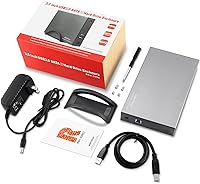
The RSHTECH RSH-339 3.5-Inch Hard Drive Enclosure is a straightforward aluminum dock that has been quietly earning its place in the market since late 2018. It handles any 3.5-inch SATA I, II, or III drive — spinning HDDs and SSDs alike — and supports capacities up to 16TB, including enterprise-grade NAS drives that many budget enclosures ignore. What separates this aluminum drive enclosure from cheaper rivals is the included 12V/2A power adapter. Skip that brick and 3.5-inch drives become unstable; having it bundled in means one less headache out of the box. Nearly 2,000 ratings and a top-50 category ranking suggest this is a product that quietly does its job.
Features & Benefits

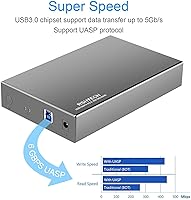
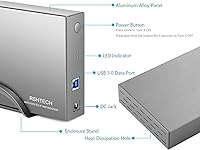
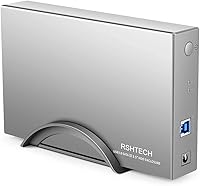
The RSH-339 dock runs on the ASM1153e controller chip, which keeps power consumption low and data transmission stable — a combination that matters more during long backup sessions than raw specs imply. It supports UASP, but here is the important caveat: faster transfer speeds only appear if your computer's USB 3.0 port also supports the protocol. Connect to a standard port and it reverts to conventional bulk transfer. The 10-minute idle sleep is a genuine drive-health feature, though it can interrupt workflows involving infrequent reads. Dual LEDs — red for power, blue for activity — plus a vented chassis with a vertical stand round out a well-considered, fanless design.

Best For

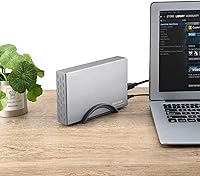
This USB 3.0 hard drive case fits neatly into several specific scenarios. The most obvious is anyone repurposing an old desktop HDD pulled from a PC upgrade or a decommissioned NAS unit. PS4, PS4 Pro, and PS5 owners will find it equally practical for expanding console storage without cracking the case open. Home users running periodic backups will appreciate the plug-and-play setup — no driver hunting, no configuration headaches. It also handles enterprise NAS drives, which matters if you occasionally need USB access to a high-capacity archive. The aluminum chassis makes the whole package feel notably more solid than its modest price would suggest.

User Feedback

With a 4.4-star average across close to 2,000 ratings, this aluminum drive enclosure has a dependable track record. Buyers consistently highlight easy setup and reliable drive recognition straight out of the box, and the build quality earns genuine praise — it does not feel disposable. On the critical side, a small number of users hit compatibility snags with older or non-standard drives, and a few found UASP speed gains did not materialize until they switched to a different port. The auto-sleep function divides opinion: those archiving data infrequently see it as smart protection, while users accessing the drive throughout the day find the brief spin-up delay mildly frustrating.

Pros

  • Bundled 12V/2A power adapter eliminates the instability issues common with underpowered budget docks.
  • Aluminum housing feels genuinely solid and handles heat dissipation better than plastic alternatives.
  • Supports drives up to 16TB, including enterprise NAS models that cheaper enclosures often struggle with.
  • Plug-and-play setup requires zero driver installation across Windows, Mac, and Linux.
  • UASP support can meaningfully cut transfer times on compatible systems during large file moves.
  • Dual LED indicators give a clear at-a-glance read on power status and drive activity.
  • The vertical ABS stand promotes passive airflow, keeping temperatures reasonable during extended use.
  • Built-in surge and short-circuit protections add a layer of safety for irreplaceable data.
  • Nearly 2,000 user ratings with a 4.4-star average points to consistent real-world reliability.
  • PS4, PS4 Pro, and PS5 compatibility makes this a practical console storage expansion option.

Cons

  • UASP speed gains are entirely dependent on host port support — many users will never see the benefit.
  • Single-bay design means you cannot hot-swap or manage multiple drives in one session.
  • The 10-minute auto-sleep can cause brief but noticeable spin-up delays during intermittent file access.
  • USB-A only interface means USB-C users must source their own adapter separately.
  • A small number of buyers report recognition failures with older or non-standard drive configurations.
  • No hardware encryption support, which matters for anyone storing sensitive personal or business data.
  • The power brick adds desk clutter and is one more cable to manage in a tight workspace.
  • Long-press power-off requires holding the button for three seconds, which feels slow during repeated use.

Ratings

Our AI rating engine analyzed verified global buyer reviews for the RSHTECH RSH-339 3.5-Inch Hard Drive Enclosure, actively filtering out incentivized, bot-generated, and duplicate submissions to surface what real users genuinely experienced. The scores below reflect both the strengths that keep this dock consistently ranked in the top 50 of its category and the honest friction points that a subset of buyers encountered. Nothing has been smoothed over — the highs and the frustrations are both represented.

Build Quality
86%
The aluminum chassis consistently earns compliments from buyers who expected plasticky construction at this price point. Users pulling old desktop drives from tower PCs describe the enclosure as feeling genuinely solid in hand, more like a product costing twice as much than a budget dock.
The ABS plastic stand feels noticeably cheaper than the metal shell, and a handful of buyers noted the SATA connector inside has less precise tolerancing than premium enclosures, requiring a firm seated push to ensure reliable contact.
Ease of Setup
92%
Plug-and-play performance is where this USB 3.0 hard drive case earns its strongest praise across the board. Buyers ranging from first-time PC builders to less tech-savvy home users consistently report the drive appearing on their desktop within seconds of connecting — no driver hunting, no configuration screens.
A small but vocal group of users running older Linux distributions or niche Mac configurations reported that the drive was not immediately recognized and required manual mounting steps, which undercuts the plug-and-play promise for that specific audience.
Data Transfer Speed
71%
29%
On systems with a confirmed UASP-capable USB 3.0 controller, users transferring large media libraries or system image backups reported a meaningful real-world speed improvement over older non-UASP docks. The ASM1153e chip keeps throughput stable rather than throttling mid-transfer.
The UASP benefit simply does not appear for users whose machines lack host-side UASP support, which is more common than many buyers realize — particularly on older laptops. Several reviewers expressed frustration after expecting peak advertised speeds and getting standard bulk-transfer rates instead.
Drive Compatibility
78%
22%
Coverage of enterprise NAS drives up to 16TB is a genuine differentiator at this price tier, and most buyers using mainstream Seagate, WD, or Toshiba drives — including IronWolf and WD Red NAS models — report clean, consistent recognition with no additional steps.
Edge-case compatibility issues do surface occasionally, particularly with non-standard drive firmware or drives previously formatted in uncommon partition schemes. A minority of buyers report intermittent recognition failures that were resolved only after reformatting the drive entirely.
Power Delivery
89%
Including a dedicated 12V/2A power adapter is the single most practically important decision RSHTECH made with this dock. Buyers who previously used bus-powered enclosures with 3.5-inch drives and dealt with random disconnects or spin-up failures report that this enclosure eliminated those problems entirely.
The power brick is on the bulkier side, and users working at compact desk setups or with limited surge protector space note it occupies more real estate than they would prefer. There is no cable management solution included to help contain the extra cord.
Thermal Management
74%
26%
The combination of vented aluminum and the included vertical stand creates enough passive airflow to keep drive temperatures reasonable during typical backup or file-transfer sessions lasting an hour or two. Users in temperate environments doing periodic data access rarely report heat as a concern.
Buyers running the enclosure in warm rooms or using it for sustained multi-hour transfers with high-RPM drives do report the aluminum shell getting noticeably warm to the touch. Without an active fan, there is a thermal ceiling that continuous-use scenarios can bump against.
Sleep Mode Behavior
63%
37%
For users who access the drive intermittently — say, weekly backups or occasional archive retrieval — the 10-minute auto-sleep genuinely reduces unnecessary drive spin time and long-term wear, which experienced users recognize as a net positive for drive longevity.
Users who keep the enclosure connected throughout a workday and dip into it every 15 to 20 minutes find the constant spin-up delay disruptive. On some operating systems the resume from sleep briefly registers as a device disconnect, which triggers unnecessary system warnings and interrupts workflows.
Noise Level
88%
With no cooling fan in the design, the RSH-339 dock itself contributes zero mechanical noise to a workspace. Users in quiet home offices or shared work environments specifically call out the fanless operation as a reason they prefer it over multi-bay docks with loud cooling systems.
The drive itself is naturally audible during active read/write cycles — particularly with older or higher-RPM spinning HDDs — and because the aluminum chassis does not dampen vibration much, some users find the drive noise more pronounced than they expected from an enclosed unit.
LED Indicators
81%
19%
The dual-LED system gives users an immediate, clear signal for both power state and drive activity without requiring any software. Buyers who run the enclosure under a desk or in a low-visibility spot appreciate being able to glance at the status lights rather than checking disk activity in their OS.
A small number of users find the blue activity LED slightly too bright in dark environments like a bedroom media setup. There is no option to dim or disable the LEDs, which is a minor but occasionally mentioned irritation for those using the dock near a sleeping space.
Console Compatibility
83%
PS4, PS4 Pro, and PS5 users consistently report clean, stable recognition of the connected drive with no additional configuration beyond the console's built-in storage formatting tool. For gamers wanting to offload PS4 titles or expand storage without opening the console, this dock works reliably out of the box.
PS5 owners should be aware that USB external drives — including this one — can only store and launch PS4 games on Sony's current-gen console. Native PS5 titles require an internal NVMe drive, a limitation of the console itself but one that generates occasional disappointed reviews from buyers who misunderstood the use case.
Value for Money
87%
Considering the aluminum build, bundled power adapter, UASP support, and multi-OS compatibility, buyers broadly agree that the RSH-339 dock punches above its price bracket. It is frequently described as the enclosure users recommend when a friend asks for a safe, affordable option that will not eat their drive.
Buyers who primarily care about peak transfer performance and already own a premium UASP-capable system may find the cost-performance ceiling of this enclosure limiting compared to higher-end alternatives. At its price point it excels, but it is not built to compete with prosumer docks.
Long-Term Reliability
79%
21%
With the product on the market since late 2018 and nearly 2,000 ratings accumulated, the feedback pool includes buyers who have used the enclosure for multiple years. Many long-term owners report the unit still functioning without issue after several years of periodic home backup use.
A subset of longer-term owners report that the SATA connector inside gradually loses some of its grip tension over repeated drive insertions and removals, leading to intermittent contact issues after heavy use. This is less of a concern for users who leave one drive seated permanently.
Cable & Accessory Completeness
84%
The box includes both the USB 3.0 cable and the dedicated power adapter, meaning buyers genuinely do not need to source anything extra to get started. This may sound basic, but competing enclosures at similar price points occasionally omit one or the other, frustrating buyers who discover the gap only after unboxing.
The included USB cable is functional but relatively short, which can create awkward cord routing if the enclosure needs to sit more than a foot or two from the host machine. Users with a desktop tower on the floor and a monitor on a desk have flagged the cable length as slightly restrictive.

Suitable for:

The RSHTECH RSH-339 3.5-Inch Hard Drive Enclosure is a strong fit for anyone who needs a no-fuss way to access a single desktop hard drive outside of a PC chassis. That covers a wide range of practical situations: pulling data off an old HDD after a system upgrade, running periodic home backups to a dedicated archive drive, or giving a retired NAS drive a second life via USB. Console gamers — particularly those on PS4 or PS5 — will find it equally useful for expanding storage without voiding a warranty or cracking open hardware. The included 12V/2A power supply is a meaningful inclusion for this crowd, since 3.5-inch drives simply draw more current than a bus-powered connection can reliably deliver. Anyone who values a straightforward plug-and-play experience over complex software setups will also feel at home here.
Not suitable for:

Buyers who need to connect multiple drives simultaneously should look elsewhere — the RSH-339 dock handles exactly one drive at a time, full stop. Power users chasing maximum throughput will also hit a ceiling: UASP speed gains only materialize when the host machine's USB controller explicitly supports the protocol, and many older laptops and desktop boards do not. If your workflow involves constant, uninterrupted access to files throughout the day, the 10-minute auto-sleep timer may become a persistent annoyance rather than a feature. Users still running very old operating systems or relying on obscure drive configurations have reported occasional recognition issues, so compatibility is not guaranteed across every edge case. Finally, anyone needing USB-C connectivity will need an adapter, since this enclosure ships with a standard USB-A interface only.

Specifications

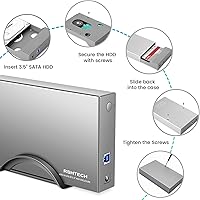
  • Form Factor: Designed exclusively for 3.5-inch SATA I, II, and III hard drives and solid-state drives.
  • Max Capacity: Supports single drives up to 16TB, including enterprise-grade NAS models.
  • Interface: Connects to the host system via USB 3.0 using a standard USB-A to SATA connection.
  • Transfer Rate: SATA interface delivers a maximum theoretical transfer rate of 6 Gbps when UASP is active.
  • UASP Support: UASP (USB Attached SCSI Protocol) is supported, but requires a compatible USB 3.0 host controller to function.
  • Controller Chip: Uses the ASM1153e controller chip, chosen for its low power consumption and stable signal transmission.
  • Power Supply: Includes a dedicated 12V/2A external power adapter required for reliable operation of 3.5-inch drives.
  • Housing Material: Outer enclosure is constructed from aluminum, with an ABS plastic vertical stand included for upright positioning.
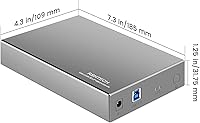
  • Dimensions: Measures 7.1″ long by 4.3″ wide by 1.25″ tall, making it compact enough for a desk or shelf.
  • Weight: The enclosure unit weighs 1.28 pounds without a drive installed.
  • LED Indicators: Dual LEDs indicate power status in red and drive read/write activity in blue.
  • Sleep Mode: Automatically enters a low-power sleep state after 10 minutes of drive inactivity to reduce wear.
  • Power Button: An electronic power button requires a 3-second press-and-hold to power the unit off safely.
  • Drive Protection: Integrated safeguards protect against overvoltage, short circuits, current leakage, and voltage spikes.
  • Cooling Design: Vented aluminum chassis with bottom airflow slots allows passive heat dissipation without requiring a fan.
  • OS Compatibility: Compatible with Windows 2000 through Windows 10, Linux, and Mac OS 9.0 and above.
  • Device Support: Works with desktop PCs, laptops, PS4, PS4 Pro, and PS5 gaming consoles.
  • Driver Requirement: Fully plug-and-play; no driver installation is required on any supported operating system.
  • Bay Count: Single-bay design accommodates exactly one drive at a time.
  • First Available: This model has been available for purchase since December 2018, providing a long track record of real-world use.

Related Reviews

ikuai 3.5″ USB 3.0 Hard Drive Enclosure
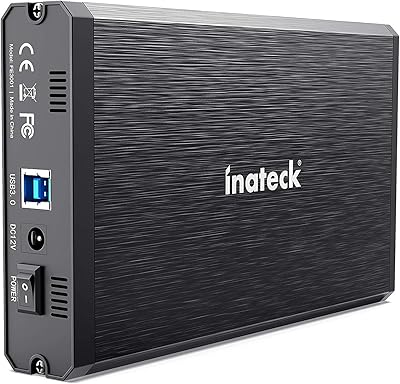
80%
93%
Ease of Setup
71%
Build Quality
62%
Cable Quality & Reliability
88%
Drive Compatibility
74%
Data Transfer Speed
More
Inateck FE3001 3.5-inch Hard Drive Enclosure
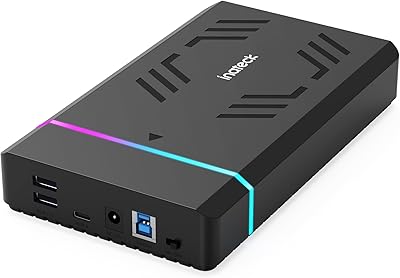
79%
88%
Build Quality
83%
Drive Compatibility
79%
Transfer Speed
74%
Heat Management
91%
Setup & Ease of Use
More
Inateck FE3003 3.5-Inch Hard Drive Enclosure
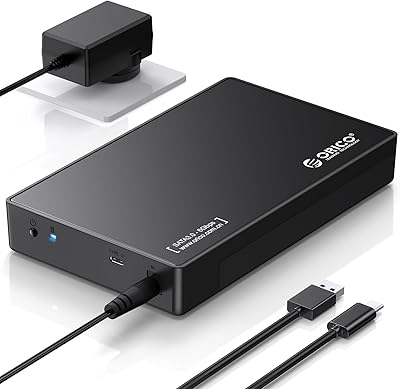
77%
93%
Ease of Setup
78%
Transfer Speed
74%
Build Quality
61%
Thermal Management
71%
USB Hub Utility
More
ORICO 3588C3 3.5″ Hard Drive Enclosure
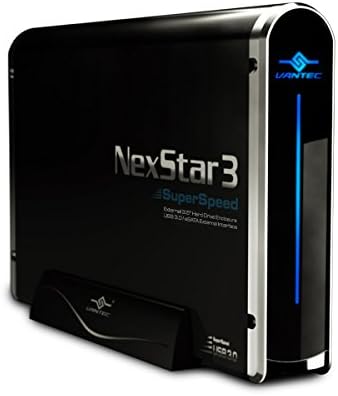
74%
93%
Ease of Installation
74%
Transfer Performance
67%
Build Quality
61%
Connection Reliability
83%
Value for Money
More
Vantec NexStar3 3.5″ External Hard Drive Enclosure
77%
88%
Build Quality
82%
Transfer Performance
84%
Thermal Management
86%
Ease of Setup
71%
Compatibility
More
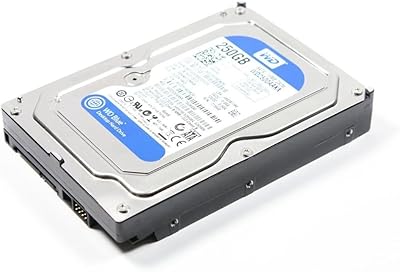
WD Blue 250GB 3.5-inch Desktop Hard Drive
83%
83%
Performance
90%
Quiet Operation
92%
Value for Money
88%
Energy Efficiency
75%
Durability
More
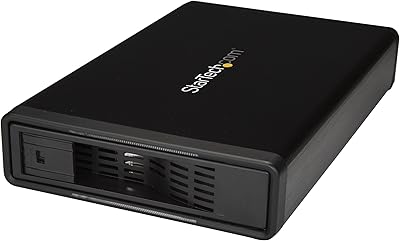
StarTech S351BMU33ET 3.5″ Hard Drive Enclosure
80%
86%
Build Quality
91%
Ease of Drive Swapping
83%
USB 3.0 Transfer Performance
74%
eSATA Connectivity
88%
Drive Compatibility
More
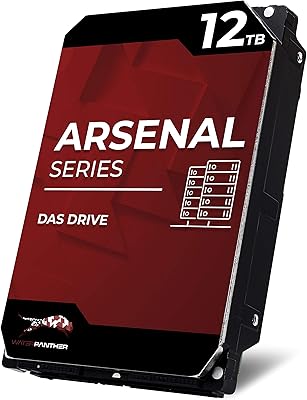
Water Panther Arsenal 12TB SAS Hard Drive
76%
83%
Value for Money
86%
Read/Write Performance
81%
Build Quality
67%
Compatibility
88%
Workload Endurance
More
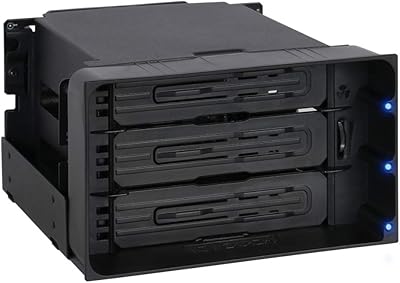
ICY DOCK flexiDOCK MB830SP-B 3-Bay 3.5 Inch SATA/SAS HDD Docking Enclosure

83%
93%
Ease of Installation
88%
Build Quality
87%
Performance & Speed
79%
Cooling Efficiency
65%
Noise Levels
More
Yottamaster PS500C3 5-Bay USB-C HDD Enclosure
72%
83%
Build Quality
57%
Transfer Speed
88%
Drive Compatibility
91%
Ease of Setup
73%
Thermal Management
More

FAQ

It works with any standard 3.5-inch SATA I, II, or III hard drive or SSD regardless of brand, including consumer drives from Seagate, WD, and Toshiba, as well as enterprise NAS drives from those same manufacturers. The only requirement is that the drive uses a SATA interface — older IDE or PATA drives will not fit.

UASP does deliver real speed improvements, but only when your computer's USB 3.0 controller explicitly supports the protocol. If you plug the RSH-339 dock into an older laptop or a USB port that lacks UASP support, it will fall back to standard bulk-transfer mode and you will not see any speed difference. Check your system specs or USB controller driver details before expecting the upgrade.

Yes, the unit ships with a USB 3.0 cable and the 12V/2A power adapter included in the box. You should have everything you need to get started right away without any additional purchases.

The enclosure has a built-in auto-sleep function that kicks in after 10 minutes of inactivity. When you next try to access the drive, it needs a few seconds to spin back up, which can look like a disconnection in some operating systems. This is normal behavior designed to protect the drive from unnecessary wear, not a hardware fault.

Yes, this USB 3.0 hard drive case is compatible with PS5, PS4 Pro, and standard PS4. Keep in mind that PS5 only supports external USB drives for storing and playing PS4 games — native PS5 titles require an internal NVMe SSD slot, not an external USB enclosure.

No. The aluminum drive enclosure is fully plug-and-play across all supported operating systems, including Windows, Mac, and Linux. Just connect the power adapter, plug in the USB cable, and the drive should appear on your system within seconds.

Yes, reasonably so. The unit includes protections against overvoltage, short circuits, and current spikes, and the vented aluminum chassis helps dissipate heat passively. The auto-sleep feature also reduces wear during idle periods. That said, like any single-drive enclosure, it is not a substitute for a proper NAS system if you need 24/7 always-on storage.

The correct method is to first eject the drive safely through your operating system, then press and hold the power button for three seconds until it shuts off. Yanking the power cable without ejecting can cause data corruption, just as it would with any externally connected storage device.

No. This dock is designed specifically for 3.5-inch drives and the bay dimensions will not securely seat a 2.5-inch drive. If you need to connect a 2.5-inch drive externally, you would want a separate enclosure built for that form factor.

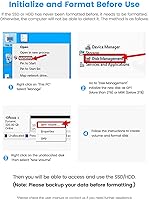
Start by confirming the power adapter is firmly seated and the drive is fully pushed into the SATA connector inside the enclosure. Then try a different USB 3.0 port directly on your computer, avoiding USB hubs. If the drive still does not appear, check whether it needs to be initialized or formatted in your operating system's disk management tool — a brand new or previously unformatted drive will not show up in your file browser until that step is done.

Where to Buy