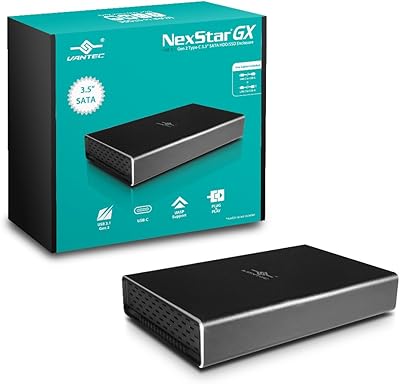
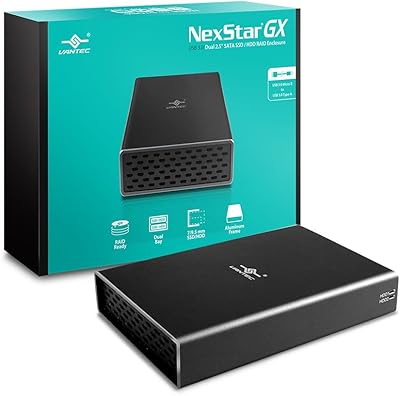
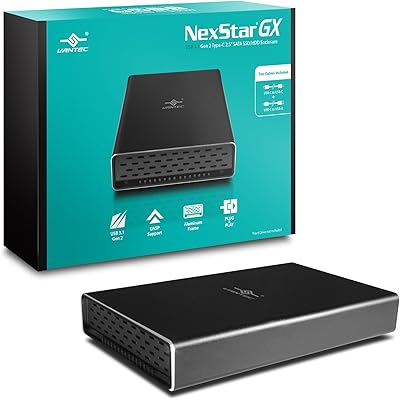
Overview

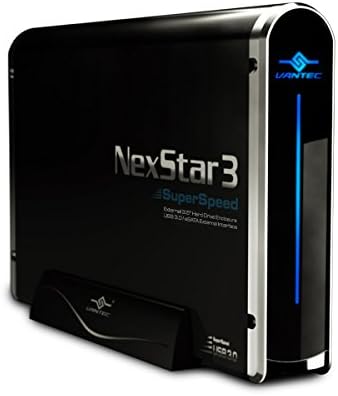
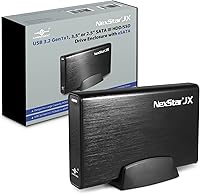
The Vantec NexStar JX 3.5″ HDD Enclosure is a practical, no-fuss way to put a spare desktop or laptop drive back to work. Built from aluminum and ABS plastic, it strikes a reasonable balance between keeping drives cool and holding up to daily handling. What sets it apart from similarly priced competitors is its dual connectivity — both USB 3.2 Gen 1 and eSATA — giving you options whether you're plugging into a modern laptop or an older workstation with an eSATA port. There are no drivers to install; both Windows and macOS recognize it immediately on connection. It handles DVR storage expansion, personal archiving, and general desktop use without complaint.
Features & Benefits

On the performance side, this drive enclosure punches above its weight when you use eSATA — real-world transfers feel noticeably snappier compared to USB alone, especially when moving large video or backup files. The USB 3.2 Gen 1 connection isn't slow either, and with UASP enabled, you'll see reduced CPU usage during sustained transfers, which matters if you're doing something else on the machine at the same time. The aluminum body draws heat away from the drive during long sessions — something a purely plastic enclosure simply can't do. Hot-swap support means you can pull and swap drives without restarting, and cables are included in the box, so you're ready to go straight away.

Best For

The NexStar JX is a strong fit for home users who have a spare 3.5-inch desktop drive sitting unused and want a reliable way to access or archive data from it. Video editors and photographers working with large media libraries will appreciate the eSATA option when they need real throughput, not just convenient access. It's also a solid pick for anyone expanding DVR or PVR storage without cracking open the unit. Cross-platform support for Windows, macOS, and Linux is a genuine plus for mixed-OS households. Just keep in mind it holds one drive at a time — this isn't a NAS replacement or a multi-bay solution, and it shouldn't be treated as one.

User Feedback

Among verified buyers, the most consistent praise centers on how quickly this external HDD enclosure gets up and running — no driver downloads, no setup headaches, just a working drive on the desktop within minutes. The eSATA performance also draws positive mentions from users who actually take advantage of it. On the flip side, a portion of reviewers have flagged the drive retention mechanism as feeling a bit light — the tray and locking feel don't inspire the same confidence as the aluminum shell might suggest. A smaller number of buyers report compatibility hiccups with very high-capacity drives, though these appear to be isolated cases rather than a systemic issue. Overall, the positive-to-negative ratio skews favorably, with most complaints leaning toward minor build preferences rather than functional failures.

Pros

  • Plug-and-play recognition on Windows, macOS, and Linux with zero driver installation needed.
  • The eSATA port is a rare inclusion at this price tier and delivers genuinely faster sustained transfer speeds.
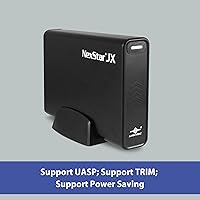
  • UASP support keeps CPU usage low during long transfers, so the rest of your system stays responsive.
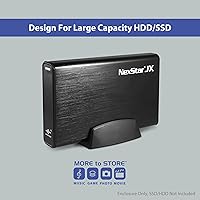
  • Supports drives up to 20 TB, covering every mainstream consumer HDD currently available.
  • Aluminum construction helps dissipate heat during extended sessions in a way plastic-only shells simply cannot.
  • Both USB and eSATA cables are included in the box, so you can start immediately without extra purchases.
  • Hot-swap capability on supported systems means drive swaps without rebooting — a real time-saver in rotation workflows.
  • Accepts both 3.5-inch and 2.5-inch SATA drives, letting you repurpose drives from desktops and old laptops alike.
  • Compact enough to sit permanently on a desk without taking up meaningful workspace.

Cons

  • The plastic drive tray and retention mechanism feel noticeably cheaper than the aluminum shell suggests.
  • Occasional compatibility hiccups with high-capacity drives — particularly 8 TB and above — have been reported by multiple buyers.
  • eSATA is only useful if your system actually has an eSATA port, which many modern machines no longer include.
  • Passive cooling only — no fan means heat can build up faster in warm or enclosed environments during heavy workloads.
  • The USB port may loosen over time with repeated daily plug-unplug cycles, a concern for high-rotation use cases.
  • Bundled cables are functional but feel lightweight; the USB cable in particular does not inspire confidence for long-term daily use.
  • Hot-swap behavior is inconsistent on macOS and some Linux configurations, requiring manual remounting in certain setups.
  • Customer support responsiveness has received mixed reviews when buyers encounter edge-case compatibility or configuration issues.

Ratings

The Vantec NexStar JX 3.5″ HDD Enclosure scores below are generated by AI after systematically analyzing verified global buyer reviews, with spam, bot activity, and incentivized feedback actively filtered out. Ratings reflect the honest distribution of real user experiences — strengths are credited where earned, and recurring frustrations are given equal weight. The result is a transparent picture of where this drive enclosure genuinely delivers and where it falls short.
Ease of Setup
93%
Buyers across Windows, macOS, and Linux consistently report that the drive is recognized the moment the cable is plugged in — no driver downloads, no BIOS adjustments, no fuss. For someone just trying to recover files from an old desktop drive on a Sunday afternoon, that zero-friction experience is genuinely valuable.
A small number of users on older Windows 7 or legacy macOS versions noted that automatic recognition was not always instant, occasionally requiring a manual disk management step to get the drive to mount properly.
Transfer Speed — USB
78%
22%
With UASP active, real-world USB transfer speeds hold up well for large file moves — copying a 50 GB video library or backing up a photo archive feels noticeably faster than older USB 3.0 enclosures without UASP. CPU usage during transfers stays low, which matters if the machine is in active use simultaneously.
Users who expected speeds closer to the theoretical 5 Gbps ceiling were often disappointed; practical throughput on mechanical drives typically lands well below that, and the enclosure itself can become a bottleneck if the host drive is fast enough to expose it.
Transfer Speed — eSATA
86%
For buyers with an available eSATA port, this is where the NexStar JX genuinely stands out at its price point. Sustained read and write speeds over eSATA are consistently faster than USB in back-to-back comparisons shared by users, particularly when working with large sequential files like raw video footage or disk images.
The eSATA advantage is only accessible to users whose systems actually have an eSATA port, which is an increasingly rare feature on modern laptops. Buyers without that port are limited to USB, which narrows the product's value proposition for newer hardware.
Thermal Management
74%
26%
The aluminum construction genuinely helps during multi-hour read or write sessions — buyers who ran extended backups or video renders reported that the enclosure stayed warm but not alarmingly hot, which is a meaningful improvement over fully plastic shells that can trap heat and cause drives to throttle.
The ventilation relies on passive airflow with no active fan, so in enclosed spaces or warm rooms, heat can still accumulate more than some users expected. A handful of buyers noted the drive felt uncomfortably warm after several hours of continuous DVR recording.
Build Quality
67%
33%
The aluminum top panel gives the enclosure a more premium look and feel compared to fully plastic competitors, and the overall frame feels solid enough for a desk setup or shelf-mounted DVR expansion. Most buyers consider the construction acceptable for a stationary use case.
The plastic drive tray and retention mechanism draw consistent criticism — several users described it as feeling flimsy relative to the aluminum shell, and a few reported the drive not seating as securely as they would like. For a product that protects potentially irreplaceable data, that tactile uncertainty is a real concern.
Hot-Swap Functionality
71%
29%
For users running Windows 10 or 11 with hot-swap enabled, swapping drives without rebooting works as advertised and is a practical time-saver in multi-drive workflows or IT environments where drives are regularly rotated for backup purposes.
Hot-swap behavior is heavily OS-dependent, and buyers on macOS or certain Linux configurations found that the feature behaved inconsistently — sometimes requiring a remount command or a full unplug-replug cycle rather than a true live swap.
Drive Compatibility
81%
19%
Support for both 3.5-inch and 2.5-inch SATA drives in a single enclosure is a practical advantage, letting users repurpose drives from both old desktops and retired laptops. Drives up to 20 TB are supported, which covers essentially every consumer-grade HDD currently on the market.
A recurring thread among buyers involves intermittent recognition issues with specific high-capacity drives in the 8 TB and above range, particularly from certain manufacturers. These appear to be isolated rather than universal, but the pattern is consistent enough to warrant caution before committing.
Value for Money
82%
18%
The combination of dual connectivity — USB and eSATA — plus included cables and cross-platform support at this price tier is genuinely competitive. Most buyers at this price point get only USB; the eSATA port alone shifts the value calculation meaningfully for users who can take advantage of it.
Buyers who only ever use the USB connection and never touch eSATA may feel they are paying a slight premium for a feature they do not need, and could find comparable enclosures at a lower price if eSATA is irrelevant to their setup.
Cable & Accessory Quality
69%
31%
Including both a shielded USB and an eSATA cable in the box is a welcome touch — buyers appreciated not having to source cables separately, particularly the eSATA cable which is not as commonly stocked in retail stores as USB cables.
The bundled cables are functional but not exceptional; a few users noted the USB cable felt thinner than aftermarket alternatives and one buyer reported a connection quality issue after several months of daily use. Treating them as starter cables rather than long-term solutions is a reasonable approach.
Cross-Platform Compatibility
88%
Verified buyers across Windows 10, Windows 11, recent macOS versions, and several Linux distributions report consistent plug-and-play recognition. For households or small offices running mixed operating systems, the NexStar JX does not discriminate — it just works.
Edge-case compatibility issues surface occasionally with very specific OS build versions or non-standard kernel configurations on Linux, but these represent a small minority of reported experiences rather than a systemic flaw.
Noise Level
84%
Because the enclosure is entirely passive with no internal fan, the only noise produced is the mechanical sound of the drive itself. Buyers using it in home offices or bedroom setups noted that the enclosure adds zero additional noise, which is a meaningful plus for quiet environments.
Without active airflow, there is an inherent thermal trade-off in exchange for the silence — users who prioritize cooling over quiet may find a fan-equipped enclosure a better fit for sustained heavy workloads.
Physical Footprint & Portability
62%
38%
At just over 14 ounces with a reasonably compact profile, the enclosure sits comfortably on a desk without demanding significant real estate. It is stable enough that accidental nudges during normal desk use are unlikely to disturb a connected drive mid-transfer.
It is not designed for portability in any practical sense — the form factor and the lack of any meaningful drop protection make it a stationary desk tool. Users hoping to carry it between locations regularly will find it awkward compared to purpose-built portable enclosures.
Documentation & Support
58%
42%
For straightforward setups, the included documentation is sufficient — the plug-and-play nature of the product means most users never need to consult a manual at all, and the no-driver design removes the most common support headache from the equation.
When issues do arise, particularly around eSATA configuration or large-drive compatibility, buyers report that the included documentation offers little guidance. Vantec's customer support responsiveness receives mixed marks, with some buyers describing slow or unhelpful interactions when troubleshooting edge cases.
Long-Term Reliability
72%
28%
The majority of buyers who have used this external HDD enclosure for a year or more report no degradation in connection stability or transfer consistency. For a stationary desktop use case with moderate daily use, it holds up without issues for most owners.
Longer-term reviews occasionally mention the USB connection becoming slightly loose after extended daily plug-unplug cycles, suggesting the port durability may not be rated for heavy repetitive use. Buyers using it in a fixed, always-connected setup are unlikely to encounter this; frequent connectors may.

Suitable for:

The Vantec NexStar JX 3.5″ HDD Enclosure is a strong match for anyone with a spare desktop or laptop SATA drive collecting dust who wants a no-hassle way to put it back into active use. Home users archiving old photos, documents, or system backups will appreciate that it works straight out of the box across Windows, macOS, and Linux — no driver hunting required. Content creators and video editors who work with large local media libraries will find the eSATA connection particularly valuable, since it delivers noticeably faster sustained transfers than a standard USB-only enclosure at this price point. DVR and PVR owners looking to expand recording capacity without opening up their device will find it fits neatly into that workflow too. If your machine still has an eSATA port — common on workstations and older desktops — this drive enclosure gets meaningfully more useful, giving you a connection type that most competing products at this tier have quietly dropped.
Not suitable for:

The Vantec NexStar JX 3.5″ HDD Enclosure is not the right tool for buyers expecting a multi-drive or NAS-style setup — it holds exactly one drive at a time, full stop. If you need to manage several drives simultaneously for a home server, RAID array, or media center, you will need to look at purpose-built multi-bay solutions. Users on modern ultrabooks or newer laptops without an eSATA port will only ever use the USB connection, which means they are paying for a feature they cannot access — a USB-only enclosure at a lower price might serve them just as well. Anyone who needs a portable, travel-friendly enclosure should also look elsewhere; this is a desk-bound device with no meaningful drop protection or carry case. Buyers who frequently rotate drives by plugging and unplugging multiple times a day may also find the USB port durability a concern over the long term.
Specifications

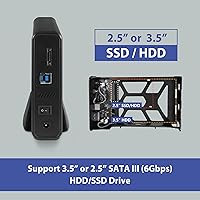
  • Drive Compatibility: Supports 3.5″ and 2.5″ SATA III HDD and SSD drives, with backwards compatibility for SATA II and SATA I.
  • USB Interface: USB 3.2 Gen 1x1 connection delivers maximum transfer rates of up to 5 Gbps.
  • eSATA Interface: eSATA connection supports maximum transfer rates of up to 6 Gbps for performance-critical workflows.
  • UASP Support: UASP (USB Attached SCSI Protocol) is supported to improve throughput and reduce CPU load during transfers.
  • Max Capacity: Compatible with drives up to 20 TB, covering the full range of current consumer-grade hard drives.
  • Casing Material: Constructed from a combination of aluminum and ABS plastic, with aluminum used on the body for passive heat dissipation.
  • Thermal Design: Passive ventilation slots in the aluminum body allow hot air to exhaust and cooler ambient air to circulate around the drive.
  • Hot-Swap Support: Hot-swapping is supported over both USB and eSATA connections on operating systems that enable this feature.
  • Driver Requirement: No drivers are required for Windows or macOS; the enclosure is recognized automatically as a standard storage device.
  • Platform Support: Compatible with PC, Mac, and Linux operating systems without additional software installation.
  • Included Cables: Ships with one shielded USB cable and one eSATA cable, both included in the retail package.
  • Dimensions: Measures 7.87″ long by 4.76″ wide by 1.34″ high when assembled without a drive installed.
  • Weight: The enclosure weighs 14.3 ounces without a drive, making it suitable for permanent desk placement rather than portable use.
  • Max Devices: Accommodates a single drive at a time; it is not a multi-bay unit and does not support RAID configurations.
  • SATA Standard: Supports the SATA III specification at up to 6 Gbps, fully backwards compatible with SATA II and SATA I drives.
  • Use Cases: Designed for desktop storage expansion, DVR and PVR storage offloading, NAS supplementation, and general data archiving.
  • Model Number: The official model number is NST-358SU3-BK, identifying the black color variant of this enclosure.
  • Manufacturer: Made by Vantec Thermal Technologies, a brand specializing in storage and cooling accessories for personal computers.

Related Reviews

Vantec NST-371C31-BK NexStar Gx USB 3.1 Gen 2 Type-C 3.5″ SATA HDD/SSD Enclosure
84%
89%
Performance
94%
Ease of Setup
85%
Build Quality
92%
Compatibility with Systems
88%
Data Transfer Speed
More
Vantec Nexstar GX USB 3.0 Dual 2.5″ SATA SSD/HDD RAID Enclosure
84%
88%
Performance
92%
Build Quality
78%
Ease of Setup
90%
Transfer Speed
85%
RAID Functionality
More
Vantec NexStar Gx USB 3.1 Gen 2 Type-C 2.5” SATA SSD/HDD Enclosure
88%
91%
Data Transfer Speed
95%
Ease of Setup
87%
Build Quality & Durability
88%
Compatibility with Devices
85%
Heat Dissipation
More
ikuai 3.5″ USB 3.0 Hard Drive Enclosure
80%
93%
Ease of Setup
71%
Build Quality
62%
Cable Quality & Reliability
88%
Drive Compatibility
74%
Data Transfer Speed
More
Cenmate 5-Bay Hybrid HDD/NVMe Enclosure
73%
83%
Build Quality
78%
Thermal Management
71%
Transfer Speed
69%
RAID Functionality
76%
Drive Compatibility
More
Syba 5 Bay 2.5″/3.5″ SATA HDD External RAID Enclosure SY-ENC50122
85%
87%
Performance
91%
Ease of Use
89%
Build Quality
85%
Data Transfer Speed
90%
RAID Flexibility
More
ORICO DS500U3 5-Bay 3.5″ HDD Enclosure
72%
93%
Ease of Setup
91%
Drive Installation & Swap
67%
Drive Detection Reliability
72%
Transfer Speed
74%
Cooling & Thermal Management
More
ICY DOCK flexiDOCK MB830SP-B 3-Bay 3.5 Inch SATA/SAS HDD Docking Enclosure
83%
93%
Ease of Installation
88%
Build Quality
87%
Performance & Speed
79%
Cooling Efficiency
65%
Noise Levels
More
Vantec NexStar3 NST-380SU3-BK 3.5″ SATA to USB 3.0 & eSATA External Hard Drive Enclosure
85%
91%
Value for Money
89%
Build Quality
85%
Performance (Transfer Speed)
92%
Ease of Setup
90%
Compatibility (Windows/Mac OS)
More
StarTech USB 3.0 to 2.5″ SATA SSD/HDD Enclosure - 2TB
85%
88%
Data Transfer Speed (UASP)
90%
Build Quality & Durability
85%
Ease of Use (Installation)
87%
Portability & Design
92%
Compatibility (PC & Mac)
More

FAQ

No, you do not. The Vantec NexStar JX 3.5″ HDD Enclosure is fully plug-and-play on Windows 10, Windows 11, and current macOS versions. Just connect the cable, and your operating system will recognize the drive automatically. Linux users may need a quick manual mount depending on their distribution, but no proprietary drivers are required on any platform.

It works with both. The enclosure accommodates standard 3.5-inch desktop drives as well as the smaller 2.5-inch drives pulled from laptops or portable hard drives. Just make sure the drive is a SATA interface — it will not work with older IDE or PATA drives.

Absolutely. The USB 3.2 Gen 1 connection with UASP support is a capable interface on its own — you will get solid real-world transfer speeds that are more than adequate for backups, media access, and archiving. The eSATA port is just there if you have it and want the extra headroom; its absence does not make the enclosure any less functional for everyday USB use.

The enclosure officially supports drives up to 20 TB, so a 12 TB drive should work. That said, a handful of buyers have reported occasional recognition issues with specific high-capacity models, particularly in the 8 TB and above range. If you run into a problem, try connecting via eSATA instead of USB, or check whether the drive needs to be initialized in your operating system's disk management tool.

It stays warm during extended use, but the aluminum body does a reasonable job of drawing heat away from the drive compared to fully plastic alternatives. For most home archiving or DVR recording scenarios, the passive ventilation is adequate. If you plan to run the drive continuously in a warm or enclosed space, make sure there is some airflow around the enclosure — do not leave it buried under cables or inside a closed cabinet.

It works well on Windows 10 and 11 when your system has hot-swap enabled in the device settings. On macOS, the behavior is less consistent — some users swap without issues, while others need to physically unplug and reconnect before the new drive mounts. On Linux, results vary depending on the kernel version and configuration. If reliable hot-swap is a priority for your workflow, Windows is your safest bet with this enclosure.

The package includes both a shielded USB cable and an eSATA cable, so you have everything you need to connect it right away regardless of which interface you plan to use. The cables are functional and sufficient for getting started, though some buyers replace the USB cable with a heavier-gauge aftermarket one for peace of mind in long-term daily use.

The drive sits in a plastic tray that slides into the aluminum shell, and it is reasonably secure for a stationary desk setup. That said, the tray and retention mechanism are among the most commonly criticized aspects by buyers — it does not feel as robust as the aluminum exterior might suggest. For a drive that sits in one place all day, it is fine; for anything that gets moved around frequently, you may want to handle it with some care.

This drive enclosure holds exactly one drive at a time and has no RAID or multi-drive capability. It connects to a single computer as a standard external storage device, not as a network-accessible drive. If you need true NAS functionality or multi-drive management, you will need a purpose-built NAS device — this is not a substitute for that.

Yes, it works on modern macOS without any driver installation. The drive will appear on your desktop or in Finder automatically once connected via USB. Keep in mind that macOS does not natively read NTFS-formatted drives in write mode, so if your drive was formatted for Windows, you may need third-party software or to reformat it to exFAT for full read-write access on both platforms.