Overview

The StarTech S351BMU33ET 3.5″ Hard Drive Enclosure sits in a product category that most buyers only discover when they actually need it — and StarTech has long earned a solid reputation among IT professionals for building tools that hold up in real-world use. This drive enclosure distinguishes itself with dual connectivity: USB 3.0 and eSATA, a combination that is rarer than you might expect at this price tier. The trayless design means drives swap in seconds, no screwdrivers required. Unlike the flimsy plastic shells that dominate the budget end of this market, the metal chassis feels noticeably more substantial — a meaningful difference if you are handling it on a regular basis.
Features & Benefits

This trayless HDD enclosure handles USB 3.0 transfers at up to 5Gbps, which is plenty for most spinning drives without creating a bottleneck. UASP support takes things a step further by reducing CPU overhead during sustained read and write sessions — useful when running diagnostics or large archiving jobs. The eSATA port is a genuine bonus for desktop users; it sidesteps USB controller quirks and delivers lower latency when the host supports it. Backward compatibility with SATA I and II means older drives slot right in without issue. At 8.3″ × 5.3″ × 1.5″, it barely occupies any desk space, and the fanless build keeps operation completely quiet throughout.

Best For

This drive enclosure is a natural fit for anyone working through multiple hard drives on a rotating basis — IT techs pulling drives from decommissioned machines, or home users maintaining separate drives for different backup sets. Data recovery work is another strong use case; the trayless slot makes it easy to drop in an unfamiliar drive without fussing over caddies or screws. Desktop power users with eSATA headers will also appreciate having that option. Worth noting: if you need an always-on external drive with a proper power switch, a more enclosed solution might suit you better. This enclosure is built for frequent access, not permanent installation.

User Feedback

Across 123 ratings, the StarTech docking enclosure holds a 4.3-star average — respectable, though not a runaway hit. Buyers most often praise reliable drive detection and the quality of the metal build relative to competing options. The 2-year warranty and 24/5 multilingual support seem to carry real weight for professional buyers who need backup if something goes wrong. On the downside, a smaller share of users have flagged heat buildup during extended sessions and occasional driver friction on specific systems — neither problem is unusual for this enclosure type, but worth factoring in. eSATA performance impressions vary depending on the host controller. With a modest sample size, the overall sentiment is positive but not yet definitive.

Pros

  • Metal construction feels noticeably more durable than plastic alternatives in the same price range.
  • Trayless slot-in design lets you swap drives in seconds with no tools required.
  • Dual USB 3.0 and eSATA connectivity gives desktop users a rare and practical choice of interface.
  • UASP support keeps CPU usage low during long transfers, which matters in multitasking environments.
  • Backward compatibility with SATA I and II means older drives work without any adapter or fuss.
  • Fanless operation makes this drive enclosure genuinely quiet during normal-length sessions.
  • Plug-and-play on most modern Windows and macOS systems — no drivers to hunt down or install.
  • Compact low-profile footprint fits easily on a busy workbench without getting in the way.
  • Two-year warranty and 24/5 multilingual support add meaningful reassurance for professional buyers.
  • Reliable drive detection earns consistent praise from users across a wide range of HDD brands.

Cons

  • No USB or eSATA cable is included in the box, which is a frustrating omission at this price point.
  • Heat buildup during extended multi-hour sessions is a real concern with no active cooling in place.
  • eSATA performance is highly dependent on host controller quality and cable spec — results vary widely.
  • Driver and UASP compatibility issues have been reported on certain Linux distros and older Windows setups.
  • Only one drive can be connected at a time, limiting usefulness for bulk drive-processing workflows.
  • The insertion slot can feel stiff on first use, occasionally requiring a firm push to seat drives fully.
  • Long-term reliability data is limited given the relatively modest number of reviews available.
  • Cosmetic finish shows scuffs and handling marks relatively quickly under frequent professional use.
  • No vertical stand option means the horizontal footprint is the only configuration available.
  • Buyers unfamiliar with eSATA may find the initial setup less intuitive than the USB side suggests.

Ratings

The StarTech S351BMU33ET 3.5″ Hard Drive Enclosure has been evaluated using AI-assisted analysis of verified global user reviews, with spam, incentivized, and bot-generated feedback actively filtered out before scoring. The ratings below reflect a transparent synthesis of real buyer experiences — covering both what works well and where this trayless HDD enclosure falls short in practice.
Build Quality
86%
The metal chassis is one of the most consistent sources of praise from buyers who have used plastic enclosures before. It feels solid in hand, does not flex when inserting drives, and gives the unit a professional, tool-grade credibility that matches its target audience.
A few users noted the finish shows scuffs and minor scratches relatively quickly with regular handling. For a product aimed at IT professionals who move drives in and out frequently, cosmetic wear is a realistic concern over time.
Ease of Drive Swapping
91%
The trayless slot-in mechanism consistently earns high marks from users who swap drives multiple times per week. There are no caddies to lose or screws to strip — drop the drive in, and it seats firmly. For recovery technicians cycling through unknown drives, this alone justifies the purchase.
A minority of users found the insertion slot slightly tight on first use, requiring a deliberate push to seat certain drives fully. This tends to loosen marginally with repeated use, but out of the box it caught a few buyers off guard.
USB 3.0 Transfer Performance
83%
In everyday use — copying large archives, running disk images, or backing up media collections — USB 3.0 throughput is consistently solid. UASP support keeps CPU usage low during sustained transfers, which matters when running diagnostics alongside other workloads.
Actual throughput is bounded by the mechanical speed of the HDD inside, not the interface, so users expecting SSD-level performance will be disappointed. Some also reported variability depending on which USB controller their system uses, with older chipsets showing inconsistent speeds.
eSATA Connectivity
74%
26%
The eSATA port is a genuine differentiator in this price range. Desktop users with available eSATA headers report lower latency and more stable throughput compared to USB, especially during long sequential read operations like full-disk backups.
eSATA experience varies considerably by host system. A subset of users encountered compatibility issues or found their eSATA controller required additional configuration. Cable quality also plays a role that some buyers underestimate, making setup less plug-and-play than the USB side.
Drive Compatibility
88%
Backward compatibility with SATA I and II is a practical asset when dealing with older drives pulled from legacy systems — a common scenario in IT recovery workflows. Buyers report consistently clean detection of drives across multiple manufacturers and capacities.
As with any passive enclosure, drives with marginal health or power requirements occasionally fail to spin up reliably. This is not unique to this unit, but users troubleshooting finicky drives may find it harder to rule out the enclosure as a variable.
Noise Level
93%
The fanless design makes this one of the quieter enclosures in its category. Users working in home offices or small studio environments specifically called out how unobtrusive it is during extended sessions — the only audible component is the drive itself.
With no active cooling, drives do accumulate heat during long, intensive sessions. While most users do not report thermal throttling, those running the enclosure for several consecutive hours in warm environments noted the metal shell becomes noticeably warm to the touch.
Thermal Management
62%
38%
The metal body does passively dissipate some heat, performing better than plastic alternatives in short to medium-length sessions. For standard backup tasks under an hour, most users report no meaningful heat buildup.
Fanless enclosures have an inherent thermal ceiling, and this one is no exception. Extended archiving jobs or data recovery sessions lasting multiple hours can push drive temperatures into ranges where cautious users would prefer active ventilation. It is a real trade-off worth understanding before buying.
Software & Driver Compatibility
67%
33%
For the majority of users on modern Windows and macOS systems, the plug-and-play experience works exactly as advertised — plug in the cable, the drive mounts, no drivers required. It is genuinely simple in typical conditions.
A recurring thread in negative reviews involves driver friction on certain Linux distributions and older Windows configurations. UASP-related issues on specific USB host controllers have also been reported, occasionally requiring manual driver adjustments that less technical users are not prepared for.
Value for Money
78%
22%
Relative to budget plastic enclosures, the added cost is easy to justify through the metal build and dual-interface connectivity. Buyers upgrading from cheaper units consistently describe it as a worthwhile step up, especially for professional use cases.
Shoppers on tighter budgets will find enclosures at lower price points that cover USB 3.0 adequately for occasional use. The eSATA port and build quality are the real value drivers here — if neither of those matters to a buyer, the premium is harder to defend.
Setup & First Use
84%
Out-of-box experience is straightforward. There is no software to install, no account to create, and no firmware to update. Most buyers are transferring files within a few minutes of opening the box, which is genuinely appreciated in professional workflows where time is a constraint.
The included documentation is minimal, and the eSATA setup in particular assumes a level of familiarity with the interface. Buyers newer to eSATA who expected the same zero-friction experience as USB occasionally found the initial configuration more involved than anticipated.
Physical Footprint & Desk Presence
89%
At under 8.5 inches long and just 1.5 inches tall, this trayless HDD enclosure takes up minimal real estate on a crowded workbench or desk. The low-profile design means it can sit flat near a monitor or server without obstructing workflow.
The horizontal orientation is not adjustable — there is no vertical stand option. In tight spaces where a vertical footprint would be preferable, this could be a minor inconvenience, though it is unlikely to be a dealbreaker for most buyers.
Port & Cable Quality
71%
29%
The USB port feels secure and does not wobble with repeated cable insertions, which matters for an enclosure designed around frequent drive swapping. The connection holds stable during sustained transfers without dropout issues in the majority of reported uses.
The eSATA port received a handful of complaints about cable retention feeling less positive than expected. Some users also noted that neither an eSATA cable nor a USB cable is included, which is a reasonable criticism at this price point.
Brand Support & Warranty
82%
18%
The 2-year warranty and access to 24/5 multilingual technical support are meaningful reassurances for professional buyers who need a point of contact when something goes wrong. StarTech has a reasonably solid reputation for following through on warranty claims.
Support quality for this specific product, based on available feedback, is not as extensively documented as the hardware itself. With a relatively modest review count, it is difficult to gauge how responsive the support team is in practice for edge-case issues.
Long-Term Reliability
73%
27%
Among buyers who have used this drive enclosure for over a year, the general sentiment is that it holds up well under regular — though not continuous — use. The metal chassis shows no structural degradation, and the USB port maintains its integrity over many insertion cycles.
The sample size of long-term reviewers is too small to draw firm conclusions. A few users reported intermittent detection issues appearing after six or more months of use, though it is unclear whether the cause lies with the enclosure, the drive, or the host system.

Suitable for:

The StarTech S351BMU33ET 3.5″ Hard Drive Enclosure is purpose-built for anyone who works with multiple hard drives on a rotating basis rather than needing a permanent external storage fixture. IT professionals decommissioning old machines, running drive diagnostics, or maintaining organized backup libraries will find the trayless design cuts down on friction during repetitive workflows. Data recovery technicians in particular benefit from the ability to drop in an unfamiliar drive and get a read on it without wrestling with caddies or screws. Desktop users with an available eSATA header will appreciate having that lower-latency option alongside USB 3.0, giving them flexibility depending on the task. Home users who rotate a handful of drives for periodic backups — rather than keeping one drive permanently plugged in — will also find this enclosure well-matched to their habits. Anyone moving up from a flimsy plastic enclosure and wanting something that feels more durable and professional without stepping into enterprise pricing will find this a logical upgrade.
Not suitable for:

Buyers looking for a set-it-and-forget-it external drive solution should think carefully before choosing the StarTech S351BMU33ET 3.5″ Hard Drive Enclosure, since its trayless design is optimized for access and swapping rather than always-on, permanently mounted storage. If you need a drive running continuously for weeks at a stretch — as a NAS alternative, a media server, or a constantly-active backup target — the fanless thermal design becomes a real concern, as heat can accumulate during prolonged sessions. Users on Linux systems or older Windows configurations should also be aware that driver friction has been a pain point for a portion of buyers, and the plug-and-play experience is not universally guaranteed across every setup. Those expecting cables to be included in the box will be disappointed, as neither a USB nor an eSATA cable ships with the unit. Buyers who only need to access an external drive occasionally and are not particularly swapping drives might find simpler, lower-cost options meet their needs just as well without the added outlay.

Specifications

  • Model Number: This enclosure carries the official model designation S351BMU33ET, manufactured by StarTech.com.
  • Form Factor: Designed exclusively for 3.5″ SATA hard disk drives; SSDs or 2.5″ drives are not compatible without an adapter.
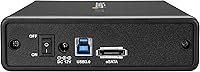
  • Interface: Connects via USB 3.0 (up to 5Gbps) or eSATA, with both ports available simultaneously on the rear panel.
  • UASP Support: USB Attached SCSI Protocol (UASP) is supported, reducing CPU overhead and improving sustained transfer throughput on compatible host controllers.
  • SATA Compatibility: Compatible with SATA I, II, and III drives, allowing use with both current and legacy hard drives without any additional hardware.
  • Max Capacity: Supports hard drives up to 3.5TB in capacity, covering the majority of standard desktop HDDs available at time of release.
  • Dimensions: The enclosure measures 8.3″ long by 5.3″ wide by 1.5″ tall, providing a compact, low-profile desk footprint.
  • Weight: The unit weighs 1.15 pounds without a drive installed, reflecting its solid metal construction without being cumbersome.
  • Material: The chassis is constructed from metal, offering better passive heat dissipation and structural rigidity compared to plastic alternatives.
  • Cooling System: Fanless passive cooling design keeps the enclosure silent during operation, relying on the metal body to dissipate drive heat.
  • Drive Mechanism: Trayless, tool-free slot-in design allows drives to be inserted and removed directly without screws, caddies, or mounting hardware.
  • Plug and Play: Recognized natively by modern Windows and macOS operating systems without requiring driver installation under standard operating conditions.
  • Color: Available in black with a matte metal finish suited to professional desktop and workbench environments.
  • Power Source: Powered via the included external power adapter; the drive receives power through the enclosure rather than from the USB bus.
  • Max Drive Count: Supports a single 3.5″ SATA drive at a time; multi-drive or RAID configurations are not supported.
  • Warranty: Backed by a 2-year manufacturer warranty covering defects in materials and workmanship under normal use conditions.
  • Technical Support: StarTech.com provides free 24/5 multilingual technical assistance for the lifetime of the product.
  • Cables Included: No USB or eSATA cables are included in the box; buyers must supply their own connectivity cables.

Related Reviews

ikuai 3.5″ USB 3.0 Hard Drive Enclosure
80%
93%
Ease of Setup
71%
Build Quality
62%
Cable Quality & Reliability
88%
Drive Compatibility
74%
Data Transfer Speed
More
Inateck FE3001 3.5-inch Hard Drive Enclosure
79%
88%
Build Quality
83%
Drive Compatibility
79%
Transfer Speed
74%
Heat Management
91%
Setup & Ease of Use
More
ORICO 3.5″ External Hard Drive Enclosure SATA III to USB 3.1 Type C
84%
92%
Ease of Setup
90%
Data Transfer Speed
85%
Build Quality
88%
Compatibility with OS
87%
Shock Protection
More
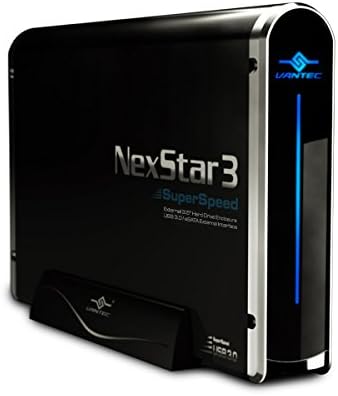
Vantec NexStar3 NST-380SU3-BK 3.5″ SATA to USB 3.0 & eSATA External Hard Drive Enclosure
85%
91%
Value for Money
89%
Build Quality
85%
Performance (Transfer Speed)
92%
Ease of Setup
90%
Compatibility (Windows/Mac OS)
More
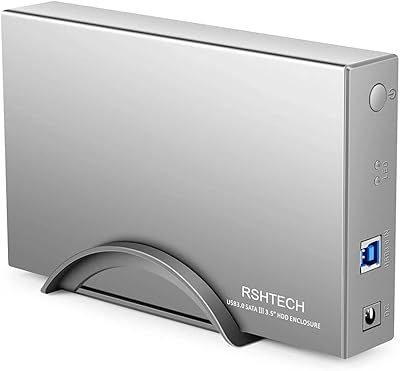
RSHTECH RSH-339 3.5-inch Hard Drive Enclosure
85%
91%
Value for Money
88%
Build Quality
93%
Data Transfer Speed
85%
Setup/Installation
87%
Power Consumption & Energy Efficiency
More
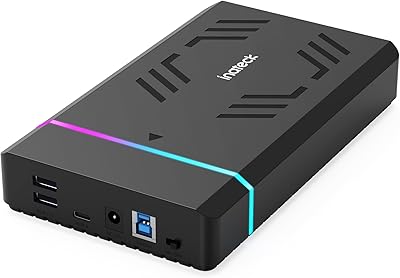
Inateck FE3003 RGB 3.5-Inch Hard Drive Enclosure, 20TB
86%
89%
Performance
95%
Setup/Installation
88%
Build Quality
91%
Storage Capacity
87%
Data Transfer Speed
More
Cenmate 5-Bay Hybrid HDD/NVMe Enclosure
73%
83%
Build Quality
78%
Thermal Management
71%
Transfer Speed
69%
RAID Functionality
76%
Drive Compatibility
More
Yottamaster PS500C3 5-Bay Hard Drive Enclosure 90TB
82%
85%
Build Quality
91%
Ease of Installation
78%
Cooling Performance
82%
Data Transfer Speed
96%
Storage Capacity
More
Yottamaster PS500U3 5-Bay External HDD Enclosure
74%
84%
Build Quality
79%
Cooling Performance
61%
Transfer Speed
88%
Drive Compatibility
91%
Ease of Installation
More
Seagate Barracuda ST500DM002 500GB 3.5″ Internal Hard Drive
87%
88%
Performance
91%
Reliability
95%
Installation Ease
70%
Noise Levels
92%
Value for Money
More

FAQ

It works with virtually any 3.5″ SATA hard drive regardless of manufacturer — Seagate, Western Digital, Toshiba, HGST, and others all seat and run without issue. The only firm requirement is that the drive uses the SATA interface; older IDE or PATA drives will not fit or function.

In most cases, no. On modern Windows 10, Windows 11, and recent macOS versions, the enclosure is recognized automatically once plugged in. UASP may require a driver on older operating systems, but for the majority of current setups you can expect a straightforward plug-and-play experience.

No — this trayless HDD enclosure connects to one host at a time. You can choose either USB or eSATA on a given session, but it is not designed for simultaneous dual-host access or any form of network sharing.

A power adapter is included in the box. What is not included are the data cables — you will need to supply your own USB 3.0 cable or eSATA cable depending on which interface you plan to use.

The metal body does a reasonable job of passively dissipating heat for sessions under an hour or two. For extended operations — multi-hour backups, full disk imaging, or data recovery jobs that run overnight — the enclosure and the drive inside can become noticeably warm. It is worth monitoring drive temperatures with a utility like CrystalDiskInfo if you are doing prolonged work.

It can work on Linux, but the experience is less consistent than on Windows or macOS. Some users report smooth detection out of the box, while others have encountered issues related to UASP support and specific USB host controller drivers. If Linux compatibility is a priority, it is worth testing your specific distribution before committing to it as a production tool.

The trayless design means there is no dedicated eject button. You safely eject the drive through your operating system first, then pull it out of the slot by hand. The slot holds the drive with light friction, so removal is straightforward but requires a deliberate pull rather than a tool.

No — this drive enclosure is designed for horizontal use only and does not ship with a vertical stand or mount. If vertical placement is important to your setup, you would need to source a third-party stand that fits the unit's dimensions.

For mechanical hard drives, the practical difference is often modest because the drive itself is the bottleneck rather than the interface. That said, eSATA tends to offer lower latency and more stable sustained throughput, which can make a difference in sequential workloads like disk imaging. The gap is most noticeable when your USB host controller is older or shared with other active devices.

The official maximum listed capacity is 3.5TB. Drives larger than that may not be recognized correctly, as the enclosure was designed and tested around drive capacities available at the time of its release. If you are using a newer high-capacity drive, it is worth checking StarTech's support resources for updated compatibility information.

Where to Buy