Overview

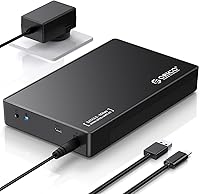
The ORICO 3588C3 3.5″ Hard Drive Enclosure is one of the more sensible ways to give an old desktop hard drive a second life — or simply expand your storage without spending on a brand-new external drive. Around since 2016, this hard drive enclosure has built a quiet reputation for doing exactly what it promises: plug in a 3.5-inch SATA drive, connect it to your PC, and start using it. The tool-free design makes it genuinely accessible to anyone, not just tinkerers. It works over a USB 3.1 Type-C interface and plays nicely with both Windows and Linux. Just keep in mind — this is a single-bay enclosure, not a multi-drive NAS or RAID setup.

Features & Benefits

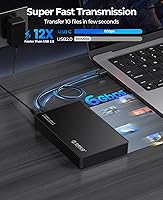
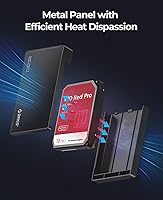
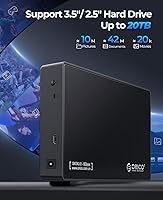
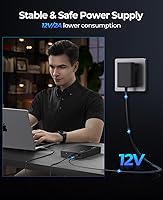
The ORICO enclosure uses a USB 3.1 Gen 1 to SATA III bridge, which tops out at 5Gbps — the same ceiling as USB 3.0, if we are being precise. What actually moves the needle day-to-day is UASP support, which reduces command overhead and translates to noticeably snappier large file transfers compared to the older BOT protocol. It handles 3.5-inch SATA drives up to 20TB, so capacity is rarely a limiting factor. Installation is genuinely effortless: slide the drive into the tray, close it up, and plug in. The bundled 12V power adapter is a necessity — 3.5-inch drives demand more juice than USB alone can deliver. An internal foam layer and an LED activity light round things out nicely.

Best For

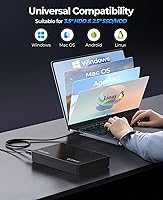
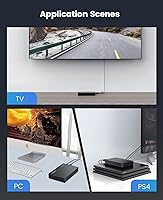
This drive caddy makes the most sense for PC upgraders who pulled a perfectly good HDD from an old build and want to keep using it externally. Home users and small offices that need a no-fuss way to add storage will find the plug-and-play setup refreshing — no drivers, no partitioning software, nothing extra to install. It is also a solid pick for anyone doing occasional large file transfers, like video projects or archival backups, where simplicity matters more than raw speed. Windows and Linux users are well covered; macOS compatibility is not officially listed, so Mac users should verify before buying. If you want a dedicated single-drive solution rather than a multi-bay dock, this fits the bill cleanly.

User Feedback

With over 6,000 ratings and a 4.4-star average, the verdict from real buyers is largely positive. Most praise how quickly they got up and running, and the included power adapter gets consistent credit for working reliably out of the box. That said, the feedback is not uniformly glowing. A recurring complaint involves connection dropouts after prolonged use or with specific drive models — something worth noting if you plan to rely on this daily. The chassis feels light for its size, which some interpret as flimsiness rather than a thoughtful weight reduction. On the speed side, users with USB 3.1-capable host ports often notice a genuine improvement from UASP, but those still on older ports will not see that efficiency gain.

Pros

  • Tool-free installation means you can have a drive up and running in under two minutes, no screwdrivers needed.
  • Supports SATA HDDs up to 20TB, so you are unlikely to outgrow the enclosure anytime soon.
  • UASP support delivers meaningfully faster transfers when paired with a USB 3.1-capable host port.
  • The included 12V power adapter provides stable, consistent power that bus-powered solutions simply cannot match for 3.5-inch drives.
  • Works out of the box on Windows and Linux with no driver installation required.
  • Internal foam padding gives the installed drive a reasonable buffer against bumps during storage or transport.
  • The LED activity indicator makes it easy to know at a glance whether the drive is actively working or idle.
  • A long-running product with over 6,000 customer reviews and a 4.4-star average speaks to consistent real-world dependability.
  • The USB Type-A to Type-C cable is included, so you are not hunting for accessories on day one.

Cons

  • Some users have reported intermittent connection drops after extended periods of use, which can be frustrating for daily workflows.
  • Compatibility issues with certain drive brands have surfaced in user reports, so testing your specific HDD is advisable.
  • The external power brick is unavoidable and adds a second cable to manage on your desk.
  • The ABS plastic chassis feels noticeably lightweight, which can undermine confidence in its long-term durability.
  • macOS compatibility is unconfirmed by the manufacturer, making it a risky purchase for Mac users without prior verification.
  • Only one drive bay means there is no upgrade path if you later need to manage multiple drives simultaneously.
  • Users on older USB 3.0 ports will not benefit from UASP acceleration, leaving some of the enclosure’s potential untapped.
  • No hardware encryption is offered, which matters for anyone storing sensitive personal or business data.

Ratings

The scores below reflect an AI-driven analysis of thousands of verified global buyer reviews for the ORICO 3588C3 3.5″ Hard Drive Enclosure, with automated filtering applied to remove incentivized, duplicate, and bot-generated feedback. Each category is scored independently to surface both where this drive caddy genuinely earns its reputation and where real users have run into friction. Nothing has been softened — the pain points are represented as clearly as the strengths.

Ease of Installation
93%
Buyers consistently describe getting their drive up and running in under three minutes with zero technical knowledge required. The tool-free tray mechanism is one of the most frequently praised aspects across thousands of reviews, with many users noting they successfully installed a salvaged desktop drive on their first try without consulting any instructions.
A small number of users found the SATA connector alignment slightly fiddly when inserting older or heavier drives, particularly if the drive was not centered properly before pushing it in. The user manual is also described as minimal, which can be a minor hurdle for absolute beginners.
Transfer Performance
74%
26%
When connected to a USB 3.1-capable host port with UASP active, users report noticeably faster large-file transfers compared to older USB 3.0 enclosures. For typical home use cases like offloading video footage or running disk backups, the real-world throughput is more than adequate.
The USB 3.1 Gen 1 interface shares the same 5Gbps ceiling as USB 3.0, so buyers expecting a substantial leap in raw speed will be disappointed. Users on older USB 3.0 ports see no UASP benefit at all, and the performance gap versus Thunderbolt or USB 3.2 Gen 2 enclosures is significant for heavy workloads.
Build Quality
67%
33%
The hybrid ABS plastic and metal construction holds up well for most home or office desk setups, and the enclosure shows minimal flex or creaking even after prolonged use. The internal foam padding is a thoughtful touch that several buyers called out specifically as adding reassurance when moving the unit.
The predominantly plastic chassis feels noticeably lightweight in hand, which has led many buyers to question its long-term durability, even when the unit itself is functioning fine. A meaningful portion of critical reviews specifically mention that the build feels less premium than the price point implies.
Connection Reliability
61%
39%
The majority of buyers report stable, uninterrupted connectivity during everyday use, with the enclosure maintaining a solid connection through hours of file transfers and backup sessions. For light to moderate workloads, this drive caddy performs consistently without needing to be disconnected and reconnected.
Intermittent disconnects are the most commonly cited complaint in critical reviews, particularly among users running the enclosure for extended sessions or pairing it with specific drive brands. The issue appears inconsistent — some users never encounter it, while others find it a recurring problem that undermines confidence in the unit.
Value for Money
83%
For buyers repurposing an existing desktop drive, the ORICO enclosure offers a cost-effective way to extend the life of hardware they already own. The inclusion of both a power adapter and USB cable in the box means there are no hidden add-on costs to get started, which buyers consistently appreciate.
Users who experience connectivity issues or who need continuous-duty performance may feel the value proposition erodes over time relative to pricier but more robust alternatives. A small number of buyers also noted that replacement units or warranty support required more effort than expected.
Drive Compatibility
78%
22%
Support for 3.5-inch SATA HDDs up to 20TB covers virtually every consumer desktop drive on the market, making this enclosure a broadly compatible option for most use cases. Users with drives from major brands like Seagate, Western Digital, and Toshiba generally report smooth, issue-free operation.
Some buyer reports indicate compatibility problems with specific drive models, particularly older or less common brands, leading to recognition failures or unstable connections. The enclosure also does not support 2.5-inch drives or SSDs, which limits flexibility for buyers who might want to switch drive types later.
Power Stability
81%
19%
The bundled 12V dedicated power adapter delivers the steady voltage that 3.5-inch drives require, and buyers frequently credit it for eliminating the spin-up failures and read errors that plague underpowered enclosures. Long-time users note that the adapter has held up reliably over years of regular use.
The external power brick is a permanent physical commitment on the desk, requiring an additional outlet and adding cable clutter that several buyers found annoying in tighter workspaces. A handful of users also reported receiving units with faulty adapters out of the box, requiring a replacement before the enclosure worked correctly.
OS Compatibility
72%
28%
Windows and Linux users benefit from true plug-and-play operation with no driver downloads or manual configuration needed, which simplifies setup considerably. The enclosure has been around long enough that both operating systems handle it seamlessly across many generations of hardware.
macOS is conspicuously absent from the official compatibility list, which is a real limitation given how many potential buyers use Macs. While some users report it working on macOS anyway, the lack of official support means there is no guarantee, and troubleshooting becomes a self-directed exercise.
Setup Speed
89%
The combination of tool-free installation and plug-and-play OS recognition means most users go from opening the box to accessing their files in well under five minutes. This is one of the most consistently praised aspects across reviews from non-technical users who had never installed a drive enclosure before.
Users who need to format a new drive or troubleshoot a previously used drive may find the bare-bones included documentation insufficient, requiring them to seek help online. The setup experience is smooth when everything works, but the enclosure provides little guidance when something does not.
Portability
58%
42%
At just 8.5 ounces without a drive, the enclosure itself is light enough to toss in a bag without adding much weight. The compact footprint keeps desk occupancy minimal, which buyers working in small spaces appreciate.
Realistically, this is a desktop-class device that requires both a power adapter and a data cable at all times, making it poorly suited for true on-the-go use. The need to carry the power brick wherever the enclosure goes significantly undermines any portability advantage the lightweight chassis might offer.
Long-term Durability
63%
37%
Many buyers have owned this drive caddy for multiple years and report continued reliable operation with the same drive installed throughout, suggesting the core electronics are reasonably durable under normal desk use. The product’s eight-year market presence without discontinuation is a reassuring sign of baseline quality control.
A recurring theme in lower-rated reviews involves performance degrading or connections becoming unreliable after six to eighteen months of regular use. The plastic housing also shows wear and discoloration over time, which, while cosmetic, adds to the perception that the unit does not age particularly gracefully.
Thermal Management
69%
31%
The enclosure’s open-sided and slim profile allows for passive airflow around the installed drive, which is adequate for typical intermittent backup or file-transfer workloads. Most buyers doing occasional large transfers report no unusual heat buildup during normal sessions.
There is no active cooling, fan, or ventilation system integrated into the chassis, which becomes relevant if the enclosure is used for sustained high-throughput tasks over several hours. Users who have run drives continuously inside this caddy report that both the drive and the enclosure body can become warm to the touch.
Indicator Feedback
76%
24%
The LED activity light gives users a simple, instant visual cue that the drive is powered and transferring data, which is especially useful when the enclosure is positioned out of direct sight. Buyers specifically mention appreciating it during long backup jobs as confirmation the process is still running.
The indicator is limited to a single light with no differentiation between idle, active transfer, or error states, so it offers little diagnostic value when something goes wrong. A few buyers noted that the LED on their unit stopped functioning after several months, though the enclosure continued to work otherwise.
Packaging & Accessories
77%
23%
The box includes every accessory needed to start using the enclosure immediately: a power adapter, a USB cable, and basic documentation, with no extra purchases required. Buyers generally find the packaging adequate for protecting the unit during shipping.
The included USB Type-A to Type-C cable is functional but relatively short, which limits placement flexibility on larger desks or in setups where the computer is not nearby. Some buyers also noted they would have preferred a Type-C to Type-C cable to take full advantage of modern ports on newer laptops.

Suitable for:

The ORICO 3588C3 3.5″ Hard Drive Enclosure is an excellent fit for anyone who has upgraded their desktop PC and has a perfectly good SATA hard drive sitting idle. Instead of letting that drive collect dust, this caddy turns it into a plug-and-play external storage solution in minutes, with no technical background required. Home users and small office workers who need a reliable place to store backups, large media libraries, or archived project files will find it straightforward and dependable. It is also a smart pick for Windows and Linux users who want broad compatibility without being locked into a proprietary ecosystem. If your workflow involves occasional large file transfers rather than constant high-speed access, this enclosure handles the job without overcomplicating things.

Not suitable for:

Buyers expecting this to function as a multi-drive storage hub or NAS replacement will be disappointed — the ORICO 3588C3 3.5″ Hard Drive Enclosure holds a single drive only, full stop. It is also not a great choice for anyone needing to move terabytes of data quickly on a tight schedule, since the USB 3.1 Gen 1 interface shares the same 5Gbps ceiling as older USB 3.0 and is not a substitute for Thunderbolt or USB 3.2 Gen 2 speeds. Mac users should proceed cautiously, as macOS compatibility is not officially listed and has not been confirmed by the manufacturer. Those who need a drive enclosure running continuously in a production or server environment may also find the long-term reliability reports from some users concerning. Finally, if desk clutter bothers you, the external power brick is a permanent fixture of this setup and cannot be avoided.

Specifications

  • Model Number: This enclosure is officially designated as the ORICO 3588C3.
  • Drive Form Factor: Designed exclusively for 3.5-inch SATA hard disk drives; 2.5-inch drives and SSDs are not supported.
  • Host Interface: Connects to the host computer via USB 3.1 Gen 1 Type-C, delivering a maximum transfer rate of 5Gbps.
  • Storage Protocol: Uses a SATA III internal interface to communicate with the installed hard drive.
  • UASP Support: Supports the USB Attached SCSI Protocol (UASP), which reduces latency and improves throughput efficiency over the older BOT protocol.
  • Max Capacity: Compatible with 3.5-inch SATA HDDs up to 20TB in storage capacity.
  • Drive Bays: Houses a single hard drive only; no multi-drive or RAID configurations are supported.
  • Power Supply: Powered by an included external 12V DC power adapter, which is required for stable operation of 3.5-inch drives.
  • Included Cable: Ships with one USB Type-A to Type-C cable for connecting the enclosure to the host device.
  • OS Compatibility: Officially compatible with Windows and Linux operating systems; macOS compatibility is not confirmed by the manufacturer.
  • Dimensions: The enclosure measures 7.64 x 4.65 x 1.22 inches (approximately 194 x 118 x 31 mm).
  • Weight: The unit weighs 8.5 ounces (240g) without a drive installed.
  • Materials: The chassis is constructed from a combination of ABS plastic and metal components.
  • Drive Protection: Internal shock-absorbing foam padding cushions the installed drive against minor impacts during storage or transport.
  • Activity Indicator: An LED light on the enclosure illuminates to confirm that the drive is powered and actively transferring data.
  • Installation: Drive installation is tool-free; the drive slides into the tray and is secured without screws or additional hardware.
  • Plug and Play: No drivers or software installation are required; the enclosure is recognized automatically by compatible operating systems upon connection.
  • First Available: This product was first made available to consumers in August 2016, reflecting a well-established market presence.

Related Reviews

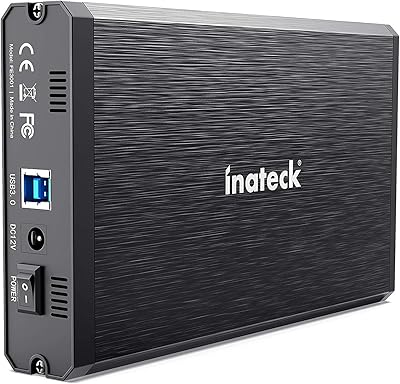
ikuai 3.5″ USB 3.0 Hard Drive Enclosure
80%
93%
Ease of Setup
71%
Build Quality
62%
Cable Quality & Reliability
88%
Drive Compatibility
74%
Data Transfer Speed
More
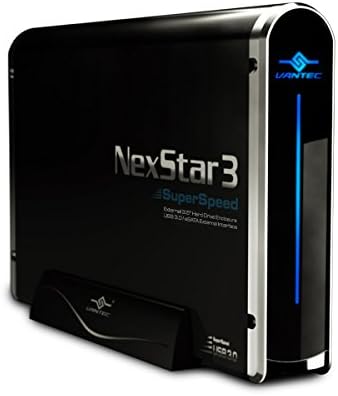
Inateck FE3001 3.5-inch Hard Drive Enclosure
79%
88%
Build Quality
83%
Drive Compatibility
79%
Transfer Speed
74%
Heat Management
91%
Setup & Ease of Use
More
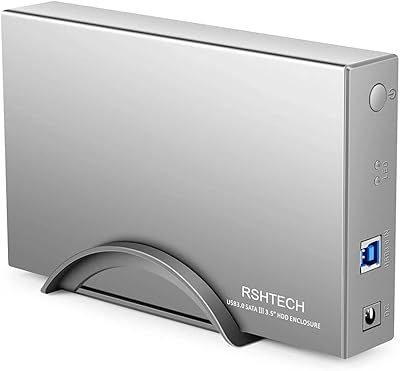
Vantec NexStar3 3.5″ External Hard Drive Enclosure
77%
88%
Build Quality
82%
Transfer Performance
84%
Thermal Management
86%
Ease of Setup
71%
Compatibility
More
RSHTECH RSH-339 3.5-Inch Hard Drive Enclosure
81%
86%
Build Quality
92%
Ease of Setup
71%
Data Transfer Speed
78%
Drive Compatibility
89%
Power Delivery
More
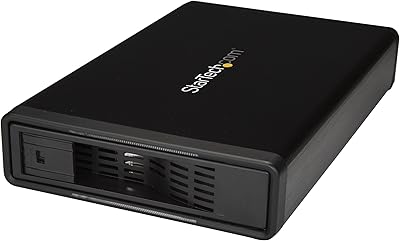
StarTech S351BMU33ET 3.5″ Hard Drive Enclosure
80%
86%
Build Quality
91%
Ease of Drive Swapping
83%
USB 3.0 Transfer Performance
74%
eSATA Connectivity
88%
Drive Compatibility
More
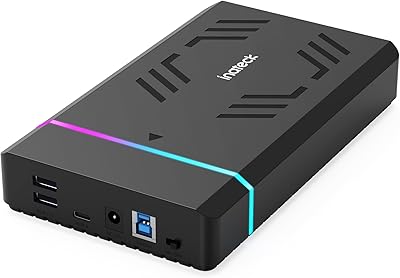
Inateck FE3003 3.5-Inch Hard Drive Enclosure
77%
93%
Ease of Setup
78%
Transfer Speed
74%
Build Quality
61%
Thermal Management
71%
USB Hub Utility
More
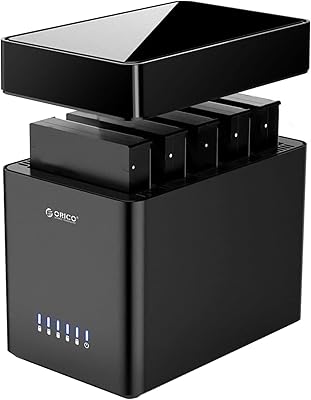
ORICO DS500U3 5-Bay 3.5″ HDD Enclosure
72%
93%
Ease of Setup
91%
Drive Installation & Swap
67%
Drive Detection Reliability
72%
Transfer Speed
74%
Cooling & Thermal Management
More
Cenmate 5-Bay Hybrid HDD/NVMe Enclosure
73%
83%
Build Quality
78%
Thermal Management
71%
Transfer Speed
69%
RAID Functionality
76%
Drive Compatibility
More
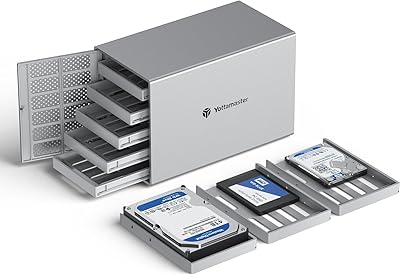
Yottamaster PS500C3 5-Bay USB-C HDD Enclosure

72%
83%
Build Quality
57%
Transfer Speed
88%
Drive Compatibility
91%
Ease of Setup
73%
Thermal Management
More
Yottamaster PS500U3 5-Bay External HDD Enclosure
74%
84%
Build Quality
79%
Cooling Performance
61%
Transfer Speed
88%
Drive Compatibility
91%
Ease of Installation
More

FAQ

No, you do not. The ORICO 3588C3 3.5″ Hard Drive Enclosure is fully plug-and-play on Windows and Linux. Just connect it, wait a few seconds for your OS to recognize the drive, and it is ready to use.

macOS is not listed in the official compatibility specifications, so we cannot confirm it will work reliably. Some users have reported it functioning on Macs, but since the manufacturer does not officially support it, you proceed at your own risk. If macOS compatibility is essential, verify before purchasing.

No, this drive caddy is designed specifically for 3.5-inch SATA hard drives. It will not physically or electrically accommodate 2.5-inch drives or SSDs. You would need a separate 2.5-inch enclosure for those.

The 20TB figure reflects the largest 3.5-inch SATA drives available at the time this spec was confirmed, and the SATA III interface itself has no practical capacity ceiling that would block larger drives. That said, always check for firmware updates if you plan to use a very large or newly released drive model.

UASP stands for USB Attached SCSI Protocol, and it reduces the overhead involved in processing storage commands compared to the older Bulk-Only Transfer method. In practice, you will notice the difference mainly during sustained large file transfers — think backing up a full movie library rather than copying a few documents. You also need a USB 3.1-capable port on your computer for UASP to activate; older USB 3.0 ports will fall back to standard mode.

The 12V power adapter is included in the box, so you do not need to source one separately. This is worth noting because 3.5-inch drives require more power than a USB port can supply on its own, and using an underpowered or mismatched adapter can cause instability.

It is genuinely straightforward. You slide the drive into the enclosure tray, align the SATA connector, push it into place, and close the casing. No screws, no tools. The whole process typically takes under two minutes even if you have never done it before.

It does come up in a noticeable minority of reviews, particularly from users running the enclosure continuously over long periods or with specific drive brands. It is not universal — the majority of buyers report stable, reliable operation. If you do experience drops, try a different USB port or cable first, as these are common culprits before blaming the enclosure itself.

Technically you can, but this enclosure is not marketed or rated for always-on NAS-style duty cycles. For occasional backups or periodic file transfers it is well-suited, but if you need around-the-clock uptime, a purpose-built NAS enclosure with better thermal management would be a smarter long-term investment.

The lightweight feel comes from the ABS plastic outer shell, which does contribute to some buyers feeling uncertain about build quality. That said, the internal foam padding does provide genuine cushioning for the drive against incidental bumps. It is not designed for rugged field use, but for desktop or home office environments it holds up well in the long run for most users.