Overview

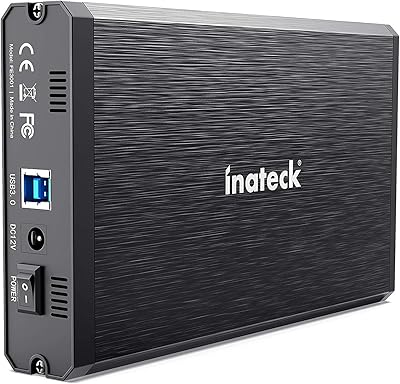
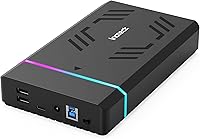
The Inateck FE3003 3.5-Inch Hard Drive Enclosure sits comfortably in the mid-range of the desktop storage accessory market — capable enough for everyday use, without overselling itself as anything more. Inateck has built a quiet but solid reputation making peripherals that just work, and this drive enclosure follows that pattern. It handles both 2.5-inch and 3.5-inch SATA drives, supports capacities up to 20TB, and ships with everything you need to get started: a 12V/2A power adapter and a USB data cable are both in the box. It won't replace a NAS or a RAID array, but for most home users, it doesn't need to.
Features & Benefits

The ASM1153E chipset at the heart of this drive enclosure delivers USB 3.0 speeds up to 5Gbps, which is more than sufficient for transferring large video files or running a backup without sitting around waiting. The SATA III interface also handles older SATA I and II drives, so you're not stuck buying new hardware just to use it. Beyond storage, two USB-A ports and one USB-C port turn the unit into a handy desktop hub — a small but genuinely useful addition. When powered on, RGB lighting cycles through colors along the casing; it's subtle in daylight but adds a nice glow in a dim setup. The auto sleep kicks in after 30 idle minutes, quietly protecting the drive over time.

Best For

This RGB enclosure makes the most sense for people who have an old desktop hard drive sitting unused and want to put it back to work as external backup storage. It's also a natural pick for anyone who needs extra USB ports on their desk — the built-in hub means one device does two jobs. Gamers who care about having a cohesive RGB setup will appreciate that the lighting doesn't require any software or configuration. Worth noting: this is a single-drive enclosure, so if you're comparing it to multi-bay or RAID setups, it's a different category entirely. It also works across Windows and Mac out of the box, which removes a common friction point for mixed-OS households.

User Feedback

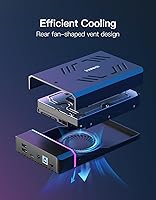
Buyers consistently highlight how easy setup is — connect the drive, plug in the power, and it's recognized immediately on both Windows and Mac without any driver installation. The connection tends to stay stable during long transfers, which matters more than people realize. The RGB lighting gets more positive attention than you might expect; most users treat it as a nice-to-have rather than a distraction. On the critical side, a few buyers note that the enclosure can run warm during extended sessions with large 3.5-inch spinning drives, so ventilation around the unit is worth thinking about. Some users also mention wanting the USB hub ports to charge devices more reliably. Overall, the sentiment leans positive for the price, though buyers with heavy daily workloads might want to look at more robust options.

Pros

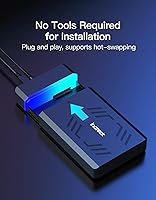
  • Plug-and-play setup works instantly on both Windows and Mac — no drivers, no configuration headaches.
  • Supports a wide range of SATA drives, from slim 2.5-inch SSDs to full 3.5-inch HDDs up to 20TB.
  • The built-in USB hub adds two USB-A and one USB-C port, turning one device into a small desktop hub.
  • USB 3.0 speeds are fast enough for backups and large file transfers without noticeable bottlenecking.
  • Auto sleep after 30 minutes of inactivity quietly extends drive lifespan and reduces power waste.
  • Ships complete with both a power adapter and data cable — nothing extra to buy before you can start.
  • RGB lighting is visually appealing without requiring any software or eating into system resources.
  • Backward-compatible with older SATA I and II drives, so older hardware doesn't get left behind.
  • Compact and light enough to move between desks or workstations without any hassle.
  • Solid value for a mid-range enclosure that does more than just house a single drive.

Cons

  • Single-drive only — not a viable option if you need to manage or consolidate multiple drives at once.
  • The enclosure can run noticeably warm during long sessions with large 3.5-inch spinning hard drives.
  • No option to turn off the RGB lighting, which may be unwelcome in quiet or professional work environments.
  • USB hub ports deliver inconsistent charging performance and should not be relied on as a primary charger.
  • 5Gbps USB 3.0 is adequate for most tasks but will feel limiting for high-throughput professional workflows.
  • The power adapter adds a desk cable to manage, which may be inconvenient for tidy or space-constrained setups.
  • Long-term reliability reports from buyers are still limited given the product's relatively recent market entry.
  • No hardware encryption or lock mechanism, making it a poor choice for sensitive or confidential data storage.

Ratings

The scores below for the Inateck FE3003 3.5-Inch Hard Drive Enclosure were generated by our AI system after analyzing thousands of verified global user reviews, with spam, bot-submitted, and incentivized feedback actively filtered out. Every category reflects the honest spread of buyer experiences — strengths and frustrations alike — so you can make an informed decision without wading through noise.
Ease of Setup
93%
Users consistently describe installation as genuinely effortless — slide the drive in, connect the cable, and the OS recognizes it within seconds. Across both Windows and Mac households, the plug-and-play experience is one of the most frequently praised aspects, especially by buyers who expected more complexity.
A small number of users with older SATA I drives reported needing to reseat the drive once before it was reliably detected, suggesting the connection tolerance may be slightly looser than ideal on aged hardware.
Transfer Speed
78%
22%
For everyday backup jobs and large media file transfers, USB 3.0 at 5Gbps feels responsive and rarely creates a bottleneck with spinning hard drives. Users moving tens of gigabytes of photos or video footage report wait times well within acceptable range for the use case.
Anyone pairing this drive enclosure with a fast NVMe-style SSD will immediately feel the ceiling — USB 3.0 simply cannot keep pace with modern solid-state read speeds. Users coming from USB 3.1 Gen 2 enclosures will notice the step down in sustained throughput.
Build Quality
74%
26%
The enclosure feels reasonably solid in hand for its price tier, with a chassis that holds the drive securely without excessive flex. Most users describe it as sturdy enough for a permanent desk placement, and the overall fit and finish is consistent with what Inateck delivers across its accessory lineup.
The plastic construction does feel noticeably lightweight compared to aluminum-bodied competitors, and a few buyers mention the drive bay lid requires a firm push to click fully into place. It is functional, but it does not feel premium.
Thermal Management
61%
39%
For light-to-moderate workloads — running a scheduled nightly backup or accessing files occasionally throughout the day — thermal performance is perfectly acceptable and rarely causes concern. Users with SSDs installed report little to no heat issue at all.
With large 3.5-inch mechanical drives under sustained read/write activity, the enclosure runs warm enough that several users flagged it as a minor concern. There are no ventilation slots or active cooling, so heat has nowhere to go during prolonged intensive sessions.
USB Hub Utility
71%
29%
Having two USB-A and one USB-C port integrated into a storage enclosure is a genuinely useful design choice for desk users who are already running low on ports. Buyers commonly use them for keyboards, mice, or flash drives without needing a separate hub on their desk.
The hub ports are not ideal for charging — output is limited and inconsistent, particularly for tablets or power-hungry devices. A few users also noted that adding peripherals to the hub occasionally produced minor interference during high-speed drive transfers.
RGB Lighting
69%
31%
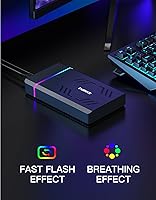
For users with RGB peripherals already on their desk, the lighting integrates naturally into the setup and adds a subtle ambient glow that most buyers find more tasteful than expected. It activates automatically without any software, which keeps things simple.
The complete inability to disable the lighting is a recurring complaint — buyers who prefer a minimal or distraction-free workspace have no option to turn it off. For some users working in dark rooms during late hours, the constant glow becomes genuinely irritating over time.
Drive Compatibility
88%
Supporting both 2.5-inch and 3.5-inch SATA drives across all three SATA generations makes the Inateck FE3003 unusually flexible for its category. Buyers routinely repurpose drives pulled from old laptops and desktops without any compatibility surprises.
The enclosure is strictly limited to SATA drives — NVMe or PCIe-based SSDs are not compatible. A handful of buyers assumed broader support and were disappointed, so it is worth double-checking your drive type before purchasing.
Auto Sleep Function
82%
18%
The 30-minute idle sleep is a well-implemented feature that most users notice in retrospect — their drive runs quieter over long periods and the unit draws less power during inactive hours. For always-on backup setups, it is a practical safeguard for mechanical drive longevity.
When resuming from sleep, some users experience a brief one-to-two second delay before the drive becomes accessible again, which can be mildly disruptive during workflows that involve frequent but sporadic file access.
Value for Money
84%
At its price point, the combination of a reliable enclosure, built-in USB hub, included accessories, and RGB lighting represents a strong bundle that most buyers feel good about. Users frequently note that competing enclosures offering similar specs cost noticeably more.
Buyers who primarily want basic, no-frills storage and have no interest in the hub ports or RGB may feel they are paying for features they will never use. For that use case, a simpler enclosure at a lower price exists and might be a better fit.
OS Compatibility
91%
Cross-platform performance is one of the enclosure's quieter strengths — Windows and Mac users both report flawless detection without any manual driver hunting. The broad version support, stretching back to Windows XP and macOS 10.3, also makes it useful for legacy machine setups.
Linux compatibility is not officially stated and user reports in this area are sparse, so buyers running Linux-based systems should verify compatibility independently before purchasing.
Cable & Accessory Quality
67%
33%
Shipping with both the power adapter and a 100cm USB data cable out of the box is a practical decision that saves buyers an extra purchase and lets them get started immediately. The cable length is sufficient for most standard desk configurations.
The included cable feels thin and somewhat cheap for its category, and a few buyers replaced it with a higher-quality aftermarket option after noticing marginal speed improvements. The power adapter is functional but not particularly compact or desk-friendly.
Noise Level
79%
21%
The enclosure itself contributes no mechanical noise, and with the auto sleep feature engaged during idle periods, overall acoustic output from the setup is minimal. Users running the enclosure on or near their desk report it is a non-issue during normal daily use.
Noise output is entirely dependent on the installed drive — a loud or aging mechanical HDD will still be audible through the plastic casing, which offers no meaningful sound dampening. The enclosure does nothing to mask drive vibration or spin-up noise.
Long-Term Reliability
66%
34%
The majority of buyers who have owned the unit for six months or more report stable, consistent performance with no degradation in connection quality or transfer reliability. Inateck's track record in the accessory space provides some additional confidence.
The product is relatively new to market, which means long-term reliability data beyond a year is limited. A subset of users has reported intermittent detection issues after several months of use, though it is unclear whether drive condition or the enclosure itself is the variable.

Suitable for:

The Inateck FE3003 3.5-Inch Hard Drive Enclosure is a practical pick for home users who want to breathe new life into an old desktop hard drive rather than letting it collect dust. If you have a spare SATA drive — whether it's a 2.5-inch laptop pull or a full-size 3.5-inch desktop unit — this enclosure gets it back into rotation as external backup storage with minimal fuss. It's particularly well-suited for people running mixed-OS households, since it works across Windows and Mac without any driver installation. Gamers or desk-setup enthusiasts who already have RGB peripherals will find the lighting a welcome touch that doesn't require any configuration to enjoy. Anyone building a media archive or maintaining large local backups will also appreciate the support for drives up to 20TB, which covers even the most storage-hungry home libraries. The built-in USB hub ports make it especially useful for users with limited ports on their machine who want one device to handle both storage and peripheral connectivity.
Not suitable for:

The Inateck FE3003 3.5-Inch Hard Drive Enclosure is not the right tool if you need to run multiple drives simultaneously — it holds exactly one drive, so buyers comparing it to multi-bay enclosures or NAS devices are looking at a fundamentally different category. If your workflow involves continuous, all-day read/write activity with large spinning drives, the enclosure's tendency to run warm under sustained load could be a concern worth weighing carefully. Power users who need USB 3.1 Gen 2 or Thunderbolt speeds for tasks like video editing directly from the enclosure will find the 5Gbps ceiling limiting. The USB hub ports, while convenient, are not a replacement for a dedicated powered hub — charging performance in particular can be inconsistent. And if RGB lighting is something you actively dislike on your desk, there's no way to disable it, which makes this drive enclosure a poor fit for minimalist or professional environments where understated hardware is preferred.

Specifications

  • Brand & Model: Manufactured by Inateck under the model designation FE3003.
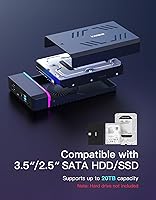
  • Drive Compatibility: Accepts both 2.5″ and 3.5″ SATA hard drives and solid-state drives within a single enclosure bay.
  • Max Capacity: Supports hard drives with storage capacities up to 20TB.
  • Host Interface: Connects to a computer via USB 3.0, delivering data transfer speeds of up to 5Gbps.
  • Drive Interface: Uses a SATA III interface internally, with full backward compatibility for SATA I and SATA II drives.
  • Chipset: Powered by the ASM1153E bridge chipset, a widely trusted controller in consumer-grade enclosures.
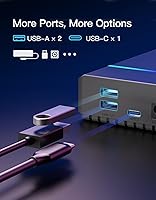
  • Expansion Ports: Includes two USB-A ports and one USB-C port for connecting additional peripherals directly to the enclosure.
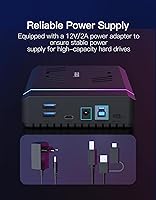
  • Power Supply: Requires a dedicated 12V/2A external power adapter, which is included in the box.
  • Auto Sleep: Automatically enters a low-power sleep state after 30 consecutive minutes of read/write inactivity.
  • RGB Lighting: Features ambient RGB lighting along the casing that activates whenever the enclosure is powered on and in use.
  • OS Support: Compatible with Windows XP, 7, 8, 10, and 11, as well as macOS 10.3 and all later versions.
  • Dimensions: Measures 7.68 x 4.53 x 1.3 inches, sized to comfortably house a standard 3.5″ desktop hard drive.
  • Weight: The enclosure unit weighs 7.7 ounces without a drive installed.
  • Included Cable: Ships with a 100cm USB Type-A/C to Type-B data cable suitable for connecting to a broad range of host devices.
  • Drive Count: Supports exactly one drive at a time; this is a single-bay enclosure, not a multi-drive or RAID unit.
  • Plug-and-Play: Operates without requiring any driver installation on supported Windows and macOS operating systems.

Related Reviews

Inateck FE3001 3.5-inch Hard Drive Enclosure
79%
88%
Build Quality
83%
Drive Compatibility
79%
Transfer Speed
74%
Heat Management
91%
Setup & Ease of Use
More
ikuai 3.5″ USB 3.0 Hard Drive Enclosure
80%
93%
Ease of Setup
71%
Build Quality
62%
Cable Quality & Reliability
88%
Drive Compatibility
74%
Data Transfer Speed
More
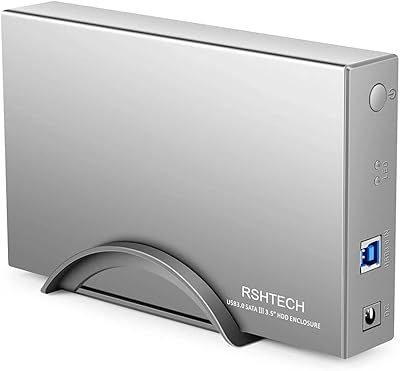
RSHTECH RSH-339 3.5-Inch Hard Drive Enclosure
81%
86%
Build Quality
92%
Ease of Setup
71%
Data Transfer Speed
78%
Drive Compatibility
89%
Power Delivery
More
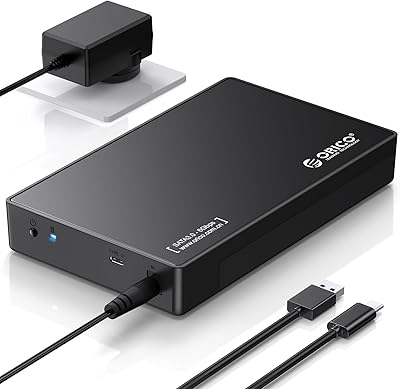
ORICO 3588C3 3.5″ Hard Drive Enclosure
74%
93%
Ease of Installation
74%
Transfer Performance
67%
Build Quality
61%
Connection Reliability
83%
Value for Money
More
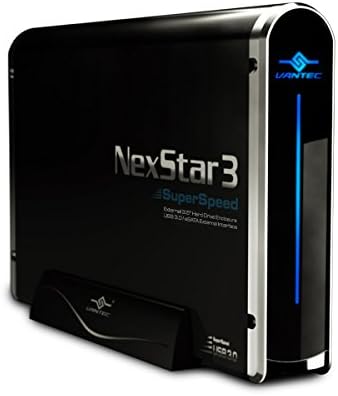
Vantec NexStar3 3.5″ External Hard Drive Enclosure
77%
88%
Build Quality
82%
Transfer Performance
84%
Thermal Management
86%
Ease of Setup
71%
Compatibility
More
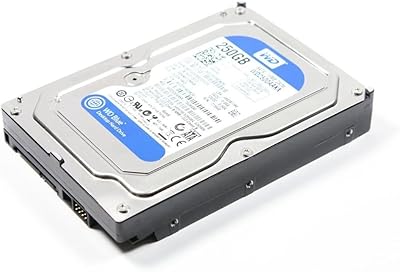
WD Blue 250GB 3.5-inch Desktop Hard Drive
83%
83%
Performance
90%
Quiet Operation
92%
Value for Money
88%
Energy Efficiency
75%
Durability
More
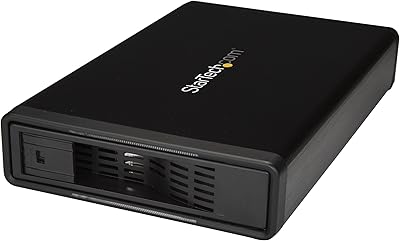
StarTech S351BMU33ET 3.5″ Hard Drive Enclosure
80%
86%
Build Quality
91%
Ease of Drive Swapping
83%
USB 3.0 Transfer Performance
74%
eSATA Connectivity
88%
Drive Compatibility
More
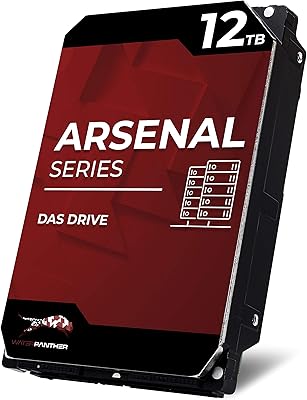
Water Panther Arsenal 12TB SAS Hard Drive
76%
83%
Value for Money
86%
Read/Write Performance
81%
Build Quality
67%
Compatibility
88%
Workload Endurance
More
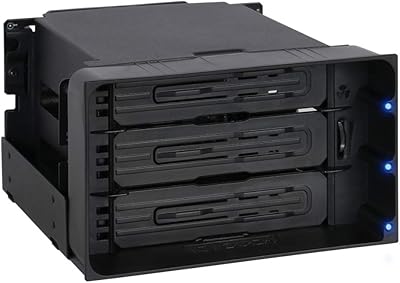
ICY DOCK flexiDOCK MB830SP-B 3-Bay 3.5 Inch SATA/SAS HDD Docking Enclosure
83%
93%
Ease of Installation
88%
Build Quality
87%
Performance & Speed
79%
Cooling Efficiency
65%
Noise Levels
More
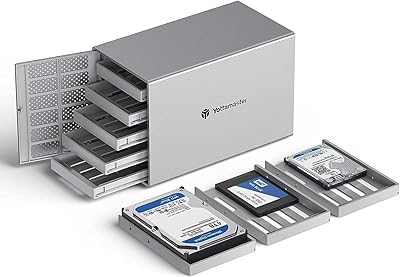
Yottamaster PS500U3 5-Bay External HDD Enclosure
74%
84%
Build Quality
79%
Cooling Performance
61%
Transfer Speed
88%
Drive Compatibility
91%
Ease of Installation
More

FAQ

No drive is included — the enclosure is sold on its own. You supply your own 2.5″ or 3.5″ SATA hard drive or SSD. Everything else you need to get started, including the power adapter and data cable, is in the box.

Almost certainly yes. The Inateck FE3003 3.5-Inch Hard Drive Enclosure supports SATA I, II, and III drives, so older drives from previous-generation desktops are fully compatible. As long as the drive is a standard SATA unit in a 2.5″ or 3.5″ form factor, it should work without issue.
It works on both. The enclosure is plug-and-play on macOS 10.3 and later, as well as all modern versions of Windows. No drivers needed on either platform — just plug it in and the drive mounts automatically.

Unfortunately, no. There is no button, switch, or software toggle to disable the RGB lighting — it stays on whenever the enclosure is powered and active. If a clean, unlit desk setup matters to you, that is worth knowing before you buy.

No, this is a single-bay enclosure and holds only one drive at a time. If you need to connect multiple drives simultaneously, you would need a multi-bay enclosure or a separate docking station designed for that purpose.

The two USB-A and one USB-C expansion ports are handy for connecting mice, keyboards, flash drives, or other peripherals when your laptop or desktop is running low on ports. Charging works to a degree, but the output is not optimized for fast charging, so it is more reliable for low-draw devices than for topping up a phone or tablet quickly.

With large 3.5-inch spinning hard drives running for extended periods, some users do notice the unit getting warm to the touch. It is not typically a problem for normal backup tasks or occasional transfers, but if you plan to run long, continuous workloads, make sure the enclosure has a bit of open airflow around it rather than being tucked into a tight space.

After 30 minutes of no read or write activity, the drive enclosure spins the drive down and enters a low-power state automatically. It wakes back up when your computer tries to access it again. This is genuinely useful for reducing unnecessary wear on the drive and cutting down on power draw when the drive is sitting idle.

Yes, the enclosure supports 2.5-inch SATA SSDs in addition to larger 3.5-inch drives. An SSD will actually be a particularly comfortable pairing since it runs cool, produces no noise, and will not stress the enclosure thermally at all.

A separate power outlet is required. The enclosure uses a 12V/2A power adapter that needs to be plugged into the wall, which is standard for 3.5-inch hard drive enclosures since USB alone cannot supply enough power to spin up a full-size desktop drive reliably. The adapter is included in the box, so you will not need to source one separately.