Overview

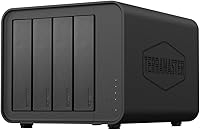
The TerraMaster D4-320 is a four-bay direct-attached storage enclosure — and that distinction matters more than it might seem. This is a DAS, not a NAS; it connects directly to your computer over USB and shows up like any external drive, with no network sharing, no apps, and no server overhead. It ships diskless, so factor in the cost of drives when budgeting. The unit sits in a practical middle ground: more capable than a single-bay box, but less complex than RAID-capable alternatives. For users who want to consolidate multiple drives in one tidy chassis without a steep learning curve, this 4-bay enclosure makes a compelling case.

Features & Benefits

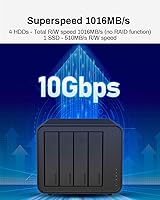
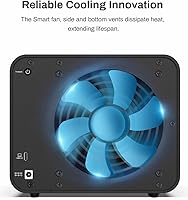
The connection speed is notably fast for a USB-based enclosure. Running over USB 3.2 Gen2 Type-C at 10Gbps, the D4-320 handles large file transfers without becoming a bottleneck — and if your machine has Thunderbolt 3 or 4, you get even more headroom. The hot-swap capability is a real working feature, not just a spec bullet: pull a drive, slot in another, and your system recognizes it without a restart. The push-lock trays click into place firmly on insertion. Noise management is handled well too — the fan adjusts to actual drive activity, so during light use or standby the unit stays quiet. It supports a wide mix of SATA drives, from compact 2.5-inch SSDs up to large 3.5-inch HDDs.

Best For

This DAS unit hits a sweet spot for people who want multi-drive capacity without the overhead of a full NAS setup. Video editors and photographers working with large file libraries will appreciate the throughput when pulling footage or archiving shoots. It is also well-suited for home or small-office backup workflows where you want multiple independent drives — one per project, one per client, or a simple rotation schedule. The driver-free setup means Mac, Windows, and Linux users can all plug in and get to work immediately. Those who prefer handling data protection at the software level, using macOS RAID or Windows Storage Spaces, will find the individual-volume approach a natural fit rather than a limitation.

User Feedback

Across several hundred buyer reviews, this 4-bay enclosure holds a 4.2 out of 5 rating — solid, though not without nuance. Most positive feedback centers on how painless setup is, quiet fan behavior during idle periods, and build quality relative to its price tier. The criticisms worth noting: some buyers were caught off guard by the absence of RAID, having skimmed the listing rather than read it carefully. A few reviewers mentioned the plastic housing feels lighter than expected, which is not a functional problem but can affect perceived value. Occasional cable compatibility issues surfaced too — a handful of users found the bundled cable underperformed on older USB ports. Ranked among the top ten enclosures on Amazon, it competes well but is not without trade-offs.

Pros

  • Plug-and-play setup works natively on Mac, Windows, and Linux with zero driver installation.
  • Hot-swap support lets you rotate drives mid-session without a single reboot.
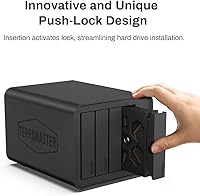
  • Push-lock trays secure drives firmly and prevent accidental disconnection during use.
  • Fast enough over USB 3.2 Gen2 to handle 4K video editing workflows without bottlenecking.
  • The temperature-controlled fan stays nearly silent during light use and idle periods.
  • Wide drive compatibility covers 3.5-inch HDDs, 2.5-inch HDDs, and 2.5-inch SATA SSDs.
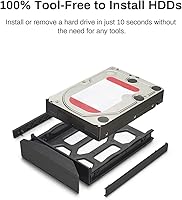
  • Tool-free tray design makes adding or removing drives genuinely quick and painless.
  • Thunderbolt 3 and 4 compatibility gives extra performance headroom on supported machines.
  • Compact enough to sit on a desk without dominating the workspace.
  • A strong choice for photographers or editors who manage drives per project or client.

Cons

  • No hardware RAID of any kind — data redundancy is entirely the user's responsibility.
  • The plastic chassis feels noticeably lightweight and can undercut confidence during handling.
  • The bundled cable has drawn complaints for inconsistent performance on some USB ports.
  • Diskless pricing means four drives can push total cost well above the enclosure sticker price.
  • No companion software for drive health monitoring or firmware updates.
  • Activity LEDs offer no error or health indicators, just basic access confirmation.
  • Some users report the OS does not always immediately detect a hot-swapped drive.
  • Older USB 3.0 host ports see a steep performance drop compared to Gen2 or Thunderbolt connections.
  • No NVMe or M.2 support — purely SATA, which limits future-proofing as drive formats shift.
  • Per-drive thermals are not exposed in any built-in interface, requiring third-party tools to monitor.

Ratings

The TerraMaster D4-320 has been evaluated by our AI rating engine after analyzing verified buyer reviews from global markets, with spam, bot activity, and incentivized feedback actively filtered out. Scores reflect the honest consensus of real-world users — from creative professionals to home backup enthusiasts — and are designed to surface both what this 4-bay enclosure genuinely does well and where it falls short. Expect a transparent picture, not a polished sales summary.

Ease of Setup
93%
Users across all skill levels consistently praise how little friction is involved in getting this DAS unit running. Plug it in, connect the cable, and drives appear on the desktop — no driver downloads, no configuration menus, no manual needed. That plug-and-play experience holds true across Mac, Windows, and Linux.
A small number of reviewers on older USB 3.0 systems reported slower-than-expected initial recognition, requiring a port swap or cable change before the enclosure was properly detected. Nothing catastrophic, but worth noting for users on aging hardware.
Transfer Speed
86%
When paired with a modern laptop or desktop over USB 3.2 Gen2 or Thunderbolt, real-world transfer rates genuinely impress for a bus-powered DAS at this price tier. Moving large video files or photo archives across all four bays simultaneously feels snappy rather than sluggish.
Speeds depend heavily on the drives installed and the host port being used. Users connecting via older USB 3.0 ports see a significant performance drop, and some found the included cable did not always sustain peak throughput reliably over extended sessions.
Build Quality
71%
29%
The enclosure feels well-assembled and the push-lock tray mechanism works consistently — drives click in firmly and do not rattle or shift during operation. For a unit in this price range, the structural integrity of the chassis is adequate for desk use.
The plastic housing is the most frequently cited complaint among buyers who expected something more substantial. It feels noticeably light when picked up, which creates a perception gap for users coming from metal-bodied enclosures, even if the functional impact is minimal.
Noise Level
88%
During light workloads and standby, this DAS unit is genuinely quiet — quiet enough to sit on a desk in a home office without becoming a distraction. The temperature-controlled fan earns its keep here, staying nearly inaudible when drives are idle.
Under sustained heavy read/write loads with all four bays populated, the fan does ramp up noticeably. It is not loud by any measure, but users in very quiet environments may notice the change during prolonged transfers.
Thermal Management
82%
18%
The intelligent fan design does a reasonable job of keeping drive temperatures in check during extended use. Users running all four bays continuously for hours-long backup jobs report that drives stay within safe operating ranges without needing external airflow assistance.
The enclosure lacks any visible temperature readout or companion software for monitoring per-drive thermals. Users who want granular heat data have to rely on third-party tools or their OS disk utility, which adds a minor but real management gap.
Hot-Swap Reliability
84%
Hot-swapping works as advertised and proves genuinely useful in real backup rotation workflows. Photographers and IT users who cycle through drives by project or date report that the push-lock trays make the swap process fast and clean without powering anything down.
A few reviewers noted that on certain host systems, the OS did not immediately recognize a newly inserted drive after a hot-swap and required a brief wait or manual re-scan. Not a persistent issue, but it did catch some users off guard the first time.
Drive Compatibility
89%
The support range is wide — 3.5-inch spinning drives, 2.5-inch HDDs, and 2.5-inch SATA SSDs all fit and function without adapters or configuration changes. Users mixing drive types across the four bays report no conflicts, which is practical for anyone consolidating an existing drive collection.
NVMe drives are not supported, which is increasingly relevant as more users migrate away from SATA SSDs. This is a SATA-only unit by design, but buyers who own M.2 drives will find no accommodation here.
RAID and Data Management
47%
53%
For users who know going in that this is a no-RAID enclosure, the individual-volume approach is actually straightforward to manage. Each drive mounts independently, which makes it easy to assign drives per project or client and handle backups with simple software tools.
The absence of any hardware RAID is the single biggest source of buyer disappointment. A meaningful portion of negative reviews come from users who expected at least RAID 1 mirroring as an option. There is no redundancy built in — a failed drive means data loss unless the user has their own backup strategy in place.
Cable and Port Compatibility
73%
27%
The USB Type-C connection is broadly compatible — it works with USB 3.0, 3.1, 3.2, Thunderbolt 3, and Thunderbolt 4 ports without requiring separate adapters for most modern computers. Cross-platform compatibility holds up well in practice.
The bundled cable drew criticism from a recurring group of reviewers who found it underperformed on some systems, particularly older USB ports. A handful reported needing to swap in a higher-quality third-party cable to hit expected speeds consistently.
Value for Money
78%
22%
As a diskless enclosure, the unit itself is priced reasonably for what it offers — fast USB 3.2 Gen2 connectivity, hot-swap support, and multi-drive capacity in a compact chassis. Users who already own a collection of SATA drives get genuine utility without a large additional outlay.
The diskless nature means total cost of ownership scales significantly once drives are added. Buyers who factor in four 3.5-inch HDDs quickly find the overall spend rivals entry-level NAS setups that offer RAID and network access, making the value calculation less clear-cut.
Software and OS Support
91%
No drivers, no proprietary software, no account creation. The unit works natively across macOS, Windows, and Linux, which is genuinely appreciated by multi-platform households and IT professionals managing mixed environments. It just shows up as external volumes.
The lack of any companion software is a double-edged situation. Users who want health monitoring, drive activity logs, or firmware update notifications have nowhere to turn within the TerraMaster ecosystem for this particular product.
Compact Footprint
83%
For a four-bay unit, the physical dimensions are well-considered. It sits cleanly on a desk or shelf without dominating the space, and the weight is light enough to reposition easily. Photographers and editors who move between workstations occasionally appreciate that it is not a bulky commitment.
The compact size means the drives are relatively close together internally, which can marginally affect airflow at maximum capacity with heat-generating HDDs. It is not a serious concern for most users, but those running high-RPM drives around the clock may want to consider placement.
Tray and Drive Security
87%
The push-lock tray design is one of the more thoughtful physical details on this enclosure. Drives click in with a positive lock that prevents accidental ejection during normal handling, which matters for users who move the unit between locations with drives installed.
Some users found the tray release mechanism required a firmer push than expected, leading to minor fumbling during first use. It is more a habituation issue than a design flaw, but it contributes to a slightly awkward first impression before the motion becomes muscle memory.
Indicator Lights and Feedback
66%
34%
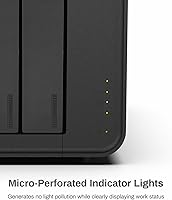
Per-bay activity LEDs give a basic but functional read on which drives are being accessed during transfers. For straightforward use cases, this level of visual feedback is sufficient to confirm the unit is working as expected.
The indicator system is minimal — there is no differentiation between drive health status and normal activity. Users who want at-a-glance error or warning signals will find the LED feedback too limited, especially when managing four different drives simultaneously.

Suitable for:

The TerraMaster D4-320 is a strong fit for anyone who needs to consolidate multiple SATA drives into a single, fast, desktop-connected unit without the complexity of setting up a network-attached server. Video editors and photographers working with large local libraries will find the transfer speeds genuinely useful, especially when connected to a Thunderbolt-equipped Mac or a modern Windows machine with a USB 3.2 Gen2 port. It also works well for small offices or home users who want a straightforward multi-drive backup station — plug in four drives, assign each one a purpose, and you are done. IT hobbyists and drive collectors who regularly rotate storage media between projects will appreciate the hot-swap support, which removes the need to power down between swaps. If you already own a pile of spare SATA drives and want somewhere organised to put them, this 4-bay enclosure is one of the more practical and accessible solutions at this price point.

Not suitable for:

Buyers expecting built-in data redundancy should look elsewhere — the TerraMaster D4-320 does not support any form of hardware RAID, meaning a single failed drive takes its data with it unless you have an independent backup strategy in place. This is not a design flaw so much as a deliberate scope decision, but it has genuinely caught a significant number of buyers off guard, so it is worth being direct about. Users who need network-accessible shared storage for a household or team should also step back and evaluate a proper NAS instead, since this DAS unit only works when physically tethered to a single host computer. Anyone expecting a premium, metal-bodied chassis may also feel let down — the plastic housing is functional but does not project the sturdiness of higher-end enclosures. Finally, users who rely heavily on NVMe or M.2 drives will find no accommodation here, as support is strictly limited to SATA-based storage.

Specifications

  • Drive Bays: The enclosure accommodates four independent SATA drives simultaneously, supporting a mix of 3.5-inch and 2.5-inch form factors across any combination of bays.
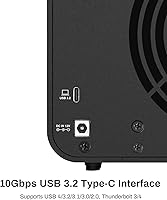
  • Interface: Connectivity is handled via USB 3.2 Gen2 Type-C, delivering up to 10Gbps of bandwidth between the enclosure and the host machine.
  • Thunderbolt Support: The USB Type-C port is fully compatible with Thunderbolt 3 and Thunderbolt 4 connections, allowing use with a broad range of modern Mac and PC systems.
  • Drive Types: Compatible drive types include 3.5-inch SATA HDDs, 2.5-inch SATA HDDs, and 2.5-inch SATA SSDs; NVMe and M.2 drives are not supported.
  • Max Capacity: Each individual bay supports drives up to 30TB, bringing the total maximum raw storage across all four bays to 120TB.
  • RAID Support: No hardware RAID is available; each installed drive mounts as a fully independent volume on the host operating system.
  • Hot-Swap: All four bays support hot-swapping, allowing drives to be inserted or removed while the enclosure remains powered on and connected.
  • Tray Design: Drive trays are tool-free and feature TerraMaster's push-lock mechanism, which automatically secures the tray in place upon insertion without requiring a manual latch.
  • Cooling System: An intelligent temperature-controlled fan adjusts its speed based on real-time drive activity and thermal load to balance cooling performance with noise output.
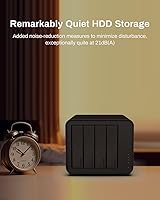
  • Noise Level: In standby or low-activity conditions, the enclosure operates at below 21 dB(A), making it suitable for quiet home office or studio environments.
  • Dimensions: The unit measures 8.74 inches long by 7.04 inches wide by 6.06 inches tall, giving it a compact desktop footprint for a four-bay enclosure.
  • Weight: The enclosure weighs 1.3 pounds without drives installed, reflecting its lightweight plastic chassis construction.
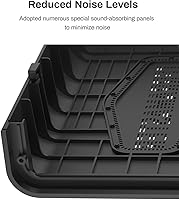
  • Material: The outer chassis is constructed from black plastic, with internal structural elements designed to support drive tray retention and vibration damping.
  • OS Compatibility: The enclosure works natively with Windows, macOS, and Linux operating systems without requiring any third-party driver installation.
  • Driver Requirement: No drivers or proprietary software are required; the enclosure is recognized automatically by the host OS as standard external storage volumes.
  • Power: The unit uses an external power adapter rather than drawing power from the USB connection, ensuring stable operation with up to four spinning hard drives installed.
  • Color: The enclosure is available in black only, with a uniform matte finish across the plastic exterior.
  • Release Date: The D4-320 was first made available in February 2024, positioning it as a recent addition to TerraMaster's direct-attached storage lineup.

Related Reviews
TERRAMASTER D2-320 USB RAID Enclosure
87%
88%
Performance
90%
Ease of Setup
92%
Data Security (RAID 1)
70%
Cooling System (Noise)
85%
Build Quality
More
TERRAMASTER D6-320 External Hard Drive Enclosure 6-Bay
87%
93%
Data Transfer Speed
88%
Build Quality & Durability
94%
Ease of Setup
85%
Cooling Performance
90%
Storage Capacity
More
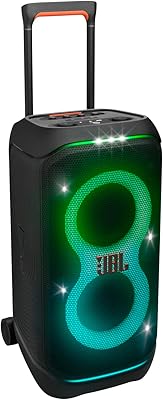
JBL PartyBox Stage 320
82%
93%
Sound Quality
88%
Battery Life
74%
Portability & Transport
89%
Light Show
86%
Karaoke & Vocal Performance
More
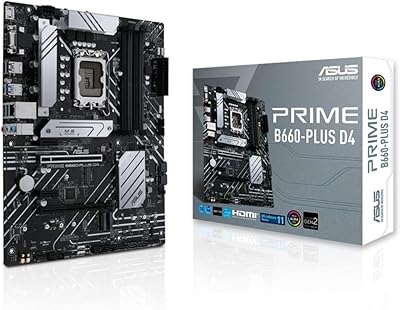
ASUS B660-PLUS D4 Motherboard
87%
88%
Performance
91%
Cooling Efficiency
89%
Setup & Installation
87%
Value for Money
92%
Compatibility with 12th Gen CPUs
More
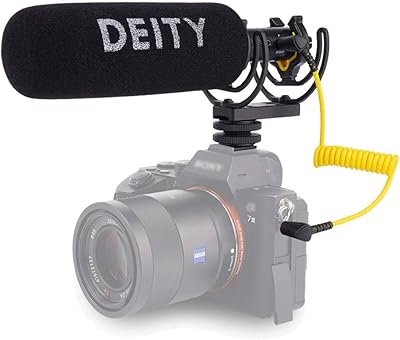
Deity V-Mic D4 Duo
Deity V-Mic D4 Duo
86%
91%
Sound Quality
88%
Build Quality
94%
Ease of Use
92%
Portability
87%
Value for Money
More
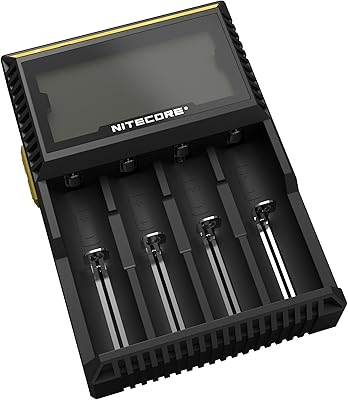
Nitecore Digicharger D4 Battery Charger
86%
75%
Charging Speed
88%
Ease of Use
94%
Safety Features
89%
Battery Compatibility
92%
Build Quality
More
ASUS Prime H610M-A D4-CSM Motherboard
86%
89%
Value for Money
91%
Performance for Business Tasks
88%
Ease of Use/Setup
85%
Reliability
84%
PCIe 4.0 Speed
More
TERRAMASTER F4-212 4-Bay NAS
83%
88%
Performance
92%
Setup and Installation
90%
Value for Money
85%
Build Quality
86%
Storage Flexibility
More
Sphktey 320-B Car CD Player
85%
85%
Sound Quality
90%
Ease of Use (Plug-and-Play)
88%
Shock Resistance
87%
Compatibility with Devices
91%
Portability and Storage
More
ASUS Prime H610M-K D4 Motherboard
83%
90%
Value for Money
88%
Ease of Installation
85%
Build Quality
80%
Performance in Gaming
83%
Performance in Productivity Tasks
More

FAQ

No — this is a direct-attached storage device, not a NAS. It connects directly to one computer via USB and only that machine can access the drives. If you need network-shared storage for multiple users or devices, you would need a separate NAS unit.

Not at all. The TerraMaster D4-320 is plug-and-play across Windows, macOS, and Linux. Just connect the cable, and your operating system will recognize each installed drive as its own external volume automatically.

Yes. You can mix 3.5-inch HDDs, 2.5-inch HDDs, and 2.5-inch SATA SSDs in any combination across the four bays. Each drive operates independently regardless of what is installed in the other bays.

It does not — there is no RAID functionality of any kind. Every drive mounts as a separate, independent volume. If you want data redundancy, you would need to set that up yourself using software solutions like Windows Storage Spaces or macOS RAID, or simply maintain manual backups to a separate drive.

Yes, and it works reliably. You can pull one drive out and insert another while the enclosure stays on and connected, and the remaining drives are unaffected. Just make sure to properly eject the drive from your OS before physically removing it to avoid data corruption.

Yes. The USB Type-C connector is compatible with Thunderbolt 3 and Thunderbolt 4 ports, so it will work with modern MacBooks and Thunderbolt-equipped Windows laptops. The connection is also backward compatible with USB 3.0 and 3.1 ports, though you will see lower speeds on older connections.

During light use and standby, it is very quiet — below 21 dB(A), which is roughly the level of a whisper in a silent room. Under heavy sustained transfers with all four bays active, the fan does spin up and becomes slightly more audible, but most users in home office settings would not find it disruptive.

No, the enclosure ships without any drives. You need to supply your own 3.5-inch or 2.5-inch SATA HDDs or SSDs. Factor this into your overall budget before purchasing.

Each bay can accommodate a single drive up to 30TB, which means with four bays fully populated with 30TB drives, you could reach a total raw capacity of 120TB. That said, actual compatibility may vary slightly depending on drive firmware and host OS file system limits.

This is one of the more common concerns from buyers, and it is fair. The chassis is plastic and does feel lighter than metal alternatives. For stationary desk use, it holds up fine — the internal tray mechanisms are solid and drives stay secure. If you plan to travel with it or move it frequently with drives installed, treat it with a bit more care than you might a metal unit.