Overview

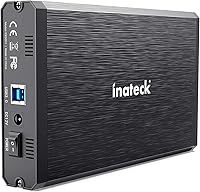
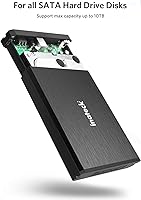
The Inateck FE3001 3.5-inch Hard Drive Enclosure has quietly held its ground since 2015, sitting comfortably in the top 150 of its Amazon category despite a crowded market. That kind of staying power says something. This aluminum enclosure sits in a practical middle ground — more substantial than the flimsy plastic shells sold for a few dollars less, but without the bulk or cost of a full docking station. It handles both 2.5-inch and 3.5-inch SATA drives up to 10TB, and the plug-and-play setup means you can be up and running in minutes, no driver hunting required.
Features & Benefits

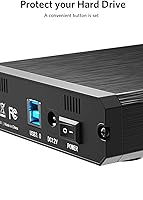
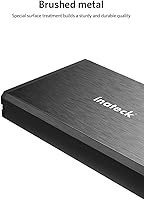
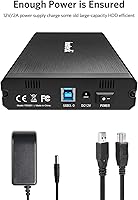
The FE3001 is built around the ASM1153E chipset, which keeps SATA III signaling intact and supports UASP — a detail that matters if you are housing an SSD and want transfers that reflect the drive's actual capability. The aluminum shell is not just aesthetic; it genuinely helps dissipate heat during long read or write sessions, which spinning drives appreciate. The bundled 12V/2A power adapter is a thoughtful inclusion, since 3.5-inch drives demand stable power that a bus-powered design simply cannot deliver. Tool-free installation and hot-swap support round things out practically.

Best For

This drive enclosure makes the most sense for someone repurposing an old desktop hard drive as a backup or media archive without wanting to spend much. Home users building a simple local backup routine will find it straightforward, and IT folks who occasionally need to clone or recover data from a bare drive will appreciate the broad OS compatibility across Windows, macOS, and Linux. It is less suited for users who need to swap multiple drives daily — this is a one-drive solution, and it performs that role reliably rather than trying to be something it is not.

User Feedback

Across more than 1,600 ratings, the FE3001 holds a 4.4-star average, and the praise tends to cluster around build quality and reliable detection across operating systems. Buyers switching from cheaper plastic enclosures frequently call out the aluminum construction as a noticeable step up. On the critical side, some users report the enclosure runs warm during sustained transfers — not alarmingly so, but worth noting for always-on use. A handful mention the power cable length feels short depending on desk setup. Compatibility with certain older or very high-capacity drives has tripped up a small number of buyers, so checking your specific drive model beforehand is wise.

Pros

  • Solid aluminum build feels noticeably more premium than plastic enclosures in the same price range.
  • Plug-and-play setup works reliably across Windows, macOS, and Linux with no driver installation needed.
  • UASP support delivers meaningfully faster transfers when paired with an SSD.
  • Supports both 2.5-inch and 3.5-inch SATA drives, including capacities up to 10TB.
  • The bundled 12V/2A power adapter prevents the spin-up failures common with bus-powered alternatives.
  • Aluminum shell passively dissipates heat well enough for moderate backup sessions.
  • Hot-swap capability lets you change drives without rebooting your system.
  • Non-slip rubber feet keep the unit stable on a desk during active transfers.
  • Long-term reliability reviews from multi-year owners suggest the core hardware holds up well.
  • Strong cross-platform compatibility makes the FE3001 genuinely useful for mixed-OS households and IT work.

Cons

  • Both the USB cable and power cord are short, limiting flexible desk placement.
  • The enclosure runs noticeably warm during extended or back-to-back transfer sessions.
  • A minority of users report detection failures with certain older or high-capacity drive models.
  • Hot-swapping occasionally requires a manual disk rescan to register the drive on Windows.
  • ABS plastic end caps feel slightly cheaper than the aluminum body suggests.
  • No active cooling means it is unsuitable for continuous always-on storage use cases.
  • Some 7200RPM drives produce a low-frequency hum that can be distracting in quiet rooms.
  • A subset of buyers report USB port loosening or intermittent power issues after 12 to 18 months of regular use.
  • Sparse documentation offers little guidance for troubleshooting less common drive compatibility problems.

Ratings

The scores below were generated by our AI engine after parsing and filtering verified buyer reviews worldwide — discarding incentivized, duplicate, and bot-flagged submissions to reflect only authentic user experiences with the Inateck FE3001 3.5-inch Hard Drive Enclosure. Every category captures both what buyers genuinely praise and where the enclosure falls short, giving you an honest, balanced picture before you commit to a purchase.

Build Quality
88%
The aluminum shell is the single most praised aspect across user reviews. Buyers who previously used budget plastic enclosures consistently describe the FE3001 as feeling noticeably more solid and premium in hand, with tight seams and no flex under normal handling.
A small number of users noted that the ABS plastic end caps feel slightly less refined than the aluminum body, creating a minor quality inconsistency. A few buyers also reported minor cosmetic scuffs arriving out of the box.
Drive Compatibility
83%
Most users find the enclosure reliably detects a wide range of 2.5-inch and 3.5-inch SATA drives from major brands, including older drives pulled from desktop towers and newer high-capacity units up to 8TB and 10TB used for media archiving.
A recurring minority of reviews mention detection failures with specific older drive models or certain high-capacity drives, requiring cable swaps or port changes to resolve. This affects a small but notable portion of buyers with less common hardware.
Transfer Speed
79%
21%
Users transferring large video archives or performing disk clones appreciate that the UASP-enabled connection delivers real-world speeds meaningfully faster than older USB 2.0 enclosures. Pairing it with an SSD showed the clearest throughput improvements in buyer testing.
With traditional spinning hard drives, real-world speeds plateau well below the theoretical USB 3.0 ceiling, which surprises some buyers expecting dramatic improvements. A handful noted inconsistent speeds on older laptops where UASP support was limited.
Heat Management
74%
26%
The aluminum body does a credible job of absorbing and dispersing warmth during extended backup sessions, and most users running the enclosure for several hours report it staying warm rather than hot. This passive cooling approach suits occasional and moderate workloads well.
Users running the enclosure continuously, such as for always-on network-attached storage setups, report it gets uncomfortably warm over time. There is no active cooling, so demanding or prolonged workloads push the thermal limits of the passive design.
Setup & Ease of Use
91%
Plug-and-play performance is consistently confirmed across Windows 10, Windows 11, macOS, and several Linux distributions without any driver installation. Buyers with minimal technical experience describe getting their drive up and running within a couple of minutes of unboxing.
A few Linux users on older kernel versions encountered brief recognition delays, and one recurring complaint involves the physical drive installation process feeling slightly tight on the first attempt, though it loosens with use.
Power Supply & Stability
81%
19%
The bundled 12V/2A power adapter is widely appreciated, particularly by buyers who have dealt with bus-powered enclosures failing to spin up larger 3.5-inch drives. Stable power delivery means fewer mid-transfer disconnections during long backup jobs.
Some users wish the power cable were longer for flexible desk placement, and a small number reported the power connector fit feeling slightly loose on their unit, raising minor concerns about long-term connector wear.
OS & Platform Compatibility
86%
Beyond Windows and macOS, confirmed compatibility with Android and various Linux distributions makes this enclosure useful for a broader technical audience. IT professionals in particular call out the reliable cross-platform behavior as a genuine advantage during data recovery work.
Windows XP and Vista compatibility, while listed, is rarely tested or confirmed in modern reviews. A few macOS users on newer Apple Silicon machines noted they had to reformat drives before the enclosure was fully recognized.
Value for Money
84%
Buyers consistently position this enclosure as one of the better mid-range options available, noting that the aluminum construction and reliable performance justify the price premium over cheaper plastic alternatives. For archiving old desktop drives, most consider it a smart investment.
A segment of buyers feels that at this price, a longer power cable and a slightly more refined end-cap finish should be standard. Those comparing it against higher-end docking stations note the gap in versatility becomes apparent if multi-drive access is eventually needed.
Cable & Accessory Quality
63%
37%
The included USB 3.0 cable functions reliably and delivers consistent connections in typical desk setups. Buyers using it close to their computers report no issues with signal integrity or intermittent disconnections during transfers.
The most common accessory complaint is cable length — both the USB cable and the power adapter cord are frequently called too short for setups where the computer and power outlet are not immediately adjacent. This is a genuine ergonomic frustration for a notable portion of buyers.
Noise & Vibration
77%
23%
Users running spinning hard drives inside the enclosure report acceptable vibration levels, with the rubber feet doing a reasonable job of dampening desk resonance during active read and write operations. Most describe it as quiet enough for shared office or bedroom environments.
With certain 7200RPM drives, a low-frequency hum becomes perceptible in quiet rooms, which a few noise-sensitive buyers found distracting. The aluminum body, while thermally beneficial, transmits drive vibration slightly more than padded plastic designs.
Hot-Swap Functionality
72%
28%
Users who regularly swap drives between sessions find the hot-swap capability genuinely useful, avoiding the need to reboot systems between drive changes. This is highlighted positively by IT professionals and tech-savvy home users managing multiple drives.
Some buyers report that hot-swapping does not always register cleanly on first plug-in without a manual rescan through Disk Management or equivalent tools, particularly on Windows machines. This adds a small but noticeable friction to what should be a frictionless workflow.
Packaging & Unboxing
69%
31%
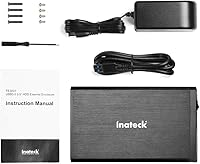
Most buyers describe the packaging as functional and adequately protective, with the enclosure arriving intact and all accessories present. The included documentation, while sparse, covers the basics clearly enough for most users.
The packaging is not particularly memorable or premium-feeling for a product at this price tier, and a few buyers noted the manual lacks guidance for less common drive types or troubleshooting steps for detection issues. Accessory organization inside the box feels like an afterthought.
Long-Term Reliability
76%
24%
A meaningful portion of reviews come from buyers who have used the enclosure for two or more years, reporting continued stable operation with no port degradation or connection issues. This long-tail satisfaction rate speaks well to the durability of the core hardware.
A smaller but consistent thread of reviews describes enclosures failing after 12 to 18 months of regular use, typically with USB port loosening or intermittent power delivery. Whether this reflects a production variance or normal wear is difficult to determine from reviews alone.

Suitable for:

The Inateck FE3001 3.5-inch Hard Drive Enclosure is a practical choice for anyone looking to repurpose an old desktop hard drive rather than let it collect dust. Home users building a simple local backup routine will find the plug-and-play setup refreshingly straightforward — no driver installations, no configuration headaches. It suits people archiving large media libraries, since the enclosure handles drives up to 10TB and transfers files at respectable USB 3.0 speeds. IT professionals and technically minded users who occasionally need to access, clone, or recover data from bare drives will appreciate the broad OS compatibility across Windows, macOS, and Linux. If you are a budget-conscious buyer who wants something noticeably more durable than a cheap plastic shell without paying for a multi-bay docking station, this aluminum enclosure hits a sensible middle ground.
Not suitable for:

The Inateck FE3001 3.5-inch Hard Drive Enclosure is not the right tool for every situation, and being honest about that matters. Users who need to access multiple drives simultaneously — for NAS-style setups or regular multi-drive workflows — will quickly find the single-bay design limiting. Anyone planning to run a drive continuously for always-on storage should factor in the passive-only cooling, which allows the unit to run warm during sustained use. Power users who expect near-theoretical USB 3.0 throughput with traditional spinning drives may feel underwhelmed by real-world speeds. The short bundled cables can also create ergonomic frustrations for larger desk setups where the computer and power outlet are not close together. Finally, buyers with very specific older or high-capacity drive models should verify compatibility beforehand, as a minority of users have reported detection issues that required troubleshooting.
Specifications

  • Interface: Connects to a host computer via USB 3.0, with full backward compatibility for USB 2.0 and USB 1.1 ports.
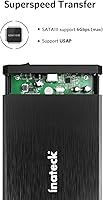
  • Chipset: Built around the ASM1153E controller chip, which enables SATA III signaling and UASP protocol support.
  • UASP Support: UASP (USB Attached SCSI Protocol) is supported, reducing latency and improving throughput especially when used with SSDs.
  • Drive Compatibility: Accepts all standard 2.5-inch and 3.5-inch SATA I, SATA II, and SATA III hard drives and solid-state drives.
  • Max Drive Capacity: Supports drives up to 10TB in capacity, covering the vast majority of consumer desktop and laptop drives available today.
  • Data Transfer Rate: Achieves up to 5 Gbps over USB 3.0, with internal SATA III signaling bandwidth of up to 6 Gbps.
  • Power Supply: Powered by an included external 12V/2A AC adapter, providing stable power independent of the host USB port.
  • Shell Material: Outer enclosure is constructed from aluminum alloy with ABS plastic end caps for a combined lightweight and durable build.
  • Dimensions: The enclosure measures 7.48″ in length, 4.41″ in width, and 1.26″ in height.
  • Weight: The unit weighs 9.1 ounces (approximately 0.57 pounds), making it light enough for desk use or travel.
  • OS Compatibility: Compatible with Windows XP, Vista, 7, 8, 8.1, and 10, macOS 10.3 and higher, Linux, and Android.
  • Drive Bays: Single-bay design accommodates one drive at a time, with no support for simultaneous multi-drive access.
  • Thermal Design: Relies entirely on passive heat dissipation through the aluminum shell, with no fan or active cooling mechanism.
  • Feet & Grip: Four non-slip rubber pads are mounted on the base corners to stabilize the enclosure on flat desk surfaces.
  • Hot-Swap: Supports hot-swapping, allowing drives to be connected and disconnected without powering down or rebooting the host system.
  • Driver Requirement: No additional drivers are required on modern operating systems; the enclosure is recognized automatically upon connection.
  • Tool-Free Install: Drive installation is tool-free, requiring no screwdrivers for inserting or removing a drive from the enclosure.
  • Model Number: The official model identifier is FE3001, manufactured by Inateck and first made available in March 2015.

Related Reviews

ikuai 3.5″ USB 3.0 Hard Drive Enclosure
80%
93%
Ease of Setup
71%
Build Quality
62%
Cable Quality & Reliability
88%
Drive Compatibility
74%
Data Transfer Speed
More
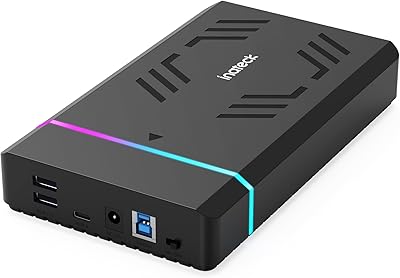
Inateck FE3003 RGB 3.5-Inch Hard Drive Enclosure, 20TB
86%
89%
Performance
95%
Setup/Installation
88%
Build Quality
91%
Storage Capacity
87%
Data Transfer Speed
More
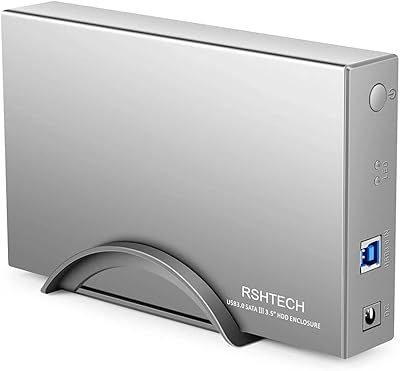
RSHTECH RSH-339 3.5-inch Hard Drive Enclosure
85%
91%
Value for Money
88%
Build Quality
93%
Data Transfer Speed
85%
Setup/Installation
87%
Power Consumption & Energy Efficiency
More
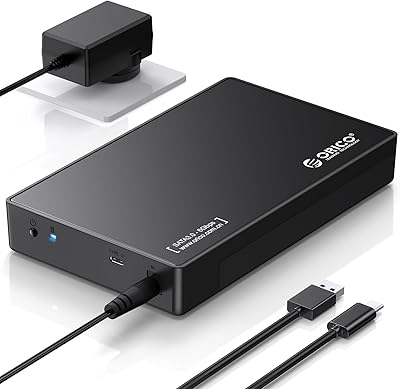
ORICO 3.5″ External Hard Drive Enclosure SATA III to USB 3.1 Type C
84%
92%
Ease of Setup
90%
Data Transfer Speed
85%
Build Quality
88%
Compatibility with OS
87%
Shock Protection
More
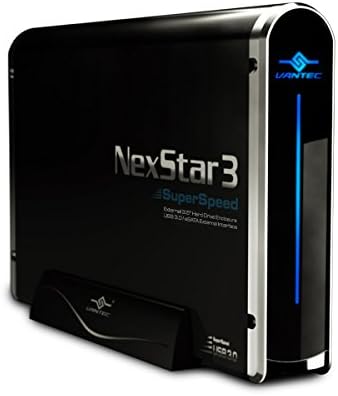
Vantec NexStar3 NST-380SU3-BK 3.5″ SATA to USB 3.0 & eSATA External Hard Drive Enclosure
85%
91%
Value for Money
89%
Build Quality
85%
Performance (Transfer Speed)
92%
Ease of Setup
90%
Compatibility (Windows/Mac OS)
More
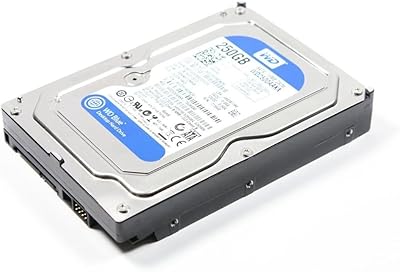
WD Blue 250GB 3.5-inch Desktop Hard Drive
83%
83%
Performance
90%
Quiet Operation
92%
Value for Money
88%
Energy Efficiency
75%
Durability
More
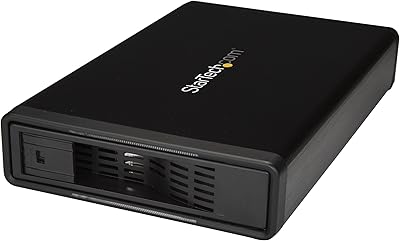
StarTech S351BMU33ET 3.5″ Hard Drive Enclosure
80%
86%
Build Quality
91%
Ease of Drive Swapping
83%
USB 3.0 Transfer Performance
74%
eSATA Connectivity
88%
Drive Compatibility
More
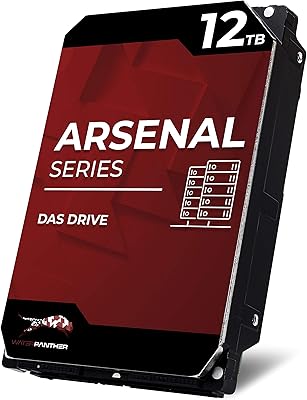
Water Panther WP Arsenal 12TB SAS 12Gb/s 7200RPM 3.5-Inch DAS Hard Drive
85%
88%
Performance
90%
Build Quality & Durability
93%
Compatibility with RAID Arrays
85%
Ease of Integration
91%
Reliability under Heavy Workloads
More
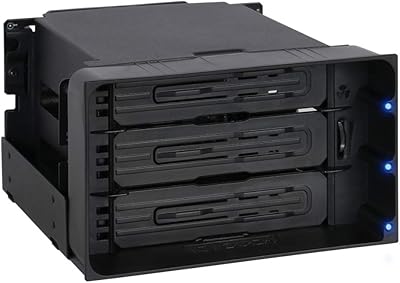
ICY DOCK flexiDOCK MB830SP-B 3-Bay 3.5 Inch SATA/SAS HDD Docking Enclosure

83%
93%
Ease of Installation
88%
Build Quality
87%
Performance & Speed
79%
Cooling Efficiency
65%
Noise Levels
More
Yottamaster PS500U3 5-Bay External HDD Enclosure
74%
84%
Build Quality
79%
Cooling Performance
61%
Transfer Speed
88%
Drive Compatibility
91%
Ease of Installation
More

FAQ

No, you do not. On Windows 7 and later, macOS, and most Linux distributions, the enclosure is recognized automatically the moment you plug it in. It is genuinely plug-and-play for the vast majority of setups.

Yes, the enclosure supports drives up to 10TB, so most consumer desktop drives slot right in without any issues. Just make sure your drive uses a SATA interface rather than IDE, since IDE drives are not compatible.

It works on macOS 10.3 and higher, and most users with Apple Silicon Macs report successful detection. One thing to keep in mind is that drives formatted for Windows (NTFS) will need to be reformatted or use third-party software to be fully writable on macOS.

Technically you can, but it is not ideal. The aluminum shell dissipates heat passively, and with continuous use the enclosure runs noticeably warm. For occasional backup or archiving tasks it is well-suited, but for always-on workloads a purpose-built NAS enclosure with active cooling would be a safer long-term choice.

No tools needed. You slide the drive into the enclosure and connect the internal SATA connector, then close the unit. The first insertion can feel a little snug, but it loosens slightly with use and is designed to be done by hand.

This is one of the more common complaints about this enclosure. The included USB cable and power cord are on the shorter side, which works fine if your computer and power outlet are close by. If your desk is larger or your setup is spread out, you may want to grab a longer USB 3.0 cable separately.

Hot-swapping is supported, so you can unplug and reconnect drives without rebooting. On Windows, you may occasionally need to do a manual disk rescan through Disk Management for the new drive to appear, but most of the time it registers automatically within a few seconds.

Start by trying a different USB port, preferably one directly on your motherboard rather than a hub. Also confirm the power adapter is fully seated — a loose power connection is a common culprit. If the drive still does not appear, check Disk Management on Windows or Disk Utility on Mac, as the drive may be connected but need initialization or formatting.

It works with both. In fact, pairing it with an SSD is where you will see the biggest speed benefit, since UASP support reduces overhead and lets the SSD operate closer to its potential. With a standard spinning hard drive, speeds are still solid but naturally capped by the drive's own mechanical limits.

Inateck typically covers their enclosures with an 18-month warranty, though you should verify current terms at the point of purchase. The product is not discontinued and remains actively sold, which also means replacement parts and support are still accessible through the manufacturer.