Overview

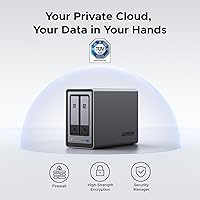
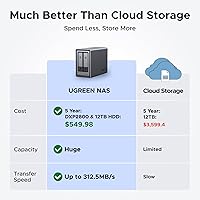
The UGREEN NASync DXP2800 2-Bay NAS enters a crowded market with a clear pitch: give home users and small offices a capable, self-hosted alternative to paying cloud storage fees month after month. What separates it from cheaper NAS boxes is the processing muscle under the hood — this is not a device that struggles to do more than move files around. It ships diskless, meaning you supply your own drives and control your total spend, but first-time NAS buyers need to budget for that extra cost. Holding the #1 bestseller rank in its Amazon category with over 500 ratings is a reasonable signal that buyers are responding well to what UGREEN has put together here.
Features & Benefits

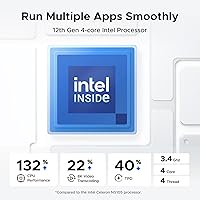
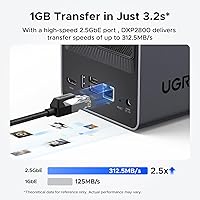
The Intel N100 quad-core processor is the real story — it is notably more capable than the ARM chips and older Celerons found in comparably priced NAS units, so running a media server, photo app, and backup service simultaneously does not cause things to grind to a halt. Paired with 8GB of DDR5 RAM and a 2.5GbE network port, local file transfers are genuinely quick. The two M.2 NVMe slots add flexibility for SSD caching or an all-flash configuration. There is a 4K HDMI output for plugging directly into a TV, and the AI photo organization sorts by face, scene, and location — though that feature lives inside UGREEN's own software ecosystem, so its long-term quality depends on how that platform continues to develop.

Best For

The DXP2800 is a strong fit for home users tired of cloud fees who want one permanent place for photos, videos, and backups. Content creators and remote workers who regularly access large files from multiple devices will appreciate how the fast local transfer speeds make that practical rather than painful. Households wanting a living room media server will find the HDMI output genuinely useful. Small offices with straightforward private-cloud requirements will find the encryption and access controls solid. Where this unit really distinguishes itself for technically inclined buyers is the NVMe flexibility — adding SSD caching to a 2-bay desktop NAS at this price point is not something every competitor offers.

User Feedback

With over 500 reviews averaging 4.5 stars, sentiment around UGREEN's 2-bay NAS leans positive, with the most consistent praise going to easy initial setup and the cross-platform app experience on mobile and desktop alike. Buyers frequently cite strong value compared to older Synology and QNAP models at similar prices. On the critical side, some users raise concerns about software maturity — UGREEN is a newer entrant to the NAS space, and its platform lacks the years of refinement that established brands have accumulated. A handful of reviewers also flag uncertainty around long-term firmware support and note that drive compatibility, while broad, occasionally requires a check of the official list before purchasing.

Pros

  • The Intel N100 processor handles multiple apps running at once without the performance ceiling that plagues cheaper NAS units.
  • 2.5GbE networking delivers genuinely fast local transfers, making large backups and file moves far less time-consuming.
  • Eight gigabytes of DDR5 RAM is unusually generous for a 2-bay NAS at this price tier.
  • Dual M.2 NVMe slots open up SSD caching and all-flash configurations that most competing units simply do not offer.
  • The 4K HDMI output lets you skip a separate media player when connecting directly to a TV.
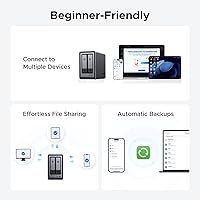
  • Setup gets consistent praise from first-time NAS owners for being approachable and well-guided.
  • The companion app works reliably across Windows, macOS, Android, and iOS without platform-specific headaches.
  • Drive compatibility with WD, Seagate, and Toshiba covers the vast majority of what buyers are likely to already own or purchase.
  • A two-year warranty provides meaningful peace of mind for a storage device holding irreplaceable data.
  • Buyers consistently rate this desktop NAS as stronger value than established-brand alternatives with equivalent specifications.

Cons

  • Drives are sold separately, so budgeting only the unit price significantly underestimates your total out-of-pocket cost.
  • UGREEN's software platform is younger and less refined than Synology or QNAP, which shows in edge-case configurations.
  • Long-term firmware support is an open question given how recently UGREEN entered the dedicated NAS market.
  • Fan noise under heavy workloads is noticeable enough to be a real concern in quiet room environments.
  • AI photo organization quality depends entirely on UGREEN's own software and falls short of well-established photo platforms.
  • Advanced features like NVMe caching lack sufficient in-app guidance, leaving users to figure things out through trial and error.
  • The community knowledge base and third-party troubleshooting resources are thin compared to more tenured NAS ecosystems.
  • Drive compatibility outside the officially tested list is inconsistent and requires verification before committing to a purchase.
  • Remote access performance is heavily dependent on home upload bandwidth, which new NAS buyers often do not anticipate.
  • Users with complex network permission requirements may find the access control options less granular than competing platforms.

Ratings

The UGREEN NASync DXP2800 2-Bay NAS has been evaluated through AI-assisted analysis of verified global user reviews, with spam, bot activity, and incentivized feedback actively filtered out to ensure the scores reflect genuine ownership experiences. Ratings span both the standout strengths and the real frustrations buyers have encountered, so you get an honest picture before committing. Every score below is calibrated to reflect where this desktop NAS genuinely delivers and where it still has room to grow.
Processing Performance
88%
The Intel N100 quad-core handles concurrent workloads that would throttle most NAS units at this price bracket. Users running a media server, automated backups, and a photo app at the same time report no noticeable lag, which speaks directly to how the chip performs in real home-office environments.
Heavier tasks like on-the-fly video transcoding to multiple clients simultaneously can push the processor closer to its limits. A small number of power users have noted that sustained heavy workloads generate more heat than expected, requiring attention to ventilation placement.
RAM & Multitasking
84%
Eight gigabytes of DDR5 gives the DXP2800 headroom that cheaper NAS units simply do not have. Home users running several applications alongside regular file serving find the experience noticeably smoother compared to 4GB configurations common in competing models.
The RAM is not user-upgradeable on all configurations, which limits future-proofing for buyers who plan to expand their use case significantly over time. Users who push Docker containers alongside heavy media workloads have noted available memory becomes tighter than anticipated.
Network Transfer Speed
91%
The 2.5GbE port is a genuine differentiator at this price point. Buyers who upgraded their router or switch to support 2.5GbE report copying large video libraries in a fraction of the time they were used to on standard gigabit NAS units, making daily backups far less disruptive.
Getting the full benefit requires a 2.5GbE-capable switch or router, which is an additional cost some buyers did not fully account for. Those still on standard gigabit infrastructure will not notice any speed advantage over competing NAS models with a regular network port.
Storage Flexibility
86%
The dual M.2 NVMe slots set this unit apart from most 2-bay NAS devices, giving technically inclined buyers the option to add SSD caching or run an all-flash setup. Several users have highlighted how this transforms responsiveness for tasks like database hosting or running a home surveillance system.
The NVMe slots add complexity that casual buyers may never use or configure correctly without research. Documentation around optimal caching configurations within UGREEN's software is considered thin by users who attempted to set it up without prior NAS experience.
Software & App Ecosystem
72%
28%
Initial setup through UGREEN's companion app gets consistent praise for being approachable, even from buyers with no prior NAS experience. Cross-platform access across Windows, macOS, Android, and iOS works reliably for standard file management and remote access scenarios.
The software platform is noticeably younger than what Synology or QNAP offer, and that gap shows in edge cases. Users report occasional missing features, less polished third-party app support, and a smaller community knowledge base when troubleshooting less common configurations.
AI Photo Organization
69%
31%
Buyers who primarily bought the DXP2800 as a personal photo hub report that automatic face and scene recognition works well enough to save meaningful time, especially when dealing with libraries numbering in the tens of thousands of images accumulated over years.
The feature depends entirely on UGREEN's proprietary software stack, and accuracy has been described as inconsistent — particularly with older or lower-resolution images. Users accustomed to Google Photos-level intelligence may find the results fall short of that benchmark.
Build Quality & Design
82%
18%
The enclosure feels solid for a desktop NAS, with a clean, understated grey finish that does not look out of place in a home office or living room setup. Drive bay trays are sturdy and the overall assembly conveys more premium construction than similarly priced competitors.
A few buyers have noted the drive bay doors feel slightly less refined than the main chassis, with minor flex when inserting or removing drives. The overall footprint is also larger than some users expected, which can matter on a crowded desk.
Noise Level
74%
26%
Under moderate workloads, the DXP2800 runs quietly enough to sit in a shared living space without drawing complaints. Buyers using it as a media server in a home environment generally report that fan noise is not intrusive during typical daytime use.
During intensive operations like RAID rebuilding or large file transfers, the fan audibly ramps up. Some buyers in quiet bedroom environments have found the noise floor under load more noticeable than expected, and a few noted occasional irregular fan behavior in early firmware versions.
Setup & Initial Configuration
83%
First-time NAS buyers repeatedly single out the guided setup process as one of the most accessible they have encountered. Getting drives installed, a storage volume created, and basic remote access configured typically takes under an hour for users with no prior NAS experience.
More advanced configurations — particularly RAID setup with NVMe caching — involve considerably more steps and limited in-app guidance. Users attempting to integrate with third-party services or set up advanced network permissions have described hitting walls where documentation is insufficient.
Drive Compatibility
77%
23%
Out of the box, the DXP2800 works reliably with drives from Western Digital, Seagate, and Toshiba across a wide range of capacities. Most buyers who stuck to mainstream drive models reported no compatibility issues whatsoever during installation and ongoing operation.
Users with drives outside the officially tested list have occasionally run into recognition issues or instability. The compatibility list is improving but still lags behind more established platforms, and buyers with existing drives from less common brands should verify support before purchasing.
Value for Money
87%
Compared to established NAS brands offering similar raw specs, the DXP2800 consistently comes up in reviews as the stronger value proposition at its price tier. Buyers who did their homework before purchasing feel they got noticeably more hardware capability per dollar spent.
The diskless configuration means the purchase price is only the starting point — add two quality hard drives and the total investment climbs considerably. Buyers who did not budget for drives upfront have expressed surprise at the real-world cost to get up and running.
Remote Access & Connectivity
79%
21%
Remote access via UGREEN's app works reliably for the standard use case of checking in on files or pushing content while away from home. Users who set up VPN access alongside the native remote feature report a dependable experience across iOS and Android.
Connection speeds over remote access can vary considerably depending on the user's home upload bandwidth and router configuration, which is not specific to this NAS but catches new buyers off guard. Some users also note the remote access portal is less polished than competitors' equivalents.
4K HDMI Output
71%
29%
Having a direct HDMI output is a genuinely useful addition for buyers wanting to hook the unit up to a TV and browse their media library without an additional streaming device. Users with a dedicated media room appreciate the option to skip an extra box entirely.
The HDMI functionality is dependent on UGREEN's media player software, which some users find limited compared to dedicated media players like Kodi or Plex running on separate hardware. Video format compatibility has been flagged as a gap for users with older or less common file types.
Firmware Update Cadence
67%
33%
UGREEN has shown a willingness to push firmware updates that address reported bugs and add features, which buyers appreciate as a sign the product is actively maintained. Several early issues flagged by the community have been resolved through patches within a reasonable timeframe.
The update history is still short relative to competitors with years of iterative development behind them. Buyers concerned about long-term software support have legitimate reason to wonder whether the platform will receive meaningful updates several years down the road.
Warranty & Support
76%
24%
The two-year warranty is a reassuring commitment for a product at this price tier, and buyers who have needed to contact support report response times that are generally acceptable. UGREEN's brand reputation in the accessories space provides some confidence in post-purchase backing.
Compared to Synology's well-established support infrastructure and extensive community forums, UGREEN's support ecosystem is still developing. Users with complex technical problems have occasionally found resolution paths slower or less thorough than they would expect from a more tenured NAS brand.

Suitable for:

The UGREEN NASync DXP2800 2-Bay NAS is built squarely for people who are done paying monthly cloud storage fees and want a permanent, private home for their files. It hits a sweet spot for households sitting on years of accumulated photos and videos who want smart organization tools without handing that data over to a third-party platform. Content creators and remote workers who shuttle large files between devices will appreciate how the 2.5GbE networking and strong processor make that feel practical rather than painful. If you want a media server that connects directly to your TV via HDMI without adding another box to your setup, this desktop NAS handles that cleanly. Small offices with modest IT resources will also find the encryption and access controls sufficient for keeping sensitive documents off public cloud infrastructure. Tech-savvy buyers who want to experiment with SSD caching or hybrid storage configurations will find more hardware flexibility here than most 2-bay units at this price tier offer.
Not suitable for:

Buyers who want to unbox a NAS and have it fully running in ten minutes with zero research should know that the UGREEN NASync DXP2800 2-Bay NAS ships without drives, meaning the purchase price is only your starting point — adding two quality hard drives pushes the real cost considerably higher, which catches some first-time buyers off guard. Users who depend on a mature, deeply documented software ecosystem with years of community-built guides and third-party app integrations will likely find UGREEN's platform less developed than Synology's DiskStation Manager or QNAP's QTS, particularly for complex or non-standard configurations. Buyers running enterprise-grade workloads, managing more than a handful of simultaneous users, or needing advanced virtualization support will outgrow what this unit can realistically offer. Anyone hoping to place the NAS in a very quiet space — a bedroom, for example — should be aware that fan noise under sustained load has drawn complaints. And if you have an existing collection of drives from less mainstream brands, verify compatibility before purchasing, as the tested list is still narrower than what longer-established platforms support.
Specifications

  • Processor: Powered by an Intel N100 quad-core CPU, the same 12th Gen chip found in capable mini PCs, giving this NAS well above average compute performance for its class.
  • RAM: Comes with 8GB of DDR5 memory installed, providing enough headroom to run multiple services and applications simultaneously without performance degradation.
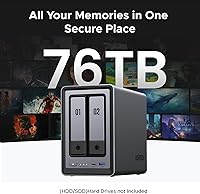
  • Drive Bays: Houses two 3.5-inch or 2.5-inch SATA hard drives or SSDs, supporting a maximum raw combined storage capacity of up to 76TB.
  • M.2 Slots: Includes two M.2 NVMe slots that can be used for SSD caching to accelerate HDD performance or configured as a standalone all-flash storage volume.
  • Network Port: Equipped with a single 2.5 Gigabit Ethernet port, enabling local transfer speeds significantly faster than standard 1GbE NAS units when paired with compatible network hardware.
  • Display Output: Features a 4K HDMI port that allows direct connection to a monitor or television for local media playback without an additional streaming device.
  • Dimensions: Measures 9.33 x 4.29 x 6.97 inches (L x W x H), making it a compact but not pocketable desktop unit suitable for a shelf, desk, or media cabinet.
  • Weight: Weighs 5.68 pounds without drives installed, adding meaningful mass once two 3.5-inch hard drives are seated inside.
  • OS Compatibility: The companion app and web interface support Windows, macOS, Android, iOS, and standard web browsers, covering virtually all common personal computing and mobile platforms.
  • Drive Compatibility: Officially compatible with hard drives and SSDs from Western Digital, Seagate, and Toshiba; buyers with other brands should consult UGREEN's published compatibility list before purchasing.
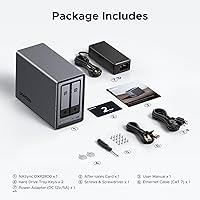
  • Included Drives: Ships as a diskless unit, meaning storage drives are not included and must be purchased and installed separately before the NAS can be used.
  • Warranty: Covered by a 2-year manufacturer warranty from UGREEN, with customer support accessible through UGREEN's official channels for hardware defects and related issues.
  • Battery: Requires one CR2032 coin cell battery, which powers the real-time clock to maintain accurate system time during power interruptions.
  • Color & Finish: Available in a matte grey finish with a clean, minimal industrial design intended to blend into home office or living room environments without standing out.
  • Encryption: Supports advanced data encryption to protect files stored on the NAS, giving users full control over data security without relying on third-party cloud infrastructure.
  • RAID Support: Supports standard RAID configurations including JBOD, RAID 0, and RAID 1 across the two drive bays, with RAID 1 enabling mirrored redundancy for data protection.
  • Remote Access: Enables secure remote access to stored files from anywhere via UGREEN's cloud relay service or a user-configured VPN, accessible through the companion app or a web browser.
  • Power Supply: Includes an internal power supply unit, so no external power brick is required, keeping the desk setup tidy and reducing cable clutter around the device.

Related Reviews

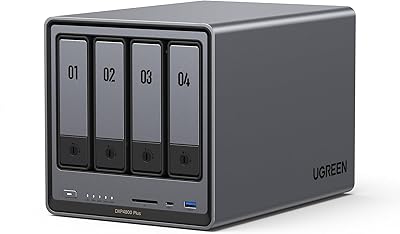
UGREEN NASync DXP4800 Plus 4-Bay NAS, 8GB RAM, 128GB SSD
83%
89%
Performance
92%
Data Transfer Speed
85%
Ease of Setup
91%
Flexibility of RAID Configurations
78%
AI Photo Organization Feature
More
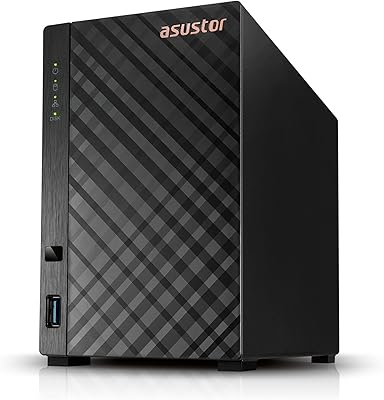
Asustor Drivestor 2 Lite AS1102TL 2-Bay NAS
84%
87%
Value for Money
94%
Ease of Setup
88%
Performance for Basic Tasks
90%
Media Streaming (4K Transcoding)
82%
Build Quality
More
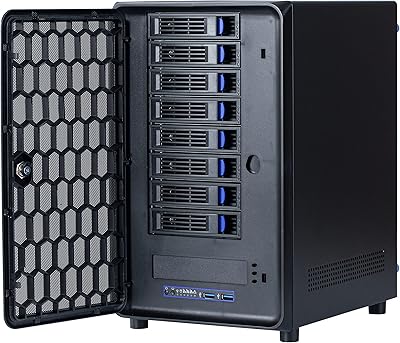
KCMconmey NAS-812 8+2 Bay DIY NAS Case
84%
86%
Build Quality
62%
Cooling Performance
88%
Ease of Use
90%
Compatibility with PSU Types
91%
Customization Options
More
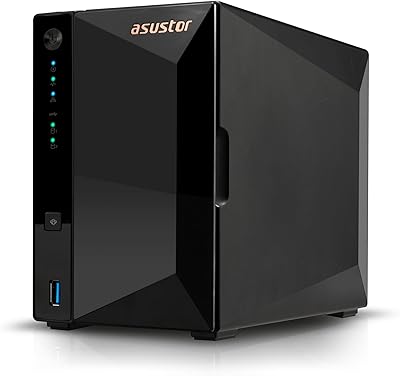
Asustor Drivestor 2 Pro Gen2 AS3302T v2 2-Bay NAS
84%
92%
Value for Money
88%
Ease of Setup
85%
Performance
84%
4K Video Transcoding
87%
Network Speed (2.5GbE)
More
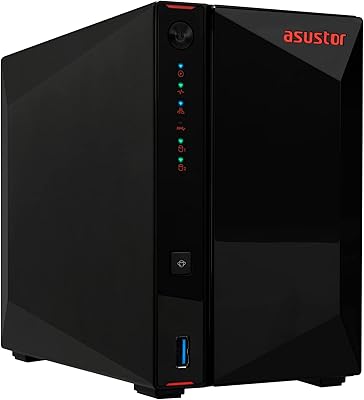
Asustor AS5402T 2-Bay NAS
87%
89%
Performance
91%
Storage Expansion Options
90%
Network Speed
85%
Cooling and Noise Level
87%
Setup and Installation
More
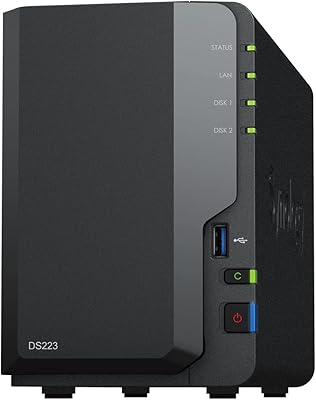
Synology DS223
Synology DS223
77%
94%
Software & OS Experience
88%
Setup & Initial Configuration
61%
CPU & Processing Performance
67%
Network Connectivity
83%
Build Quality & Design
More
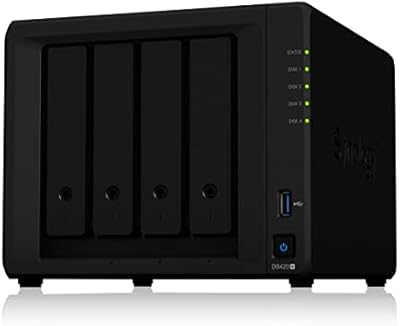
Synology DiskStation DS420+ NAS (2-Bay)
85%
88%
Performance
92%
Ease of Setup
90%
Data Security
85%
Scalability (RAM/Storage)
87%
Build Quality
More
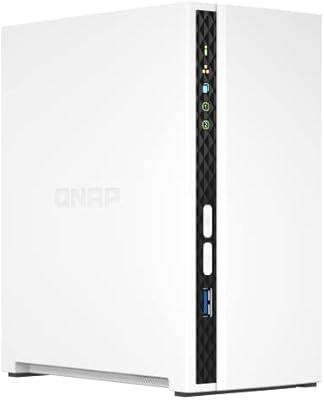
QNAP TS-233 2-Bay NAS
85%
91%
Value for Money
87%
Setup & Installation
88%
Performance for File Storage
93%
Ease of Use
94%
Noise & Quiet Operation
More
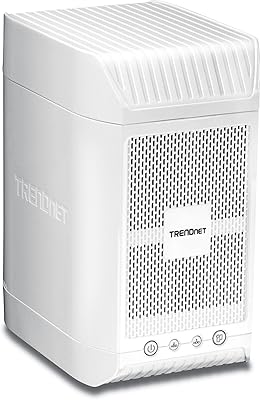
TRENDnet TN-200 2-Bay NAS Media Server
85%
88%
Setup & Installation
85%
File Transfer Speed
90%
Media Streaming Performance
87%
Network Connectivity
82%
Build Quality
More
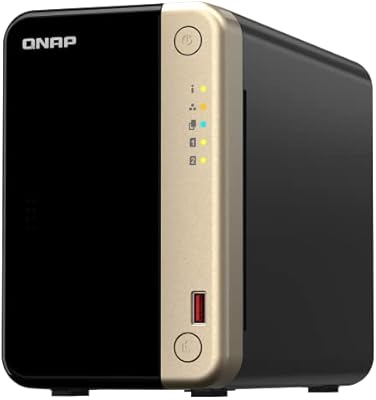
QNAP TS-264-8G-US 2-Bay NAS
87%
89%
Performance
92%
Setup/Installation
86%
Build Quality/Durability
90%
File Transfer Speed
85%
Software/Firmware/App Experience
More

FAQ

You do need to buy drives separately — the unit ships completely diskless. Most buyers pair it with two 3.5-inch NAS-rated hard drives from WD Red, Seagate IronWolf, or similar lines. Factor that cost into your budget before purchasing, as it adds significantly to the total outlay.

It is one of the more beginner-accessible options available right now. The UGREEN NASync DXP2800 2-Bay NAS walks you through drive installation and initial configuration through its companion app, and most first-timers report being up and running within an hour. That said, if you want to use advanced features like NVMe caching, expect a steeper learning curve.

On raw hardware, the DXP2800 tends to offer more for the money — faster processor, more RAM, 2.5GbE, and NVMe slots are not things you typically get from Synology at this tier. Where Synology still leads is software maturity: years of refinement, a massive app library, and deep community documentation. If software depth matters more than hardware specs, Synology is still worth considering.

You can use existing drives as long as they appear on UGREEN's compatibility list. WD, Seagate, and Toshiba drives across a wide range of capacities are officially supported. Drives from less common manufacturers are hit or miss, so it is worth verifying before you assume your existing hardware will work.

Yes, but only if your router or network switch also supports 2.5GbE. If it does, the speed improvement over standard gigabit is real and noticeable, especially when copying large video files or doing simultaneous backups. If your current network gear tops out at 1GbE, you will not see any benefit until you upgrade that hardware too.

Yes, the 4K HDMI port lets you plug it directly into a TV or monitor and access your media library locally. It works best with common video formats. Some users find the built-in media player less capable than a dedicated device running Plex or Kodi, so if you have a very mixed or unusual collection of file formats, test it before relying on it entirely.

During light to moderate use — file syncing, running a photo app in the background — it runs quietly. Under sustained heavy loads like a RAID rebuild or a large bulk transfer, the fan audibly spins up. It is generally fine in a home office or living room, but placing it in a bedroom where you need near-silence at night could be an issue.

Your data lives on the physical drives inside the unit, not on UGREEN's servers, so it is not at risk if UGREEN's cloud services experience issues. Remote access features would be affected if UGREEN's relay service went offline, but you could still access your data locally on your home network at any time, and a VPN setup would preserve remote access independently.

Plex can be installed through UGREEN's app ecosystem, and the Intel N100 processor is capable enough to handle Plex for most home use scenarios, including transcoding at moderate quality levels. Very demanding setups — multiple simultaneous 4K streams with heavy transcoding — may push the processor harder than is comfortable, so manage expectations based on your actual usage pattern.

Not quite. The face, scene, and location recognition works well enough to be genuinely useful, particularly for organizing large photo libraries automatically. But it runs within UGREEN's own software and does not have the years of machine learning refinement behind Google Photos. Accuracy is good for common scenarios and noticeably weaker on older, lower-resolution images or complex scenes.