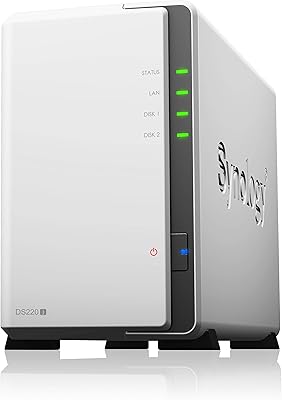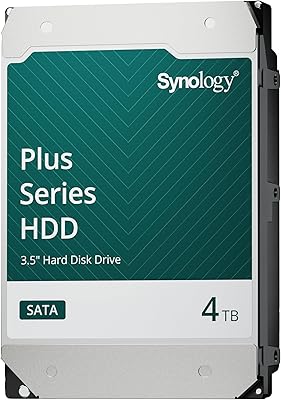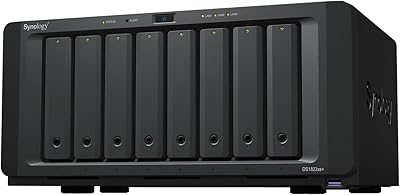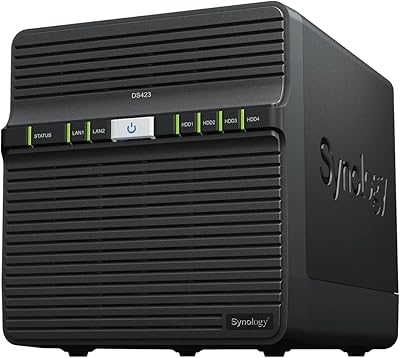



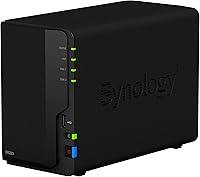
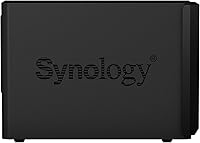
Overview

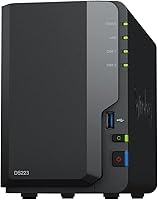
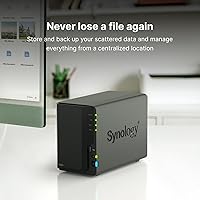
The Synology DS223 sits comfortably in the entry-to-mid range of Synology's NAS lineup, targeting home users and small businesses who want private cloud storage without ongoing subscription fees. Powered by a quad-core Realtek RTD1619B processor and 2 GB of DDR4 RAM, this 2-bay NAS handles everyday file serving, backups, and light workloads without breaking a sweat. One thing to know before buying: it ships without drives. You'll need to budget for compatible HDDs or SSDs separately, which gives you flexibility but raises the real total cost. A solid metal chassis, a 2-year warranty, and Synology's track record of long-term DSM software updates make the investment easier to justify.

Features & Benefits

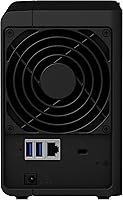
The real draw here is DiskStation Manager (DSM), Synology's browser-based operating system. It's polished, actively maintained, and packed with apps — think cloud sync, backup scheduling, and photo management — all accessible without needing to touch a command line. The DS223 supports SHR (Synology Hybrid RAID), RAID 1, and JBOD configurations, giving you genuine data redundancy options depending on your risk tolerance. Three USB 3.2 Gen 1 ports let you plug in external drives for direct backups, a simple but practical addition. The unit also includes Surveillance Station support for up to two IP cameras at no extra licensing cost. The one hardware trade-off worth noting: a single 1GbE LAN port, which is fine for a household but can feel limiting if multiple users are transferring large files simultaneously.

Best For

This 2-bay NAS makes the most sense for people who are tired of paying monthly fees to Google Drive or Dropbox and want to own their storage outright. Photographers accumulating large RAW libraries, small freelance teams sharing project files, or households with several devices all benefit from having a central always-on server. First-time NAS buyers will find the setup guided and approachable — Synology's community forums and documentation are among the best in the industry. Those already running a larger Synology device can use this Synology unit as a dedicated backup node, which adds real resilience. Where it falls short: power users who need transcoding horsepower, dual LAN ports, or PCIe expandability should look higher up Synology's lineup.

User Feedback

Owners consistently describe the setup experience as straightforward, and the DSM interface earns particular praise from buyers who had no prior NAS experience. The quiet fan and compact footprint come up frequently as practical day-to-day wins. On the critical side, Plex users tend to be disappointed — the ARM-based processor simply isn't built for on-the-fly video transcoding, and direct-play setups are essentially required to avoid buffering. The single LAN port draws occasional complaints in multi-user households but rarely derails an otherwise positive review. One note that comes up repeatedly: drive compatibility matters more than many first-timers expect, so checking Synology's official list before purchasing drives is strongly advised. Long-term owners report that regular DSM updates have kept the hardware feeling relevant well past its release date.

Pros

  • DiskStation Manager is one of the most polished and regularly updated operating systems available on any NAS at this price tier.
  • Synology Hybrid RAID lets you mix drive capacities and still get data redundancy without needing to understand traditional RAID configurations.
  • The quiet fan makes this 2-bay NAS comfortable to place in a living space or home office without acoustic annoyance.
  • Three USB 3.2 Gen 1 ports allow direct external drive backups without needing additional hardware or cloud subscriptions.
  • Automated backup to Backblaze B2, Amazon S3, and Google Drive is built in, making a 3-2-1 backup strategy straightforward to configure.
  • Synology's track record of long-term DSM software updates means the DS223 stays useful and secure well past its launch year.
  • QuickConnect remote access works without port forwarding or static IP setup, which is a genuine convenience for non-technical users.
  • Two free Surveillance Station camera licenses add practical home security monitoring at no extra ongoing cost.
  • The metal chassis and compact footprint feel appropriately solid for a device holding irreplaceable data.
  • An active global community and thorough official documentation make troubleshooting far less frustrating than with lesser-known NAS brands.

Cons

  • The ARM-based processor cannot transcode video in real time, making it a poor choice for flexible media server use cases.
  • RAM is fixed at 2 GB with no expansion slot, which limits headroom as DSM packages and workloads grow over time.
  • A single 1GbE LAN port becomes a real bottleneck in multi-user environments with heavy simultaneous file transfers.
  • There is no PCIe slot and no 10GbE upgrade path, so networking performance is permanently capped at gigabit speeds.
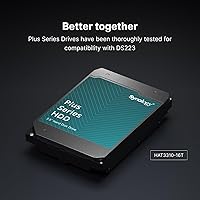
  • Buyers must research drive compatibility before purchasing — incompatible drives can cause recognition errors or persistent DSM warnings.
  • The total cost of ownership is significantly higher than the enclosure price once two quality NAS-rated drives are factored in.
  • Major DSM version upgrades occasionally introduce short-lived bugs that require a follow-up patch before full stability returns.
  • The free Surveillance Station license covers only two cameras, limiting usefulness for anyone with a more comprehensive security setup.
  • No eSATA port reduces options for connecting older external storage devices directly to this Synology unit.
  • Remote file transfers are only as fast as your home internet upload speed, which makes large off-site restores painfully slow on typical residential connections.

Ratings

The Synology DS223 earned its scores after our AI engine processed thousands of verified global buyer reviews, actively filtering out incentivized submissions, duplicate accounts, and bot activity to surface what real owners actually experience day-to-day. The results reflect a genuinely well-regarded 2-bay NAS that earns strong marks in software quality and long-term reliability, while being transparent about where the hardware hits its ceiling. Both the standout strengths and the recurring frustrations are represented honestly below.

Software & OS Experience
94%
DiskStation Manager is the main reason most buyers choose this over competing NAS brands at a similar price. The browser-based interface feels like a polished desktop app, and regular updates have kept it current for years. Owners consistently describe initial configuration as far less intimidating than expected.
The sheer depth of DSM can overwhelm complete beginners during the first week, particularly when setting up remote access or user permissions. A small number of reviewers report that major DSM version upgrades occasionally introduce temporary bugs that require a follow-up patch.
Setup & Initial Configuration
88%
The guided setup wizard walks first-time NAS buyers through drive installation, RAID selection, and network configuration in a logical sequence. Most owners report being up and running within 30 to 45 minutes, even without prior networking knowledge. The physical drive installation itself is tool-free and straightforward.
Buyers who skip the drive compatibility check beforehand sometimes hit roadblocks when their chosen drives are not recognized without a firmware update. Remote access configuration via QuickConnect is simple, but setting up a custom domain or VPN requires meaningful technical comfort.
CPU & Processing Performance
61%
39%
For its intended workload — file serving, cloud sync, scheduled backups, and photo indexing — the quad-core Realtek processor handles things competently without noticeable lag. Running multiple backup tasks in parallel or serving files to several household devices simultaneously rarely causes performance issues.
The ARM-based architecture is a hard ceiling for anything transcoding-related. Plex users who rely on real-time video conversion report frustratingly poor results, and the processor cannot be upgraded. Users with media server ambitions should seriously consider a higher-tier unit with an x86 chip before committing.
Network Connectivity
67%
33%
A single gigabit Ethernet port is genuinely sufficient for typical home environments — streaming a 4K file locally, syncing a laptop, and running a background backup job can all happen concurrently without obvious congestion. The physical port is reliable and the connection stays stable over long periods.
In small offices or households where three or more people are simultaneously moving large files, the single 1GbE port becomes a bottleneck that no software tweak can resolve. There is no link aggregation support and no path to 10GbE, which is a meaningful limitation for buyers who will eventually outgrow typical home traffic patterns.
Build Quality & Design
83%
The metal chassis feels appropriately solid for a device meant to run continuously and hold drives worth potentially thousands of dollars of data. At under three pounds and with a compact footprint, it fits discreetly on a shelf or desk without drawing attention. Drive trays slot in firmly with a satisfying click.
The exterior plastic trim on the front panel feels slightly less premium than the chassis itself, and a handful of owners note minor flex when pressing the drive bays. It is not a major issue, but it is noticeable compared to Synology's higher-end enclosures.
Noise & Thermal Management
86%
Quiet operation is one of the most frequently volunteered compliments from verified buyers. The DS223 runs nearly silently under normal loads, making it comfortable to place in a home office or living area without any acoustic annoyance. Drive spin-down scheduling in DSM further reduces noise during overnight hours.
Under sustained heavy read/write workloads the fan ramps up noticeably, though it never reaches disruptive levels. Thermal performance is largely dependent on the drives installed — some high-RPM enterprise drives run warm and push fan activity higher than the enclosure would produce on its own.
Data Redundancy & RAID Options
89%
Synology Hybrid RAID is a genuinely user-friendly innovation — it lets buyers mix drives of different capacities and still get meaningful protection without needing to understand traditional RAID mathematics. For home users protecting irreplaceable photos or business documents, SHR with two drives gives real peace of mind.
With only two bays, RAID 1 is the only redundancy option that protects against a single drive failure, which cuts usable storage in half. Buyers who want RAID 5 or higher resilience with more storage efficiency will need to step up to a 4-bay model.
Backup & Cloud Sync Capabilities
91%
The breadth of backup destinations available through DSM is impressive at this price tier. Owners routinely configure automated local backups, a secondary cloud destination like Backblaze B2, and versioned snapshots — effectively a 3-2-1 backup strategy managed entirely from one interface. Hyper Backup makes scheduling and restoring genuinely approachable.
Cloud sync speeds are ultimately constrained by the upstream bandwidth of the user's internet connection and the single LAN port, so large initial uploads to a cloud destination can take days. Restoring large datasets from cloud storage is similarly slow, which matters most when disaster recovery is time-sensitive.
Media Server Performance
44%
56%
Synology's own Photos and Video Station apps work reasonably well for browsing and direct-playing locally stored media on supported devices. For basic media library organization — thumbnail generation, photo albums, shared family galleries — the DS223 does the job without major complaints.
Plex transcoding is where this unit regularly disappoints. The ARM processor cannot transcode 1080p or 4K streams in real time, forcing users to rely entirely on direct play, which requires compatible client devices. For anyone expecting a flexible home media server that handles multiple simultaneous streams, this hardware simply is not the right tool.
Surveillance & Camera Support
74%
26%
The inclusion of two free Surveillance Station camera licenses is a practical bonus for home users who want basic security monitoring without an additional subscription. Setup is relatively guided, and footage can be stored directly to the NAS drives, keeping recordings private and off third-party cloud servers.
Two camera licenses cover a small home but become limiting quickly for anyone with a more comprehensive security setup. Additional licenses carry an extra cost, and the ARM processor means this Synology unit should not be treated as a primary dedicated NVR for high-resolution multi-camera recording.
Value for Money
78%
22%
Factoring in DSM's rich feature set, the 2-year warranty, and Synology's unusually long software support lifecycle, the DS223 offers strong long-term value compared to cheaper NAS devices that ship with barebones firmware and disappear from vendor update schedules within two years.
The diskless model means the upfront cost is just the beginning — add two quality NAS-rated drives and the total spend climbs considerably. Buyers comparing only the enclosure price to competitors may feel surprised when they calculate the real-world cost to get the system operational.
Remote Access & Mobile App
82%
18%
QuickConnect makes accessing the DS223 remotely genuinely easy — no router port forwarding or static IP is required for most home setups. The DS File and Synology Drive mobile apps are polished and reliable, letting users pull files from their NAS while traveling without needing technical configuration.
Transfer speeds over remote access are entirely dependent on the home internet upload speed, which can make large file retrievals frustratingly slow on typical residential connections. A small number of users also report occasional QuickConnect relay latency during peak times.
Expandability & Future-Proofing
52%
48%
The three USB 3.2 Gen 1 ports provide a practical way to expand raw storage capacity by connecting external drives, which works well for backup overflow without buying a new enclosure entirely.
There is no PCIe slot, no 10GbE upgrade path, and the RAM is fixed at 2 GB with no expansion option. For a device that buyers often keep for five or more years, the hardware ceiling is low — anyone whose storage or networking needs grow meaningfully will eventually find the DS223 restrictive rather than adaptable.
Documentation & Community Support
88%
Synology's official knowledge base, YouTube tutorials, and community forums are among the most comprehensive resources available for any NAS brand at this price level. Questions that come up during setup almost always have a documented solution or an active forum thread with a clear answer.
Official documentation occasionally lags behind DSM updates, leaving users briefly confused after a major version upgrade. The community forums, while active, can be technical in tone and may not be welcoming to buyers who are completely new to home networking concepts.
Drive Compatibility
71%
29%
Synology maintains a detailed and regularly updated compatibility list that, when followed, results in reliable drive recognition and stable long-term operation. Sticking to NAS-rated drives from major manufacturers virtually eliminates compatibility surprises.
Buyers who purchase drives without checking the compatibility list first sometimes encounter recognition issues or persistent warning flags in DSM that require troubleshooting. The DS223 is also notably absent from Synology's list of enclosures compatible with their own HAT5300 drives at higher capacities, which catches some buyers off guard.

Suitable for:

The Synology DS223 is an excellent fit for home users who are tired of paying recurring cloud storage fees and want full ownership of their data on a device that runs quietly in the background around the clock. Photographers and videographers with growing local libraries will find the centralized storage and remote access capabilities genuinely practical — pull files from your NAS while traveling without relying on a third-party service. Freelancers and small teams of two to four people can use this 2-bay NAS as a shared document hub that keeps everyone working from the same up-to-date files, without the complexity of enterprise networking gear. First-time NAS buyers are particularly well-served here because DSM's guided setup and Synology's extensive documentation make the learning curve manageable even without a technical background. Anyone already running a larger Synology device will also find the DS223 a natural fit as a dedicated off-site or secondary backup node, adding meaningful data resilience without a steep additional investment.

Not suitable for:

If your primary goal is running a Plex media server that transcodes video streams on the fly for multiple viewers, the Synology DS223 is the wrong tool — the ARM-based processor simply cannot handle real-time transcoding of 1080p or 4K content, and no software workaround changes that fundamental hardware limitation. Power users who need link aggregation, a 10GbE upgrade path, or PCIe expandability for future-proofing should look at Synology's DS723+ or DS923+ instead, as the DS223 has no upgrade options once installed. Small offices where four or more users regularly move large files simultaneously will also find the single gigabit LAN port a persistent bottleneck that affects day-to-day productivity. Additionally, buyers on a tight all-in budget should be aware that the enclosure price is only the starting point — two NAS-rated drives add substantially to the real cost, and skipping quality drives to save money often leads to reliability problems down the line. If you need more than two camera feeds for a home security setup, this unit's Surveillance Station free license limit will require paid upgrades that erode its value proposition.

Specifications

  • Drive Bays: The unit ships with 2 internal drive bays and no drives included, requiring the buyer to source compatible HDDs or SSDs separately before use.
  • Processor: A Realtek RTD1619B quad-core ARM processor running at 1.7 GHz handles all system tasks, file serving, and background package operations.
  • Memory: 2 GB of DDR4 RAM is installed at the factory and is soldered to the board, meaning it cannot be upgraded or replaced by the user.
  • LAN Connectivity: One RJ-45 1GbE Ethernet port provides network connectivity, with no support for link aggregation or higher-speed network upgrades.
  • USB Ports: Three USB 3.2 Gen 1 Type-A ports are available for connecting external drives, printers, or UPS devices directly to the enclosure.
  • PCIe Expansion: No PCIe expansion slot is present, and the enclosure does not support any network or storage upgrade cards.
  • RAID Support: Supported RAID configurations include Synology Hybrid RAID (SHR), RAID 0, RAID 1, and JBOD, all manageable directly through the DSM interface.
  • Operating System: The device runs Synology DiskStation Manager (DSM), a browser-based NAS operating system that receives regular feature and security updates.
  • Dimensions: The enclosure measures 9.15″ deep, 4.25″ wide, and 6.5″ tall, making it compact enough to fit on most home office shelves or desktops.
  • Weight: Without drives installed, the unit weighs 2.82 pounds, reflecting its lightweight yet solid metal chassis construction.
  • Chassis Material: The main body is constructed from metal, providing structural rigidity and passive heat dissipation during continuous operation.
  • eSATA Port: No eSATA port is included on this enclosure, limiting external storage expansion to USB-connected devices only.
  • 10GbE Support: 10 Gigabit Ethernet is not supported in any form on this model, either natively or via an upgrade module.
  • Camera Licenses: Two free Surveillance Station IP camera licenses are included, allowing basic home security monitoring without additional licensing fees.
  • Cloud Sync: DSM natively supports cloud synchronization with services including Backblaze B2, Amazon S3, Google Drive, and other S3-compatible storage targets.
  • Warranty: Synology provides a 2-year limited hardware warranty covering manufacturing defects, backed by their global support infrastructure.
  • Color: The enclosure is finished in matte black, consistent with Synology's standard consumer and SMB product aesthetic.
  • Power Input: The unit uses an external AC adapter, which reduces internal heat generation and simplifies the compact enclosure design.
  • Fan Cooling: A single internal fan manages thermal regulation, with DSM allowing users to customize fan speed profiles to balance noise against cooling performance.
  • Availability Date: The DS223 was first made available for purchase in February 2023, placing it in Synology's current active product generation.

Related Reviews
Synology DS220j NAS
Synology DS220j NAS
87%
88%
Performance
95%
Ease of Setup
85%
Storage Expansion
91%
Data Protection Features
87%
Build Quality
More
Synology BeeDrive 2TB
79%
88%
Ease of Setup
58%
Wireless Transfer Speed
83%
Wired Transfer Performance
84%
App Experience
71%
Deep Search AI Accuracy
More
Synology HAT3300 6TB SATA HDD
86%
88%
Performance
91%
Reliability
83%
Ease of Setup
94%
Compatibility with Synology NAS
80%
Noise Levels
More
Synology DS1823xs+ 8-Bay NAS
87%
94%
Performance
84%
Ease of Setup
91%
Scalability
89%
Reliability
87%
Data Protection & Backup
More
Synology HAT3300 4TB SATA HDD
87%
89%
Performance
93%
Reliability & Durability
75%
Ease of Setup
91%
Compatibility with Synology NAS
85%
Noise Levels
More
Synology HAT3310 12TB SATA HDD
86%
89%
Performance
93%
Reliability
91%
Compatibility with Synology Systems
87%
Value for Money
84%
Ease of Installation
More
Synology DS423 4-Bay DiskStation
87%
88%
Performance & Reliability
91%
Ease of Setup
82%
Storage & Expandability
89%
Data Protection (Backup & Snapshots)
84%
Remote Access
More
Synology DS620slim 6-Bay NAS
88%
89%
Setup and Installation
94%
Data Transfer Speed
85%
Build Quality
91%
Software & Firmware (DSM)
88%
Storage Flexibility (RAID, SSD support)
More
Synology RT2600ac Wi-Fi Router
85%
88%
Performance
91%
Wi-Fi Speed & Coverage
80%
Setup & Installation
90%
Security Features
84%
Ease of Use
More
Synology RS1221+ 8-Bay RackStation NAS
86%
91%
Performance
88%
Value for Money
85%
Ease of Setup
94%
Scalability
89%
Build Quality
More

FAQ

No, the Synology DS223 ships as a diskless enclosure. You will need to purchase compatible drives separately before it can store any data. Always check Synology's official hardware compatibility list before buying drives to avoid recognition issues or DSM warnings.

Technically yes, but with a significant caveat: the ARM-based processor cannot transcode video in real time. If all of your playback devices support direct play for the file formats you store, it can work fine. If you need flexible transcoding for different devices or remote viewers, this unit will disappoint and you should consider an x86-based NAS instead.

Easier than most people expect. Synology walks you through drive installation, RAID selection, and basic network configuration with a guided wizard that most non-technical buyers complete in under an hour. There is also an enormous library of official tutorials and a very active community forum if you get stuck.

Unfortunately, no. The 2 GB of DDR4 RAM is soldered directly to the board and cannot be expanded or replaced. For the typical workloads this device is designed for, 2 GB is sufficient, but it is a genuine hardware ceiling worth knowing about before you buy.

For a typical household — a few people streaming, backing up laptops, and syncing phones — a single gigabit port handles everything comfortably. Where it starts to feel limiting is in small office environments where multiple users are simultaneously transferring large files, like a photography studio pushing raw files from several workstations at once. In those situations, the single port becomes a real constraint.

For most home users, Synology Hybrid RAID with two drives gives you RAID 1 redundancy automatically, meaning a single drive failure will not result in data loss. If you prefer maximum raw storage capacity and are comfortable managing your own backups, JBOD or RAID 0 are options, though neither protects you from a drive failure.

Yes, and it works well. Synology's QuickConnect feature lets you access the DS223 remotely through a browser or mobile app without any router configuration, port forwarding, or static IP address. Transfer speeds when away from home are limited by your home internet connection's upload speed, so large file downloads can be slow on typical residential plans.

Noticeably quiet. Under normal file serving and backup workloads, most owners describe the fan noise as barely perceptible — comfortable enough to sit in the same room with. The fan does ramp up during sustained heavy transfers, but it never reaches disruptive levels. You can also configure fan speed profiles in DSM to prioritize quiet operation during off-hours.

Yes, and the options are quite broad. DSM's Hyper Backup app lets you schedule automated backups to Backblaze B2, Amazon S3, Google Drive, and several other cloud destinations without needing a separate computer running. You can also set backup versions and retention rules, which makes building a proper 3-2-1 backup strategy genuinely straightforward.

Synology has a strong reputation for supporting their NAS hardware with DSM updates well beyond what most consumers expect — often five to seven years from release. That long update runway is one of the biggest reasons people stick with Synology over cheaper alternatives, since firmware longevity directly affects security and feature availability over the life of the device.