Overview

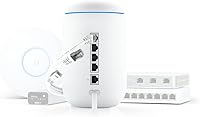
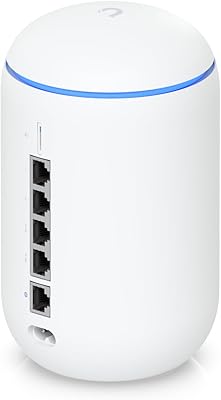
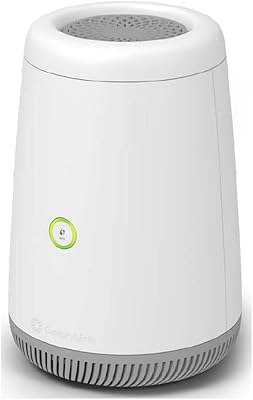
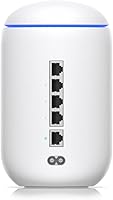
The Ubiquiti UniFi Dream Machine Wi-Fi Router is Ubiquiti's attempt to pack an entire enterprise network stack into a single, compact cylindrical device roughly the size of a large coffee mug. For anyone already familiar with the UniFi ecosystem — Ubiquiti's line of managed networking hardware popular in offices and home labs — the Dream Machine serves as the natural entry point, bundling router, switch, wireless access point, and network controller into one unit. It sits firmly in prosumer territory. If you want something you simply plug in and forget, this is not it. But if you understand networking or are willing to learn, the payoff is considerable.

Features & Benefits

The UDM condenses what used to require several separate devices into a single box. Its dual-band 802.11ac Wave 2 radio handles both 2.4 GHz and 5 GHz simultaneously, and the 4x4 MU-MIMO configuration means multiple devices can talk to it at once without taking turns. The built-in UniFi Controller is a bigger deal than it sounds — previously, running UniFi management software required a dedicated device called a Cloud Key. Here, it's baked in. The integrated security gateway goes beyond basic firewall rules, offering IDS/IPS and Deep Packet Inspection, so you can actually see which applications are consuming your bandwidth. A 1.7 GHz quad-core processor keeps things running without choking when all those features are active simultaneously.

Best For

This UniFi all-in-one router is built for people who think about their network rather than just use it. Home lab hobbyists, IT professionals setting up a home office, and small business owners who want real visibility into their traffic will find it a genuinely capable platform. It particularly shines for anyone consolidating hardware — if you currently run a separate router, unmanaged switch, and Wi-Fi access point, the UDM can replace all three while giving you tighter control. That said, casual users who want a simple setup experience should look elsewhere; consumer routers from brands like Eero or Google Wifi will serve them far better. The learning curve here is real, not a minor footnote.

User Feedback

With over a thousand ratings averaging 4.4 out of 5 stars, the UDM has earned solid community trust — but the feedback is nuanced. Buyers consistently praise network stability and the depth of features available through the UniFi OS dashboard, calling it far more capable than anything in the typical consumer space. The clean management interface gets repeated mentions too. Where people push back is on setup: several reviewers note it took hours rather than minutes to configure properly, and those without networking backgrounds hit real walls. Firmware updates have drawn mixed reactions — some users say recent versions resolved earlier bugs, while others report occasional regressions. Most agree the feature-to-value ratio holds up well at this price tier.

Pros

  • Combines router, managed switch, wireless access point, and network controller in one compact unit.
  • The built-in UniFi OS controller eliminates the need for a separate Cloud Key device.
  • IDS, IPS, and Deep Packet Inspection give real visibility into threats and traffic patterns.
  • The UniFi OS dashboard is clean and well-organized once the initial learning curve is cleared.
  • A quad-core processor keeps the UDM stable even when security scanning features are fully active.
  • Fits naturally into existing UniFi setups, making ecosystem expansion straightforward.
  • Long-term network stability is consistently praised by buyers across real-world use.
  • The 4-port gigabit managed switch handles wired device connections without needing external hardware.
  • Community support and documentation for the UniFi platform are extensive and actively maintained.

Cons

  • Initial configuration is genuinely complex and will frustrate buyers without networking experience.
  • Based on Wi-Fi 5, so it lacks the throughput headroom of newer Wi-Fi 6 hardware.
  • Firmware updates have caused intermittent regressions for some users, requiring rollbacks.
  • A single integrated access point may not provide adequate coverage in large or multi-floor spaces.
  • The UniFi ecosystem can create dependency — mixing in non-Ubiquiti hardware reduces management benefits.
  • No built-in cellular failover or secondary WAN option for redundancy in small business scenarios.
  • Setup documentation assumes a baseline networking knowledge that many buyers do not have.
  • Occasional reports of features being moved or changed between software updates without clear notice.

Ratings

The scores below reflect an AI-driven analysis of thousands of verified buyer reviews for the Ubiquiti UniFi Dream Machine Wi-Fi Router, sourced globally and filtered to exclude incentivized, bot-generated, and duplicate submissions. Each category is scored independently based on recurring sentiment patterns, so both the genuine strengths and the frustrating real-world friction points are represented honestly. Nothing is inflated to protect a brand image — if buyers struggled with something, the score reflects that.

Network Stability
91%
Long-term uptime is where the UDM earns its strongest praise. Buyers running home labs and small offices consistently report weeks or months of uninterrupted operation without needing to reboot, even under sustained multi-device load. That kind of reliability is genuinely rare at this price tier.
A subset of users noted that certain firmware updates temporarily destabilized their connections, requiring rollbacks or manual fixes. These incidents are not widespread, but they are real enough to keep the score from reaching the top of the range.
Setup & Initial Configuration
53%
47%
For buyers with IT backgrounds, the initial setup process is logical and well-documented through Ubiquiti's community forums and official guides. Experienced users often complete the full configuration — including VLANs, firewall rules, and SSID setup — in a single afternoon.
Non-technical buyers frequently report hitting walls within the first hour. Concepts like subnets, DHCP reservations, and port profiles are assumed knowledge, not explained in-app. Several reviewers described returning the unit specifically because the setup experience felt impenetrable without prior networking experience.
Wireless Performance
74%
26%
In typical home and small office environments, real-world throughput on the 5 GHz band is consistently solid, with most users reporting clean, low-latency connections for video conferencing, streaming, and remote work across a moderate number of devices.
The Wi-Fi 5 standard shows its age when compared against newer Wi-Fi 6 routers, particularly in dense device environments. Range in larger or multi-story homes can also fall short of expectations, with some buyers needing to add dedicated UniFi access points to fill dead spots.
Built-in Security Features
88%
Having IDS, IPS, and Deep Packet Inspection built directly into the hardware — rather than sold as a subscription add-on — is a meaningful differentiator. Home lab users and small business owners specifically praise being able to see flagged threats and application-level traffic breakdowns in real time without needing a separate appliance.
Running IDS and IPS simultaneously with DPI does create measurable CPU load, and on networks with heavy concurrent traffic, some users noticed a modest throughput reduction. It is a reasonable trade-off, but buyers should know the security features are not entirely free in terms of performance.
UniFi Controller Integration
89%
The elimination of a separate Cloud Key is one of the most consistently praised aspects of the Dream Machine. Users who previously ran a self-hosted controller or maintained a dedicated Cloud Key appliance found the transition to a fully integrated setup noticeably cleaner and easier to maintain over time.
The controller's feature set, while deep, can behave inconsistently after major UniFi OS updates, with some menu items relocated or renamed without clear changelogs. Users managing multiple UniFi devices occasionally found that controller updates temporarily broke expected behavior in connected access points or switches.
Dashboard & UI
82%
18%
Once past the initial configuration phase, the UniFi OS dashboard is genuinely well-designed. Traffic charts, client lists, device health indicators, and security alerts are organized logically, and the mobile app keeps most of the same functionality accessible remotely.
Ubiquiti has shifted UI elements across major versions, and long-time users note that finding specific settings after an update can require re-learning navigation. New users also report that the volume of available options can feel overwhelming before they have context for what each setting actually does.
Hardware Build Quality
83%
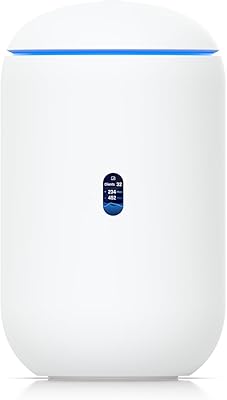
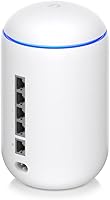
The compact cylindrical enclosure feels solid rather than hollow, and the matte white finish resists minor surface scuffs reasonably well. Buyers who have owned the unit for two or more years consistently report that the physical hardware holds up without any signs of structural wear.
A small number of users raised concerns about heat dissipation during extended high-load periods, particularly when running with all security features active. The unit has no fan, so thermal management relies entirely on passive cooling through the enclosure.
Value for Money
77%
23%
For buyers who fully utilize the feature set — replacing a separate router, switch, access point, and controller — the consolidated cost makes real financial sense. IT-savvy reviewers frequently note that assembling equivalent enterprise capability from competing products would cost significantly more.
Buyers who only need basic Wi-Fi and routing find the premium pricing hard to justify when simpler mesh systems offer a far friendlier experience at lower cost. If you are not using the advanced security features or ecosystem integrations, the value equation weakens considerably.
Ecosystem Compatibility
86%
As a hub for the broader UniFi product line, the Dream Machine manages additional access points, switches, and cameras with genuine elegance. Users who expanded their setups with UniFi access points reported that adopting new devices into the controller took minutes rather than hours.
The ecosystem dependency cuts both ways — mixing in non-UniFi hardware means losing the unified management that justifies much of the platform's appeal. Buyers who want flexibility to combine hardware from different brands will find the UDM less compelling than a more open alternative.
Firmware Update Experience
61%
39%
Over time, Ubiquiti has addressed several early-generation bugs through firmware updates, and buyers who have maintained the device over multiple release cycles generally report a net improvement in both stability and feature availability.
The update process itself carries real risk on active networks. Community forums document recurring cases where specific firmware versions introduced regressions in routing behavior, VLAN handling, or VPN connectivity. Careful users have learned to wait several weeks after a release before applying major updates.
Remote Management
79%
21%
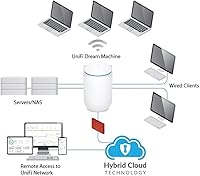
Remote access through Ubiquiti's cloud portal works reliably for most users, giving IT professionals and small business owners the ability to monitor network health and push changes without being physically on-site — a practical feature for anyone managing a network across multiple locations.
Remote access depends on a Ubiquiti cloud account, which introduces a degree of vendor dependency some privacy-conscious users find uncomfortable. There have also been isolated reports of cloud portal outages blocking remote access during critical moments.
Traffic Analytics & Visibility
85%
The combination of DPI and the UniFi OS analytics dashboard gives users a genuine window into what their network is actually doing. Identifying bandwidth hogs, spotting unusual device behavior, and reviewing historical usage patterns are all straightforward tasks once the system is configured.
Analytics data retention is limited without additional storage infrastructure, and the default data window is shorter than some power users would prefer. Users looking for months of granular historical traffic data may need to integrate external logging tools.
Physical Footprint
88%
At just over a pound and roughly the size of a compact water bottle, the Dream Machine sits on a desk or shelf without demanding attention. Home users specifically appreciate that it does not look like networking equipment, making it easy to place in a living space without visual clutter.
The cylindrical base is not universally stable on all surfaces, and the unit lacks mounting options for wall or rack installation. For small office environments that prefer organized rack setups, the form factor is a limitation rather than an advantage.
Guest Network Features
81%
19%
Guest SSID configuration with full client isolation works well in practice, and the ability to set per-network bandwidth limits is a practical tool for small offices managing shared internet access across staff and visiting clients.
The guest network setup is buried in the dashboard and not immediately intuitive for first-time UniFi users. Some reviewers also noted that the guest portal customization options are limited compared to what dedicated hospitality-grade access points offer.

Suitable for:

The Ubiquiti UniFi Dream Machine Wi-Fi Router is built for buyers who want genuine control over their network rather than just a working Wi-Fi signal. IT professionals setting up a capable home office, home lab enthusiasts who enjoy digging into traffic data, and small business owners who need unified network management without hiring a consultant will find this device fits naturally into their workflow. It particularly rewards users who are consolidating hardware — replacing a standalone router, unmanaged switch, and separate wireless access point with one tightly integrated unit is a real, tangible benefit here. Anyone already using UniFi access points or switches will find the built-in controller removes a significant pain point, since a dedicated Cloud Key or self-hosted server is no longer required. If you want visibility into what is actually happening on your network — which devices are consuming bandwidth, what threats are being flagged, how traffic breaks down by application — the UDM delivers that in a way very few consumer products attempt.
Not suitable for:

The Ubiquiti UniFi Dream Machine Wi-Fi Router is a poor fit for anyone who expects to be up and running in twenty minutes without consulting documentation. Non-technical home users who simply want reliable Wi-Fi for streaming and browsing will find the setup process frustrating and the dashboard overwhelming — simpler mesh systems from competing brands are far more appropriate for that audience. The wireless hardware, while capable, is based on Wi-Fi 5 rather than the newer Wi-Fi 6 or Wi-Fi 6E standards, so buyers prioritizing peak wireless performance in dense, device-heavy environments may want to weigh that carefully. It is also not a standalone access point replacement for large homes; the single integrated radio covers a reasonable area, but sprawling floor plans may still require additional access points. Budget-conscious buyers should also consider whether the premium tier pricing aligns with their actual technical needs, since much of the value is locked behind features that casual users will never touch.

Specifications

  • Wireless Standard: The Dream Machine uses 802.11ac Wave 2 (Wi-Fi 5), supporting both 2.4 GHz and 5 GHz frequency bands simultaneously.
  • MIMO Config: A 4x4 MU-MIMO antenna configuration allows multiple client devices to send and receive data at the same time without queuing.
  • Processor: A 1.7 GHz quad-core CPU handles routing, switching, and active security inspection concurrently without measurable throughput degradation.
  • WAN Port: One Gigabit Ethernet WAN port connects the unit to your upstream modem or ISP-provided gateway.
  • LAN Ports: Four Gigabit Ethernet LAN ports are managed switch ports, allowing per-port VLAN and traffic policies through the UniFi OS interface.
  • Security Features: Integrated Intrusion Detection System (IDS), Intrusion Prevention System (IPS), and Deep Packet Inspection (DPI) provide active threat monitoring and application-level traffic analysis.
  • Network Controller: UniFi OS is built directly into the hardware, removing the requirement for a separate Cloud Key device or self-hosted controller server.
  • Dimensions: The unit measures 5 x 3 x 3 inches in a compact cylindrical form factor suited for desk or shelf placement.
  • Weight: At 1.32 pounds, the Dream Machine is lightweight enough to be repositioned easily without permanent mounting.
  • Power Input: The unit requires a 24V AC power supply, which is included in the box.
  • Operating System: UniFi OS serves as the device's firmware and management platform, providing a unified dashboard for all connected UniFi hardware.
  • Color & Finish: The exterior is finished in matte white, consistent with Ubiquiti's standard UniFi hardware aesthetic.
  • Form Factor: The cylindrical enclosure is purpose-designed to sit unobtrusively on a desk or shelf without requiring rack mounting or wall installation.
  • User Rating: The product holds a 4.4-out-of-5-star rating based on over 1,000 verified customer ratings on Amazon.
  • Ecosystem: The UDM integrates natively with the broader UniFi product line, including UniFi access points, cameras, and additional switches managed through a single controller interface.

Related Reviews

Ubiquiti Dream Router Wi-Fi 6 Router
79%
93%
Network Stability & Reliability
54%
Setup & Initial Configuration
78%
Wi-Fi 6 Performance
91%
UniFi Controller Integration
74%
Value for Money
More
Ubiquiti UDR7 Dream Router Wi-Fi 7
77%
94%
Ecosystem Integration
83%
Wi-Fi Performance
61%
Hardware Port Selection
58%
Setup Experience
72%
Value for Money
More
Ubiquiti UniFi Dream Machine Pro Security Gateway
79%
93%
Reliability & Uptime
89%
Management Interface (UniFi App)
54%
Setup & Initial Configuration
91%
Throughput & Network Performance
88%
WAN Redundancy & Failover
More
Ubiquiti U6-Mesh Wi-Fi 6 Access Point
79%
93%
Wireless Performance
54%
Setup & Configuration
91%
Build Quality & Durability
88%
Coverage Range
74%
Value for Money
More
Synology RT2600ac Wi-Fi Router
85%
88%
Performance
91%
Wi-Fi Speed & Coverage
80%
Setup & Installation
90%
Security Features
84%
Ease of Use
More
CenturyLink C4000BG Bonded DSL Wi-Fi Router
66%
83%
Wi-Fi Performance
88%
DSL Modem Capability
81%
Ease of Setup
31%
ISP Compatibility
79%
Wi-Fi 6 Readiness
More
Linksys EA6900 AC1900 Dual-Band Wi-Fi Router
73%
91%
Ease of Setup
78%
Wi-Fi Speed & Performance
67%
Wireless Range
73%
Beamforming Effectiveness
74%
Build Quality & Design
More
NETGEAR Nighthawk R6900P Wi-Fi Router
85%
88%
Wi-Fi Speed & Performance
85%
Coverage Area
83%
Device Connectivity
91%
Setup & Installation
89%
Security Features
More
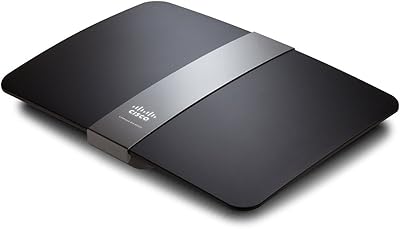
Linksys EA4500 N900 Dual-Band Wi-Fi Router
69%
74%
Wireless Performance
78%
Wireless Range
86%
Wired Connectivity
61%
Setup Experience
63%
Smart Wi-Fi App
More
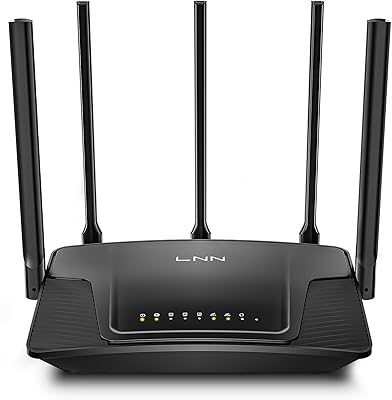
LNN 788 Wi-Fi 6 Router
74%
91%
Ease of Setup
78%
Wi-Fi Speed Performance
67%
Coverage & Range
82%
Multi-Device Handling
79%
Gaming & Streaming Quality
More

FAQ

Honestly, yes — at least a basic level. The Ubiquiti UniFi Dream Machine Wi-Fi Router is not designed like a consumer plug-and-play router. You will need to understand concepts like VLANs, subnets, and WAN configuration to get the most out of it. That said, if you are comfortable following detailed community guides and Ubiquiti's official documentation, many users with moderate tech skills have gotten through the initial setup successfully.
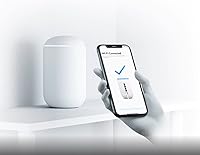
Yes, the UDM supports remote management through Ubiquiti's cloud portal once you link the device to a Ubiquiti account. You can monitor your network, push configuration changes, and check device status from a browser or the UniFi mobile app without needing to be on-site.

Completely. The built-in UniFi OS controller handles everything that previously required a dedicated Cloud Key or a self-hosted server running UniFi Network software. This is actually one of the more practical reasons people choose it over building a separate UniFi stack from scratch.

Ubiquiti rates it for small to medium network environments. In practice, users with 30 to 60 active devices have reported stable performance, though heavy IDS/IPS usage with many concurrent connections can start to tax the processor. If you are running a dense office with 100-plus devices, you may want to consider the more powerful UDM-Pro instead.

As a router and switch, it will connect to virtually any standard network device. However, the centralized management dashboard — one of the main selling points — only works with official UniFi hardware. If you mix in third-party access points or switches, you lose the unified visibility and control that makes the ecosystem valuable.

Deep Packet Inspection, or DPI, is a feature that analyzes the actual content of network traffic to identify which applications or services are generating it — not just which IP addresses are involved. So instead of seeing a generic data stream, you can see that a device is using Netflix, Zoom, or a BitTorrent client. On the UDM, enabling DPI has a modest performance impact, but most users report it is not significant in normal home or small office use.

Ubiquiti releases updates fairly regularly, and the UniFi OS interface will notify you when one is available. Most updates are stable, but the community has noted that occasionally a release introduces minor bugs that get patched in subsequent versions. It is generally wise to wait a week or two after a major release and check the Ubiquiti community forums before applying it to a production network.

Yes, the UDM supports guest network configuration with client isolation, so guests can access the internet without being able to reach your primary devices. You can also set bandwidth limits per guest SSID, which is useful in small office environments.

It depends on your home's size and layout. For a standard apartment or a smaller single-story home, the integrated access point should be sufficient. For larger or multi-story spaces, you will likely want to add dedicated UniFi access points — which the built-in controller can manage natively. Think of the Dream Machine as the brain of the network, not necessarily the sole wireless coverage device.

The UDM-Pro is a rack-mounted unit with more processing power, additional WAN ports, and support for UniFi Protect camera storage — it is aimed at more demanding environments. The standard UDM is compact, desktop-friendly, and better suited for home labs or small offices that do not need rack infrastructure. If you are just getting started with UniFi and do not need rack hardware or high-throughput IPS at scale, the standard version is the more practical starting point.