LNN 788 Wi-Fi 6 Router

Overview
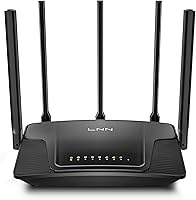
The LNN 788 Wi-Fi 6 Router arrived on the market in early 2025 as a budget-conscious alternative to the pricier Wi-Fi 6 options dominating the home networking space. LNN is not a household name — that is worth acknowledging upfront — but this Wi-Fi 6 router has quietly built a respectable early track record, sitting at 4.0 stars across over 115 ratings. It is compact, five antennas in tow, and targets homeowners or renters who are still running an older Wi-Fi 5 setup and want a meaningful upgrade without overspending. For a single-floor home or apartment up to around 2,000 square feet, it covers the basics confidently.
Features & Benefits
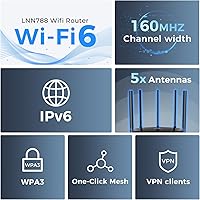
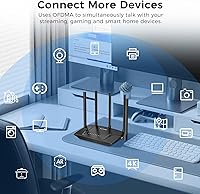
The standout technology here is Wi-Fi 6 with OFDMA, which lets the router handle multiple devices at once without the bottleneck common on older standards. In practice, that means your phone, laptop, smart TV, and gaming console can all run simultaneously without fighting for bandwidth. Beamforming through five antennas helps direct the signal toward connected devices rather than scattering it — genuinely useful in homes with thick walls or odd layouts. WPA3 encryption and built-in VPN support add a security layer that most routers at this price point skip entirely. Smart QoS handles gaming and streaming priority automatically, so you are not digging through settings menus to get decent performance.
Best For
This budget router makes the most sense for renters or small homeowners replacing the generic hardware their ISP shipped them. If your home is under 2,000 square feet on a single level, the coverage holds up well — though expect signal drop-off in larger or multi-story spaces. Households juggling 10 to 20 devices, from tablets and smart bulbs to a gaming console, will find the OFDMA handling that load without much fuss. Parents get functional content controls and bedtime scheduling without paying for a premium mesh system. Remote workers in tighter spaces who need reliable video call stability will also find the LNN 788 adequate for day-to-day use.
User Feedback
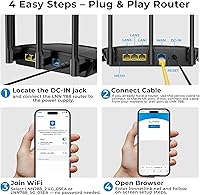
Early buyers consistently praise quick, painless setup — most report getting online in under five minutes using the companion app, and speed improvements over older hardware are frequently noted. The critical feedback tends to cluster around two areas: range in multi-story homes sometimes falls short of what is advertised, and a handful of users mention occasional connectivity drops after extended use. Long-term reliability remains an open question given how recently this Wi-Fi 6 router launched. A 4.0 rating is genuinely encouraging for a brand with limited recognition, but shoppers who usually buy from established networking brands should factor in that difference in proven track record before committing.
Pros
- Wi-Fi 6 with OFDMA keeps 15 or more devices running smoothly without the usual evening slowdowns.
- App-based setup gets most users online in under five minutes, no technical knowledge required.
- WPA3 encryption and built-in VPN support offer a meaningful security upgrade rare at this price.
- Smart QoS automatically prioritizes gaming and streaming traffic without manual configuration.
- Parental controls include both content filtering and per-device bedtime schedules via the app.
- Works out of the box with major ISPs including Xfinity and Verizon Fios with no bridge mode hassle.
- Beamforming across five antennas noticeably improves signal in moderately obstructed single-floor spaces.
- Includes an Ethernet cable in the box, so setup requires zero extra accessories for most buyers.
- At its price, the combination of Wi-Fi 6, parental controls, and WPA3 is genuinely hard to beat.
Cons
- Coverage in multi-story homes or thick-walled spaces frequently falls short of the 2,000 sq ft claim.
- The companion app occasionally loses connection to the router and requires a restart to resync properly.
- Long-term reliability data is thin — the product only launched in early 2025 with limited ownership history.
- Customer support response times are slow, and there is no live chat option for urgent issues.
- The plastic build feels flimsy, and antenna pivot points feel loose after repeated adjustments.
- QoS prioritization lacks manual controls, frustrating users who want precise traffic management.
- The quick-start guide is too minimal to help users troubleshoot anything beyond basic setup issues.
- Parental controls offer no activity logs or usage history, limiting oversight for attentive parents.
- Firmware update notifications through the app are inconsistent and easy to miss.
- Brand recognition is effectively zero, which makes post-purchase support a genuine gamble.
Ratings
Our AI rating engine analyzed verified buyer reviews for the LNN 788 Wi-Fi 6 Router from across multiple global markets, filtering out incentivized, duplicate, and bot-generated submissions to surface what real users actually experienced. The scores below reflect a balanced picture — genuine strengths are recognized, but recurring frustrations and unresolved pain points are weighted just as heavily. If you are evaluating this budget router against pricier alternatives, these ratings are designed to help you cut through the marketing claims.
Ease of Setup
Wi-Fi Speed Performance
Coverage & Range
Multi-Device Handling
Gaming & Streaming Quality
Build Quality & Design
Network Security
Parental Controls
App Experience
ISP Compatibility
Value for Money
Long-Term Reliability
Customer Support
Package & In-Box Contents
Suitable for:
The LNN 788 Wi-Fi 6 Router is a strong fit for renters and small homeowners who are still running the router their ISP handed them years ago and want a meaningful upgrade without spending a lot. If your living space is a single-floor apartment or a compact house, and you have a growing collection of connected devices — phones, a smart TV, a gaming console, maybe a handful of smart home gadgets — this Wi-Fi 6 router handles that kind of everyday load well. Parents who want basic content filtering and bedtime scheduling for kids' devices will find the built-in parental controls genuinely useful without needing to pay for a premium platform. Remote workers in smaller spaces who depend on stable video calls will also benefit from the OFDMA-backed connection management, which keeps bandwidth distribution more organized than older hardware. Budget-conscious gamers who just want automatic traffic prioritization for their console or PC — without the complexity of enterprise-level QoS tools — will find this budget router hits a practical sweet spot.
Not suitable for:
Buyers with larger homes, multi-story layouts, or older construction with dense walls should approach the coverage claims for the LNN 788 Wi-Fi 6 Router with realistic expectations, since real-world range in those environments frequently falls short of the advertised figure. If you need rock-solid long-term reliability and expect years of consistent firmware updates and responsive manufacturer support, the brand's short track record and underdeveloped support infrastructure are legitimate concerns worth weighing. Power users who want granular control over their network — manual QoS tuning, advanced VPN protocol options, or detailed traffic analytics — will find the feature set too shallow for their needs. Households in larger spaces that already experience dead zones would be better served investing in a mesh system rather than betting on a single-router solution. And if you have had bad experiences with no-name networking hardware in the past and brand trust is a deciding factor, this Wi-Fi 6 router may not provide the peace of mind you are looking for.
Specifications
- Wi-Fi Standard: This router operates on 802.11ax (Wi-Fi 6), offering improved efficiency and throughput compared to the older 802.11ac (Wi-Fi 5) standard.
- Frequency Bands: Dual-band design covers both 2.4GHz for range and device compatibility, and 5GHz for higher-speed, shorter-range connections.
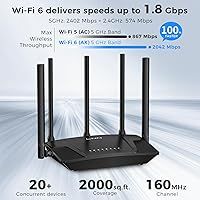
- Combined Speed: Maximum theoretical combined throughput is 3000Mbps, with 1200Mbps on the 5GHz band and 574Mbps on the 2.4GHz band.
- Coverage Area: Rated for up to 2000 square feet under open, single-floor conditions with minimal physical obstructions.
- Antennas: Five external antennas with beamforming support direct signal toward connected devices rather than broadcasting omni-directionally.
- Device Capacity: Supports 20 or more simultaneously connected devices, aided by OFDMA technology for efficient channel sharing.
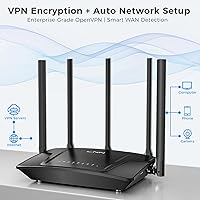
- Security: WPA3 encryption is standard, and a built-in VPN function provides an additional layer of protection for smart home and IP camera traffic.
- Parental Controls: Includes content category filtering and per-device internet scheduling, allowing bedtime cutoffs to be set for individual devices through the app.
- QoS: Smart QoS automatically detects and prioritizes bandwidth for gaming consoles and streaming devices without requiring manual configuration.
- Key Technologies: OFDMA and beamforming are both active, supporting more efficient multi-device management and targeted signal delivery.
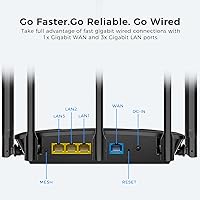
- Ports: Includes Gigabit Ethernet ports; an RJ45 Ethernet cable is provided in the box for direct wired connection during setup or use.
- Setup Method: Initial configuration is handled via a companion app available on iOS and Android, with estimated setup time of approximately three minutes.
- Dimensions: The router measures 4.72 x 1.51 x 7.48 inches, making it compact enough for a shelf, desktop, or entertainment unit.
- Weight: The unit weighs 10.6 ounces, keeping it lightweight and easy to reposition as needed.
- ISP Compatibility: Compatible with major ISPs including Xfinity and Verizon Fios, as well as most other standard residential internet service providers.
- Certifications: FCC certified for use in the United States, confirming compliance with federal radio frequency emissions standards.
- In-Box Contents: Package includes the router, a power adapter, one RJ45 Ethernet cable, and a printed quick installation guide.
- Wireless Standards: Backward compatible with 802.11a, 802.11b, 802.11g, 802.11n, and 802.11ac devices, ensuring older hardware can still connect without issues.
- Color: Available in black, with a compact vertical form factor designed to blend into home or office environments.
- Availability Date: The product was first made available for purchase on April 28, 2025, making it a recent addition to the budget Wi-Fi 6 market.
Related Reviews
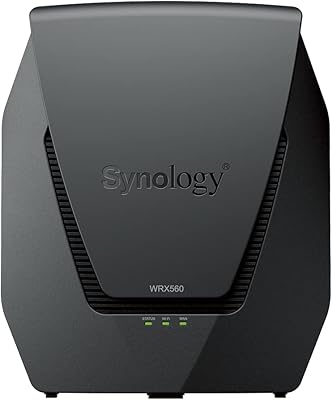
Synology WRX560 Dual-Band Wi-Fi 6 Router
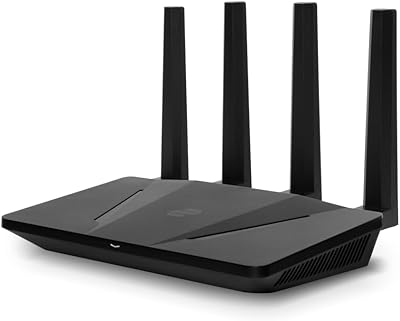
ExpressVPN Aircove Wi-Fi 6 VPN Router
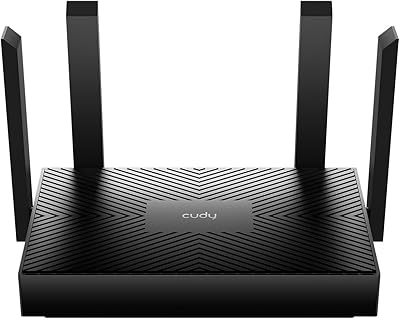
Cudy WR1500 AX1500 Wi-Fi 6 Router
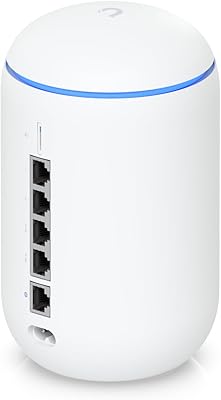
Ubiquiti Dream Router Wi-Fi 6 Router
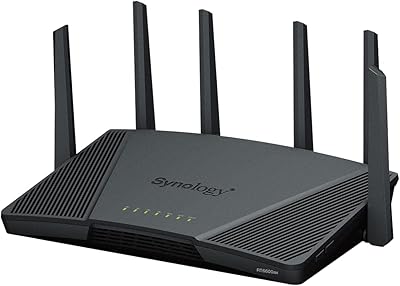
Synology RT6600ax Wi-Fi 6 Tri-Band Router
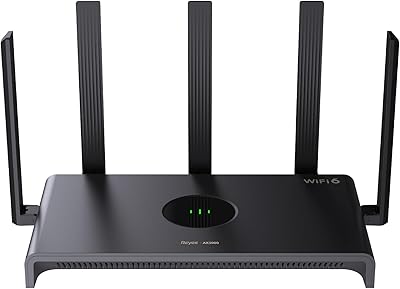
Reyee RG-E4 Wi-Fi 6 Router

TP-Link Archer AX55
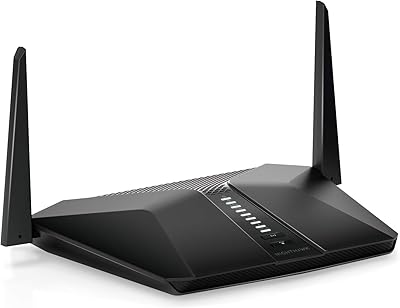
Netgear Nighthawk AX4 RAX40 Wi-Fi 6 Router
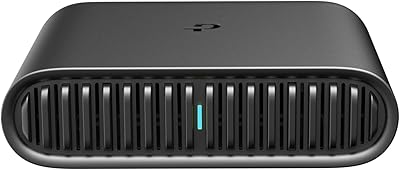
TP-Link TL-WR1502X Travel Router