Overview

The Ubiquiti UniFi Dream Machine Pro Security Gateway is what happens when you stop stacking boxes and consolidate your router, firewall, managed switch, and NVR into a single clean 1U rack unit. The UDM Pro sits at the serious end of the networking spectrum — not because it is complicated for the sake of it, but because it handles real infrastructure demands that consumer-grade hardware simply cannot. The embedded UniFi Network Application removes the need for a separate controller host, which alone saves both cost and complexity. That said, this appliance rewards experienced hands. If you have never configured a VLAN or written a firewall rule, the learning curve here is steep and genuine.

Features & Benefits

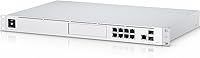
The 10G SFP+ uplink is a standout — it keeps the WAN pipe from becoming the bottleneck in high-throughput environments where multiple users or services are hammering the connection simultaneously. Dual WAN ports mean you can set up load balancing or automatic failover, so a downed ISP link does not take your business offline. The quad-core processor runs deep packet inspection and IDS/IPS without the kind of throughput hit you see on underpowered appliances. Practical touches matter too: the integrated 3.5-inch HDD bay lets you store UniFi Protect camera footage directly on the device, cutting out a dedicated NVR entirely. Eight ports covering both RJ45 and SFP gives real deployment flexibility.

Best For

This network appliance is built for people who already speak the language of network segmentation. IT administrators running multi-VLAN office environments, home lab enthusiasts pushing enterprise-class monitoring, and network engineers who need WAN redundancy without deploying a rack of separate appliances will all get genuine value here. It also makes strong sense for teams already running UniFi switches and access points — the unified controller experience pays dividends when your entire stack is in the same ecosystem. If you run UniFi Protect cameras, having on-device NVR storage is a practical convenience that reduces both hardware spend and points of failure in your setup.

User Feedback

Owners consistently highlight the polish of the UniFi interface — both the web dashboard and the mobile app feel refined compared to competing platforms. Long-term users emphasize rock-solid uptime over months of continuous operation, which matters enormously in business settings. The honest downsides? Initial configuration is not approachable for non-technical buyers, and that gap causes frustration for anyone expecting plug-and-play simplicity. Fan noise is a recurring mention — fine in a server room, less ideal in a quiet home office. Firmware update cadence has also drawn mixed reactions. The Ubiquiti community on Reddit and official forums is genuinely active and helpful, which softens the support experience considerably.

Pros

  • Replaces router, firewall, managed switch, and NVR with a single clean 1U rack unit.
  • The embedded UniFi Network Application eliminates the need for a separate controller device running around the clock.
  • Dual WAN ports enable real load balancing and automatic ISP failover — a genuine business continuity feature.
  • The quad-core processor keeps IDS/IPS and deep packet inspection active without gutting network throughput.
  • Long-term owners report months of continuous uptime with no reboots required in production environments.
  • The 10G SFP+ uplink future-proofs connectivity for high-throughput and fiber-ready deployments.
  • Integrated HDD bay lets UniFi Protect camera footage live on-device without a separate recorder.
  • The UniFi interface and mobile app are among the most polished in the prosumer networking category.
  • Within a full UniFi stack, cross-device policies and client management work cohesively from one dashboard.
  • The active Ubiquiti community on Reddit and official forums provides reliable peer-level support for complex configurations.

Cons

  • Initial setup is genuinely difficult for anyone without hands-on experience configuring VLANs and firewall rules.
  • Official Ubiquiti support response times are frequently cited as slow and unreliable for time-sensitive issues.
  • Specific firmware releases have introduced regressions that disrupted production environments until a patch arrived.
  • Fan noise is audible enough to be a real concern in quiet home offices or shared workspaces.
  • The single HDD bay has no redundancy option, making it unsuitable for critical camera footage retention.
  • Full value is conditional on committing to the broader UniFi hardware ecosystem, which adds to total cost.
  • The IDS/IPS signature database requires an active subscription to stay current — an ongoing cost easy to overlook initially.
  • Eight LAN ports fill up quickly in growing deployments, making an additional managed switch almost inevitable.
  • The mobile app lacks the configuration depth of the web interface, limiting what can be managed remotely.
  • Third-party switches and access points do not integrate with the same management depth as native UniFi devices.

Ratings

The Ubiquiti UniFi Dream Machine Pro Security Gateway earns its reputation as one of the most capable all-in-one network appliances in its class, and the scores below reflect that — built from AI analysis of thousands of verified global user reviews, with spam, bot-generated, and incentivized submissions actively filtered out. Strengths like reliability, interface quality, and hardware consolidation score high, while honest pain points around setup complexity and ecosystem lock-in are equally represented.

Reliability & Uptime
93%
Long-term owners consistently report months of uninterrupted operation without needing to reboot or intervene. In small office deployments where downtime directly costs money, this level of stability is exactly what justifies the investment over consumer-grade alternatives.
A small number of users have flagged occasional instability following major firmware updates, requiring a manual reboot to restore full functionality. These incidents are infrequent but worth noting for environments where any unplanned downtime is unacceptable.
Management Interface (UniFi App)
89%
The embedded UniFi Network Application is widely regarded as one of the most polished dashboards in the prosumer networking space. Users managing multiple VLANs, traffic policies, and device groups appreciate having everything accessible from a single, well-organized UI without needing a separate controller machine running 24/7.
Occasional firmware releases have temporarily broken specific UI features or introduced regressions that took weeks to patch. Power users relying on advanced configuration options sometimes find that the interface prioritizes visual polish over granular control compared to CLI-based alternatives.
Setup & Initial Configuration
54%
46%
For experienced network administrators, the initial setup process is logical and well-documented within the UniFi ecosystem. Adopting the device into an existing UniFi environment takes only a few minutes, and the guided setup wizard covers the basics competently for straightforward deployments.
Non-technical buyers frequently report hitting a wall early in setup, particularly around WAN configuration, firewall rules, and VLAN tagging. This is not a plug-and-play appliance by any stretch, and buyers expecting a consumer router experience are almost guaranteed to struggle without significant background knowledge or paid assistance.
Throughput & Network Performance
91%
The quad-core processor keeps deep packet inspection and IDS/IPS active without gutting throughput — something underpowered appliances at similar price points consistently fail at. Users running high-bandwidth workloads across multiple concurrent users report clean, consistent speeds even with threat management features fully enabled.
A handful of users note that enabling the full security feature stack simultaneously — IDS, IPS, and DPI together — can introduce measurable latency on very high-speed WAN connections above 500 Mbps. For most SMB deployments this is a non-issue, but high-throughput environments should benchmark carefully.
WAN Redundancy & Failover
88%
Dual WAN ports with support for both load balancing and automatic failover give businesses a genuine safety net when one ISP goes down. Users who have experienced a live failover event describe it as fast enough that most active sessions survived the transition without noticeable interruption.
Configuring WAN failover correctly requires a solid understanding of how the UDM Pro handles routing priorities, and misconfiguration is easy for less experienced administrators. Some users also note that load balancing behavior across asymmetric WAN connections can require significant manual tuning to behave as expected.
Value for Money
77%
23%
When you account for what would otherwise require a separate router, firewall appliance, managed switch, and NVR recorder, the consolidated cost of this single unit starts to look reasonable for businesses. Users who have done the math on equivalent separate hardware frequently conclude that the UDM Pro represents genuine consolidation savings.
For buyers who only need one or two of those functions, the pricing feels harder to justify. Additionally, realizing the full value requires investing in other UniFi hardware, which means the true cost of building out a complete UniFi environment extends well beyond the gateway itself.
Ecosystem Integration
86%
Within a fully UniFi environment — switches, access points, cameras — the UDM Pro acts as a central nervous system that ties everything together under one interface. Adding new UniFi devices takes seconds, and cross-device policies like client isolation or bandwidth limits apply consistently across the whole stack.
The ecosystem dependency is real: third-party switches and access points do not integrate with the same depth, which can frustrate IT managers who run mixed-vendor environments. Buyers should go in understanding that maximum value is conditional on committing to the UniFi hardware family more broadly.
NVR & Camera Storage Functionality
74%
26%
Having an integrated 3.5-inch HDD bay means UniFi Protect camera footage can be stored directly on the gateway, eliminating the cost and complexity of a standalone NVR device. For small deployments with a handful of cameras, this consolidation works well and the integration with UniFi Protect is smooth.
The storage bay only accommodates a single drive with no redundancy option, which makes it unsuitable for deployments where camera footage retention is business-critical. Users with larger camera counts also find that a single drive fills quickly, and there is no straightforward expansion path beyond replacing the drive with a higher-capacity one.
Build Quality & Hardware Design
83%
The 1U rack-mount chassis feels solidly constructed and fits cleanly into standard server racks. Users who have deployed this in small server rooms or network cabinets appreciate that it takes up minimal vertical space while housing multiple functional components in a clean, professional form factor.
Fan noise is a recurring complaint from users who have deployed the UDM Pro in home offices or quiet environments rather than dedicated server closets. The cooling system is calibrated for reliability over silence, which is the right engineering priority but not always convenient depending on where the unit lives.
Security Features (IDS/IPS & Firewall)
87%
The built-in intrusion detection and prevention system provides a meaningful layer of network-level threat monitoring that most SMBs previously had to pay for separately. Users managing sensitive client data or regulated environments appreciate having these controls available without bolting on a separate security appliance.
The IDS/IPS signature database depends on an active subscription for updates, which some buyers only discover after purchase. Without current signatures, the threat detection effectiveness degrades over time — a detail that should be factored into the total cost of ownership from the start.
Mobile App Experience
81%
19%
The UniFi mobile app gives administrators a convenient way to monitor network health, check connected clients, and receive alerts while away from a desk. Users managing small business networks remotely find the app genuinely useful for quick status checks and basic troubleshooting on the go.
The mobile app lags behind the full web interface in terms of configuration depth, so any serious network changes still require a desktop browser session. Some users also report that push notifications for network events can be unreliable or delayed depending on the firmware version in use.
Documentation & Official Support
58%
42%
Ubiquiti maintains a reasonably detailed official knowledge base, and the UniFi community on Reddit and the official forums is genuinely active and technically sophisticated. For most configuration questions, a well-phrased search surfaces a relevant community thread within minutes.
Official Ubiquiti support response times have historically drawn criticism, with many users reporting that community forums are a more reliable resource than the formal support channel. Buyers who are not comfortable with self-directed troubleshooting may find the lack of responsive direct support frustrating, particularly during initial deployment.
Port Density & Interface Flexibility
79%
21%
Eight LAN ports combining RJ45 and SFP interfaces cover the typical connectivity needs of a small office deployment without requiring an additional switch for basic setups. The presence of both interface types in the same unit adds genuine flexibility for environments that mix copper and fiber runs.
For growing businesses or more complex deployments, eight ports becomes a constraint fairly quickly, meaning an additional managed switch is almost inevitable. The UDM Pro is best understood as a gateway and security appliance rather than a primary switching solution for anything beyond a small team.
Firmware Update Process
66%
34%
Firmware updates are delivered through the UniFi interface and can be scheduled or applied manually, giving administrators control over when changes are applied. Users who stay on stable release channels rather than release candidates generally report a smooth update experience with meaningful feature additions over time.
The community has a well-documented history of specific firmware versions introducing regressions — broken features, changed default behaviors, or unexpected performance drops. Experienced UDM Pro owners have learned to wait several weeks after a new firmware release and check community feedback before applying updates in production environments.

Suitable for:

The Ubiquiti UniFi Dream Machine Pro Security Gateway is purpose-built for buyers who already know their way around a network and want to consolidate serious infrastructure into a single, manageable unit. IT administrators handling multi-VLAN environments across small offices or branch locations will find that this appliance replaces what would otherwise be a stack of separate devices — router, firewall, managed switch, and NVR — without sacrificing the depth of control they need. Advanced home lab enthusiasts who want enterprise-class segmentation, traffic policies, and threat monitoring in a rack-mount form factor will get exactly that. Businesses running UniFi Protect cameras benefit particularly from the integrated HDD bay, which removes the need for a dedicated recorder and keeps the entire surveillance workflow inside the same management interface. Network engineers who require dual WAN failover without the cost or footprint of dedicated enterprise appliances will also find the UDM Pro punches well above its weight class. The full value of this hardware is realized by buyers already invested in the UniFi ecosystem — pairing it with UniFi switches and access points creates a genuinely cohesive and scalable network stack managed from one dashboard.
Not suitable for:

The Ubiquiti UniFi Dream Machine Pro Security Gateway is the wrong purchase for anyone expecting a consumer router experience — and buyers who go in with that expectation consistently end up frustrated. If you have never configured a firewall rule, set up a VLAN, or worked through a WAN failover policy, the setup process will likely overwhelm you, and official support responsiveness has historically not been strong enough to fill that gap. Home users who just need reliable Wi-Fi for streaming and browsing are paying for an enormous amount of capability they will never use or configure correctly. The fan noise is calibrated for a server room, not a living room or quiet home office, so physical placement matters more than buyers often anticipate. Port density also becomes a real constraint faster than expected in growing environments, meaning an additional managed switch is almost a given for anything beyond a very small team — adding to the total ecosystem cost. Buyers running mixed-vendor network hardware will also find that third-party devices do not integrate with the same depth as native UniFi products, which limits the management cohesion that makes this appliance worth its price.

Specifications

  • Model: The device ships under the official model designation UDM-Pro, part of Ubiquiti's UniFi Dream Machine Pro series.
  • Form Factor: The unit is built for standard 19-inch server racks in a 1U rackmountable chassis.
  • Dimensions: Physical dimensions measure 11.2 x 17.4 x 1.7 inches (length x width x height).
  • Weight: The appliance weighs approximately 10.6 ounces, making rack installation straightforward for a single technician.
  • Processor: A quad-core CPU handles routing, switching, and security workloads including deep packet inspection and IDS/IPS concurrently.
  • Memory Type: System memory uses the DIMM standard, supporting stable multi-process operation across the embedded controller and network functions.
  • WAN Ports: Two dedicated WAN ports support simultaneous dual-ISP connectivity for load balancing or automatic failover configurations.
  • LAN Ports: Eight RJ45 LAN ports provide standard copper Ethernet connectivity for direct device or switch uplink connections.
  • High-Speed Uplink: One 10G SFP+ port delivers high-throughput uplink capability for fiber or direct attach copper connections at up to 10,000 Mbps.
  • Interface Types: The appliance supports both RJ45 copper and SFP fiber interface types across its port configuration.
  • Data Transfer Rate: Maximum data transfer rate reaches up to 10,000 Mbps via the 10G SFP+ interface under optimal conditions.
  • Storage Bay: An integrated 3.5-inch HDD bay accommodates a single user-supplied hard drive for local UniFi Protect NVR camera storage.
  • Embedded Controller: The UniFi Network Application runs directly on the device, eliminating the requirement for a separate always-on controller host machine.
  • Voltage: The unit operates at 240 volts, consistent with standard enterprise rack-mount power supply configurations.
  • Wireless Type: The appliance includes Bluetooth connectivity, used primarily for initial device adoption and setup via the UniFi mobile app.
  • Compatibility: The UDM-Pro is designed for desktop or rack environments and integrates natively with the broader UniFi hardware ecosystem.
  • Manufacturer: Designed and manufactured by Ubiquiti Networks, a company specializing in enterprise-grade networking hardware and software platforms.
  • Release Date: The UDM-Pro was first made available in January 2020 and remains an active, non-discontinued product in Ubiquiti's lineup.

Related Reviews

Ubiquiti UniFi Dream Machine UDM-US
87%
92%
Performance
95%
Ease of Setup
88%
Security Features
87%
Build Quality
91%
Network Management Interface
More
Ubiquiti UniFi Security Appliance USG
88%
92%
Performance & Speed
87%
Ease of Setup
90%
VPN Capabilities
88%
Build Quality
94%
Integration with UniFi Controller
More
Ubiquiti UniFi Protect G4-PRO Camera
86%
91%
Video Quality
94%
Ease of Setup
88%
Weather Resistance
80%
Software Integration
85%
Night Vision Performance
More
Ubiquiti UniFi 6 Pro (U6-Pro)
80%
93%
Wireless Performance
89%
Range & Coverage
54%
Setup & Installation
78%
Value for Money
88%
Build Quality & Design
More
Ubiquiti UniFi UAP-AC-PRO Access Point
80%
94%
Network Stability & Uptime
89%
Wi-Fi Signal Range & Penetration
58%
Setup & Initial Configuration
81%
Value for Money
86%
Multi-Device Performance
More
Ubiquiti UAP-AC-M-PRO Unifi Access Point
85%
88%
Overall Performance
90%
Wi-Fi Speed
85%
Installation Ease
89%
Range and Coverage
92%
Build Quality
More
Ubiquiti UniFi U7 Pro
82%
91%
Wireless Performance
88%
Build Quality
83%
Range & Coverage
67%
Ease of Setup
78%
Value for Money
More
Ubiquiti UniFi G4-Bullet 4MP Outdoor Security Camera
80%
91%
Image Quality
77%
Night Vision
73%
Ease of Installation
93%
Ecosystem Integration
86%
Build Quality
More
Ubiquiti UAP-AC-IW-PRO In-Wall Access Point
77%
88%
Wireless Performance
84%
Build Quality & Hardware Design
61%
Installation Experience
47%
PoE Power Requirement Clarity
91%
UniFi Ecosystem Integration
More
Ubiquiti Networks UniFi USW-Pro-48-POE Gen2 Switch
85%
92%
Performance & Speed
87%
Ease of Setup
90%
PoE+ Power Delivery
88%
Build Quality & Durability
73%
Software & Firmware Experience
More

FAQ

Honest answer: this is not a beginner device. The Ubiquiti UniFi Dream Machine Pro Security Gateway assumes familiarity with concepts like VLANs, firewall rules, WAN configuration, and network segmentation. If those terms are unfamiliar, the setup process will be genuinely frustrating. For experienced IT administrators or advanced home lab users, the setup is logical and well-documented — but do not go in expecting a consumer router experience.

You can use the UDM Pro as a standalone gateway and firewall without any other UniFi devices, and it will function perfectly well in that role. That said, the management experience becomes significantly more powerful and cohesive when it is paired with UniFi switches, access points, and cameras. Third-party hardware will still work on the network, but it will not integrate into the UniFi dashboard with the same depth.

No, the 3.5-inch HDD bay is empty out of the box — you need to supply your own compatible hard drive separately. The bay is designed for use with UniFi Protect for local camera footage storage. A standard 3.5-inch SATA hard drive works, and Ubiquiti recommends drives rated for surveillance workloads given the continuous write demands.

The fan noise is noticeable. It is calibrated for reliability in a server room or network closet environment, not for quiet cohabitation in a home office or living space. Multiple owners specifically flag this as a pain point when the unit is deployed outside of a dedicated equipment room. If fan noise sensitivity is a concern, a closed network cabinet or a separate closet installation is worth planning for upfront.

Yes, the dual WAN ports support automatic failover, so if your primary ISP connection drops, traffic will shift to the secondary connection without requiring manual intervention. The speed of that transition depends on how the failover policy is configured, but users who have experienced a live failover event generally report that most active sessions survive the switch without a noticeable interruption.

The IDS and IPS features are accessible on the device, but keeping the threat signature database current requires an active subscription. Without updated signatures, the detection effectiveness degrades over time as new threat patterns emerge. This is worth factoring into your total cost of ownership before purchasing, since it is an ongoing expense that is easy to overlook when evaluating the upfront hardware cost.

Third-party switches and access points will work on the network managed by the UDM Pro, but they will not appear in or be configurable through the UniFi dashboard. You will manage those devices independently through their own interfaces. If you are running a mixed-vendor environment and expecting a single-pane-of-glass management experience, the integration will be partial at best.

The 10G SFP+ port is primarily useful as a high-speed uplink to a core switch or as a direct fiber WAN connection in environments where the ISP delivers service over fiber at speeds that would otherwise saturate a standard gigabit port. For most small office deployments, a standard gigabit connection is sufficient, but the 10G port ensures the appliance does not become a bottleneck as network demands grow or WAN speeds increase.

Ubiquiti releases firmware updates with reasonable regularity, covering both feature additions and security patches. However, the community has a well-documented pattern of specific releases introducing regressions — broken features or unexpected behavior changes. Experienced UDM Pro administrators typically advise waiting a few weeks after any new release, monitoring feedback on the Ubiquiti forums and subreddit, and only then applying the update in a production environment.

Official Ubiquiti support has a mixed reputation for response times, and it is not the most reliable safety net for urgent issues. In practice, the most useful support resource is the active community of users on Reddit and the official Ubiquiti forums, where technically sophisticated peers regularly help troubleshoot real configuration problems. If you are the type of buyer who needs responsive vendor support as a backstop, that gap is worth weighing before committing to this platform.

Where to Buy