Overview

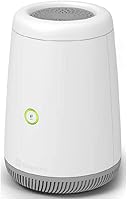
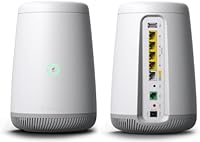
The CenturyLink C4000BG Bonded DSL Wi-Fi Router is a modem-router combo built specifically for CenturyLink DSL and VDSL subscribers who want to ditch rental equipment and own their gateway outright. What sets it apart from a standard router is bonded DSL support — a technology that combines two copper lines to push speeds higher than either line could manage alone. It also brings dual-band Wi-Fi 6 to a product category that rarely sees that kind of radio hardware, placing it firmly in mid-range territory. Just know upfront: this CenturyLink modem-router is not a universal device you can plug into any ISP's network.

Features & Benefits

The C4000BG's headline capability is its support for bonded VDSL2 lines, covering all profiles up to 17a. Bonding means the router aggregates two separate DSL connections, effectively doubling the bandwidth available over aging copper infrastructure. On the wireless side, combined throughput can reach up to 3 Gbps across both bands, though real-world speeds depend heavily on your plan and connected hardware. The 5 GHz band operates on a 160 MHz channel, which doubles usable airspace compared to the 80 MHz channels found on most competing routers. Better modulation through 1024-QAM squeezes more data into each signal cycle, and a single shared SSID lets devices roam between bands automatically.

Best For

This bonded DSL gateway makes the most sense for CenturyLink subscribers currently renting the ISP's gateway who want to eliminate that monthly fee by owning their hardware. It suits households regularly streaming 4K video across multiple screens, since the Wi-Fi 6 radio handles more simultaneous connections without the congestion common on older Wi-Fi 5 equipment. Small home offices on a bonded VDSL plan will also find value here, as the all-in-one design removes the need for a separate modem. If you are not on CenturyLink, however, this device simply will not work on your line — that is a firm limitation, not a caveat.

User Feedback

Across close to 500 ratings, the C4000BG holds a 4.1-star average, reflecting a reasonably satisfied but not universally thrilled user base. The most consistent praise centers on easy setup for CenturyLink lines and noticeably strong 5 GHz performance in medium-sized homes. On the other side, a meaningful number of reviewers flag ISP lock-in as a dealbreaker — this device works exclusively on CenturyLink infrastructure, with no known workaround. Some long-term owners also mention occasional firmware hiccups and note the unit runs warm under sustained load, which is worth considering if airflow around your equipment rack is restricted.

Pros

  • Eliminates the monthly ISP gateway rental fee, letting you recoup the cost over time.
  • Bonded VDSL2 support aggregates two copper lines for meaningfully faster DSL speeds.
  • Wi-Fi 6 compatibility keeps the C4000BG relevant as newer phones and laptops roll out.
  • The 160 MHz channel width on the 5 GHz band provides substantially more wireless bandwidth than typical routers.
  • Setup on a CenturyLink line is widely reported as quick and relatively painless.
  • A single unified SSID means devices connect and roam automatically without user intervention.
  • Compact physical footprint fits neatly in tight equipment spaces without dominating a shelf.
  • Supports all ADSL and VDSL profiles up to 17a, covering the full range of CenturyLink DSL tiers.
  • Strong 5 GHz performance earns consistent praise from verified buyers in medium-sized homes.

Cons

  • Strictly locked to CenturyLink infrastructure — useless if you ever switch providers.
  • Occasional firmware bugs have been reported, with limited update frequency from the manufacturer.
  • Internal antennas restrict range in larger homes or layouts with thick walls.
  • No support for third-party or open-source firmware limits advanced customization options.
  • The unit can run noticeably warm under sustained heavy load, raising long-term reliability questions.
  • Customer support options are narrow given that Greenwave manufactures it for a single ISP ecosystem.
  • No dedicated gaming or QoS prioritization features for households with latency-sensitive traffic.
  • Users on a single DSL line rather than a bonded plan will not benefit from the hardware's core advantage.

Ratings

Our AI rating engine analyzed verified buyer reviews worldwide for the CenturyLink C4000BG Bonded DSL Wi-Fi Router, actively filtering out incentivized, spam, and duplicate submissions to surface only genuine user experiences. The scores below reflect a balanced synthesis of real-world strengths and recurring frustrations across nearly 500 verified ratings. Both the highlights and the honest pain points are weighted transparently so you can make a confident purchase decision.

Wi-Fi Performance
83%
On the 5 GHz band, users consistently report strong throughput in medium-sized homes, with 4K streaming on two or three devices running without buffering. The 160 MHz channel width gives compatible laptops and phones a noticeable speed advantage over what older gateway hardware provided.
Coverage at the edges of larger homes drops off more than some buyers expect from an internal-antenna design. A few reviewers note that 2.4 GHz speeds feel pedestrian compared to the impressive 5 GHz numbers, which is not unusual for dual-band hardware at this tier.
DSL Modem Capability
88%
For CenturyLink subscribers on a bonded VDSL plan, this is one of the few consumer devices that actually unlocks the full speed potential of a two-line bonded connection. Users switching from an older single-line modem frequently report a meaningful jump in real-world download speeds after installing the C4000BG.
The modem side of the equation only delivers its full benefit if CenturyLink has provisioned your address for a bonded line, which not all subscribers have. Those on a standard single-line DSL plan are essentially paying for bonding hardware they cannot use.
Ease of Setup
81%
19%
The majority of CenturyLink customers report a setup experience that takes under twenty minutes, with the router auto-detecting line settings in most cases. The WPS button simplifies connecting phones and laptops without digging through menus, which less technical users particularly appreciate.
A minority of buyers run into provisioning hiccups that require a call to CenturyLink support to resolve, which adds friction to what should be a plug-and-play process. The setup experience also assumes you are already a CenturyLink customer — there is no fallback path for anyone else.
ISP Compatibility
31%
69%
Within its intended ecosystem, the C4000BG integrates cleanly with CenturyLink's provisioning system and requires no manual configuration of WAN credentials for most subscribers. That tight integration is exactly why setup is smooth for the target audience.
This bonded DSL gateway is completely non-functional on any non-CenturyLink internet connection, full stop. Buyers who switch providers after purchasing are left with hardware they cannot use as a gateway, which is a significant financial risk that the product listing does not always make obvious.
Wi-Fi 6 Readiness
79%
21%
The 802.11ax radio is a genuine differentiator at this hardware tier, and households with newer iPhones, Android flagships, or recent laptops will see real efficiency gains when multiple devices are active simultaneously. It also means this hardware will remain relevant longer than a Wi-Fi 5 gateway would.
Older smart home devices, budget tablets, and legacy laptops still connect via Wi-Fi 5 or older standards, so the Wi-Fi 6 benefits are unevenly distributed across a typical household. The gains are real but only accessible to a portion of the average home device ecosystem right now.
Firmware & Software
54%
46%
The firmware handles basic home networking tasks without much intervention once the router is up and running, and most users who just want internet without tinkering never encounter any serious software issues during the first several months of use.
Recurring reports from longer-term owners describe occasional firmware bugs, including random reboots and DHCP assignment inconsistencies that require a manual restart to resolve. Firmware updates are infrequent, and there is no path to third-party firmware for users who want more control.
Build Quality & Design
68%
32%
The compact vertical form factor fits neatly in tight spaces and the external finish holds up well to normal handling over time. At under three pounds, it is easy to reposition or mount without any structural concerns.
Multiple owners flag that the unit runs noticeably warm during sustained heavy use, which raises questions about long-term component reliability in poorly ventilated spaces. The all-internal antenna design keeps things tidy but sacrifices the signal flexibility that external antennas would provide.
Heat Management
57%
43%
Under typical browsing and moderate streaming conditions, the router maintains acceptable operating temperatures and most users never notice any heat-related slowdowns during the first year of use.
Under sustained heavy load — simultaneous 4K streams, large file transfers, and active gaming — verified reviewers describe the chassis as genuinely hot to the touch. A handful of long-term owners attribute eventual connectivity instability to sustained thermal stress rather than any network issue.
Range & Coverage
66%
34%
In standard open-plan homes and apartments up to around 1,500 square feet, the C4000BG covers the space without any dead zones for the majority of users. For the typical suburban household with a central router placement, range is adequate.
Homes with multiple floors, thick concrete walls, or layouts exceeding 2,000 square feet frequently push this hardware past its comfortable coverage limit. Unlike some competing routers that support mesh expansion natively, this CenturyLink modem-router requires a workaround to add satellite nodes.
Value for Money
73%
27%
For a CenturyLink subscriber on a long-term plan, buying this hardware rather than renting the ISP gateway will typically recover the upfront cost within a year or two, making it a financially rational decision over time. The addition of Wi-Fi 6 hardware at this price tier strengthens that case.
For anyone outside the CenturyLink ecosystem — or anyone who might switch providers — the value calculation collapses entirely since the device cannot be repurposed as a universal gateway. The price also feels harder to justify if your plan does not include a bonded DSL connection.
Advanced Customization
38%
62%
For users who want simple set-it-and-forget-it operation, the limited configuration interface is actually not a drawback — it means fewer things to misconfigure and a lower barrier to getting online quickly.
There are no advanced QoS controls, no VLAN support, no guest network segmentation options, and absolutely no path to open-source firmware. Power users who expect granular traffic management from a mid-range router will be consistently disappointed by what the admin interface actually offers.
Long-Term Reliability
63%
37%
A solid portion of buyers report trouble-free operation for twelve to eighteen months without any hardware failures, which suggests the core components are reasonably durable under normal residential use conditions.
Beyond the eighteen-month mark, the volume of negative reviews citing unexplained disconnects, sluggish performance, and random reboots increases noticeably. Whether this reflects firmware degradation or thermal wear is unclear, but the pattern appears often enough to be worth factoring into a long-term purchase decision.
Device Handling Capacity
76%
24%
The Wi-Fi 6 radio handles OFDMA scheduling more efficiently than older standards, which means households with fifteen or more active devices — smart TVs, phones, security cameras, laptops — experience less congestion during peak evening hours than they would on legacy hardware.
In stress tests with a high volume of simultaneous active connections, some users report that the router's processor shows its limits through brief latency spikes. It holds up well for a typical family but may struggle in a home with unusually heavy concurrent device activity.

Suitable for:

The CenturyLink C4000BG Bonded DSL Wi-Fi Router is a strong fit for any CenturyLink subscriber currently paying a monthly rental fee for the ISP's supplied gateway — owning your own hardware eventually pays for itself. It particularly shines for households on a bonded VDSL plan, where the router's ability to aggregate two copper lines translates into noticeably higher speeds than a standard single-line modem can deliver. Families who regularly stream 4K video on multiple TVs, tablets, and laptops at the same time will appreciate the Wi-Fi 6 radio's ability to handle that kind of concurrent demand without the bottlenecks common on older equipment. Small home offices that need a dependable all-in-one box — no separate modem, no extra cables — will also find this bonded DSL gateway practical and reasonably straightforward to configure on a CenturyLink line.

Not suitable for:

If you are not a CenturyLink customer, stop here — the CenturyLink C4000BG Bonded DSL Wi-Fi Router is purpose-built for CenturyLink's network infrastructure and simply will not authenticate on another ISP's line. Users on cable, fiber from a different provider, or satellite internet cannot use this device as a gateway regardless of how the specs read on paper. Power users who prefer deep router customization — custom firmware, advanced QoS controls, or third-party DD-WRT support — will find the C4000BG's firmware limiting and likely frustrating over time. Anyone in a larger home expecting whole-home Wi-Fi coverage from a single unit may also be disappointed, as internal antennas have inherent range trade-offs compared to routers with external high-gain antennas or mesh companion nodes. Finally, buyers sensitive to device heat output should be aware that some owners report this unit runs warm during sustained heavy use.

Specifications

  • Wi-Fi Standard: The router uses the 802.11ax (Wi-Fi 6) standard, which improves throughput and handles more simultaneous device connections compared to the previous Wi-Fi 5 generation.
  • Frequency Bands: Dual-band operation covers both 2.4 GHz for broader range and 5 GHz for higher-speed connections closer to the router.
  • Max Speed: Combined wireless throughput is rated at up to 3 Gbps, split across 600 Mbps on the 2.4 GHz band and 2400 Mbps on the 5 GHz band.
  • Channel Width: The 5 GHz radio supports 160 MHz channel width, which doubles the usable wireless bandwidth available to compatible devices versus standard 80 MHz configurations.
  • Modulation: 1024-QAM modulation encodes more data per transmission cycle, delivering a meaningful increase in data throughput on devices that support this encoding level.
  • DSL Compatibility: Supports all ADSL and VDSL2 profiles up to 17a, covering the full range of CenturyLink copper-line service tiers.
  • Bonded DSL: The gateway supports bonded DSL, aggregating two separate copper telephone lines to provide higher combined speeds than a single-line connection allows.
  • SSID Setup: A single unified SSID is broadcast across both bands, allowing devices to connect and switch bands automatically without manual network selection.
  • WPS Support: Wi-Fi Protected Setup (WPS) is included, enabling compatible devices to join the network quickly via a button press rather than manual password entry.
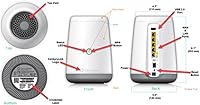
  • Antenna Design: All antennas are internal, keeping the exterior profile clean but limiting the flexibility of directional signal adjustment.
  • Dimensions: The unit measures 4.7 x 5.7 x 8.3 inches, making it a compact vertical footprint suitable for most home networking shelves or closets.
  • Weight: At 2.92 pounds, the router is lightweight enough to mount or reposition without difficulty.
  • Manufacturer: The C4000BG is manufactured by Greenwave, a hardware OEM that produces gateway equipment under ISP-branded programs.
  • Model Number: The official model designation is C4000BG, which is the identifier used for firmware lookup, support requests, and compatibility verification with CenturyLink.
  • Compatible Devices: Designed for use with laptops and mobile devices; any Wi-Fi 6 capable device will benefit from the router's higher-speed radio capabilities.
  • ISP Compatibility: This gateway is provisioned exclusively for CenturyLink network infrastructure and will not authenticate or function on another ISP's DSL or fiber line.

Related Reviews
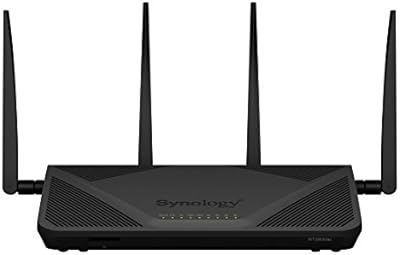
Synology RT2600ac Wi-Fi Router
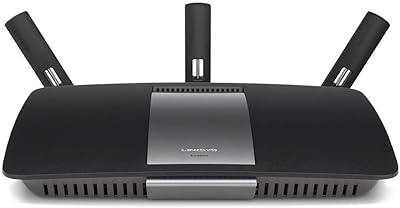
85%
88%
Performance
91%
Wi-Fi Speed & Coverage
80%
Setup & Installation
90%
Security Features
84%
Ease of Use
More
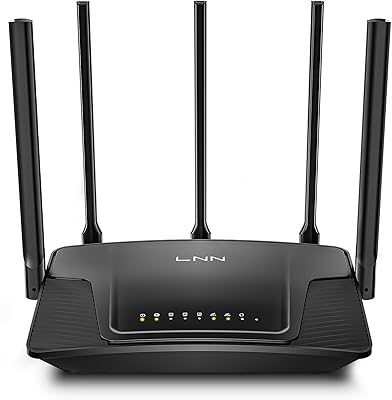
LNN 788 Wi-Fi 6 Router
74%
91%
Ease of Setup
78%
Wi-Fi Speed Performance
67%
Coverage & Range
82%
Multi-Device Handling
79%
Gaming & Streaming Quality
More
NETGEAR Nighthawk R6900P Wi-Fi Router
85%
88%
Wi-Fi Speed & Performance
85%
Coverage Area
83%
Device Connectivity
91%
Setup & Installation
89%
Security Features
More
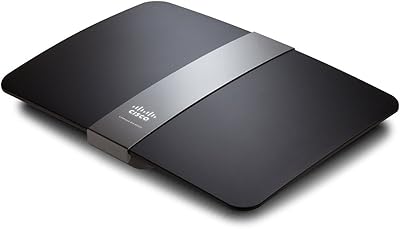
Linksys EA4500 N900 Dual-Band Wi-Fi Router
69%
74%
Wireless Performance
78%
Wireless Range
86%
Wired Connectivity
61%
Setup Experience
63%
Smart Wi-Fi App
More
Linksys EA6900 AC1900 Dual-Band Wi-Fi Router
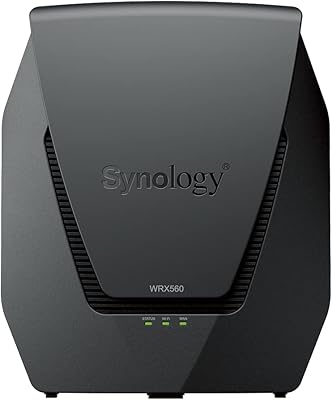
73%
91%
Ease of Setup
78%
Wi-Fi Speed & Performance
67%
Wireless Range
73%
Beamforming Effectiveness
74%
Build Quality & Design
More
Synology WRX560 Dual-Band Wi-Fi 6 Router
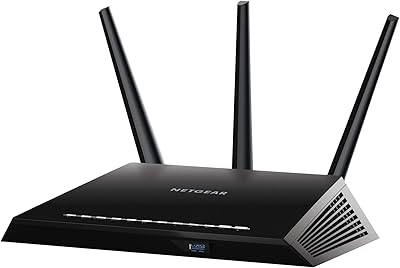
77%
91%
Network Security
88%
Software & Firmware
86%
VLAN & Network Segmentation
83%
Wired Connectivity
71%
Wireless Performance
More
Verizon G3100 Wi-Fi 6 Tri-Band Router
78%
88%
Wi-Fi Performance
93%
Fios Integration
86%
Multi-Device Handling
58%
Admin Interface
79%
Build Quality
More
Netgear R6400 AC1750 Wi-Fi Router
73%
78%
Wireless Range
61%
5 GHz Band Stability
84%
Setup & Ease of Use
88%
Wired Port Performance
72%
Value for Money
More
Tenda N301 N300 Wireless Router
74%
88%
Value for Money
91%
Ease of Setup
74%
Wireless Range
67%
Wireless Speed
52%
WAN Port Throughput
More
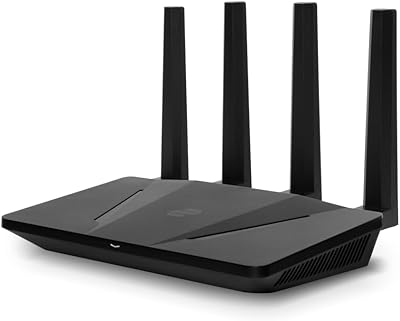
Davolink AXE-5400 Kevin Wi-Fi 6 Router
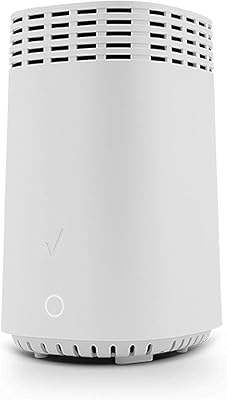
71%
76%
Wireless Performance
84%
Setup & Ease of Use
68%
Mesh & Coverage Expansion
79%
Device Capacity & Network Stability
83%
Security Features
More

FAQ

No, it will not. The C4000BG is provisioned specifically for CenturyLink's network and requires CenturyLink authentication to establish a WAN connection. If you plug it into another provider's line, it simply will not connect to the internet.

No, that is the main appeal of this bonded DSL gateway. It combines the modem and router functions into a single unit, so you can return your rented ISP equipment and run everything through this one device.

Bonded DSL means the router uses two physical phone lines simultaneously and combines their bandwidth into a single faster connection. If CenturyLink has provisioned your address for a bonded plan, you need a bonded-capable modem like this one to take full advantage of those speeds. If you are on a standard single-line DSL plan, the bonding hardware is present but inactive.

Most users find setup fairly straightforward on a CenturyLink line. You plug in the DSL cable, power it on, and follow the on-screen prompts or use the WPS button to connect devices. CenturyLink's support team can also walk you through the process if you get stuck.

You can connect a mesh system to the router's LAN ports and run it in access point mode, which is a workable setup for larger homes. Just be aware that the built-in Wi-Fi and the mesh nodes would then overlap, so most people disable the router's own Wi-Fi to avoid signal conflicts.

A number of long-term owners do mention that the unit runs warm under sustained heavy use. It is not reported as dangerously hot, but placing it in an enclosed cabinet or a poorly ventilated space is not advisable. Give it a bit of breathing room and it should be fine for normal household use.

No, this device does not support third-party firmware. The C4000BG runs proprietary software tied to CenturyLink's provisioning system, and there is no known method to replace it. If deep customization is important to you, this is not the right hardware.

Wi-Fi 6 is most beneficial in homes with many connected devices running at the same time. It handles simultaneous connections more efficiently, which reduces the slowdowns you might notice during peak hours when multiple people are streaming, video calling, or gaming at once. Devices that are not Wi-Fi 6 capable still work fine; they just connect at their own maximum standard.

Unfortunately, the device becomes unusable as a gateway. It is locked to CenturyLink's infrastructure and cannot be reconfigured for another ISP. You could potentially repurpose it as a Wi-Fi access point connected to a new modem, but that is an awkward workaround and not a supported configuration.

The hardware specs remain solid by current standards — Wi-Fi 6, 160 MHz channels, and bonded DSL support are not features that have aged poorly. For a CenturyLink subscriber on a bonded VDSL plan, this bonded DSL gateway is still one of the few consumer-available options that supports the full feature set CenturyLink offers on those plans, which keeps it relevant.

Where to Buy