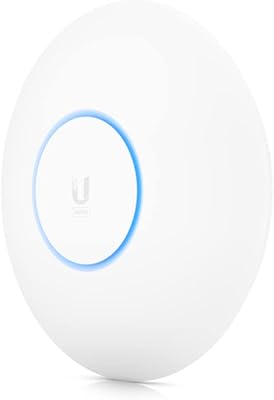
Overview

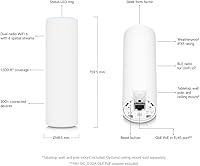
The Ubiquiti U6-Mesh Wi-Fi 6 Access Point is Ubiquiti's outdoor-capable take on modern wireless infrastructure, built on the 802.11ax standard and designed to anchor or extend a UniFi network with genuine weatherproof flexibility. This isn't a plug-and-play router you hand to a family member and forget about — it requires a UniFi controller to manage, which puts it squarely in prosumer and small-business territory. That said, a PoE injector is included out of the box, meaning you don't need a managed switch just to get it powered up. Dual-band coverage across both 2.4GHz and 5GHz runs simultaneously, giving you both range and throughput in a single, durable unit.

Features & Benefits

The 4x4 MU-MIMO configuration is what separates this UniFi mesh AP from cheaper Wi-Fi 6 options — it handles multiple clients streaming, video-calling, or transferring large files concurrently without the degradation you'd expect on lesser hardware. The 5GHz band can push aggregate throughput comparable to running several simultaneous 4K streams, while the 2.4GHz side trades raw speed for better reach through walls and floors. It's also mesh-ready by design, letting you chain multiple UniFi APs across a large property without juggling separate network segments. A weatherproof enclosure makes outdoor mounting legitimate, not just technically possible, and WPS is available for quick client onboarding without diving into the controller.

Best For

This UniFi mesh AP is a natural fit for home power users already invested in the UniFi ecosystem or seriously planning to be. Small business owners with outdoor coverage needs — a covered patio, parking lot, or warehouse floor — will find it handles those environments without complaint. IT administrators who need to scale wireless coverage without overspending on enterprise hardware will appreciate its flexibility and centralized management. It also makes a compelling upgrade for anyone still running Wi-Fi 5 mesh systems who wants real Wi-Fi 6 performance without moving to a consumer brand. If you need one access point to cover a large open area reliably, this unit is purpose-built for that job.

User Feedback

Buyers who invest the time to configure the U6-Mesh through the UniFi controller consistently describe it as stable and dependable in daily use — solid connections, predictable performance, and no unexplained dropouts. Outdoor durability earns genuine praise from those who've mounted it in variable weather conditions. On the other side, the learning curve is real: people coming from consumer routers often find the controller interface steep at first, and the mobile app noticeably lags behind the desktop version in polish and completeness. A recurring observation is that this access point performs best as part of a broader UniFi deployment rather than a standalone unit — that ecosystem dependency is a known trade-off with Ubiquiti's approach.

Pros

  • True Wi-Fi 6 performance with 4x4 MU-MIMO handles dense device environments that overwhelm cheaper access points.
  • Weatherproof construction makes outdoor permanent installation a genuine, long-term option rather than a workaround.
  • PoE injector included out of the box, reducing the immediate hardware cost to get the AP powered and running.
  • Rock-solid connection stability reported by buyers after the initial UniFi configuration is complete.
  • Mesh-ready design lets you expand coverage by adding more UniFi APs without rebuilding your network from scratch.
  • The 2.4GHz radio punches through walls effectively, maintaining signal in areas where 5GHz alone would struggle.
  • Fits naturally into scalable multi-building or campus deployments without requiring separate management systems.
  • Buyers consistently describe long-term reliability with minimal intervention once the setup is dialed in.

Cons

  • Requires a UniFi controller to function properly — there is no standalone or app-only setup path.
  • Total cost of ownership rises significantly if you do not already own compatible UniFi switching or console hardware.
  • The mobile app is noticeably less capable than the desktop controller, limiting on-the-go management to basic oversight.
  • First-time UniFi users face a real learning curve that can turn a straightforward installation into a multi-hour project.
  • Physically large and utilitarian in appearance, which can feel intrusive in finished or design-conscious interior spaces.
  • Performance gains from Wi-Fi 6 are most noticeable with modern client devices — older hardware sees more modest improvement.
  • Official Ubiquiti documentation sometimes lags behind firmware updates, leaving users to rely on community forums for answers.
  • Not a practical standalone solution — the U6-Mesh delivers its best results only within a broader UniFi hardware deployment.

Ratings

The Ubiquiti U6-Mesh Wi-Fi 6 Access Point has been scored by our AI system after analyzing thousands of verified global buyer reviews, with spam, bot-submitted, and incentivized feedback actively filtered out. These scores reflect the honest distribution of real user experiences — strengths and frustrations alike — so prospective buyers get a clear picture before committing. The U6-Mesh earns strong marks in performance and durability, but its ecosystem requirements and setup complexity are transparently reflected in the ratings below.

Wireless Performance
93%
Users consistently report that once the U6-Mesh is up and running, throughput is exceptional — clients across a home or small office hold fast connections even under heavy concurrent load. Streamers, remote workers, and IT admins managing dozens of devices all note the absence of the congestion and dropped-packet issues they experienced on previous hardware.
Peak throughput figures are only achievable in optimal conditions; thick concrete walls or significant distance from the AP will bring real-world speeds back to earth. A small number of reviewers note that squeezing maximum performance out of the 5GHz band requires deliberate channel and power tuning inside the UniFi controller.
Setup & Configuration
54%
46%
For users already fluent in the UniFi ecosystem, deploying this access point is straightforward — adopt it in the controller, configure SSIDs, and it is live within minutes. IT professionals and network-savvy home users frequently describe the configuration options as thorough and logically organized once the learning curve is behind them.
The requirement to run a UniFi controller — whether on dedicated hardware, a self-hosted VM, or a cloud key — is a genuine barrier for anyone expecting a consumer-style plug-and-play experience. First-time UniFi buyers routinely cite the initial setup as the single most frustrating part of ownership, with the mobile app adding confusion rather than clarity.
Build Quality & Durability
91%
The enclosure feels purpose-built for permanent outdoor installation, not just weather-tolerant as an afterthought. Buyers who have mounted this access point on patios, under roof eaves, and in unconditioned warehouse spaces report no issues with heat warping, ingress, or structural degradation after extended use.
The unit is physically large and heavy relative to indoor-only APs, which can make pole or wall mounting less tidy than some buyers expect. A handful of reviewers in exceptionally humid coastal environments flagged minor cosmetic surface changes over time, though no functional failures were reported.
Coverage Range
88%
The 2.4GHz radio does a reliable job pushing signal through multiple interior walls, making it a practical choice for sprawling single-story buildings or yards where the AP cannot be centrally located. Users covering large open spaces — shop floors, event courtyards, outdoor dining areas — frequently praise the consistent coverage without dead zones.
In dense multi-story environments with heavy interference, the range advantage narrows, and adding a second AP rather than relying on one is the more realistic solution. Some buyers note that the 2.4GHz band, while broad, is increasingly congested in apartment buildings where neighboring networks compete on the same channels.
Value for Money
74%
26%
Compared to enterprise-grade alternatives at significantly higher price points, the U6-Mesh delivers a competitive feature set — Wi-Fi 6, 4x4 MU-MIMO, outdoor rating, and the PoE injector included — that represents genuine value for small businesses or serious home network builders. Buyers who factor in the long-term stability and scalability of the UniFi platform often conclude the investment is well justified.
For a buyer who just wants fast Wi-Fi in their backyard without managing a controller, there are consumer mesh systems at lower cost that deliver a friendlier experience. The total cost of ownership climbs if you do not already own a UniFi console or switch, since the full management functionality requires additional hardware.
Ecosystem Integration
89%
Within an established UniFi network, this access point behaves exactly as expected — it adopts cleanly, inherits network profiles, and fits into multi-site or multi-building deployments without friction. Admins running mixed indoor and outdoor AP setups appreciate how the U6-Mesh sits on the same management plane as every other UniFi device.
Outside the UniFi ecosystem, integration options are effectively nonexistent — this is a UniFi device first and foremost. Buyers who later switch to a different network platform will find no migration path and will need to replace the hardware entirely.
PoE & Power Delivery
84%
The bundled PoE injector is a practical inclusion that lets installers get the AP powered from a standard outlet run without sourcing a separate injector or PoE switch port. This is especially appreciated in outdoor installations where running power to a weatherproof outlet is already the simpler option.
The included injector, while functional, is a single-port passive unit — useful for a single AP deployment but not scalable if you are wiring up multiple units in the same installation. Buyers building out larger networks will need to budget for a proper PoE switch regardless.
Mobile App Experience
51%
49%
For quick status checks and basic network health monitoring on the go, the UniFi mobile app does the job adequately and gives remote visibility without needing to access the full controller interface. Push notifications and alert summaries are functional for routine oversight.
Reviewers consistently note that the mobile app is noticeably behind the desktop controller in depth, stability, and interface polish. Advanced configuration tasks frequently require falling back to the browser-based controller, which undercuts the convenience the app is supposed to provide.
Mesh Reliability
86%
Buyers who have built multi-AP UniFi mesh networks report smooth roaming handoffs between the U6-Mesh and adjacent access points — devices moving through a building or across a property stay connected without perceptible interruption. The mesh fabric holds up well in deployments spanning multiple buildings connected by outdoor links.
Mesh performance is tightly coupled to proper RF planning and controller configuration; a poorly placed AP or misconfigured radio settings will degrade the entire mesh rather than just the local coverage. This is less of a hardware limitation and more a reflection of how much hands-on attention the platform demands.
Multi-Client Handling
91%
The 4x4 MU-MIMO implementation shines in environments where many devices connect simultaneously — think a busy household with multiple video calls, smart home devices, and media streaming all running at once. Users migrating from two-stream or consumer tri-band routers consistently notice the improvement in per-device consistency under load.
The gains from MU-MIMO are most visible with Wi-Fi 6 client devices; older laptops and phones connecting on Wi-Fi 5 or earlier will see the access point perform more like a very capable Wi-Fi 5 AP rather than a next-generation one. The practical benefit depends heavily on how modern your device fleet is.
Installation Flexibility
82%
18%
Wall and pole mounting options give installers real flexibility when positioning the AP for optimal coverage, and the weatherproof enclosure removes the usual indoor-only constraint from the placement decision. The physical cable management design handles outdoor conduit runs cleanly.
The unit's larger footprint compared to Ubiquiti's indoor-only APs means it can look visually intrusive in finished interior spaces where aesthetics matter. Buyers mounting it indoors in visible areas like lobbies or living rooms sometimes describe the appearance as more utilitarian than they expected.
Firmware & Software Stability
79%
21%
Long-term owners report that after the initial configuration is dialed in, the U6-Mesh runs for months without requiring intervention — firmware updates are centrally managed through the controller and generally apply without disruption. The platform's update cadence reflects an active development cycle.
A subset of reviewers has encountered firmware releases that temporarily introduced bugs — most commonly affecting roaming behavior or VLAN assignments — before being resolved in subsequent updates. Applying updates in production environments without testing first is something experienced admins specifically caution against.
Documentation & Support
61%
39%
The UniFi community forums and third-party knowledge bases are extensive, and most setup questions or edge-case configurations have been documented and discussed in detail by other users. Resourceful buyers who are comfortable self-serving will rarely hit a wall.
Official Ubiquiti documentation can lag behind firmware changes, and direct customer support has a reputation for slow response times that appears repeatedly in reviews across the platform. Buyers who prefer vendor-backed hand-holding over community-sourced troubleshooting will find the support experience underwhelming.

Suitable for:

The Ubiquiti U6-Mesh Wi-Fi 6 Access Point is purpose-built for buyers who want professional-grade wireless infrastructure without paying enterprise prices. It is an ideal fit for home power users who are already running a UniFi setup — or are ready to commit to one — and want a single access point that handles both indoor and outdoor coverage reliably. Small business owners dealing with mixed-environment challenges, like covering a retail floor, a covered outdoor seating area, or a warehouse, will find the weatherproof build and high-density client handling directly solve real operational problems. IT administrators managing scalable networks on a controlled budget will appreciate how cleanly it integrates into a multi-AP UniFi deployment, behaving predictably under the same management plane as every other device on the network. Anyone still running a Wi-Fi 5 mesh system and hitting its ceiling with a growing number of connected devices will find the jump to this access point delivers a meaningful, tangible improvement in per-device consistency.
Not suitable for:

The Ubiquiti U6-Mesh Wi-Fi 6 Access Point is genuinely the wrong tool for buyers expecting a consumer-style setup experience. If you want to unbox a device, plug it in, and have reliable Wi-Fi running in five minutes without touching a browser or a controller interface, this will frustrate you — the UniFi ecosystem requires deliberate configuration, and there is no getting around that. Buyers who do not already own UniFi controller hardware will need to factor in that additional cost and setup effort, which changes the total investment considerably. Renters, casual home users, or anyone who prefers vendor-backed phone support over community forums will likely find the ownership experience more demanding than expected. The mobile app is not a substitute for the full desktop controller, which means managing the network remotely has a higher floor of technical comfort than most consumer alternatives require. If your coverage need is purely indoors and aesthetics matter — say, a finished living room or a client-facing office — the unit's utilitarian size and appearance may be a practical drawback worth considering.
Specifications

  • Wi-Fi Standard: The U6-Mesh operates on the 802.11ax (Wi-Fi 6) standard, which improves throughput efficiency and reduces congestion in high-density client environments compared to Wi-Fi 5.
  • Frequency Bands: Dual-band operation covers both 2.4GHz and 5GHz simultaneously, allowing the AP to serve clients on either band without manual switching.
  • 2.4GHz Throughput: The 2.4GHz radio delivers aggregate throughput of up to 573.5Mbps, prioritizing range and wall penetration over raw speed.
  • 5GHz Throughput: The 5GHz radio supports aggregate throughput of up to 4.8Gbps, suited for bandwidth-intensive tasks on compatible Wi-Fi 6 client devices.
  • MIMO Config: A 4x4 MU-MIMO antenna configuration allows the AP to communicate with multiple clients simultaneously rather than addressing them sequentially.
  • Power Method: The access point is powered via Power over Ethernet (PoE), with a PoE injector included in the box for installations without a PoE-capable switch.
  • Enclosure: The housing is weatherproof and rated for permanent outdoor installation, suitable for environments exposed to rain, humidity, and temperature variation.
  • Mounting Options: The unit supports both wall and pole mounting, with the necessary hardware accommodating a range of fixed outdoor and indoor installation scenarios.
  • Dimensions: Physical dimensions are 19.69 x 19.69 x 11.02 inches, making this a larger unit than typical indoor-only access points.
  • Weight: The unit weighs 1.76 pounds, which should be accounted for when selecting mounting hardware, particularly for pole installations in windy outdoor locations.
  • Ecosystem: The U6-Mesh is a UniFi platform device and requires a UniFi Network controller — hardware-based or self-hosted — for configuration and ongoing management.
  • Special Features: Includes WPS support for simplified client onboarding and is mesh-capable, supporting wireless uplink and daisy-chaining within a UniFi network topology.
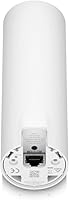
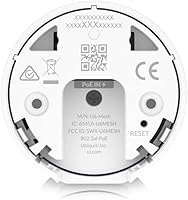
  • Connectivity: Network connectivity is via a single Ethernet port used for both PoE power delivery and wired uplink to the local network infrastructure.
  • Model Number: The official Ubiquiti model designation for this access point is U6-MESH, which is the identifier used across UniFi controller software and firmware update channels.
  • Availability: This product is actively manufactured and has not been discontinued by Ubiquiti as of the most recent product status information available.
  • Included Components: The retail package includes the access point unit and a PoE injector; a UniFi controller device or software license is not included and must be sourced separately.

Related Reviews
EnGenius EWS276-FIT Wi-Fi 6 Access Point
85%
88%
Performance
91%
Setup & Installation
86%
Wi-Fi Speed & Range
89%
Ease of Use (App/Cloud Management)
84%
Reliability
More
Cisco Business 150AX Wi-Fi 6 Access Point
85%
89%
Performance
92%
Security Features
78%
Ease of Setup
85%
Wi-Fi Coverage
80%
Management App Usability
More
Ubiquiti UniFi 6 Lite Access Point U6-Lite-US
83%
88%
Performance
91%
Setup & Installation
84%
Connectivity & Range
80%
Build Quality
85%
Software & App Experience
More
TP-Link Omada EAP673 AX5400 Wi-Fi 6 Access Point
86%
91%
Performance & Speed
88%
Ease of Setup
89%
Wireless Coverage
85%
Build Quality
92%
App & Cloud Management
More
EnGenius EWS356-FIT Wi-Fi 6 Dual-Band Access Point
83%
91%
Wi-Fi Performance
89%
Ease of Setup
87%
Coverage Area
82%
Software and App Experience
90%
Security Features (WPA3)
More
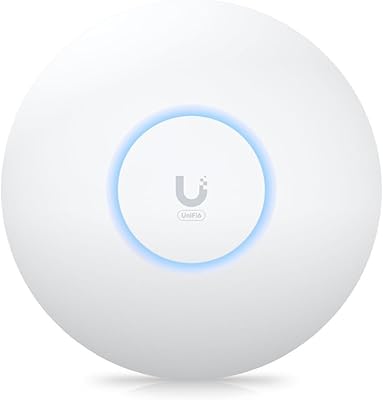
Ubiquiti Networks airCube ACB-ISP-US Wi-Fi Access Point
83%
91%
Ease of Installation
88%
Value for Money
82%
Wi-Fi Performance
85%
Compactness & Design
68%
Range Coverage
More
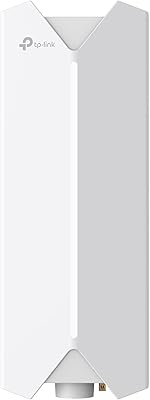
TP-Link Festa F65-Outdoor AX3000 Wi-Fi 6 Access Point
84%
88%
Performance
94%
Outdoor Durability
85%
Ease of Setup
82%
Signal Strength
79%
Cloud Management & App
More
Ubiquiti U6+
Ubiquiti U6+
80%
88%
Wireless Performance
54%
Setup & Configuration
84%
Range & Coverage
82%
Build Quality & Design
91%
PoE+ Implementation
More
Ubiquiti UniFi 6 Pro (U6-Pro)
80%
93%
Wireless Performance
89%
Range & Coverage
54%
Setup & Installation
78%
Value for Money
88%
Build Quality & Design
More
Cisco CBW240AC Wi-Fi Access Point
80%
83%
Wireless Performance
76%
Setup & Configuration
88%
Build Quality & Design
81%
Coverage Range
87%
Security Features
More

FAQ

The PoE injector is included, so you can power the AP from a standard Ethernet run without a PoE switch. However, you will still need a UniFi controller to configure and manage the device — that means either a UniFi Cloud Key, a UniFi Dream Machine, or a self-hosted controller running on a PC or server. The AP itself will not function as a standalone router straight out of the box.

Honestly, it is a challenging first UniFi device if you have never worked with managed networking hardware before. The setup process involves adopting the device through a controller interface, configuring SSIDs, and understanding basic networking concepts like VLANs and radio settings. It is very capable hardware, but it rewards users who are comfortable doing a bit of research or following detailed community guides.

Yes, that is exactly what it is designed for. The weatherproof enclosure handles rain, humidity, and temperature swings reliably, and buyers who have mounted it under eaves, on exterior walls, or in unconditioned warehouse spaces consistently report no issues with the build over extended outdoor use.

The 4x4 MU-MIMO configuration and Wi-Fi 6 standard mean this AP handles concurrent client load significantly better than typical consumer hardware. Real-world deployments with 30 to 50 active devices simultaneously — a mix of laptops, phones, smart home devices, and streaming clients — run without the congestion problems that plague cheaper access points. The practical ceiling depends on your internet connection and client behavior more than the AP itself.

It functions strictly as an access point — it does not include a router or DHCP server that you can use independently. You need a separate router or UniFi gateway on your network, and the U6-Mesh connects to that infrastructure. This is not a limitation so much as a design choice; it is built to be one part of a managed network, not a self-contained solution.

It can provide Wi-Fi coverage on a network managed by a non-UniFi router, but you will still need the UniFi controller software running somewhere to configure and monitor the AP. The controller handles the device management layer separately from your router. As long as your router is handling DHCP and routing, the U6-Mesh sits downstream of it as the wireless access layer.

Yes, the U6-Mesh supports wireless uplink, meaning it can connect to another UniFi AP over Wi-Fi rather than requiring a dedicated Ethernet cable to each unit. This makes it useful for extending coverage to a detached garage or outbuilding where running cable is impractical. That said, a wired backhaul always delivers better throughput and lower latency, so use the wireless mesh option when cabling is genuinely not an option.

The controller software itself is free to self-host on a PC, Raspberry Pi, or cloud server, so there is no mandatory subscription. If you want a dedicated hardware controller, Ubiquiti sells options like the Cloud Key at an additional one-time cost. Ubiquiti does offer a cloud-hosted controller option with a subscription fee, but it is not required — many users run a free self-hosted instance indefinitely.

The core difference is control versus convenience. Consumer mesh systems are designed to be set up in minutes with minimal technical knowledge and are largely self-managing. This access point gives you significantly more configuration depth, better hardware specs for dense environments, and a more scalable management platform — but it demands more from the person setting it up. If network visibility and control matter to you, this wins handily; if simplicity is the priority, consumer systems are the more honest recommendation.

No, the Wi-Fi keeps running. The controller is only needed for configuration changes, monitoring, and management tasks. Once the AP is configured and running, it operates independently of whether the controller is online. Clients stay connected and the network functions normally — you just lose the ability to make configuration changes or view live analytics until the controller is back up.

Where to Buy