
Overview

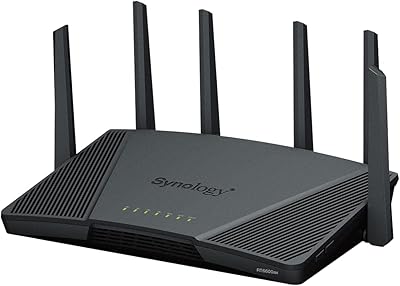
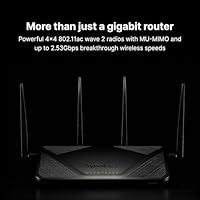
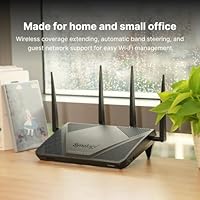
The Synology RT2600ac Wi-Fi Router offers strong, dual-band performance with speeds reaching up to 2.53Gbps. This router supports both 2.4GHz and 5GHz bands, ensuring smooth connectivity for multiple devices at once. With a focus on security, this model features Threat Prevention and robust parental controls, making it a great choice for home and office networks. Additionally, it supports VPN creation and offers dual WAN for load balancing and failover, ensuring network stability and flexibility.

Features & Benefits

Equipped with a powerful 1.7GHz dual-core processor, the RT2600ac provides fast and reliable performance, even during heavy usage. MU-MIMO support allows for better data handling across multiple devices, making it ideal for busy households or small offices. The Smart Connect feature seamlessly optimizes your connection, while the Layer 7 traffic control lets you manage bandwidth based on specific needs. These features combine to ensure fast performance and network reliability even in demanding environments.

Best For

The RT2600ac is best suited for home users who need reliable, secure Wi-Fi for various devices. It's also an excellent choice for small offices looking to manage multiple connections while maintaining strong security. Tech enthusiasts and users who need advanced network features such as VPN support and customizable traffic control will appreciate this router’s flexibility. With a coverage area of 3,500 square feet and support for up to 200 devices, this model offers exceptional coverage and device support for larger networks.

User Feedback

Overall, users praise the RT2600ac for its impressive range and stability, even in larger homes. Many appreciate the easy-to-use setup and the performance improvements over older routers. However, some users report challenges during the initial configuration, especially with advanced features like VPN. While the router’s security features like the parental controls are well-regarded, a few customers have expressed a desire for a more intuitive interface. Overall, it's a solid choice for those seeking both performance and security in a home or small office router.

Pros

  • This Wi-Fi router offers fast speeds of up to 2.53Gbps, ensuring stable and reliable connections across multiple devices.
  • Its dual-band Wi-Fi (2.4GHz + 5GHz) provides flexible coverage for both everyday browsing and high-bandwidth activities like gaming.
  • Advanced security features like Threat Prevention and robust parental controls offer peace of mind for families and businesses alike.
  • The 1.7GHz dual-core processor ensures smooth performance even when handling high traffic or multiple users.
  • MU-MIMO support allows for efficient data handling across multiple devices, improving overall network efficiency.
  • With coverage of up to 3,500 square feet, this router is ideal for larger homes or offices needing broad, stable Wi-Fi.

Cons

  • Some users report that the setup process can be tricky, especially for those unfamiliar with network configurations.
  • The router's advanced features may be overkill for users with small living spaces or minimal device needs.
  • Despite its excellent performance, the router can be bulky, which might not be ideal for smaller setups or apartments.
  • A few users have mentioned that the interface for managing parental controls and other settings could be more intuitive.
  • While VPN support is appreciated, the configuration can be complex for users who aren't tech-savvy.
  • This device's price point may be a bit high for budget-conscious buyers who don’t need all the advanced features.

Ratings

After analyzing verified user reviews from multiple countries and platforms, we've found that the Synology RT2600ac Wi-Fi Router offers a solid performance with some minor drawbacks. The feedback we gathered reflects authentic, high-quality opinions from diverse sources, ensuring an accurate assessment of both the strengths and pain points of this device. Only genuine reviews were considered, filtered for spam, bots, and exaggerated claims, giving us a clear picture of what users truly experience with this product.

Performance
88%
Many users praise this router’s ability to handle heavy traffic without lag. With its dual-core processor and 2.53Gbps speeds, it offers reliable performance even for multiple connected devices, making it a solid choice for larger homes and active households.
However, some users report occasional performance drops when too many devices are connected simultaneously, especially during high-bandwidth activities like streaming or gaming. This issue may require some manual adjustments in settings to maintain optimal speeds.
Wi-Fi Speed & Coverage
91%
The Wi-Fi range and speed of this device are well-regarded, with most users finding the dual-band performance sufficient for large homes. The router’s ability to cover up to 3,500 square feet means that it can provide strong, stable connections even in areas far from the main unit.
A few customers, however, mention that while the router performs well in general, it occasionally struggles with coverage in very large or multi-story homes, especially in areas with thick walls or interference from other devices.
Setup & Installation
80%
20%
Several users highlight the straightforward installation process, especially with the intuitive mobile app that guides you through setup. For tech-savvy buyers, the advanced customization options available right from the start are a major benefit.
On the flip side, some users have struggled with initial setup, particularly those who are not as familiar with networking hardware. The router's manual setup process can be tricky, and a few customers had trouble connecting it to more complex home network configurations.
Security Features
90%
The strong security features, including Threat Prevention and parental controls, are highly appreciated by many users. These features help to create a safe network for families, ensuring that devices are protected from malware, phishing, and unwanted access.
A small group of users felt that the setup and configuration of security features could be more intuitive, particularly when fine-tuning the parental controls. Some also mentioned that the Threat Prevention feature can occasionally block legitimate sites or services, requiring manual adjustments.
Ease of Use
84%
This router’s user-friendly interface makes it easy to manage settings, monitor network activity, and prioritize devices. The Smart Connect feature is a standout, ensuring users don’t need to worry about manually switching between networks for the best performance.
However, some users find the complexity of advanced features a bit overwhelming. While the device is great for advanced users, less experienced individuals may struggle to fully leverage all its capabilities without assistance or extensive reading of the manual.
Build Quality
85%
Users consistently report that the RT2600ac feels solid and well-built. The retractable antennas and sturdy design contribute to its professional look, and the device generally holds up well under constant use.
While most are satisfied with its build, a few users have pointed out that the antennas, although functional, could be sturdier. Some have experienced them becoming loose or less adjustable after extended use.
Device Compatibility
86%
This router supports a broad range of devices, thanks to its MU-MIMO technology and dual-band support. It ensures smooth connections even when multiple devices are connected, making it a great option for households with many smart devices.
Some users have noted issues with certain devices, particularly older models, struggling to connect to the 5GHz band. In these cases, the performance is less than expected, requiring users to switch to the 2.4GHz band.
Parental Controls
88%
The parental controls are one of the most appreciated features, providing great flexibility for managing internet usage. Users can set time limits, block inappropriate content, and schedule access, which is ideal for families with children.
However, some parents mentioned that while the controls are comprehensive, they require a bit of a learning curve. The interface for setting up and managing these controls could be more user-friendly to appeal to those who aren't familiar with networking devices.
Advanced Features (VPN, Traffic Control)
85%
The router’s ability to support multiple VPN protocols is a highlight for tech enthusiasts and users who value privacy. Combined with customizable traffic control settings, this model is excellent for optimizing network performance based on usage needs.
On the downside, configuring VPN settings can be a bit challenging for those not familiar with networking. The documentation is somewhat lacking in explaining the process clearly for less experienced users.
Customer Support
75%
25%
Some users have had positive experiences with Synology's customer support team, especially in resolving technical issues related to the router’s configuration or setup.
However, a few users reported delays in receiving responses, and some mentioned that troubleshooting could be more helpful. While customer support can be effective, the response times and availability could be improved.
Long-term Durability
82%
18%
The build quality and long-term durability of the router are generally good. Users report that the device holds up well even with heavy usage over extended periods, which speaks to its solid construction.
That said, a handful of users have reported issues with overheating or performance degradation after several months of use. While not widespread, these concerns are worth considering for those who plan to use the router continuously.
Value for Money
90%
Given its feature set, the value for money is one of the strongest selling points for this device. Buyers appreciate the mix of speed, performance, and security features at this price point, especially for larger households or small offices.
Some users feel that the router is priced higher compared to other similar models. While it offers great functionality, a few would have preferred a more affordable option with fewer high-end features.

Suitable for:

The Synology RT2600ac Wi-Fi Router is ideal for home users who need strong and stable Wi-Fi coverage for multiple devices. Its dual-band performance, with speeds up to 2.53Gbps, makes it perfect for households with heavy internet traffic, such as large families or gamers. The advanced security features, including Threat Prevention and robust parental controls, make it a great option for families with young children or those who prioritize online safety. Additionally, small office environments or tech enthusiasts who require customizable networking options like VPN support will benefit from its flexible performance and high device compatibility. For those managing multiple devices or seeking reliable Wi-Fi over large areas (up to 3,500 sq. ft.), this router delivers the necessary stability and control.

Not suitable for:

While the Synology RT2600ac Wi-Fi Router offers impressive performance, it may not be the best choice for those looking for a simple plug-and-play setup. Some users, especially those without technical expertise, have reported challenges with the initial configuration, which could be daunting for people unfamiliar with network management. Additionally, it may not be ideal for users with very small living spaces, as its advanced features and large coverage range may be overkill. Users in apartments or small homes with minimal device needs might find the router’s price and size disproportionate to their requirements. Lastly, those on a strict budget may find other models with fewer advanced features to be a more cost-effective choice.

Specifications

  • Processor: Equipped with a 1.7GHz dual-core processor for enhanced performance and stability.
  • Wi-Fi Speed: Supports up to 2.53Gbps combined dual-band Wi-Fi speed (2.4GHz and 5GHz bands).
  • Wi-Fi Bands: Operates on dual bands: 2.4GHz for longer range and 5GHz for faster speeds.
  • MU-MIMO Support: Includes MU-MIMO technology for more efficient data handling with multiple devices simultaneously.
  • VPN Support: Supports VPN protocols like WebVPN, Synology SSL VPN, and SSTP for secure remote access.
  • WAN Ports: Features dual WAN ports for load balancing and failover to ensure uninterrupted internet access.
  • Smart Connect: Smart Connect feature automatically optimizes network performance by selecting the best band for each device.
  • Coverage Area: Covers up to 3,500 square feet with reliable Wi-Fi performance in large homes or small offices.
  • Device Capacity: Supports up to 200 devices connected simultaneously without compromising performance.
  • Parental Controls: Comes with advanced parental control features to manage and monitor internet usage for all connected devices.
  • Traffic Control: Offers Layer 7 hardware acceleration for customizable traffic control and prioritization.
  • Ethernet Ports: Includes 4 Gigabit Ethernet ports for wired connections to devices like computers and gaming consoles.
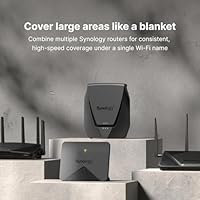
  • Expandable Mesh: Supports mesh network expansion, allowing users to add compatible Synology routers for larger coverage.
  • Antenna Design: Equipped with retractable antennas for adjustable signal direction and better range.
  • Security Features: Built-in Threat Prevention system protects against malicious websites and online threats.
  • Firmware Updates: Supports regular firmware updates via Synology Router Manager to improve functionality and security.
  • Operating System: Runs on Synology's Router Manager (SRM) OS, which provides an intuitive interface for configuration and management.
  • Ports for External Storage: Supports external USB storage for file sharing and network-attached storage (NAS) capabilities.

FAQ

The Synology RT2600ac Wi-Fi Router offers high-speed performance up to 2.53Gbps, with strong security features like Threat Prevention and parental controls. It's perfect for homes or small offices with multiple devices, offering features like MU-MIMO support, VPN capabilities, and dual WAN for load balancing.

Setting up this router is relatively easy, thanks to the intuitive web interface and mobile app. Simply connect it to your modem, follow the guided setup through the Synology Router Manager, and configure your Wi-Fi network settings. However, some users report that it may take a bit longer for those unfamiliar with networking.

Yes, the Synology RT2600ac can be used with any standard modem. Just connect it via the Ethernet port. Ensure your modem is compatible with your internet provider’s plan for optimal performance.

This router is compatible with virtually any Wi-Fi-enabled device, including laptops, smartphones, tablets, and smart home products. Its MU-MIMO support allows for seamless connections to multiple devices simultaneously, making it ideal for busy households or small offices.

To set up a VPN on this router, you’ll need to log into the Synology Router Manager (SRM) interface and navigate to the VPN section. You can choose from various VPN types, including WebVPN, Synology SSL VPN, and SSTP. Detailed step-by-step guides are available in the router's user manual or online support resources.

Yes, the RT2600ac supports mesh Wi-Fi, allowing you to extend your Wi-Fi coverage by connecting additional Synology routers. With a coverage area of up to 3,500 square feet, this router can cover most medium to large homes or offices.

Dual WAN allows for load balancing and failover, meaning you can connect two internet sources (e.g., two broadband lines) to ensure continuous internet access. If one connection fails, the router will automatically switch to the backup line. This is especially useful for small businesses or remote workers needing uninterrupted connectivity.

Yes, the Synology RT2600ac includes advanced security features like Threat Prevention to block malicious websites and parental controls for managing internet access. It also supports secure VPN connections, ensuring your online activities are private and protected.

Absolutely. This router's fast speeds, dual-band Wi-Fi, and MU-MIMO support make it excellent for high-demand activities like online gaming, HD streaming, and video conferencing. The Smart Connect feature ensures optimal network allocation for a smooth experience, even with multiple devices connected.

Some users find the initial setup challenging, especially when configuring advanced features like VPNs or setting up dual WAN. Additionally, while performance is generally strong, there have been occasional reports of intermittent connectivity or needing to restart the router during heavy traffic times.