Overview

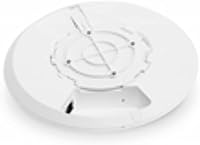
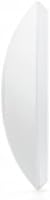
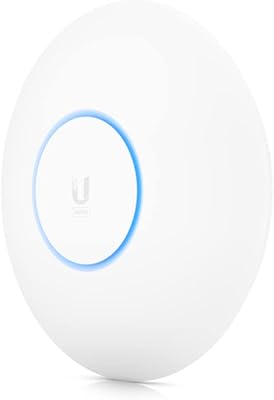
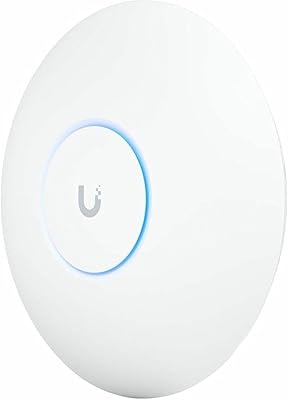
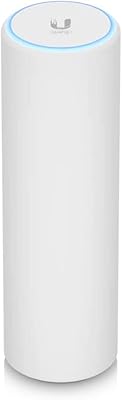
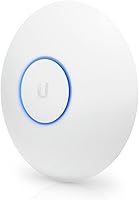
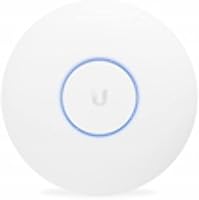
The Ubiquiti UniFi UAP-AC-LR Wireless Access Point is a long-range indoor access point built for the prosumer and small-to-medium business market — not a consumer router replacement. It runs dual-band 802.11ac across both 2.4GHz and 5GHz, which means solid compatibility with practically every device on your network. The disc-shaped enclosure mounts flush to a ceiling or wall and blends into most spaces without drawing attention. One important thing to know before buying: this long-range access point is managed entirely through UniFi's controller software — there is no standalone web interface. It is a powerful approach once configured, but it is definitely not plug-and-play.
Features & Benefits

The UAP-AC-LR delivers up to 450 Mbps on 2.4GHz and 867 Mbps on 5GHz — numbers that hold up well across a realistic mix of devices in day-to-day use. What genuinely stands out is the extended antenna design, which pushes usable coverage further than most access points in this category without introducing excessive interference. Power runs through 24V passive PoE, keeping the install clean, though it requires a matching injector or compatible switch rather than standard 802.3af hardware. Through the controller, this UniFi AP also supports guest networks and VLANs, plus per-SSID traffic shaping — capabilities that most consumer APs simply do not offer.

Best For

This UniFi AP makes the most sense in small-to-medium offices, retail spaces, or larger homes where a single consumer router cannot reliably cover the whole footprint. IT administrators already invested in the UniFi ecosystem will find it fits naturally into an existing setup. It is also well-suited to multi-AP deployments where fast roaming and centralized SSID management actually matter — something consumer hardware rarely handles well. Environments with thick walls or open floor plans benefit from the stronger 2.4GHz reach. That said, expect to invest time in the controller configuration; this is not the right choice if you want a working Wi-Fi network in under ten minutes.

User Feedback

Across thousands of reviews, buyers who come in with realistic expectations tend to walk away satisfied. Range and signal stability are the most frequently praised qualities, especially in spaces where cheaper gear struggles to maintain consistent connections. Build quality earns consistent compliments too — it looks professional enough to mount visibly without looking out of place. On the other side, some long-term owners feel the Wave 1 AC spec is aging against current Wi-Fi 6 options, and the 24V passive PoE requirement trips up buyers who assume any PoE switch will work. First-time UniFi users also flag the controller setup as unexpectedly involved.

Pros

  • Excellent real-world range that consistently outperforms consumer-grade access points in open and obstructed spaces.
  • Dual-band 802.11ac supports a wide range of devices, from older 2.4GHz-only hardware to modern 5GHz clients.
  • Ceiling and wall-mount design looks professional and unobtrusive in both office and commercial environments.
  • Multi-AP roaming works reliably when managed through the UniFi controller, a genuine advantage over consumer mesh systems.
  • Guest network and VLAN support give administrators meaningful network segmentation without extra hardware.
  • The UAP-AC-LR integrates cleanly into any existing UniFi stack, making it a low-friction addition for current Ubiquiti users.
  • Build quality is consistently praised — it feels and looks durable enough for long-term, visible installations.
  • Per-SSID traffic shaping provides control over bandwidth allocation that most consumer APs simply cannot match.
  • Signal stability under load holds up well, with far fewer dropped connections reported compared to budget alternatives.

Cons

  • Requires the UniFi Network Controller software to configure — there is no simple standalone setup option.
  • 24V passive PoE is incompatible with standard 802.3af and 802.3at switches, which can catch buyers off guard.
  • No built-in routing or switching functionality; a separate gateway and switch are required for a complete setup.
  • The Wave 1 AC spec is aging, and buyers in Wi-Fi 6 households may notice a throughput ceiling sooner than expected.
  • Controller software has a meaningful learning curve for first-time UniFi users, with multi-step onboarding before the AP is usable.
  • Self-hosted controller setup requires a always-on device or cloud account, adding infrastructure overhead many home users do not expect.
  • No support for the latest 802.11ax (Wi-Fi 6) standard, which limits future-proofing for high-density client environments.
  • Passive PoE injector must be sourced separately if a compatible switch is not already in place, adding to total cost.

Ratings

The scores below reflect an AI-driven analysis of thousands of verified global reviews for the Ubiquiti UniFi UAP-AC-LR Wireless Access Point, with spam, bot-generated, and incentivized submissions actively filtered out to protect accuracy. This long-range access point earns strong marks in several areas that matter most to its target audience, but the analysis also surfaces genuine friction points — particularly around setup complexity and power compatibility — so buyers can make a fully informed decision.

Wireless Range
93%
This is where the UAP-AC-LR consistently impresses users most. In open offices, retail floors, and larger homes, it reaches corners and rooms that consumer-grade APs simply cannot. Users in multi-story buildings and warehouses report clean, stable signals at distances that regularly surprise them.
Range expectations can be unrealistic in heavily obstructed environments with thick concrete or dense building materials, where even this extended antenna design meets its limits. A small number of users in particularly challenging structures found the range gains over standard APs less dramatic than anticipated.
Signal Stability
89%
Long-term users frequently highlight how rock-solid the connection remains under sustained load — video calls, file transfers, and multi-device households rarely cause the signal to degrade. Compared to consumer mesh nodes, the UAP-AC-LR holds its throughput far more consistently during peak usage hours.
A handful of users report occasional association issues where certain client devices — especially older 2.4GHz-only hardware — need to reconnect after idle periods. These cases appear to be edge cases tied to specific client firmware rather than systemic hardware faults.
Build Quality
91%
The disc-shaped enclosure feels noticeably more substantial than most consumer APs. Users mounting it in client-facing spaces like reception areas and retail shops specifically mention that it looks professional and intentional rather than like an afterthought. The finish holds up well over years of ceiling-mounted use.
The mounting bracket, while functional, is occasionally described as fiddly to align properly during first-time installation. A few users working with older junction box configurations found the fitment required more effort than expected for what should be a straightforward physical install.
Ease of Setup
51%
49%
For buyers already familiar with the UniFi ecosystem, adopting a new UAP-AC-LR into an existing controller setup takes only a few minutes. Experienced IT administrators generally find the process clean, logical, and well-documented once they know what they are doing.
First-time UniFi users consistently flag this as the biggest source of frustration — the requirement to run a separate controller application is not obvious from the product listing, and many buyers expect plug-and-play behavior. Setting up the controller, adopting the AP, and configuring SSIDs involves multiple steps that can take hours for the uninitiated.
Software & Management
78%
22%
The UniFi Network Controller gives users a level of network visibility and control that is genuinely impressive for the price point — multi-SSID management, per-client monitoring, guest portal configuration, and traffic shaping all from a single interface. IT professionals who use it daily consider it one of the better network management tools available.
The controller interface has evolved significantly over the years and some long-term users find the UI inconsistencies between versions frustrating. Occasional firmware updates have also introduced temporary bugs, and the reliance on a persistent controller instance adds infrastructure overhead that pure home users did not anticipate.
PoE Compatibility
47%
53%
When paired with a compatible 24V passive PoE switch or injector, the power delivery works cleanly and keeps the install cable-tidy with no extra power brick needed. Users already invested in Ubiquiti's switching ecosystem rarely encounter any issues here.
The 24V passive PoE requirement is a real pain point for anyone running a standard 802.3af or 802.3at switch — which is the vast majority of managed switches on the market. Buyers frequently discover this incompatibility only after purchase, requiring an additional injector purchase and adding unexpected cost and complexity to the deployment.
Multi-AP Roaming
86%
In multi-unit deployments, users report smooth client transitions between access points with minimal disruption — a meaningful advantage over consumer mesh systems where roaming behavior is often opaque and inconsistent. The centralized controller approach makes roaming configuration transparent and tunable.
Roaming performance depends heavily on correct controller configuration, and first-time users who miss key settings like minimum RSSI thresholds can end up with sticky client issues where devices cling to a distant AP instead of transitioning. This is a configuration problem rather than a hardware limitation, but it is a common stumbling block.
Value for Money
72%
28%
For buyers who need genuine long-range performance and centralized management across multiple access points, the price sits at a reasonable point relative to true enterprise alternatives that offer similar feature depth. IT professionals consistently view it as strong value for what it delivers in a managed networking context.
For a home user who just needs better Wi-Fi coverage, the total cost of ownership — factoring in the need for a compatible switch or injector, and potentially a Cloud Key or local server for the controller — makes the overall investment harder to justify compared to a capable consumer mesh system.
Throughput Performance
74%
26%
Real-world throughput on 5GHz holds up well for the majority of typical office and home workloads — video conferencing, file transfers, and cloud applications run without issue across a reasonable number of simultaneous clients. The 2.4GHz band performs reliably for IoT devices and older hardware.
The Wave 1 AC specification means maximum theoretical throughput is capped compared to newer Wi-Fi 6 hardware, and in high-density environments with many modern client devices, some users begin to notice throughput constraints. Buyers planning for dense, high-bandwidth deployments should factor in the spec age.
Device Compatibility
88%
Support for 802.11 a/b/g/n/ac means virtually every Wi-Fi-enabled device on the market connects without issue — from decade-old laptops to current smartphones and smart home sensors. Users running mixed-generation device fleets particularly appreciate not having to worry about compatibility gaps.
A small number of users report that certain older or budget devices occasionally have trouble maintaining stable associations on the 5GHz band, requiring manual band steering configuration in the controller. This is a relatively minor issue that affects an edge case of device types rather than the majority of clients.
Installation Flexibility
81%
19%
The low-profile disc form factor and included mounting hardware allow clean ceiling or wall installations in a wide variety of spaces. Users appreciate that once mounted, the AP barely registers visually — it does not dominate the ceiling the way some bulkier enterprise APs do.
The installation is cable-dependent by design, so placement is constrained by wherever an Ethernet run can realistically be installed. Buyers hoping for a wireless mesh backhaul option will find this AP does not support it — every unit needs a physical Ethernet connection, which limits flexibility in retrofit scenarios.
Firmware Reliability
76%
24%
The vast majority of users running stable, non-beta firmware versions report consistent uptime over months and years without needing to intervene. Ubiquiti's firmware update cycle is active, and security patches are released with reasonable regularity for a product of this age.
A recurring thread in community forums involves specific firmware versions introducing regressions — connectivity drops, controller adoption failures, or unexpected behavior with certain client types. Users who update firmware without checking release notes first have occasionally hit avoidable issues that required a rollback.
Aesthetics & Design
84%
The clean, circular disc design is widely praised for looking intentional and professional in visible installations. Unlike rack-mount or boxy enterprise APs, this long-range access point suits client-facing environments — reception areas, cafes, and retail spaces — without looking out of place.
Color options are limited to white and black, which does not suit every interior design scheme. A small number of users in residential settings mention that even the lower-profile design is still more conspicuous than they preferred when ceiling-mounted in a living space.

Suitable for:

The Ubiquiti UniFi UAP-AC-LR Wireless Access Point is a strong match for IT professionals, network-savvy enthusiasts, and small-to-medium business operators who want enterprise-grade Wi-Fi management without enterprise-grade pricing. If you are running a retail space, a multi-room office, or a large home where a single consumer router leaves dead zones, this long-range access point addresses that problem directly with its extended antenna design and solid dual-band 802.11ac performance. It fits especially well in multi-AP environments — when you need several units covering a building and want centralized roaming, SSID management, and guest network controls from a single dashboard, the UniFi ecosystem handles that cleanly. Environments with thick walls or open floor plans where 2.4GHz penetration matters as much as raw 5GHz throughput will also get meaningful value from the UAP-AC-LR's antenna design. The ceiling or wall-mount form factor keeps installs professional-looking, which matters when the hardware is visible to clients or customers.
Not suitable for:

If you are looking for something to unbox, plug into your modem, and have working Wi-Fi in five minutes, the Ubiquiti UniFi UAP-AC-LR Wireless Access Point is genuinely not the right tool — it requires the UniFi Network Controller software to configure, and that alone adds a meaningful setup barrier for non-technical buyers. This long-range access point is also not a standalone router; it needs an upstream gateway and switch to function, so total system cost is higher than it might initially appear. Buyers running standard 802.3af or 802.3at PoE switches will hit a compatibility problem immediately, since the UAP-AC-LR uses 24V passive PoE, not the industry-standard protocol. If your household has a modest footprint and a modern mesh system would cover it comfortably, the added complexity here offers little practical return. Finally, buyers who prioritize cutting-edge throughput and plan to run a lot of Wi-Fi 6 client devices may find the Wave 1 AC spec starts to feel like a ceiling over time.
Specifications

  • Brand: Manufactured by Ubiquiti Networks, a US-based company known for prosumer and enterprise-grade networking hardware.
  • Model: UAP-AC-LR, part of Ubiquiti's UniFi access point lineup, first made available in September 2015.
  • Wireless Standard: Supports 802.11 a/b/g/n/ac (Wave 1) across dual bands, providing backward compatibility with a wide range of client devices.
  • Frequency Bands: Operates simultaneously on both 2.4GHz and 5GHz bands for flexible client distribution and coverage.
  • Max Throughput: Delivers up to 450 Mbps on 2.4GHz and up to 867 Mbps on 5GHz under optimal conditions.
  • Antenna Type: Uses fixed internal antennas engineered specifically for extended indoor range compared to standard access point designs.
  • Uplink Port: Equipped with a single 10/100/1000 Gigabit Ethernet port for wired network uplink connectivity.
  • Power Input: Powered exclusively via 24V passive PoE; standard 802.3af and 802.3at PoE switches are not compatible without an adapter.
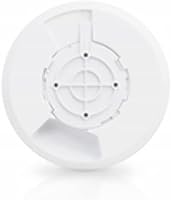
  • Form Factor: Disc-shaped indoor unit designed for flush ceiling or wall mounting with an included mounting bracket.
  • Dimensions: Measures 6.92 x 6.92 x 1.7 inches, providing a low-profile footprint suitable for discreet installations.
  • Weight: Weighs 8.5 ounces, making it lightweight enough for secure ceiling-mount installation on standard junction boxes.
  • Color: Available in a neutral white and black finish that blends unobtrusively into most interior environments.
  • Management: Configured and monitored exclusively through the Ubiquiti UniFi Network Controller, available as self-hosted software or via Ubiquiti's cloud portal.
  • Guest Network: Supports dedicated guest SSIDs with configurable isolation, keeping visitor traffic separated from the primary network.
  • VLAN Support: Allows per-SSID VLAN tagging for network segmentation, manageable through the UniFi controller interface.
  • Traffic Shaping: Offers per-SSID upload and download bandwidth rate limiting via the UniFi controller software.
  • Multi-AP Roaming: Supports seamless client roaming across multiple UniFi APs when managed under the same UniFi controller instance.
  • Discontinued: As of the latest available data, this model has not been discontinued by the manufacturer.

Related Reviews
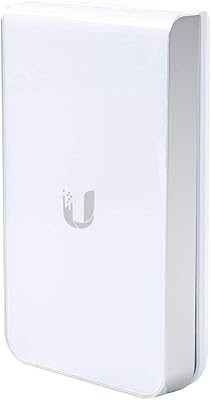
Ubiquiti UAP-AC-IW-PRO In-Wall Access Point
77%
88%
Wireless Performance
84%
Build Quality & Hardware Design
61%
Installation Experience
47%
PoE Power Requirement Clarity
91%
UniFi Ecosystem Integration
More
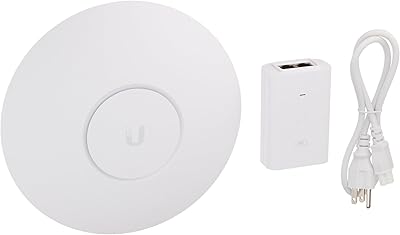
Ubiquiti UniFi AC HD Access Point
81%
91%
Build Quality
88%
Wireless Performance
87%
Range & Coverage
48%
Setup & Installation
72%
Management Software
More
Ubiquiti UniFi UAP-AC-PRO Access Point
80%
94%
Network Stability & Uptime
89%
Wi-Fi Signal Range & Penetration
58%
Setup & Initial Configuration
81%
Value for Money
86%
Multi-Device Performance
More
Ubiquiti UAP-AC-M-PRO Unifi Access Point
85%
88%
Overall Performance
90%
Wi-Fi Speed
85%
Installation Ease
89%
Range and Coverage
92%
Build Quality
More
Ubiquiti airCube AC Wireless Access Point
79%
93%
Ecosystem Integration
91%
PoE Passthrough
74%
Wireless Coverage
78%
Setup & Installation
82%
Build Quality
More
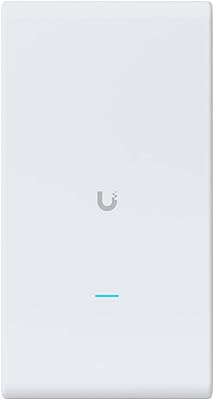
Ubiquiti UAP-AC-M Outdoor Mesh Access Point
79%
91%
Outdoor Range & Coverage
88%
Build Quality & Weatherproofing
58%
Setup & Configuration
93%
Long-Term Reliability
74%
Mesh Wireless Performance
More
Ubiquiti U6+
Ubiquiti U6+
80%
88%
Wireless Performance
54%
Setup & Configuration
84%
Range & Coverage
82%
Build Quality & Design
91%
PoE+ Implementation
More
Ubiquiti UniFi 6 Pro (U6-Pro)
80%
93%
Wireless Performance
89%
Range & Coverage
54%
Setup & Installation
78%
Value for Money
88%
Build Quality & Design
More
Ubiquiti UniFi U7 Pro
82%
91%
Wireless Performance
88%
Build Quality
83%
Range & Coverage
67%
Ease of Setup
78%
Value for Money
More
Ubiquiti UniFi 6 Lite Access Point
82%
88%
Wireless Performance
62%
Setup & Installation
91%
Build Quality
86%
Value for Money
71%
Controller Software
More

FAQ

Not a special router, but you do need a separate gateway or router upstream — this unit is an access point only, not a router. It connects to your existing network infrastructure via its Gigabit Ethernet port and handles the wireless side of things. Any capable router or firewall will work as the upstream gateway.

Technically the hardware can broadcast a basic SSID in a standalone mode, but you lose nearly all the useful features — guest networks, VLAN tagging, roaming, and traffic controls all require the controller. For anything beyond a bare-minimum Wi-Fi signal, the UniFi Network Controller is effectively mandatory. It runs on a local machine, a Raspberry Pi, a Ubiquiti Cloud Key, or via Ubiquiti's hosted cloud option.

Only if it outputs 24V passive PoE specifically. Standard 802.3af and 802.3at switches, which are by far the most common type, will not work. If your switch uses 802.3af or 802.3at, you will need a 24V passive PoE injector between the switch and the AP — Ubiquiti sells these separately, and third-party options are available too.

In most real-world tests, the UAP-AC-LR covers noticeably more ground than typical consumer APs, particularly on 2.4GHz where wall penetration matters most. The long-range antenna design gives it a meaningful edge in larger spaces — think open-plan offices, retail floors, or larger homes. That said, range is always affected by construction materials, interference, and layout, so results vary.

For most small offices and homes, yes — 802.11ac still delivers more than enough throughput for the majority of devices and typical workloads. If you are building a new high-density network from scratch and your budget allows it, newer Wi-Fi 6 models are worth considering. But if you are expanding an existing UniFi setup or need reliable long-range coverage at a lower cost, this UniFi AP remains a practical choice.

Yes, and this is actually one of the strongest reasons to choose this access point over consumer hardware. The UniFi controller lets you manage any number of APs from a single dashboard, configure roaming, push SSID changes across all units simultaneously, and monitor client connections in real time.

It is more involved than a consumer router but not impossible for a patient, tech-curious user. You will need to install the controller software, adopt the AP into it, and configure your SSIDs and security settings. Ubiquiti has documentation and an active community forum, but expect to spend a few hours if this is your first time in the UniFi ecosystem.

Yes, it supports both ceiling and wall mounting using the included bracket. The design is optimized for ceiling placement in terms of signal radiation pattern, but wall mounting works fine in practice, especially in corridors or rooms where ceiling access is not possible.

Yes, you can create multiple SSIDs through the UniFi controller — for example, a private network for staff, a guest network for visitors, and an IoT-only network, each with its own VLAN and security settings. The number of SSIDs you can run simultaneously is configurable within the controller.

No, once an AP has been configured and adopted, it continues to broadcast Wi-Fi and pass traffic even if the controller goes offline. The controller is needed for configuration changes and monitoring, but it is not required for day-to-day operation once everything is set up. Connected devices will stay connected without interruption.

Where to Buy