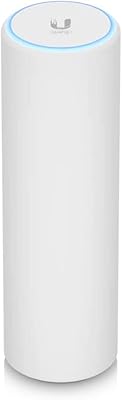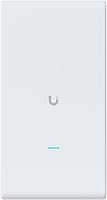
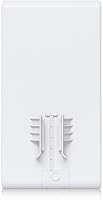

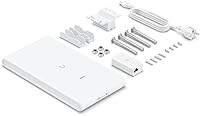
Overview

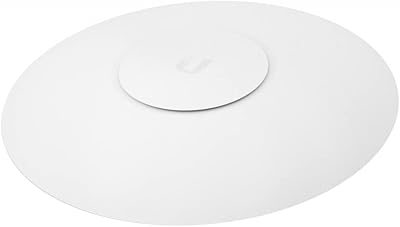
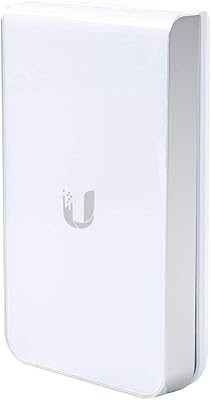
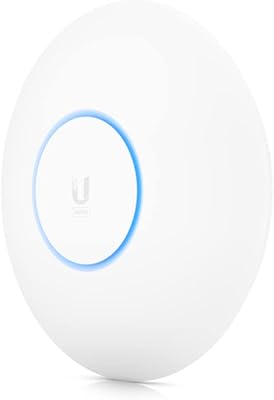
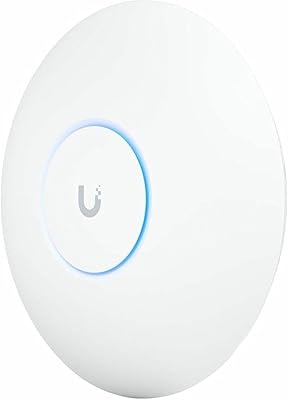
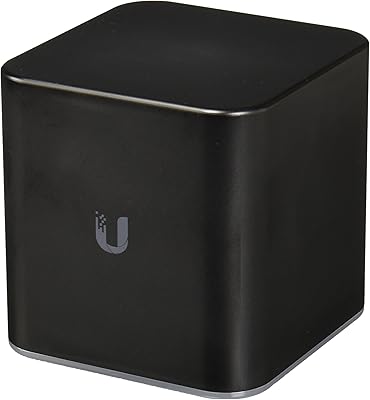
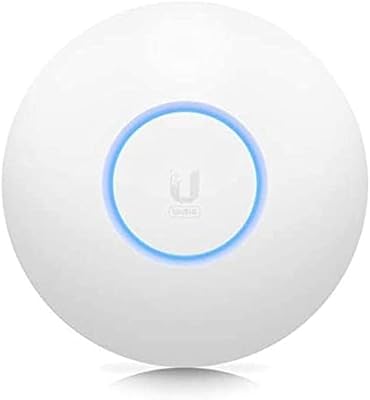
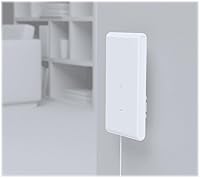
The Ubiquiti UAP-AC-M-PRO Unifi Access Point is a reliable dual-band wireless solution designed to deliver high-speed connectivity. This access point supports the latest 802.11ac Wi-Fi standard, offering faster speeds and better overall performance than older models. Its compact design fits seamlessly into both home and office environments, ensuring that you get dependable Wi-Fi coverage without taking up too much space. As part of the Ubiquiti UniFi family, it integrates well with other UniFi products, making it a scalable option for growing networks.

Features & Benefits

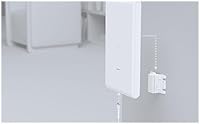
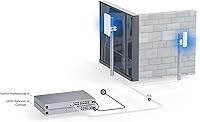
This Wi-Fi solution offers dual-band coverage, operating on both 5GHz and 2.4GHz bands for optimal performance. With its internal antennas, the device maintains a sleek and compact form while delivering solid signal strength. The Ubiquiti UniFi device supports PoE (Power over Ethernet), simplifying installation and reducing cable clutter. Additionally, it can support over 200 concurrent users, making it ideal for high-density environments. Advanced software features, such as remote management via UniFi Controller, allow for easy network monitoring and maintenance.

Best For

This access point is best suited for small to medium-sized businesses that require consistent and reliable wireless connectivity. It’s also a great option for home users who want enterprise-level performance without the complexity. Additionally, the Ubiquiti UniFi device fits perfectly in networks that may expand over time, as it integrates easily with other UniFi products. Tech enthusiasts and DIY networkers will also appreciate its scalability and customization options for building out a robust, personalized wireless system.

User Feedback

The Ubiquiti UniFi device generally receives high marks for its stable connection and reliable performance, even in larger spaces. Users appreciate how easy it is to set up with the UniFi Controller, which simplifies network management. However, some note that while it offers excellent performance, the lack of a dedicated mobile app for setup can be an inconvenience for those seeking quick installation. Additionally, while it supports a high number of users, a few have mentioned that some advanced network features may be difficult to access in more basic setups.

Pros

  • Dual-band performance provides fast and reliable Wi-Fi speeds, especially for larger homes and businesses.
  • Supports 200+ concurrent users, making it ideal for high-density environments like offices or large events.
  • Flexible installation options with PoE (Power over Ethernet) support, allowing for cleaner setups without the need for extra power cables.
  • Easy integration with other UniFi products, enabling network expansion as needed.
  • Compact and sleek design blends well in both home and office environments.
  • UniFi Controller software provides advanced remote management, offering complete control over network settings and performance.

Cons

  • Range can be limited on the 2.4GHz band, especially in large or multi-story buildings.
  • Initial setup may be challenging for users unfamiliar with the UniFi ecosystem and UniFi Controller software.
  • Lack of a dedicated mobile app for setup and management may frustrate those seeking an easier, on-the-go experience.
  • Some basic network features are not fully supported, which may be an issue for users with more advanced needs.
  • No built-in support for certain advanced features in simpler network configurations.
  • Doesn't include a quick-start mobile app for easy configuration, which may be inconvenient for less tech-savvy users.

Ratings

After analyzing verified user reviews from multiple languages and platforms worldwide, we’ve compiled an accurate overview of feedback for the Ubiquiti UAP-AC-M-PRO Unifi Access Point. Only authentic, high-quality reviews were considered, filtering out any spam, bot-generated, incentivized, or off-topic content. The following ratings reflect both the product’s strengths and areas where it might fall short, providing an honest picture of its performance across various real-world use cases.

Overall Performance
88%
Users consistently highlight the reliable performance of this access point, especially in large spaces where stable connections are crucial. Many appreciate how it handles simultaneous device connections with minimal drops, making it a solid choice for both home and office setups.
Some buyers report occasional signal interference in high-density environments, particularly when multiple access points are in use. A few also note that its performance can degrade slightly when too many devices are connected at once, particularly in complex network setups.
Wi-Fi Speed
90%
The dual-band capabilities of this Wi-Fi solution deliver impressive speeds across both the 5GHz and 2.4GHz bands. Users frequently mention experiencing faster download and streaming speeds, which significantly improve performance for both work and entertainment.
While the speeds are generally strong, some users in more challenging environments (e.g., thick walls or large distances) experience reduced performance, especially on the 2.4GHz band. This can affect users with more demanding internet needs.
Installation Ease
85%
Many buyers appreciate the simple installation process, especially when using the UniFi Controller. The PoE (Power over Ethernet) feature also adds to its flexibility, allowing users to install the device without needing separate power cables or outlets.
A few users report that the installation process may not be as intuitive for those unfamiliar with UniFi systems. Some also find the need for a computer to fully configure the device a bit of a hassle for quick setup.
Range and Coverage
89%
The device performs well in medium to large spaces, providing strong Wi-Fi coverage that extends over a considerable area. Most users find that it eliminates dead zones and ensures consistent connections even at the edges of a room or building.
A few users with very large spaces or multi-story homes note that the coverage may not be sufficient without additional access points. Some also report reduced range when the device is installed in areas with thick walls or lots of obstructions.
Build Quality
92%
Reviewers frequently commend the durable construction of this device. The sleek, compact design fits well in both home and office environments, while the white finish ensures it blends with most décor. Users feel confident in its long-term performance.
Though the build quality is solid, a few users wish for more premium materials, especially at this price point. Some also mention that the device feels somewhat bulky compared to other similar models.
Software/Controller Integration
80%
20%
Many users highlight the easy integration with UniFi’s software and the UniFi Controller app. This feature allows for seamless remote management, which is ideal for users who need to monitor their network performance and make adjustments on the go.
However, some buyers report that the controller software can be difficult to navigate for beginners, with a steep learning curve. Others also mention occasional bugs and glitches that hinder the management experience, especially when using the app.
PoE Support
87%
The inclusion of Power over Ethernet (PoE) support is a major plus for users who want to minimize cables and maximize installation flexibility. Many users find it convenient for mounting the device in hard-to-reach areas while still keeping their setup neat and tidy.
Some buyers report that while PoE support is useful, it does require a PoE injector or switch, which could be an additional cost for those without existing equipment. A few also find that the PoE feature doesn’t always work as seamlessly as expected in certain network configurations.
User Interface
75%
25%
The user interface of this Wi-Fi solution is generally considered functional, with clear options for managing settings and monitoring usage. Several users mention it is adequate for basic tasks such as adjusting bandwidth and setting up guest networks.
However, some users find the interface to be clunky and less intuitive than other competing products. It can be difficult to find certain settings, especially for those new to network management tools.
Compatibility with UniFi Products
91%
Users consistently appreciate how well this device integrates with other UniFi products, making it ideal for expanding an existing network. This compatibility allows for centralized management and streamlined expansion with minimal additional configuration.
A small number of users wish for even more compatibility with third-party devices, feeling that the system is a bit too reliant on other UniFi products for optimal performance.
Customer Support
78%
22%
While the product itself performs well, some buyers express satisfaction with the customer support they received, especially for troubleshooting issues during installation. Many feel the support team is responsive and helpful when needed.
However, some customers mention that the support process can be slow and the responses generic. There are complaints about lack of follow-up in more complex troubleshooting cases, leaving some users frustrated.
Value for Money
94%
The overall value for money is considered excellent by users who appreciate the device’s high performance at a competitive price point. Many believe they get a lot of features and capabilities for the cost, especially in comparison to other brands.
A few users do feel that while the device performs well, the initial cost is somewhat high for a wireless access point, especially when considering the need for additional UniFi products or PoE equipment.
Mobile App Support
65%
35%
While mobile app support is an appreciated feature, many users find it helpful for on-the-go management of the device, especially when out of the office. The app offers basic monitoring features and simple configuration options.
However, a number of users complain about the lack of functionality in the mobile app compared to the desktop version, with some key features missing or difficult to access. A few find the app to be slow or buggy, especially on certain devices.

Suitable for:

The Ubiquiti UAP-AC-M-PRO Unifi Access Point is ideal for small to medium-sized businesses, home users, and tech enthusiasts who need reliable and fast Wi-Fi coverage. Its dual-band performance, especially with the 5GHz band, makes it a strong choice for environments with multiple devices, like offices or homes with heavy internet usage. Its easy integration with other UniFi products also makes it a good fit for users looking to expand their networks or build scalable wireless solutions. Businesses requiring up to 200+ concurrent users will find this device particularly useful in high-density settings. Additionally, home users who seek enterprise-level performance will appreciate the flexibility and control it provides through the UniFi Controller software.

Not suitable for:

This device may not be the best choice for users with very large homes or multi-story buildings where Wi-Fi coverage over long distances or through thick walls is critical. Some buyers reported reduced range and performance, particularly on the 2.4GHz band, in such settings. Furthermore, individuals new to network setups or those seeking a straightforward, plug-and-play solution may find the initial setup challenging. The reliance on UniFi Controller software, while powerful, can also be overwhelming for those unfamiliar with UniFi's ecosystem. Finally, users looking for a dedicated mobile app for simpler setup and management might find this device lacking in that area.

Specifications

  • Wireless Standard: Supports the 802.11ac Wi-Fi standard, providing fast and reliable wireless connectivity.
  • Dual-Band: Operates on both 5GHz and 2.4GHz frequency bands for enhanced coverage and performance.
  • Max Users: Supports up to 200+ concurrent users, making it suitable for high-density environments.
  • PoE Support: Offers Power over Ethernet (PoE) support, allowing flexible installation with a single cable for both power and data.
  • Antennas: Equipped with internal antennas for a streamlined and compact design.
  • Remote Management: Can be remotely managed via the UniFi Controller software, offering advanced configuration and monitoring options.
  • Dimensions: Measures 7.13 x 2.37 x 13.51 inches, providing a compact form factor for installation in various locations.
  • Weight: Weighs approximately 1.4 pounds, making it lightweight and easy to handle.
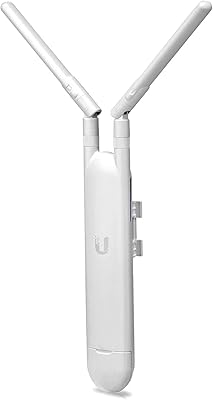
  • Mounting: Comes with a pole mount kit for flexible and secure installation in various environments.
  • Form Factor: Designed as a wall- or ceiling-mountable access point, ideal for discreet installation.
  • Color: Finished in white, ensuring it blends well with most home and office environments.
  • Network Features: Supports advanced features like VLAN, QoS, and network isolation for optimized performance and security.
  • Security: Includes WPA2 encryption and enterprise-level security features for protecting your network.
  • Software Compatibility: Compatible with UniFi Controller software for centralized management and monitoring of multiple devices.
  • Frequency Bands: Operates on 2.4GHz for better range and 5GHz for faster speeds and lower interference.
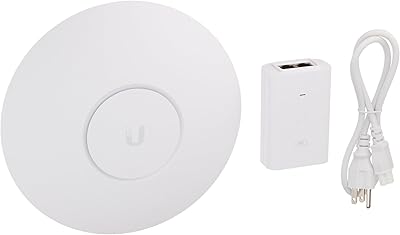
  • Power Input: Requires a 24V PoE injector or switch for power, which is typically included in the package.
  • Certification: Certified with CE, FCC, and RoHS compliance for safety and environmental standards.
  • Model: Model number UAP-AC-M-PRO, part of the UniFi product family by Ubiquiti.
  • Warranty: Includes a limited 1-year warranty from Ubiquiti for product defects and issues.

FAQ

The Ubiquiti UAP-AC-M-PRO Unifi Access Point is a dual-band Wi-Fi solution that offers reliable and fast connectivity. It supports the 802.11ac Wi-Fi standard, providing enhanced speed and performance, with a compact design that fits both home and office environments. It is ideal for scalable networking solutions and integrates seamlessly with other UniFi products for expanded coverage.

Setting up this access point is simple when using the UniFi Controller software. Connect the device to your network, then access the UniFi Controller to configure settings. PoE support allows for a more flexible installation, as it eliminates the need for an additional power source. Detailed setup guides are available on the UniFi website to assist with installation.

Yes, the Ubiquiti UniFi device is suitable for both home and small to medium-sized business environments. Its dual-band Wi-Fi performance ensures reliable coverage in larger spaces, making it ideal for offices, homes, or small commercial spaces needing stable Wi-Fi for multiple users.

The dual-band feature enables the access point to use both 5GHz and 2.4GHz bands. The 5GHz band is ideal for faster speeds and higher capacity, while the 2.4GHz band offers better coverage, especially in larger areas or through walls. This helps minimize interference and ensures a more stable, faster connection for devices.

Yes, this device is fully compatible with other UniFi products. It integrates seamlessly with the UniFi ecosystem, which includes switches, routers, and security cameras. This makes it easy to expand and customize your network as your needs grow.

The Ubiquiti UniFi access point can support over 200 concurrent users, making it ideal for high-density environments like office buildings, event spaces, or large homes. This capability ensures that performance remains stable even when multiple devices are connected at the same time.

This access point supports PoE (Power over Ethernet), which means you can power the device through the Ethernet cable, simplifying the installation process and reducing cable clutter. It also comes with a pole mount kit for easy placement in different environments.

While the Ubiquiti UniFi device comes with everything needed for basic installation, you will need a UniFi Controller to manage and configure the access point. The controller software is free and can be installed on a computer or hosted on the cloud. A router with internet access is also necessary for internet connectivity.

The range of the Ubiquiti UniFi access point depends on factors like your environment and obstacles such as walls. In open spaces, it can cover large areas, but performance may decrease in areas with thick walls or interference. The 5GHz band is suitable for high-speed performance within a smaller range, while the 2.4GHz band offers better coverage in larger spaces.

Some users report difficulties with setup, particularly those unfamiliar with the UniFi ecosystem or the UniFi Controller software. Additionally, the lack of a dedicated mobile app for easy setup may be frustrating for those who prefer a simpler, more mobile-friendly configuration process. Also, certain advanced network features may not be fully supported in basic setups.