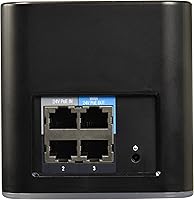
Overview

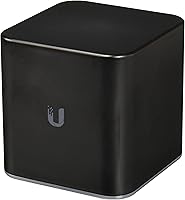
The Ubiquiti airCube AC Wireless Access Point is a compact, purpose-built unit designed to solve a specific problem: getting reliable indoor Wi-Fi into homes that rely on airMAX CPE equipment for their internet connection. It is not trying to compete with mesh systems or consumer routers — this is a prosumer tool with a defined role. Dual-band 802.11ac means real-world speeds that handle streaming and light office work without fuss, though do not expect it to blanket a sprawling farmhouse on its own. At under six inches in any dimension and rated for both indoor and outdoor use, the ACB-AC fits quietly into tight installations where a bulkier AP simply would not belong.

Features & Benefits

The airCube AC's Super Antenna pushes coverage noticeably beyond what you would expect from a unit this small. The real standout, though, is the 24V PoE passthrough: a single cable can power the ACB-AC and simultaneously feed a connected airMAX CPE downstream, keeping installations clean and eliminating extra power bricks at the AP location. Dual-band operation across 2.4 GHz and 5 GHz gives you flexibility with older and newer client devices alike. Setup runs through the UNMS Mobile app on iOS or Android — reasonably intuitive for anyone with prior Ubiquiti experience. WPS handles quick client onboarding, and at under 10 ounces, discreet mounting is never a challenge regardless of where you need to put it.

Best For

This Ubiquiti access point makes the most sense for homes already built around airMAX infrastructure — think rural fixed-wireless subscribers whose ISP deploys Ubiquiti CPE gear on the roof. For those users, the ACB-AC slots in as the last-mile indoor AP without adding complexity to an existing setup. It also suits tech-comfortable buyers who prefer a clean, single-cable PoE deployment over wrestling with separate adapters. Small apartments and single-floor homes are the natural coverage sweet spot. Installers or small ISPs provisioning home Wi-Fi as part of a broader airMAX rollout will find this unit purpose-made for that workflow. Shoppers hunting for a standalone router replacement should look elsewhere — that is simply not what the ACB-AC was designed to be.

User Feedback

With a 4.2-star average across just over 100 ratings, the airCube AC earns solid marks without being universally praised. Buyers already inside the Ubiquiti ecosystem consistently highlight smooth ecosystem pairing with airMAX CPEs as the device's clearest strength — that part just works. Coverage in larger or older homes with thick walls draws more criticism; a single unit often struggles beyond a couple of rooms. The UNMS app gets a split verdict: accessible enough for initial configuration, but noticeably thin on advanced controls compared to what UniFi-platform users expect. Long-term reliability receives favorable mentions, though some reviewers flag that firmware updates have become infrequent. On value, Ubiquiti loyalists tend to see the price as fair, while first-time buyers sometimes feel they expected more out of the box.

Pros

  • Integrates nearly out of the box with existing airMAX CPE installations, saving significant setup time.
  • 24V PoE passthrough eliminates the need for a separate power adapter at the access point location.
  • Dual-band 802.11ac handles a solid mix of legacy and modern client devices without manual band management.
  • The Super Antenna design delivers coverage meaningfully beyond what the compact enclosure suggests.
  • Lightweight and discreet — easy to mount in tight or visually sensitive locations without drawing attention.
  • UNMS Mobile app supports both iOS and Android, enabling full on-site configuration without a laptop.
  • Long-term hardware reliability is well-regarded, with many users reporting years of stable operation.
  • WPS support keeps client device onboarding quick for households with less technically confident members.
  • Rated for indoor and sheltered outdoor use, giving installers flexible placement options in residential deployments.
  • Ranked among the top access points on Amazon in its category, reflecting consistent buyer satisfaction within its intended use case.

Cons

  • Coverage falls short in larger homes or spaces with thick walls — one unit often is not enough.
  • The UNMS app lacks the advanced controls and analytics that experienced Ubiquiti users expect from the platform.
  • Relies on 24V passive PoE, which is incompatible with standard 802.3af/at switches without additional hardware.
  • Firmware updates have become infrequent, raising legitimate security maintenance concerns over time.
  • Ecosystem lock-in is significant — value drops considerably if you move away from Ubiquiti infrastructure.
  • No standalone router functionality; buyers expecting a full gateway replacement will need additional equipment.
  • Mounting accessories included in the box feel minimal, making custom or ceiling installations more involved.
  • The UNMS app setup curve is steeper than advertised for first-time Ubiquiti users with no prior experience.
  • Simultaneous heavy multi-device loads can degrade 5 GHz throughput more than competing APs at a similar price.
  • Limited official documentation makes troubleshooting non-standard deployment scenarios unnecessarily time-consuming.

Ratings

The Ubiquiti airCube AC Wireless Access Point has been scored across 12 performance categories by our AI system, which analyzed verified global buyer reviews while actively filtering out incentivized, bot-generated, and low-signal feedback. The scores below reflect an honest synthesis of what real prosumer and semi-technical users experienced — the genuine strengths and the recurring friction points included.

Ecosystem Integration
93%
For households already running airMAX CPE gear — particularly in rural fixed-wireless setups — the ACB-AC slots in with almost no friction. Users consistently report that pairing it with existing Ubiquiti infrastructure requires minimal configuration, and the device behaves predictably within that managed environment.
Outside the Ubiquiti ecosystem, integration becomes noticeably harder. Buyers who attempted to run the airCube AC alongside non-Ubiquiti gear reported limited interoperability and a steeper learning curve with the management app than they anticipated.
PoE Passthrough
91%
The 24V PoE passthrough is consistently praised as one of the most practical features for installers. Running a single cable from a CPE on the roof through to the airCube AC indoors — with no separate power brick at the AP — keeps installations clean and significantly reduces cable clutter in tight spaces.
The 24V passive PoE standard is less universal than 802.3af/at, which means users cannot simply swap in a standard PoE switch without a compatible injector. A handful of reviewers caught off guard by this had to purchase additional hardware before deployment.
Wireless Coverage
74%
26%
In small apartments or single-floor homes, the Super Antenna design genuinely extends coverage beyond what you would expect from a device this compact. Users in studios and two-bedroom homes reported solid signal consistency across their spaces with minimal dead zones.
In larger homes, older construction with thick plaster walls, or multi-story environments, coverage drops off meaningfully. Several buyers noted that a second unit was necessary to cover a modest-sized house reliably, which affects the overall value calculation.
Setup & Installation
78%
22%
Users with prior Ubiquiti experience found the UNMS Mobile app setup process quick and logical. WPS support further simplifies adding client devices, and the physical installation is straightforward given the unit's compact size and light weight.
First-time Ubiquiti users reported a steeper learning curve than expected, with the UNMS app feeling underpowered compared to what competitors offer at similar price points. Documentation is functional but thin on troubleshooting guidance for edge cases.
Build Quality
82%
18%
The ACB-AC feels solid for its weight class — not premium, but clearly constructed to a professional standard rather than a consumer one. Users who deployed it in outdoor-adjacent environments reported no issues with casing integrity over extended periods.
The all-black plastic finish shows dust and smudging more than some users would prefer in visible indoor installations. A few reviewers also noted that the mounting hardware included in the box felt like an afterthought relative to the unit itself.
App & Management Experience
63%
37%
For basic deployment and monitoring, the UNMS Mobile app covers the essentials without requiring a desktop interface. iOS and Android support means most installers can configure the unit on-site directly from their phone, which is genuinely convenient in field scenarios.
Power users find the app frustratingly limited compared to the UniFi controller or even third-party alternatives. Advanced traffic management, detailed client analytics, and granular radio controls are either buried or absent, leaving technically demanding users wanting more.
Dual-Band Performance
79%
21%
The 5 GHz band handles modern devices well in close-range scenarios, delivering responsive throughput for video calls, streaming, and general browsing without the congestion issues common on 2.4 GHz in dense environments. The band-steering works reliably in most reported cases.
The 1.14 Gbps theoretical ceiling is rarely approached in practice, particularly through walls or at range. In multi-device households with simultaneous heavy usage, users on the 5 GHz band noticed throughput degradation that a more powerful AP at a similar price would handle better.
Value for Money
71%
29%
Within a Ubiquiti-managed deployment, the price-to-function ratio is reasonable. Installers rolling out multiple units across a fixed-wireless subscriber base in particular find the per-unit cost justifiable given how cleanly it integrates with existing infrastructure.
For standalone home use, competing dual-band access points at comparable price points offer stronger standalone performance, better apps, and broader ecosystem support. The airCube AC's value is tightly conditional on already being invested in the Ubiquiti stack.
Long-Term Reliability
84%
A notable portion of long-term reviewers report units running without issue for multiple years in both indoor and sheltered outdoor conditions. Hardware failure rates appear low relative to consumer-grade alternatives in the same price band.
Firmware update cadence has become a recurring concern, with several users noting that updates have slowed considerably. In a security-conscious prosumer context, infrequent firmware releases are a legitimate operational concern rather than a minor inconvenience.
Physical Footprint & Mounting
88%
At just under 10 ounces and roughly five inches across, the ACB-AC is genuinely easy to tuck into corners, mount behind furniture, or attach near a window without drawing attention. Installers appreciate how unobtrusive it is in residential environments.
The included mounting kit is minimal, and users who wanted ceiling or recessed-wall installs often had to source third-party hardware. The unit also lacks a dedicated indicator light placement that is easy to read from across a room.
Outdoor Suitability
67%
33%
The outdoor-rated designation gives installers flexibility to place the airCube AC in sheltered exterior locations — covered porches, equipment closets, or weatherproofed junction boxes — extending coverage into areas a strictly indoor AP could not reach.
It is not a fully weatherproof unit, and exposed outdoor deployment in rain or direct sun is not recommended. Users who interpreted outdoor-rated as fully ruggedized were disappointed; it really means sheltered outdoor use rather than pole-mounting in the elements.
Device Compatibility
76%
24%
Dual-band 802.11ac covers the vast majority of modern client devices, from smartphones and laptops to smart home gear. The 2.4 GHz band handles legacy IoT devices without issues, and WPS support makes onboarding those devices quick in most cases.
The product description lists compatible devices as simply personal computers, which undersells its actual range but also hints at the narrower optimization focus. Users with large fleets of simultaneously connected devices reported inconsistent performance under load.

Suitable for:

The Ubiquiti airCube AC Wireless Access Point is purpose-built for a specific type of buyer, and for that buyer, it genuinely delivers. If your home internet arrives via a fixed-wireless connection — common in rural and semi-rural areas — and your ISP or your own setup already uses airMAX CPE hardware on the roof or exterior, the ACB-AC is a natural, low-friction extension of that infrastructure. The 24V PoE passthrough means a single cable run handles both power and data, which is a real convenience for installers and technically capable homeowners alike. Small homes and apartments are the sweet spot for coverage: a one- or two-bedroom space will be well-served without needing additional hardware. Tech-savvy buyers who are already comfortable with app-based configuration and prosumer networking concepts will find the setup process logical rather than intimidating. ISPs or independent installers provisioning last-mile home Wi-Fi across multiple subscriber sites will find the ACB-AC a cost-effective, repeatable solution that integrates cleanly into a managed Ubiquiti environment.

Not suitable for:

The Ubiquiti airCube AC Wireless Access Point is a poor fit for general consumers who want to buy a box, plug it in, and get whole-home Wi-Fi without any prior networking knowledge. It is not a router replacement — it has no WAN port, no built-in DHCP server intended for standalone operation, and no consumer-grade setup wizard that walks a non-technical user through configuration step by step. Buyers in larger homes with multiple floors or thick masonry walls will likely find that a single unit leaves dead zones, and adding a second one brings you close to the cost of a purpose-built mesh system that would do the job more simply. Anyone expecting the depth of control found in the UniFi platform will be disappointed by the UNMS app — it covers the basics but is not a substitute for a full controller environment. If your internet connection comes from a standard cable or fiber modem that has nothing to do with Ubiquiti equipment, the ecosystem advantages evaporate and the airCube AC starts looking expensive for what it delivers compared to competing access points. Buyers who prioritize future-proofing should also note that firmware update cadence has slowed, which is a valid concern for security-conscious network operators.

Specifications

  • Brand: Manufactured by Ubiquiti Networks, a US-based company known for prosumer and enterprise-grade networking equipment.
  • Model Number: The unit's official model designation is ACB-AC-US, part of the ACB-AC product series.
  • Wireless Standard: Operates on the 802.11ac (Wi-Fi 5) standard, with backward compatibility for 802.11a devices.
  • Frequency Bands: Dual-band operation covers both 2.4 GHz for range and legacy device support, and 5 GHz for higher-throughput connections.
  • Max Throughput: Rated for a combined maximum throughput of up to 1.14 Gbps across both bands under ideal conditions.
  • Antenna: Features Ubiquiti's integrated Super Antenna design, engineered to extend coverage beyond what a standard AP antenna of comparable size would deliver.
  • PoE Support: Supports 24V passive Power over Ethernet with passthrough capability, allowing the unit to both receive power and supply 24V PoE to a connected airMAX CPE.
  • Voltage: Operates at 24 volts DC, compatible with 24V passive PoE injectors and airMAX CPE equipment.
  • Dimensions: The unit measures 4.9″ (L) x 5.5″ (W) x 5.5″ (H), making it compact enough for discreet wall or shelf mounting.
  • Weight: Weighs 9.9 ounces, keeping physical installation straightforward without requiring heavy-duty mounting hardware.
  • Color: Ships in a matte black finish suitable for blending into most residential and light commercial installation environments.
  • Use Environment: Rated for both indoor and sheltered outdoor use, suitable for installation in covered exterior locations such as porches or equipment enclosures.
  • Special Features: Includes Access Point Mode and WPS (Wi-Fi Protected Setup) for simplified client device onboarding.
  • App Support: Configurable and manageable via the UNMS Mobile app, available for both iOS and Android devices.
  • Operating System: Runs a custom Ubiquiti operating system optimized for airMAX ecosystem compatibility rather than a general-purpose OS.
  • Compatible Devices: Designed to interoperate with Ubiquiti airMAX CPE equipment and supports standard Wi-Fi client devices including PCs, smartphones, and IoT hardware.
  • Amazon BSR: Ranked #169 in the Computer Networking Wireless Access Points category on Amazon at the time of evaluation.
  • Average Rating: Holds a 4.2 out of 5 star average across 102 verified ratings on Amazon.

Related Reviews
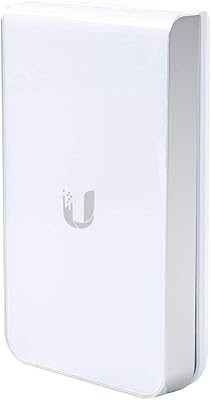
Ubiquiti UAP-AC-IW-PRO In-Wall Access Point
77%
88%
Wireless Performance
84%
Build Quality & Hardware Design
61%
Installation Experience
47%
PoE Power Requirement Clarity
91%
UniFi Ecosystem Integration
More
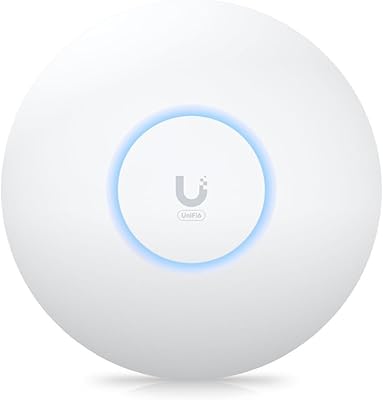
Ubiquiti U6+
Ubiquiti U6+
80%
88%
Wireless Performance
54%
Setup & Configuration
84%
Range & Coverage
82%
Build Quality & Design
91%
PoE+ Implementation
More
Ubiquiti UAP-AC-M-PRO Unifi Access Point
85%
88%
Overall Performance
90%
Wi-Fi Speed
85%
Installation Ease
89%
Range and Coverage
92%
Build Quality
More
Ubiquiti UniFi UAP-AC-PRO Access Point
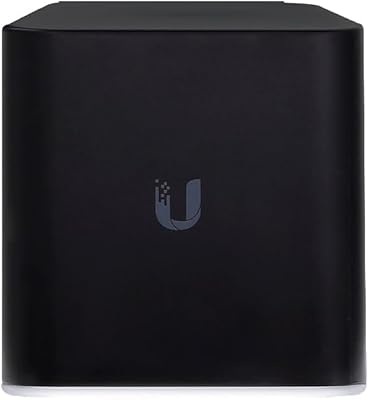
80%
94%
Network Stability & Uptime
89%
Wi-Fi Signal Range & Penetration
58%
Setup & Initial Configuration
81%
Value for Money
86%
Multi-Device Performance
More
Ubiquiti UniFi HD UAP-AC-HD Access Point
85%
89%
Performance
78%
Ease of Setup
91%
Coverage & Range
85%
Reliability
93%
Integration with UniFi Controller
More
Ubiquiti Networks airCube ACB-ISP-US Wi-Fi Access Point
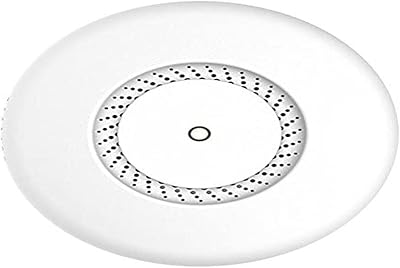
83%
91%
Ease of Installation
88%
Value for Money
82%
Wi-Fi Performance
85%
Compactness & Design
68%
Range Coverage
More
MikroTik cAP ac Dual-Band Access Point
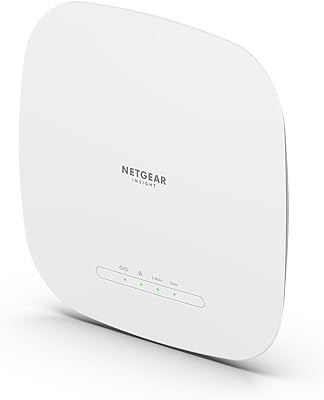
74%
47%
Ease of Setup
83%
Wireless Performance
78%
Build Quality
91%
CAPsMAN Integration
86%
PoE Output Functionality
More
BrosTrend AC1200 Dual-Band WiFi Access Point
76%
88%
Ease of Setup
71%
WiFi Signal Strength
74%
Connection Stability
81%
Build Quality & Design
76%
Dual-Band Performance
More
NETGEAR WAX615 Wireless Access Point
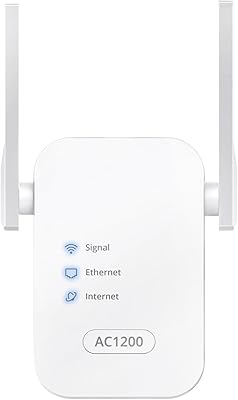
86%
91%
Performance
88%
Ease of Setup & Installation
93%
Coverage & Range
89%
Security Features
87%
App & Remote Management
More
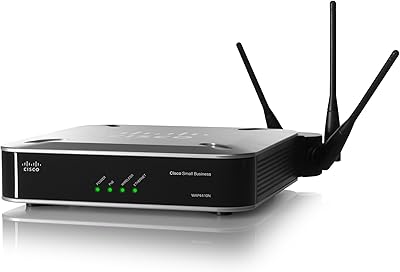
Cisco WAP4410N Wireless-N Access Point
86%
87%
Performance
92%
Setup and Installation
78%
Wireless Range
88%
Build Quality
94%
Security Features
More

FAQ

Technically no, but practically speaking the Ubiquiti airCube AC Wireless Access Point is designed with airMAX CPE deployments in mind. You can use it as a standalone access point, but much of what makes it compelling — the 24V PoE passthrough, the ecosystem management — only pays off if you are already working within a Ubiquiti infrastructure. Without that context, competing access points at a similar price often offer more flexibility.

It cannot replace your router. The ACB-AC is a pure access point — it distributes Wi-Fi but does not handle routing, DHCP assignment, or WAN connectivity on its own. You will need a separate router or gateway upstream of it to manage your actual internet connection.

It means a single Ethernet cable can carry both data and power to the airCube AC, and simultaneously the unit can pass 24V power downstream to a connected airMAX CPE. In a typical rural fixed-wireless setup, this allows a clean single-cable run from your CPE on the roof all the way through to the access point indoors, with no separate power adapter needed at the AP location.

Not without an adapter. The ACB-AC uses 24V passive PoE, which is different from the 802.3af and 802.3at standards found on most off-the-shelf managed switches. You will need a 24V passive PoE injector — often supplied by Ubiquiti alongside their CPE hardware — to power it correctly. Using the wrong PoE standard can damage the unit.

In an open-plan apartment or a small single-floor home under roughly 1,000 to 1,200 square feet, one unit should provide solid dual-band coverage. In larger homes, multi-story layouts, or spaces with thick concrete or masonry walls, coverage tends to drop off noticeably. Many buyers in those situations end up needing a second unit or a different solution entirely.

It depends on your networking background. If you have experience with managed switches, VLANs, or other prosumer gear, the UNMS app will feel familiar enough. If this is your first time with Ubiquiti products and you are expecting a consumer-style setup wizard, it can feel underwhelming and the documentation is relatively sparse. Most first-time users get there, but budget some extra troubleshooting time.

For sheltered outdoor locations — a covered porch, an equipment cabinet, or a weatherproof junction box — the ACB-AC is fine. It is not designed for direct exposure to rain, sustained moisture, or prolonged direct sun. Think of it as weather-tolerant in sheltered conditions rather than fully weatherproof for pole-mounting in the open.

Yes, from the client side it is a standard 802.11ac dual-band access point that any Wi-Fi enabled device can connect to. The Ubiquiti ecosystem dependency is on the infrastructure and management side, not the client side. Your smartphone, laptop, or smart thermostat will connect to it just as they would to any other Wi-Fi network.

This has become a legitimate concern among longer-term owners. In earlier years, updates came with reasonable regularity, but several users have noted that the pace of firmware releases has slowed considerably. If you run a security-sensitive network and rely on prompt patching, this is worth factoring into your decision.

For its intended use case — pairing with airMAX CPE hardware in a fixed-wireless home setup — it still holds up well. The hardware is reliable, the PoE passthrough remains a practical advantage, and 802.11ac coverage is more than adequate for most households. Where it shows its age is in the management software and the lack of Wi-Fi 6 support, which matters more if you have a large number of modern devices demanding higher throughput simultaneously.

Where to Buy