Overview

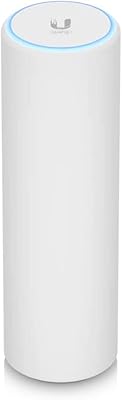
The Ubiquiti UniFi UAP-AC-PRO Access Point has carved out a well-earned reputation as the go-to upgrade for anyone who has grown frustrated with consumer-grade routers. Since its debut in 2015, this ceiling-mount AP has become a fixture in home labs, small offices, and anywhere else that demands reliable wireless without the complexity — or cost — of full enterprise hardware. It runs dual-band 802.11ac, which places it squarely in prosumer territory. What really defines ownership, though, is the UniFi controller ecosystem — a unified software layer that gives you genuine visibility into your network rather than a dumbed-down app.
Features & Benefits

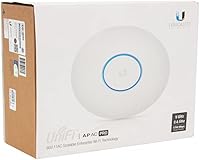
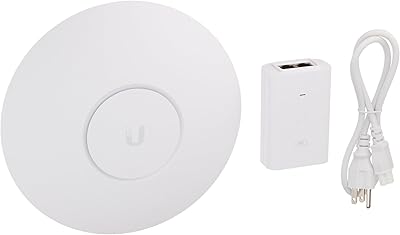
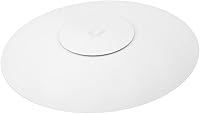
Running concurrent radios on both 2.4 GHz and 5 GHz, the UAP-AC-PRO handles a wide mix of devices without forcing everything onto one band. The 5 GHz radio tops out at 1300 Mbps and 2.4 GHz at 450 Mbps — those are spec-sheet ceilings, but real-world throughput is still strong enough for 4K streaming, video calls, and a dozen active clients at once. It draws power over 802.3af/at PoE, so installation stays tidy — one Ethernet cable, no wall wart. A built-in guest portal lets you spin up an isolated visitor network in minutes. Note that a PoE injector is not always included, so check the box contents before ordering.

Best For

This UniFi access point is aimed at people who have outgrown their ISP-provided router and want something more controllable. If you already have a wired Ethernet backbone in your home or office, adding a dedicated AP makes far more sense than replacing your whole router. Small offices, retail spaces, and dense living situations with many concurrent devices are where it really pulls ahead. Homelab types will appreciate VLAN support, multiple SSID management, and the fact that you can run the UniFi Network controller for free on a PC, a Raspberry Pi, or a NAS — no mandatory Cloud Key required.

User Feedback

Long-term owners are consistently positive about one thing above all else: rock-solid stability. Reports of multi-year uptime with no reboots are common, which is genuinely rare in wireless hardware at this price tier. Signal range and wall penetration also get strong marks compared to consumer alternatives. That said, the setup process trips up buyers who expect plug-and-play behavior — the controller model requires patience up front. A handful of users note that with Wi-Fi 6 access points now available at comparable prices, the UAP-AC-PRO is showing its age for high-density environments. Warranty interactions with Ubiquiti are mixed, with some buyers reporting smooth replacements and others finding the process frustrating.

Pros

  • Hardware stability is exceptional — multi-year uptime without reboots is a common real-world experience.
  • Dual-band 3x3 MIMO radios handle 20-plus concurrent clients without visible performance degradation.
  • PoE power delivery means a single Ethernet cable does everything — no outlet hunting near the ceiling.
  • The UniFi controller runs free on existing hardware, so there is no forced subscription or proprietary gateway.
  • Guest network isolation and portal setup are built in and genuinely useful for offices and shared spaces.
  • Signal range and wall penetration consistently outperform consumer routers at comparable price points.
  • Ceiling-mount form factor installs discreetly and keeps the unit out of reach from accidental interference.
  • Remote management via the UniFi cloud portal works reliably for monitoring and adjustments from anywhere.
  • Hardware longevity is well-documented — units from 2016 remain in active service across the user community.
  • VLAN support and multiple SSID management give serious network control without needing enterprise-tier gear.

Cons

  • No plug-and-play setup — controller software must be running before the device can be properly configured.
  • PoE injector is not always included in the box, adding an unplanned extra purchase for some buyers.
  • Firmware updates have a history of occasional regressions that require rollbacks or community-sourced fixes.
  • Direct customer support is limited to tickets and forums — no phone support, and response times vary widely.
  • The 802.11ac standard is showing age; Wi-Fi 6 alternatives now compete at similar price points.
  • Controller software updates have introduced breaking changes that disrupted existing configurations for some users.
  • Warranty coverage is one year only, and out-of-warranty RMA experiences are inconsistent.
  • High-humidity or non-climate-controlled installation environments noticeably shorten hardware lifespan.
  • Ubiquiti cloud portal outages have occasionally locked remote users out of their dashboards at inconvenient times.
  • Mixed-vendor network setups get less value from the ecosystem since advanced features work best within an all-UniFi stack.

Ratings

The Ubiquiti UniFi UAP-AC-PRO Access Point scores here reflect an AI-driven analysis of thousands of verified global user reviews, with spam, incentivized, and bot-generated feedback actively filtered out before scoring. Ratings cover the full ownership experience — from unboxing and setup through years of daily use — and honestly represent both where this ceiling-mount AP consistently impresses and where real buyers have run into friction.
Network Stability & Uptime
94%
This is where the UAP-AC-PRO earns its reputation most decisively. Owners regularly report running the hardware for two, three, even four years without a single unplanned reboot. In home offices and small retail environments where dropped connections have real costs, that kind of reliability is deeply appreciated.
A small subset of users have experienced instability after firmware updates, particularly when running older controller versions. These cases appear to be edge scenarios rather than systemic failures, but they are worth noting for anyone who manages multiple sites remotely.
Wi-Fi Signal Range & Penetration
89%
The 3x3 MIMO dual-band radios punch well above what typical consumer routers deliver at similar distances. Users in two-story homes and open-plan offices consistently report strong signal through multiple walls, with noticeably fewer dead zones compared to their previous gear.
In buildings with thick concrete walls or metal-frame construction, range drops off more sharply than some buyers expect. A few users in older apartment buildings found they needed a second unit to cover the whole space reliably.
Setup & Initial Configuration
58%
42%
For anyone already familiar with the UniFi ecosystem, provisioning the UAP-AC-PRO is fast and logical. The controller interface — available free on Windows, macOS, or a Raspberry Pi — gives you a clean dashboard that makes SSID setup and network segmentation genuinely straightforward.
First-time UniFi buyers frequently underestimate the learning curve. The controller-dependent model is a departure from plug-and-play consumer routers, and the requirement to adopt the device through software before it works as a standard AP catches many people off guard. Setup support documentation has improved but still requires patience.
Value for Money
81%
19%
Relative to what you get — prosumer stability, enterprise-grade management features, and hardware that routinely lasts half a decade — the price point represents strong value for buyers who will actually use the controller features. IT-minded homeowners and small business operators consistently rate this as money well spent.
For a household that just wants Wi-Fi and nothing more, the value calculation shifts. Paying for controller-driven management you will never configure feels wasteful when simpler mesh systems exist at comparable or lower prices. Wi-Fi 6 access points have also begun closing the price gap, which softens the value case for new buyers.
Multi-Device Performance
86%
Running 20 to 30 concurrent clients — laptops, phones, smart home devices, streaming boxes — is a realistic use case that the UAP-AC-PRO handles without visible degradation. Small office environments with dense device populations see noticeably smoother performance compared to consumer hardware under the same load.
At very high client counts, particularly in Wi-Fi 6 environments where newer devices expect more efficient scheduling, the 802.11ac standard starts to show its ceiling. Dense apartment buildings or offices with 50-plus active clients will benefit more from a Wi-Fi 6 AP at this point.
Build Quality & Hardware Design
88%
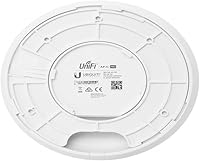
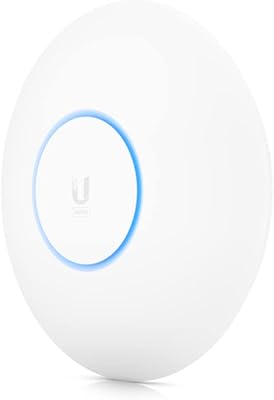
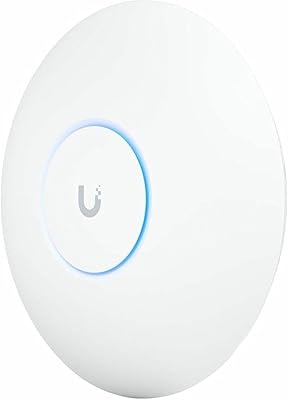
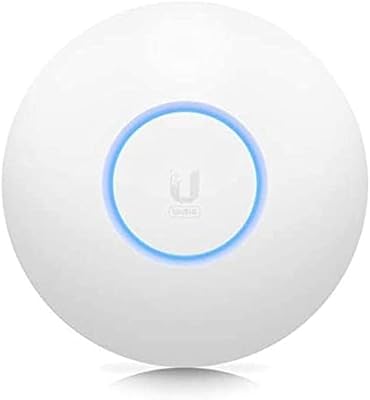
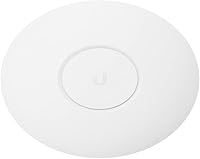
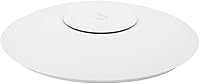
The flat, circular ceiling-mount form factor is discreet and well-finished. Most users find it blends into a white ceiling almost invisibly. The physical construction feels solid — not plasticky — and the mounting hardware included in the box is practical and reasonably quick to install.
The mounting plate design, while functional, has drawn some criticism for being fiddlier than it needs to be when routing the Ethernet cable through the ceiling bracket. A small number of users also reported the plastic locking tab feels slightly underbuilt when swapping the unit out after years of ceiling installation.
Controller Software (UniFi Network)
77%
23%
The UniFi Network controller is genuinely powerful for its class — VLAN tagging, traffic shaping, multiple SSIDs, and a guest portal are all accessible without needing a networking degree. Running it for free on existing hardware is a meaningful advantage that separates this ecosystem from competitors requiring proprietary gateways.
The controller software has a reputation for introducing breaking changes between major versions, and some long-term users have experienced configurations that needed manual repair after updates. Ubiquiti's shift toward cloud-dependent features in newer software versions has also frustrated users who prefer fully local management.
PoE Power Delivery & Cabling
83%
Single-cable PoE power keeps installations clean and professional-looking — there is no wall adapter to hide and no separate power outlet needed near the ceiling. This is consistently appreciated by users who care about tidy wiring in visible spaces.
The UAP-AC-PRO does not always include a PoE injector in the box, which surprises buyers who assume everything they need is in the package. If your switch does not support 802.3af/at PoE, you will need to purchase an injector separately — a detail Ubiquiti does not always communicate clearly at point of sale.
Guest Network & Portal Features
82%
18%
The built-in guest portal handles visitor traffic isolation cleanly. Users can set bandwidth limits, session timeouts, and even custom splash pages — functionality that would cost significantly more in dedicated hotspot hardware. Coffee shops and small offices with walk-in clients find it particularly useful.
Initial configuration of the guest portal can be unintuitive, especially for users who have never set up a captive portal before. Some buyers also report that the portal appearance customization options feel dated compared to more polished alternatives available in newer mesh systems.
Remote Management
79%
21%
Remote access via the UniFi cloud portal lets you monitor and adjust settings from anywhere with an internet connection. For users managing a home network while traveling, or small businesses with limited on-site IT support, this is a genuinely practical feature that works reliably in most cases.
Remote management through Ubiquiti's cloud layer has experienced occasional outages that lock users out of their dashboards — an issue that stings more when you are troubleshooting a network problem from a different city. Users who self-host the controller avoid this dependency but require more technical setup.
Firmware Update Reliability
67%
33%
Ubiquiti has maintained firmware support for the UAP-AC-PRO for nearly a decade, which speaks to their commitment to older hardware. Security patches and performance improvements have been pushed consistently, and the controller makes staged upgrades across multiple units simple.
Firmware updates have occasionally introduced regressions — most notably connectivity drops and performance degradation that required rolling back to a prior version. The community forums around Ubiquiti products are full of threads advising users to wait before updating, which is not a ringing endorsement of the update process.
Compatibility with Existing Network Gear
85%
The UAP-AC-PRO slots into virtually any existing network setup as a pure access point — it works behind any router or firewall and does not require Ubiquiti switching or gateway hardware. This flexibility makes it a practical upgrade for mixed-brand home or office environments.
While the hardware is broadly compatible, getting the most out of the UniFi controller in a mixed-vendor setup takes effort. Features like inter-VLAN routing and traffic policies work best when the rest of the stack is also UniFi, so buyers with complex networks may find the feature set partially gated by their other hardware.
Long-Term Durability
91%
Hardware longevity is one of the UAP-AC-PRO strongest talking points. Units installed in 2016 and 2017 remain in active service across forum communities and user reports, with minimal hardware failures outside of power-related incidents. Ceiling mounting also protects the unit from physical wear.
Units installed in high-humidity environments — garages, covered outdoor areas, spaces without climate control — have shown earlier signs of failure than typical indoor installations. The UAP-AC-PRO is rated for indoor use, and operating it outside that envelope shortens its lifespan noticeably.
Warranty & Customer Support
63%
37%
Ubiquiti offers a one-year limited warranty on the UAP-AC-PRO, and a portion of users report straightforward RMA experiences when hardware fails within that window. The company's community forums are also a surprisingly active and helpful resource for troubleshooting.
Customer support quality is inconsistent. Direct support from Ubiquiti is limited compared to consumer brands — there is no phone support, and ticket response times vary widely. Users dealing with out-of-warranty failures or complex issues often find the community forums more helpful than official channels.

Suitable for:

The Ubiquiti UniFi UAP-AC-PRO Access Point is purpose-built for buyers who have hit the ceiling of what a consumer router can offer and are ready to step up without committing to a full enterprise budget. It fits best in homes where a wired Ethernet run to the ceiling is either already in place or feasible — the PoE-powered, ceiling-mount design rewards anyone with a halfway organized network infrastructure. Small business owners running a retail shop, studio, or open-plan office will find the multi-SSID and guest portal features immediately practical, especially when separating staff and customer traffic matters. Homelab enthusiasts and IT-minded households will feel right at home with the UniFi controller, which runs for free on a spare PC, Raspberry Pi, or NAS — no proprietary gateway required. If your household regularly juggles 15 or more active devices and you have been frustrated by consumer hardware dropping clients or throttling under load, this ceiling-mount AP offers the stability and headroom that cheaper gear simply cannot match consistently.
Not suitable for:

The Ubiquiti UniFi UAP-AC-PRO Access Point is a poor fit for anyone who wants working Wi-Fi within ten minutes of opening the box. The controller-dependent setup model requires software provisioning before the device functions as a normal access point — that process is manageable for technically inclined users, but it is a genuine barrier for anyone who finds their current router app confusing. Renters or buyers in situations where ceiling mounting is not practical will also struggle to get the most from this hardware, since the form factor is specifically designed around overhead placement. If your home network is a single room or a small apartment where one mesh node would cover everything, the added complexity here delivers no meaningful benefit over simpler alternatives. It is also worth being honest about timing: Wi-Fi 6 access points now exist at comparable price points, and buyers with dense device environments or newer 802.11ax-capable hardware may find the performance ceiling of 802.11ac limiting sooner than expected. Finally, anyone hoping for responsive direct customer support should know that Ubiquiti routes most assistance through community forums, which works well for patient and technically confident users but falls short for buyers who expect traditional help-desk access.
Specifications

  • Wi-Fi Standard: The UAP-AC-PRO supports 802.11a/b/g/n/ac (Wi-Fi 5), providing backward compatibility with older devices while delivering modern dual-band AC performance.
  • Frequency Bands: Operates concurrently on both 2.4 GHz and 5 GHz bands, allowing older and newer client devices to connect on the most appropriate frequency.
  • 5 GHz Throughput: The 5 GHz radio supports a maximum theoretical throughput of up to 1300 Mbps under ideal lab conditions using 802.11ac.
  • 2.4 GHz Throughput: The 2.4 GHz radio supports a maximum theoretical throughput of up to 450 Mbps, suitable for legacy devices and longer-range low-bandwidth connections.
  • MIMO Configuration: Both radios use 3x3 MIMO antenna arrays, improving signal resilience and aggregate throughput in multi-device environments.
  • Dimensions: The unit measures 7.74 x 7.74 x 1.38 inches, forming a low-profile circular disc designed for unobtrusive ceiling installation.
  • Weight: The access point weighs 12.3 ounces (approximately 349 grams), light enough for standard ceiling junction box or T-bar mounting.
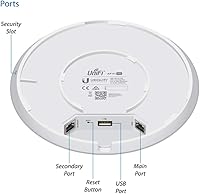
  • Power Method: Powered exclusively via 802.3af/at Power over Ethernet (PoE), operating at 48V — no separate power adapter or wall outlet is required at the installation point.
  • Form Factor: Ceiling-mount disc design ships with a mounting bracket and hardware suitable for flat ceilings or drop-ceiling T-bar grid installations.
  • Operating System: Managed through UniFi OS via the UniFi Network Controller application, which can be hosted locally on a PC, Raspberry Pi, NAS, or via Ubiquiti's cloud portal.
  • Guest Portal: Built-in guest portal and hotspot support allow administrators to create an isolated visitor network with customizable splash pages, bandwidth caps, and session timeouts.
  • Remote Management: Remote access and configuration are available through Ubiquiti's UniFi cloud portal, enabling monitoring and adjustments from any internet-connected device.
  • USB Port: Includes one USB 2.0 port, though its function is limited within standard access point deployments and is primarily reserved for future or advanced use cases.
  • Color & Finish: Available in white with a smooth matte finish designed to blend into standard residential and commercial ceiling environments.
  • Manufacturer: Designed and manufactured by Ubiquiti Networks, a US-based networking hardware company with a focus on prosumer and SMB wireless infrastructure.
  • Model Identifier: The official model designation is UAP-AC-PRO, part of Ubiquiti's long-running UniFi Access Point product line first introduced in 2015.
  • Warranty: Ubiquiti provides a one-year limited hardware warranty covering manufacturing defects, with support handled primarily through their online ticketing system and community forums.
  • Voltage: The device operates at 48 Volts DC delivered via the Ethernet cable from a compatible PoE switch port or a standalone PoE injector.

Related Reviews
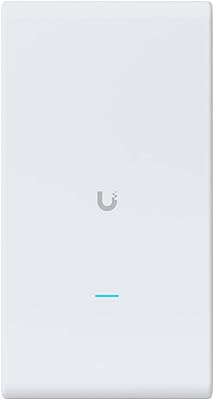
Ubiquiti UAP-AC-M-PRO Unifi Access Point
85%
88%
Overall Performance
90%
Wi-Fi Speed
85%
Installation Ease
89%
Range and Coverage
92%
Build Quality
More
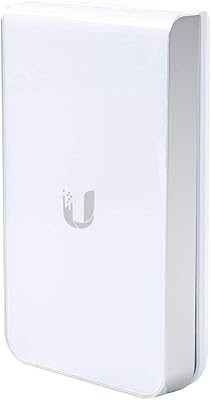
Ubiquiti UniFi UAP-AC-IW-PRO Wireless Access Point
84%
91%
Performance
67%
Ease of Installation
88%
Connectivity & Range
85%
Value for Money
90%
Discreet Design
More
Ubiquiti UniFi HD UAP-AC-HD Access Point
85%
89%
Performance
78%
Ease of Setup
91%
Coverage & Range
85%
Reliability
93%
Integration with UniFi Controller
More
Ubiquiti UniFi 6 Pro (U6-Pro)
80%
93%
Wireless Performance
89%
Range & Coverage
54%
Setup & Installation
78%
Value for Money
88%
Build Quality & Design
More
Ubiquiti UniFi U7 Pro
82%
91%
Wireless Performance
88%
Build Quality
83%
Range & Coverage
67%
Ease of Setup
78%
Value for Money
More
Ubiquiti Networks UniFi AC Mesh UAP-AC-M
83%
88%
Ease of Setup
90%
Wi-Fi Coverage
84%
Build Quality
91%
PoE Convenience
65%
Firmware Stability
More
Ubiquiti airCube-AC ACB-AC-US Wireless Access Point
83%
92%
Setup & Installation
78%
Range & Coverage
85%
Performance & Speed
88%
App Experience
83%
Power Flexibility
More
Ubiquiti UniFi 6 Lite Access Point U6-Lite-US
83%
88%
Performance
91%
Setup & Installation
84%
Connectivity & Range
80%
Build Quality
85%
Software & App Experience
More
Ubiquiti UniFi U6-MESH Wi-Fi 6 Access Point
87%
93%
Wi-Fi Performance
88%
Coverage Area
85%
Ease of Setup
91%
Speed and Stability
82%
App Experience
More
Ubiquiti UniFi Dream Machine Pro UDM-Pro
86%
94%
Performance
88%
Ease of Use
90%
Reliability
92%
Connectivity
85%
Network Security Features
More

FAQ

No, a Cloud Key is completely optional. The UniFi Network Controller software runs for free on a Windows or macOS PC, a Raspberry Pi, or most NAS devices. You only need a Cloud Key or a UniFi Dream Machine if you want a dedicated always-on hardware controller — for most home setups, running the software on an existing machine works perfectly well.

It depends on which version you purchase. Some retail bundles include a PoE injector, but single-unit listings often do not. Before ordering, check the specific package contents. If your network switch does not support 802.3af or 802.3at PoE, you will need to buy a compatible injector separately — it is a common surprise for first-time buyers.

Yes, once the device has been configured and adopted through the controller, it will continue to operate and serve Wi-Fi clients even if the controller software is shut down. The controller only needs to be running when you want to make configuration changes, view live stats, or push firmware updates.

It takes more effort than plugging in a consumer router, but it is not as intimidating as it sounds. The main steps are installing the UniFi Network Controller on a computer, powering up the AP via PoE, and then adopting the device through the controller interface. Most people with basic networking knowledge get through it in under an hour. There are also strong community guides and YouTube walkthroughs that make the process much easier.

For most home users and small offices with standard device loads, yes — the hardware is stable, well-supported, and performs reliably at its price point. That said, if you have a lot of newer Wi-Fi 6 capable devices or a very dense environment with 40-plus active clients, it is worth comparing current Wi-Fi 6 access points at similar prices before committing, since the performance ceiling of 802.11ac is real.

Absolutely, and this is one of the biggest advantages of the UniFi ecosystem. You can manage multiple access points from a single controller dashboard, configure seamless roaming between them, and apply consistent network policies across all units. Adding a second AP to cover a dead zone or a second floor is straightforward once the controller is already running.

The access point works with any router — it does not need to be a Ubiquiti product. The only hard requirement is a PoE-capable switch port or a standalone PoE injector to power it over the Ethernet cable. If you use a UniFi gateway or switch, you get tighter integration and additional features, but a standard third-party router works fine for basic deployments.

Guest network setup is handled entirely through the UniFi controller. You create a new SSID, enable the guest policy on that network, and optionally configure a captive portal or splash page. Once saved, the AP broadcasts the guest SSID as a fully isolated network — devices on it cannot reach your main LAN. It typically takes about five minutes once you know where to look in the controller interface.

It performs noticeably better than typical consumer routers in challenging layouts, largely due to its 3x3 MIMO radios and higher transmit power. Solid wood, drywall, and standard insulation are not a problem for most users. Very thick concrete walls or floors with heavy steel reinforcement will reduce range, and in those cases a second unit is usually the more reliable solution than expecting any single AP to cover everything.

Firmware updates are pushed directly from the UniFi controller — you can update individual devices or all APs at once from the dashboard. That said, it is generally wise to wait a week or two after a major firmware release before updating, as the Ubiquiti community tends to surface any regressions quickly. Checking the official UniFi community forums before updating is a practical habit that saves headaches.