Overview

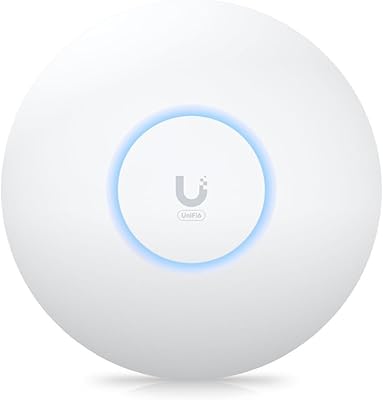
The Ubiquiti UniFi 6 Long-Range Access Point is the kind of hardware you buy once you've outgrown your ISP's all-in-one router. It comes from Ubiquiti's UniFi lineup, a line built less for plug-and-play simplicity and more for people who want network-grade reliability across a sprawling floor plan. Where a typical mesh kit relies on multiple nodes talking to each other (and sometimes losing the thread), this access point is engineered as a single, long-range radio meant to blanket a whole home or small office. It sits squarely in the prosumer to small-business tier, which means setup asks a little more of you, but the payoff is a network that behaves more like commercial infrastructure than a consumer gadget.

Features & Benefits

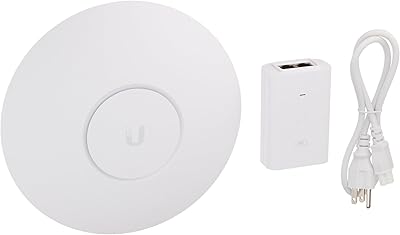
Under the hood, this Wi-Fi 6 AP runs dual-band 802.11ax radios that combine for up to 3000 Mbit/s, with 600 Mbit/s on the 2.4GHz band and 2400 Mbit/s on 5GHz. That headroom matters less for any single device and more for the dozens you're probably running at once; the unit is rated for up to 300 simultaneous connections, which is overkill for a typical household but exactly right for a smart-home-heavy one. A gigabit Ethernet uplink keeps backhaul from becoming the bottleneck, and power comes through PoE, so you're running one cable instead of hunting for an outlet near the ceiling. It's also built to live inside the UniFi ecosystem, meaning you manage it alongside switches and other gear from one dashboard rather than juggling separate apps.

Best For

This Ubiquiti unit makes the most sense if your house or office has outgrown what a single router (or even a mesh kit) can comfortably cover. Families with a dozen-plus devices, smart-home sensors, and multiple people streaming at once will notice the difference immediately, especially in rooms that used to be dead zones. It's also a natural fit if you're already running other UniFi gear, since adding this access point means one app, one login, and one view of your whole network instead of three disconnected ones. The tradeoff is that it asks more of you upfront: this is built for buyers comfortable poking around a controller interface, not someone who wants to plug it in and forget it exists. For that audience, though, it's hard to beat.

User Feedback

Real-world impressions of this Wi-Fi 6 AP tend to cluster around the same theme: people who struggled with dead spots before say the improvement is obvious within the first day, especially in larger or multi-story homes. Several buyers compare it favorably to the router their internet provider handed them, noting steadier connections rather than dramatic speed claims. The most common complaint isn't about performance at all, it's about onboarding, since the UniFi controller app has a learning curve that catches casual buyers off guard, and a few mention having to buy a separate PoE injector since one isn't always included. Taken together, the consensus leans positive: a bit more setup effort upfront in exchange for a network that holds up over years rather than months.

Pros

  • Delivers noticeably stronger range and stability than typical ISP-supplied routers, according to repeat feedback.
  • Handles dense households with many connected devices without the network bogging down.
  • Gigabit Ethernet uplink keeps backhaul fast instead of becoming a bottleneck.
  • PoE power means fewer cables and easier placement near ceilings or upper walls.
  • Fits naturally into a broader UniFi setup for centralized, single-app network management.
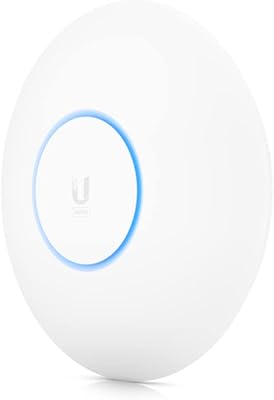
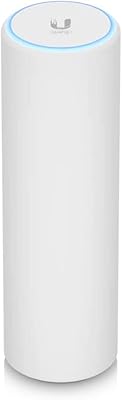
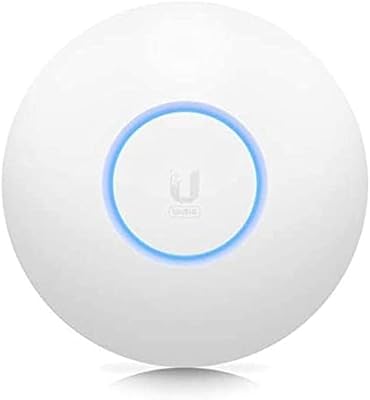
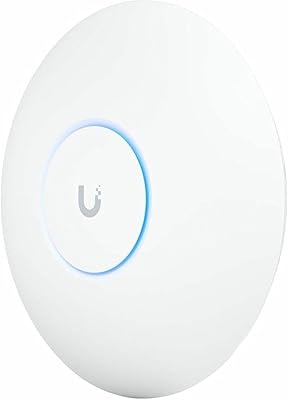
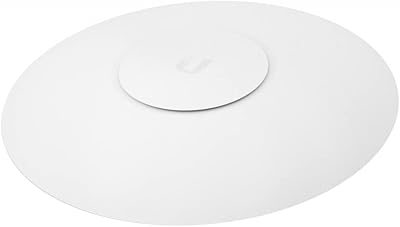
  • Compact design mounts cleanly on ceilings or walls without looking bulky or obvious.
  • Long-term reliability is frequently praised by owners who upgraded from mesh systems.
  • Combined dual-band throughput comfortably covers larger homes and multi-room offices.

Cons

  • The UniFi controller app has a real learning curve for first-time network admins.
  • A separate PoE injector or switch may be needed, adding to the upfront cost.
  • Setup takes noticeably longer than typical plug-and-play consumer routers.
  • Overkill for small apartments or single-room coverage needs.
  • No built-in companion features like parental controls found on some consumer mesh systems.
  • Requires some comfort with network terminology to get the most out of it.
  • Best results depend on proper placement, which takes a bit of trial and error.
  • Not ideal for buyers wanting zero-configuration setup out of the box.

Ratings

Our scores for the Ubiquiti UniFi 6 Long-Range Access Point are generated by AI after analyzing verified user reviews from buyers worldwide, with spam, bot activity, and incentivized feedback filtered out before any scoring happens. The goal is a transparent snapshot of both the strengths people genuinely rave about and the friction points that show up once the box is opened. Nothing here is smoothed over to look better than real-world ownership actually feels.
Wi-Fi Range & Coverage
91%
Owners with larger homes consistently report that dead zones disappear once this unit replaces an old router or weak mesh node. Multi-story coverage in particular gets singled out, with signal reaching garages and upstairs bedrooms that previously struggled.
A few buyers in unusually large or oddly shaped homes still needed a second access point to fully eliminate weak spots. Dense concrete or metal framing can noticeably cut into the advertised range.
Speed & Throughput
88%
Users streaming on multiple devices or running video calls during peak hours notice fewer slowdowns compared to ISP-issued routers. The dual-band setup handles simultaneous heavy use without the lag many associate with older hardware.
Real-world speeds rarely hit the rated maximums, which occasionally disappoints buyers expecting gigabit-level performance on every device. Older client hardware without Wi-Fi 6 support won't see the full benefit either.
Multi-Device Capacity
86%
Smart-home-heavy households appreciate that dozens of connected sensors, cameras, and phones don't bog down the network the way budget routers eventually do. Performance stays consistent even as device counts climb.
Buyers without many connected devices admit they're not using anywhere near its capacity, making the investment feel like more than they currently need. The benefit only becomes obvious at scale.
Build Quality & Design
89%
The compact, understated housing gets praised for blending into ceilings and walls rather than standing out like typical bulky routers. It feels solid and clearly built for long-term, always-on use.
A handful of buyers wish there were more color or finish options to match different interior styles. The plain design, while discreet, isn't something anyone calls visually exciting.
Setup & Installation Ease
61%
39%
Buyers already familiar with networking gear say the initial setup moves quickly once you understand the basic flow of the UniFi app. Mounting itself is described as straightforward with the included hardware.
First-time users frequently mention a real learning curve, especially compared to typical plug-and-play routers with simple QR-code pairing. Several reviewers say they had to look up guides just to get past initial configuration.
UniFi App and Controller Experience
67%
33%
Once configured, the dashboard gives a level of visibility and control that experienced users genuinely enjoy, especially for monitoring connected devices and traffic in one place. It feels more like managing real network infrastructure.
Casual buyers describe the interface as dense and intimidating at first, with terminology that assumes prior networking knowledge. Some say onboarding could explain basic settings more clearly for beginners.
Value for Money
79%
21%
Long-term owners frequently describe it as money well spent once they factor in years of stable performance versus replacing cheaper routers repeatedly. The capacity and range justify the higher upfront cost for demanding households.
Buyers who only need basic coverage for a small space feel they're paying for capability they'll never use. Needing a separate PoE injector can also push the real cost higher than expected.
Reliability & Stability
92%
This is the category owners praise most consistently, citing fewer dropped connections and far less need to restart the network compared to previous routers. Several mention months of uptime without any noticeable hiccups.
A small number of reviewers report occasional firmware update hiccups requiring a manual reboot. These cases appear infrequent but aren't entirely absent from feedback.
Ecosystem Integration
84%
Buyers already running other UniFi hardware say adding this access point feels seamless, with everything visible and manageable from a single app. It reduces the hassle of juggling separate logins for different devices.
Those without any other UniFi products say the ecosystem benefit is largely lost on them, since they're only using a fraction of the platform's features. It's clearly designed with multi-device setups in mind.
Power and Cabling Setup
71%
29%
PoE powering is appreciated for simplifying installation near ceilings, removing the need for an outlet anywhere close to the mounting spot. It keeps cable runs cleaner than typical router setups.
Not having a PoE injector included catches some buyers off guard, leading to an extra purchase and delayed setup. Those without existing PoE infrastructure have to plan for that ahead of time.
Backward Compatibility
88%
Owners with a mix of older laptops, smart devices, and phones report no connectivity issues, since support for older 802.11 standards is fully intact. Nobody has to replace existing hardware to use it.
Devices still on older standards naturally won't experience the speed and efficiency gains Wi-Fi 6 offers. The improvement is most noticeable once newer hardware is introduced into the mix.
Mounting Flexibility
83%
The option to mount on either a wall or ceiling gives buyers real flexibility depending on room layout and where Ethernet access already exists. Most describe the mounting hardware as simple to work with.
A few reviewers note that achieving truly optimal placement took some trial and error before signal strength felt even throughout the space. Ideal positioning isn't always obvious on the first attempt.

Suitable for:

The Ubiquiti UniFi 6 Long-Range Access Point makes the most sense for households that have simply outgrown a standard router or basic mesh kit, especially homes with thick walls, multiple floors, or a dozen-plus connected devices. It's a strong fit for families running smart-home sensors, several streaming devices, and work laptops simultaneously, since the dense connection capacity keeps things stable rather than congested. Anyone already running other UniFi hardware will appreciate how easily this access point slots into that same ecosystem and dashboard. It also suits small office setups where reliable coverage across multiple rooms matters more than having the cheapest possible router. Tech-comfortable buyers who don't mind spending a little time in a setup app, in exchange for long-term stability, are exactly who this was built for.
Not suitable for:

Buyers who simply want to plug something in and never think about it again should think twice, since the Ubiquiti UniFi 6 Long-Range Access Point relies on the UniFi controller app rather than a quick consumer-style setup. It's not the right pick for small apartments or single-room coverage needs, where the extra range and capacity go to waste. Anyone without a PoE switch or injector should budget for that as a separate purchase, since one isn't guaranteed to be included. People hoping for flashy, mesh-app simplicity with colorful onboarding screens will likely find the interface more utilitarian than friendly. It's also not ideal for buyers on a tight budget who just need basic Wi-Fi to work, since the value here is really built for scale and density rather than minimal use cases.
Specifications

  • Brand: This access point is manufactured by Ubiquiti Networks.
  • Model Number: The official model number is U6-LR.
  • Wi-Fi Standard: It supports the 802.11ax standard, commonly known as Wi-Fi 6.
  • Frequency Bands: It broadcasts simultaneously on dual 2.4GHz and 5GHz bands.
  • 2.4GHz Throughput: The 2.4GHz band supports data rates of up to 600 Mbit/s.
  • 5GHz Throughput: The 5GHz band supports data rates of up to 2400 Mbit/s.
  • Combined Throughput: Combined dual-band throughput reaches up to 3000 Mbit/s.
  • Ethernet Port: A single Gigabit Ethernet port supports speeds of 10, 100, or 1000 Mbit/s.
  • Max Connected Users: The unit is rated to support up to 300 simultaneous connected devices.
  • Weight: The access point weighs 2.05 lb, or roughly 930 g.
  • Dimensions: It measures 1.89 x 8.66 x 8.66 inches.
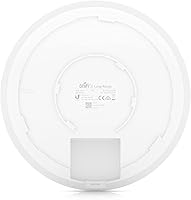
  • Color: It is finished in a matte black housing.
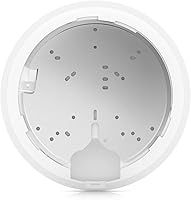
  • Mounting Style: It can be mounted on either a ceiling or a wall.
  • Power Method: It is powered via PoE (Power over Ethernet) rather than a standard wall adapter.
  • Network Management: Configuration and monitoring are handled through the UniFi controller software or mobile app.
  • Backward Compatibility: It remains compatible with older 802.11a, 802.11b, 802.11g, and 802.11ac devices.

Related Reviews

Ubiquiti UniFi 6 Pro (U6-Pro)
80%
93%
Wireless Performance
89%
Range & Coverage
54%
Setup & Installation
78%
Value for Money
88%
Build Quality & Design
More
Ubiquiti UniFi 6 Lite Access Point
82%
88%
Wireless Performance
62%
Setup & Installation
91%
Build Quality
86%
Value for Money
71%
Controller Software
More
Ubiquiti U6-Mesh Wi-Fi 6 Access Point
79%
93%
Wireless Performance
54%
Setup & Configuration
91%
Build Quality & Durability
88%
Coverage Range
74%
Value for Money
More
Ubiquiti UniFi U7 Pro
82%
91%
Wireless Performance
88%
Build Quality
83%
Range & Coverage
67%
Ease of Setup
78%
Value for Money
More
Ubiquiti UniFi AC HD Access Point
81%
91%
Build Quality
88%
Wireless Performance
87%
Range & Coverage
48%
Setup & Installation
72%
Management Software
More
Ubiquiti UniFi UAP-AC-PRO Access Point
80%
94%
Network Stability & Uptime
89%
Wi-Fi Signal Range & Penetration
58%
Setup & Initial Configuration
81%
Value for Money
86%
Multi-Device Performance
More
Ubiquiti UAP-AC-M-PRO Unifi Access Point
85%
88%
Overall Performance
90%
Wi-Fi Speed
85%
Installation Ease
89%
Range and Coverage
92%
Build Quality
More
Ubiquiti UAP-AC-IW-PRO In-Wall Access Point
77%
88%
Wireless Performance
84%
Build Quality & Hardware Design
61%
Installation Experience
47%
PoE Power Requirement Clarity
91%
UniFi Ecosystem Integration
More
Ubiquiti U6+
Ubiquiti U6+
80%
88%
Wireless Performance
54%
Setup & Configuration
84%
Range & Coverage
82%
Build Quality & Design
91%
PoE+ Implementation
More
BrosTrend AX3000 WiFi 6 Access Point
71%
88%
Ease of Setup
83%
WiFi Performance
71%
Coverage Range
86%
Multi-Device Handling
79%
Build & Design
More

FAQ

Yes, the Ubiquiti UniFi 6 Long-Range Access Point is managed through Ubiquiti's UniFi controller software or mobile app rather than a simple web page. It takes a bit more time upfront than a typical home router, but it gives you far more control once it's running. If you've never used UniFi before, expect a short learning curve during the first setup.
Not always, so it's worth checking the listing before you buy. This access point is powered via PoE, so if you don't already have a PoE switch, you'll likely need to pick up an injector separately. It's a small extra cost, but an easy one to overlook.

Absolutely, it works fine as a standalone access point. You'll still need the controller software to configure it, but you don't need other UniFi hardware to get started. That said, it does shine a bit more once it's part of a larger UniFi network.

It's built for larger homes or offices, so a single unit can comfortably cover several rooms or multiple floors in many layouts. Thick walls, metal framing, or unusual floor plans can affect real-world range, though. For very large properties, some buyers add a second unit rather than relying on one alone.

It depends on what you're looking for. Mesh systems are easier to set up out of the box, but this Wi-Fi 6 AP tends to offer more consistent performance and better capacity for lots of devices. If you're comfortable with a slightly more technical setup, most users find the tradeoff worth it.

Yes, it's designed to work either way. Ceiling mounting tends to give slightly better overall coverage, but wall mounting is a perfectly reasonable option depending on your room layout and where your Ethernet drop is located.

It's rated for up to 300 simultaneous connections, which covers nearly any home situation, even ones packed with smart-home gadgets. Most households won't get close to that ceiling, but it does mean performance stays steady as you add more devices over time.

Yes, this Ubiquiti unit is backward compatible with older Wi-Fi standards like 802.11ac and 802.11n. You don't need Wi-Fi 6 devices to benefit from it, though newer hardware will take fuller advantage of the speed and efficiency improvements.

It's approachable, but not quite as plug-and-play as a basic consumer router. Most buyers manage fine after spending some time in the app, though a few mention wishing the onboarding explained things more clearly. If you're patient with a learning curve, it's manageable.

Honestly, for a one-bedroom or small apartment, probably yes. This access point is built for larger homes, multi-device households, or small offices where range and capacity really matter. If you just need basic coverage in a small space, a simpler router will likely do the job just fine.