
Overview

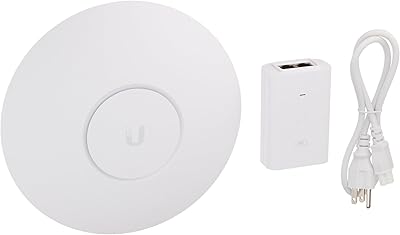
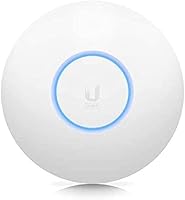
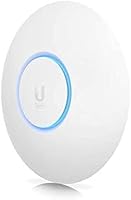
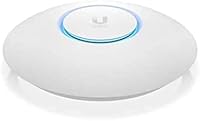
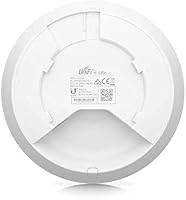
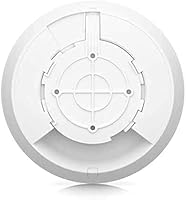
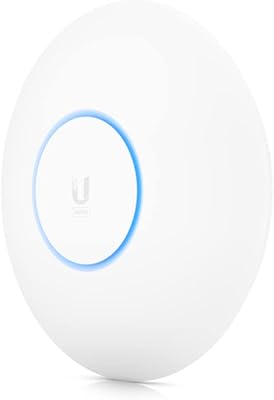
The Ubiquiti UniFi 6 Lite Access Point is Ubiquiti's most accessible entry into Wi-Fi 6 — but let's be clear about what it is: a managed access point, not a router. It doesn't replace your gateway; it extends and enhances wireless coverage as part of a broader UniFi network stack. Power comes via 802.3af PoE, so you'll need a compatible switch or injector — no adapter ships in the box. Management runs through the UniFi Network Application, either self-hosted or via Ubiquiti's cloud portal. For prosumers and small-business buyers already invested in managed networking, the price-to-capability ratio here is hard to argue with. The compact, disc-shaped housing mounts flush to a ceiling and barely draws attention once installed.

Features & Benefits

On the wireless side, the U6-Lite runs 802.11ax on both bands — 5 GHz tops out at a theoretical 1.2 Gbps with 2x2 MU-MIMO, while 2.4 GHz delivers up to 300 Mbps. Real-world speeds won't hit those ceilings, but the practical gains over Wi-Fi 5 are tangible, especially with OFDMA in play. That protocol lets the AP handle multiple clients more efficiently at once, which matters in a house full of smart devices or a busy office. A single Ethernet cable handles both data and power, keeping ceiling runs tidy. Inside the UniFi controller, you get VLAN tagging, band steering, traffic shaping, and fast BSS roaming — features that cost significantly more on competing platforms. Firmware updates arrive consistently, and the community around UniFi hardware is large and genuinely helpful.

Best For

This Wi-Fi 6 AP is built for people who know what a VLAN is and don't mind spending an evening getting the controller configured. If you're already running UniFi switches or a UDM Pro, adding this to your stack is a natural next step. Small offices and retail environments benefit from multi-SSID management and guest network isolation without paying enterprise access-point prices. Network admins who want per-client visibility and centralized control will find the feature depth genuinely satisfying. It's also a smart upgrade path for anyone still running Wi-Fi 5 APs who wants a real generational improvement without overspending. However, if you're hoping to unbox this, plug it into your router, and walk away — this isn't your device. The UniFi ecosystem rewards patience and technical comfort.

User Feedback

Across forums, Reddit threads, and verified purchase reviews, owners of this UniFi access point tend to land in one of two camps. Those already familiar with the UniFi ecosystem are enthusiastic — they cite rock-solid connection stability, clean roaming between APs, and long-term firmware reliability as standout strengths. Build quality consistently earns praise, with multi-year owners reporting no degradation. The friction shows up for first-timers: the controller setup has a real learning curve, and the missing PoE adapter catches some buyers off guard. A smaller portion of reviews mention occasional drop issues tied to specific firmware versions, though Ubiquiti has generally addressed these in subsequent releases. Net-net, the criticism rarely targets the hardware itself — it's almost always about expectation mismatch, which good research beforehand largely eliminates.

Pros

  • Wi-Fi 6 with OFDMA delivers noticeably better performance in dense, multi-device environments.
  • Deep UniFi controller integration provides per-client visibility, VLAN tagging, and traffic shaping in one interface.
  • A single PoE cable handles both power and data, keeping ceiling installs clean and cable-efficient.
  • Fast BSS transition enables smooth roaming across multiple access points with minimal connection interruption.
  • Compact, low-profile ceiling-mount design blends into home and office environments without looking out of place.
  • Consistent Ubiquiti firmware releases and a large, active community knowledge base reduce long-term management friction.
  • Strong value for the feature set — managed AP capabilities at a fraction of typical enterprise-tier pricing.
  • Build quality holds up well over multi-year deployments, with long-term owners reporting reliable hardware consistency.

Cons

  • Requires the UniFi Network Application to function properly — no viable standalone mode exists for real-world use.
  • The 802.3af PoE adapter is not included; buyers must separately source a compatible switch or injector before setup.
  • First-time UniFi users face a genuine learning curve that can turn a straightforward install into a multi-hour project.
  • The 2.4 GHz radio tops out at 300 Mbps with 2x2 MIMO, trailing some competing Wi-Fi 6 APs in the same price range.
  • Occasional connectivity drops have been reported after specific firmware releases, requiring users to track update notes carefully.
  • No built-in routing or DHCP means this unit cannot replace a router under any standard use case.
  • Cloud-based management depends on Ubiquiti's external infrastructure; self-hosted setups add their own hardware and maintenance burden.
  • Controller dependency means losing access to the management application also means losing the ability to change any network configuration.

Ratings

Our AI-generated scores for the Ubiquiti UniFi 6 Lite Access Point are derived from analysis of verified buyer reviews worldwide, with automated filtering applied to remove spam, incentivized submissions, and bot activity. Each category score reflects the honest balance of what real owners praise and what they find frustrating, weighted by review depth and relevance. Both the strengths that experienced network admins celebrate and the friction points that catch newcomers off guard are transparently represented in the ratings below.

Wireless Performance
88%
Users consistently report a noticeable step up from their previous Wi-Fi 5 setups, particularly in homes running 20 or more active devices simultaneously. OFDMA distributes bandwidth across multiple clients at once, which translates to smoother video calls and faster response times even during peak household usage hours.
The 1.2 Gbps figure on 5 GHz is a theoretical radio maximum, and real-world throughput lands well below it depending on client hardware and distance. The 2.4 GHz band at 300 Mbps also feels modest for environments with many legacy IoT devices still relying heavily on that frequency.
Setup & Installation
62%
38%
For buyers already familiar with the UniFi ecosystem, initial setup is efficient — the controller adopts the access point quickly, and the hardware mounts cleanly to a ceiling with the included bracket. Experienced network admins typically have it fully operational within 30 to 45 minutes of unboxing.
First-time Ubiquiti users face a steeper entry point than most competitors. The controller requirement alone filters out casual buyers, and discovering that a PoE injector is also needed adds friction before the device even powers on. Several one-star reviews trace directly back to these compounded setup surprises.
Build Quality
91%
The hardware feels solid and well-engineered for its price tier, with a plastic housing that resists minor knocks without flexing or creaking. Multi-year owners frequently note that their units still run without issues, with no discoloration, connector degradation, or physical wear after years of continuous ceiling-mount operation.
The all-plastic construction, while durable in practice, does not inspire the same confidence as metal-chassis alternatives at higher price points. A small number of users have noted that the quarter-turn mount mechanism can feel slightly loose over time in installations subject to vibration or frequent removal.
Value for Money
86%
For the feature set delivered — Wi-Fi 6, OFDMA, MU-MIMO, VLAN support, band steering, and fast BSS roaming — the pricing sits well below comparable managed access points from competitors like Cisco Meraki or Aruba Instant. Prosumers routinely describe this as one of the stronger investments in their home lab stack.
The true cost of entry is higher than the unit price suggests. Factor in a PoE switch or injector, and potentially a device to host the UniFi controller, and the all-in spend can surprise buyers who did not research requirements beforehand. That hidden cost meaningfully dents value perception for newcomers.
Controller Software
71%
29%
The UniFi Network Application provides a genuinely deep management interface — per-client statistics, traffic analytics, VLAN configuration, and multi-site oversight in a single dashboard. For admins used to enterprise-grade tools, the depth of visibility available at this price point is hard to find anywhere else in the prosumer space.
The learning curve is real and well-documented across forums and reviews. Casual users expecting a simple mobile app are consistently frustrated by the controller complexity. The need to maintain a running controller instance — whether locally or in the cloud — also adds an ongoing management dependency that not everyone anticipates.
Roaming Performance
89%
When deployed alongside other UniFi access points and properly configured in the controller, BSS Transition-based roaming works reliably. Users report that phones and laptops move between APs during active calls or downloads with minimal interruption — a clear step above the hand-off behavior in most consumer mesh systems.
Roaming quality is heavily dependent on correct controller configuration, and getting band steering and transition timings right takes some trial and error. Without proper settings, some devices — particularly older Android phones — can be sluggish to transition between APs, causing brief but noticeable connectivity hiccups.
Device Capacity
83%
OFDMA support means the U6-Lite handles concurrent client connections more gracefully than its Wi-Fi 5 predecessors. Small office deployments with 40 to 60 active users have reported stable throughput across the board, with no significant degradation during peak periods like morning check-in or midday video conference windows.
Under extreme density — event spaces or large open-plan offices with 100-plus simultaneous heavy users — a single unit shows its limits. Buyers managing very high-density environments would likely need multiple units or should consider stepping up to a higher-tier model with more radio capacity for adequate headroom.
Firmware Reliability
74%
26%
Ubiquiti pushes firmware updates to this Wi-Fi 6 AP regularly and maintains a documented release history, which is more than most consumer hardware can claim. Long-term owners appreciate that the device receives ongoing attention rather than being quietly abandoned after the first year or two post-launch.
A recurring theme in user communities is that specific firmware releases have introduced temporary connectivity drops or regressions in roaming behavior. While Ubiquiti typically addresses these in follow-up releases, some admins have adopted a cautious wait-and-see approach before applying new firmware to production network environments.
Coverage Range
78%
22%
In average residential spaces and open-plan offices, the U6-Lite covers a solid footprint on both bands without requiring a second unit. Users in single-floor homes under roughly 2,000 square feet regularly report full-building coverage when the AP is centrally ceiling-mounted away from exterior walls.
Coverage drops off noticeably through dense materials like brick, concrete, or multiple drywall layers. In multi-story homes or buildings with significant structural obstacles, a single unit often leaves dead zones on adjacent floors or in far rooms, pushing users toward additional APs and increasing total deployment cost.
PoE Integration
67%
33%
Running both power and data through a single Ethernet cable keeps ceiling installations visually clean and reduces wiring needed above drop tiles or along cable channels. Admins who already have an 802.3af-capable switch in their rack find the integration completely transparent and hassle-free from day one.
The missing PoE adapter is a consistent complaint from buyers who did not realize they needed one separately. For anyone without a compatible PoE switch already in place, it means an additional purchase that adds cost and delay to the installation in a way that feels avoidable at this price tier.
Design & Form Factor
93%
The low-profile disc shape is genuinely unobtrusive — ceiling-mounted, it blends into residential and commercial spaces far better than boxy wall-mounted alternatives. The included bracket makes installation straightforward, and the white finish matches standard ceiling tiles and painted surfaces without drawing unwanted attention to the hardware.
The ceiling-only form factor limits flexibility for renters or users who cannot route an Ethernet cable to an overhead position. Wall mounting is technically possible but not officially supported, and some users report the mounting bracket feels flimsier than expected when installed in drywall without a solid backing surface.
Management Depth
87%
Few access points at this price deliver the network control available through the UniFi controller — per-SSID VLAN assignment, per-client bandwidth limits, traffic analytics, and RF environment data, all accessible without an enterprise subscription or licensing fee. This is a meaningful differentiator for serious home lab and small-business deployments.
The breadth of management options is overwhelming for users not already comfortable with networking fundamentals. Features like traffic shaping, DPI, and RADIUS authentication require deliberate configuration effort, and misconfiguration can silently break connectivity for specific device groups without offering obvious diagnostic feedback or clear error messages.
Long-term Reliability
92%
The track record here is strong. Users running the U6-Lite continuously for two to three years consistently report stable uptime, no hardware degradation, and genuine confidence in the device as a long-term infrastructure component rather than something requiring replacement on a typical consumer product timeline.
A minority of users report units developing intermittent faults after extended use — typically random disconnects that firmware updates did not fully resolve. Ubiquiti warranty handling and hardware support responsiveness receive mixed marks in community discussions, which is a risk worth weighing for mission-critical network deployments.
Community & Support
85%
The UniFi ecosystem has one of the largest prosumer networking communities available. Reddit threads, the official Ubiquiti forum, and dedicated YouTube channels provide detailed configuration guides, real-world troubleshooting walkthroughs, and peer advice that significantly shortens the learning curve for new deployments.
Official Ubiquiti customer support is frequently cited as slow and inconsistent, particularly for hardware RMA requests. Buyers who prefer direct vendor assistance over peer-sourced community help may find the support experience frustrating compared to consumer brands that offer accessible phone or live chat options.

Suitable for:

The Ubiquiti UniFi 6 Lite Access Point is purpose-built for technically comfortable buyers who want enterprise-grade wireless management without the enterprise price tag. It fits naturally into homes with 20-plus connected devices — smart TVs, IoT sensors, laptops, and phones all competing for bandwidth simultaneously — where Wi-Fi 6's OFDMA delivers tangible, real-world gains over older standards. Small offices and retail environments get strong mileage here, particularly those that need separate SSIDs for staff and guests, VLAN segmentation, and centralized visibility into every connected client. Anyone already running a UniFi stack — a UDM Pro, UniFi switches, or other access points — will find the U6-Lite slots in without friction and extends their existing investment cleanly. It is also a well-reasoned upgrade for network admins replacing aging Wi-Fi 5 infrastructure who want a meaningful performance improvement backed by consistent, long-term firmware support.

Not suitable for:

The Ubiquiti UniFi 6 Lite Access Point is the wrong choice for buyers expecting a simple, self-contained Wi-Fi upgrade they can configure from a smartphone in ten minutes. This device has no WAN port, no standalone routing capability, and requires the UniFi Network Application — whether self-hosted or cloud-based — just to complete initial setup and manage basic settings. On top of that, you will need to budget separately for an 802.3af PoE switch or injector since nothing in the box provides power to the unit, a detail that catches casual buyers off guard more often than it should. The controller dependency also means that anyone who loses access to their application instance loses the ability to make configuration changes, which is a real operational risk for non-technical households. If your goal is to buy one device, plug it into your router, and get better Wi-Fi with minimal fuss, a consumer mesh system will serve you far better.

Specifications

  • Wi-Fi Standard: Operates on 802.11ax (Wi-Fi 6) across both bands, with backward compatibility for older 802.11a/b/g/n/ac client devices.
  • 5 GHz Radio: Delivers up to 1.2 Gbps theoretical radio rate using 2x2 MU-MIMO on the 5 GHz band.
  • 2.4 GHz Radio: Provides up to 300 Mbps theoretical radio rate using 2x2 MIMO on the 2.4 GHz band.
  • OFDMA: Orthogonal Frequency Division Multiple Access is supported on both bands, enabling more efficient simultaneous handling of multiple clients in high-density environments.
  • Spatial Streams: Uses 2x2 spatial streams on both the 2.4 GHz and 5 GHz bands, supporting up to two simultaneous data streams per connected client.
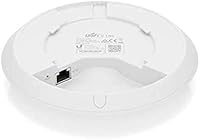
  • Uplink Port: Equipped with a single Gigabit Ethernet port that carries both network data and 802.3af PoE power over a single cable.
  • Power Input: Powered by 802.3af PoE at 24V; no PoE injector or adapter is included in the retail box.
  • Fast Roaming: Supports BSS Transition (802.11r) for fast roaming hand-offs between UniFi access points deployed on the same managed network.
  • Management: Requires the UniFi Network Application for initial setup and ongoing configuration; the controller can be self-hosted locally or run via Ubiquiti's cloud portal.
  • Dimensions: Measures 7 × 7 × 2.5 inches (approximately 178 × 178 × 64 mm), designed for flush ceiling-mount installation.
  • Weight: Weighs 1.26 pounds (approximately 572 g) excluding mounting hardware.
  • Mount Style: Ships with a ceiling-mount bracket; the unit attaches via a quarter-turn locking mechanism that allows tool-free removal for maintenance.
  • Model Number: The U6-Lite-US designates the North American variant; regional models may differ in frequency band regulatory compliance.
  • Brand: Manufactured by Ubiquiti Networks, a US-based company specializing in managed networking hardware for prosumer, small-business, and enterprise deployments.
  • First Available: Introduced to market in December 2020 as part of Ubiquiti's UniFi 6 series expanding their lineup to Wi-Fi 6 access points.

Related Reviews
Ubiquiti UniFi 6 Pro (U6-Pro)
80%
93%
Wireless Performance
89%
Range & Coverage
54%
Setup & Installation
78%
Value for Money
88%
Build Quality & Design
More
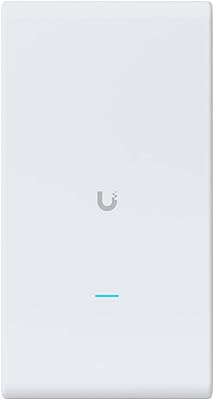
Ubiquiti U6-Mesh Wi-Fi 6 Access Point
79%
93%
Wireless Performance
54%
Setup & Configuration
91%
Build Quality & Durability
88%
Coverage Range
74%
Value for Money
More
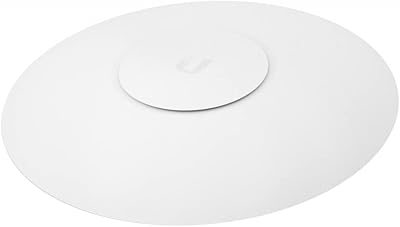
Ubiquiti UAP-AC-M-PRO Unifi Access Point
85%
88%
Overall Performance
90%
Wi-Fi Speed
85%
Installation Ease
89%
Range and Coverage
92%
Build Quality
More
Ubiquiti UniFi AC HD Access Point
81%
91%
Build Quality
88%
Wireless Performance
87%
Range & Coverage
48%
Setup & Installation
72%
Management Software
More
Ubiquiti UniFi U7 Pro
82%
91%
Wireless Performance
88%
Build Quality
83%
Range & Coverage
67%
Ease of Setup
78%
Value for Money
More
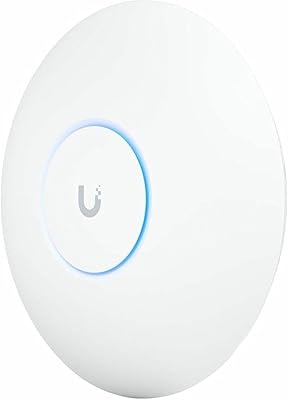
Ubiquiti UniFi UAP-AC-PRO Access Point
80%
94%
Network Stability & Uptime
89%
Wi-Fi Signal Range & Penetration
58%
Setup & Initial Configuration
81%
Value for Money
86%
Multi-Device Performance
More
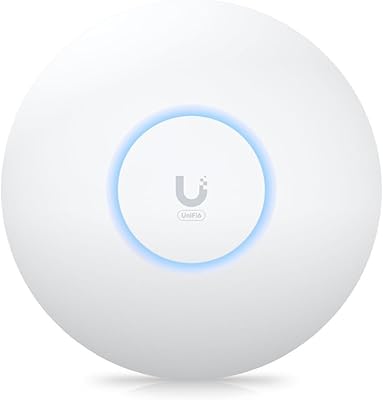
Ubiquiti UAP-AC-IW-PRO In-Wall Access Point
77%
88%
Wireless Performance
84%
Build Quality & Hardware Design
61%
Installation Experience
47%
PoE Power Requirement Clarity
91%
UniFi Ecosystem Integration
More
Ubiquiti U6+
Ubiquiti U6+
80%
88%
Wireless Performance
54%
Setup & Configuration
84%
Range & Coverage
82%
Build Quality & Design
91%
PoE+ Implementation
More
BrosTrend AX3000 WiFi 6 Access Point
71%
88%
Ease of Setup
83%
WiFi Performance
71%
Coverage Range
86%
Multi-Device Handling
79%
Build & Design
More
Cudy AX3000 WiFi 6 Access Point
84%
89%
Performance & Speed
85%
Installation & Setup
91%
Reliability in High-Density Areas
76%
Compatibility with Devices
92%
Range & Coverage
More

FAQ

Yes, and it is worth knowing before you order. The U6-Lite draws power through 802.3af PoE, but nothing in the box provides that power. You will need either a UniFi switch with 802.3af support or a standalone PoE injector, both of which are widely available at reasonable cost. Factor that into your total budget upfront.

Not in any practical way. The Ubiquiti UniFi 6 Lite Access Point requires the UniFi Network Application to complete adoption, configure SSIDs, set security options, and manage settings on an ongoing basis. There is a bare-minimum adoption mode, but you cannot do anything meaningful with the device without the controller running somewhere — whether on a local machine, a Raspberry Pi, a NAS, or Ubiquiti's cloud service.

No. The U6-Lite is strictly an access point — it has no WAN port, no routing engine, and no built-in DHCP server. You still need a separate router or gateway to handle your internet connection; this device sits on top of your existing network and handles the wireless coverage layer only.

Ubiquiti rates the U6-Lite for up to roughly 300 associated clients under ideal conditions, but real-world comfort depends heavily on what those devices are actively doing. For a busy household or small office running 30 to 60 concurrent active clients, it performs well. OFDMA helps it juggle multiple simultaneous requests more efficiently than older Wi-Fi 5 hardware could manage.

It will work with any router via its Gigabit Ethernet uplink — the controller software requirement does not mean your entire network has to be UniFi hardware. That said, advanced features like cross-AP roaming with BSS Transition and VLAN-based network segmentation work most reliably when paired with other UniFi-managed devices downstream.

It depends on your starting point. If you are comfortable with web-based admin interfaces or have managed a home server before, you will find the controller approachable within a few hours. Complete newcomers to managed networking will likely spend more time with it, but the Ubiquiti community forums and subreddits like r/HomeNetworking and r/Ubiquiti are genuinely active and helpful for getting unstuck.

Both paths are available. Ubiquiti's hosted cloud portal lets you manage this Wi-Fi 6 AP remotely without running any local server hardware, which is the simpler option for most home users. If you prefer full local control with no dependency on Ubiquiti's servers, you can self-host the controller on a PC, a Raspberry Pi, or compatible NAS hardware.

Yes. The U6-Lite supports BSS Transition based on 802.11r, which enables fast hand-offs between access points managed by the same UniFi controller. In practice, devices like phones and laptops switch between APs with very little interruption — a meaningful advantage over consumer mesh systems that tend to be slower and less reliable during those transitions.

Multi-year owners consistently report solid hardware durability with no significant degradation over time. Ubiquiti has also maintained regular firmware releases for this access point, which keeps it secure and functional well beyond the typical consumer product lifecycle. The occasional firmware release has introduced minor connectivity issues, but these have generally been addressed in subsequent updates.

The fundamental trade-off is control versus convenience. Consumer mesh systems are far simpler to deploy and require no technical background, but they offer limited network visibility and almost no advanced configuration options. The U6-Lite, by contrast, gives you per-client statistics, VLAN separation, traffic shaping, and centralized multi-site management — but only if you invest time in learning the UniFi controller. For technically inclined buyers, the feature depth at this price tier is genuinely difficult to match with consumer alternatives.

Where to Buy