Ubiquiti NanoStation AC 5GHz Outdoor CPE



Overview
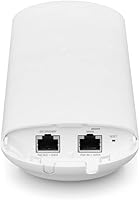
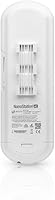
The Ubiquiti NanoStation AC 5GHz Outdoor CPE sits firmly in prosumer territory — built for IT professionals, small ISPs, and technically capable home networkers who need serious outdoor wireless performance. What separates it from cheaper alternatives is the dual-radio architecture: one 5GHz radio handles your actual data traffic, while a second dedicated radio keeps the management interface accessible at all times. The enclosure is compact and industrial-grade, designed for pole or wall mounting in exposed environments. Ubiquiti rates range at 15+ km, but that assumes clean line-of-sight — realistic deployments will vary. If you're expecting plug-and-play simplicity, this outdoor CPE is not it.
Features & Benefits
The dedicated management radio deserves special attention: it means you can access the airOS dashboard over Wi-Fi without dropping your live data link — a real advantage when troubleshooting a remote rooftop installation. The main data radio delivers up to 450 Mbps over 5GHz 802.11ac, which is more than sufficient for IP camera backhaul or rural broadband distribution. A Gigabit Ethernet port ensures the wired side keeps up. The airOS firmware brings TDMA scheduling and airSelect frequency hopping to the table, reducing interference in congested RF environments. Power comes via 24V passive PoE — a PoE injector is usually included, though you should verify compatibility if using third-party hardware.
Best For
This wireless bridge makes the most sense for people with specific, professional-grade networking needs. Small ISPs and wireless internet providers use it to deliver last-mile connectivity across rural properties. Security integrators rely on it to carry high-definition camera feeds over distances that would make cable runs impractical or impossible. IT teams use pairs of them to connect two buildings without digging trenches. Advanced home users extending connectivity to a barn or detached workshop will also find it a solid fit. One important caveat: two units are required for a point-to-point bridge, which catches a surprising number of buyers off guard at checkout.
User Feedback
Across roughly 104 ratings, the NanoStation AC holds a 4.2-star average — solid, but with a clear pattern in the critical reviews worth noting. The praise is consistent: link stability after a proper setup, real-world range that holds up at moderate distances, and hardware that survives seasons of outdoor exposure without complaint. The frustrations are equally consistent — new Ubiquiti users frequently cite the airOS learning curve as genuinely steep, and alignment sensitivity during initial installation gets flagged more than once. A recurring theme in negative reviews is buyers discovering mid-project that they needed two units, not one. The management radio does earn specific appreciation from experienced users who value it during remote troubleshooting.
Pros
- Once configured correctly, link stability is rock-solid — buyers consistently report connections that stay up through weather and heavy use.
- The dedicated management radio lets you access the configuration interface without interrupting live traffic, a genuine time-saver on remote installs.
- 450 Mbps of 5GHz 802.11ac throughput is more than enough headroom for IP camera backhaul, rural broadband, or inter-building data links.
- The Gigabit Ethernet port means the wired side of the link is never the bottleneck.
- Industrial-grade outdoor enclosure holds up well across seasons — buyers report no meaningful weathering or hardware degradation over extended outdoor use.
- Compact form factor with an integrated directional antenna keeps wind load low, simplifying pole and wall mounting.
- airOS firmware includes TDMA and airSelect for interference management — capabilities rarely found at this price tier.
- Pole and wall mounting options offer real flexibility for placement in outdoor deployments.
- 24V passive PoE simplifies cabling — a single cable carries both data and power to the unit.
- Strong ecosystem compatibility within the Ubiquiti product family makes it easy to expand or manage alongside other Ubiquiti hardware.
Cons
- The airOS firmware has a steep learning curve — first-time Ubiquiti users frequently report confusion during initial setup.
- Official documentation is thin, and new users often have to rely on community forums to fill in the gaps.
- Two units are required for any point-to-point bridge deployment — this doubles the cost and catches many buyers off guard.
- Antenna alignment is sensitive; a slight misalignment during installation can meaningfully degrade link performance.
- The 15+ km range claim is only achievable under perfect line-of-sight conditions — real-world range will be considerably shorter in most environments.
- 24V passive PoE is non-standard — using the wrong injector or switch can damage the hardware or simply fail to power it.
- No support for dual-band or 2.4GHz operation limits flexibility in mixed-frequency environments.
- With only 104 ratings on record, the long-term reliability sample size is smaller than some competing products at this tier.
- No mobile app or guided setup wizard — configuration is entirely browser-based, which adds friction for less experienced installers.
- Single-band 5GHz operation means greater sensitivity to physical obstructions compared to lower-frequency alternatives.
Ratings
Our AI-driven scores for the Ubiquiti NanoStation AC 5GHz Outdoor CPE were generated by analyzing verified buyer feedback from multiple global marketplaces, with spam, bot submissions, and incentivized reviews actively filtered out before scoring. The ratings reflect the full spectrum of real deployer experience — from ISP technicians to advanced home users — giving equal weight to consistent praise and recurring pain points. Nothing is glossed over: where buyers struggle, the scores reflect it honestly.
Link Stability
Build Quality
Range Performance
Ease of Setup
Throughput
Firmware & Software
Antenna Performance
Value for Money
Management Interface
Mounting & Hardware
Power System
Documentation
Interference Resistance
Suitable for:
The Ubiquiti NanoStation AC 5GHz Outdoor CPE is purpose-built for technically capable users who need a dependable, long-range wireless link between two points — and who are comfortable spending time in a configuration interface to get it right. Small wireless internet service providers and WISPs will find it a natural fit for delivering last-mile connectivity across farms, rural properties, or campus environments where laying cable is simply not practical. Security professionals and integrators will appreciate the throughput headroom for carrying multiple high-definition IP camera feeds over distances that would otherwise require expensive fiber runs. IT administrators looking to bridge two separate buildings — an office and a warehouse, for example — without trenching will find this wireless bridge handles the job reliably once properly aligned and configured. Advanced home users who want to extend a full-speed wired network to a detached garage, barn, or workshop are also well served here, provided they understand the setup involves a web-based firmware interface and some patience.
Not suitable for:
The Ubiquiti NanoStation AC 5GHz Outdoor CPE is a poor match for anyone expecting a straightforward, out-of-the-box experience — this is not a consumer router or a Wi-Fi extender you plug in and forget. Buyers who are unfamiliar with networking concepts like IP addressing, SSID pairing, PoE injectors, or antenna alignment will likely find the setup process frustrating and the documentation insufficient on its own. It is also worth stating plainly that a single unit does nothing useful in isolation — a point-to-point wireless bridge requires two of them, and failing to budget for that is one of the most common and costly surprises reported by buyers. Users seeking broad indoor Wi-Fi coverage, a replacement for a home router, or compatibility with a standard Wi-Fi network should look elsewhere entirely. Finally, anyone in an RF-congested suburban environment should temper range expectations significantly — the 15+ km specification applies only under ideal, unobstructed line-of-sight conditions that most real-world deployments do not meet.
Specifications
- Brand: Manufactured by Ubiquiti Networks, a company known for its professional-grade wireless networking equipment.
- Model: The model designation is NS-5AC-US, part of Ubiquiti's airMAX ac product line.
- Wireless Standard: Operates on the IEEE 802.11ac standard over the 5GHz frequency band for the primary data radio.
- Max Throughput: Rated wireless transmission speed reaches up to 450 Mbps under optimal conditions.
- Frequency Band: Single-band device operating exclusively on 5GHz; no 2.4GHz radio is present.
- Range: Rated for 15+ km under clear, unobstructed line-of-sight conditions; real-world range will vary based on terrain, interference, and antenna alignment.
- Ethernet Port: Equipped with a single Gigabit Ethernet port (1000 Mbps) for wired LAN connectivity.
- Power Input: Powered via 24V passive Power over Ethernet (PoE); a compatible PoE injector is typically included in the box.
- Management Radio: Includes a dedicated secondary Wi-Fi radio solely for device management, keeping configuration access independent of the main data link.
- Firmware: Ships with Ubiquiti airOS firmware, a RouterOS-based platform supporting TDMA, airSelect, QoS, and advanced link management features.
- Antenna: Integrated directional antenna is built into the compact enclosure, eliminating the need for an external dish and reducing wind load.
- Dimensions: The unit measures 12.4 x 4.5 x 3.4 inches (length x width x height).
- Weight: Weighs 1.6 pounds, making it manageable for single-person pole or wall mounting.
- Mounting: Compatible with both pole and wall mounting configurations; necessary hardware is included for outdoor installation.
- Voltage: Requires a 24V DC power input delivered via the included passive PoE injector; standard 48V active PoE switches are not compatible.
Related Reviews
TP-Link CPE710 Outdoor Wireless Bridge
Ubiquiti NanoStation M5 Outdoor Wireless Access Point
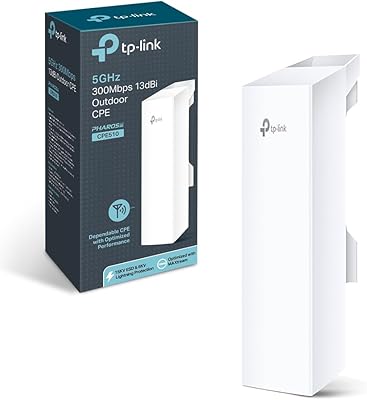
TP-Link CPE510 Outdoor Point-to-Point Wireless Bridge
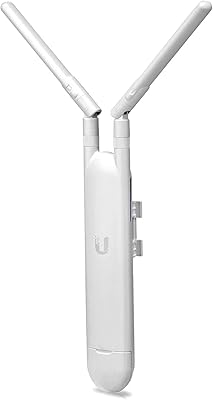
Ubiquiti UAP-AC-M Outdoor Mesh Access Point
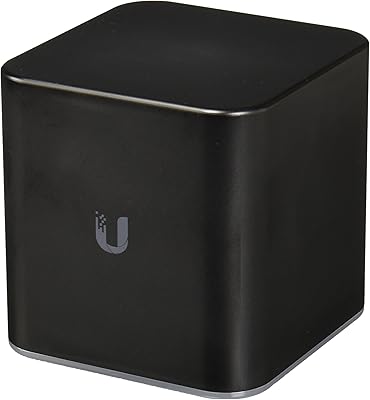
Ubiquiti airCube AC Wireless Access Point
Ubiquiti NanoStation LocoM5
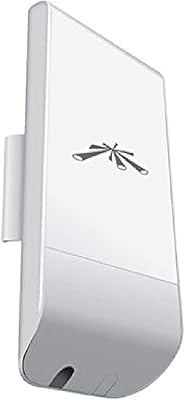
Ubiquiti NanoStation Loco M2 Wireless Access Point
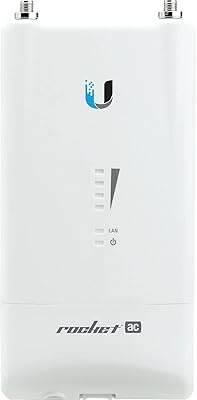
Ubiquiti Rocket AC Lite 5GHz Wireless Access Point
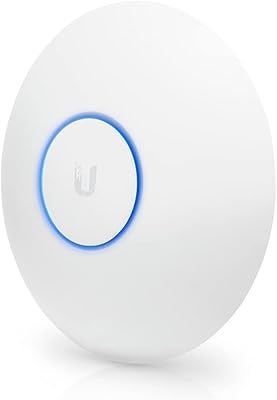
Ubiquiti UniFi UAP-AC-LR Wireless Access Point