Overview

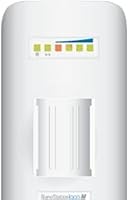
The Ubiquiti NanoStation Loco M2 Wireless Access Point is not a home router in disguise — it's a purpose-built outdoor CPE designed to push a wireless signal across meaningful distances where running cable simply isn't practical. At its core, Ubiquiti's AirMax TDMA protocol coordinates transmissions to cut collisions and improve efficiency on shared links, something standard Wi-Fi protocols don't bother with. The 2.4GHz band was a deliberate choice: it won't win speed contests, but it punches through light foliage, building walls, and open air better than 5GHz alternatives. Pair that with a weatherproof outdoor enclosure and passive PoE delivery, and you have a unit built for real-world field conditions. Expect a learning curve — this is a prosumer tool, not a consumer appliance.
Features & Benefits

The AirMax TDMA protocol is what separates the Loco M2 from budget commodity gear at a similar price point. Instead of every node competing for airtime simultaneously, TDMA schedules transmissions, cutting latency and collisions in point-to-point and point-to-multipoint setups. The integrated 8 dBi antenna focuses the signal directionally, so you're not wasting power broadcasting in all directions — useful when bridging two fixed points. Configuration happens through airOS, Ubiquiti's Linux-based firmware, which gives experienced users granular control over channels, transmit power, and security settings. Installation in the field is refreshingly straightforward: one Ethernet cable handles both data and 24V passive power via the included PoE injector. At 6.4 oz with a mounting bracket in the box, getting it onto a pole or rooftop takes minutes.

Best For

This outdoor access point earns its place in a fairly specific set of scenarios. Think building-to-building wireless bridges on farm properties, small campuses, or industrial sites where trenching cable would be expensive or impossible. IT professionals handling last-mile deployments, or small ISPs building out point-to-multipoint coverage on tight budgets, will recognize the value here immediately. It also works well for technically inclined home lab users who want hands-on experience with real CPE hardware. That said, if raw throughput is the priority — say, moving large files or streaming high-definition video across the link — the 802.11g ceiling will disappoint. The NanoStation Loco shines when reliable range matters more than speed, particularly across open terrain or clear line-of-sight paths.

User Feedback

Across more than 640 ratings, the Loco M2 holds a strong 4.4-star average, which is genuinely impressive for a prosumer networking device where technically demanding buyers set the bar high. The consistent thread in positive reviews is link stability — users regularly report solid connections at distances where similarly priced gear struggles to hold a signal. Networking professionals are the most enthusiastic group, pointing to AirMax efficiency and airOS flexibility as real differentiators. On the flip side, buyers without prior Ubiquiti experience often find the firmware interface a hurdle, and some note that firmware version sensitivity can affect stability. Buyers needing more than modest throughput sometimes move on to M5 variants. Satisfaction here tracks closely with the buyer's technical comfort level.

Pros

  • AirMax TDMA protocol delivers stable, low-latency links that standard 802.11 hardware cannot replicate at comparable distances.
  • The integrated 8 dBi directional antenna focuses signal precisely, eliminating the need for any additional antenna hardware.
  • A single Ethernet cable handles both data and 24V passive power, making outdoor installation far cleaner than most alternatives.
  • At under 7 oz with a mounting bracket included, physical installation on a pole or rooftop takes very little time.
  • The 2.4GHz band provides better obstacle penetration and longer usable range compared to 5GHz options at a similar price.
  • airOS gives experienced users fine-grained control over channels, transmit power levels, and link security settings.
  • Holds a 4.4-star average across hundreds of real-world ratings, with consistent praise for long-term link stability.
  • Weatherproof construction makes this outdoor access point genuinely suitable for permanent, year-round deployment in exposed locations.
  • Passive PoE eliminates the need for a separate power outlet at the mounting point, simplifying cable management significantly.

Cons

  • The 802.11g radio has a 54 Mbps theoretical ceiling, with real-world throughput falling noticeably below that under typical conditions.
  • airOS carries a genuine learning curve; users without prior networking experience often struggle through initial setup and configuration.
  • Some users report that link behavior varies across firmware versions, making version selection a non-trivial decision for new deployments.
  • Operating solely on 2.4GHz means the Loco M2 shares spectrum with microwaves, baby monitors, and crowded neighboring Wi-Fi networks.
  • No support for 802.11n or 802.11ac limits the hardware's relevance for any application where bandwidth headroom matters.
  • The directional antenna design makes this unit entirely unsuitable as a general-purpose multi-client access point for shared spaces.
  • Basic setup still requires comfort with IP addressing and network topology — not something you can hand to a non-technical person.
  • Managing multiple units has no built-in centralized interface; scaling a deployment requires Ubiquiti's separate controller software.

Ratings

The Ubiquiti NanoStation Loco M2 Wireless Access Point has been scored by our AI engine after analyzing verified purchase reviews from global buyers, with bot activity and incentivized feedback actively filtered before any category score was calculated. The Loco M2 earns strong marks for range and link stability while receiving honest, unfiltered criticism for its throughput ceiling and the steep learning curve new users consistently encounter. Both the genuine strengths and the practical frustrations are transparently reflected in every category score below.
Range Performance
91%
Users deploying this outdoor access point across open fields, between farm buildings, or along rural driveways consistently report stable connections at distances that similarly priced consumer gear cannot come close to matching. The 2.4GHz band combined with the 8 dBi directional antenna gives it a practical reach advantage that is hard to replicate at this price point.
Performance in heavily wooded or obstructed environments is noticeably less consistent — reviewers in dense tree cover or urban settings with multiple competing 2.4GHz signals report unpredictable link quality. Line-of-sight installations are where this unit truly excels; partial obstruction can meaningfully reduce effective working range.
Link Stability
88%
Network engineers and IT professionals who have deployed the NanoStation Loco across industrial campuses and rural properties describe link uptime as one of its strongest traits, with some units running continuously for years without requiring a reboot. In point-to-point bridge scenarios, dropped connections are rarely cited as a concern by experienced users.
A subset of users reports stability issues that correlate with specific firmware versions rather than hardware failure — when a firmware update introduced instability, some deployed units required a downgrade to restore reliable operation. This version sensitivity adds an unpredictable maintenance variable for larger-scale deployments.
Throughput Speed
47%
53%
For users whose primary need is reliable connectivity rather than raw speed — remote security camera feeds, basic file sharing between buildings, or providing internet access to a barn or outbuilding — the Loco M2 delivers more than adequate throughput for those modest demands. Internet browsing, light VoIP calls, and basic cloud backup are all well within its comfort zone.
The 802.11g radio imposes a hard 54 Mbps theoretical ceiling, and real-world speeds routinely fall to a fraction of that figure under typical conditions — a limitation that frustrates buyers expecting modern wireless performance. Users running video surveillance with multiple high-definition streams or regular large file transfers frequently end up stepping up to the M5 variant.
Setup & Configuration
54%
46%
IT professionals and network administrators who already work with enterprise or prosumer hardware find airOS genuinely capable, appreciating the granular control over channels, security settings, and link diagnostics that consumer routers simply do not offer. For this audience, the configuration process is methodical, logical, and delivers results that match professional expectations.
For anyone whose networking experience ends at a home Wi-Fi router, the airOS interface is a steep obstacle — concepts like operating modes, SSID pairing, and IP subnet management are not covered in any accessible way by the included materials. Multiple reviewers describe spending hours troubleshooting what should have been a straightforward first-time deployment.
Value for Money
86%
When measured against what it actually delivers — a reliable, long-range outdoor wireless bridge with AirMax protocol efficiency — the Loco M2 represents strong value, particularly for IT integrators and ISPs deploying multiple units. Comparable performance from enterprise-branded hardware would cost several times more, making this a compelling choice for budget-conscious deployments.
Buyers who underestimate the technical requirements and struggle through setup, or discover post-purchase that 802.11g throughput does not meet their needs, often feel the value proposition was oversold for their use case. Value here is tightly tied to fit — buyers who picked the wrong tool for the job rarely view it favorably regardless of price.
Build Quality
83%
The outdoor-rated housing holds up well in permanent exterior installations, with numerous users in cold northern climates and wet coastal regions reporting no housing degradation after multiple years of continuous operation. The compact form factor does not sacrifice structural integrity, and the unit feels deliberately engineered rather than cost-cut.
A recurring installation concern involves the Ethernet port on the unit itself — the connection point can be vulnerable to moisture ingress if not properly weatherproofed with sealing tape or a waterproof boot, neither of which is included in the box. The documentation does not adequately flag this as a required step for outdoor deployments.
Physical Installation
79%
21%
The single-cable passive PoE design is a genuine field advantage — one Ethernet run from an indoor injector to the mounted unit eliminates the need for a separate power outlet at height, simplifying planning for rooftop, pole, and eave installations considerably. The included bracket fits standard pole diameters without requiring additional hardware.
Achieving precise directional alignment between two fixed points — particularly on tall poles or rooftops — is considerably easier with two people, and solo installers frequently describe multiple trips up a ladder before the signal lock is satisfactory. The narrow beam of the directional antenna leaves little room for angular error during initial positioning.
AirMax Efficiency
87%
In point-to-multipoint deployments where several client nodes share the same access point, AirMax TDMA scheduling reduces the collision overhead that cripples standard 802.11 performance at scale. Integrators managing networks with multiple connected nodes specifically credit this protocol for maintaining stable and predictable per-link throughput even as the node count grows.
AirMax TDMA only functions between Ubiquiti AirMax devices — there is no interoperability with hardware from other vendors. In mixed-manufacturer environments, the unit falls back to standard 802.11g behavior, losing the efficiency advantage that makes it a strong choice over cheaper alternatives at comparable hardware cost.
Firmware & Software
68%
32%
Experienced users consistently praise airOS for its depth of control — the ability to monitor signal-to-noise ratios in real time, adjust transmit power, and configure per-link security gives field technicians data-driven visibility that consumer firmware simply cannot provide. It also runs stably for extended periods without requiring restarts.
The airOS interface has not seen meaningful UX improvements in years, and navigation feels dated compared to more modern management platforms. New users consistently report having to piece together setup guidance from community forums, since the included documentation and built-in interface offer little in the way of practical deployment guidance.
Antenna Performance
84%
The integrated 8 dBi directional antenna eliminates the need to source, purchase, and align a separate external antenna, which saves both cost and installation time in the field. Users consistently note that the focused beam pattern concentrates signal energy toward the target location rather than dispersing it, improving effective link performance for fixed-point bridges.
The narrow directional beam means that any physical shift of the unit over time — wind-load movement, bracket settling, or thermal expansion — can degrade link quality without being immediately obvious to the user. There is no omnidirectional coverage mode, so re-alignment after any physical movement requires returning to the installation site.
Power Delivery
89%
The included PoE injector handles power delivery cleanly, and the single-cable approach means installers on rural rooftops or elevated poles do not need to provision a separate power supply at the mounting point — a practical time-saver that field technicians specifically highlight in positive reviews. The setup works reliably straight out of the box.
The 24V passive PoE standard is not compatible with 802.3af or 802.3at switches, meaning you cannot power this unit directly from a standard managed PoE switch without the passive injector. For installers trying to run a clean single-switch deployment, this incompatibility adds an unwanted component to the infrastructure stack.
Long-term Durability
85%
Multiple reviewers describe units that have operated continuously for three to five years in outdoor environments without any hardware failure, which is a strong endorsement of build quality for a device in this price range. IT teams managing small outdoor networks often cite longevity as a key reason they continue specifying this platform.
Some older units exhibit increased thermal sensitivity after years in direct sun exposure, with a small number of users reporting instability in high-heat environments without adequate airflow. Long-term firmware support is a legitimate concern, as the LOCOM2 is an older hardware generation and major software updates going forward are unlikely.
Documentation & Support
61%
39%
Ubiquiti maintains an active community forum and a substantial knowledge base, and experienced users willing to invest time in research will find thorough answers to most configuration questions without needing formal support. Community-generated guides for common bridging setups are widely available and often more practical than the official documentation.
The documentation shipped with the unit is thin and does not cover real deployment scenarios in any useful detail. Buyers without prior Ubiquiti experience routinely describe piecing together guidance from multiple third-party forum threads — a frustrating barrier to entry, particularly for non-technical buyers who assumed a product at this level would include clearer setup materials.

Suitable for:

The Ubiquiti NanoStation Loco M2 Wireless Access Point is built for anyone who needs to move data wirelessly over meaningful distance in a way that consumer-grade hardware simply cannot handle reliably or consistently. It is a strong fit for small business owners, rural property managers, or facilities teams who need to bridge two buildings without trenching cable — think a barn-to-farmhouse connection, a warehouse to a main office, or a detached outbuilding with no practical wiring path. IT professionals and network integrators will appreciate the AirMax TDMA protocol and the depth of airOS configuration, which allow precise control over channel selection, transmit power, and link quality in ways that off-the-shelf gear never permits. Budget-conscious ISPs building out point-to-multipoint coverage for last-mile deployments will also find the price-to-performance ratio compelling at scale. Home lab enthusiasts with some networking background who want hands-on experience with real CPE hardware, beyond anything sold in a retail box, will also get genuine value here.
Not suitable for:

The Ubiquiti NanoStation Loco M2 Wireless Access Point is not the right tool for anyone expecting a plug-and-play experience — if you have never navigated a web-based network configuration interface before, the airOS firmware will likely frustrate you before you establish a working link. Users who need meaningful throughput for video surveillance with multiple high-definition streams, large file transfers, or VoIP-heavy environments will hit the 802.11g ceiling quickly, since real-world speeds fall well below even the 54 Mbps theoretical maximum. Anyone operating in a congested 2.4GHz environment — a dense apartment building, a busy urban office, or an area saturated with neighboring Wi-Fi networks — should also reconsider, as interference can meaningfully degrade link quality. If your use case demands 802.11n or 802.11ac throughput with MIMO spatial streams, this is simply the wrong generation of hardware for that job. And if you are hoping to use it as a standard access point serving multiple wireless client devices, its directional antenna and CPE design make it a poor fit for that role entirely.
Specifications

  • Brand: Manufactured by Ubiquiti Networks, a company specializing in wireless networking equipment for enterprise and prosumer outdoor deployments.
  • Model: Model number LOCOM2, part of Ubiquiti's NanoStation Loco series of compact outdoor customer-premises equipment.
  • Radio Standard: Operates on the 802.11g wireless standard, with a theoretical maximum throughput of 54 Mbps over the 2.4GHz band.
  • Protocol: Uses Ubiquiti's proprietary AirMax TDMA protocol to schedule transmissions, reduce collision overhead, and improve link efficiency across shared deployments.
  • Frequency Band: Transmits exclusively on the 2.4GHz band, which provides greater range and better penetration through obstacles compared to 5GHz alternatives.
  • Antenna: Equipped with a built-in 8 dBi directional antenna that focuses signal output for point-to-point and point-to-multipoint wireless bridging applications.
  • RAM: Includes 32 MB of DDR RAM, sufficient to run the airOS firmware and handle dedicated routing and bridging functions reliably.
  • Flash Storage: Contains 8 MB of onboard flash memory used to store the airOS firmware image and device configuration data.
  • Power Input: Powered via 24V passive Power over Ethernet, with a PoE injector included in the package for single-cable data and power delivery to the mounting point.
  • Item Weight: Weighs 6.4 oz, light enough for straightforward pole or wall mounting without requiring heavy-duty structural hardware.
  • Firmware: Ships with airOS, a Linux-based firmware platform offering a web interface for channel selection, transmit power, security, and link configuration.
  • Form Factor: Compact weatherproof outdoor CPE housing designed for permanent exterior installation across a range of environmental conditions.
  • Mounting: Includes a mounting bracket in the package, compatible with standard poles and flat wall surfaces to reduce field installation complexity.
  • OS Compatibility: The airOS management interface is accessible through any modern web browser and does not require a dedicated operating system to be installed on the administering computer.
  • Avg. Rating: Holds a 4.4 out of 5 star average based on over 640 customer reviews, ranking #159 in the Wireless Access Points category.

Related Reviews
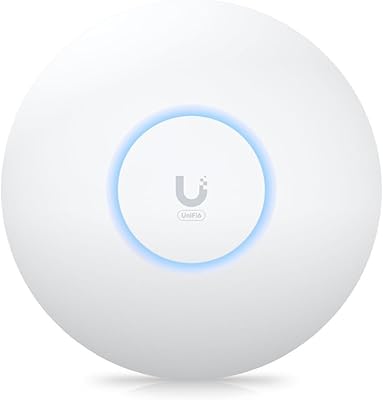
Ubiquiti U6+
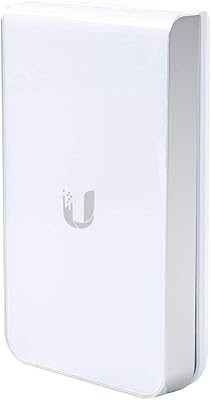
Ubiquiti U6+
80%
88%
Wireless Performance
54%
Setup & Configuration
84%
Range & Coverage
82%
Build Quality & Design
91%
PoE+ Implementation
More
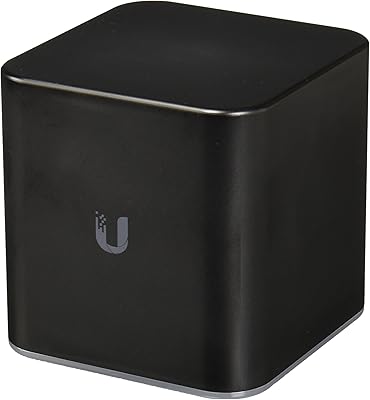
Ubiquiti UAP-AC-IW-PRO In-Wall Access Point
77%
88%
Wireless Performance
84%
Build Quality & Hardware Design
61%
Installation Experience
47%
PoE Power Requirement Clarity
91%
UniFi Ecosystem Integration
More
Ubiquiti airCube AC Wireless Access Point
79%
93%
Ecosystem Integration
91%
PoE Passthrough
74%
Wireless Coverage
78%
Setup & Installation
82%
Build Quality
More
NETGEAR WAX615 Wireless Access Point
86%
91%
Performance
88%
Ease of Setup & Installation
93%
Coverage & Range
89%
Security Features
87%
App & Remote Management
More
BrosTrend AC1200 Dual-Band WiFi Access Point
76%
88%
Ease of Setup
71%
WiFi Signal Strength
74%
Connection Stability
81%
Build Quality & Design
76%
Dual-Band Performance
More
Ubiquiti UniFi 6 Pro (U6-Pro)
80%
93%
Wireless Performance
89%
Range & Coverage
54%
Setup & Installation
78%
Value for Money
88%
Build Quality & Design
More
EnGenius EAP350 N300 Wireless Access Point
68%
88%
Signal Range & Coverage
83%
Connection Stability
71%
Ease of Setup
52%
Admin Interface & Software
79%
Build Quality & Design
More
Cisco WAP4410N Wireless-N Access Point
71%
88%
Build Quality
91%
Long-Term Durability
58%
Wireless Performance
76%
PoE Implementation
62%
Ease of Setup
More
TP-Link EAP653 Wi-Fi 6 Access Point
83%
88%
Wireless Performance
79%
Setup & Installation
83%
Omada App & Controller Experience
91%
Build Quality & Design
84%
Range & Coverage
More
TP-Link TL-WA1201 AC1200 Wireless Access Point
75%
88%
Value for Money
81%
Wi-Fi Coverage & Range
83%
Ease of Setup
86%
Multi-Mode Flexibility
58%
PoE Implementation
More

FAQ

Yes, you need one unit at each end of the link. Each device handles one side of the point-to-point connection, and both are configured through the airOS interface to communicate with each other. Make sure both units are running compatible firmware versions before you begin configuration.

In clear line-of-sight conditions, links of several kilometers are technically achievable, though real-world performance depends heavily on obstacles, radio interference, and the elevation of each unit. For most building-to-building scenarios under a kilometer apart with a clean path, it performs very reliably. Heavily wooded or obstructed environments will reduce effective range noticeably.

Honest answer — it has a real learning curve. The airOS firmware is capable but not intuitive for anyone whose experience stops at a home router. You will need to understand concepts like IP addressing, wireless operating modes such as Access Point versus Station, and channel selection to get a working link. If you are comfortable following technical community guides and troubleshooting with forums, it is manageable, but do not expect a five-minute setup out of the box.

Technically it can be configured as an access point, but it is not well suited for that role. The directional 8 dBi antenna focuses signal in one direction rather than radiating coverage outward in all directions, so client devices outside that beam will not connect reliably. This unit is purpose-built for point-to-point bridging between fixed locations, not for general wireless coverage of a room or building interior.

Standard Cat5e or Cat6 Ethernet cable is all you need. A single run from the PoE injector to the mounted unit can extend up to 100 meters, which comfortably covers most building-to-building installation scenarios. Because one cable carries both data and 24V passive power, there is no need to run a separate power line to the outdoor mounting location, which is one of the genuinely practical advantages of this design.

The housing is rated for permanent outdoor deployment and handles rain and snow without issue under normal conditions. Many users report years of reliable operation through harsh winters. The main thing to watch is the Ethernet cable entry point — make sure the connector is properly weatherproofed during installation to prevent moisture from wicking into the port over time.

The core difference is the frequency band. The Loco M2 operates on 2.4GHz, which gives it stronger range and better penetration through partial obstructions, while the M5 uses 5GHz and delivers significantly higher throughput but over a shorter, more sensitive path. If your link is long or runs through trees or building materials, the 2.4GHz unit is often the more reliable choice. If you have a clean line of sight and need more bandwidth, the M5 is worth considering as a step up.

The package includes the unit itself, a passive PoE injector, a mounting bracket, and a power cord. The one thing you supply yourself is Ethernet cable, which is sold separately. For a complete point-to-point bridge between two locations, you need two of these units plus your own cable runs at each end.

Ubiquiti has continued to maintain the airOS platform, but the LOCOM2 is an older-generation device and major new feature releases are unlikely at this stage. Security patches and stability updates have been issued over the years. If long-term firmware support is a priority for your deployment, it is worth checking the current firmware release notes on Ubiquiti's community forums before committing to a large installation.

Yes, it integrates well within a broader Ubiquiti ecosystem. The NanoStation Loco can be monitored alongside other AirMax devices through Ubiquiti's network management tools, and at the wired level it connects cleanly to UniFi switches and routers. Just keep in mind that the AirMax wireless link operates separately from any UniFi wireless infrastructure you may already have in place, so they serve complementary rather than overlapping roles.

Where to Buy