Overview

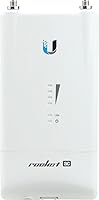
The Ubiquiti Rocket AC Lite 5GHz Wireless Access Point has been a reliable fixture in professional wireless infrastructure since its 2014 debut, and it still earns its place in serious deployments today. Built for WISPs and enterprise network engineers rather than home users, this 5GHz radio occupies a practical middle ground between consumer-grade hardware and high-cost licensed spectrum equipment. Its compact, weatherized enclosure is purpose-built for pole or mast mounting in the field, not a shelf in a server room. For buyers already invested in the Ubiquiti ecosystem, it represents a proven, cost-effective entry point into managed outdoor wireless without sacrificing the control and visibility professionals expect.
Features & Benefits

Running on 802.11ac at 5GHz, the Rocket AC Lite delivers the kind of throughput that makes it viable for real backhaul work — not just short hops across a parking lot. The 128MB of RAM keeps the airOS firmware running without hiccups over extended uptime, and 16MB of flash is sufficient for stable long-term operation. Power is handled through 24V passive PoE, which simplifies outdoor cable runs considerably. AirMax TDMA protocol support is where this outdoor access point pulls ahead of basic radios — it manages channel access efficiently across multiple clients in a sector deployment. Native integration with UNMS and AirControl makes fleet management across dozens of units genuinely practical.

Best For

This 5GHz radio was built for professionals, and the buyer profile is specific. WISPs deploying last-mile wireless links in rural or suburban areas will find it fits naturally into their infrastructure, especially if they already run other Ubiquiti gear. Campus IT teams building building-to-building bridges without digging trenches are another strong match. That said, this is not a plug-and-play device — anyone expecting to be done in ten minutes will have a frustrating afternoon. Network engineers comfortable with airOS configuration and CIDR notation will feel right at home. If you need a capable, unlicensed 5GHz sector or point-to-point radio without ongoing subscription costs, this outdoor access point is hard to beat.

User Feedback

The 4.4-star rating reflects a satisfied but experienced user base. Buyers who have deployed the Rocket AC Lite in real outdoor environments consistently report solid link stability and reliable throughput across distances that push cheaper hardware to its limits. Build quality earns positive marks too — units tend to handle weather without complaint. On the other side, newcomers to managed wireless run into friction during initial setup, particularly around antenna alignment and radio tuning. A handful of users have raised concerns about firmware update consistency over the product lifecycle, which is fair — Ubiquiti’s long-term support cadence is not always predictable. Overall, professionals who know what they are buying report strong satisfaction.

Pros

  • Link stability in point-to-point deployments is consistently strong, even across multi-kilometer spans under line-of-sight conditions.
  • AirMax TDMA noticeably improves airtime efficiency in sector deployments compared to standard 802.11 scheduling.
  • The compact, weatherized enclosure holds up well through full outdoor seasonal cycles without hardware failures.
  • 24V passive PoE support simplifies cable runs by eliminating the need for a separate power conduit to the mounting point.
  • Native UNMS and UISP integration makes centralized management of large radio fleets practical without additional licensing costs.
  • No recurring licensing fees give this outdoor access point a strong long-term cost profile compared to licensed spectrum alternatives.
  • Units in continuous outdoor service for multiple years report very low failure rates across large WISP fleets.
  • Throughput holds up well under real backhaul workloads including simultaneous VoIP, video, and data traffic.
  • The active Ubiquiti community provides a deep pool of configuration guides, antenna pairing advice, and tested firmware recommendations.

Cons

  • External antenna is not included, adding cost and complexity that buyers frequently overlook when budgeting deployments.
  • Standard 802.3af/at PoE switches cannot power the unit directly — a passive 24V injector is required at every node.
  • Firmware update history includes regressions on this hardware specifically, and rolling back requires meaningful technical comfort.
  • Official Ubiquiti documentation has not kept pace with platform changes, leaving some guides referencing outdated UI elements.
  • AirMax efficiency gains disappear in mixed-vendor environments where client devices do not support the proprietary protocol.
  • Direct manufacturer support is widely regarded as slow and inconsistent, placing troubleshooting burden on community resources.
  • The hardware architecture is aging, and long-term firmware support beyond the current lifecycle is not guaranteed.
  • Buyers without prior RF planning experience routinely underperform the radio by skipping site surveys and antenna gain calculations.
  • Management platform rebranding from AirControl to UNMS to UISP has created documentation fragmentation and migration headaches for existing users.

Ratings

The Ubiquiti Rocket AC Lite 5GHz Wireless Access Point has been stress-tested by WISPs, campus IT teams, and network engineers across real-world outdoor deployments worldwide, and our AI has analyzed verified buyer reviews globally — actively filtering out incentivized, bot-generated, and low-signal feedback — to produce the scores below. Both the genuine strengths and the recurring frustrations are reflected honestly, so professionals can make an informed purchasing decision without wading through noise.

Link Stability
91%
Users deploying this 5GHz radio in point-to-point backhaul scenarios consistently report rock-solid link uptime, even across distances that stress cheaper hardware. WISPs running last-mile connections in rural areas note that once the link is tuned and aligned, it simply stays up through weather events and load spikes without intervention.
A small subset of users report occasional link fluctuation in dense RF environments where interference management becomes critical. Without proper site surveys and channel planning beforehand, stability can degrade noticeably in urban deployments with heavy co-channel competition.
Throughput Performance
86%
The 802.11ac radio delivers throughput that holds up well for real backhaul workloads, not just benchmarks. Engineers bridging two buildings across a campus report consistent speeds that comfortably support VoIP, video, and general data traffic simultaneously without visible degradation.
Throughput figures are competitive for the price tier but are not class-leading compared to newer generation radios. Users pushing high-density multi-client sector deployments occasionally note that aggregate throughput falls short when the number of active clients climbs significantly.
Build Quality & Weatherproofing
88%
The compact enclosure has earned respect from field technicians who have left units mounted on rooftops and communication towers through full seasonal cycles. Rain, humidity, and temperature swings rarely produce hardware failures, and the physical construction feels appropriately rugged for a device living outdoors year-round.
A few users operating in extremely harsh coastal or industrial environments have flagged concerns about long-term connector corrosion if proper weatherproofing tape is not applied at installation. The enclosure is solid but does not come with additional sealing accessories, which can catch first-time outdoor deployers off guard.
Ease of Configuration
54%
46%
For network professionals already fluent in airOS, the configuration interface is logical and gives granular control over radio parameters, channel width, output power, and AirMax settings. Experienced Ubiquiti users report that initial setup of a PtP link is straightforward once the workflow is familiar.
This is genuinely not a plug-and-play device, and buyers who discover that the hard way tend to leave frustrated reviews. Alignment, frequency planning, and airOS navigation require a real learning investment, and the documentation — while available — is not beginner-friendly enough to bridge that gap without prior managed wireless experience.
AirMax TDMA Efficiency
83%
In point-to-multipoint sector deployments, the AirMax protocol noticeably improves channel efficiency compared to standard 802.11 access scheduling. WISPs running mixed-client sectors report cleaner airtime distribution and reduced latency variance across clients compared to non-AirMax radios at similar price points.
AirMax benefits are only fully realized when the majority of client devices on the network also support the protocol. Mixed environments where legacy or third-party CPE devices are present dilute the efficiency gains and can introduce scheduling conflicts that require manual tuning to manage.
Value for Money
84%
For a professional-grade 5GHz outdoor radio with no recurring licensing fees, the price-to-capability ratio is genuinely strong. Network engineers who have priced out comparable managed radios from competitors consistently note that the Rocket AC Lite delivers comparable functionality at a meaningfully lower acquisition cost.
The value calculation shifts slightly when buyers factor in the cost of compatible antennas, mounting hardware, and PoE injectors — none of which are included. Total deployment cost per node is higher than the unit price alone suggests, which can catch budget planners off guard on larger rollouts.
Management & Ecosystem Integration
79%
21%
Native compatibility with UNMS and AirControl makes centralized fleet management across dozens or hundreds of units practical without additional licensing costs. IT teams managing distributed networks appreciate being able to monitor link health, push firmware, and adjust radio parameters from a single dashboard.
The management platform ecosystem has gone through naming and structural changes over the years — from AirControl to UNMS to UISP — which has created some confusion and documentation fragmentation. Users who set up older management infrastructure and later tried to migrate have reported non-trivial compatibility headaches.
Firmware Reliability
67%
33%
The firmware running on this outdoor access point is generally stable once a tested version is deployed and left in place. Veteran Ubiquiti users have learned which firmware versions are solid and tend to stick with them rather than chasing every release, which works well in practice for static deployments.
Ubiquiti’s firmware update cadence and long-term support commitment for older hardware is a known concern in the community. Some users report that newer airOS releases have introduced regressions on the R5AC-LITE specifically, and rolling back requires more technical comfort than the average buyer anticipates.
Mounting & Physical Installation
77%
23%
The compact form factor makes pole and mast mounting physically straightforward, and the unit’s weight of under nine ounces means it does not require heavy-duty hardware to secure properly. Field technicians working solo report being able to physically install the radio quickly once the mounting point is prepared.
The included mounting bracket is functional but basic, and some installers prefer aftermarket solutions for cleaner cable management or unusual mounting configurations. Antenna connection and cable routing in tight mast installations can get fiddly, particularly when working at height or in cold weather.
Range
82%
18%
When paired with an appropriate external antenna, this 5GHz radio achieves links that cover distances well beyond what most buyers initially expect from a unit this compact. WISPs using it for rural last-mile connections report reliable operation across multi-kilometer spans under reasonable line-of-sight conditions.
Performance at longer ranges is heavily dependent on antenna selection, alignment precision, and clear line of sight — factors the radio itself cannot compensate for. Users who deploy without proper path analysis and antenna gain calculations often underperform the radio’s actual capability and attribute it incorrectly to the hardware.
Power Delivery (PoE)
73%
27%
The 24V passive PoE input simplifies outdoor cable runs by eliminating the need for a separate power conduit in most installations. Installers running a single Ethernet cable from an indoor PoE injector to the rooftop unit find this approach clean and code-compliant in most environments.
The reliance on 24V passive PoE rather than 802.3af/at standard PoE means buyers cannot simply plug the unit into a standard managed PoE switch without a passive injector in the path. This adds a small but real per-unit cost and a potential point of failure that standard PoE would eliminate.
Compatibility with Third-Party Gear
58%
42%
As a standard 802.11ac radio, this outdoor access point can communicate with non-Ubiquiti client devices in standard wireless bridge configurations when AirMax mode is disabled. Some integrators use it in mixed-vendor environments without major issues for basic connectivity tasks.
AirMax TDMA — one of the radio’s core differentiating features — is proprietary and only functional when both ends of the link run compatible Ubiquiti hardware. Buyers hoping to integrate the Rocket AC Lite into a multi-vendor managed environment will find meaningful limitations that effectively lock them into the Ubiquiti ecosystem for full functionality.
Documentation & Support Resources
61%
39%
The Ubiquiti community forum is genuinely one of the more active and useful resources in the managed wireless space, with experienced WISPs and network engineers sharing configuration guides, antenna pairing recommendations, and firmware notes. For buyers willing to search, good guidance exists.
Official Ubiquiti documentation for the R5AC-LITE has not aged particularly well, and some guides reference UI elements or firmware versions that no longer match current releases. Direct manufacturer support is widely regarded as slow and inconsistent, which puts a heavy burden on community knowledge for troubleshooting.
Longevity & Long-Term Reliability
85%
Units that have been in continuous outdoor service for multiple years without hardware failure are a common data point in user reviews. The hardware platform is mature and well-understood, and many WISPs report running large fleets of Rocket AC Lite units with very low failure rates over extended deployment periods.
As a product first launched in 2014, buyers should factor in that the hardware architecture is aging and will eventually reach end-of-life for firmware support. Organizations planning deployments with a five-plus year horizon should weigh whether newer generation hardware makes more sense despite the higher upfront cost.

Suitable for:

The Ubiquiti Rocket AC Lite 5GHz Wireless Access Point is purpose-built for professionals who already understand managed wireless networking and need a reliable, cost-effective radio for real outdoor deployments. WISPs building last-mile infrastructure in rural or semi-urban areas will find it fits naturally into a Ubiquiti-centric stack, particularly when paired with compatible client-side radios that support AirMax TDMA. Campus IT administrators looking to bridge two buildings without digging trenches or purchasing licensed spectrum equipment get a capable, manageable solution that can be monitored centrally through UNMS or UISP. Network engineers expanding an existing Ubiquiti deployment — whether adding sector coverage or extending a PtP backhaul link — benefit from the tight ecosystem integration and the mature airOS firmware platform. For organizations that need to deploy and manage multiple outdoor radios at scale without incurring per-unit licensing costs, this outdoor access point represents a well-proven and financially sensible choice.

Not suitable for:

The Ubiquiti Rocket AC Lite 5GHz Wireless Access Point is a poor fit for anyone expecting a consumer-style setup experience or plug-and-play simplicity. If you are a small business owner, home user, or IT generalist without specific managed wireless experience, the airOS configuration interface and the broader concepts around antenna alignment, EIRP planning, and channel coordination will present a steep and frustrating learning curve. This radio also does not include an antenna — it requires a separate external antenna purchase, which adds to both the upfront cost and the installation complexity in ways that first-time buyers frequently underestimate. Buyers hoping to integrate it into a multi-vendor environment should be aware that AirMax TDMA, the protocol that makes this 5GHz radio genuinely efficient in sector deployments, only functions when both ends of the link run compatible Ubiquiti hardware. Organizations with a long planning horizon should also weigh the hardware age carefully — first released in 2014, the platform will not remain on active firmware development indefinitely, and that is a real consideration for anyone building infrastructure intended to run for many years without hardware refresh.

Specifications

  • Wireless Standard: The radio operates on the 802.11ac wireless standard, providing high-throughput performance suited to professional backhaul and sector deployments.
  • Frequency Band: This outdoor access point operates exclusively on the 5GHz band, avoiding the congestion common on 2.4GHz in dense RF environments.
  • RAM: The unit ships with 128MB of DRAM, providing sufficient headroom for stable long-term airOS operation without memory-related instability.
  • Flash Storage: Onboard flash memory is 16MB, adequate for the airOS firmware and configuration storage in a dedicated radio appliance.
  • Processor: The radio is powered by an Atom N230 processor, handling packet forwarding and firmware operations reliably within its intended workload.
  • Power Input: Power is supplied via 24V passive Power over Ethernet, allowing a single Ethernet cable to carry both data and power to the mounting point.
  • Dimensions: The enclosure measures 8.5 x 3.6 x 5 inches, a compact footprint designed for pole or mast mounting in outdoor field conditions.
  • Weight: At 8.8 ounces, the unit is light enough for single-person rooftop installation without requiring heavy-duty mounting hardware.
  • Antenna Type: The radio uses a fixed external antenna interface rather than integrated antennas, requiring a separately purchased antenna matched to the deployment use case.
  • Connectivity: The unit connects to the network infrastructure via a single Ethernet port, which also serves as the passive PoE power input.
  • Firmware Platform: The device runs Ubiquiti’s airOS firmware, a purpose-built operating system for managed outdoor wireless radios with a web-based configuration interface.
  • Protocol Support: AirMax TDMA protocol is supported, enabling efficient scheduled channel access in point-to-multipoint sector deployments when used with compatible Ubiquiti client radios.
  • Management Compatibility: The radio integrates natively with Ubiquiti’s UISP (formerly UNMS) platform, enabling centralized monitoring, configuration, and firmware management across large radio fleets.
  • Color & Finish: The enclosure is finished in dark gray/black, a neutral field color that blends into most outdoor mounting environments without drawing attention.
  • First Available: The R5AC-LITE was first made available in July 2014, making it a mature and extensively field-tested platform within the Ubiquiti product lineup.
  • Voltage Rating: The unit is rated for 24V input and should only be powered with a compatible 24V passive PoE injector to avoid hardware damage.
  • Amazon Rating: The product holds a 4.4 out of 5 star rating across 57 verified ratings on Amazon, reflecting strong satisfaction among technically experienced buyers.
  • BSR Ranking: The radio ranks at #318 in the Computer Networking Wireless Access Points category on Amazon, indicating solid and sustained market relevance.

Related Reviews
Ubiquiti airCube AC Wireless Access Point
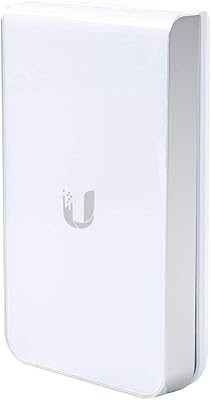
79%
93%
Ecosystem Integration
91%
PoE Passthrough
74%
Wireless Coverage
78%
Setup & Installation
82%
Build Quality
More
Ubiquiti UAP-AC-IW-PRO In-Wall Access Point

77%
88%
Wireless Performance
84%
Build Quality & Hardware Design
61%
Installation Experience
47%
PoE Power Requirement Clarity
91%
UniFi Ecosystem Integration
More
Ubiquiti UniFi 6 Lite Access Point U6-Lite-US
83%
88%
Performance
91%
Setup & Installation
84%
Connectivity & Range
80%
Build Quality
85%
Software & App Experience
More
Ubiquiti U6+
Ubiquiti U6+
80%
88%
Wireless Performance
54%
Setup & Configuration
84%
Range & Coverage
82%
Build Quality & Design
91%
PoE+ Implementation
More
Ubiquiti UniFi HD UAP-AC-HD Access Point
85%
89%
Performance
78%
Ease of Setup
91%
Coverage & Range
85%
Reliability
93%
Integration with UniFi Controller
More
Ubiquiti UAP-AC-M-PRO Unifi Access Point
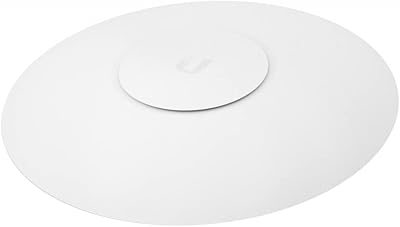
85%
88%
Overall Performance
90%
Wi-Fi Speed
85%
Installation Ease
89%
Range and Coverage
92%
Build Quality
More
Ubiquiti UniFi UAP-AC-PRO Access Point
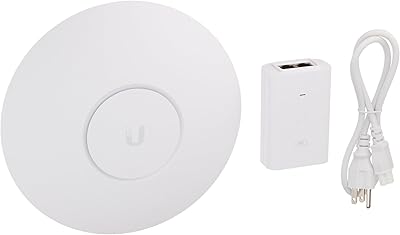
80%
94%
Network Stability & Uptime
89%
Wi-Fi Signal Range & Penetration
58%
Setup & Initial Configuration
81%
Value for Money
86%
Multi-Device Performance
More
MikroTik cAP ac Dual-Band Access Point
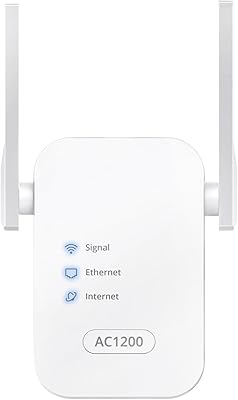
74%
47%
Ease of Setup
83%
Wireless Performance
78%
Build Quality
91%
CAPsMAN Integration
86%
PoE Output Functionality
More
NETGEAR WAX615 Wireless Access Point
86%
91%
Performance
88%
Ease of Setup & Installation
93%
Coverage & Range
89%
Security Features
87%
App & Remote Management
More
BrosTrend AC1200 Dual-Band WiFi Access Point
76%
88%
Ease of Setup
71%
WiFi Signal Strength
74%
Connection Stability
81%
Build Quality & Design
76%
Dual-Band Performance
More

FAQ

No, it does not. The Rocket AC Lite ships without an antenna, and you will need to purchase one separately based on your deployment type. For point-to-point links you typically want a directional dish or sector panel, while point-to-multipoint sector deployments use wide-beam sector antennas. Ubiquiti sells compatible antennas under the AirMax line, and many WISPs source third-party options as well.

Unfortunately, no. This outdoor access point uses 24V passive PoE, which is not compatible with standard 802.3af or 802.3at active PoE switches. Plugging it into a standard PoE switch will not power the unit and could potentially cause issues depending on the switch. You need a dedicated 24V passive PoE injector in the cable run, which Ubiquiti sells separately as the POE-24-12W or similar models.

Realistically, no. This is a professional-grade outdoor radio that requires managed wireless knowledge to configure and deploy correctly. It has no Wi-Fi client mode suitable for home internet sharing, no simple mobile app setup, and the airOS interface assumes you understand concepts like SSID broadcasting in bridge mode, channel planning, and link budgets. Home users would be far better served by a consumer mesh system or a standard wireless router.

Range depends heavily on your antenna choice, mounting height, and line-of-sight quality — the radio itself does not set a hard ceiling. With a high-gain directional antenna and clear line of sight, links of 15 to 30 kilometers are achievable in good conditions. That said, most practical WISP deployments use it for links in the 1 to 10 kilometer range where consistent throughput, not just connectivity, is the goal.

No, AirMax TDMA is a proprietary Ubiquiti protocol and only functions when both the access point and the client-side radio are running compatible Ubiquiti hardware and firmware. If you connect third-party CPE devices, the radio falls back to standard 802.11 access scheduling, which means you lose the airtime efficiency benefit that makes this radio stand out in sector deployments. For mixed-vendor environments, factor that trade-off into your planning.

It takes real effort if you are new to managed wireless. The airOS interface is web-based and reasonably well-organized, but it assumes familiarity with concepts like wireless mode selection (access point versus station), channel and frequency planning, output power limits, and IP addressing. First-timers often spend several hours on their first link. The Ubiquiti community forum is genuinely the best resource for getting up to speed, with detailed step-by-step guides written by experienced deployers.

Yes, and this is one of the stronger aspects of staying within the Ubiquiti ecosystem. The UISP platform (which replaced the older UNMS and AirControl tools) allows you to monitor link health, view throughput graphs, push firmware updates, and adjust configuration across entire fleets of radios from a single interface. It runs either as a cloud-hosted service or as a self-hosted application on your own server, giving you flexibility in how you manage your infrastructure.

Generally well, based on real-world reports from WISPs and network engineers who have run large fleets of these radios. The enclosure handles rain, UV exposure, and temperature cycling without frequent hardware failures. One thing to pay attention to at installation is properly weatherproofing the Ethernet connector and antenna port with self-amalgamating tape — the unit does not come with sealing accessories, and exposed connectors in coastal or high-humidity environments can corrode over time.

Point-to-point (PtP) means two radios communicating exclusively with each other — typically used for building-to-building bridges or long backhaul links. Point-to-multipoint (PtMP) means one radio acting as a sector access point serving multiple client radios simultaneously, which is the typical WISP last-mile architecture. This 5GHz radio can operate in both modes, but AirMax TDMA delivers its biggest efficiency benefits in PtMP sector configurations where managing airtime across many clients is critical.

It is a fair thing to consider. The hardware has been available since 2014 and remains actively sold, but Ubiquiti’s track record on long-term firmware support for older hardware is not guaranteed. The current airOS firmware is functional and stable on supported versions, but Ubiquiti has not always provided consistent update coverage across its full legacy catalog. For short-to-medium term deployments this is generally not a problem, but organizations planning infrastructure with a five-plus year horizon should factor in the possibility of a hardware refresh down the line.

Where to Buy