Overview

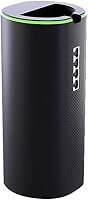
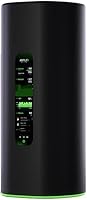
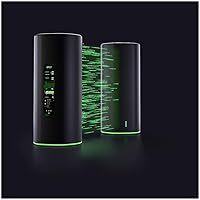
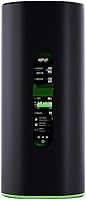
The Ubiquiti AmpliFi Alien WiFi 6 Mesh Router is Ubiquiti's attempt to bring enterprise-grade networking thinking into the home — and it shows in nearly every design decision. The cylindrical tower with a built-in 4.7″ color touchscreen sets it apart visually from the flat pucks and boxy rectangles crowding this category. Ubiquiti has spent years building commercial-grade wireless infrastructure, and that heritage shapes how the Alien router handles traffic, segmentation, and scalability. You can start with a single unit and add more nodes as coverage demands grow. At this price tier, buyers are paying for depth of capability, not just raw speed numbers.
Features & Benefits

The AmpliFi Alien runs on WiFi 6 (802.11ax), with tri-band support across 2.4 GHz and two 5 GHz bands reaching an aggregate ceiling of 4800 Mbps. What matters more in practice is how OFDMA and MU-MIMO work together to handle dozens of devices without the usual congestion slowdown — streaming, gaming, and video calls can run simultaneously without competing for the same slice of bandwidth. The on-device touchscreen is a genuine convenience, letting you check network status or toggle settings without digging through an app. Guest isolation and VLAN support add a layer of network control that most consumer routers simply do not offer.

Best For

This mesh system is built for households where the device count is high and the margin for network congestion is low. Gamers who care about consistent low latency will appreciate the dedicated 5 GHz bands and the granular control over traffic prioritization. IT-minded buyers — the kind who know what a VLAN actually does — will find the feature set rewarding rather than overwhelming. It also makes sense for open-plan homes or multi-story spaces where a single router creates dead zones. That said, if you just want to set it and forget it, there are simpler options at a lower price that will serve you just fine.

User Feedback

With a 3.7-star average across 128 ratings, the AmpliFi Alien clearly divides opinion. Users who took the time to configure it properly tend to report rock-solid throughput and genuine appreciation for the touchscreen. The criticisms, though, are consistent: the companion app feels underpowered compared to the hardware it controls, and setup can be friction-heavy for anyone without networking experience. A few buyers note that Eero Pro or Netgear Orbi deliver comparable performance with a far less demanding setup process. The divided rating split is telling — this router rewards patience and technical familiarity but punishes buyers who expected a plug-and-play experience.

Pros

  • Tri-band WiFi 6 handles 20-plus simultaneous devices without the congestion slowdowns typical of older mesh systems.
  • The built-in 4.7″ touchscreen lets you manage basic network settings without ever opening an app.
  • VLAN and guest network isolation give technically minded users real control over traffic segmentation.
  • Mesh scalability means you can expand coverage room by room without rebuilding your network from scratch.
  • Once properly configured, the Alien router delivers consistently stable throughput across large, open spaces.
  • Dual 5 GHz bands allow gamers to effectively separate their traffic from the rest of the household.
  • The cylindrical design is compact and unobtrusive given the hardware packed inside.
  • Enterprise networking heritage from Ubiquiti shows in the depth of configuration options available.
  • OFDMA support keeps latency low even during peak household usage, not just on paper but in daily use.

Cons

  • The companion app is inconsistent and lags well behind the hardware in terms of polish and reliability.
  • Setup complexity regularly trips up buyers without prior networking experience, leading to hours of troubleshooting.
  • Scaling to whole-home coverage requires additional units at a high per-unit cost with no budget satellite alternative.
  • Firmware updates have introduced performance regressions for some users, creating an unpredictable ownership experience.
  • The Ethernet port count is limited for a device targeting power users, often requiring a separate switch.
  • Advanced configuration options are not surfaced clearly during onboarding, making the learning curve steeper than necessary.
  • At this price tier, competing systems like Eero Pro offer a more refined and less stressful user experience for non-technical buyers.
  • The mobile app lacks the depth needed to fully manage the hardware it controls, forcing some users to rely on web interfaces.
  • Long-term software stability has been inconsistent, with a portion of owners reporting unexplained reboots after certain firmware versions.

Ratings

The Ubiquiti AmpliFi Alien WiFi 6 Mesh Router has been scored by our AI system after analyzing verified global user reviews, with spam, bot-generated, and incentivized submissions actively filtered out. The ratings below reflect a transparent picture of where this mesh system genuinely excels and where real buyers have run into friction. Both the standout strengths and the recurring pain points are represented honestly across every category.
Wireless Performance
83%
Users who configured the Alien router correctly consistently reported strong, stable throughput across large spaces. The tri-band WiFi 6 architecture handles simultaneous 4K streaming, video calls, and online gaming without the signal degradation common in older mesh systems.
Peak speeds are impressive on paper, but some users noted that real-world performance in dense, multi-wall environments fell short of expectations. A handful of buyers found that the 2.4 GHz band underperformed relative to what the spec sheet implied.
Coverage & Range
78%
22%
As a single unit, the Alien router covers a substantial open-plan space effectively. For multi-floor homes, the mesh expansion capability lets buyers add nodes without rebuilding their network from scratch, which several users found genuinely useful.
In homes with thick concrete or brick walls, coverage dropped noticeably without additional nodes. The cost of scaling up with extra Alien units is steep, which means full-home coverage can become an expensive proposition quickly.
Device Handling Capacity
86%
OFDMA and MU-MIMO work together to keep latency low even when 30 or more devices are active simultaneously. Households with smart home gear, laptops, phones, and gaming consoles all running at once reported noticeably smoother overall performance compared to their previous routers.
A few users with extremely dense device environments — think home offices with NAS drives, security cameras, and multiple gaming rigs — noted occasional scheduling hiccups during peak hours. These were edge cases, but worth noting for heavy-demand setups.
Setup & Ease of Use
51%
49%
For users with a networking background, initial setup is logical and the touchscreen adds genuine on-device convenience during configuration. The ability to manage basic settings directly on the unit without opening an app is something buyers frequently called out as a real practical benefit.
Non-technical buyers repeatedly flagged setup as confusing and frustrating. Terminology like VLAN and band steering is not explained well in the onboarding flow, and several users reported spending hours troubleshooting issues that a more consumer-focused router would handle automatically.
Companion App Quality
48%
52%
The app covers basic monitoring tasks adequately — checking connected devices, running speed tests, and toggling the guest network. For casual oversight, it gets the job done without requiring desktop access.
This is one of the most consistent pain points in the review pool. Users found the app unreliable for advanced configurations, with occasional sync failures and a settings interface that felt underdeveloped relative to the hardware's capabilities. Several noted that competitors offer more polished app experiences.
Build Quality & Design
88%
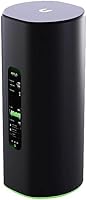
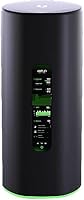
The cylindrical tower design is distinctive and purposeful, sitting on a desk or shelf without looking like an eyesore. Build materials feel solid and premium, consistent with what buyers expect at this price tier. The unit runs cool and quiet under sustained load.
The vertical form factor does not suit every space — a few users found it awkward to position in entertainment centers or shelf units designed for flat hardware. The internal antenna design, while clean aesthetically, limits any physical tuning options for signal direction.
Touchscreen Interface
82%
18%
The 4.7″ color touchscreen is one of the genuinely differentiating features of this mesh system, and most users agreed it earns its place. Checking network health, rebooting, or switching settings without reaching for a phone or laptop is a small but real quality-of-life improvement.
The touchscreen's functionality is somewhat limited compared to what you might hope for at this price. It handles surface-level controls well but does not expose the deeper configuration options, which still require the app or web interface.
Gaming Performance
81%
19%
Gamers reported low and consistent ping on wired and wireless connections once the router was properly tuned. The dedicated 5 GHz bands make it feasible to isolate gaming traffic from household background usage, which translated to fewer mid-session lag spikes for most users.
The Alien router lacks a dedicated gaming QoS interface that some competing products offer out of the box. Users who wanted fine-grained traffic prioritization had to configure it manually through settings that are not beginner-friendly.
Value for Money
54%
46%
For buyers who use VLAN segmentation, need robust multi-device handling, and want enterprise-adjacent control at home, the price reflects a genuinely capable and feature-rich system. The hardware specification at this tier is competitive.
Compared to Eero Pro or Netgear Orbi at similar price points, the AmpliFi Alien asks buyers to tolerate a steeper learning curve and a weaker app experience. Many casual users concluded they were paying a premium for features they could not fully access or use.
Mesh Scalability
79%
21%
The architecture is designed for expansion, and users who deployed two or three units across a large home reported cohesive coverage with reliable handoff between nodes. Adding units is straightforward for anyone already comfortable with the ecosystem.
Scaling the network means significant additional investment, since each additional Alien unit carries the same premium price tag. There are no budget-tier satellite options available, which limits scalability for cost-conscious buyers.
Network Security Features
77%
23%
Guest network isolation and VLAN support give privacy-conscious users meaningful tools to separate IoT devices, guest users, and primary network traffic. This level of segmentation is genuinely uncommon in consumer mesh systems and resonated strongly with security-aware buyers.
The security features, while present, require manual setup and a working knowledge of network architecture to implement correctly. There is no automated threat detection or built-in subscription security layer, which some users at this price tier expected to find included.
Throughput Consistency
74%
26%
Under normal household conditions, the AmpliFi Alien maintained solid speeds over extended periods without the random dropouts some mesh systems are prone to. Users running home offices reported confidence in the connection stability during sustained video calls and large file transfers.
A subset of users reported inconsistent speeds after firmware updates, with some sessions performing noticeably worse than baseline until a manual reboot resolved the issue. Firmware reliability was a recurring minor complaint across longer-term ownership reviews.
Firmware & Software Updates
57%
43%
Ubiquiti does push updates to this system, and some firmware versions improved performance metrics noticeably according to long-term users. The update process itself is relatively painless and can be triggered from the app or device screen.
Several users reported that specific firmware versions introduced new bugs — most notably app connectivity issues and occasional throughput regressions. The update track record is uneven enough that some buyers on forums recommended waiting before applying new firmware.
Port & Connectivity Options
69%
31%
Ethernet connectivity is handled competently, and the unit integrates cleanly into existing wired infrastructure. For users running a hybrid wired and wireless network, the Alien router fits into that setup without requiring additional hardware workarounds.
The port selection is relatively limited for a device targeting power users. Buyers who expected more Ethernet ports for direct wired connections — particularly for gaming rigs or NAS devices — found themselves needing a separate switch, adding cost and complexity.
Long-Term Reliability
72%
28%
Many users reported running this mesh system for over a year without hardware failures or major degradation in performance. The build quality appears to support sustained, always-on operation without thermal or stability issues under normal household loads.
A portion of the longer-term reviews pointed to software stability as the weak link rather than hardware. Bugs introduced via updates and occasional unexplained reboots created enough friction that a few buyers ultimately switched platforms after 12 to 18 months of ownership.

Suitable for:

The Ubiquiti AmpliFi Alien WiFi 6 Mesh Router is built for a specific kind of buyer — one who knows their way around a network and wants their home setup to reflect that. If you have a household where device counts regularly exceed 20 and the mix includes gaming consoles, smart home hubs, security cameras, and multiple laptops all competing for bandwidth, this mesh system was designed with exactly that scenario in mind. Gamers who need reliable low-latency connections and want to isolate their traffic from the rest of the household will find the dual 5 GHz bands and granular control genuinely useful rather than theoretical. IT professionals or enthusiasts who already work with concepts like VLAN segmentation and guest network isolation will feel at home with the feature depth here. Large open-plan homes and multi-floor layouts also benefit most, since the scalable mesh architecture means you can expand coverage incrementally without replacing your entire setup.
Not suitable for:

The Ubiquiti AmpliFi Alien WiFi 6 Mesh Router is a poor fit for buyers who want a plug-and-play experience and have little patience for configuration. If your idea of setting up a router is plugging it in, following three prompts, and never thinking about it again, this system will frustrate you — the onboarding process assumes a baseline level of networking knowledge that many casual users simply do not have. Buyers on a tighter budget should also think carefully before committing, because meaningful whole-home coverage often requires additional units at the same steep per-unit cost, and there are no budget satellite options to soften that expense. Those who rely heavily on a companion app for day-to-day management may find the mobile experience underwhelming compared to alternatives like Eero Pro, which prioritizes simplicity and app polish. Renters or buyers in smaller apartments where a single mid-range router would cover the entire space comfortably are unlikely to see returns that justify the investment here.
Specifications

  • WiFi Standard: The system operates on 802.11ax, commonly known as WiFi 6, which improves throughput efficiency and reduces congestion in high-device environments compared to the previous WiFi 5 generation.
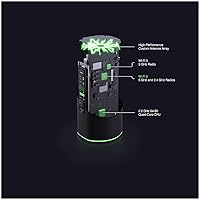
  • Band Configuration: Tri-band architecture spans one 2.4 GHz band and two separate 5 GHz bands, allowing traffic to be distributed across dedicated channels rather than competing on a single frequency.
  • Max Aggregate Speed: Combined theoretical throughput across all three bands reaches up to 4800 Mbps, though real-world speeds will vary based on client hardware, distance, and environmental interference.
  • Display: A 4.7″ color touchscreen is built directly into the unit, providing on-device access to network status, basic settings, and reboot controls without requiring a phone or computer.
  • MU-MIMO: Multi-User Multiple Input Multiple Output (MU-MIMO) support allows the router to communicate with multiple devices simultaneously rather than cycling through them sequentially.
  • OFDMA: Orthogonal Frequency Division Multiple Access (OFDMA) subdivides each wireless channel into smaller sub-channels, enabling more efficient handling of many small simultaneous data requests.
  • Guest Network: Dedicated guest network isolation is supported, keeping visitor traffic completely separated from the primary network and any connected local devices or shared storage.
  • VLAN Support: The system supports VLAN configuration, allowing technically proficient users to logically segment their network by device type, user group, or security zone.
  • Antenna Type: All antennas are internal, integrated within the cylindrical housing to maintain a clean external appearance without external rods or adjustable elements.
  • Connectivity: Ethernet ports are included for wired backhaul and direct device connections, supporting integration into hybrid wired and wireless home network setups.
  • WPS Support: Wi-Fi Protected Setup (WPS) is supported, enabling compatible devices to connect to the network quickly without manually entering a password.
  • Mesh Scalability: The network can be expanded by adding additional Alien units, each operating as a full mesh node to extend coverage into larger or more complex floor plans.
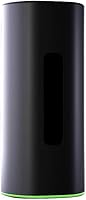
  • Dimensions: Each unit measures 4.3 × 4.3 × 9.8 inches in a cylindrical tower form factor, designed to stand upright on a desk or shelf rather than mount flat.
  • Weight: Each unit weighs 2.64 pounds, making it solid enough to stay in place without being difficult to reposition during initial setup or network expansion.
  • Color: The unit is finished in black, with a clean matte-style exterior that blends into most home and office environments without drawing attention.
  • Manufacturer: The Alien router is manufactured by Ubiquiti Networks, a company with an extensive background in enterprise and commercial-grade wireless infrastructure.
  • Model Number: The official model number for the single-unit router configuration is AFi-ALN-R-US, which distinguishes it from multi-pack bundle SKUs in the same product family.

Related Reviews

Linksys AX2200 WiFi 6 Mesh Router
84%
88%
WiFi Speed & Performance
91%
Ease of Setup
85%
Coverage & Range
72%
Reliability in Large Homes
90%
App Functionality & Control
More
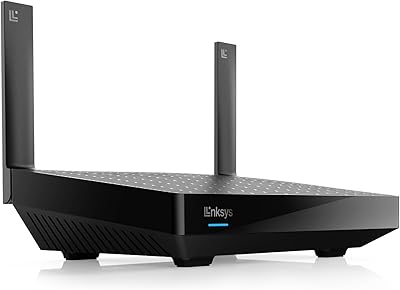
Reyee RG-R6 AX3200 Mesh WiFi 6 System (1-Pack)
71%
88%
Value for Money
91%
Setup & Ease of Use
76%
WiFi Coverage
79%
Network Speed & Throughput
82%
Multi-Device Performance
More
D-Link AX3000 M30 WiFi 6 Mesh Router
78%
74%
WiFi Coverage & Range
78%
WiFi Speed & Throughput
88%
Setup & Installation
71%
App Experience
83%
Parental Controls
More
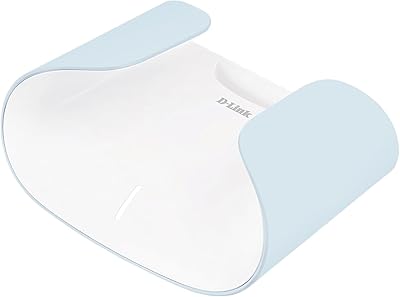
Linksys MX8000 Velop Mesh WiFi Router 2-Pack
75%
86%
Coverage & Range
74%
WiFi Speed Performance
83%
Multi-Device Handling
91%
Setup & Installation
78%
App Experience
More
Linksys LN3121 WiFi 6 Mesh Router
73%
91%
Ease of Setup
74%
WiFi Coverage
78%
Connection Speed
82%
Multi-Device Performance
83%
Network Stability
More
D-Link M60 AX6000 Wi-Fi 6 Mesh Router
83%
88%
Wi-Fi Speed & Throughput
74%
Wi-Fi Coverage & Range
93%
Design & Aesthetics
91%
Setup & Initial Configuration
83%
App Experience & Management
More
Reyee E6 AX6000 WiFi 6 Router
78%
93%
Value for Money
86%
Wireless Range & Coverage
82%
Gaming Performance
88%
Ease of Setup
61%
Mobile App & Software Experience
More
NETGEAR R6700AXS AX1800 WiFi 6 Router
76%
78%
Wireless Performance
91%
Setup Experience
83%
Multi-Device Handling
86%
Network Security
67%
Coverage Range
More
Gryphon AX Mesh WiFi 6 Router
73%
91%
Parental Controls
88%
Network Security
76%
WiFi Speed & Performance
78%
Coverage & Range
84%
Setup & Installation
More
Linksys MR7350 WiFi 6 Router
76%
91%
Setup & Onboarding
78%
WiFi Speed & Throughput
67%
Coverage & Range
83%
Device Handling & Congestion
72%
App & Remote Management
More

FAQ

The Alien router is ISP-agnostic and works with any provider that uses a standard modem or gateway. You simply connect it via Ethernet to your existing modem, and it takes over routing duties from there. No ISP-specific configuration is required in most cases.

Officially, the system is rated to handle a large number of simultaneous connections, and real-world users with 30 to 40 devices have reported stable performance once the network is properly configured. That said, actual capacity depends on how bandwidth-intensive each device is — a house full of 4K streaming clients will stress any router more than one with mostly idle smart home sensors.

Not an engineer, but some baseline networking familiarity genuinely helps. If terms like DHCP, VLAN, or band steering are completely unfamiliar to you, expect a steeper learning curve than you would get with something like Eero or a standard ISP-provided gateway. The setup process is not impossible for beginners, but it is not hand-holding either.

A single unit functions as a fully capable standalone router right out of the box — you do not need multiple nodes to get started. Additional units can be added later if you find coverage is insufficient, but there is no minimum mesh requirement.

More than you might expect. Being able to check which devices are connected, see real-time bandwidth usage, or trigger a reboot without grabbing your phone is a small but practical convenience. It is especially useful during initial setup when you are moving the unit around and testing signal strength in different spots.

Basic management can be done directly from the touchscreen, but for deeper configuration — things like VLAN setup, advanced QoS, or firmware updates — you will need the app or the web interface. The touchscreen covers daily monitoring well but is not a full replacement for the software side.

Eero Pro and Orbi both prioritize simplicity and have more polished companion apps, making them more accessible for buyers who want minimal setup friction. The AmpliFi Alien offers more configurability and enterprise-adjacent features, but that depth comes with complexity. If you value control over convenience, the Alien router has the edge. If you want something that just works without configuration, the alternatives are likely a better fit.

Alien units are designed to mesh with other Alien nodes for optimal performance. Mixing with older AmpliFi hardware from different product generations is generally not recommended, as it can result in reduced performance and limited feature compatibility between nodes.

WiFi 6 is backward compatible, so all your existing WiFi 5, WiFi 4, and older devices will connect without any issues — they just will not benefit from the newer protocol's efficiency improvements. The real advantage of WiFi 6 shows up as you gradually replace devices with newer models, and in the meantime, the improved scheduling and congestion handling still benefits mixed-device households even with older clients.

This is a legitimate concern based on user feedback. Ubiquiti does push firmware updates to this mesh system, and some updates have introduced issues for a subset of users. Rolling back to a previous firmware version is possible but requires navigating settings that are not prominently surfaced, which can be frustrating during a live network disruption. Checking community forums before applying any new firmware update is a habit worth developing with this system.