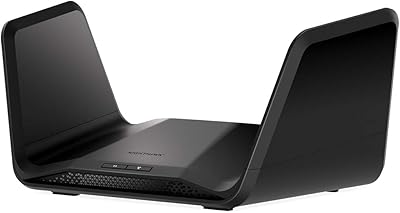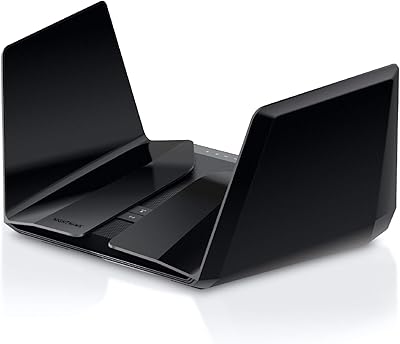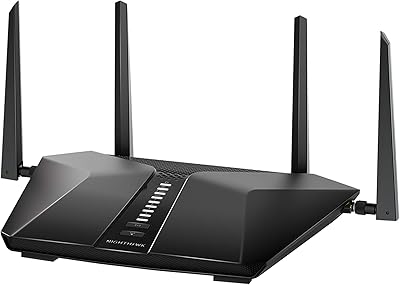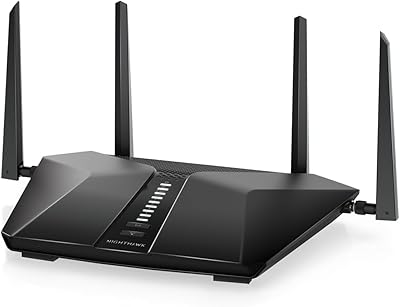
Overview

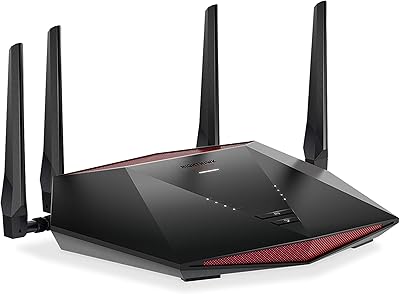
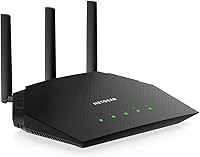
The NETGEAR R6700AXS AX1800 WiFi 6 Router sits in a practical sweet spot — capable enough for a busy household, yet priced well below the tri-band and mesh systems that dominate the high end. This NETGEAR router brings dual-band WiFi 6 coverage to spaces up to roughly 1,500 square feet, which suits most apartments and single-story homes comfortably. Its flat, understated design won't draw attention on a shelf, and the bundled one-year Armor security subscription gives you real added value from day one. Think of it as a solid middle ground between a basic WiFi 5 upgrade and a full-blown mesh network overhaul.

Features & Benefits

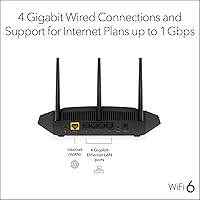
WiFi 6's real advantage isn't raw top speed — it's how the router manages multiple devices at once. The R6700AXS uses OFDMA technology to split channels and serve several devices simultaneously, so your laptop's video call doesn't stutter just because someone else is streaming in 4K. Four Gigabit Ethernet ports handle wired connections cleanly, which matters for desktop setups and gaming consoles where latency counts. WPA3 encryption adds a layer of security most budget routers skip entirely. The Nighthawk app makes initial setup genuinely quick — you don't need to touch a browser or memorize an IP address. Network-wide threat protection from Armor runs quietly in the background.

Best For

This WiFi 6 router makes the most sense for people in apartments or homes under 1,500 square feet — keep in mind that's a ceiling estimate, and real-world coverage can fall short in multi-story layouts with thick walls. Families who want network security baked in without managing a separate subscription will appreciate the Armor bundle. It's also a natural fit for remote workers sharing bandwidth with a household full of streaming devices. If you're still running an older WiFi 5 router and noticing congestion, the R6700AXS offers a meaningful performance step up without requiring you to replace your existing cable modem or rewire anything.

User Feedback

Owners consistently point to hassle-free setup and reliable day-to-day stability as the strongest positives — most people report being up and running within minutes using the Nighthawk app. Connection consistency in single-floor apartments draws particular praise. Where buyers push back is on the Armor subscription: after the first year, the renewal fee kicks in automatically, and some feel it's an unwelcome surprise. A few users in two-story homes note the signal loses strength upstairs, reinforcing that coverage figures are best-case numbers. Customer support experiences appear mixed in longer review threads, though the overall rating remains high, suggesting most users find the trade-offs acceptable.

Pros

  • WiFi 6 technology handles 20-plus simultaneous devices without the congestion older routers can't avoid.
  • The bundled Armor security subscription adds genuine network protection most routers charge extra for.
  • Four Gigabit Ethernet ports give wired devices — consoles, desktops, smart TVs — clean, low-latency connections.
  • WPA3 encryption provides stronger security than the WPA2-only standard on older or cheaper routers.
  • The Nighthawk app makes initial setup fast and approachable, even for non-technical users.
  • OFDMA support means bandwidth is distributed more intelligently across devices rather than taking turns.
  • Compact, flat design sits unobtrusively on a desk or shelf without needing antenna clearance.
  • Works with virtually any ISP — cable, fiber, DSL, or satellite — so there is no compatibility guesswork.
  • Smart Connect automatically steers devices to the best available band without manual configuration.
  • Parental controls are included, giving families a basic but functional tool for managing screen time.

Cons

  • The Armor subscription renews at a notable annual cost after the included first year, which catches some buyers off guard.
  • Real-world coverage in multi-story homes often falls short of the advertised maximum square footage.
  • No USB port means there is no option for shared network storage or printer connectivity.
  • Dual-band only — users who need a dedicated wireless backhaul or a third band will hit a ceiling quickly.
  • Customer support experiences reported by users are inconsistent, with some describing slow or unhelpful responses.
  • Firmware update processes have drawn occasional complaints about connectivity drops during or after updates.
  • Parental controls require a separate subscription after the trial period ends, adding another recurring cost.
  • Not a meaningful upgrade for anyone whose home is already covered by a modern mesh or tri-band system.

Ratings

The NETGEAR R6700AXS AX1800 WiFi 6 Router has been evaluated using AI-driven analysis of thousands of verified global buyer reviews, with spam, bot activity, and incentivized feedback actively filtered out to ensure the scores reflect genuine ownership experiences. The ratings below capture both what real users consistently praised and the recurring frustrations that surfaced across households of different sizes and usage patterns. Nothing has been glossed over — the scores reflect the full picture, strengths and shortcomings alike.

Wireless Performance
78%
22%
For apartments and smaller single-floor homes, users consistently describe stable, lag-free connections during video calls and HD streaming. The WiFi 6 OFDMA technology makes a noticeable difference when several devices are active simultaneously — the network holds up where older routers would start to stutter.
In multi-story homes or spaces with thick concrete walls, signal strength drops more sharply than the advertised range implies. A meaningful number of users in two-floor layouts report having to stay within closer range of the unit than expected to maintain solid speeds.
Setup Experience
91%
The Nighthawk app-guided setup is one of the most praised aspects of this router across all feedback. Most buyers report being fully connected within ten to fifteen minutes without needing to open a browser or enter any configuration details manually — a genuine relief for less technical users.
A small segment of users encountered issues when switching from an ISP-supplied combo unit, particularly around enabling bridge mode correctly. The app itself has received occasional complaints about crashing during the initial configuration on older Android devices.
Multi-Device Handling
83%
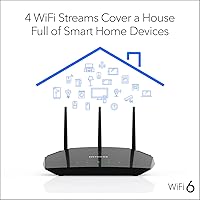
Households with 15 to 25 connected devices — smart speakers, phones, laptops, streaming sticks — report that this WiFi 6 router manages the load noticeably better than the WiFi 5 routers it replaced. Bandwidth feels more evenly distributed rather than first-come, first-served.
Under extreme loads, such as multiple simultaneous 4K streams combined with an active video call and gaming session, some users report occasional slowdowns. The dual-band limitation means there is no dedicated third band to offload heavier traffic the way higher-end routers can.
Network Security
86%
The bundled Armor suite, powered by Bitdefender, adds real network-level threat detection that most routers in this price range simply do not offer. Users with smart home devices and kids on the network particularly appreciate having automated malware blocking running without any manual configuration.
The catch that frustrates the most buyers is the auto-renewal of the Armor subscription after the first year at a cost that rivals some standalone antivirus packages. Those who miss the renewal notice end up paying more than they anticipated for a feature they had come to rely on.
Coverage Range
67%
33%
For compact apartments and open-plan homes under 1,200 square feet, coverage is solid and consistent throughout the space. Users in studio apartments and small two-bedroom units rarely report dead zones, and the Beamforming+ feature helps focus signal toward active devices.
The 1,500 sq. ft. ceiling is clearly a best-case figure, and a notable proportion of reviewers in mid-sized homes report weak signal in rooms furthest from the router. Anyone expecting whole-home coverage in a 1,400-plus sq. ft. multi-room layout will likely be disappointed without a range extender.
Wired Connectivity
88%
Having four Gigabit Ethernet ports is a genuine advantage for households that prefer wired connections for game consoles, desktop PCs, or smart TVs. Users report clean, consistent wired speeds that closely match their ISP plan's advertised rates.
There is no USB port on this unit, which means network-attached storage and shared printer functionality are off the table entirely. Buyers coming from older routers that supported USB drives for media sharing find this omission frustrating.
Parental Controls
61%
39%
During the included 30-day trial, the Smart Parental Controls work well enough for basic content filtering and screen time scheduling on a per-device basis. Parents with younger children found it useful for setting bedtime internet cutoffs without needing a third-party app.
The trial period is short, and the paid subscription required afterward adds yet another recurring cost on top of Armor. Several parents noted that the controls feel less granular than dedicated parental control platforms, making this more of a starter solution than a comprehensive family safety tool.
Router App Quality
76%
24%
The Nighthawk app does more than just setup — users regularly use it for speed testing, checking which devices are connected, and adjusting basic settings without touching a desktop browser. For most households, the app covers everyday management needs adequately.
Power users who want deep control over QoS settings, advanced routing rules, or detailed traffic analytics will find the app limiting. There are also intermittent reports of the app losing connection to the router and requiring a restart to reconnect, which is a minor but recurring annoyance.
Build Quality
72%
28%
The flat, antennaless design feels intentional and practical — it sits cleanly on a shelf or entertainment unit without looking out of place. The plastic construction feels solid enough for a stationary device, and users rarely report physical durability issues under normal use.
The all-plastic chassis can feel a bit lightweight compared to more premium routers in a similar price bracket. A few users noted the unit runs noticeably warm during heavy use, and while no failures were directly attributed to heat, it is something to keep in mind if the router is in an enclosed space.
Value for Money
81%
19%
Factoring in the included Armor subscription, the R6700AXS represents a reasonable package deal for buyers who actually intend to use the security features. As a standalone WiFi 6 router, the hardware-to-price ratio is competitive within its tier, especially compared to budget WiFi 5 options with no security add-ons.
Once the Armor subscription lapses and parental controls move to paid, the ongoing cost picture looks less attractive. Buyers who don't need either subscription feature may find comparably priced competitors offer better raw hardware value without the bundled software they won't use.
Firmware Reliability
63%
37%
Under normal conditions between updates, the router operates stably for extended periods without requiring reboots. The majority of users report months of uninterrupted uptime once the unit is properly configured and settled in.
Firmware updates have caused temporary connectivity drops for a recurring subset of users, which is a meaningful concern for households that depend on always-on connectivity for work or smart home automations. Recovery typically requires a manual reboot, but the unpredictability of when it might happen is a legitimate reliability concern.
ISP Compatibility
89%
This NETGEAR router works without issue across cable, fiber, DSL, and satellite providers, and users across a wide range of ISPs report no compatibility headaches during setup. It handles plans up to 1 Gbps cleanly, which covers the vast majority of residential internet tiers currently available.
Buyers on multi-gigabit fiber plans (2.5 Gbps or higher) will hit the router's WAN throughput ceiling quickly, making it a poor long-term fit for those planning to upgrade their internet tier. The router was not designed for those speeds, and no firmware update can change that fundamental hardware constraint.
Customer Support
57%
43%
NETGEAR's support documentation and community forums are reasonably thorough, and users with common configuration issues can often find step-by-step solutions without contacting support directly. The Nighthawk app also provides basic diagnostic tools that help identify and resolve minor issues independently.
Direct customer support experiences are mixed at best — users report long wait times and inconsistent quality from support agents when issues go beyond basic troubleshooting. Warranty claim handling in particular draws criticism, with some buyers describing the process as slow and frustrating compared to what they expected from an established brand.

Suitable for:

The NETGEAR R6700AXS AX1800 WiFi 6 Router is a strong pick for people living in apartments or single-story homes who are tired of their older router struggling to keep up with a house full of devices. If you have a mix of smartphones, laptops, a smart TV, and maybe a gaming console all competing for bandwidth at the same time, the WiFi 6 technology here genuinely helps distribute that load more efficiently than a typical WiFi 5 router would. Families who want network-wide security without hunting down and paying for a separate service will find real value in the bundled Armor protection, at least during that first year. Remote workers who need a stable, consistent connection for video calls while others in the household are streaming will notice a tangible improvement over aging hardware. If your current router is several years old and you want a straightforward upgrade without committing to a full mesh system, this NETGEAR router hits a practical price-to-performance balance that is hard to argue with.

Not suitable for:

The NETGEAR R6700AXS AX1800 WiFi 6 Router is not the right tool for larger or multi-story homes where coverage needs to reach well beyond 1,500 square feet — that figure assumes ideal conditions, and thick walls or split levels will cut real-world range noticeably. Power users who need tri-band throughput, dedicated backhaul, or advanced QoS controls for competitive online gaming will likely find this router's feature set too limited. The Armor security subscription is only free for the first year, and the renewal cost is steep enough that buyers who ignore that detail often feel misled when the charge appears. Households that have already invested in a mesh ecosystem, or those whose ISP provides a capable modem-router combo, may see little practical gain from adding this device. Anyone expecting blanket whole-home coverage across a sprawling layout should look toward a proper mesh solution rather than relying on a single-unit router, regardless of how capable it is at close range.

Specifications

  • WiFi Standard: This router uses the 802.11ax (WiFi 6) standard, which improves efficiency and throughput compared to the previous WiFi 5 generation.
  • Band Configuration: Dual-band design operates on both 2.4 GHz and 5 GHz frequencies simultaneously to balance range and speed across devices.
  • Max Throughput: Combined wireless throughput is rated at up to 1.8 Gbps across both bands under ideal conditions.
  • Coverage Area: Designed to cover spaces up to 1,500 sq. ft., though real-world range varies depending on building materials and layout.
  • Device Capacity: Supports 20 or more connected devices simultaneously without significant performance degradation under typical household workloads.
  • Ethernet Ports: Includes four Gigabit LAN ports for wired connections to consoles, desktops, smart TVs, or network switches.
  • Wireless Security: Supports WPA3 and WPA2 encryption protocols, plus DoS attack protection and a double firewall for layered network defense.
  • Bundled Security: Comes with a one-year NETGEAR Armor subscription (powered by Bitdefender) for real-time threat detection across all connected devices.
  • Parental Controls: Includes a 30-day free trial of NETGEAR Smart Parental Controls, which allows scheduling, content filtering, and per-device management.
  • Setup App: The Nighthawk mobile app (available on iOS and Android) handles initial setup, speed tests, and ongoing network management.
  • Processor: Powered by a 1.5 GHz CPU to handle routing tasks and security scanning without noticeably slowing network performance.
  • Wireless Features: Supports OFDMA, Beamforming+, and Smart Connect to improve multi-device efficiency and automatic band steering.
  • Dimensions: The unit measures 9.27 x 2.25 x 7.26 inches, using a flat horizontal form factor that sits low-profile on a shelf.
  • Weight: Weighs 1.1 pounds, making it easy to reposition or wall-mount if needed.
  • ISP Compatibility: Compatible with cable, fiber, DSL, and satellite internet providers, supporting plans up to 1 Gbps download speed.
  • WAN Port: Includes one Gigabit WAN port for connecting to any standard cable or DSL modem.
  • In the Box: Package includes the router unit, one Ethernet cable, a power adapter, and a printed quick start guide.
  • Warranty: Backed by a one-year limited hardware warranty from NETGEAR covering manufacturing defects.
  • OS Compatibility: The Nighthawk app and web interface are compatible with Windows, macOS, and Linux environments.
  • Power Input: Operates on standard 120V AC power using the included adapter, with no external battery or PoE support.

Related Reviews
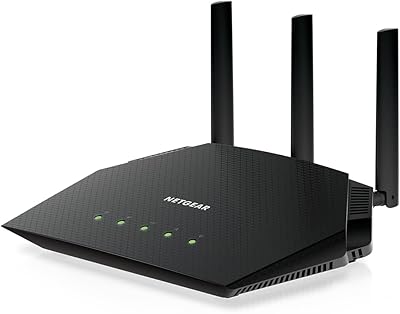
NETGEAR Nighthawk RAX54S
77%
83%
Wireless Performance
79%
Coverage & Range
88%
Setup & Ease of Use
76%
Gaming Performance (DumaOS 3.0)
81%
Security Features
More
NETGEAR Nighthawk RAX43 WiFi 6 Router
80%
83%
WiFi Performance
81%
Multi-Device Handling
88%
Setup & Ease of Use
71%
Signal Range & Coverage
74%
Security Features
More
NETGEAR Nighthawk RAX120 AX6000 WiFi 6 Router
77%
88%
Wireless Performance
83%
Coverage & Range
86%
Multi-Device Handling
91%
Wired Connectivity
84%
Setup & Initial Configuration
More
NETGEAR Nighthawk RAX70 WiFi 6 Router
87%
91%
WiFi Performance
88%
Security Features (NETGEAR Armor)
85%
Setup & Installation
89%
Coverage Area
92%
Speed (AX6600 Support)
More
Netgear Nighthawk RAX41 WiFi 6 Router
80%
83%
Wireless Performance
76%
Coverage & Range
89%
Setup & Installation
61%
App & Software Experience
81%
Multi-Device Handling
More
NETGEAR Nighthawk RAX36 WiFi 6 Router
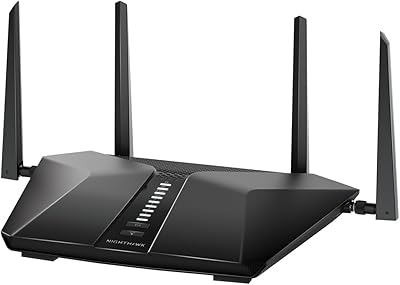
80%
86%
Wireless Performance
78%
Coverage & Range
91%
Setup & Ease of Use
83%
Device Load Handling
88%
Wired Connectivity
More
NETGEAR Nighthawk RAX29 WiFi 6 Router
77%
83%
WiFi Speed & Throughput
68%
Range & Coverage
89%
Setup & Ease of Use
81%
Multi-Device Performance
74%
Build Quality & Design
More
Netgear Nighthawk RAX45 WiFi 6 Router
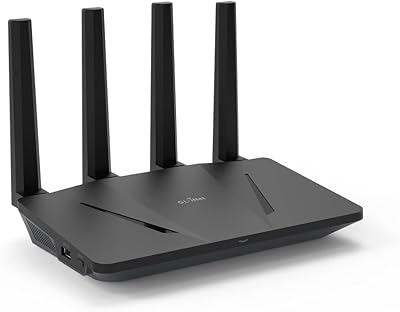
78%
88%
WiFi Speed & Throughput
86%
Multi-Device Performance
71%
WiFi Range & Coverage
84%
Setup & Ease of Use
83%
Gaming & Streaming
More
GL.iNet GL-AX1800 Flint WiFi 6 Router
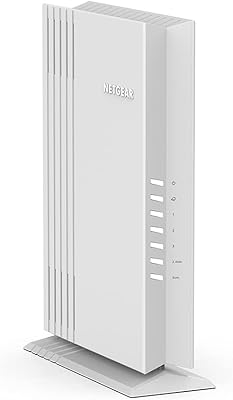
79%
93%
VPN Performance
91%
Firmware Flexibility
74%
Wireless Speed & Range
58%
Ease of Setup
89%
Wired Connectivity
More
NETGEAR WAX202 WiFi 6 Dual-Band Router
84%
88%
WiFi Performance
93%
Setup & Installation
85%
App Usability
89%
Speed & Coverage
90%
Device Connectivity
More

FAQ

No — the R6700AXS connects to your existing cable or DSL modem via the WAN port, so you keep whatever modem you already have. It works with virtually any ISP as long as your plan runs up to 1 Gbps.

That depends on how much you value automated network protection. Armor scans connected devices for threats in the background, which is genuinely useful if you have smart home gadgets or family members who aren't careful online. That said, the annual renewal fee is not trivial, so it's worth deciding up front whether you want to budget for it or cancel before it auto-renews.

Setup is straightforward for most people. The Nighthawk app walks you through the process step by step, and the majority of users report being connected within 10 to 15 minutes. You don't need to log into a browser-based interface or enter any IP addresses manually unless you want to access advanced settings.

It might, but don't count on it reaching every corner. The 1,500 sq. ft. coverage estimate assumes a single open floor plan, and thick walls, floors, or interference from neighboring networks can shrink that range considerably. If you have a two-story home or a layout with multiple rooms, you may notice weaker signal on the far end.

Yes, but you would need to put your ISP's device into bridge mode first so it acts as a modem only, otherwise you'll create a double NAT situation that can cause connectivity issues. Most ISPs will walk you through that process if you call them.

For most households, yes — but probably not in the way you'd expect. The top-line speed difference is rarely noticeable, but where WiFi 6 helps is when multiple devices are active at the same time. Video calls, streaming, and web browsing all tend to stay more consistent when the network is busy, compared to older WiFi 5 hardware.

Once the free trial expires, NETGEAR Smart Parental Controls require a paid subscription to continue using. You won't lose your settings immediately, but the active filtering and scheduling features will stop working until you subscribe. It's worth checking the current subscription pricing before relying on it long-term.

No — this router does not include a USB port, so shared network storage is not an option. If that feature matters to your setup, you would need to look at a different model that includes USB connectivity.

A single-unit router like this one works well in compact, open spaces, but it can't match the blanket whole-home coverage that a mesh system provides. Mesh systems use multiple nodes to extend signal evenly across larger or more complex floor plans. If you're covering more than one floor or a home much larger than 1,200 to 1,400 square feet realistically, a mesh setup is likely the smarter long-term investment.

A small number of users have reported temporary connectivity drops following firmware updates, though this doesn't appear to be a widespread or persistent problem. Keeping the router's firmware current through the Nighthawk app is still recommended, as updates typically address security vulnerabilities. If you do experience issues after an update, a full power cycle usually resolves them.

Where to Buy