Overview

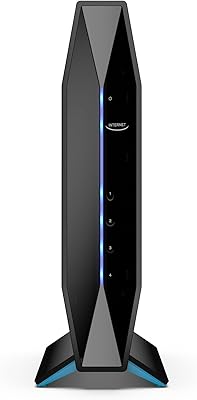
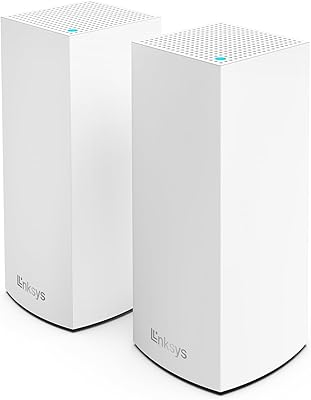
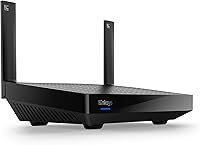
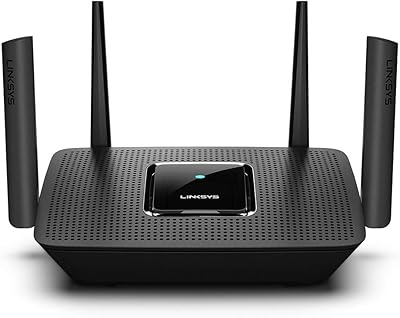
The Linksys MR7350 WiFi 6 Router is a mid-range home upgrade aimed at users who have been running on older WiFi 5 hardware and want something more capable without spending heavily. It launched in 2020, and while that may raise eyebrows, it still holds up well for everyday household demands. The dual-band AX1800 classification places it at the accessible end of the WiFi 6 spectrum — not the fastest available, but honest about what it offers. Its compact, understated physical form fits neatly on a shelf. It also sits within the Linksys Intelligent Mesh ecosystem, meaning coverage can be expanded later by adding separate nodes.
Features & Benefits

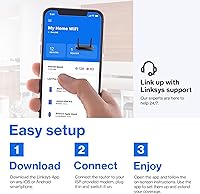
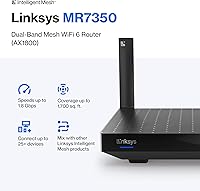
WiFi 6's real strength isn't just headline speed — it's how the standard distributes bandwidth across many active devices at once. This WiFi 6 router uses OFDMA and MU-MIMO to handle that more efficiently, which makes a noticeable difference when a living room full of gadgets is all running simultaneously. The stated 1,700 sq ft coverage suits a single-floor apartment or mid-sized home reasonably well, though walls and dense furniture will realistically reduce that figure. Setup through the Linksys app takes only a few minutes, and the app also lets you prioritize specific devices or monitor usage remotely. A guest network mode keeps visitor traffic cleanly separated from your main network.

Best For

The MR7350 fits best in medium-sized homes — a well-proportioned apartment, a townhouse, or a compact single-story layout. Households running 15 to 30 devices, from smartphones and laptops to smart speakers and streaming sticks, will find this Linksys mesh router handles the load without obvious strain. It's particularly well-suited for people who want simple app-based control and have no interest in navigating a complex browser admin interface. It also makes sense as an entry point for buyers who want to start with one unit and potentially expand the mesh network down the road, since additional nodes can be added without replacing this hardware.

User Feedback

Sitting near a 4.4-star average across close to 900 ratings, this Linksys mesh router draws consistent praise from non-technical users who appreciate how fast and straightforward the initial setup is. Buyers upgrading from older AC-class routers frequently note real improvements in buffering and overall stability. The more common criticisms focus on coverage in multi-story homes, where a single unit often leaves upper floors underserved — and some reviewers felt the need for additional nodes wasn't communicated clearly at purchase. Occasional app issues have also surfaced, though firmware updates appear to have resolved the worst of them. Balanced overall, the feedback reflects a router that delivers on its core promises.

Pros

  • WiFi 6 support handles 25-plus simultaneous devices far better than older AC-class routers ever could.
  • Setup via the Linksys app takes under fifteen minutes, even for first-time router owners.
  • OFDMA and MU-MIMO reduce the congestion that plagued older single-device-at-a-time routers.
  • The guest network feature keeps visitor and IoT traffic neatly separated from your primary devices.
  • Compatible with the Linksys Intelligent Mesh ecosystem, so coverage can be expanded later without replacing the hardware.
  • Compact, neutral design fits on a shelf without looking out of place in a living space.
  • Real users consistently report noticeable improvements in streaming stability after switching from WiFi 5.
  • The Qualcomm chipset delivers reliable day-to-day performance well above what the price tag might suggest.
  • Device prioritization in the app lets you reserve bandwidth for a work laptop or streaming TV with a few taps.

Cons

  • Coverage in two-story homes routinely falls short of the advertised 1,700 sq ft claim.
  • Expanding coverage requires purchasing additional nodes separately, adding unexpected cost for buyers who assumed mesh meant multi-point out of the box.
  • The Linksys app has a history of occasional disconnection bugs that force users to restart it mid-session.
  • AX1800 bandwidth is a ceiling that shows under heavy simultaneous 4K streaming and video conferencing loads.
  • No advanced QoS controls beyond basic device priority, which frustrates users with more complex home network needs.
  • Wired LAN port count is limited, requiring a separate switch for households with several hardwired devices.
  • Firmware update cadence has slowed noticeably since the router first launched in 2020.
  • No built-in threat detection or security subscription tier, unlike some competitors at a similar price point.
  • Minimal LED feedback makes diagnosing connection issues harder without opening the app on a separate device.

Ratings

The Linksys MR7350 WiFi 6 Router scores below have been generated by AI after systematically analyzing verified buyer reviews from multiple global markets, with spam, bot-submitted, and incentivized feedback actively filtered out. What remains reflects the honest experiences of real households — from apartments with dozens of smart devices to single-story homes looking for a reliable WiFi 5 replacement. Both the strengths and the friction points are represented here without sugar-coating.
Setup & Onboarding
91%
Most buyers had the router broadcasting a working network within ten minutes of unboxing, guided entirely by the Linksys app. Non-technical users — those who dread logging into browser dashboards — specifically called out how approachable the process felt, even when configuring guest networks or device priorities.
A small number of users hit snags when migrating settings from an older Linksys router, finding the app less helpful in that specific scenario. Android users occasionally reported Bluetooth pairing hiccups during the initial handshake step.
WiFi Speed & Throughput
78%
22%
Households upgrading from older AC1200 or AC1750 routers noticed meaningful day-to-day improvements — fewer buffering interruptions during 4K streaming, snappier load times, and more headroom when multiple people were working from home simultaneously. The Qualcomm chipset handles real-world mixed traffic well for its tier.
As an AX1800 device, this sits at the entry level of the WiFi 6 spectrum, and buyers expecting flagship-class throughput will be disappointed. Speed test results in congested environments often land below the theoretical maximum by a wide margin, which is normal for this class but worth knowing upfront.
Coverage & Range
67%
33%
In open-plan single-story apartments and smaller homes, the MR7350 delivers consistent signal throughout without requiring any repositioning tricks. Users in 900 to 1,400 sq ft spaces reported solid coverage across all rooms when the router was placed centrally.
The advertised 1,700 sq ft figure assumes near-ideal conditions — minimal walls, no dense concrete, no competing signals. Two-story homes and layouts with multiple partitioned rooms frequently exposed the unit's range ceiling, with upper floors and far corners dropping to noticeably weaker signals.
Device Handling & Congestion
83%
Smart home-heavy households — those juggling security cameras, voice assistants, streaming sticks, laptops, and phones all at once — found the MR7350 managed simultaneous connections without the sluggishness common in older routers. OFDMA and MU-MIMO do make a tangible difference when 20-plus devices are active.
Performance under true peak loads, like an entire family streaming in 4K while someone video calls, can expose the AX1800 bandwidth ceiling. It handles the volume well, but raw speed per device shrinks noticeably in those scenarios compared to higher-tier AX3000 or AX5400 routers.
App & Remote Management
72%
28%
The Linksys app gives users an accessible window into their network — you can check which devices are connected, bump a laptop to high-priority during a work call, or pause internet access for specific devices from anywhere. For non-power users, this level of control is genuinely practical.
The app has a history of occasional disconnection from the router, requiring users to force-quit and reopen it to regain control. While recent firmware updates improved stability, a visible subset of reviewers still encountered moments where the app failed to reflect real-time network status accurately.
Mesh Expandability
73%
27%
The fact that the MR7350 slots into the broader Linksys Intelligent Mesh ecosystem is a real advantage for buyers who want to start small and scale. Adding a compatible node later to cover a second floor or a backyard office is straightforward and does not require replacing the primary router.
The single-unit purchase does not include any node, and the router's packaging and listing do not make this obvious enough for first-time mesh buyers. Some reviewers felt misled, having assumed that mesh capability implied multi-point coverage out of the box.
Build Quality & Design
79%
21%
The physical unit is compact and neutral-looking — it does not scream tech hardware the way some routers with aggressive angular designs or external antennas do. The build feels solid, the ventilation slots are well-positioned, and the device runs warm but not alarmingly hot during extended use.
There are no external antennas to reposition for signal tuning, which limits physical optimization options. Users accustomed to flagging indicator lights for diagnosing issues may find the minimal LED feedback less informative than they would like.
Value for Money
81%
19%
At its price point, the MR7350 represents a reasonable entry into WiFi 6 without the sticker shock of tri-band or high-end AX routers. For buyers whose primary needs are solid everyday browsing, streaming, and smart home connectivity in a medium-sized space, the cost-to-performance ratio holds up.
The value calculation shifts unfavorably if a buyer ends up needing to purchase one or more additional nodes to achieve full-home coverage, since those add meaningful cost to what seemed like a budget-friendly starting point. Power users chasing real throughput may find better-value options in competing brands.
Security Features
68%
32%
The MR7350 includes WPA3 support and a properly isolated guest network, which covers the baseline expectations of a home router in its class. The ability to manage access controls through the app adds a layer of convenience for keeping connected devices organized and contained.
There is no built-in advanced security subscription or automatic threat detection comparable to what some competitors include at a similar price point. Users who want next-generation firewall features or detailed traffic inspection will need to look at third-party firmware or a different product category entirely.
Firmware & Long-Term Support
71%
29%
Linksys has pushed several firmware updates since the router launched in 2020, addressing app stability issues and refining performance over time. The fact that the hardware is still receiving updates more than four years after release speaks reasonably well to the brand's support commitment for this line.
Update frequency has slowed compared to the early post-launch period, and there is no clear public roadmap indicating how many more years of active firmware support buyers can expect. For security-conscious users planning to keep a router for five or more years, this uncertainty is a legitimate concern.
Latency & Gaming Performance
74%
26%
For casual online gaming — think battle royale titles on a console or competitive matches on a mid-range PC — the MR7350 delivers acceptably low latency when connected over 5GHz. The WiFi 6 standard's improvements in scheduling reduce the erratic lag spikes that plagued older routers during peak household usage hours.
Hardcore competitive gamers or those running a dedicated game server will likely outgrow this router's QoS controls quickly. There is no dedicated gaming mode or advanced traffic prioritization beyond the basic device priority setting in the app, which is not granular enough for serious latency-sensitive workloads.
Smart Home Compatibility
84%
The dual-band setup handles the split between bandwidth-hungry 5GHz devices and the 2.4GHz-preferring IoT gadgets — smart bulbs, thermostats, plugs — without forcing users to manually segregate them. Real-world households with 20 to 30 mixed devices reported stable, reliable connectivity across the board.
There is no dedicated IoT network segmentation beyond the standard guest network workaround, which is a limitation compared to some newer routers offering a separate IoT VLAN or band. Power users managing large smart home ecosystems may find this insufficient for proper network hygiene.
Wired Port Availability
62%
38%
The included Ethernet ports cover the basics for users who want to hardwire a desktop, a network switch, or a smart TV for the most stable possible connection. Having at least one wired backhaul option is useful for those planning to expand into a mesh setup later.
With only one WAN port and a limited number of LAN ports, users with several wired devices quickly run out of direct connection options and need to add a separate switch. For home office setups with multiple hardwired workstations, this becomes a real inconvenience rather than a minor footnote.
Packaging & Included Accessories
76%
24%
The box includes an Ethernet cable and power adapter alongside a concise quick-start guide, which means most buyers can get started without sourcing any additional hardware. The included cable is long enough for typical modem-to-router setups in most living room or office configurations.
The quick-start guide is minimal by design, which suits app-guided users but leaves those without a smartphone or with older devices in an awkward spot. There is no CD or detailed printed manual for users who prefer a non-app setup path, which some older buyers noted as a frustration.

Suitable for:

The Linksys MR7350 WiFi 6 Router is a practical choice for renters and homeowners in medium-sized, single-story spaces who are tired of their older WiFi 5 router dropping connections or struggling under the weight of too many devices. If your household runs 15 to 30 connected gadgets — a mix of smartphones, smart TVs, voice assistants, tablets, and the occasional laptop — this router handles that kind of daily load without requiring constant rebooting or manual intervention. It particularly suits people who want a functional, no-fuss network upgrade without the learning curve of a complex admin interface; the Linksys app does the heavy lifting, and most users are up and running in under fifteen minutes. Budget-conscious buyers who want a foot in the WiFi 6 door, with the option to expand into a full mesh network down the line by adding compatible nodes, will also find this a logical starting point. It is equally well-matched to non-technical users — parents managing household devices, remote workers who need stable video calls, or anyone who just wants reliable internet without thinking too hard about it.

Not suitable for:

The Linksys MR7350 WiFi 6 Router is not the right call for anyone expecting whole-home coverage across a large or multi-story property on a single unit. The 1,700 sq ft figure on the box assumes near-ideal open-plan conditions, and real-world performance in homes with thick walls, multiple floors, or awkward layouts will fall short of that — sometimes significantly. Hardcore gamers or power users chasing maximum throughput should also look elsewhere; at the AX1800 tier, this sits at the entry level of the WiFi 6 spectrum, and faster tri-band or AX3000-class routers offer meaningfully better raw performance for demanding workloads. Buyers who want deep network control — custom firewall rules, VLAN segmentation, advanced QoS tuning — will find the app-centric management approach too limited for their needs. Finally, if your budget already stretches to a full multi-node mesh kit, buying one of those outright will likely serve you better than starting here and spending more on nodes later.

Specifications

  • WiFi Standard: This router operates on the 802.11ax standard, commonly marketed as WiFi 6, which improves efficiency and device handling over its 802.11ac predecessor.
  • Frequency Bands: Dual-band configuration broadcasts on both 2.4GHz and 5GHz simultaneously, allowing devices to connect on whichever band best suits their range and speed requirements.
  • Max Throughput: Theoretical combined throughput reaches up to 1.8Gbps under the AX1800 classification, split across both frequency bands under ideal conditions.
  • Coverage Area: Linksys rates coverage at up to 1,700 sq ft, which is best achieved in open-plan, single-story layouts with minimal physical obstructions.
  • Device Capacity: The router is designed to support 25 or more simultaneously connected devices without significant throughput degradation under typical mixed household usage.
  • Chipset: A Qualcomm processor powers the router's core functions, contributing to stable performance and reliable multi-device handling within its tier.
  • Dimensions: The physical unit measures 5.9 x 8.07 x 5.4 inches, making it compact enough to sit unobtrusively on a shelf or entertainment unit.
  • Weight: The router weighs 2 pounds, which is light enough to mount or reposition without any special hardware considerations.
  • Mesh Support: The MR7350 is compatible with the Linksys Intelligent Mesh ecosystem, allowing additional nodes to be added later to extend coverage beyond what a single unit provides.
  • App Control: Network management is handled through the Linksys app, available for both iOS and Android, supporting setup, device prioritization, and remote monitoring.
  • Special Features: The router includes a guest network mode for isolating visitor traffic and WPS support for simplified device pairing with compatible hardware.
  • Security Protocol: Supports WPA3 encryption alongside WPA2, providing an updated baseline of wireless security for connected household devices.
  • Connectivity Ports: The unit includes a WAN port for modem connection and multiple LAN ports for wired Ethernet connections to stationary devices.
  • Included Contents: The retail package contains the router unit, one Ethernet cable, one power adapter, and a quick-start guide for app-based setup.
  • Color: The router ships in white, with a clean, minimal exterior designed to blend into home environments rather than draw attention.
  • Model Number: The official model identifier is MR7350, with the Amazon-specific variant listed as MR7350-AMZ.
  • Availability Date: The MR7350 was first made available in June 2020 and has continued receiving firmware updates since its initial release.
  • Manufacturer: The router is designed and supported by Linksys, a networking brand with a long history in consumer and small-business wireless hardware.

Related Reviews

Linksys MR20EC WiFi 6 Mesh Router
74%
78%
Wireless Performance
63%
Coverage & Range
91%
Setup & Installation
69%
App & Remote Management
82%
Device Handling & Congestion
More
Linksys E8450 AX3200 WiFi 6 Router
86%
91%
WiFi Performance
88%
Setup & Installation
87%
Coverage Range
89%
Device Support
82%
Speed Consistency
More
Linksys AX2200 WiFi 6 Mesh Router
84%
88%
WiFi Speed & Performance
91%
Ease of Setup
85%
Coverage & Range
72%
Reliability in Large Homes
90%
App Functionality & Control
More
Linksys MX8000 Velop Mesh WiFi Router 2-Pack
75%
86%
Coverage & Range
74%
WiFi Speed Performance
83%
Multi-Device Handling
91%
Setup & Installation
78%
App Experience
More
Linksys LN3121 WiFi 6 Mesh Router
73%
91%
Ease of Setup
74%
WiFi Coverage
78%
Connection Speed
82%
Multi-Device Performance
83%
Network Stability
More
Linksys Atlas MX2000 2-Pack Mesh Router
82%
88%
WiFi Coverage & Range
91%
Setup & Ease of Use
83%
Network Speed & Throughput
86%
Device Load Handling
77%
Latency & Gaming Performance
More
Reyee E6 AX6000 WiFi 6 Router
78%
93%
Value for Money
86%
Wireless Range & Coverage
82%
Gaming Performance
88%
Ease of Setup
61%
Mobile App & Software Experience
More
Linksys MR8300 Mesh WiFi Router
84%
88%
Wi-Fi Performance
81%
Ease of Setup
90%
Coverage Area
85%
Device Support
89%
Gaming Performance
More
Tenda RX2Pro AX1500 WiFi 6 Router
76%
91%
Value for Money
78%
Wireless Performance
72%
Coverage & Range
93%
Ease of Setup
74%
App Experience
More
Gryphon AX Mesh WiFi 6 Router
73%
91%
Parental Controls
88%
Network Security
76%
WiFi Speed & Performance
78%
Coverage & Range
84%
Setup & Installation
More

FAQ

It works perfectly fine as a standalone router right out of the box — you do not need to purchase any additional nodes to get your network up and running. The mesh compatibility is there if you ever want to expand coverage later, but buying a node is entirely optional and only necessary if your current coverage turns out to be insufficient.

That figure is measured under near-ideal conditions — think open floor plans with minimal walls and no competing wireless interference. In a real home with interior walls, appliances, and multiple floors, you should expect the effective range to be somewhat lower. For a single-story apartment or small house in the 900 to 1,400 sq ft range, most users report solid coverage, but larger or multi-story spaces will likely need an additional node.

Technically the router can be accessed through a browser-based admin interface, but the setup process is designed primarily around the Linksys app. If you do not have a smartphone or prefer not to use an app, getting started will be less guided and more manual. For most users, the app route is significantly easier and faster.

It is compatible with virtually any ISP that provides a standard cable or fiber modem with an Ethernet output. You simply connect your modem to the router's WAN port, and the router handles the rest. There are no ISP-specific restrictions.

Yes, absolutely. The router is fully backward compatible with WiFi 5 (802.11ac), WiFi 4 (802.11n), and older standards. Your older laptops, phones, and smart home gadgets will connect just as they always have — they just will not benefit from the WiFi 6 improvements, which is completely normal.

The guest network creates a separate, isolated WiFi network that visitors can use without gaining access to your primary devices or local network resources. You set it up through the Linksys app in just a few taps, and you can give it a different name and password than your main network. It is a straightforward feature that works reliably once configured.

Yes, a number of users have reported this, particularly in earlier firmware versions. The app would occasionally fail to detect the router or show stale network information until force-closed and reopened. Linksys has pushed firmware updates that have improved this for most users, but a small subset still experiences intermittent issues. Keeping the router firmware and the app updated gives you the best chance of avoiding this.

If you are currently running a WiFi 5 or older router, yes — you will likely notice real improvements in speed consistency and reduced buffering, especially when multiple devices are active at the same time. That said, the AX1800 classification places this at the entry level of WiFi 6, so the raw peak speeds will not match what higher-tier AX3000 or AX5400 routers can offer. For everyday streaming, browsing, and smart home use, the improvement is meaningful.

The MR7350 includes a small number of LAN ports for wired connections alongside the WAN port for your modem. If you have several desktop computers, smart TVs, or gaming consoles you want to hardwire, you may run out of ports quickly and need to add a separate network switch, which is an inexpensive and straightforward addition.

For most everyday home users, yes. The hardware has aged gracefully — it still supports the full WiFi 6 standard, receives firmware updates, and handles the typical demands of a modern household. Where it starts to show its age is in features like advanced security subscriptions, tri-band performance, or deep network management tools that newer mid-range routers have added since 2020. If your needs are solid everyday connectivity rather than cutting-edge features, it remains a sensible option.

Where to Buy