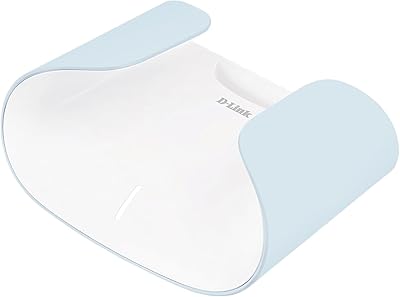
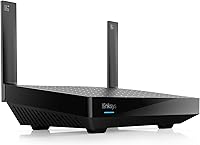
Linksys LN3121 WiFi 6 Mesh Router



Overview
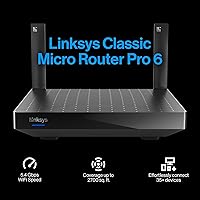
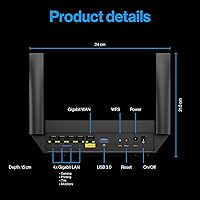
The Linksys LN3121 WiFi 6 Mesh Router arrived in early 2024 as a straightforward answer to a common household problem: your ISP-provided router just isn't cutting it anymore. Built around the 802.11ax standard, this Linksys WiFi 6 router covers up to 2,700 square feet on dual bands, with a theoretical aggregate throughput that sounds impressive on paper — though real-world speeds will naturally land lower. What sets it apart from pricier mesh kits is its browser-based setup, which skips the app entirely. For households still running WiFi 5 hardware, the LN3121 offers a practical, no-fuss upgrade without requiring a major investment.
Features & Benefits
At the core of this mesh router is WiFi 6's OFDMA and MU-MIMO technology, which allows the router to handle data streams for 35 or more devices at once — a real advantage if your home has a mix of smart speakers, streaming devices, and laptops all competing for bandwidth. The Cognitive Mesh Technology quietly optimizes signal distribution as you move through your home, reducing the dead-zone frustration that plagues single-band or older setups. A dedicated guest network keeps visitor traffic separated from your main network, a small but practical security detail. Linksys also promises ongoing firmware updates, which matters more than most buyers realize when it comes to long-term performance and security patches.
Best For
This Linksys WiFi 6 router fits best in homes between roughly 1,500 and 2,700 square feet where the ISP-supplied modem-router combo struggles to reach every room. If your household has accumulated a collection of smart home gadgets, game consoles, and streaming sticks, the multi-device capacity here is a genuine upgrade over older hardware. It's also a good fit for anyone who dislikes being forced through a manufacturer's app — the browser-based configuration is refreshingly direct. First-time router buyers or renters who want a reputable brand without spending on a full multi-node mesh system will find the LN3121 sits at a comfortable middle ground between basic and advanced.
User Feedback
With a 4.3-star average across around 329 ratings, buyer sentiment skews positive but not unconditionally so. The most consistent praise centers on easy setup and a noticeable improvement in connection stability compared to older routers — buyers running 20-plus devices report fewer slowdowns than they experienced previously. On the critical side, owners in larger or multi-story homes note that a single unit can struggle to cover every corner, and the absence of a dedicated mobile app for day-to-day management frustrates users who want quick phone-based controls. A handful of reviewers also point out that competing brands at a similar price tier offer tri-band options, making the LN3121 a solid but not uncontested pick.
Pros
- WiFi 6 technology handles 20-plus simultaneous devices without the congestion that crippled older routers during peak hours.
- Browser-based setup is genuinely fast and clear — most users are online in under fifteen minutes with no app required.
- Cognitive Mesh technology self-optimizes signal distribution, reducing dead zones in medium-sized homes without manual intervention.
- Guest network isolation keeps visitor devices completely separate from your personal network and smart home gear.
- Linksys commits to ongoing firmware updates, which matters for long-term security and performance.
- The low-profile design sits unobtrusively on a shelf without the aggressive multi-antenna aesthetic of many competing routers.
- US-based phone support is available, which is a genuine differentiator at this price point.
- The LN3121 is mesh-expandable, so adding nodes later is an option if your coverage needs grow.
- Buyers upgrading from WiFi 5 hardware report a clear, noticeable improvement in day-to-day connection stability.
- Dual-band coverage balances range and throughput well for the mixed-device environments found in most homes.
Cons
- A dedicated mobile app is absent, making routine network adjustments inconvenient for users who manage everything from their phone.
- Single-unit coverage struggles in multi-story homes or spaces with dense walls, despite the stated square footage claim.
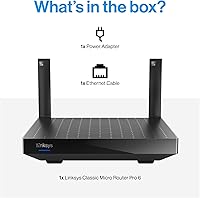
- No ethernet cable is included in the box, a frustrating omission that sends new buyers searching for one before setup.
- The security feature set is basic — no built-in threat detection, parental controls, or VPN server functionality.
- Some users report temporary instability following automatic firmware updates, requiring a manual reboot to restore normal operation.
- Real-world throughput falls well below the aggregate theoretical maximum, which can disappoint buyers who interpret spec-sheet figures literally.
- Expanding to a full mesh system requires additional Linksys-compatible nodes, pushing total cost above comparable bundled whole-home kits.
- Competing brands at a similar price offer tri-band configurations, giving the LN3121 a narrower feature-per-dollar advantage than it appears at first glance.
- The plastic casing runs noticeably warm under sustained heavy load, raising durability questions for some long-term owners.
- Online documentation and community support resources are thinner than what established rivals maintain for their equivalent product lines.
Ratings
The scores below for the Linksys LN3121 WiFi 6 Mesh Router were generated by AI after systematically analyzing verified purchaser reviews from multiple global markets, with spam, bot-submitted, and incentivized feedback actively filtered out. Each category reflects the honest distribution of buyer experiences — not just the highlights — so both the strengths and the genuine frustrations are baked into every number. Where reviewers were divided, the score lands in the middle accordingly.
Ease of Setup
WiFi Coverage
Connection Speed
Multi-Device Performance
Network Stability
Router Design & Build
Mobile App & Management
Guest Network & Security
Value for Money
Firmware & Long-Term Support
ISP Modem Compatibility
Customer Support
Mesh Expandability
Packaging & Included Accessories
Suitable for:
The Linksys LN3121 WiFi 6 Mesh Router is a strong fit for households in the 1,500 to 2,700 square foot range where a single ISP-supplied router leaves certain rooms with weak or unreliable signal. If your home has accumulated a steady pile of connected devices — smart speakers, streaming sticks, a gaming console or two, a handful of phones and laptops — the WiFi 6 architecture handles that kind of mixed traffic load considerably better than older hardware. It also suits people who have been putting off a router upgrade because the process felt too technical: the browser-based setup genuinely removes most of the friction, and no app account is required to get running. Renters and first-time router buyers who want a reputable brand with a clear upgrade path, rather than an anonymous budget box, will find this mesh router hits a comfortable balance between capability and cost. Anyone still on a WiFi 5 or WiFi 4 router who regularly notices buffering, dropped connections, or congestion during evening hours is exactly the buyer this unit was designed for.
Not suitable for:
The Linksys LN3121 WiFi 6 Mesh Router has clear limits that make it the wrong choice for certain buyers, and it is worth being direct about them. If your home is larger than 2,700 square feet, has multiple floors, or is built with thick masonry walls, a single unit will very likely leave coverage gaps that no amount of optimal placement fully resolves — a two-node or three-node mesh system would serve you better from the start. Power users who want granular control over their network — traffic prioritization, VPN server functionality, detailed per-device bandwidth monitoring, or robust parental controls — will hit the ceiling of what this router offers fairly quickly. People who rely on a mobile app for day-to-day network management will find the browser-only interface a genuine inconvenience rather than a minor trade-off. If you are comparing options at this price tier and tri-band performance or a richer software ecosystem are priorities, competing products from TP-Link or ASUS deserve serious consideration before committing here.
Specifications
- WiFi Standard: The router operates on the 802.11ax standard, commonly marketed as WiFi 6, which offers improved efficiency and throughput compared to the previous 802.11ac (WiFi 5) generation.
- Frequency Bands: Dual-band design transmits on both the 2.4 GHz band for range and the 5 GHz band for higher-speed connections closer to the router.
- Max Aggregate Speed: Theoretical combined throughput across both bands reaches up to 5.4 Gbps, though real-world speeds will be substantially lower depending on network conditions and connected devices.
- Coverage Area: Rated for spaces up to 2,700 square feet under typical open-plan conditions, making it suitable for medium-sized single-story homes.
- Device Capacity: The router supports more than 35 simultaneously connected devices, enabled by WiFi 6 technologies including OFDMA and MU-MIMO for concurrent data stream management.
- Mesh Technology: Cognitive Mesh and Intelligent Mesh technology allow the router to self-optimize signal distribution and support seamless roaming when additional compatible nodes are added.
- Setup Method: Configuration is handled entirely through a browser-based wizard with visual step-by-step instructions; no smartphone app or cloud account is required to complete setup.
- Guest Network: A dedicated guest network mode is included, isolating visitor device traffic from the primary home network to reduce security exposure.
- Security Feature: Guest mode network isolation prevents connected guests from accessing devices or shared resources on the main network.
- Dimensions: The unit measures 11.81 x 8.86 x 3.54 inches, giving it a flat, low-profile footprint suitable for placement on a shelf or media unit.
- Weight: The router weighs 2.5 pounds, making it straightforward to reposition or mount without additional hardware considerations.
- Color: Available in black, which suits most home and home-office environments without drawing visual attention.
- Model Number: The official model identifier is LN3121-AMZ, which should be referenced when contacting support or sourcing compatible accessories.
- Release Year: The unit was first made available in January 2024, placing it among the current generation of mid-range WiFi 6 routers.
- Manufacturer: Designed and supported by Linksys, a networking brand with over 35 years of router development history.
- Customer Support: US-based phone support is available at the published Linksys support number for troubleshooting, setup assistance, and warranty queries.
- Firmware Updates: Linksys has committed to ongoing firmware updates for this model to maintain performance, security patches, and compatibility over time.
- Included Components: The box contains the wireless router and a power adapter; no ethernet cable is included in the package.
- Connectivity Type: The router connects to an existing modem or gateway via a wired ethernet WAN port and distributes the network wirelessly to client devices.
- WiFi Generation: As a WiFi 6 device, the LN3121 is forward-compatible with the growing range of WiFi 6 client devices while remaining backward-compatible with older WiFi 4 and WiFi 5 hardware.
Related Reviews

Linksys AX2200 WiFi 6 Router
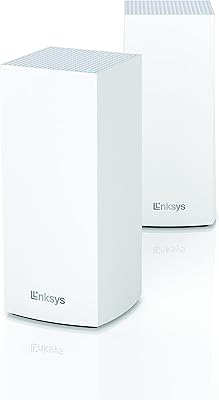
Linksys MX8000 Velop Mesh WiFi Router 2-Pack
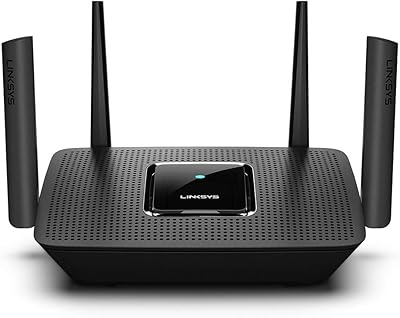
Linksys MR8300 Tri-Band Mesh WiFi Router
Linksys MR7350 WiFi 6 Router
Linksys MR20EC WiFi 6 Mesh Router
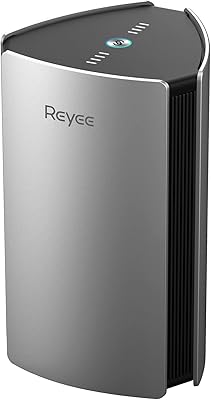
Reyee RG-R6 AX3200 Mesh WiFi 6 System (1-Pack)
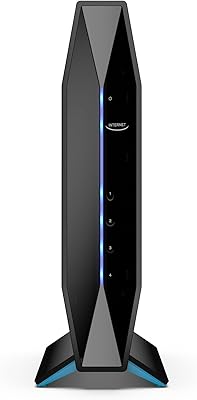
Linksys E8450 AX3200 WiFi 6 Router
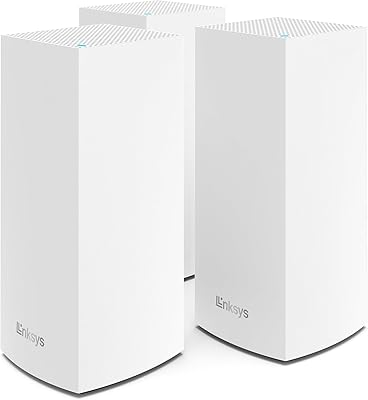
Linksys Velop MX12600 Tri-Band Mesh WiFi System
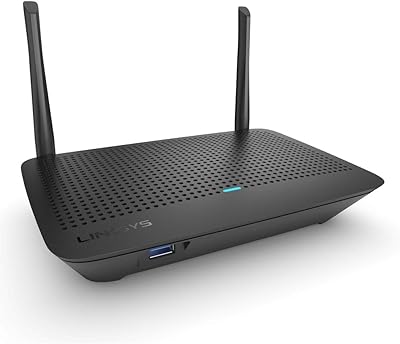
Linksys MR6350 Dual-Band Mesh WiFi Router