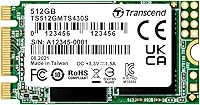
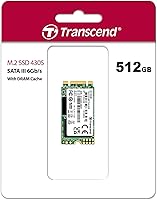
Transcend MTS430S 512GB M.2 SSD

Overview
The Transcend MTS430S 512GB M.2 SSD arrived in 2019 and has held its ground well — not because storage technology stood still, but because it solves a specific problem few drives tackle. If your ultrabook or compact PC has a 2242 M.2 slot, you already know the frustration of finding a reliable drive that actually fits. This isn't an NVMe speed demon; it's a SATA III drive, and that's entirely appropriate for the machines it targets. Transcend backs it with a 5-year warranty, which signals real confidence in the hardware. For the right system, it remains one of the more dependable compact storage options on the market.
Features & Benefits
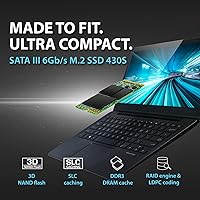
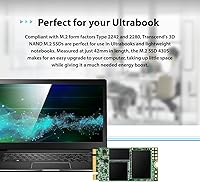
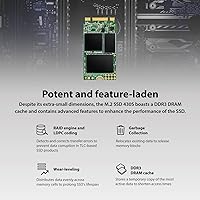
At just 42mm long, the M.2 2242 form factor is the headline here — it slots into machines that physically reject the more common 80mm 2280 drives. SATA III delivers up to 560MB/s read and 500MB/s write, which isn't cutting-edge, but it's more than adequate for everyday computing. The included DRAM cache keeps frequently accessed data close at hand, shaving off the small latency spikes that make a system feel sluggish. SLC caching handles burst writes efficiently too. Round that out with LDPC error correction and a built-in RAID engine, and you have a drive that takes data integrity seriously without commanding a premium price.
Best For
This compact SSD was built for a narrow but genuinely underserved audience. If you own an older ultrabook — certain Lenovo ThinkPads, HP EliteBooks, or similar thin machines — that shipped with a 2242-sized slot, your upgrade options are limited. The MTS430S fills that gap cleanly. It's also a solid pick for mini PC builders and embedded projects where physical space matters more than raw throughput. Replacing a spinning hard drive in an aging laptop? The speed difference will feel dramatic even at SATA ceiling speeds. Anyone chasing NVMe performance should look elsewhere, but for these specific use cases, this drive is a precise, well-matched solution.
User Feedback
With over 2,700 ratings averaging 4.6 stars, the reception for this Transcend M.2 drive has been consistently strong. Buyers most often highlight the straightforward installation and how noticeably faster their machines feel after retiring an old HDD. Long-term reliability surfaces repeatedly — multiple owners report two or three years of trouble-free use. Criticism, when it appears, is mostly contextual: some users wish they had opted for NVMe, others find sourcing a compatible external enclosure unexpectedly tricky. A few flag the importance of verifying slot compatibility before purchasing, particularly on less common laptop models. Overall, the satisfaction rate reflects a drive that delivers exactly what it promises for buyers who genuinely need the 2242 size.
Pros
- One of the few quality branded options purpose-built for the short 2242 M.2 form factor.
- SATA III speeds deliver a dramatic real-world improvement over any mechanical hard drive.
- DRAM cache keeps everyday tasks feeling responsive, not just benchmark numbers looking good.
- Five-year warranty is genuinely rare at this price tier and adds meaningful long-term peace of mind.
- LDPC error correction and an onboard RAID engine offer enterprise-adjacent data protection in a compact package.
- Installs cleanly with no drivers needed on modern Windows and Linux systems.
- SLC caching handles typical burst write tasks — downloads, installs, saves — without any noticeable lag.
- Runs completely silent and cool under normal laptop workloads.
- Backward compatibility with SATA II slots makes it usable in genuinely older hardware without surprises.
- Multi-year reliability reports from real buyers suggest this compact SSD holds up well over time.
Cons
- SATA III interface is a hard ceiling — NVMe users stepping down will feel the difference immediately.
- No bundled cloning software or migration tool included in the package.
- Sustained large-file writes can exhaust the SLC cache and cause temporary speed drops.
- Essentially unavailable in physical retail; online-only purchasing adds friction for urgent repairs.
- International buyers may face inconsistent stock levels and slower shipping from local distributors.
- BIOS recognition issues on some older motherboards require manual AHCI configuration before the drive appears.
- No user-facing diagnostic utility provided to monitor drive health or error correction activity.
- The 2242 form factor, while a strength for compatible machines, makes the drive useless in any standard 2280-only slot.
- 512GB is the ceiling for this specific model — buyers needing more capacity have very limited upgrade paths in this size.
- TLC NAND has higher write wear over time compared to MLC alternatives, a minor concern for write-intensive deployments.
Ratings
The Transcend MTS430S 512GB M.2 SSD earned a strong 4.6-star consensus across more than 2,700 verified global purchases, and our AI-driven scoring system has analyzed that pool of feedback — actively filtering out incentivized reviews and bot patterns — to produce the category scores below. Strengths and frustrations are weighted equally, so what you see here reflects the honest spread of real buyer experiences, not a curated highlight reel.
Form Factor Compatibility
Read & Write Speed
Real-World Responsiveness
Installation Ease
Long-Term Reliability
Data Integrity & Error Correction
Burst Write Performance
Value for Money
Warranty & Brand Support
Physical Build & Dimensions
TRIM & OS Compatibility
Backward Compatibility
Noise & Heat
Market Availability
Suitable for:
The Transcend MTS430S 512GB M.2 SSD was built for a specific and underserved buyer: anyone whose laptop or compact PC has a 2242 M.2 slot and needs a dependable upgrade without a lot of available alternatives. This includes owners of older business ultrabooks from Lenovo, HP, and similar brands where the shorter 42mm slot is standard rather than optional. It is also a strong fit for mini PC builders and embedded system projects where physical footprint is a hard constraint, not just a preference. If you are replacing a failing OEM drive or a slow spinning hard disk in a thin-and-light machine, the performance jump will feel significant in daily use — faster boots, snappier app launches, and a quieter, lighter overall system. Buyers who value data protection features and want a warranty that reflects real manufacturer confidence will also find the five-year coverage and LDPC error correction genuinely reassuring for a long-term install.
Not suitable for:
The Transcend MTS430S 512GB M.2 SSD is the wrong choice for anyone whose system supports NVMe and who cares about raw storage performance. If your machine has a PCIe-based M.2 slot, you can get dramatically faster drives — often at comparable prices — and settling for SATA III here would be a real step backward. It is equally unsuitable for users who need high-capacity storage above 512GB in this form factor, as options are limited and the drive will not scale to meet heavy media or content creation demands. Power users who regularly move large files, run virtual machines, or work with high-resolution video will bump into the SATA ceiling quickly and find it frustrating. And if you are not certain whether your machine uses a 2242 or 2280 slot, verify that before purchasing — returning a niche drive is a nuisance that is entirely avoidable with two minutes of research.
Specifications
- Form Factor: The drive uses the M.2 2242 form factor, measuring 42mm in length — noticeably shorter than the standard 2280 drives found in most laptops.
- Dimensions: Physical dimensions are 1.65 x 0.87 x 0.14 inches, making it one of the most compact internal storage options available.
- Weight: The drive weighs just 0.176 ounces, adding virtually no measurable bulk to ultrabooks or slim portable devices.
- Storage Capacity: Formatted usable capacity is 512GB, delivered via 3D TLC NAND flash memory for a balance of density and endurance.
- Interface: Connects via SATA III 6Gb/s using a B+M Key edge connector, and is backward compatible with SATA II slots on older hardware.
- Sequential Read: Maximum sequential read speed reaches up to 560MB/s under optimal conditions on a SATA III 6Gb/s host interface.
- Sequential Write: Maximum sequential write speed reaches up to 500MB/s, suitable for everyday file transfers, application installs, and OS operations.
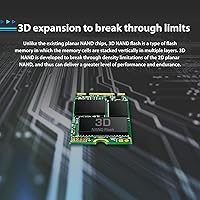
- NAND Type: Uses 3D TLC (Triple-Level Cell) NAND flash, which stacks memory cells vertically to improve density and manage cost relative to MLC alternatives.
- DRAM Cache: An onboard DRAM cache stores a working copy of the most frequently accessed data, reducing access latency during typical computing tasks.
- SLC Cache: An SLC write cache accelerates burst write performance for common short-duration tasks such as saving files, launching apps, and downloading content.
- Error Correction: LDPC (Low-Density Parity Check) coding actively detects and corrects data transfer errors to maintain data integrity over the drive's operational lifespan.
- Data Protection: An integrated RAID engine provides an additional layer of protection against data loss caused by NAND flash cell failures.
- TRIM Support: TRIM is supported natively, allowing the operating system to inform the drive which data blocks are no longer in use, preserving long-term write performance.
- Key Type: The B+M Key configuration is compatible with both B-Key and M-Key M.2 slots, broadening the range of compatible host devices.
- Warranty: Transcend covers the MTS430S with a 5-year limited warranty, reflecting the manufacturer's confidence in the drive's durability and component quality.
- Operating Temp: The drive is rated for operation between 0°C and 70°C, covering standard indoor computing environments without requiring active cooling.
- Model Number: The official model identifier is TS512GMTS430S, which should be used when cross-referencing compatibility lists or filing warranty claims.
- Series: This drive belongs to Transcend's MTS430S series, which is specifically designed for space-constrained devices requiring the 2242 M.2 form factor.
Related Reviews
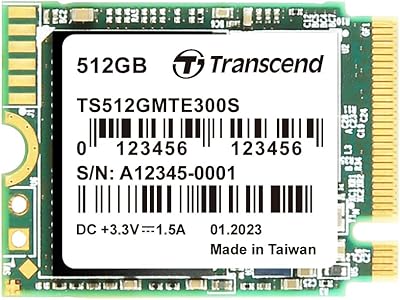
Transcend MTE300S 512GB M.2 2230 SSD
Transcend MTS830S 512GB M.2 SSD
Transcend TS512GMTE220S 512GB M.2 NVMe PCIe Gen3x4 SSD
Transcend MTE410S 2TB M.2 NVMe SSD
fanxiang S201 512GB M.2 SATA SSD
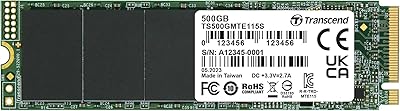
Transcend MTE115S 500GB NVMe SSD
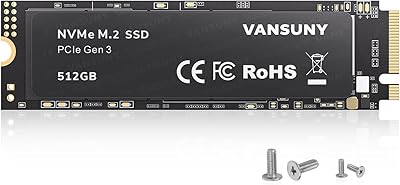
Vansuny X15 512GB NVMe M.2 SSD
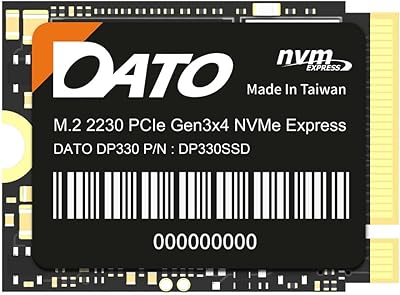
DATO DP330 512GB M.2 2230 NVMe SSD
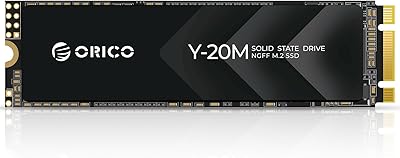
ORICO Y20M 512GB M.2 SATA SSD