Overview

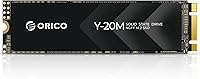
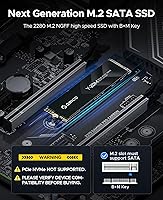
The ORICO Y20M 512GB M.2 SATA SSD is one of the more sensible budget storage upgrades you can make — provided you know exactly what you're buying. Before anything else: this is a SATA-based drive, not NVMe, and that distinction matters more than most buyers realize. If your laptop or desktop has an M.2 slot that supports SATA (sometimes labeled NGFF or AHCI), this drive fits perfectly. If your board is NVMe-only, it simply won't work. ORICO is a well-established accessories brand with genuine consumer traction. Think of this M.2 SATA SSD as a meaningful step up from a spinning hard drive — not a speed demon, but a real-world improvement where it counts.
Features & Benefits

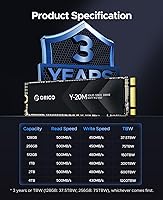
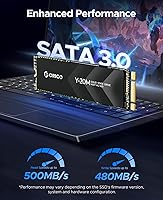
At its core, the ORICO Y20M delivers sequential read speeds of up to 500MB/s and writes up to 480MB/s — hitting the practical ceiling of what the SATA III 6Gbps protocol allows. That's roughly five times faster than a traditional spinning hard drive, which translates to noticeably quicker boot times and snappier application launches. The drive also supports TRIM and garbage collection, helping it maintain consistent write performance over time rather than slowing down as free space fills up. Error correction and bad block management run quietly in the background to protect your data. At the standard 2280 form factor with low power draw, it suits thin laptops and compact builds where heat and battery life are genuine concerns.

Best For

This SATA drive makes the most sense for anyone with an older laptop or desktop that has an M.2 slot running on SATA — not NVMe. That covers a surprising number of machines from the mid-2010s era, including many budget and mid-range systems still in active daily use. It's also a solid pick for secondary storage in a build where your primary NVMe drive handles the OS and this one holds files, media, or a recovery partition. Chromebook users and mini-PC owners whose hardware is SATA-only by design will find it a clean fit. If you're repurposing older hardware or need affordable extra storage without a complicated setup, this M.2 SATA SSD checks the right boxes.

User Feedback

With a 4.6-out-of-5 rating across nearly 900 reviews, buyer sentiment around the ORICO Y20M leans clearly positive. The most common praise centers on straightforward installation and a genuine, noticeable improvement in boot and load times for machines previously running mechanical drives. Several reviewers highlight the value of upgrading older hardware that didn't justify spending more on a premium NVMe drive. The recurring complaint, however, is predictable: buyers who skipped the compatibility check and received a drive their system couldn't use. That's a pre-purchase oversight, not a product flaw — but it's worth stressing before you order. Long-term reliability feedback is mostly encouraging, with buyers reporting consistent daily performance well beyond the initial months of use.

Pros

  • Boot times and application load speeds improve dramatically compared to any spinning hard drive.
  • Installation is straightforward — most buyers report being up and running in under 15 minutes.
  • The 2280 form factor fits a wide range of laptops and desktops without any adapter needed.
  • TRIM and garbage collection help the drive maintain consistent write speeds over months of use.
  • Low power consumption makes this M.2 SATA SSD a smart pick for battery-sensitive laptops.
  • Available in capacities from 128GB all the way up to 4TB, so you can size it to your actual needs.
  • Strong user satisfaction across nearly 900 ratings suggests reliable real-world performance.
  • Error correction and bad block management run quietly in the background to protect stored data.
  • Competitively priced for the SATA M.2 segment, making it one of the better value options available.

Cons

  • Completely incompatible with NVMe-only M.2 slots — a dealbreaker if you have a newer system.
  • SATA III throughput caps out around 500MB/s, leaving it far behind even entry-level NVMe drives.
  • No included installation hardware, screws, or thermal pad, which can be an issue for first-time builders.
  • ORICO does not publish an official endurance rating (TBW), making long-term durability harder to assess.
  • The brand lacks the name recognition and after-sales support infrastructure of Crucial, Samsung, or WD.
  • Sustained write performance on heavy workloads may degrade more noticeably than on pricier SATA alternatives.
  • Buyers who skip the compatibility check account for a disproportionate share of negative reviews — the onus is on the buyer to verify their slot type.
  • No NVMe version of this model exists, so there is no upgrade path within the same product line.

Ratings

The scores below for the ORICO Y20M 512GB M.2 SATA SSD were generated by our AI engine after analyzing verified buyer reviews from global markets, with spam, incentivized, and bot-flagged submissions actively filtered out. Each category reflects the honest distribution of real user experiences — including the frustrations — so you get a transparent picture before committing. Both the genuine strengths and the recurring pain points are weighted equally in every score.
Compatibility Clarity
61%
39%
Buyers who did their homework on slot type before purchasing report a painless experience — the drive fits cleanly, gets detected immediately, and works exactly as described. The product listing does include a compatibility alert, which some users appreciated as a useful heads-up.
A significant portion of negative reviews trace directly back to compatibility mismatches — buyers with NVMe-only slots who assumed any M.2 drive would work. The warning, while present, clearly does not register for everyone, and the resulting frustration skews the overall review pool noticeably.
Read/Write Performance
78%
22%
For users upgrading from a mechanical hard drive, the jump in boot times and application loading is immediately noticeable — machines that took over a minute to start Windows are down to around 15 seconds. Sustained reads hold close to the rated 500MB/s ceiling during typical file transfers.
Sustained write speeds under heavy sequential loads can dip below the rated 480MB/s once the drive's cache buffer fills, which affects large file copy operations. Users coming from NVMe drives will find the SATA ceiling underwhelming, though that comparison is fundamentally unfair for this product category.
Installation Experience
88%
Most buyers describe installation as one of the easier hardware upgrades they have done — the drive slots into the M.2 connector without force, and the standard 2280 size aligns with the retaining screw hole on virtually every compatible board. Several reviewers with no prior hardware experience completed the swap in under 20 minutes.
No mounting screw or installation accessories are included in the package, which occasionally catches first-time builders off guard. A small number of users also reported their laptop chassis required more disassembly than expected to access the M.2 slot, though that is a device-side issue rather than a drive issue.
Value for Money
84%
Within the M.2 SATA category, this SATA drive consistently earns praise for delivering a solid price-to-performance ratio — buyers feel they are getting a functional, reliable upgrade without paying for specs their older hardware cannot use anyway. For the specific use case it targets, the economics make clear sense.
A handful of reviewers note that the price gap between this and entry-level NVMe drives has narrowed enough to question the value proposition for buyers whose systems support both. If your device can run NVMe, spending only marginally more elsewhere gives you substantially faster throughput.
Long-Term Reliability
74%
26%
Users who have owned the ORICO Y20M for six months to over a year generally report stable, consistent performance without noticeable degradation. The inclusion of ECC, bad block management, and TRIM support gives buyers reasonable confidence that the drive handles everyday workloads without quietly accumulating data errors.
ORICO does not publish a TBW (terabytes written) endurance rating for this model, which makes it impossible to benchmark long-term durability against competitors who do. That transparency gap is a real concern for buyers who want to plan for drive replacement cycles or use this in write-intensive roles.
Build Quality
76%
24%
The physical drive feels solid for its weight class — the PCB is clean, components are evenly seated, and there are no reported cases of physical defects out of the box among the verified review pool. The lightweight construction at 1.41 ounces does not feel flimsy in practice.
There is no label or protective coating on the NAND chips, which some users in warmer climates or compact chassis note as a minor concern for thermal management under load. The drive does not include a heat spreader, though at SATA speeds this rarely becomes a practical problem.
Random Read/Write (IOPS)
69%
31%
For typical desktop tasks — opening browser tabs, switching between applications, loading office documents — random read performance is adequate and users notice a clear improvement over HDD-based systems. The drive handles light multitasking reliably without perceptible hesitation.
IOPS figures are not officially published by ORICO, and third-party benchmarks suggest random write performance is average within the SATA class rather than leading it. Workloads involving many small simultaneous writes — like running a local database or compiling large codebases — will expose this limitation.
Power Efficiency
86%
Laptop users specifically call out that switching from a hard drive to this M.2 SATA SSD contributed to a modest but real improvement in battery run time, which aligns with the low-power design of SATA SSDs compared to spinning platters. It runs cool enough that thermal throttling has not appeared as a complaint in reviews.
Compared to the most power-efficient NVMe drives in modern ultrabooks, the AHCI protocol carries slightly more CPU overhead during idle polling, though this is a negligible concern in practical daily use rather than a meaningful battery drain.
OS & Software Compatibility
91%
The drive is recognized immediately by Windows 10, Windows 11, and Linux distributions without any driver installation — it simply appears as a standard SATA device. Users cloning existing installs report no activation or licensing issues post-swap, which removes a common anxiety around OS drive replacements.
macOS compatibility is limited to older Intel Mac models with M.2 SATA slots, and that universe of machines is narrow enough that Mac users should verify carefully before purchasing. ChromeOS support exists on compatible Chromebooks but is not universally guaranteed across all models.
Packaging & Unboxing
72%
28%
The drive arrives in a compact retail box that keeps it protected during shipping, and most buyers report receiving the unit in perfect physical condition. For an accessory at this price point, the packaging is clean and functional without being wasteful.
Beyond the drive itself, the box contains very little — no instruction sheet, no mounting hardware, and no antistatic pouch in some reported shipments. Buyers who are new to internal storage upgrades may have expected at least a basic setup guide or QR code pointing to installation resources.
Brand Trust & Support
67%
33%
ORICO has enough of a global consumer footprint that buyers generally feel comfortable purchasing from them — the brand is not an unknown quantity, and the high review volume gives the product credibility beyond the brand name alone. Most straightforward warranty claims appear to be processed without major friction.
Post-purchase support is noticeably thinner than what you get from established storage names like Crucial or Western Digital — response times from ORICO's support channels are inconsistent, and the lack of a published warranty duration on the product page leaves some buyers uncertain about their coverage.
Capacity Options
83%
The Y20M line spanning 128GB to 4TB means buyers are not locked into a single storage tier — users who only need a lean OS drive can go small, while those wanting to archive media locally can scale up significantly within the same product family.
Higher-capacity variants carry a per-gigabyte premium that starts to erode the value argument when compared to 2.5-inch SATA SSDs of equivalent size, particularly in the 2TB and 4TB range. For large-capacity needs, buyers should price-compare carefully before defaulting to this form factor.
Form Factor Fit
89%
The 2280 standard is the most common M.2 length, so the drive physically fits the vast majority of laptops and desktop boards that have an M.2 slot — no adapter, no trimming, no guesswork. Slim laptop users in particular appreciate that there is no thickness penalty versus a 2.5-inch drive.
A small number of compact mini-PC and ultra-slim laptop designs use shorter M.2 form factors like 2242 or 2230, and this drive will not fit those without a specialized adapter bracket. Always confirm your device's supported M.2 length, not just the slot type.

Suitable for:

The ORICO Y20M 512GB M.2 SATA SSD is built for a very specific — and very real — audience: anyone with an older laptop or desktop that has an M.2 slot running on the SATA protocol rather than NVMe. These machines are far more common than people realize, particularly mid-range notebooks and compact desktops manufactured before NVMe became standard. If your device still runs on a spinning hard drive and you want a meaningful speed boost without replacing the whole system, this SATA drive hits a practical sweet spot. It also works well as secondary storage in a multi-drive setup — think a dedicated drive for media, backups, or a secondary OS. Chromebook users, mini-PC owners, and DIY builders breathing new life into older hardware will all find the ORICO Y20M a clean, low-fuss upgrade that delivers exactly what it promises.
Not suitable for:

The ORICO Y20M 512GB M.2 SATA SSD is a hard pass for anyone whose motherboard or laptop only supports NVMe — and that includes most machines built in the last four or five years. Plugging this SATA drive into an NVMe-only M.2 slot simply will not work, and that is the single most common reason buyers end up returning it. If you are building or upgrading a current-generation system and raw storage speed matters to you, a modern NVMe drive will outpace this one significantly — SATA has a protocol ceiling that no amount of firmware optimization can overcome. Power users running video editing, large database workloads, or fast game loading will feel that ceiling almost immediately. And if you are unsure which type of M.2 slot your device has, check your motherboard or laptop specs before ordering — it takes two minutes and saves a lot of frustration.
Specifications

  • Brand: Manufactured by ORICO (Shenzhen ORICO Technologies Co., Ltd), a Chinese brand specializing in storage and computer accessories.
  • Model: The specific model identifier for the 512GB variant is Y20M-512GB.
  • Capacity: Offers 512GB of usable storage, with a formatted capacity of approximately 511.99GB.
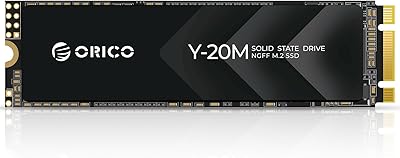
  • Form Factor: Built to the M.2 2280 standard, meaning the drive is 22mm wide and 80mm long.
  • Interface: Uses the SATA III 6Gbps interface delivered through an M.2 B+M Key connector, not PCIe or NVMe.
  • Protocol: Operates on the AHCI protocol, which is SATA-based and incompatible with NVMe-only M.2 slots.
  • Read Speed: Rated for sequential read speeds of up to 500MB/s under optimal conditions.
  • Write Speed: Rated for sequential write speeds of up to 480MB/s under optimal conditions.
  • Key Type: Features a B+M Key notch configuration, which physically fits both B-Key and M-Key M.2 slots, though only SATA-capable slots will recognize it.
  • Drive Type: Solid state drive with no moving parts, offering inherent shock resistance compared to traditional mechanical hard drives.
  • Data Integrity: Includes ECC (Error Correcting Code) to detect and correct common data errors during read and write operations.
  • Maintenance: Supports TRIM and automatic garbage collection to help sustain write performance as the drive fills over time.
  • Block Management: Bad block management is built in to reroute data away from failing NAND cells, extending operational lifespan.
  • Power Draw: Designed for low power consumption, making it suitable for battery-powered laptops and compact systems.
  • Weight: The drive weighs 1.41 ounces, making it one of the lightest internal storage upgrades available.
  • Dimensions: Package dimensions are 5.04 x 3.5 x 0.79 inches, including retail packaging.
  • Color: The drive PCB and casing are finished in black.
  • Capacity Range: The Y20M family is available in capacities ranging from 128GB up to 4TB, allowing buyers to choose based on their storage needs.
  • Compatible Devices: Works with laptops and desktops that have an M.2 slot configured for SATA, including many mid-range systems from the 2013 to 2019 era.
  • Release Date: This model was first made available for purchase in August 2024.

Related Reviews

ORICO Y20M-2242 256GB M.2 SATA SSD
77%
93%
Form Factor Accuracy
78%
Read Performance
71%
Write Performance
88%
Installation Ease
84%
Value for Money
More
ORICO Y20M M.2 2280 SATA SSD 4TB
85%
96%
Storage Capacity
91%
Value for Money
82%
Read Speed Performance
80%
Write Speed Performance
89%
Energy Efficiency
More
ORICO M.2 2280 SATA SSD 2TB
86%
88%
Overall Performance
93%
Ease of Installation
90%
Value for Money
85%
Compatibility with Devices
82%
Data Transfer Speed
More
ORICO M.2 NVMe SSD 512GB with Heatsink
86%
89%
Performance
92%
Cooling Efficiency
85%
Installation Ease
90%
Read/Write Speeds
88%
Capacity for Gaming & Everyday Use
More
ORICO Y20M 1TB M.2 SATA SSD
80%
71%
Compatibility Clarity
78%
Read/Write Performance
91%
Installation Ease
83%
Value for Money
74%
Drive Longevity & Health Features
More
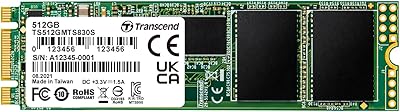
Transcend MTS830S 512GB M.2 SSD
79%
82%
Real-World Speed
88%
Value for Money
79%
Compatibility
91%
Installation Experience
89%
Boot & Load Times
More
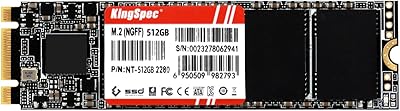
KingSpec NT Series 512GB M.2 SATA SSD
84%
88%
Performance
91%
Installation Ease
85%
Reliability
92%
Value for Money
80%
Compatibility with Non-Mac Systems
More
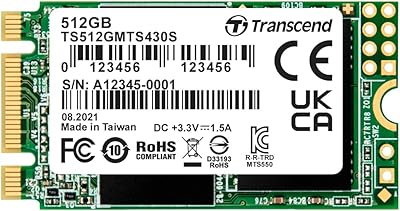
Transcend MTS430S 512GB M.2 SSD
85%
94%
Form Factor Compatibility
76%
Read & Write Speed
83%
Real-World Responsiveness
91%
Installation Ease
89%
Long-Term Reliability
More
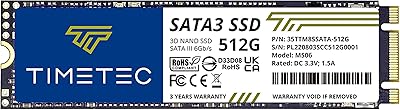
Timetec 512GB M.2 2280 SATA SSD
80%
93%
Value for Money
81%
Read Speed Performance
67%
Write Speed & Cache Behavior
91%
Installation Ease
78%
Long-term Reliability
More
dockteck DH0002 M.2 NVMe/SATA SSD Enclosure
84%
88%
Transfer Speed (NVMe)
76%
SATA Drive Performance
83%
Build Quality
93%
Ease of Setup
79%
Thermal Management
More

FAQ

You need to check whether your M.2 slot supports SATA, not just whether it has an M.2 slot. Look up your laptop model or motherboard name and search for its M.2 slot specification — it should say SATA, NGFF, or AHCI. If it only lists NVMe or PCIe, this SATA drive will not work in your system.

Both use the same physical M.2 slot, which is why people get confused. The difference is the protocol running underneath. SATA is the older standard, topping out around 500MB/s. NVMe runs over PCIe and can hit 3,000MB/s or more on modern drives. The ORICO Y20M 512GB M.2 SATA SSD uses the SATA protocol, so it only works in SATA-compatible M.2 slots.
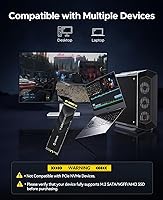
It might slide in physically, but it will not be detected by the system. The B+M Key notch fits several M.2 slot types mechanically, but the motherboard firmware will not recognize a SATA drive in a slot configured exclusively for NVMe. Always verify the slot type in your specs, not just the physical shape.

Yes, for most everyday use it is more than adequate as a boot drive. Windows and common applications load noticeably faster than on any spinning hard drive, and day-to-day tasks like browsing, document editing, and light multitasking feel responsive. If you are doing heavy video editing or running large databases, you would benefit from an NVMe drive instead.

Absolutely, as long as your motherboard has a second M.2 slot that supports SATA. Many desktops and some laptops have two M.2 slots, often one NVMe and one SATA. In that configuration, this SATA drive works great for storing files, media, or backups while your NVMe handles the operating system.

No. The drive ships alone without a mounting screw, thermal pad, or installation tool. Most laptops and desktop motherboards include a small retaining screw in the M.2 slot from the factory, but if yours is missing you will need to source one separately — they are standard M2 screws available cheaply online.

Based on user feedback, it performs consistently for everyday workloads over extended periods. Features like TRIM, garbage collection, and bad block management are all standard for modern SSDs and help maintain stability. That said, ORICO does not publish an official TBW (terabytes written) endurance rating, so it is harder to benchmark long-term durability against drives that do.

It can be, but it depends on the specific Chromebook model. Some Chromebooks have an M.2 SATA slot that accepts this drive, while others are soldered storage with no upgrade path at all. Check your exact Chromebook model for M.2 slot availability and slot type before ordering.

Yes, and that is usually the easiest approach. You can use free cloning software like Macrium Reflect or Clonezilla combined with a USB M.2 enclosure to clone your existing drive to this one before installation. That way you swap it in with everything already set up, avoiding a fresh OS install.

No, it will not damage the drive or the motherboard. The system simply will not detect it. You can pull it out and either use it in a compatible device or return it. The concern is purely functional, not electrical — no hardware harm will result from the mismatch.