Overview

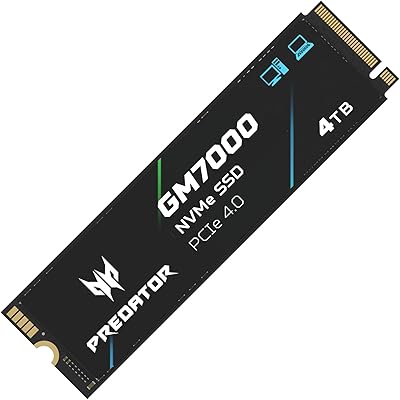
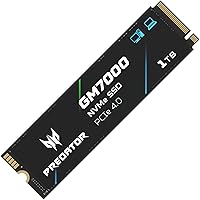
The Acer Predator GM7000 1TB NVMe SSD sits in an interesting spot — it carries genuine Gen4 credentials without the premium price tag that typically comes with them. The Predator brand is built around gaming hardware, but this Gen4 NVMe drive has broader appeal than that label suggests. It handles daily desktop workloads, creative tasks, and PS5 Pro storage expansion with equal confidence. Having DRAM cache included at this price point is not a given — many budget Gen4 drives cut that corner — making it a more capable option than bare-bones alternatives. Peak sequential speeds are impressive on paper, but real-world gains depend heavily on the workload and system configuration.
Features & Benefits

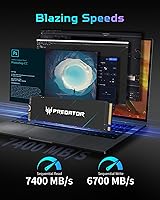
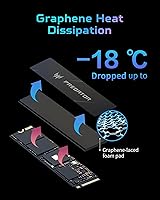
The PCIe Gen4×4 interface pushes sequential reads to 7400 MB/s and writes to 6700 MB/s, which translates to noticeably faster large file transfers and shorter load times compared to Gen3 drives. The dedicated DRAM cache is the more practically significant feature — it keeps performance consistent under sustained workloads rather than letting speeds drop mid-task. A customized heat spreader helps manage thermals during extended sessions, which matters in compact cases where airflow is limited. The integrated power management controller reduces energy draw, a real benefit for laptop users watching battery life. Rounding things out, the bundled Acronis cloning software takes the hassle out of migrating from an older drive.

Best For

The GM7000 1TB is a strong fit for PS5 Pro owners looking to expand storage — it clears Sony's 5500 MB/s minimum requirement comfortably, though you will want a compatible heatsink before slotting it into the console. PC builders on a budget who want Gen4 performance without paying flagship prices will also find it hard to fault. Moderate video editors moving large batches of files will appreciate the sustained write performance. This Predator SSD also works well in laptops where efficient power management helps preserve battery longevity. If you are coming from a SATA SSD or an older Gen3 drive, the difference in day-to-day responsiveness is immediately noticeable.

User Feedback

With over 3,000 ratings and a 4.7-star average, buyer sentiment is broadly positive and consistent enough to be credible. Most praise centers on how fast boot times and game load screens feel after upgrading from older drives, along with the straightforward installation process. On the critical side, a handful of users in compact or poorly ventilated cases report thermal throttling when running without an aftermarket heatsink — worth noting if your build is tight on airflow. Some buyers found the Acronis software activation mildly frustrating. PS5 Pro owners generally report smooth compatibility, though a few flag the heatsink requirement as an added step. The 5-year warranty and 1300 TBW rating add genuine long-term confidence for a drive at this price tier.

Pros

  • Full PCIe Gen4 speeds deliver noticeably faster boot times and game load screens compared to Gen3 drives.
  • DRAM cache inclusion at this price tier is a genuine advantage over many competing budget Gen4 options.
  • Meets PS5 Pro storage expansion requirements with room to spare on the minimum speed threshold.
  • The built-in heat spreader helps manage thermals without requiring a separate aftermarket cooler in most standard builds.
  • Efficient power management makes it a practical choice for laptop upgrades where battery life matters.
  • A 5-year warranty backed by 1300 TBW endurance rating offers solid long-term peace of mind.
  • Bundled Acronis cloning software removes the need to source migration tools separately.
  • Over 3,000 verified buyer ratings provide a reliable and credible picture of real-world performance.
  • Competitive value for a Gen4 drive with DRAM cache makes it hard to beat in its price range.
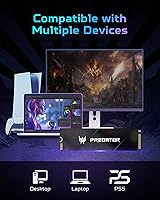
  • Works across a wide range of devices including desktops, laptops, and the PS5 Pro.

Cons

  • Thermal throttling has been reported in tight or poorly ventilated cases under sustained heavy workloads.
  • PS5 Pro installation requires a separately purchased heatsink, adding cost and an extra step.
  • Acronis True Image activation process has frustrated some buyers with friction during initial setup.
  • Random read and write speeds, which matter most in gaming, lag behind pricier flagship Gen4 competitors.
  • 1TB capacity may feel restrictive for users who store large game libraries or raw media files locally.
  • Not the best choice for professional-grade sustained write workloads where consistent throughput is critical.
  • The Predator gaming branding may be off-putting to users looking for a more neutral aesthetic.
  • Manufactured by Biwin under the Acer Predator label, which may concern buyers who prefer first-party storage brands.

Ratings

The scores below reflect an AI-driven analysis of verified global buyer reviews for the Acer Predator GM7000 1TB NVMe SSD, with spam, bot submissions, and incentivized feedback actively filtered out to ensure accuracy. Ratings are drawn from thousands of real-world experiences across PC builds, laptop upgrades, and PS5 Pro installations. Both the standout strengths and the recurring frustrations are represented honestly — no score has been inflated to flatter the product.

Sequential Read Performance
91%
Buyers upgrading from Gen3 drives consistently describe noticeably faster OS boot times and snappier application launches. Large file transfers — moving game installs or video project folders — complete in a fraction of the time users were accustomed to, and the improvement is tangible from the very first day of use.
The advertised 7400 MB/s peak is a ceiling that requires ideal thermal and workload conditions to approach. A handful of users running the drive in warm systems without additional airflow noted that real-world sequential speeds fell short of the headline figure during extended transfers.
Sustained Write Consistency
83%
The DRAM cache plays a meaningful role here — users doing large sequential writes, such as installing multiple games back-to-back or importing raw footage, report that speeds hold up reasonably well rather than dropping sharply mid-task as they experienced with cacheless alternatives.
Under prolonged and aggressive write loads, some users observed speed dips as the drive exhausted its cache buffer and fell back to NAND speeds. This is normal behavior for TLC-based drives but worth knowing if your workload involves continuous large write operations rather than occasional bursts.
Gaming Load Times
88%
Game load screen wait times drew consistent praise from buyers who previously used SATA SSDs or mechanical drives. Open-world titles with heavy asset streaming felt more responsive, and even on systems that bottleneck at the PCIe Gen3 level, users noticed a real improvement in in-game level transition times.
For buyers already on a Gen4 drive, the gaming performance uplift is marginal at best — the bottleneck in most titles shifts to CPU and GPU well before storage speed becomes the limiting factor. Managing expectations here is important, especially for users upgrading from a competing Gen4 option.
Thermal Management
74%
26%
In standard mid-tower builds with decent case airflow, the included heat spreader does its job without any intervention required. Most desktop users report stable temperatures under typical gaming sessions, and the drive rarely throttles in well-ventilated environments.
Users with compact ITX builds or laptops with limited airflow are more likely to see thermal throttling under heavy sustained workloads. A few PS5 Pro installers also flagged that the pre-attached heat spreader is not a substitute for a proper console-compatible heatsink, which must be sourced separately.
PS5 Pro Compatibility
79%
21%
The drive exceeds Sony's minimum speed requirement and the majority of PS5 Pro users report a clean installation experience with immediate recognition by the console. Expanded storage for large AAA titles worked without issue for most buyers who followed the standard installation process.
The compatibility story has a catch: the drive ships without a console-appropriate heatsink, meaning PS5 users must budget and shop for one separately. A small number of buyers were caught off-guard by this requirement, and a few reported initial recognition issues that resolved after a console firmware update.
Value for Money
89%
The combination of Gen4 speeds, a DRAM cache, a 5-year warranty, and bundled cloning software at this price tier is genuinely difficult to beat. Buyers frequently noted that comparable specifications on competing drives cost meaningfully more, making this Gen4 NVMe drive one of the better-value options in its segment.
Against the very cheapest cacheless Gen4 drives, the price gap requires justification — buyers doing light workloads may not extract enough benefit from the DRAM cache to feel the difference. Those seeking absolute rock-bottom cost per gigabyte will find slightly cheaper options, though they sacrifice consistency and warranty coverage.
Random Read/Write (IOPS)
77%
23%
For everyday desktop use — opening applications, switching between browser tabs, loading save files — the random performance feels snappy and responsive. Users coming from SATA drives describe the system as feeling significantly more alive after the upgrade.
When benchmarked against flagship Gen4 competitors like the WD Black SN850X, random IOPS performance trails noticeably. For power users running virtual machines or professional database workloads where random access patterns dominate, the GM7000 1TB shows its value-tier positioning more clearly.
Installation Ease
92%
The physical installation process earned near-universal praise — buyers of all skill levels found it straightforward, with the drive slotting into M.2 sockets cleanly and being detected immediately on first boot in the vast majority of reported cases. First-time builders felt reassured by how uncomplicated the process was.
A small subset of users experienced initial detection issues on older motherboards with outdated BIOS versions, requiring a firmware update before the drive was recognized. This is not unique to this drive but is worth flagging for buyers with older platform hardware.
Bundled Software (Acronis)
63%
37%
Having a cloning and backup tool included out of the box is genuinely useful, particularly for buyers migrating from an old system drive. When the activation process works smoothly, users found it an accessible and functional way to transfer their existing setup without purchasing separate software.
The software experience drew more complaints than any other aspect of ownership. License key activation failures, confusing registration steps, and the need to create an Acronis account frustrated a noticeable portion of buyers. The tool works once set up, but getting there can be an unnecessary ordeal.
Build & Durability
84%
The 1300 TBW endurance rating and 5-year warranty communicate a genuine level of confidence in the drive's physical longevity. Long-term owners who have used the drive through intensive daily workloads report no degradation in responsiveness or reliability over extended periods.
As a TLC NAND drive, it does not match the endurance ceiling of MLC-based alternatives used in enterprise settings — though for the intended consumer and gaming audience, this distinction rarely matters in practice. Some buyers would have preferred SLC write cache acknowledgment in the product documentation.
Power Efficiency
81%
19%
Laptop users upgrading from older SATA or Gen3 drives noted that the integrated PMU controller kept power draw in check, with some reporting a modest but real improvement in battery runtime during light productivity tasks. Idle power consumption is low enough to be a non-issue in portable systems.
Under peak sequential load, power draw climbs to levels that can be a factor in thermally constrained ultrabooks. A few thin-and-light laptop users found the drive ran noticeably warmer than their previous storage, though none reported actual throttling during typical daily use patterns.
Laptop Compatibility
82%
18%
The M.2 2280 form factor is widely supported across modern laptops, and buyers across a broad range of brands reported straightforward drop-in compatibility. The power efficiency tuning makes it more suitable for portable use than some competing Gen4 drives that prioritize raw throughput over energy draw.
A minority of ultrabook and thin-laptop users found that the pre-attached heat spreader created a tight fit in shallow M.2 slots, requiring removal of the spreader before installation. This is a relatively rare scenario but worth checking against your specific laptop's M.2 clearance depth before ordering.
Brand Credibility
72%
28%
The Acer Predator name carries enough gaming hardware recognition that buyers feel confident in the product backing, and the 5-year warranty reinforces that this is not a fly-by-night storage option. The drive's Amazon ranking and review volume lend additional credibility for cautious first-time buyers.
Savvy buyers who research further discover the drive is manufactured by Biwin under the Acer Predator label rather than by Acer directly, which gives some enthusiasts pause. It does not materially affect the drive's performance or warranty validity, but transparency on this point in the product listing could be improved.

Suitable for:

The Acer Predator GM7000 1TB NVMe SSD is a well-rounded pick for anyone who wants genuine Gen4 performance without stretching their budget to flagship territory. PC builders assembling a mid-range gaming rig will find it hits a smart balance between speed and value, especially given the DRAM cache inclusion that many competing drives at this price quietly omit. PS5 Pro owners looking to expand internal storage will appreciate that it comfortably exceeds Sony's minimum speed threshold — just factor in the cost of a compatible heatsink before installation. Laptop upgraders coming from SATA or older Gen3 drives will notice a real difference in everyday responsiveness, and the efficient power management helps keep thermals and battery draw in check. Moderate content creators moving large video files periodically will also benefit from the sustained write performance, even if they are not doing heavy 4K production work daily.
Not suitable for:

Buyers who need the absolute highest sustained performance for professional workloads — think continuous 4K RAW video editing or large-scale data pipeline tasks — will likely find drives like the WD Black SN850X or Samsung 990 Pro to be a better long-term investment, even at a higher price. The Acer Predator GM7000 1TB NVMe SSD is also not the ideal choice for users running it in a compact, poorly ventilated case without additional cooling, since thermal throttling under sustained heavy loads is a documented concern. If you need more than 1TB of storage in a single drive for a primary workstation, the 1TB capacity may feel limiting sooner than expected. Buyers expecting plug-and-play software activation with the bundled Acronis cloning tool should be prepared for a setup process that some users find more cumbersome than anticipated.
Specifications

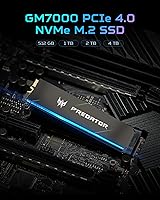
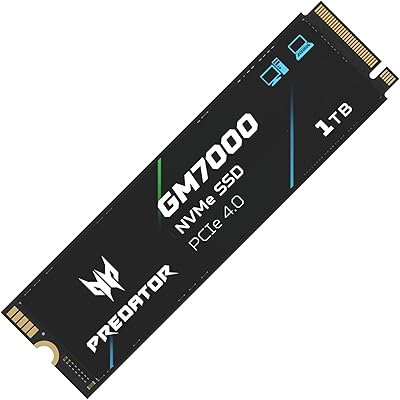
  • Capacity: This drive is available in a 1TB configuration, offering practical storage space for gaming libraries, system installations, and media files.
  • Interface: It uses a PCIe Gen4×4 interface, which enables significantly higher bandwidth compared to older PCIe Gen3 drives.
  • Form Factor: The drive follows the M.2 2280 standard, meaning it is 22mm wide and 80mm long — the most common M.2 size found in modern motherboards and laptops.
  • Protocol: It operates on the NVMe 1.4 protocol, which reduces latency and improves command queue efficiency compared to the older AHCI standard.
  • Sequential Read: Maximum sequential read speed is rated at 7400 MB/s under ideal conditions, suitable for fast large-file transfers and quick OS boot times.
  • Sequential Write: Maximum sequential write speed reaches 6700 MB/s, supporting fast data ingestion during game installs or file backup operations.
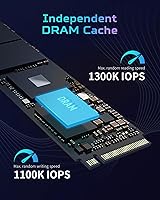
  • Random Read: Peak random read performance is rated at 1,350,000 IOPS, which reflects responsiveness during typical OS and application workloads.
  • Random Write: Peak random write performance is rated at 1,150,000 IOPS, relevant for multitasking scenarios and database-style access patterns.
  • Cache Type: The drive includes a dedicated DRAM cache, which helps maintain consistent performance under sustained workloads and reduces access latency.
  • NAND Type: Storage cells use 3D NAND TLC technology, balancing density, cost efficiency, and adequate endurance for consumer and prosumer use cases.
  • Endurance: The drive is rated for 1300 TBW (terabytes written), indicating the total data volume it can sustain before wear becomes a concern.
  • Warranty: Acer covers this drive with a 5-year limited warranty, which is one of the more generous coverage periods in the consumer SSD category.
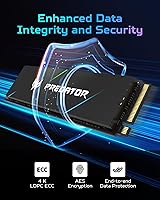
  • Thermal Solution: A customized heat spreader is pre-attached to the drive to assist with thermal management during extended or intensive usage sessions.
  • Power Management: An integrated PMU (Power Management Unit) within the controller optimizes energy consumption, helping reduce heat output and extend battery life in portable systems.
  • PS5 Compatibility: The drive is officially listed as PS5 Pro compatible and exceeds Sony's 5500 MB/s minimum sequential read requirement for console storage expansion.
  • Bundled Software: A customized version of Acronis True Image is included, allowing users to clone an existing drive or back up data without purchasing separate migration software.
  • Manufacturer: The drive is manufactured by Biwin, a storage hardware company that produces drives sold under the Acer Predator brand label.
  • Operating Temp: The drive is specified to operate reliably within a temperature range of 0°C to 70°C under normal working conditions.
  • Storage Temp: For long-term storage when not in use, the drive can withstand temperatures between -40°C and 85°C without data integrity issues.
  • Item Weight: The drive weighs approximately 0.317 ounces, making it negligible in any build weight budget for both desktop and portable systems.

Related Reviews
Acer Predator GM7000 1TB SSD
90%
95%
Performance
93%
Speed (Read/Write)
89%
Thermal Management
87%
Power Efficiency
90%
Build Quality
More
Acer Predator GM7000 4TB SSD
88%
94%
Performance
93%
Read Speed
90%
Write Speed
88%
Build Quality
91%
Heat Management
More
Acer FA200 1TB NVMe SSD
80%
91%
Sequential Read Performance
87%
Sequential Write Performance
84%
Real-World Responsiveness
58%
Thermal Management
93%
Installation Experience
More
RONGSHU 1TB NVMe SSD
87%
91%
Performance
94%
Read Speed
89%
Write Speed
88%
Installation Ease
75%
Thermal Management
More
Acer SA100 480GB Internal SSD
81%
93%
Value for Money
78%
Real-World Speed
91%
Ease of Installation
74%
Long-Term Reliability
88%
Compatibility
More
WD_BLACK 1TB SN7100 NVMe SSD
89%
94%
Read Speed Performance
89%
Write Speed Performance
92%
Power Efficiency
91%
Endurance and Longevity
87%
Value for Money
More
Addlink S91 1TB NVMe SSD
89%
94%
Performance & Speed
88%
Compatibility with Devices
85%
Ease of Installation
91%
Read Speed (Max)
85%
Write Speed (Max)
More
KingSpec XG7000 1TB NVMe SSD
88%
93%
Performance in Gaming
90%
Ease of Installation
94%
Read Speed
88%
Write Speed
85%
Thermal Management
More
Crucial P5 1TB NVMe SSD
84%
91%
Read Performance
88%
Write Performance
86%
Random I/O Responsiveness
71%
Thermal Management
94%
Installation Ease
More
TEAMGROUP MP44L 1TB NVMe SSD
89%
94%
Performance
96%
Speed (Read/Write)
85%
Heat Management
91%
Installation Ease
92%
Compatibility
More

FAQ

It meets the PS5 Pro speed requirement, but Sony strongly recommends installing a heatsink to prevent thermal issues inside the console's tight enclosure. The drive does not come with a console-specific heatsink, so you will need to purchase one separately before installation. Many third-party M.2 heatsinks designed for the PS5 slot will work fine.

Yes, it genuinely matters. Drives without DRAM cache tend to slow down noticeably during sustained writes — think large game installs or bulk file copies. The DRAM cache acts as a fast buffer, keeping performance consistent rather than letting speeds dip mid-task. At this price range, not every Gen4 drive includes it, so it is a meaningful spec to check.

It uses the M.2 2280 form factor, which is the most widely supported M.2 size in laptops. That said, some ultrabooks use the shorter 2242 slot, so check your laptop's manual or manufacturer specs before ordering. If your machine supports M.2 2280 PCIe Gen4, you are good to go.

On peak sequential speeds, the GM7000 1TB holds its own reasonably well. Where it falls behind is in sustained workload consistency and random IOPS performance under heavy professional use — the SN850X and 990 Pro have an edge there. For gaming and general use, the real-world difference is minimal. If you are doing intensive video production or large database operations, the flagship options are worth the premium.

The process itself is straightforward — Acronis True Image walks you through the migration step by step. A few buyers have noted that activating the bundled license can be slightly frustrating, particularly if the key does not register cleanly on the first attempt. If you run into issues, reaching out to Acronis support with your purchase proof usually resolves it quickly.

In a standard desktop build with decent airflow, the included heat spreader handles thermal management well enough for most users. In compact ITX cases or systems with restricted airflow, some users have reported throttling under prolonged heavy loads. If your case runs hot, adding a small aftermarket M.2 heatsink is a cheap precaution worth taking.

TBW stands for terabytes written — it is the total amount of data you can write to the drive over its lifetime before wear becomes a concern. At 1300 TBW, if you wrote 100GB of data every single day, the drive would last over 35 years. For the vast majority of users, including heavy gamers, you will never come close to that limit.

Yes, PCIe Gen4 drives are backward compatible with Gen3 slots. The drive will simply operate at Gen3 speeds, which are still fast by any practical standard — just not the full 7400 MB/s the drive is capable of. If your motherboard or laptop is Gen3, you are not wasting the drive, but you will not unlock its full potential until you upgrade the host system.

The 5-year warranty and 1300 TBW endurance rating are both above average for a drive in this price category, which reflects reasonable confidence in its longevity. The 3D NAND TLC used here is the industry standard for consumer SSDs and performs well over time under typical workloads. As with any storage device, keeping regular backups is always the smartest habit regardless of how reliable the drive is.

The physical installation is simple — align the M.2 notch, seat it at a slight angle, then press it flat and secure it with the retention screw. Make sure your motherboard BIOS is updated if you are building fresh, as some older BIOS versions have compatibility quirks with newer Gen4 drives. If you are migrating from an old drive, install the Acronis software on your current system before swapping hardware so the cloning process goes smoothly.

Where to Buy