Overview

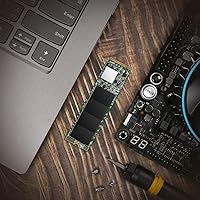
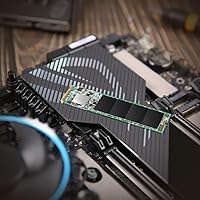
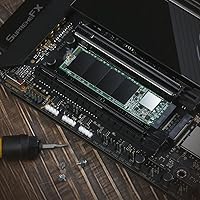
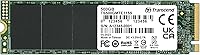
The Transcend MTE115S 500GB NVMe SSD is a straightforward, no-nonsense storage upgrade aimed at everyday users who want a real speed boost without spending a lot. Transcend has been building reliable storage hardware out of Taiwan for decades, and this drive carries that reputation well. It fits the standard M.2 2280 form factor, making it compatible with a wide range of laptops, ultrabooks, and desktop motherboards. At 500GB, it hits a practical sweet spot — roomy enough for an operating system, a handful of applications, and a decent media library. Just don’t expect flagship performance; this is a value-tier Gen3 drive, and it delivers exactly what that implies.
Features & Benefits

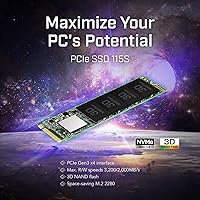
The MTE115S runs on a PCIe Gen3 x4 interface under the NVMe 1.4 protocol, hitting sequential reads up to 3,200 MB/s and writes up to 2,000 MB/s — figures that put it well ahead of any SATA drive. Think of NVMe as a faster highway compared to the older SATA road; data simply moves more quickly. The 3D TLC NAND paired with dynamic SLC caching handles short bursts of writes efficiently, though sustained large transfers will see speeds taper off once the cache fills. LDPC error correction keeps data integrity in check, and built-in thermal throttling prevents the drive from overheating under load. The companion SSD Scope app is a genuinely useful tool for health monitoring and firmware management.

Best For

This Gen3 SSD makes the most sense for anyone pulling a creaky hard drive out of an older laptop or desktop. If your machine came with a spinning HDD, the improvement in boot and load times will feel dramatic. Students and home office workers who want a reliable daily driver without overspending will find it fits the bill neatly. It also works well as a secondary desktop drive — a dedicated game library disk or backup volume, for instance. One important note: confirm your system has an M.2 slot with the right key type and 2280 length support before buying, especially on older ultrabooks.

User Feedback

With a 4.7-star rating across more than 2,200 reviews, this Transcend NVMe drive has earned a strong track record with real buyers. Most people highlight easy installation and how noticeably faster their machine felt compared to the HDD it replaced — that part is hard to argue with. The SSD Scope software gets a nod from users who bother to install it, though plenty skip it and have no complaints. The main recurring gripe involves sustained write slowdowns when moving very large files; once the SLC cache is saturated, speeds drop, which is typical for TLC drives in this segment. Compatibility issues are rare but worth confirming before you buy.

Pros

  • Massive real-world speed jump over mechanical hard drives — boot times drop dramatically.
  • PCIe Gen3 x4 interface delivers read speeds that outclass any SATA SSD at this price tier.
  • The M.2 2280 form factor fits the vast majority of modern laptops, ultrabooks, and desktops.
  • LDPC error correction adds a meaningful layer of data integrity protection for everyday peace of mind.
  • Dynamic thermal throttling keeps the drive stable during moderate sustained workloads.
  • The SSD Scope software makes health monitoring and firmware updates genuinely accessible to non-technical users.
  • Low power draw helps preserve battery life on thin and light laptops.
  • Over 2,200 buyer reviews averaging 4.7 stars signals consistent, reliable real-world performance.
  • Installation is straightforward — no tools beyond a small screwdriver are typically needed.
  • 500GB hits a practical sweet spot for OS, apps, and everyday files without overspending on unused capacity.

Cons

  • Sustained write speeds fall off sharply once the SLC cache is saturated — a real issue for large file transfers.
  • 3D TLC NAND is less endurance-focused than MLC alternatives, which matters for write-heavy workloads over time.
  • No PCIe Gen4 support means the MTE115S will bottleneck on newer systems built for faster drives.
  • 500GB may feel tight sooner than expected if you install multiple large games or store media locally.
  • The SSD Scope software is Windows-centric and less useful for users on other operating systems.
  • No built-in heat spreader, which can be a concern in cramped laptop enclosures with poor airflow.
  • Warranty terms and regional support coverage from Transcend vary and are worth confirming before purchase.
  • Older ultrabook buyers must verify M.2 slot compatibility carefully — not all machines accept this form factor without issues.

Ratings

The scores below reflect an AI-driven analysis of thousands of verified global reviews for the Transcend MTE115S 500GB NVMe SSD, with spam, incentivized submissions, and bot activity actively filtered out to ensure the ratings reflect genuine buyer experiences. Both the consistent strengths and the real frustrations surfaced by everyday users are transparently represented here, giving you an honest, balanced picture before you decide.

Value for Money
93%
Buyers consistently point to this as one of the strongest arguments for the MTE115S — you get genuine NVMe performance at a price that undercuts many competing Gen3 drives without sacrificing day-to-day reliability. For students or home office users on a tight budget, the cost-to-performance ratio is hard to beat in this storage tier.
A small number of buyers noted that for just a bit more money, they could have stretched to a 1TB drive from a competing brand, making the 500GB capacity feel like a compromise in hindsight. The value calculation shifts if your storage needs grow quickly after purchase.
Read Speed Performance
84%
Sequential read speeds hold up well in real-world benchmarks, with most users reporting fast application launches, quick OS boot times, and snappy file browsing that makes a noticeable difference compared to SATA SSDs or mechanical drives. Everyday computing tasks feel consistently responsive.
A handful of technically inclined users noted that advertised peak read figures are achievable only under ideal, lightly loaded conditions. In real workloads with background processes running, measured speeds sit somewhat below the quoted ceiling, which is typical for this class of drive but worth knowing upfront.
Write Speed Performance
67%
33%
For typical tasks — saving documents, downloading files, installing apps — write speeds feel fast and responsive because most operations comfortably fit within the SLC cache window. Casual users moving files under a few gigabytes at a time rarely encounter any slowdown.
Once the dynamic SLC cache is exhausted during large sustained transfers, write speeds drop noticeably — an issue that surfaces when copying large video files, deploying big game updates, or running bulk backups. Users doing creative work or frequent large-file operations found this limitation genuinely frustrating.
Reliability & Longevity
88%
With LDPC error correction working at the hardware level and a brand with decades of storage manufacturing experience behind it, the MTE115S has built a strong track record for staying healthy over time. A large proportion of long-term reviewers report zero issues after a year or more of daily use.
A small but consistent minority of users reported early failures, though these appear to fall within statistically normal ranges for TLC NAND drives in this price segment. As with any consumer storage device, running without a backup is a risk no review score should encourage you to take.
Compatibility
79%
21%
The M.2 2280 form factor covers the overwhelming majority of modern laptops, desktops, and ultrabooks, and most buyers slot the drive in without any fuss. It works reliably across Windows and Linux environments with standard NVMe drivers, requiring no special configuration for most systems.
A recurring thread in negative reviews involves buyers who did not verify their laptop's M.2 slot key type or physical clearance beforehand, resulting in incompatible purchases. A smaller subset reported issues with specific older ultrabook models that have proprietary or shortened M.2 slots, which the 2280 length cannot accommodate.
Ease of Installation
91%
The physical installation process is about as painless as it gets for an internal drive — slide in, press flat, fasten one screw. First-time upgraders repeatedly praised how quickly they were up and running, often citing helpful community guides for their specific laptop model as the only extra resource needed.
The drive ships without any cloning software included, which means users migrating from an existing drive need to source their own solution. A few buyers also noted that Transcend's included documentation is minimal, leaving less confident users to figure out the OS installation or migration process independently.
Thermal Management
76%
24%
The dynamic throttling mechanism does its job under typical workloads, keeping the drive within safe temperature ranges even in thin laptops with limited internal airflow. Users running everyday office and browsing tasks reported no thermal-related slowdowns in standard conditions.
In compact ultrabooks during extended file transfer sessions, some users observed thermal throttling kicking in and temporarily reducing speeds more aggressively than expected. The drive lacks a physical heat spreader, which means it depends entirely on the firmware-level thermal response rather than passive cooling hardware.
SSD Scope Software
72%
28%
Buyers who took the time to install SSD Scope generally appreciated having a straightforward dashboard to monitor drive health, check temperature, and run firmware updates without needing third-party tools. For less experienced users, it provides reassuring visibility into how the drive is holding up.
The software is Windows-only, which leaves macOS and Linux users without official monitoring support. Several reviewers described the interface as functional but dated, and a portion of buyers simply never installed it, suggesting it is a convenience feature rather than a compelling differentiator.
Power Efficiency
83%
The low-power design is a genuine benefit for laptop and ultrabook users, with several buyers noting that battery life remained consistent or even improved slightly after replacing a power-hungry HDD. The drive idles efficiently and does not create a measurable thermal burden during light workloads.
Under sustained heavy read or write operations, power draw naturally increases, which can impact battery life on thin laptops during demanding sessions. This is expected behavior for NVMe drives, but users who expected zero battery impact may have been mildly disappointed.
Storage Capacity
74%
26%
For a primary drive covering a clean OS installation, a standard productivity suite, and a modest media collection, 500GB is genuinely sufficient and leaves enough breathing room to avoid constant housekeeping. It also hits a practical price point that makes the upgrade financially easy to justify.
Several buyers returned to leave updated reviews expressing that 500GB felt tight after six to twelve months of real use, particularly those who added games or began storing photos and videos locally. The honest advice from long-term owners is to consider 1TB if you are on the fence.
Build Quality
81%
19%
The board feels solid for a value-tier drive, and the components are well-seated with no reports of physical defects from the overwhelming majority of buyers. Its 0.32-ounce weight means it adds essentially nothing to a laptop’s total mass while still feeling appropriately robust for internal installation.
The absence of a factory-applied thermal pad or any form of heat spreader is a minor but real omission, particularly compared to some competitors in the same price band. Buyers in very compact builds with cramped airflow may want to add an aftermarket thermal pad for long-term peace of mind.
Brand Reputation & Support
78%
22%
Transcend’s long history as a storage manufacturer gives buyers more confidence than they might have with a lesser-known label at the same price point. The brand has a functional warranty process, and most users who needed to contact support described the experience as adequate rather than frustrating.
Warranty terms and the responsiveness of regional support teams appear to vary depending on the buyer’s country, with a subset of international reviewers noting slower response times. Transcend does not carry the same brand weight as Samsung or WD in the enthusiast community, which can affect resale perception.
Sequential Performance Consistency
69%
31%
For workloads that stay within the SLC cache — which covers most normal computing scenarios — performance is consistent and predictable. Users running virtual machines, development environments, or large application suites found daily responsiveness reliably fast.
Performance consistency is the MTE115S’s most polarizing characteristic: users who never push it hard report smooth, stable operation, while those who do sustained heavy transfers experience the characteristic TLC speed cliff. The inconsistency is workload-dependent rather than a defect, but it needs to be understood before buying.

Suitable for:

The Transcend MTE115S 500GB NVMe SSD is an excellent fit for anyone whose aging laptop or desktop is still limping along on a mechanical hard drive or an old SATA SSD. Students, remote workers, and home users who mostly browse, stream, write documents, and manage light workloads will get a genuinely satisfying speed boost without paying a premium. It is also a smart pick for desktop builders who need a reliable secondary drive for game installations, a dedicated backup volume, or a clean OS clone. Because it operates on PCIe Gen3, it is perfectly matched to older systems that top out at Gen3 speeds anyway — paying more for a Gen4 drive on such hardware would bring zero benefit. First-time upgraders will appreciate how straightforward the installation is, and the 500GB capacity covers the essentials without forcing compromises on what you can store.
Not suitable for:

The Transcend MTE115S 500GB NVMe SSD is not the right tool if you regularly move large files — think video editing exports, bulk RAW photo transfers, or frequent multi-gigabyte backups. Once the dynamic SLC cache runs out during sustained writes, speeds drop noticeably, which can be frustrating for creative professionals or power users with heavy storage workflows. If your system already supports PCIe Gen4, stepping up to a Gen4 drive would deliver meaningfully faster performance that the MTE115S simply cannot match. Users who need more than 500GB as their sole system drive may also find themselves tight on space sooner than expected. Finally, anyone buying for a system with a non-standard M.2 slot configuration should double-check key type and physical clearance before ordering, since compatibility assumptions on older ultrabooks can lead to a wasted purchase.

Specifications

  • Capacity: The drive offers 500GB of usable storage, suitable for an operating system, productivity software, and a personal media library.
  • Interface: It uses a PCIe Gen3 x4 interface operating under the NVMe 1.4 protocol for fast, low-latency data transfer.
  • Form Factor: The M.2 2280 form factor measures 3.15 x 0.87 x 0.09 inches, fitting the most widely used M.2 slot size in modern systems.
  • Sequential Read: Maximum sequential read speed reaches up to 3,200 MB/s under optimal, lightly loaded conditions.
  • Sequential Write: Maximum sequential write speed reaches up to 2,000 MB/s, though sustained performance will taper once the SLC cache is exhausted.
  • NAND Type: The drive uses 3D TLC (Triple-Level Cell) NAND flash, a common choice in value-tier NVMe drives balancing cost, density, and acceptable endurance.
  • Cache Type: A dynamic SLC (Single-Level Cell) cache accelerates burst write operations, particularly for smaller and medium-sized files.
  • Error Correction: LDPC (Low-Density Parity Check) ECC is implemented at the hardware level to detect and correct data errors before they reach the host system.
  • Thermal Control: Dynamic thermal throttling automatically reduces drive performance when internal temperatures rise, protecting hardware stability under sustained load.
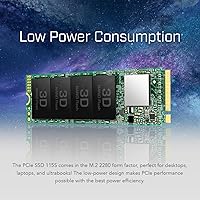
  • Power Design: The low-power architecture is optimized for battery efficiency, making it a practical fit for ultrabooks and thin laptops.
  • Companion Software: Transcend SSD Scope is available as a free download for Windows and provides health monitoring, firmware updates, and basic benchmarking tools.
  • Weight: The drive weighs just 0.32 ounces, adding negligible mass to any laptop or desktop build.
  • Color: The PCB is finished in black, consistent with most M.2 drives installed in enclosed system bays.
  • Compatible Devices: The MTE115S is designed to work in desktops, laptops, and ultrabooks equipped with a compatible M.2 PCIe slot.
  • Protocol: NVMe 1.4 compliance ensures broad operating system support and compatibility with standard NVMe drivers on Windows, macOS, and Linux.
  • Manufacturer: Transcend Information, Inc. is a Taiwanese storage hardware company founded in 1988 with a long track record in consumer and industrial storage products.
  • Model Number: The official model identifier is TS500GMTE115S, which can be used to verify firmware, warranty status, and regional availability.
  • BSR Ranking: As of the time of listing, the drive held a position of number 121 in the Internal Solid State Drives category on Amazon, reflecting strong and consistent sales volume.

Related Reviews

WD_BLACK SN7100 500GB NVMe SSD
83%
91%
Read Performance
83%
Write Performance
89%
Power Efficiency
58%
Storage Capacity
72%
Thermal Management
More
Crucial P3 500GB NVMe M.2 SSD
82%
88%
Read Speed Performance
71%
Write Speed Performance
93%
Value for Money
94%
Ease of Installation
86%
Reliability & Longevity
More
Transcend ESD265C 500GB Portable SSD
82%
88%
Transfer Speed
94%
Portability & Size
91%
Build Quality
83%
Multi-Device Compatibility
86%
Value for Money
More
fanxiang S880E 500GB NVMe SSD
78%
83%
Raw Speed Performance
86%
PS5 Compatibility
91%
Value for Money
77%
Thermal Management
93%
Installation Ease
More
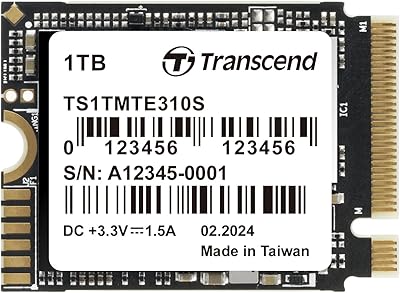
Transcend MTE310 1TB NVMe SSD
88%
92%
Performance
94%
Speed (Read/Write)
88%
Reliability
91%
Ease of Installation
84%
Software/Software Experience
More
Crucial P310 500GB NVMe SSD
87%
93%
Read & Write Speed
91%
Value for Money
88%
Thermal Management
94%
Compatibility
92%
Installation Ease
More
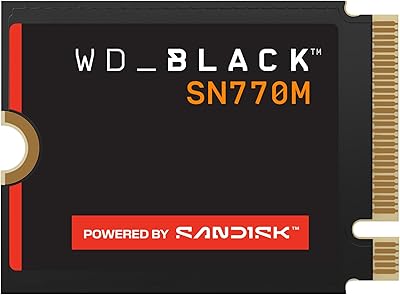
WD_BLACK SN770M 500GB NVMe SSD
89%
93%
Performance
95%
Compatibility with Gaming Consoles
91%
Speed (Read/Write)
88%
Installation Ease
87%
Durability
More
TEAMGROUP MP44L 500GB Gen4 NVMe SSD
78%
88%
Sequential Read Speed
61%
Sustained Write Performance
79%
Thermal Management
91%
Installation & Compatibility
93%
Value for Money
More
WD_BLACK SN850 500GB NVMe Internal SSD
83%
93%
Sequential Read Speed
82%
Write Performance
88%
Thermal Management
96%
PS5 Compatibility
67%
Value for Money
More
Crucial P3 Plus 500GB NVMe SSD
86%
93%
Performance
91%
Reliability
92%
Value for Money
89%
Ease of Installation
65%
Heat Management
More
Transcend MTE310 2TB M.2 2230 NVMe SSD
79%
91%
Sequential Read Speed
67%
Sustained Write Performance
93%
Device Compatibility
88%
Installation Experience
62%
Thermal Management
More

FAQ

Yes, the Transcend MTE115S 500GB NVMe SSD is built specifically for PCIe Gen3 x4 systems, so it is a natural match for laptops and desktops that top out at Gen3. You will not lose any performance headroom since Gen4 drives would be capped at Gen3 speeds on that hardware anyway.
If you are replacing a mechanical hard drive, the difference is dramatic — boot times that used to take over a minute often drop to under 15 seconds. Replacing an older SATA SSD will show a more modest but still noticeable improvement, particularly with large file opens and application launches.

For a primary drive handling Windows or macOS, a standard set of applications, and a moderate media collection, 500GB works comfortably for most people. If you plan to store large game libraries, raw video footage, or extensive photo archives on the same drive, you may want to consider a 1TB option instead.

The SLC cache acts as a fast buffer that temporarily stores incoming data at higher speeds before writing it to the main TLC NAND. For everyday tasks like saving documents, downloading files, or installing apps, you will always be working within that cache and will see peak speeds. It only becomes relevant if you are moving very large files — say, 50GB or more in a single transfer — where speeds will drop once the cache is full.

Not really. You need a small Phillips-head screwdriver to open your laptop or desktop case and secure the drive. The physical installation is straightforward: slide the M.2 card into the slot at a slight angle, press it flat, and fasten the retaining screw. Most people with no prior experience complete it in under 15 minutes by following a basic YouTube guide for their specific laptop model.

Most modern MacBooks use proprietary Apple SSD connectors and are not compatible with standard M.2 drives. However, if you have an older Intel-based Mac with a standard M.2 PCIe slot — some Mac Pro and iMac configurations — compatibility is possible, but you should verify your exact model specs before purchasing. The SSD Scope monitoring software is Windows-only, so Mac users would need third-party tools like DriveDx to check drive health.

For typical daily workloads — web browsing, office tasks, light photo editing — thermal throttling is unlikely to kick in. The drive is designed with a low-power profile that keeps temperatures reasonable. In compact laptops with limited airflow, extended large file transfers could push temperatures higher, but the built-in throttling mechanism will reduce speeds before any damage occurs.

Transcend offers a warranty on this drive — typically three years, though you should confirm the exact terms for your region on their official website. No drive is immune to failure, so regardless of brand, keeping a backup of critical data on an external drive or cloud service is always wise. The MTE115S includes LDPC error correction, which reduces the risk of silent data corruption during normal operation.

Absolutely. Many buyers use the MTE115S as a dedicated game library disk, a fast scratch drive for creative work, or a secondary volume for frequently accessed files. As long as your motherboard has an available M.2 slot, installation is the same process as setting it up as a primary drive.

Look up your laptop’s service manual or spec sheet — most manufacturers publish these online. You need to confirm two things: that the M.2 slot is keyed for NVMe (M-key or M+B key), and that it supports the 2280 length (80mm). Some ultrabooks only have room for shorter 2242 drives, which would make the MTE115S incompatible regardless of the interface type.

Where to Buy

SHI International
In stock $392.00
NextWarehouse.com
In stock $243.53