Overview

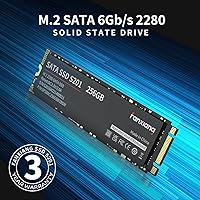
The fanxiang S201 512GB M.2 SATA SSD is a straightforward, no-frills storage upgrade aimed squarely at everyday users rather than enthusiasts chasing peak performance. One thing worth clarifying upfront: this is an M.2 SATA drive, not an NVMe drive — a distinction that matters a lot if your laptop or motherboard only supports one type. Plug the wrong one in and it simply won't work. fanxiang is a Chinese manufacturer that doesn't carry the brand recognition of Samsung or Western Digital, but it has been quietly building a presence in the budget storage market. The 512GB capacity hits a practical middle ground — enough room for Windows, your core applications, and a decent chunk of personal files without paying for space you won't use.
Features & Benefits

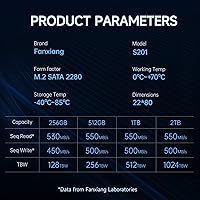
Running on the SATA III 6Gb/s interface, the fanxiang S201 delivers sequential read speeds of up to 560 MB/s — fast enough that Windows boots in seconds and large files open without the frustrating lag you get from a spinning hard drive. An SLC cache helps push burst write speeds higher in the short term, which covers most real-world tasks like copying photos or installing software. Just know that under sustained, heavy writes — say, transferring hundreds of gigabytes at once — speeds will settle back down, which is completely normal for drives using this caching approach. Hardware encryption is a nice inclusion, especially for anyone storing sensitive work files. Setup requires no special software; it works right out of the box on Windows and Linux.

Best For

This budget SSD makes the most sense for anyone pulling an aging laptop back from the brink — the kind of machine that takes three minutes to boot and struggles to open a browser tab without freezing. If your device has an M.2 SATA slot (not NVMe), this drive fits right in and will genuinely transform the experience. It is also a practical pick for desktop secondary storage, school-issued machines, or small office setups where you need dependable drives in quantity without breaking the budget. Light home users — people who browse, stream, and write documents — will find the performance more than adequate. It is not built for video editors or gamers pushing large files constantly, and it does not pretend to be.

User Feedback

With over 550 ratings and a 4.4-star average, this M.2 SATA drive sits well above the noise floor for budget storage options. Buyers consistently highlight how fast installation goes — most describe it as a straightforward swap — and the improvement in boot times tends to be immediately noticeable. On the flip side, a handful of users have pointed out that write speeds dip during prolonged transfers, which lines up with how SLC caching works in practice. There are also occasional questions about long-term reliability and what the warranty experience actually looks like, which is a fair concern with any lesser-known brand. Solid track record so far, but going in with that awareness is simply good sense.

Pros

  • Delivers a massive real-world speed boost over traditional spinning hard drives for everyday tasks.
  • Boot times drop to seconds, making older laptops feel genuinely responsive again.
  • The M.2 2280 form factor fits the vast majority of laptops and desktops with a SATA M.2 slot.
  • Hardware encryption support is a practical bonus for anyone storing sensitive work or personal files.
  • No drivers or companion software needed — plug it in and it works immediately on Windows and Linux.
  • 512GB capacity comfortably handles an OS installation plus a full suite of everyday applications.
  • Weighs barely over an ounce, so it adds nothing meaningful to a laptop's overall weight.
  • Over 550 ratings averaging 4.4 stars suggests this budget SSD performs reliably for most buyers.
  • Consistent Amazon sales ranking points to a product that keeps earning repeat purchases over time.
  • Price-per-gigabyte ratio makes this M.2 SATA drive one of the more competitive options at this capacity.

Cons

  • fanxiang is not a well-established brand, which raises reasonable questions about long-term support and warranty claims.
  • Sustained write speeds drop noticeably once the SLC cache fills — a real limitation for large bulk transfers.
  • Buyers who accidentally need NVMe instead of SATA will have purchased the wrong drive entirely.
  • No proprietary management software means fewer tools for monitoring drive health or firmware updates.
  • Long-term durability data is limited compared to drives from more established manufacturers with years of track records.
  • 512GB may feel cramped for users with large game installs, video libraries, or photo archives.
  • The warranty and returns process through a lesser-known brand can be less straightforward than with major players.
  • Performance headroom is capped by the SATA III interface — future-proofing is minimal if you plan to keep the machine long-term.

Ratings

Our AI scoring system analyzed hundreds of verified global purchases of the fanxiang S201 512GB M.2 SATA SSD, actively filtering out incentivized reviews, duplicate submissions, and bot-generated feedback to surface what real everyday buyers actually experienced. The scores below reflect a transparent picture of both where this budget drive genuinely delivers and where it falls short — no glossing over the trade-offs.

Read Performance
83%
For a SATA III drive, sequential reads hitting close to 560 MB/s translate into real-world wins that most users notice immediately — Windows boots in under 15 seconds, browsers open instantly, and large documents load without hesitation. Buyers upgrading from a spinning hard drive consistently describe the difference as dramatic.
The SATA interface is a hard ceiling, and users coming from NVMe machines will notice the gap. Sustained read performance on very large files can also vary depending on thermal conditions inside a cramped laptop chassis.
Write Performance
67%
33%
Short-burst write tasks — saving files, installing apps, copying a batch of photos — feel fast and snappy thanks to the SLC cache absorbing the initial workload. For the typical everyday user, this covers the vast majority of write scenarios they will encounter.
Once the SLC cache fills during sustained transfers, write speeds drop noticeably — a limitation multiple buyers flagged when moving large video libraries or doing full system backups. This is expected behavior for SLC-cached budget drives but can catch buyers off guard if they were not warned upfront.
Value for Money
88%
At this price tier, the cost-per-gigabyte on the fanxiang S201 is genuinely competitive, and buyers consistently describe it as one of the more sensible upgrades they have made to an aging machine. The performance gain over a mechanical hard drive at this price point is hard to argue with.
A slight premium from a more established brand like Crucial or Kingston would buy measurably more long-term confidence and warranty peace of mind — a trade-off a handful of buyers say they wish they had considered before purchasing.
Installation Ease
91%
Virtually every reviewer who mentioned installation described it as fast and painless — the standard M.2 2280 form factor slots neatly into compatible machines, and no drivers or software are required. Even first-time upgraders reported success with just a YouTube tutorial and a small screwdriver.
The one consistent stumbling block is buyers who did not verify their slot type before purchasing — SATA versus NVMe confusion leads to non-detection issues that have nothing to do with the drive itself but still generate frustration in reviews.
Compatibility
74%
26%
The M.2 2280 form factor and standard SATA III interface mean this drive fits a wide range of laptops and desktop motherboards from the past decade, and it works without any configuration on both Windows and Linux out of the box.
Compatibility collapses entirely if a buyer's system only accepts NVMe in its M.2 slot — a scenario that is more common than expected on newer ultrabooks and mini PCs. There is no workaround for this, and it accounts for a meaningful chunk of negative feedback.
Brand Reliability
61%
39%
The volume of positive ratings — over 550 with a 4.4-star aggregate — provides a reasonable baseline of confidence that this drive performs as intended across a large sample of buyers. For a lesser-known brand, that kind of sustained feedback is a meaningful trust signal.
fanxiang simply does not have the documented reliability history that brands like Samsung or WD have built over decades. Long-term failure rates are unknown, and several buyers expressed discomfort with the lack of brand transparency and limited third-party testing data.
Warranty & Support
53%
47%
The drive is not discontinued and the manufacturer remains active, which at least means replacement stock and seller support are accessible through the purchase channel. Some buyers reported satisfactory resolutions through Amazon's own return process.
The warranty claims process through fanxiang directly has been flagged by multiple buyers as unclear or slow. For anyone storing data they cannot afford to lose, the support experience feels underdeveloped compared to the clear, well-documented warranty portals of major brands.
Build & Form Factor
79%
21%
The drive is physically well-constructed for its price tier — it feels solid when handled, and at just over an ounce it adds nothing meaningful to a laptop's weight. The standard 2280 dimensions mean no adapter or bracket is needed in most builds.
There is no heat spreader or thermal pad included, which is not unusual at this price but is worth noting for buyers installing it in dense desktop setups or thin laptops with limited airflow — sustained loads may cause the drive to run warmer than ideal.
Hardware Encryption
69%
31%
The inclusion of hardware-level encryption is a genuine differentiator at this price point, giving business users and privacy-conscious buyers the option to secure data without relying on slower software-based encryption tools.
Most home users will never activate this feature, and there is limited documentation from fanxiang on which encryption standards are supported or how to configure it — making it more of a checkbox than a practical selling point for non-technical buyers.
Boot Time Improvement
92%
This is where buyer satisfaction peaks — users replacing old spinning hard drives report boot times dropping from several frustrating minutes down to well under 20 seconds. It is the single most praised real-world outcome across the review pool, and it is consistent across different laptop brands and ages.
Buyers who are already running an SSD will notice virtually no boot time improvement, since this drive does not outperform other SATA SSDs by any meaningful margin — the upgrade benefit is almost entirely relevant to those still on mechanical storage.
Thermal Performance
66%
34%
Under typical everyday workloads — web browsing, office tasks, media playback — the drive runs at comfortable temperatures and does not trigger any thermal throttling, which is consistent with what SATA drives are designed to handle.
A small number of users running the drive in cramped or poorly ventilated laptop enclosures noted above-average warmth during prolonged use. Without a heat spreader, the drive relies entirely on passive airflow from the host system, which can be inadequate in some ultrabook chassis designs.
Long-Term Durability
58%
42%
The majority of buyers who have used this drive for six months to a year report no issues, and the consistent sales volume since late 2022 suggests it is not generating widespread early failure complaints that would suppress its ratings over time.
There is not enough long-term ownership data in the review pool to draw confident conclusions about multi-year endurance. Buyers flagging durability concerns are a vocal minority, but without published TBW (terabytes written) specifications from fanxiang, assessing the drive's lifespan remains more guesswork than fact.
Software Ecosystem
55%
45%
The complete absence of required software is actually a strength in disguise — you do not need to install bloatware or create an account to use the drive, which many buyers appreciate, particularly in school or business deployment scenarios.
The flip side is that fanxiang offers no proprietary drive health monitoring, firmware update utility, or cloning tool. Buyers who want to track drive health need to rely on third-party tools like CrystalDiskInfo, which is workable but adds friction that established brands eliminate.
Packaging & Unboxing
72%
28%
The drive arrives in minimal but adequate packaging that protects it during shipping without excessive plastic waste. Most buyers describe the unboxing as clean and straightforward, with the drive immediately identifiable and ready to install.
There are no accessories included — no screws, no thermal pads, no installation guide — which is standard for budget M.2 drives but can be an unexpected gap for first-time upgraders who assumed a mounting screw would be in the box.

Suitable for:

The fanxiang S201 512GB M.2 SATA SSD is a strong fit for anyone whose primary goal is breathing new life into an older laptop or desktop that still uses a SATA-based M.2 slot. If your machine is taking several minutes to boot, struggling to open multiple browser tabs, or grinding along on a spinning hard drive, this drive will produce a dramatic and immediately noticeable improvement in day-to-day responsiveness. It is particularly well-suited to students, home office workers, and light users whose workloads revolve around web browsing, document editing, video calls, and media playback — tasks that never stress the limits of SATA throughput. Small businesses and school IT departments looking to refresh aging hardware at scale without a steep per-unit cost will also find real value here. Buyers who have confirmed their motherboard supports M.2 SATA — not NVMe — will find it slots in cleanly with no additional software or drivers required.
Not suitable for:

The fanxiang S201 512GB M.2 SATA SSD is not the right tool for buyers who need NVMe performance — if your workload involves 4K video editing, large game libraries, or frequent bulk file transfers measured in hundreds of gigabytes, the speed ceiling of SATA III will become a genuine bottleneck. Anyone whose motherboard only accepts NVMe drives in its M.2 slot should also stop here, because this drive physically will not function in that configuration, and it is a surprisingly common and costly mistake. Power users who rely on sustained write speeds — such as content creators or developers compiling large codebases — will likely outpace what the SLC cache can handle, resulting in throttled performance during heavy sessions. Buyers who place high importance on long-term brand warranty support and established after-sales service may feel more comfortable spending a bit more on a drive from a brand with a longer track record. Finally, if 512GB feels tight for your use case — and it might if you store large media collections locally — it is worth sizing up before committing.
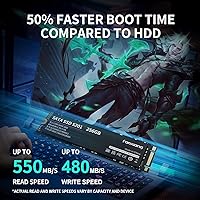
Specifications

  • Brand: Manufactured by fanxiang, a value-focused storage brand producing drives since at least 2022.
  • Model: The specific model designation for this drive is S201.
  • Capacity: This drive offers 512GB of flash storage, suitable for an operating system, core applications, and everyday files.
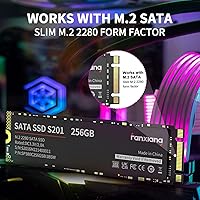
  • Form Factor: Uses the M.2 2280 form factor, meaning it is 22mm wide and 80mm long — the most common M.2 size.
  • Interface: Connects via SATA III running at 6Gb/s — this is a SATA drive, not an NVMe drive, and requires a SATA-compatible M.2 slot.
  • Read Speed: Sequential read speeds reach up to 560 MB/s under optimal conditions using the SATA III interface.
  • Cache Type: Employs SLC (Single-Level Cell) caching to accelerate burst write performance during short, everyday transfer tasks.
  • Encryption: Supports hardware-level encryption, providing an additional layer of data protection without requiring third-party software.
  • Weight: The drive weighs approximately 1.06 oz (about 30g), adding negligible mass to any laptop or desktop build.
  • Dimensions: Physical dimensions measure 5.9 x 2.6 x 0.69 inches, consistent with a standard M.2 2280 module.
  • Compatibility: Compatible with laptops and desktop PCs that feature an M.2 slot supporting the SATA protocol; not compatible with NVMe-only slots.
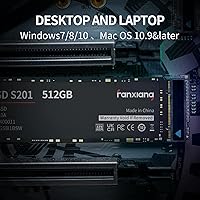
  • OS Support: Works out of the box with Windows and Linux operating systems; no proprietary drivers or companion software are required.
  • Flash Type: Uses NAND flash storage; the SLC caching layer is implemented in firmware to boost short-burst write responsiveness.
  • Availability: First made available in November 2022 and remains an active, non-discontinued product as of the latest listing data.
  • Ratings: Holds a 4.4-out-of-5-star average across more than 550 verified ratings on Amazon.

Related Reviews

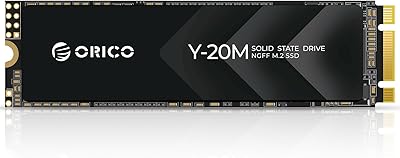
ORICO Y20M 512GB M.2 SATA SSD
78%
61%
Compatibility Clarity
78%
Read/Write Performance
88%
Installation Experience
84%
Value for Money
74%
Long-Term Reliability
More
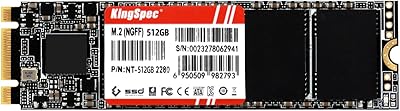
KingSpec NT Series 512GB M.2 SATA SSD
84%
88%
Performance
91%
Installation Ease
85%
Reliability
92%
Value for Money
80%
Compatibility with Non-Mac Systems
More
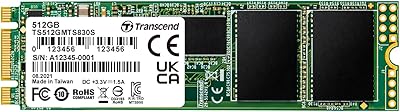
Transcend MTS830S 512GB M.2 SSD
79%
82%
Real-World Speed
88%
Value for Money
79%
Compatibility
91%
Installation Experience
89%
Boot & Load Times
More
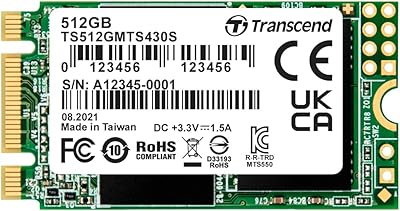
Transcend MTS430S 512GB M.2 SSD
85%
94%
Form Factor Compatibility
76%
Read & Write Speed
83%
Real-World Responsiveness
91%
Installation Ease
89%
Long-Term Reliability
More
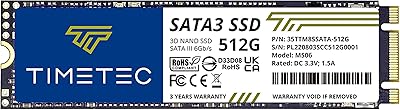
Timetec 512GB M.2 2280 SATA SSD
80%
93%
Value for Money
81%
Read Speed Performance
67%
Write Speed & Cache Behavior
91%
Installation Ease
78%
Long-term Reliability
More
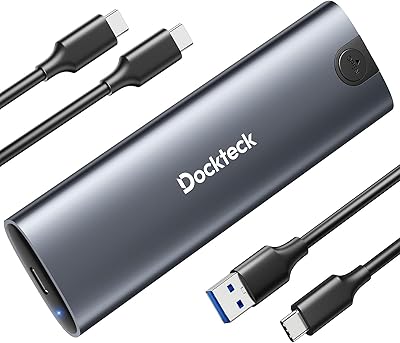
dockteck DH0002 M.2 NVMe/SATA SSD Enclosure
84%
88%
Transfer Speed (NVMe)
76%
SATA Drive Performance
83%
Build Quality
93%
Ease of Setup
79%
Thermal Management
More
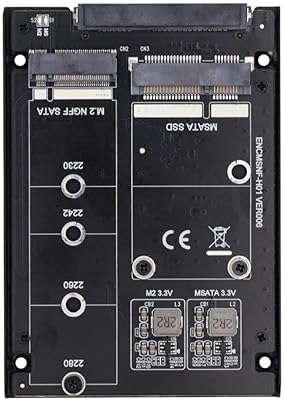
ChenYang CY-SA-060 mSATA M.2 SATA SSD Enclosure
70%
88%
Value for Money
54%
Drive Compatibility
79%
JBOD Functionality
58%
Build Quality
72%
Installation Ease
More
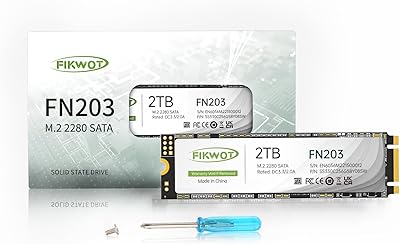
Fikwot FN203 2TB M.2 SATA SSD
73%
91%
Value for Money
78%
Read Performance
63%
Write Performance
69%
Compatibility
86%
Installation Ease
More
KingSpec NE-512 2242 512GB M.2 NVMe SSD
77%
88%
Value for Money
79%
Read Performance
71%
Write Performance
93%
Installation Ease
91%
Form Factor Compatibility
More
fanxiang S770 1TB NVMe M.2 SSD
79%
88%
Read Speed Performance
91%
PS5 Compatibility
86%
Value for Money
83%
Thermal Management
67%
Write Speed Consistency
More

FAQ

The easiest way is to check your laptop or motherboard manual, or look up your specific model on the manufacturer's support page. You can also use a free tool like CPU-Z or HWiNFO on Windows, which will show you what type of M.2 slot your system has. This step is genuinely worth doing before purchasing, because plugging a SATA M.2 drive into an NVMe-only slot means it simply will not be detected — even though it fits physically.

Yes, the fanxiang S201 512GB M.2 SATA SSD works fine as a primary boot drive for Windows 10 and Windows 11, provided your system supports booting from an M.2 SATA device. Most systems from the last decade do. You will want to either do a clean install or clone your existing drive using free tools like Macrium Reflect or Clonezilla.
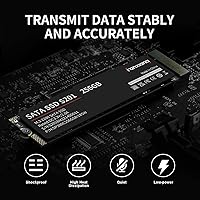
SLC caching is a technique where a portion of the drive is reserved to act as a fast temporary buffer for incoming writes. For typical everyday tasks — saving documents, installing apps, transferring a folder of photos — you will not notice any slowdown. However, if you are copying a very large amount of data at once, like 50GB or more in a single session, speeds will dip once the cache fills up. It is a normal trade-off at this price point and rarely affects everyday use.

Hardware encryption is most useful when paired with software that activates it, like BitLocker on Windows Pro or VeraCrypt. For a typical home user who does not use drive encryption software, this feature sits dormant. That said, it is a nice option to have if you store sensitive personal files and want to enable encryption later without replacing the drive.

The PS4 uses a 2.5-inch SATA drive and does not support M.2 drives at all, so this one will not work there. The PS5 supports M.2 drives for expanded storage, but only NVMe drives — it will not recognize a SATA M.2 drive. So unfortunately this budget SSD is not compatible with either console.

Performance-wise, both use the same SATA III interface and deliver similar speeds — the difference is purely physical form factor. If your machine has a free M.2 SATA slot, using this M.2 drive keeps your 2.5-inch bay available for another drive. If you have no M.2 slot at all, a 2.5-inch SSD is the right choice instead.

That is a fair concern. fanxiang is a Chinese storage manufacturer that does not have the decades-long track record of Samsung, WD, or Crucial. That said, over 550 ratings averaging 4.4 stars on Amazon is a meaningful data point — enough buyers have used this drive to suggest it performs as advertised for the most common use cases. The honest caveat is that long-term durability data is thinner than with more established brands, so it is a reasonable trade-off at a budget price.

You will typically just need a small Phillips-head screwdriver to open your laptop and secure the drive with the M.2 retention screw. No adapters are needed if your motherboard has a native M.2 2280 slot. The drive itself requires no software installation — once seated properly, your system will detect it on the next boot.

fanxiang typically offers a limited warranty on their drives, but warranty terms and the claims process are worth verifying directly with the seller or on the fanxiang website before purchasing. Several user reviews mention that the support experience can vary, so it is worth keeping your proof of purchase handy and checking the return policy on the platform you buy from.

For most everyday users — someone running Windows, a browser, an office suite, and a handful of other apps — 512GB is genuinely comfortable. Where it starts to feel tight is if you store a large local photo or video collection, or install several full-sized games. If you think you might hit that ceiling within a year or two, sizing up to 1TB is worth considering, especially since the price difference between 512GB and 1TB SSDs has narrowed considerably.